Best website builders for small business in 2026
Our team of experts and researchers rigorously test and evaluate website builders through transparent, in-depth testing procedures and methods using both in-house and industry-approved tools.
Drawing on cybersecurity insights, we provide unbiased, empirical rankings and analysis to help users make informed digital platform choices.
Learn more

The best web builder for small business in 2026 is Wix. It combines an intuitive drag-and-drop editor with powerful AI tools that help you build and customize your site quickly. Wix also offers flexible design options, built-in eCommerce features, SEO tools, and ongoing updates like AI-driven layout suggestions and content generation.
Start for freeChoosing the right website builder can impact your small business’ online success. It shapes everything from how you show up in search to how fast you grow.
Over the past 4 years, we’ve been hands-on testing the most popular web builders to see how they hold up in real-world use. Together with our research team, I’ve narrowed it down to the 8 best website builders for small business.
8 best website builders for small business in 2026
- Wix – best web builder for small business (Get Wix with 50% OFF)
- Hostinger Website Builder – best for ease of use (Visit site >)
- Shopify – best for eCommerce (Visit site >)
- Bluehost – best for WordPress-powered business sites (Visit site >)
- Squarespace – best for standout design and visual branding (Visit site >)
- Elementor One – best for creative control (Visit site >)
- IONOS – best for small businesses on a budget (Visit site >)
- SITE123 – best for simple blogging and quick content updates (Visit site >)




Our in-house research team and expert writers work hand in hand to regularly test website builders and provide accurate and fact-checked information. Discover the ins and outs of how we test and evaluate website builders.
Best web builders for small business: detailed list
To assemble the list of the best website builders for small businesses, our research team and I tested our top-rated website builders. Only those fit for small businesses were selected for this list. We determined how fit each provider is for a small business by investigating each one’s eCommerce, SEO, blogging, AI, and general marketing features.
1. Wix – the best website builder for small businesses in 2026

| Rating: | |
| Starting price: | Free or from $17.00/month |
| Money-back guarantee: | ✅ Yes, 14-day trial period for Premium plans |
| Free domain: | ✅ Yes |
| Free SSL: | ✅ Yes |
| Templates: | 2700+ |
| Current deal: | Get Wix with 50% OFF |
Wix is one of the best AI-powered web builders for small businesses, especially those who want both creative freedom and guided support. With over 2700 designer-made templates, AI tools, and robust eCommerce features, it stands out for blending simplicity with advanced capabilities.
Why is Wix good for small business?
- 2700+ customizable templates
- eCommerce tools: inventory, product listings, abandoned cart recovery, Wix payments, mobile app
- Booking and appointment features
- Built-in contact forms and live chat apps
- Marketing tools: SEO, email campaigns, social integrations
- AI assistance for text, images, and layouts
- App store with business-focused add-ons
Eager to learn more about our most recommended web builder? Check out the Wix web builder review.
My experience with Wix – 4.5/5 ⭐
Creating a website with Wix felt intuitive and smooth. I used a drag-and-drop template and had a functional site in under an hour. And when I say I had a website ready in under an hour, I mean it – not just a layout but an actual working website with a clean design, basic text, and images all in place.
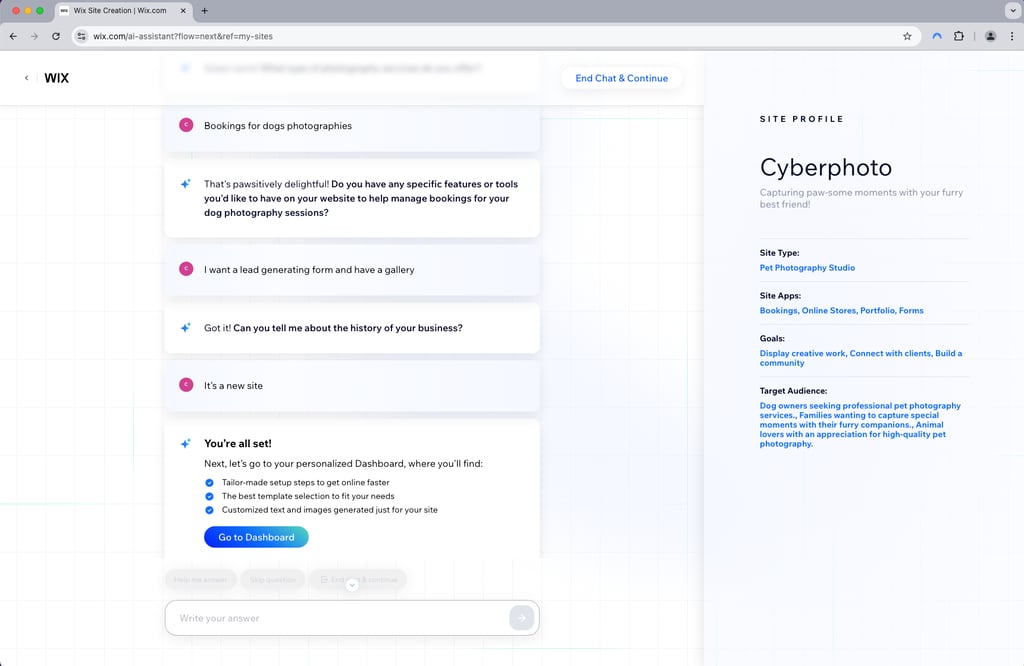
I liked the variety of templates and how visual the whole process was. But once a template is chosen, you can’t switch to another one without rebuilding the site. It’s a small but frustrating limitation. Navigation is clean, but advanced options, like API integrations or Developer Mode, can feel overwhelming.

On the other hand, the tools formerly known as Velo by Wix let you add more complex functionality and control. You don’t need to be a full-stack developer, but some JavaScript knowledge is helpful to master this functionality.
The AI assistant, now called Aria, has been upgraded with smarter copy generation and layout suggestions. It acts like a built-in AI agent, letting you change layouts, add pages, or rewrite sections while editing. Wix also introduced the Harmony design system, which creates layouts and styling based on the look or vibe you describe. Booking features are improved for easier client management and payments, and the redesigned mobile app gives business owners more control on the go.
2. Hostinger Website Builder – user-friendly website builder

| Rating: | |
| Starting price: | From $2.69/month |
| Money-back guarantee: | ✅ Yes, 30-day |
| Free domain: | ✅ Yes |
| Free SSL: | ✅ Yes |
| Templates: | 300+ |
| Current deal: | Get Hostinger Website Builder, 81% OFF + free months |
Hostinger Website Builder is a smart choice for startups and small businesses on a budget who want a modern, easy-to-build website. It stands out for combining affordability with solid features like AI assistance and essential eCommerce tools. The already-low price can be reduced even more with Hostinger coupon code CNSPECIAL. New users can also grab Hostinger code CNHOSTFIRST.
Why is Hostinger good for a small business?
- Intuitive drag-and-drop editor with AI-powered help (Kodee)
- Supports up to 500 products, with inventory and shipping options
- Built-in marketing tools: SEO, email campaigns, and analytics
- Over 300 modern, customizable templates
- Simple pricing with one plan covering business and eCommerce needs
Don’t forget to check out the Hostinger review for all the unique features the provider offers.
My experience with Hostinger – 4.4/5 ⭐
Hostinger impressed me with its beginner-friendly setup. The drag-and-drop editor is smooth, and Kodee, the AI assistant, helped me navigate building a site easily. I loved the variety of templates tailored for business and eCommerce, plus handy AI tools for writing, SEO, and even image generation.

I also found Hostinger’s Google Ads integration super handy when launching my site. I didn’t need any prior ad experience – it guided me through setup, helped pick keywords, and even suggested ad copy.
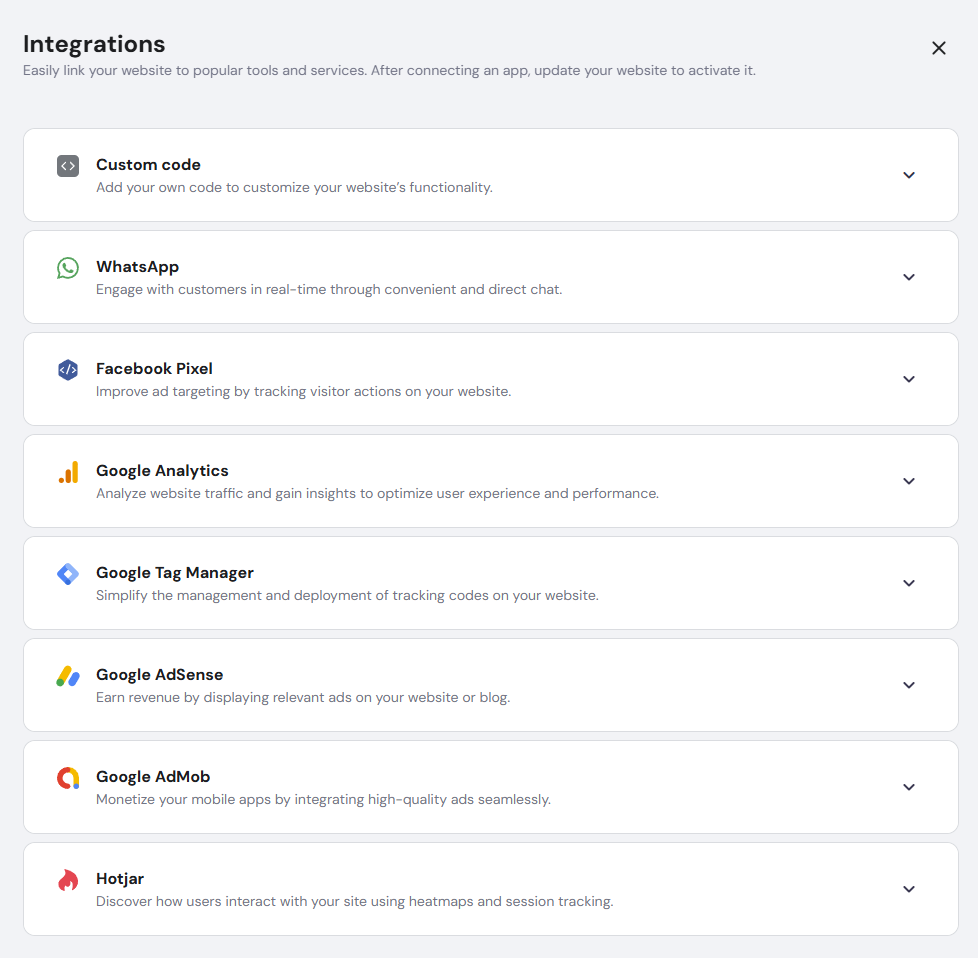
I could track clicks and results right from the dashboard, which saved me time. Plus, I got a bonus ad credit to test things out. It’s a great starting point if you're new to ads.
Hostinger Website Builder has recently introduced several updates aimed at small businesses. The standout addition is Kodee, an AI assistant that helps users build and optimize their sites. Hostinger Horizons lets users create no-code web apps using AI prompts. The Easy Onboarding plugin for WordPress was redesigned for a smoother setup, and a new Google Ads App integration makes launching ad campaigns directly from the builder simple and efficient.
3. Shopify – the best advanced eCommerce platform

| Rating: | |
| Starting price: | From $29.00/month |
| Money-back guarantee: | ❌ No |
| Free domain: | ❌ No |
| Free SSL: | ✅ Yes |
| Templates: | 1050+ |
| Current deal: | Try Shopify free for 3 days + 3 months for $1 |
Shopify is a website builder made for online stores. It includes everything you need to sell products, manage orders, and accept payments. Its tools and automation make running a store easier, which is why it’s popular with small businesses looking to grow.
Why is Shopify good for small business?
- eCommerce toolkit – product listing, variations, inventory, shipping, pre-orders
- Multi-channel selling connects your store to social media, global marketplaces, and physical POS systems
- Sidekick AI assistant automates complex tasks like store edits, workflow logic, and predictive reporting
- Built-in analytics with live reports, trends, and customer data
- Shopify Markets enables instant international selling with localized currencies, duties, and languages
- Rich app store with thousands of third-party tools
- Shopify Shipping functionality that includes label printing and discounted rates
Check if this provider suits your needs in our full Shopify review.
My experience with Shopify – 4.3/5 ⭐
Setting up my store with Shopify was smooth – the builder now uses Aria AI and walks you through every step, making it easy for first-timers.
Navigation is clean, and the dashboard feels intuitive. What stood out to me the most was how much control I had over my store's back-end – inventory, orders, and taxes were all clearly managed.
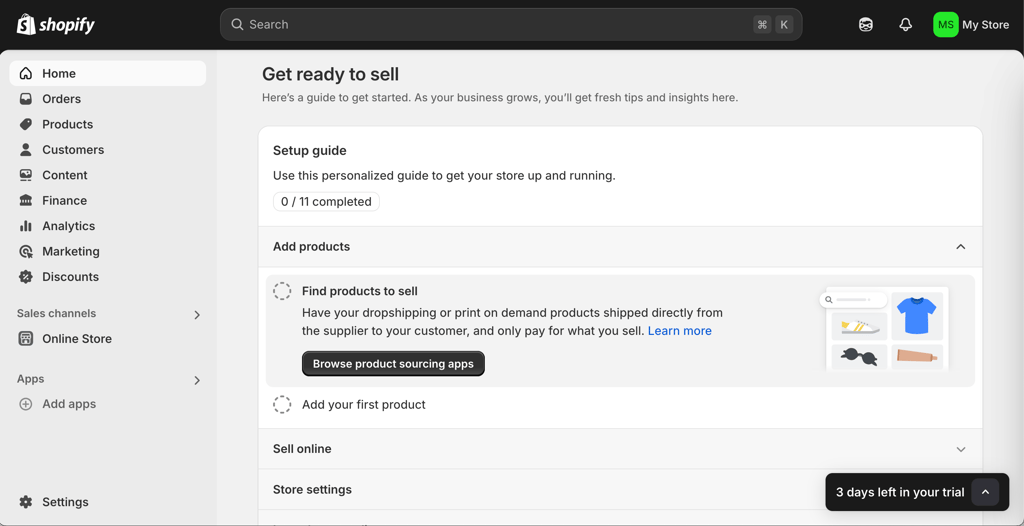
However, design-wise, I found the free themes a bit limiting. The new Horizon Theme Framework has improved this, offering more flexible section-level customization. That said, premium themes still cost up to $500.00.Compared to Wix or Hostinger, getting a unique look without apps or custom code still feels more boxed in.
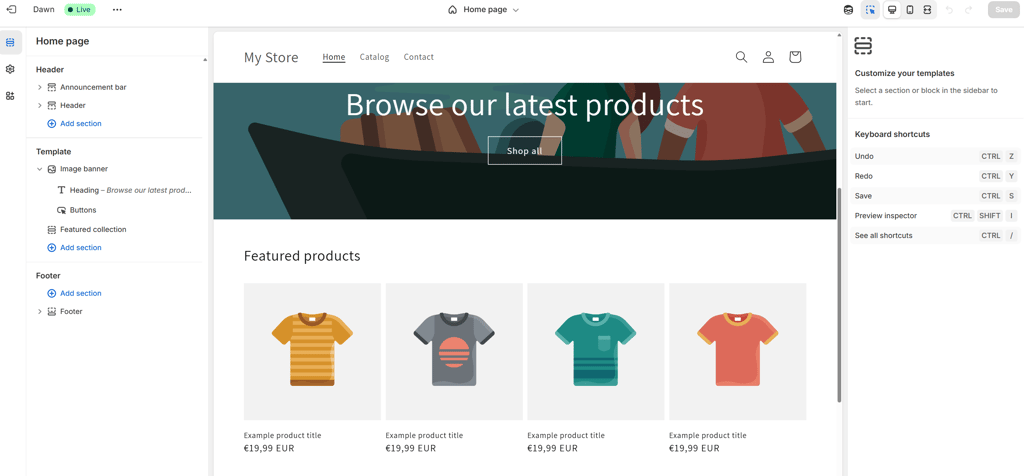
Still, the built-in tools like Shopify Magic and real-time analytics were a major plus. I could track what customers were doing on my site and adjust my offers quickly. If selling is your top priority, beating Shopify’s ecosystem is hard.
Shopify has recently introduced a Shopify Subscriptions app, so you can sell memberships or recurring products without extra apps, and Combined Listings automatically merge product variations into a single, cleaner page. The new Horizon Themes give you more control over layouts with flexible, free designs, while Sidekick Pulse spots trends and suggests further steps. Shopify Magic has also been improved to help with blog posts and other content.
4. Bluehost – the best web builder to pair with WordPress

| Rating: | |
| Starting price: | From $2.99/month |
| Money-back guarantee: | ✅ Yes, 30-day |
| Free domain: | ✅ Yes |
| Free SSL: | ✅ Yes |
| Templates: | 300+ |
| Current deal: | Get up to 70% OFF Bluehost website builder! |
Bluehost WonderSuite mixes WordPress with helpful AI tools to make building a site easier. If you like WordPress but feel it’s a bit too much sometimes, this WordPress builder makes things simpler. You still get all the flexibility, but the process is streamlined with AI. That’s why it’s a solid pick for small businesses that want control and room to grow.
Why is Bluehost WonderSuite good for a small business?
- AI onboarding helps set up templates and pages based on user goals
- WooCommerce integration with product pages, payment, and shipping tools
- 300+ templates and 13,000 WordPress themes
- Full WordPress CMS with drag-and-drop editing and WonderBlocks Library for pre-designed sections
- WonderHelp AI provides step-by-step guidance inside the editor
- Booking/contact options that are easy to add via WordPress plugins
- Full data ownership to maintain control and migrate your site anytime
If you’re curious, read our full Bluehost WonderSuite review.
My experience with Bluehost – 4.2/5 ⭐
Setting up Bluehost was slightly more technical at first. You have to install WordPress and activate WonderSuite – but after that, the AI took over and made things smoother. Within minutes, I had several tailored design options to choose from.
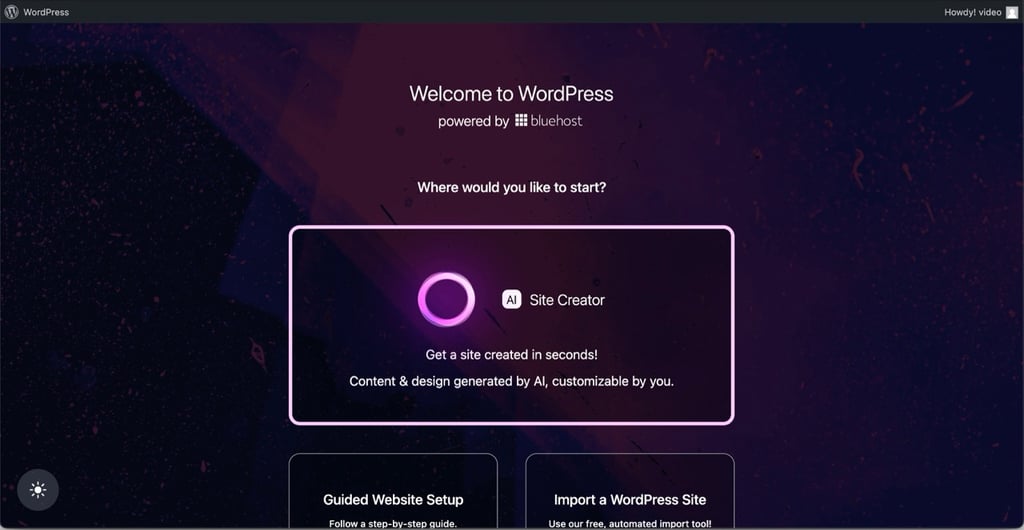
The AI tools helped me pick layouts, adjust fonts, and even generate content sections. Compared to other builders, this felt more like a smart assistant guiding me through. That said, the real strength is in how much freedom you get. Thanks to WordPress and WooCommerce, you can scale your business site almost endlessly. WonderHelp AI was also handy for step-by-step guidance as I explored advanced options. The tradeoff? You’ll likely need to install plugins for advanced features, and some come at a cost.
But if you're not a total beginner and want room to grow, Bluehost strikes a great balance between guidance and flexibility.
5. Squarespace – designer-built templates for creative small businesses

| Rating: | |
| Starting price: | From $16.00/month |
| Money-back guarantee: | ✅ Yes, 14-day |
| Free domain: | ✅ Yes |
| Free SSL: | ✅ Yes |
| Templates: | 199+ |
| Current deal: | Get up to 36% OFF Squarespace |
Squarespace stands out for its clean, modern templates and easy visual editor. We nominated it as a top choice for small businesses that rely on visuals – photographers, designers, and studios – because it balances design elegance with simplicity. It’s not bloated with unnecessary tools, making it a good pick for entrepreneurs who want a good-looking site without technical fuss.
Why is Squarespace good for small business?
- Blueprint AI Builder creates a personalized website layout and content based on your answers
- Lets you sell digital and physical products
- Supports Stripe and PayPal inventory tracking
- Integrates with Acuity Scheduling for appointment-based businesses
- 199+ designer-made templates, drag-and-drop Fluid Engine editor
- SEO features, social media integrations, email campaigns
- AI tools for product descriptions, emails, blog post drafts
Read the full Squarespace review to explore more.
My experience with Squarespace – 4/5 ⭐
Building a website on Squarespace was smooth and enjoyable thanks to its Blueprint AI builder, which provided suggestions and guidance throughout the process. Before choosing a template, I answered a few prompts and received a design combination based on my answer.
Navigating the interface felt natural – everything is organized under one dashboard, and the Fluid Engine editor keeps layouts tidy. I loved how quickly I could set up a portfolio-style website. However, compared to Wix or Hostinger, I missed more advanced features like AI image creation or blog SEO tools. On the good side, Squarespace offers a native eCommerce system, which is well organized as well.
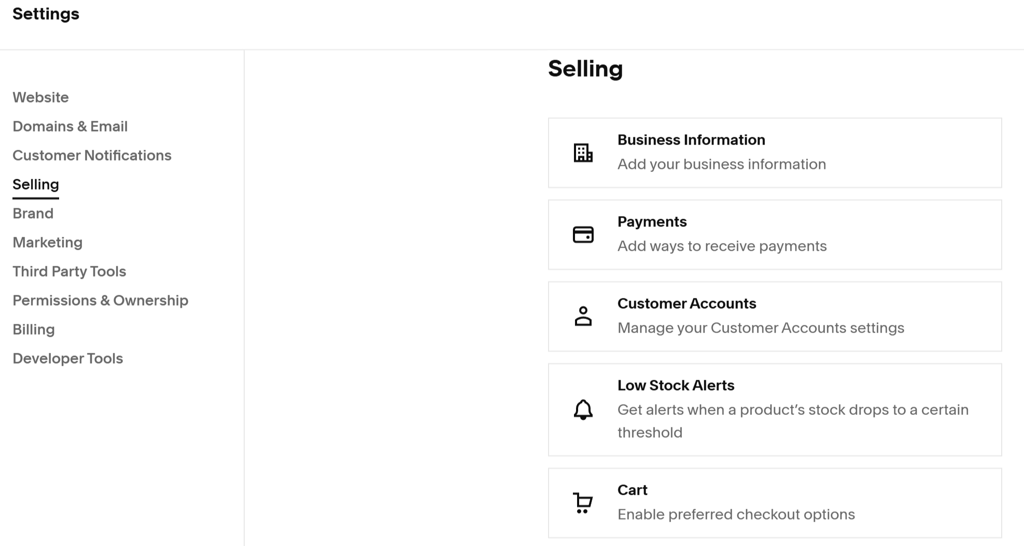
For service-based businesses, the built-in Acuity Scheduling integration is a plus, but for scaling a store, you’ll probably need to upgrade to pricier plans.
Squarespace recently introduced Blueprint AI, a tool that builds a personalized website layout based on your business details. The platform also expanded its AI tools for images and SEO, making it easier for users to generate visuals and improve search visibility. On the commerce side, Squarespace added new payment options, such as pay links and QR codes, making it easier to accept payments online and in person.
6. Elementor One – best for creative control on WordPress

| Starting price: | |
| Starting price: | From $4.99/month |
| Money-back guarantee: | ✅ Yes, 30-day |
| Free domain: | ✅ Yes |
| Free SSL: | ✅ Yes |
| Templates: | 330+ |
| Current deal: | Get Elementor, starting at $4.99/month |
Elementor One makes it easy to use WordPress with its drag-and-drop features, while still keeping all the platform’s power. You can create pages that look exactly how you want, adjust every detail, and still use all the plugins and integrations WordPress offers. That’s why it’s a great option for small businesses that want professional-looking sites and the freedom to build what they imagine.
Why is Elementor One good for a small business?
- Intuitive drag-and-drop editor with real-time visual editing – no coding required
- 330+ professional templates and 86 Editor Pro widgets for fast site building
- Full WooCommerce integration for product pages, carts, and checkout
- Built-in Popup Builder for lead capture, promotions, and announcements
- Advanced responsive controls to fine-tune designs for mobile, tablet, and desktop
- Seamless WordPress ecosystem access – use any plugin, theme, or integration you need
Ready to see if Elementor One is the right fit? Head over to our full Elementor review for more.
My experience with Elementor One – 4/5 ⭐
Building a website with Elementor One was easy to understand and allowed for a lot of creativity. The drag-and-drop editor stood out because I could see changes as I made them, making it simple to try out different layouts and designs.
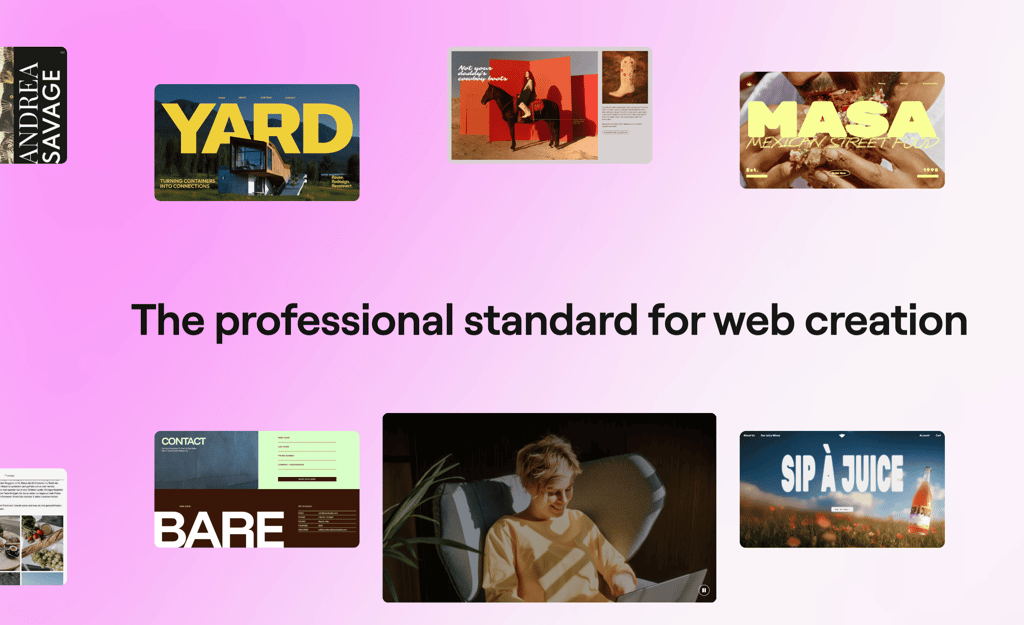
The interface is simple and easy for beginners, but it also offers enough features for advanced customization. I liked that I could copy and paste sections, and the responsive editing tools helped me adjust how pages looked on different devices. With over 330 templates and 86 widgets, it was quick to create a professional-looking site.
There are a few downsides to consider. Some users say Elementor can make sites slower, especially if the site is large or complex. While the basics are easy to use, learning the advanced features can take some time. On the plus side, the WooCommerce integration and Popup Builder are helpful for small businesses that want to sell products or collect leads.
Recent updates focus heavily on AI and faster site planning. Elementor AI can now help generate layouts, text, images, and even small pieces of code directly inside the editor. The new AI Site Planner generates a sitemap and basic wireframes based on your business goals, helping speed up the early stages of building a site. Another addition is AI Context, which learns your brand’s tone and style so that generated content stays consistent across pages. Together, these tools make it easier to move from idea to finished site without starting everything from scratch.
7. IONOS – highly affordable website builder for small businesses

| Rating: | |
| Starting price: | From $1.00/month |
| Money-back guarantee: | ✅ Yes, 30-day |
| Free domain: | ✅ Yes |
| Free SSL: | ✅ Yes |
| Templates: | 49+ |
| Current deal: | Get up to 96% OFF IONOS website builder |
IONOS makes this list due to its unbeatable price (from $1.00/month), beginner-friendly setup, and built-in SEO features. While it’s not the most advanced builder out there, it’s a solid pick for small businesses that want to get online quickly without overspending. AI-powered site creation and performance tracking tools make it surprisingly capable at this price point.
Why is IONOS good for small business?
- Lets you sell physical and digital products (up to 5000 items)
- Pre-built contact form templates for easier booking and contacting
- Built-in SEO, email marketing, competitor monitoring, performance analytics
- AI-generated templates, user-friendly drag-and-drop editor
- Website translator
- AIO SEO Dashboard with optimization for Google and AI search agents
- AI Receptionist to answer basic customer questions automatically
Read the full IONOS review to learn more.
My experience with IONOS – 3.5/5 ⭐
Building a website with IONOS was simple, especially with the AI setup. It asked a few questions, then generated layouts tailored to my answers. Great for non-techies.
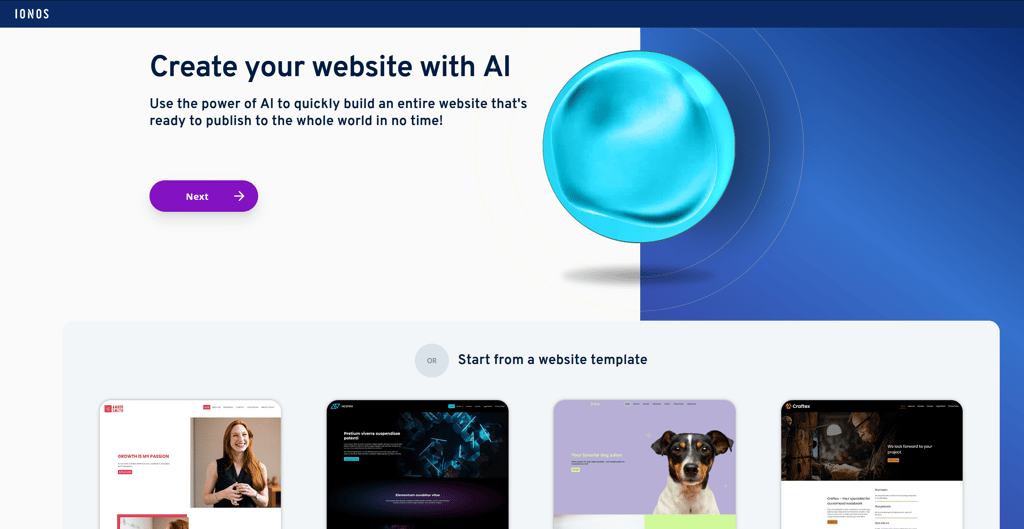
Navigation was intuitive, and while the template selection is limited, AI-generated designs helped overcome that. However, I did notice a few bugs in the editor. For example, sometimes elements didn’t land where I dropped them, or it took a second or two to respond. Additionally, the lack of deeper customization options became frustrating as I went. For instance, once you choose a template, layout elements are hard to adjust. Still, for the price, it over-delivers.
New features relevant to small businesses include a Smart AI Text Generator that helps craft on-brand website copy quickly, a Mobile Editing Mode for customizing how your site appears on smartphones, and a refreshed SEO Dashboard that tracks performance and offers actionable optimization tips. IONOS now also includes the AIO SEO Dashboard, which helps your site rank on Google and get noticed by AI search agents and an AI Receptionist that acts as an automated chat agent to answer common customer questions.
8. SITE123 – a simplistic website builder great for blogs

| Rating: | |
| Starting price: | From $4.60/month |
| Money-back guarantee: | ✅ Yes, 14-day |
| Free domain: | ✅ Yes |
| Free SSL: | ✅ Yes |
| Templates: | 160+ |
| Current deal: | Get SITE123 now 50% OFF |
SITE123 is a no-fuss website builder that gets your business online fast. It’s best for beginners and small businesses that don’t want to get lost in endless customization. While it lacks advanced features, SITE123 makes up for it with speed, simplicity, and a strong blogging foundation, earning it a spot among the easiest builders for small business websites.
Why is SITE123 good for small business?
- AI Advisor and Setup builds a ready-to-edit website in minutes by asking a few questions about your business goals
- eCommerce features including product management, inventory tracking, shipping, taxes, and digital downloads
- Built-in SEO tools, social media integrations, and email marketing
- 80+ mobile-friendly templates, customization via a simple dashboard
- Pre-built forms with basic customization options
Read our SITE123 review for all the details.
My experience with SITE123 – 3.5/5 ⭐
My time with SITE123 was smooth, though limited. It’s clearly built for people who don’t want to tinker too much — and that’s okay. I appreciated how quickly I could launch a site, but I missed the flexibility I’ve seen in more advanced tools.
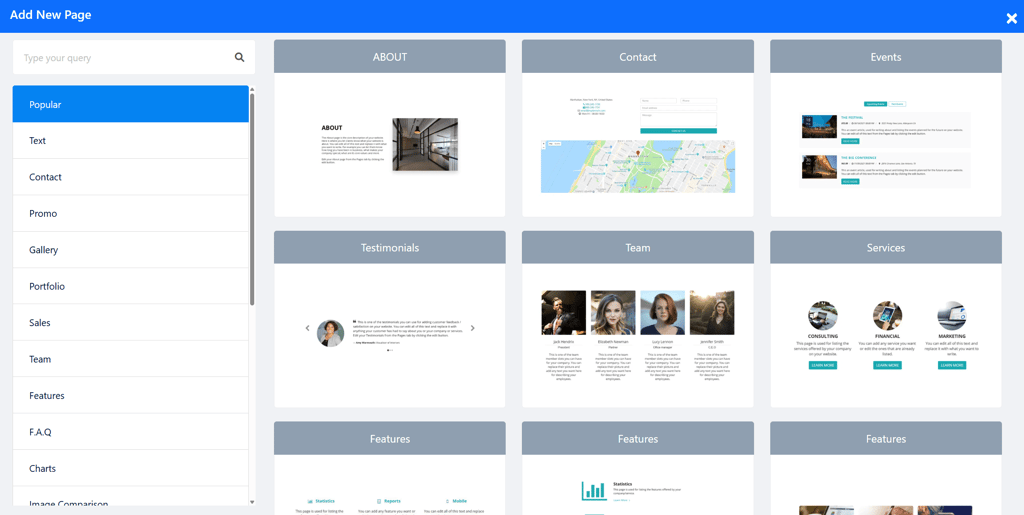
Navigation is easy – the editor walks you through setup, with no coding required. I liked the blogging experience best: writing, adding visuals, and scheduling posts took minutes. Templates look modern but aren’t very customizable. For a solo entrepreneur or someone launching their first site, SITE123 removes the friction, but growing businesses might outgrow it quickly.
SITE123 now makes it easier to keep your brand consistent with AI Business Settings, which remembers your brand voice and business details for all generated content. Color and Font Generators automatically create coordinated designs, while a Legal Page Generator quickly produces Terms, Privacy, and Accessibility pages. On top of that, new Parallax and Transition effects give sites a more modern, polished look.
Comparison of small business website builders
| Website builder | Wix | Hostinger | Shopify | Bluehost | Squarespace | Elementor One | IONOS | SITE123 |
| Logo |  |  |  |  |  |  |  |  |
| Rating | ||||||||
| Pricing | Free (premium paid plans start from $17.00/month) | $2.69/month | $29.00/month | $2.99/month | Free (premium paid plans start from $16.00/month) | $4.99/month | $1.00/month | Free (premium paid plans start from $4.60/month) |
| Templates | 2700 | 300 | 1050 | 300 | 199 | 330 | 49 | 160 |
| AI web builder | ✅ Yes | ✅ Yes | ✅ Yes | ✅ Yes | ✅ Yes | ✅ Yes | ✅ Yes | ✅ Yes |
| Business features | eCommerce store, booking system, SEO, email marketing, social posts, AI text generator, Wix ADI, App Market, multilingual support | Basic store setup, booking with integrations, SEO toolkit, email marketing, AI site builder, AI writer, logo maker | Advanced store with POS and digital goods, booking via third-party apps, Shopify email, SEO tools, AI product descriptions (Shopify Magic) | WooCommerce store, booking via WordPress plugins, SEO and email via integrations, AI layout suggestions | Built-in eCommerce, native booking system, SEO, email marketing, social tools, AI content helper | WooCommerce integration, Popup Builder, responsive design controls, form builder with CRM integrations, global widgets and cloud templates | Built-in eCommerce, native booking system, SEO, email marketing, social tools, AI content helperBasic online store, booking via add-ons, SEO, email campaigns, AI text generator | Basic eCommerce, SEO tools, text generator |
Small business website builders: ranking methodology
Here at Cybernews, we follow a rigorous testing process to assess website builders. Together with the research team, I overviewed 37 web builders and built test websites with the 8 best options for small businesses, evaluating them in terms of:
- eCommerce features (30%). I prioritized builders with powerful eCommerce tools like product pages, inventory tracking, secure payment gateways, and easy checkout setups – essential for small businesses that sell online.
- Marketing tools (25%). To help small businesses grow their audience, I looked for platforms that offer email marketing, social media integration, SEO tools, and campaign management features.
- Ease of use (20%). I know time is money, so I chose builders with intuitive interfaces, drag-and-drop editors, AI-powered features, and ready-made templates to make website building quick and simple.
- Pricing (15%). Affordability matters, especially for small businesses just getting started. I selected platforms that offer solid value at a fair price, with flexible plans that scale as your business grows.
- Customer support (10%). Things can go wrong, and fast support matters. Together with the research team, I tested how responsive and helpful each platform’s support team was, with extra points for 24/7 availability and helpful knowledge bases.
How to choose web builder for small business
When choosing a website builder, it helps to break the decision down into a few key areas. Focus on what matters most to your business to ensure you choose a platform that fits your needs now and in the future. Here’s what I recommend considering:
- Main goal. Decide whether you need an online store, a portfolio, or a simple informational site. This helps narrow down which tools and features you’ll actually use.
- Budget. Some builders are free or low-cost, while others charge more for advanced features. Pick one that meets your needs without overspending.
- Comfort with technology. Drag-and-drop editors make setup simple, while more advanced platforms offer extra control but take a bit of learning.
- Must-have features. Make a list of essentials like eCommerce, booking tools, or marketing integrations so you don’t miss anything important.
- Future growth. Consider how your site might expand. Choose a builder that can scale as you add more pages, products, or team members.
Video review
If you’d rather watch a video, check out the YouTube overview our team created on the best website builders for small businesses.
Can I switch website builders later if my business grows?
Yes, you can switch website builders later if your business grows – but how easy it is depends on the platform. Some website builders let you export your content or migrate parts of your site, while others require you to rebuild everything from scratch. That’s why it’s a good idea to choose a builder that can scale with your business.
For example, Hostinger offers a flexible and scalable setup, so you’re less likely to outgrow it as your needs evolve. What makes it particularly scalable is the ability to upgrade your hosting plan, increase storage and bandwidth, and access advanced features like SEO tools, email marketing integrations, and analytics.
Best website creator for small business: wrapping up
After testing and comparing all the top options, Wix is hands-down my #1 pick for small businesses. It has just enough well-designed templates to be original, is very beginner-friendly, and has all the eCommerce and marketing tools a small business owner might need.
Wix also stands out by offering the ability to create a full website for free, allowing users to experiment and plan before launching the finished site and investing in a subscription. Many other providers on this list are excellent too, like Hostinger with its smart content tools, or IONOS, which is hard to beat when it comes to affordability.
That said, what’s best really depends on what you need. If you’re after AI-driven content creation, Hostinger might suit you better. If your priority is keeping costs low, IONOS could be the smarter pick. But if you're looking for a well-rounded platform that’s beginner-friendly yet powerful, Wix is the one I keep coming back to.

FAQ
Are there any free website builders for small businesses?
Yes, there are several free website builders that small businesses can use, especially when just starting out or testing the waters. Builders like Wix, Weebly, and GoDaddy offer free plans that include basic features, templates, and drag-and-drop editors. They’re user-friendly and allow you to build a simple site without spending a dime.
How to start a small business website for free?
You can start a small business website for free by using a website builder with a free plan, such as Wix or SITE123. These platforms let you choose a template, add your business information, and publish the site without paying for hosting. Free plans usually include a platform subdomain and limited features, but they’re a simple way to launch your first site.
What is an easy website builder for a small business?
Builders like Wix, Squarespace, and SITE123 offer templates and drag-and-drop editors that make the setup simple. These tools guide you through creating pages, adding images, and publishing your site. Most also include basic features like SEO tools, marketing integrations, and simple online selling options.
Do website builders support marketing tools like email or Google Ads?
Most website builders offer built-in marketing tools or easy integrations to help small businesses grow their reach. Some examples include email campaigns, Google Ads, SEO features, and social media integrations. These tools make it easier to promote your business without needing a separate marketing platform. Some builders, like Wix or Shopify, go a step further by offering full marketing suites, while others integrate smoothly with third-party services like Mailchimp or Google Analytics.
Can I use my own domain with a website builder?
Yes, you can use your own domain with a website builder. It’s one of the best ways to make your site look professional. Most builders let you connect an existing domain or buy a new one directly through their platform. Just keep in mind that using a custom domain usually requires a paid plan.
Is Wix free for businesses?
Yes, Wix offers a free plan for everyone who wants to build a website. It’s a good option for those just starting out, as it has plenty of templates. However, Wix’s free plan may not be a great option for businesses, as it lacks key features such as eCommerce, marketing, and SEO tools.
How much should a website cost for a small business?
Building a website can cost anywhere from zero to a couple thousand to tens of thousands of dollars – it all depends on the size and complexity of your website. A small business can easily build a website without spending a lot of money by using a website builder with a free plan, such as Wix.