NordPass vs 1Password 2026: Security, apps, ease of use


When it comes to NordPass vs 1Password 2026, you are choosing between two of the strongest password managers on the market, and picking between them comes down to what actually matters for your specific situation rather than one being objectively better.
1Password has spent more than 15 years refining its product, earning a loyal following among both individual users and businesses. NordPass is the newer of the two, built by NordSecurity, the same team behind NordVPN, and it has carved out a strong reputation with users who prioritize privacy above all else.
I put both through several weeks of daily use across Windows, macOS, iOS, and Android, testing everything from security architecture to pricing and everyday usability. Whether you need a password manager for yourself, your family, or a small team, this comparison will help you land on the right choice by the end.
NordPass vs 1Password: quick verdict
In my opinion, NordPass is a better password manager than 1Password for most people. Both are very secure and easy to use, and while 1Password has some unique niche features, such as Privacy Cards and Travel Mode, NordPass's lower price tag of $1.29/month and faster xChaCha20 encryption make it my recommendation for most users. Moreover, NordPass offers a lifetime free plan, while 1Password only has a 14-day free trial.
| NordPass | 1Password | |
| ⭐ Rating: | ||
| 🥇 Overall rank: | #1 out of #20 | #2 out of #20 |
| 🔥 Coupons: | NordPass coupon 61% OFF | 1Password coupon 25% OFF |
| 💵 Price: | From $1.29/month | From $2.99/month |
| ✂️ Free version: | Yes | 14-day trial |
| 🔒 Encryption: | XChaCha20 | AES-256 |
| 🖥️ Platforms: | Windows, macOS, Linux, Android, iOS | Windows, macOS, Linux, Android, iOS |
| 🌐 Browser extensions: | Chrome, Edge, Firefox, Opera, Safari, Brave, Vivaldi | Chrome, Firefox, Edge, Brave, Safari |

Key differences between 1Password and NordPass
NordPass and 1Password are some of the most popular password managers on the market. While they both offer a hassle-free experience, there are some key differences.
Choose NordPass if:
- You need budget-friendly pricing. NordPass offers lower and more flexible pricing. At just $1.29/month, NordPass is significantly cheaper than 1Password, all while offering the same quality.
- You want a free password manager. NordPass offers a lifetime free plan, while 1Password only has a free trial. You can use NordPass without buying a subscription to securely store your passwords. You won’t have access to premium features like secure sharing or email masking, but it’s good enough for basic password management.
- You need a lot of encrypted storage. NordPass offers more storage on its paid plans – Individual and Family plan users get 3GB of storage, which is just enough for photocopies of your important documents and files. 1Password, on the other hand, provides only 1GB of cloud storage for individual accounts, which significantly limits what you can store on there.
- You want to hide emails. NordPass offers Email Masking on every paid plan, while 1Password offers it only for Fastmail users, which requires a separate subscription too. Moreover, there’s NordPass email masking browser extension that automatically suggests new emails when signing up for a new service.
- You plan to get a VPN. NordPass is part of the Nord Security ecosystem, so it’s often bundled with NordVPN at a discounted price. Such subscriptions are much cheaper than paying separately for a VPN and another password manager.
Check out our NordPass review, where we tested the tool even more meticulously.
Choose 1Password if:
- You want flexible control when offline. 1Password lets you edit, delete, and add items when offline. Any changes you make sync when you reconnect. NordPass is not as flexible offline, only allowing you to view and copy your logins.
- You need credentials to be secure while travelling. 1Password has a Travel Mode feature that lets you create vaults with credentials safe for travel. While the mode is on, other vaults are removed from your device but saved on your account.
- You often shop online. 1Password has a Privacy Cards feature that hides your payment cards’ data by generating virtual cards with customizable limits and expiration dates. So, you can be sure your real cards are secure.
- You want easy and convenient sharing with your family. With 1Password’s family plan, you can share folders, which is more convenient than NordPass, where you have to share passwords with family members one by one.
For the full breakdown of this provider, check out our 1Password review.
NordPass vs 1Password pricing for 2026
Overall, NordPass is cheaper than 1Password. It also offers a lifetime free version, which lets you store unlimited passwords and use the autofill feature. Learn more about the plans below.
| Plan | NordPass | 1Password |
| Free | ✅ Yes | ❌ No |
| Premium | $1.29/month (1 user) | $2.99/month (1 user) |
| Family | $2.32/month (6 users) | $4.49/month (5 users) |
| Business | $3.59/month (per user) | $8.99/month (per user) |
| Coupons | NordPass coupons | 1Password coupons |
Pricing was last checked on July 30th. 2026
NordPass's pricing structure is more flexible, giving you more options depending on how long you subscribe. It also offers a lifetime free version. Even though it’s limited in features, it still lets you create, store, and autofill unlimited passwords using the same security protocols as the premium version, making it a solid choice if you’re looking for a free password manager.
NordPass 1-year plan costs $1.99/month, whereas 1Password also costs $2.99/month. However, the real price difference comes with NordPass’ 2-year plan, which costs $1.29/month. Since 1Password doesn't offer a 2-year option, NordPass’ long-term deal becomes a more affordable choice.
Moreover, at the time of writing, buying a 2-year NordPass plan included 2 extra months of free access to NordVPN, making it a solid bundle for privacy-focused users.
Both providers also have Family plans that include all premium features for each member. NordPass is the more affordable family option available from $2.32/month for up to 6 users. 1Password is more expensive, allowing 5 users at $4.49/month.
Both providers give you the option to try their services risk-free. NordPass offers a 30-day money-back guarantee, while 1Password has a 14-day free trial. Both services accept major credit cards and regional payment options. However, NordPass allows direct cryptocurrency payments on its website, which adds to its privacy-first approach, while 1Password allows crypto payments but only through purchasing gift cards.
NordPass and 1Password core security comparison
NordPass has a slight edge over 1Password when it comes to security, because it relies on the more advanced XChaCha20 encryption instead of the industry standard AES-256. This means NordPass is faster and more responsive overall, although the difference for the user is minimal. Nonetheless, both password managers are built on zero-knowledge architecture, meaning that no one but the user can access the vault. That being said, there are some differences you should be aware of.
| Security measures | NordPass | 1Password |
| Encryption protocol | XChaCha20 | AES-256 |
| Zero-knowledge architecture | ✅ Yes | ✅ Yes |
| Multi-factor authentication | ✅ Yes (MFA) | ❌ No (2FA) |
| Biometrics | ✅ Yes (facial and fingerprint) | ✅ Yes (facial and fingerprint) |
| Secret keys | ❌ No | ✅ Yes |
| Third-party audits | ✅ Yes | ✅ Yes |
Encryption and zero-knowledge architecture
As premium password managers, NordPass and 1Password use zero-knowledge architecture, meaning that no one but you (not even the companies themselves) can see your passwords.
Overall, both password managers use strong, modern encryption. NordPass uses the newer and more secure XChaCha2 encryption protocol. 1Password, on the other hand, uses AES-256, a long-trusted industry standard, and adds an extra Secret Key for better account protection.
NordPass has more MFA options
Multi-factor authentication (MFA) is an additional layer of protection against unauthorized access, and I recommend that everyone enable it on their most important accounts. Both NordPass and 1Password agree with the sentiment and support either MFA or 2FA. However, NordPass has a slight edge.
NordPass offers three multi-factor authentication methods, which is one method more than 1Password. This makes it a more flexible and still highly secure password manager. When enabled, NordPass users need to verify their identity via an authenticator app, third-party security key, or a backup code during logins.
On the other hand, 1Password supports two-factor authentication (2FA). It is not as secure as MFA, as it only requires two methods of authentication, but it is still efficient and widely used. 1Password users can set up 2FA with authenticator apps like Authy and Microsoft Authenticator or opt for push notifications to confirm login requests using Duo Security.
Privacy policy
NordPass is the more privacy-oriented product because it collects less personally identifiable data and it aggregates it so it cannot be traced back to you. Below you can find the insights from NordPass and 1Password privacy policies.
Both NordPass and 1Password have no means of accessing your vault because of their zero-knowledge architecture. However, they do collect some information. That said, the data they collect is pretty standard for cybersecurity companies and isn’t too excessive.
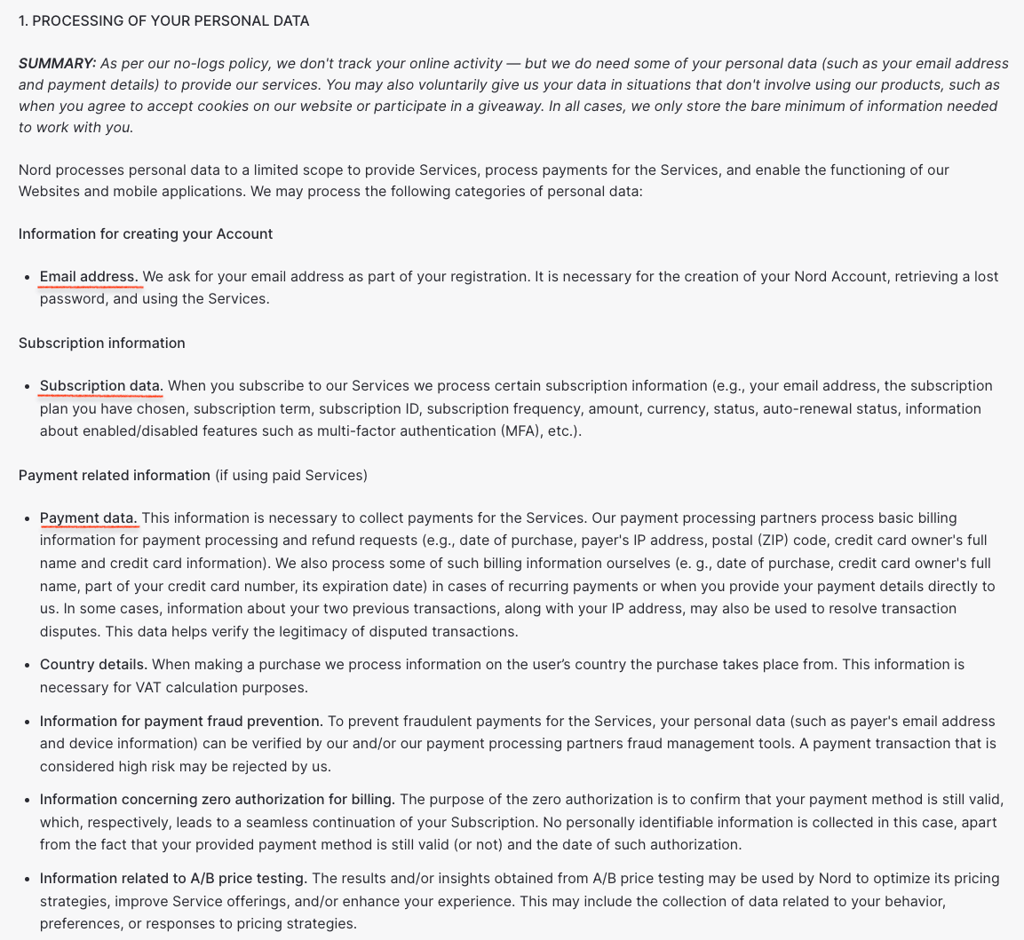
NordPass collects only limited personal information, such as your email address and payment details, along with anonymized and aggregated app usage data to improve security and functionality. This includes details like the number of items and folders in your vault, the date and method of item creation, the strength of your passwords and Master Password, the percentage of suggested passwords used, and usage data related to features like autofill.
The service additionally records general in-app event information, including application type, version, source, time, and category, as well as device details like operating system, architecture, browser version, device type, and session data. Limited account information, such as a user identifier and subscription type, may also be collected. All in all, the collected data is anonymized or aggregated and cannot be traced back to you personally.
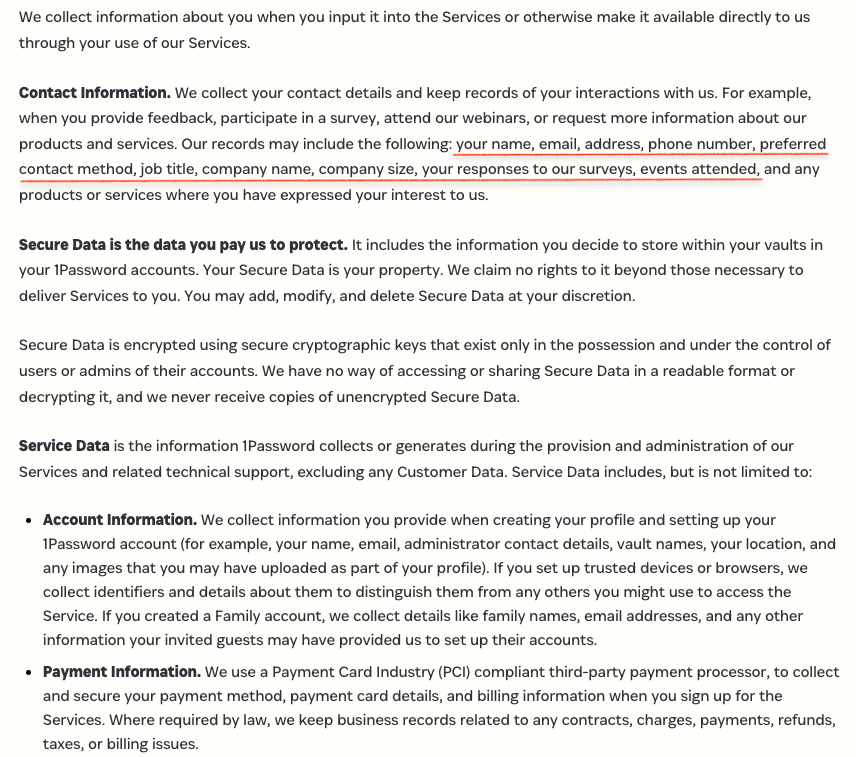
1Password collects more personally identifiable information about you than some competitors, including your name, email address, payment information, IP address, and the devices connected to your account. It also records when you log in, how much storage space you use, and how many vaults you create and how many items you store in them, as part of its service and troubleshooting data.
Both have completed independent security audits
Both NordPass and 1Password are regularly audited by independent cybersecurity firms. NordPass successfully passed the independent SOC 2 Type 2 audit in December 2023 and SOC 2 Type 1 audit in June 2022. SOC 2 is a type of audit performed on services that examines 5 criteria: security, availability, processing integrity, confidentiality, and privacy. In 2024, it received the ISO/IEC 27001:2017 certification, which shows that the system is up to international standards.
Back in 2020, NordPass completed an independent security audit by Cure53, too. The auditors checked four target areas: its cryptographic premise, source code, background application, and codebase. While they found nine vulnerabilities, the NordPass team eliminated the issues even before the auditors were done inspecting other target areas. The swift action certainly helps to instill a great deal of confidence in NordPass’ service.
1Password isn't that far behind. It’s regularly audited by independent auditors such as Recurity Labs, Cure53, and Secfault Security to ensure that 1Password has strong levels of security against cyberattacks.
Like NordPass, 1Password is also SOC 2 Type 2 certified and has multiple ISO certifications. Furthermore, 1Password has asked ISE, Onica, and AppSec to audit other areas, including code review, security architecture, and infrastructure configurations.
1Password and NordPass feature comparison
1Password has more unique features like Travel Mode and Privacy Cards. However, when it comes to core features, like password generator and autofill, both password managers deliver.
| Features | NordPass | 1Password |
| Password generator | ✅ Yes | ✅ Yes |
| Password autofill | ✅ Yes | ✅ Yes |
| Weak password monitoring | ✅ Yes | ✅ Yes |
| Password sharing | ✅ Yes | ✅ Yes |
| Payment detail autofill | ✅ Yes | ✅ Yes |
| Encrypted file storage | ✅ Yes, up to 3GB for both individuals and businesses | ✅ Yes, up to 1GB for individuals and 5GB for businesses |
| Email masking | ✅ Yes, gives alternative email addresses that reroute mail to your real email address | ✅ Yes, in collaboration with Fastmail |
| Data leak monitoring | ✅ Yes, NordPass' Data Breach Scanner monitors email and credit card breaches | ✅ Yes, checks for leaked passwords and is integrated with Have I been Pwned |
| Travel mode | ❌ No | ✅ Yes |
| Account recovery | ✅ Yes | ✅ Yes |
| Automatic backups | ✅ Yes | ✅ Yes |

Password importing is quick and easy on both
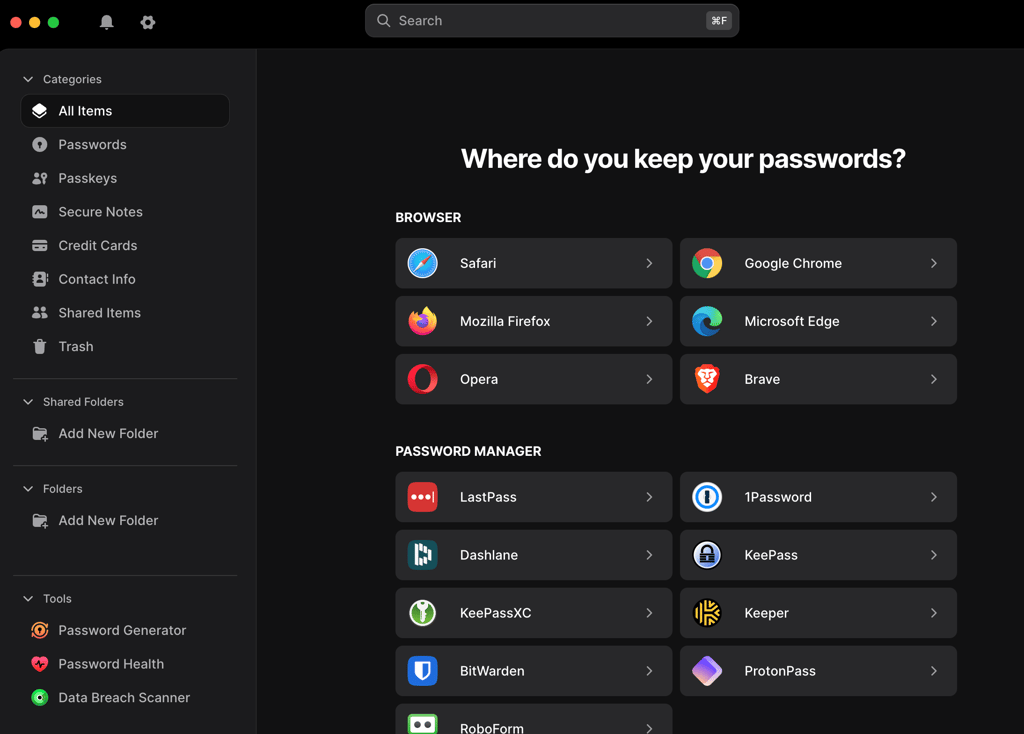
I found password importing easy on both NordPass and 1Password. These password managers let you transfer your login credentials, secure notes, and other items from other password managers via CSV, JSON, and 1PUX files, depending on the password manager you’re exporting from. The process is fairly straightforward, and you can rely on step-by-step importing instructions in the knowledge base of both NordPass and 1Password.
Users can also import from browsers. NordPass supports Google Chrome, Firefox, Safari, Edge, Opera, and Brave, while 1Password also lets you import from Firefox, Chrome, Edge, Brave, and Safari.

Both can generate strong passwords
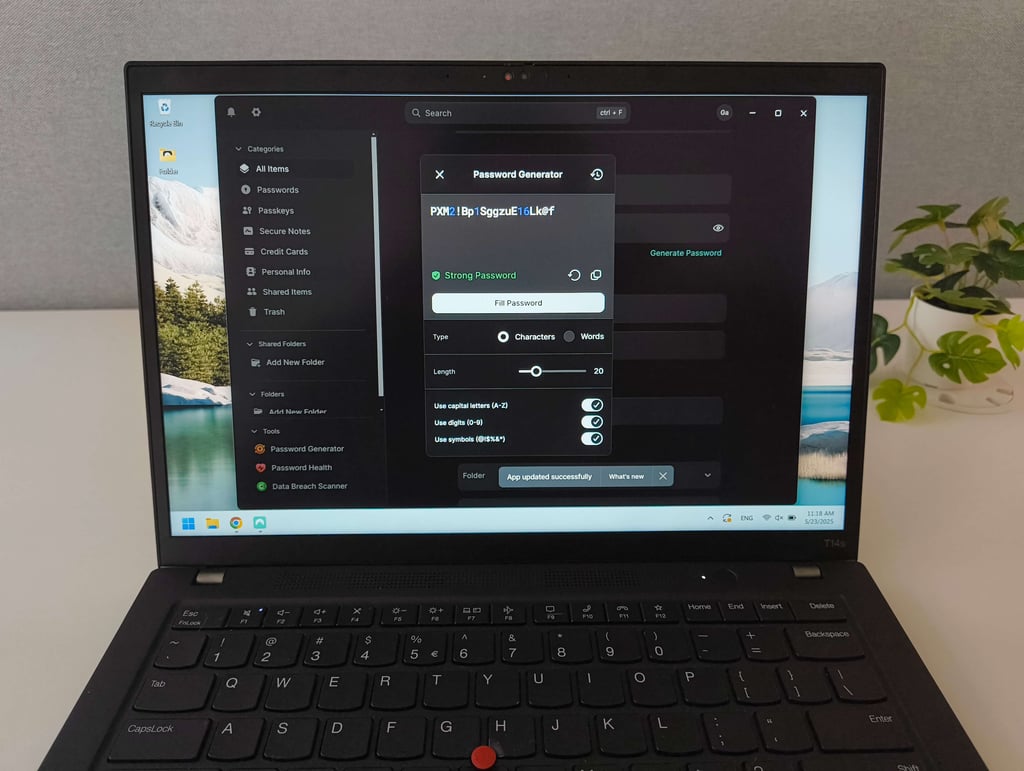
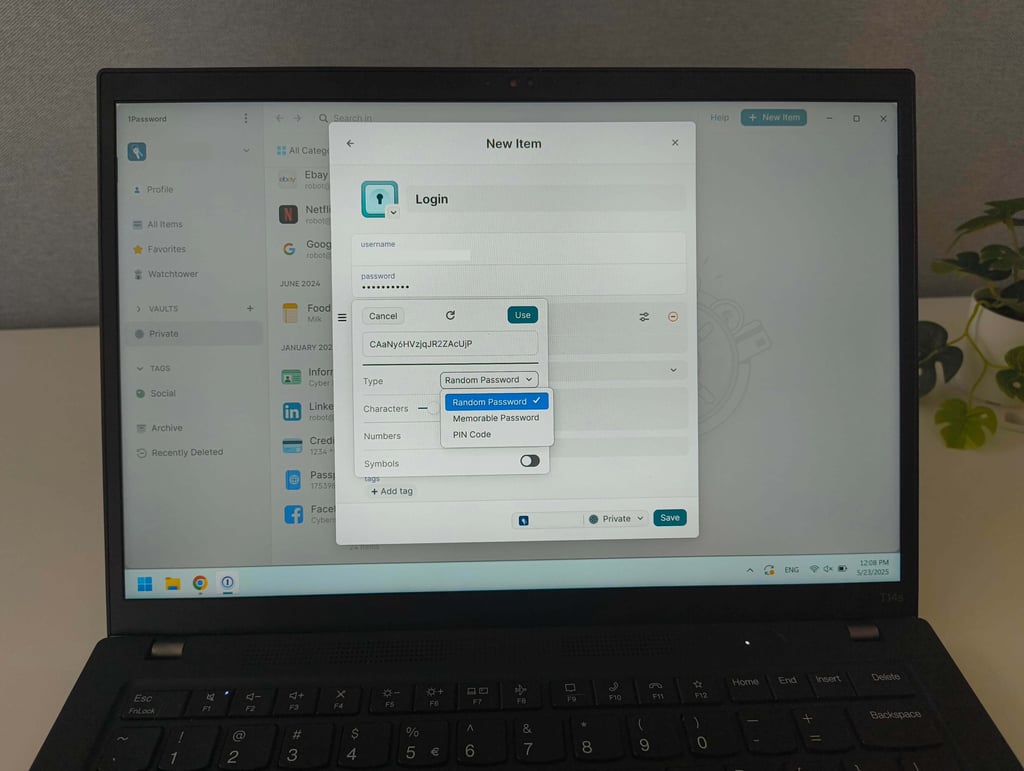
NordPass ensures you use strong passwords by integrating a password generator into all of its apps. It pops up when you create new accounts – you can select the pre-generated password or play around with the settings to generate an even stronger one.
1Password’s password generator works similarly and also pops up when you’re creating a new account. If you want to update your current passwords, you’ll find the password generator on the app and on 1Password’s website.
I liked that both managers allow you to include symbols, capital letters, and numbers. You can also choose to generate an easy-to-remember password.
Autofill works great on both
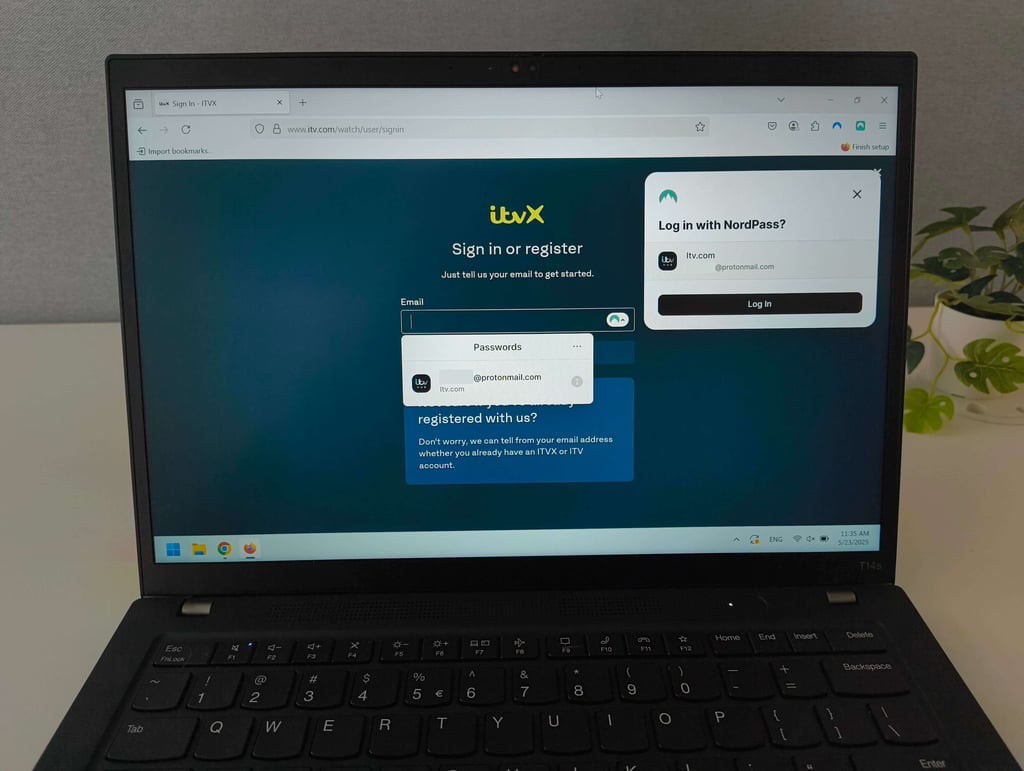
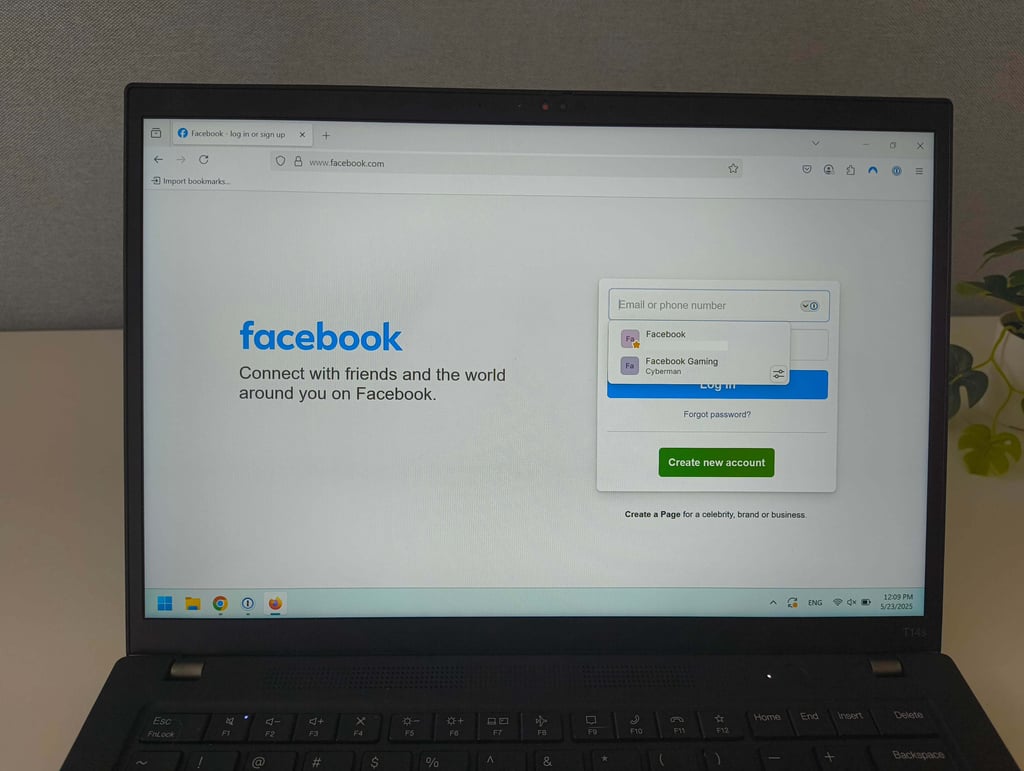
NordPass’ autofill worked well as expected. Once you go to the login page, you’re prompted to log in with NordPass – you don’t even have to click on the login field. However, the feature isn’t perfect: on some websites, I had to click the field to get the login prompt, while on others it didn’t register at all. In those cases, I simply copied and pasted my login credentials. It happened pretty rarely, though.
1Password’s autofill was easy to use as well. It filled in my login details on most sites, but I ran into issues with multi-page logins, so just like with NordPass, I had to copy and paste my credentials. What I really liked about both password managers is that they clear the clipboard after 90 seconds, preventing you from accidentally pasting sensitive information somewhere else. Also, this feature is easy to enable or disable.
Both allow for safe sharing of credentials
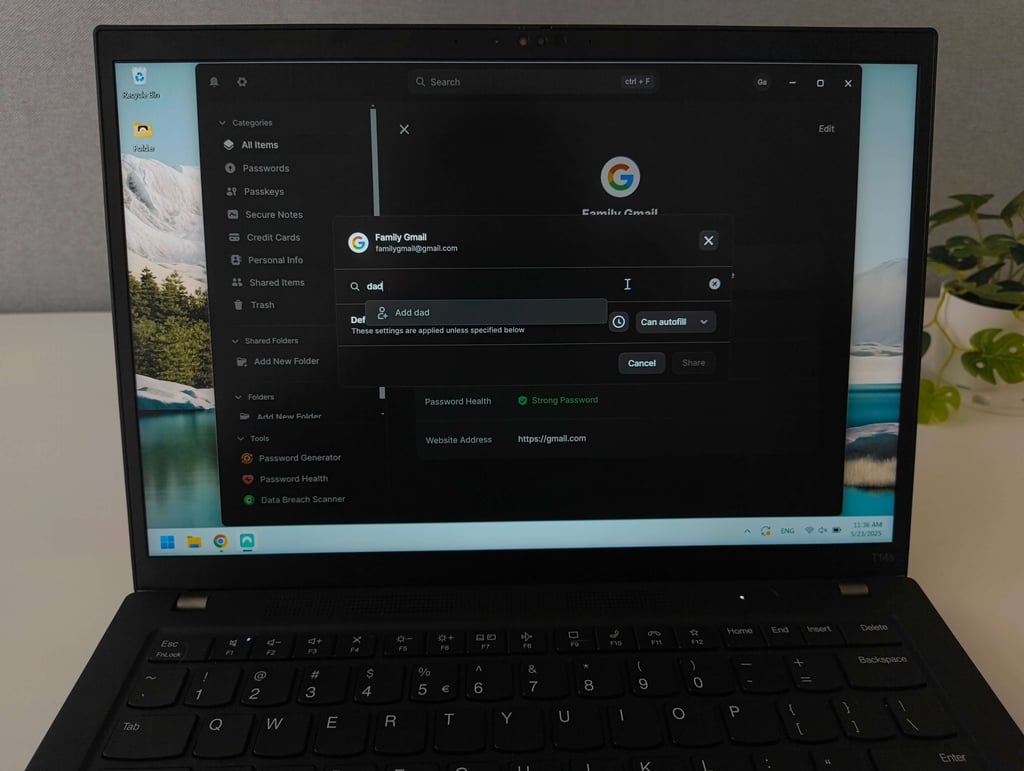
NordPass lets you securely share your login credentials without revealing the password. I just found the right credentials and clicked Share. There, I could also modify access levels (Can Autofill, Can View, Can Share, Can Edit), set the expiration time, and type in the recipient’s email address.
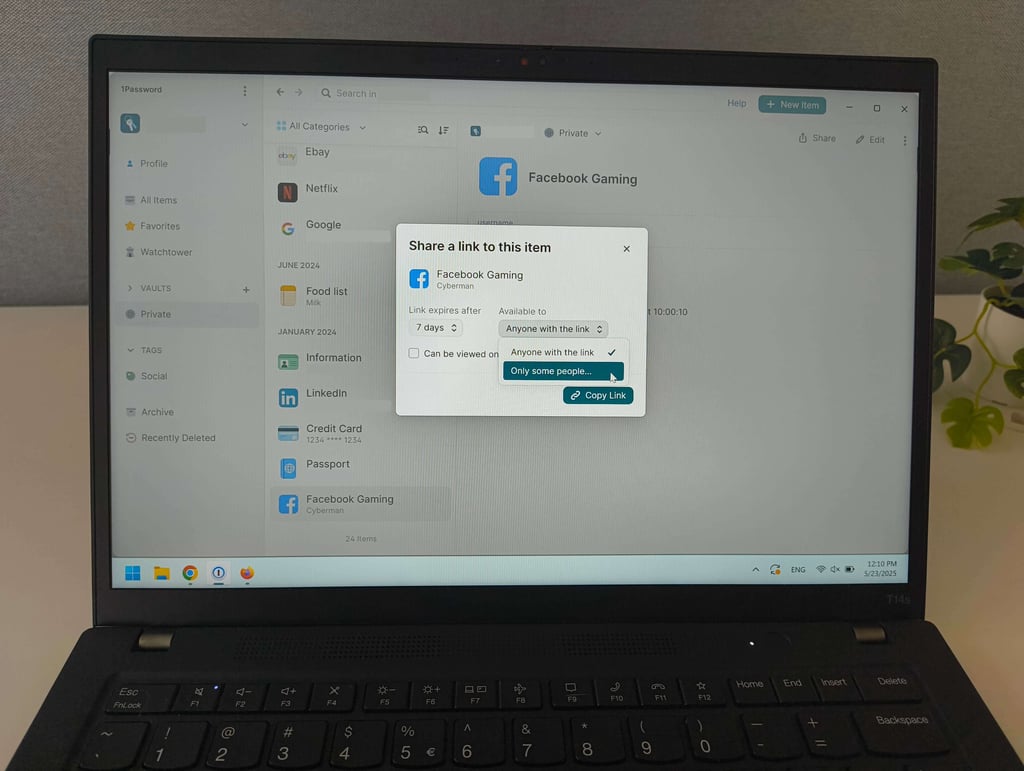
Sharing credentials with 1Password is similar to NordPass. I just chose the credentials and clicked Share. In the pop-up screen, I could customize access levels, including when the link with credentials will expire and who it's available to. The best thing is that 1Password allows you to create credential folders (Business and Enterprise plans) and share them in one go, instead of sending every password separately.
However, 1Password doesn’t have as many access levels compared to NordPass. Either way, sharing with 1Password is easy, even if the recipient doesn’t have a 1Password account. I also appreciated the shared history tab, where you can see all the items you’ve shared and their status. It helps to confirm if access to credentials is given or revoked.
Both offer solid password recovery methods
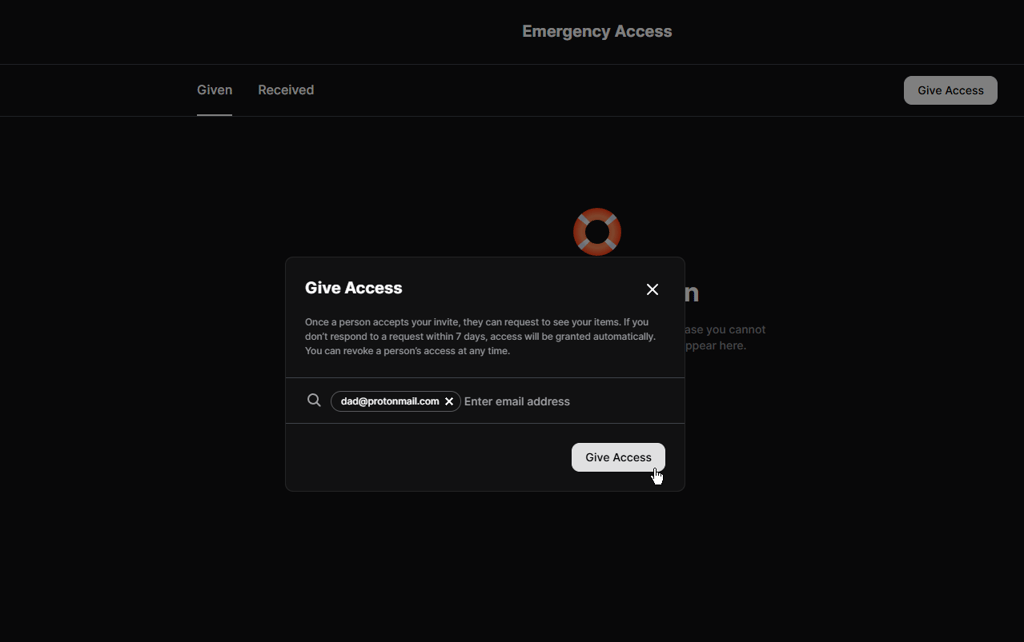
In case you forget your master password, both NordPass and 1Password have a few account recovery options. NordPass’ standout feature is Emergency Access, which lets you select another NordPass user and give them access to your account in case of an emergency – it’s perfect for recovering an account but can also come in handy in case of an accident.

NordPass and 1Password let you generate a recovery code you can use to reset your master password. 1Password also encourages users to prepare and print out an Emergency Kit with all of their 1Password account details. I make sure to keep the Emergency Kit in a safe place that no one can access but me. Plus, Family plan owners can recover family members’ accounts with only a few clicks.
Secure document storage
Nowadays, password managers let you store more than just your login credentials. Vaults have more space and can handle larger files, allowing you to store sensitive information and attachments you wouldn’t want to leave unencrypted on your device.
This is usually possible by attaching files or documents to items. I tried storing some of my personal files in NordPass and 1Password vaults and was pleasantly surprised how convenient it was.
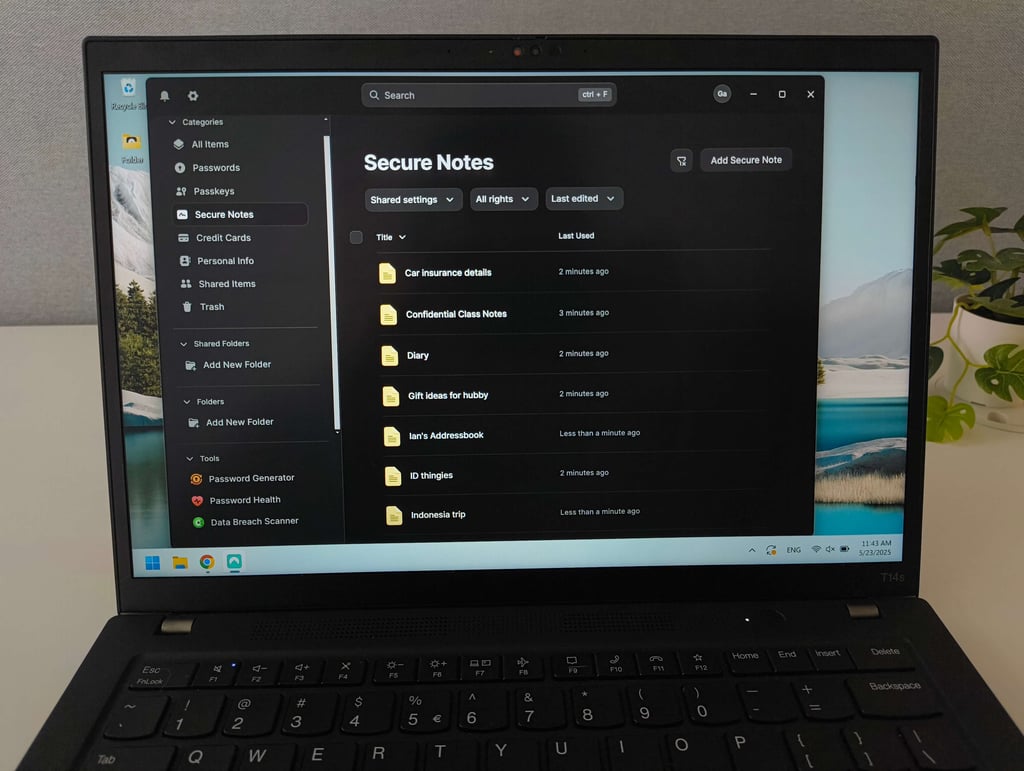
When testing NordPass, I found its Secure Notes feature to be essentially an end-to-end encrypted notes app, which is perfect for recovery codes, backup codes, and other private data. There, you can store text and attach files. Also, premium users receive 3GB of storage, although individual files are limited to 40MB. Attaching files, though, wasn’t completely intuitive during my testing – I had to first create and save a Secure Note before the option to add attachments appeared.
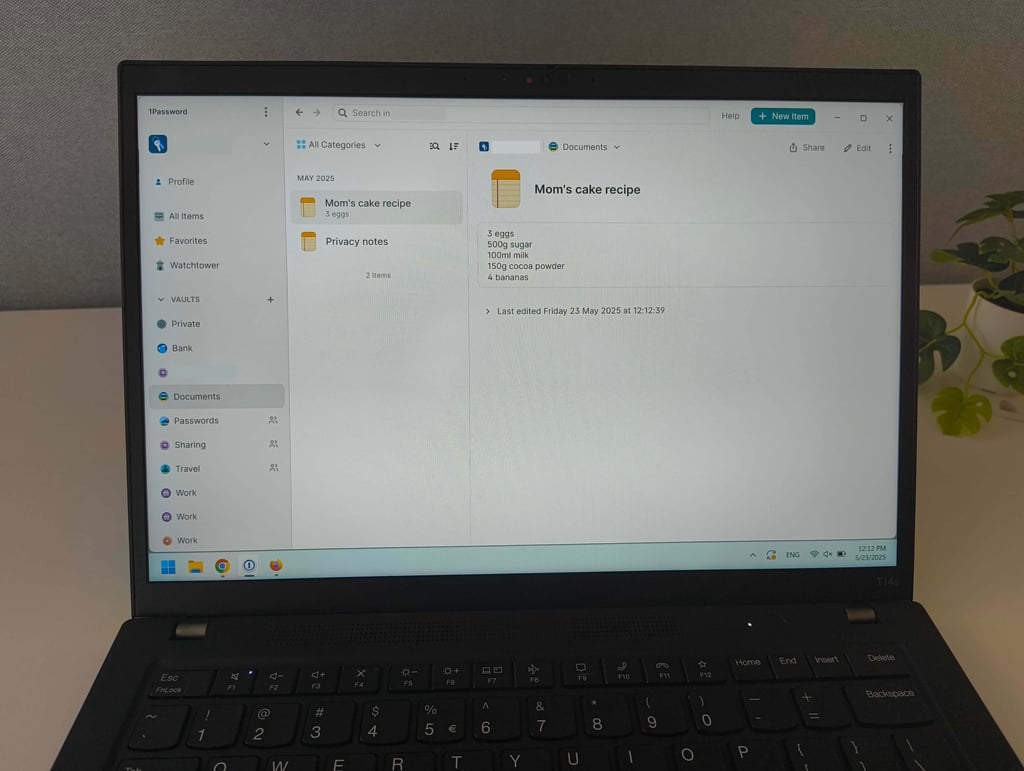
My experience shows that 1Password has a clear advantage in secure document storage. During my tests, it allowed me to attach files, images, and documents up to 2GB in size, which is significantly more flexible. Individual and Family plans include 1GB of storage per user, which is enough for things like ID photos, receipts, or license scans. Business accounts have 5GB of storage.
Overall, both tools handle encrypted file storage well, but 1Password felt more capable for larger attachments, whereas NordPass worked best for smaller, sensitive notes and documents.
NordPass and 1Password scan the web for leaked credentials
Data breach monitoring is an online security tool that scans the web for your leaked credentials. It notifies you about compromised emails and passwords, giving you a head start on securing your accounts before they fall into the wrong hands.
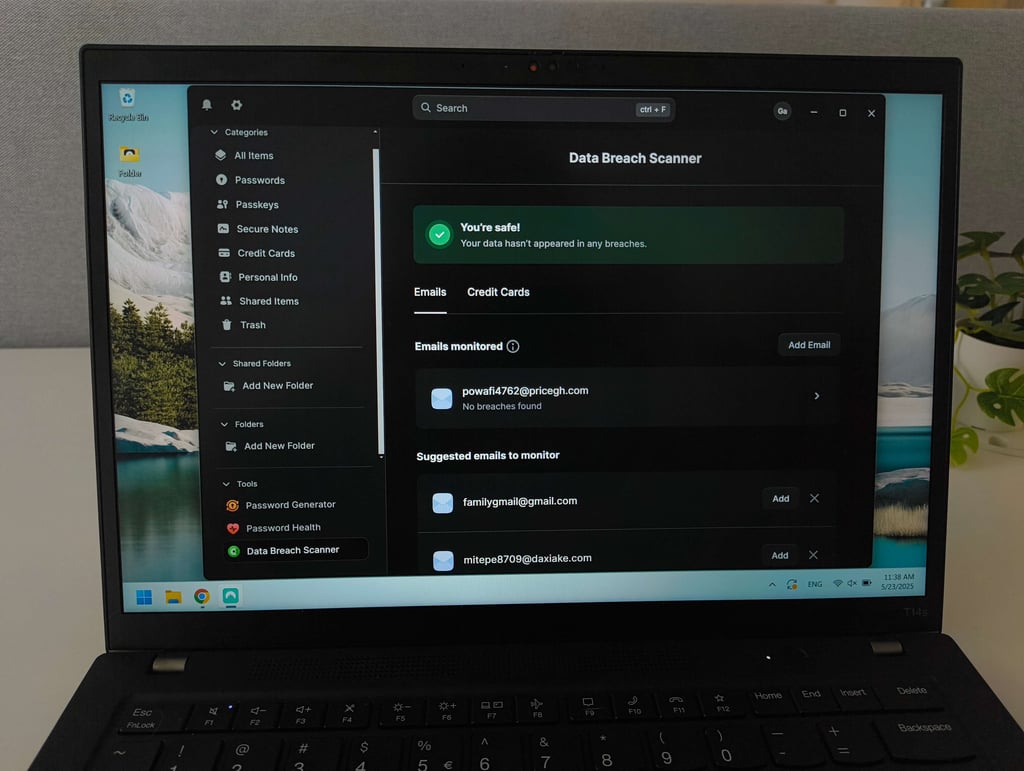
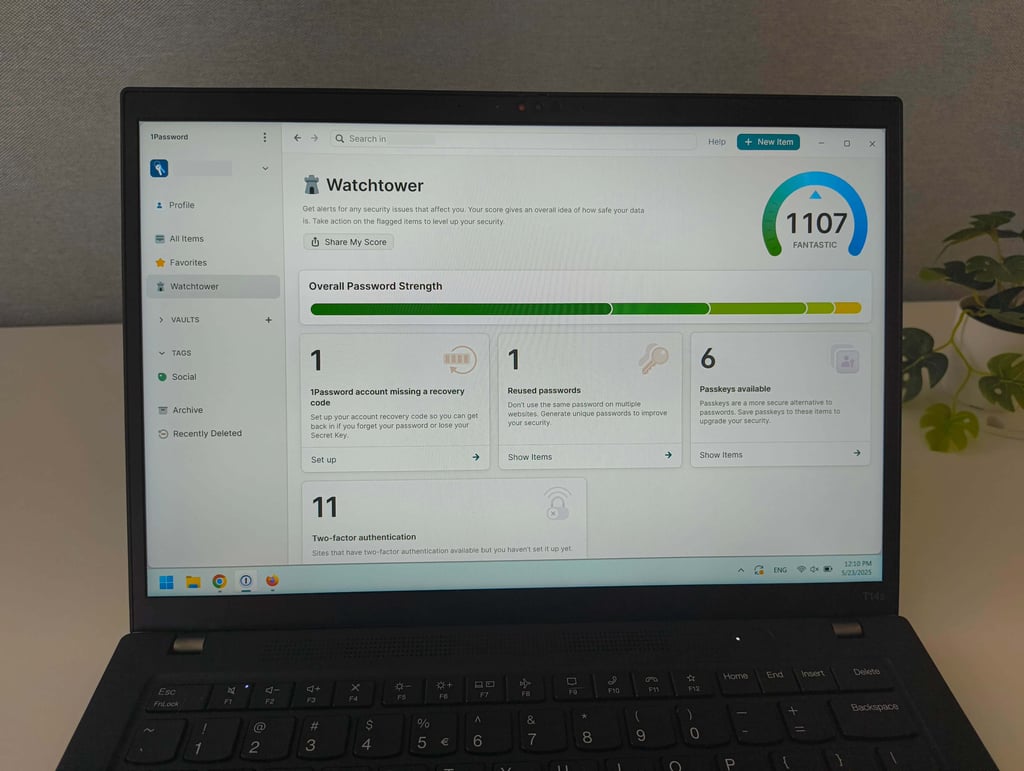
I tested NordPass’ Data Breach Scanner and 1Password’s Watchtower by adding a leaked email to see if it would be detected as compromised.
In my testing, NordPass stood out for its clean, minimalistic Data Breach Scanner. It alerts you if your email addresses or credit card details appear in known breaches and clearly explains where the leak happened, along with steps to resolve the issue.
I like that you can search for multiple email addresses simultaneously. One thing to keep in mind is that the scanner is disabled by default, so you need to manually enable it to start receiving alerts.
By comparison, 1Password takes a broader approach with Watchtower. It combines dark web monitoring with a password health manager. During my testing, Watchtower notified me about breaches and highlighted weak or reused passwords, missing recovery codes, and expiring items.
It monitors the Have I Been Pwned database alongside dark web sources to detect leaked credentials. I especially liked that Watchtower presents an overall security score directly on the dashboard, giving a quick snapshot of account safety, although the exact calculation behind the score isn’t fully transparent.
Personally, I prefer NordPass’ data breach scanner since you can monitor whatever email you want, whereas 1Password only monitors login details that are in your vault. Plus, NordPass can also monitor credit cards.
NordPass' Email Masking is more convenient
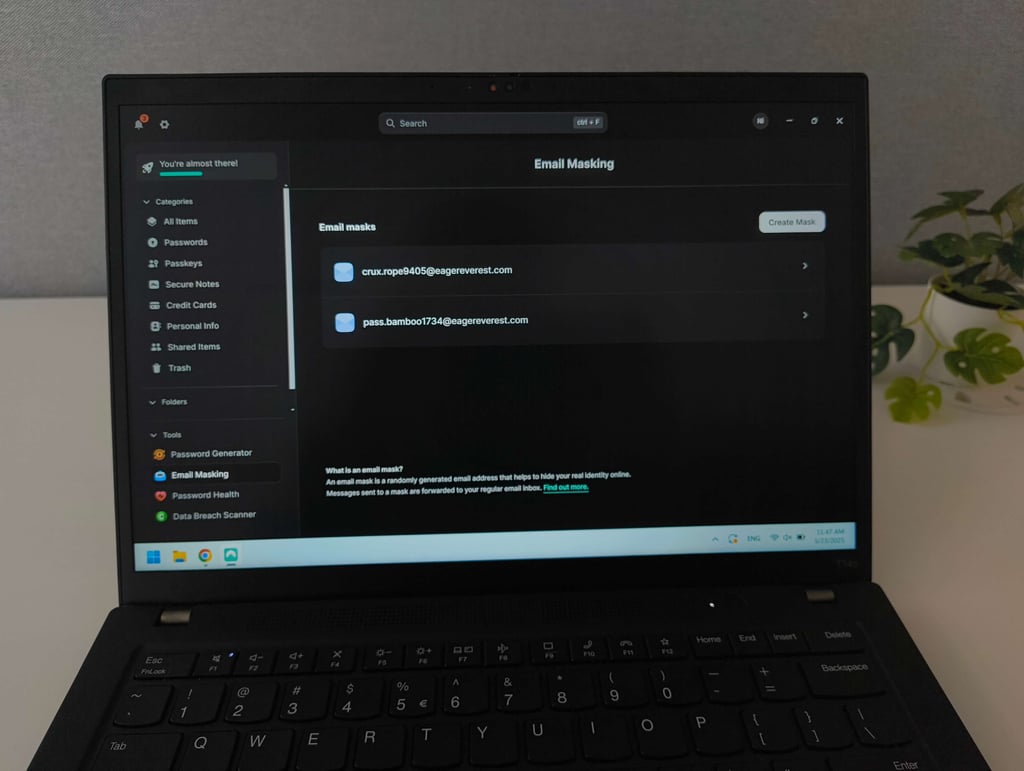
Overall, NordPass’ Email Masking felt more flexible and easier to adopt. It lets you create alternative addresses that forward messages to the email you used when signing up, keeping your real address hidden from spam and phishing.
During testing, I found it very straightforward. NordPass often prompted me to create a mask automatically when registering for new services, and I could also generate masks manually in the app.
I liked that NordPass’ forwarding works with your existing inbox rather than requiring a separate provider. You can disable forwarding if a mask starts attracting spam and delete masks once they’re no longer needed. The feature is available on all paid plans, although I did wish there were more control over changing the destination email address after setup.
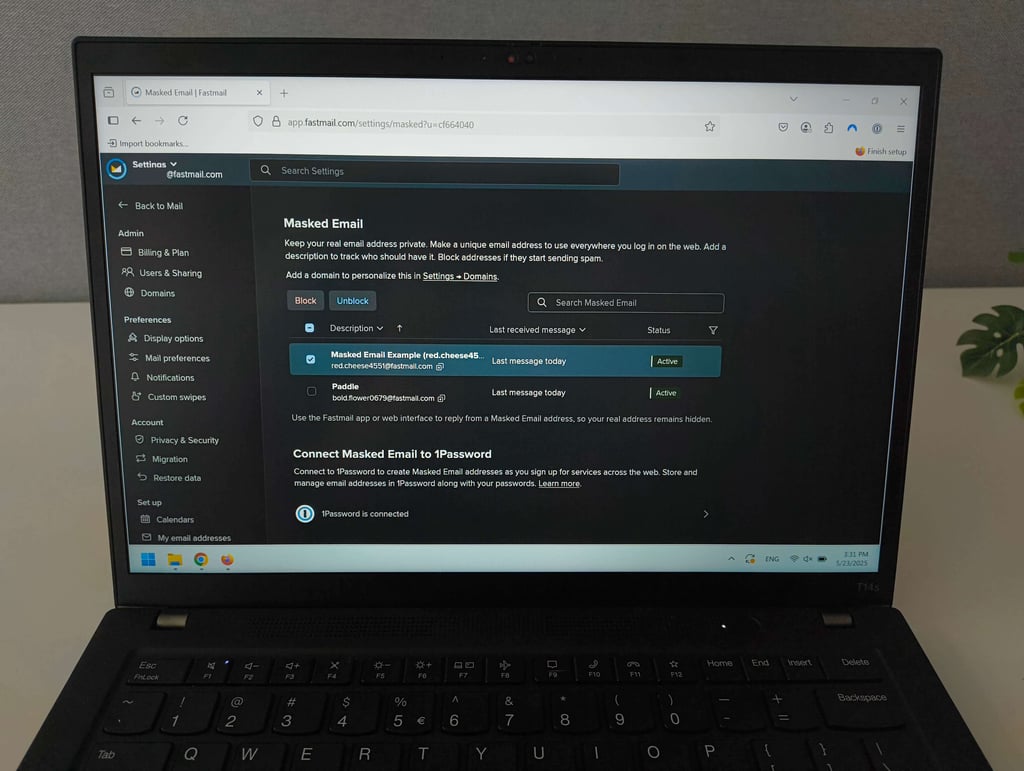
While the email masking experience in 1Password is also smooth, the feature is only usable if you already have a Fastmail account, since messages are forwarded directly to that inbox. You can choose to block or unblock masked addresses from forwarding emails, which is useful for managing unwanted messages. However, in my testing, the Fastmail dependency made the feature less convenient overall.
Unless you’re already invested in Fastmail, NordPass provides a more accessible and provider-agnostic email masking experience, making it the better choice if this feature is a priority.
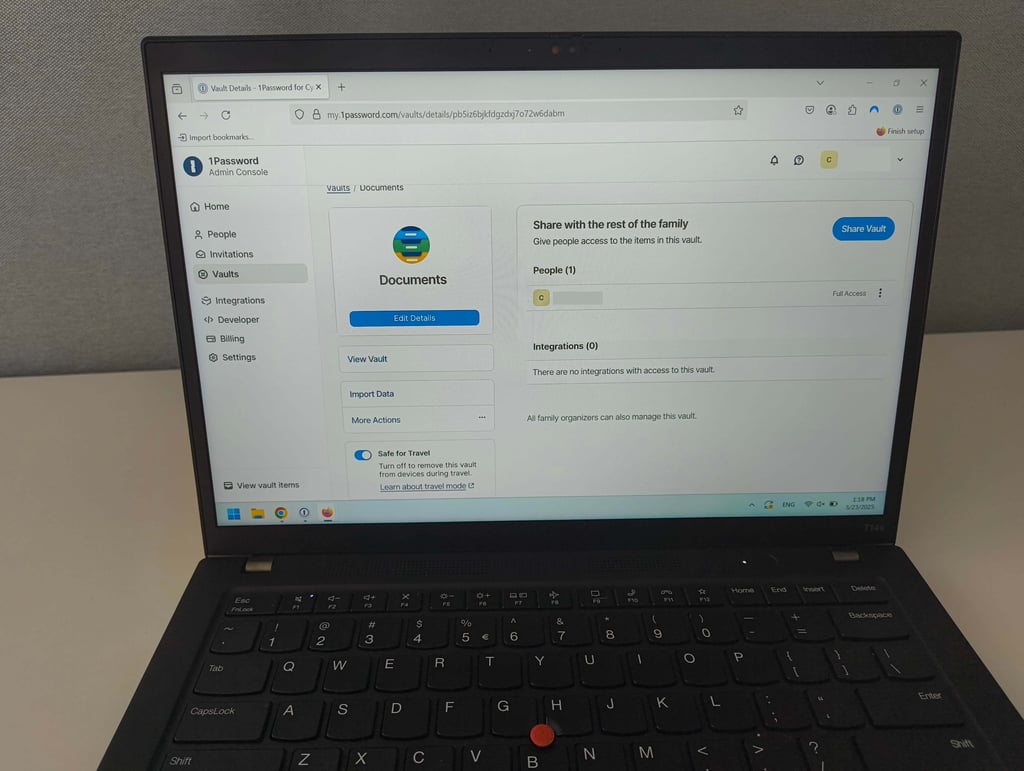
1Password Travel Mode
Travel Mode is 1Password’s standout feature, and I haven’t seen a similar one with any other password manager. Simply put, it lets you remove selected vaults from your device when traveling. Everything that’s in those selected vaults will be removed from that device but will still stay on your 1Password account. You’ll have to disable Travel Mode to get the passwords back on your device. While traveling is the main selling point of this feature, I can see it coming in useful when you’re lending your device to someone and want to keep your data safe.
To test 1Password’s Travel Mode, I first marked some of my vaults as safe for travel and enabled Travel Mode. It removed all of the unmarked vaults from my phone, but I could still access them on my laptop. Disabling the feature returned all of my vaults to my phone within a few seconds. I was a bit disappointed to see that NordPass doesn’t have a Travel Mode equivalent. 1Password stands out with this travel-friendly feature.
1Password Privacy Cards
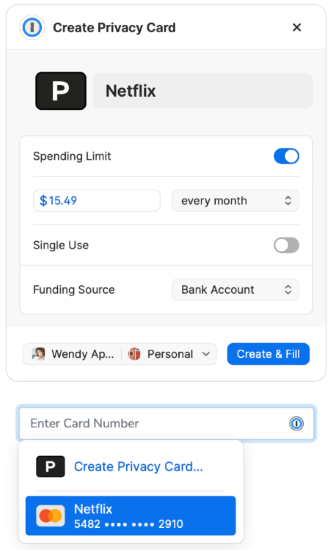
1Password’s Privacy Cards are a game-changer when it comes to shopping online. Simply put, they hide your real credit card information by generating a unique virtual payment card. You can also set a spending limit, restrict them to specific stores, or make them single-use. This lets you shop online without worrying about your credit card information getting in the wrong hands, especially useful when buying from less reputable merchants.
For example, when I sign up for a new streaming service or an online subscription, I create a Privacy Card with a set spending limit and restrict it to that merchant only. This way, if the service tries to charge me after a free trial or gets hacked, my real credit card isn’t at risk. Plus, I can easily cancel the virtual card anytime without affecting my main bank account.
I also like how I can manage or cancel these cards anytime right from the 1Password app, which is perfect for handling subscriptions or one-time buys without risk.
Compared to NordPass, which only stores credit card info for autofill, 1Password’s Privacy Cards give me way more control and security. That’s why I believe 1Password offers a much stronger solution for protecting my financial details online.
Compatibility across platforms
Both NordPass and 1Password support all major operating systems and browsers. Learn more below.
| NordPass | 1Password | |
| Supported OSs | Windows, macOS, Linux, Android, iOS | Windows, macOS, Linux, Android, iOS |
| Browser extension | Chrome, Safari, Firefox, Opera, Edge, Brave | Chrome, Safari, Firefox, Edge, Brave |
| Number of users | Up to 6 with the Family plan | Up to 5 with the Families plan |
NordPass is available on Windows 10, macOS 11, Linux (via Snap on 64-bit systems), Android 9.0, and iOS 17.0, along with all major browsers. It has its core features across all platforms, while its autofill feature doesn’t work in native desktop applications.
1Password’s newest version requires more modern operating systems: Windows 10, macOS 12, Linux, Android, and iOS 18, as well as major browsers. Its Linux version has stricter requirements too, supporting only modern distributions running on 64-bit x86 or ARM processors.
1Password’s desktop version has additional tools for developers, e.g., a command-line interface for Windows and Linux and a built-in SSH agent. I like that its key features are consistently available across all platforms, and it doesn’t feel like any app is majorly lacking in anything.
User experience and ease-of-use
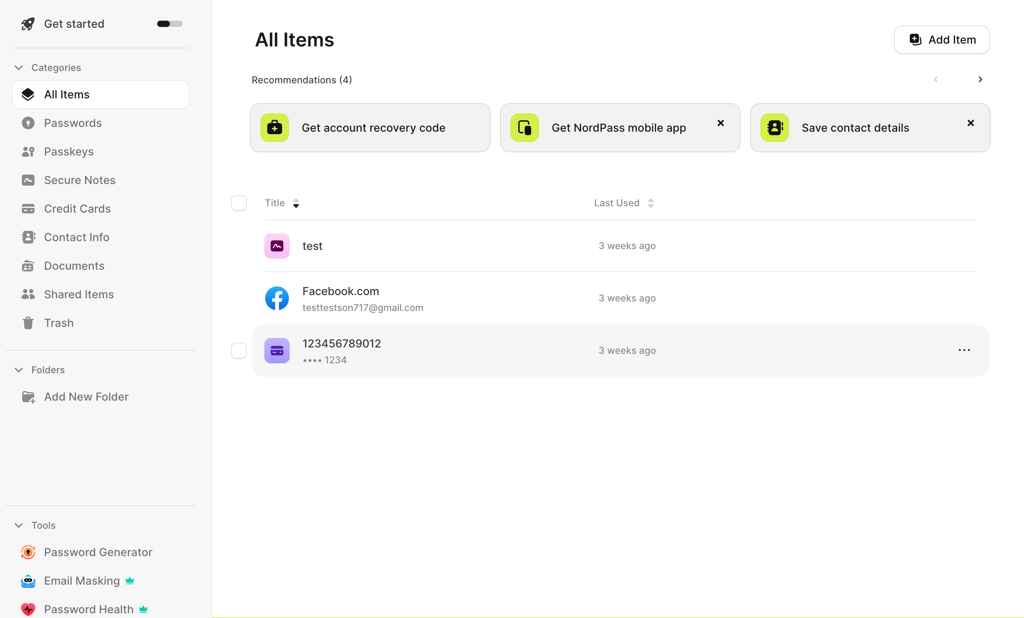
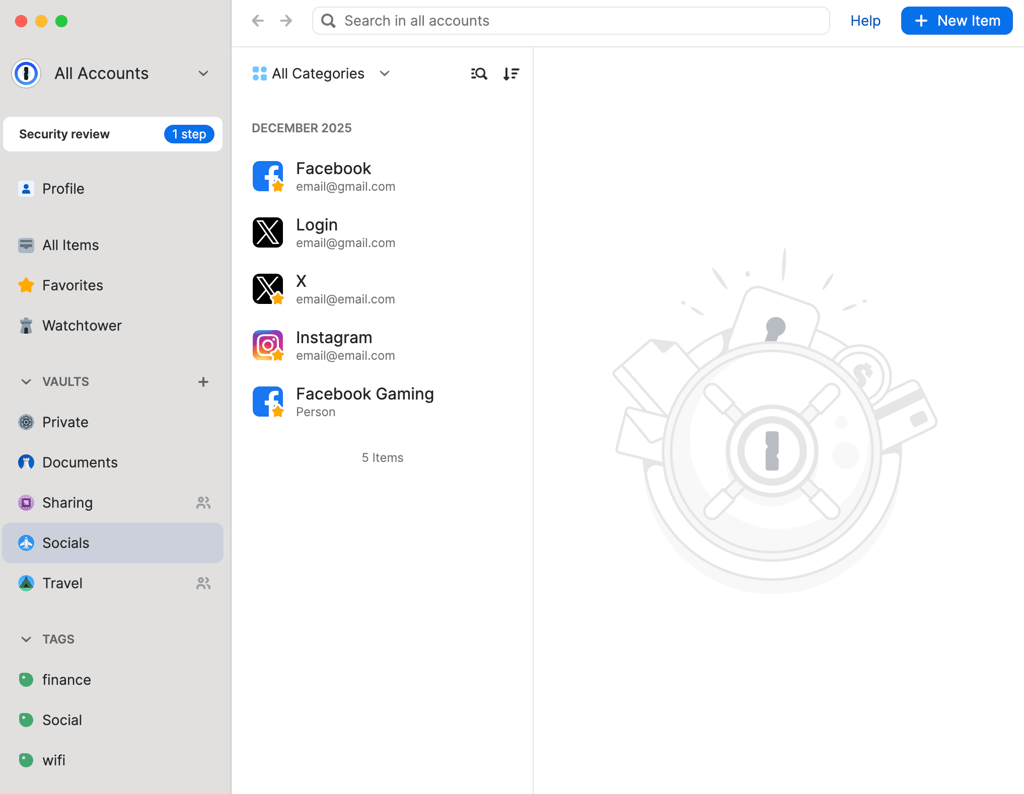
1Password and NordPass both deliver visually appealing and intuitive interfaces that are easy to get used to. NordPass has a modern interface consistent across all platforms. I didn’t have to guess where features are located, as they’re in front of you on all devices.
NordPass’ browser extension and vault organization feel especially straightforward for daily use. That said, I occasionally experienced duplicate entries and performance slowdowns. It didn’t cause any serious problems, except for a tiny frustration.
1Password also has a refined design and a particularly strong autofill experience across all apps. However, it can be easy to get overwhelmed by its variety of features, especially during the initial setup. For example, the Secret Key feature strengthens security but makes logging in on new devices less convenient than a simple password-only flow.
Overall, NordPass offers a simpler, more straightforward user experience. It’s a strong choice for users who don’t want to deal with complex configurations. 1Password is stable and reliable, but it’s a better fit for more advanced users who aren’t afraid of a deeper feature set and security workflow that requires a bit of a learning curve.
NordPass offers 24/7 live customer support
All in all, NordPass and 1Password provide multiple customer support options. However, NordPass is the clear winner when comparing its 24/7 live customer support with 1Password’s.
| NordPass | 1Password | |
| 24/7 live chat | ✅ Yes | ❌ No |
| Email support | ✅ Yes | ✅ Yes |
| Social media | ✅ Yes | ✅ Yes |
| Phone support | ❌ No | ❌ No |
| Community forum | ✅ Yes (Reddit) | ✅ Yes |
| Knowledge base | ✅ Yes | ✅ Yes |
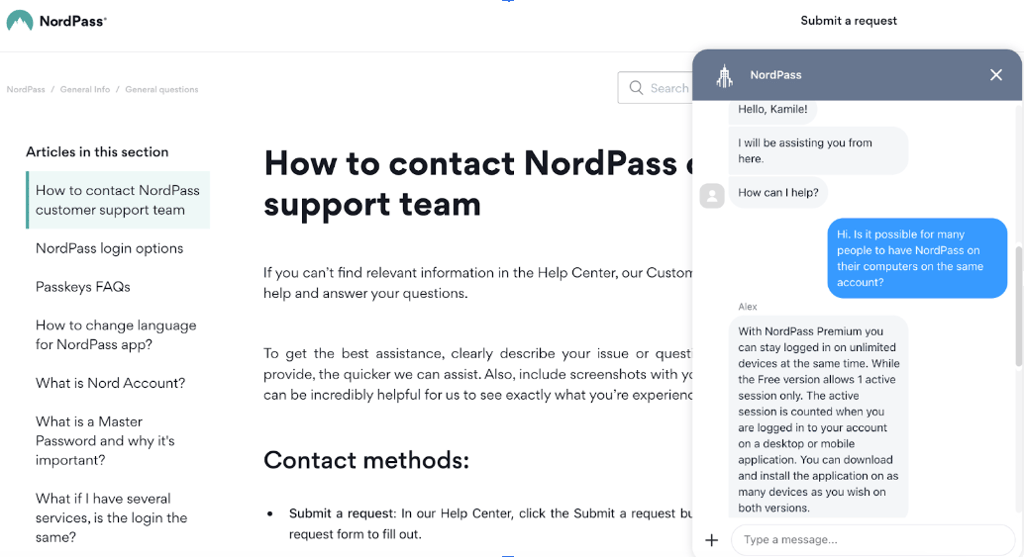
NordPass has a huge online help center with thousands of knowledge base articles, how-to guides, and detailed explanations.

But, if you prefer agent assistance, you can always hit up its 24/7 live chat or email its team at [email protected]. Both options are available to everyone, including non-NordPass users and free users. Across the board, the agents are professional, helpful, and knowledgeable.
As for 1Password, its extensive knowledge base should be your first stop.
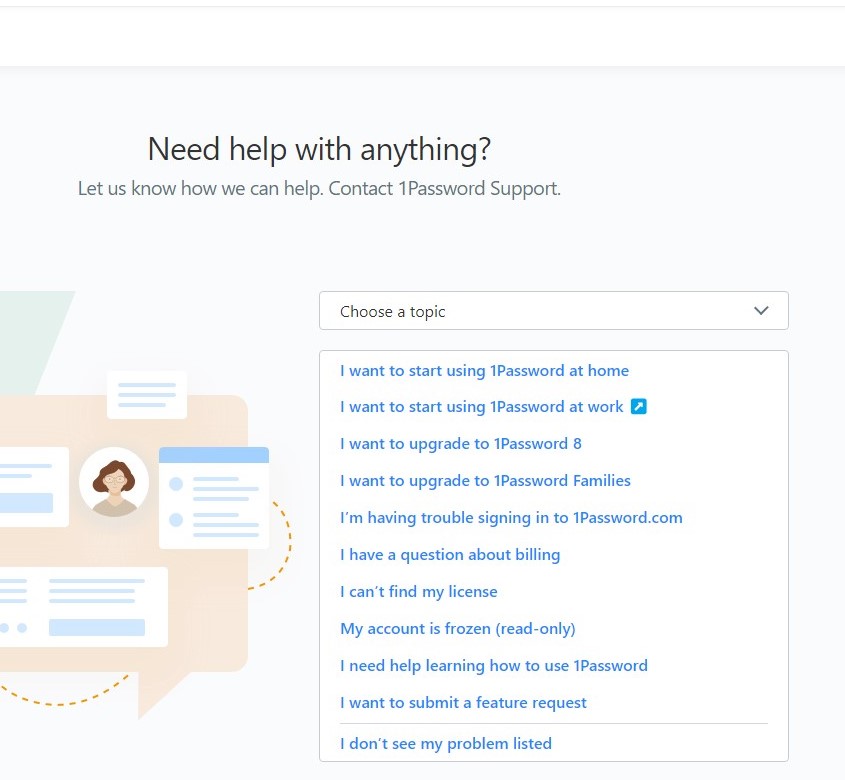
If you can’t find the solution to your problem there, you should reach out for assistance via email, X (Twitter), or the community forum.
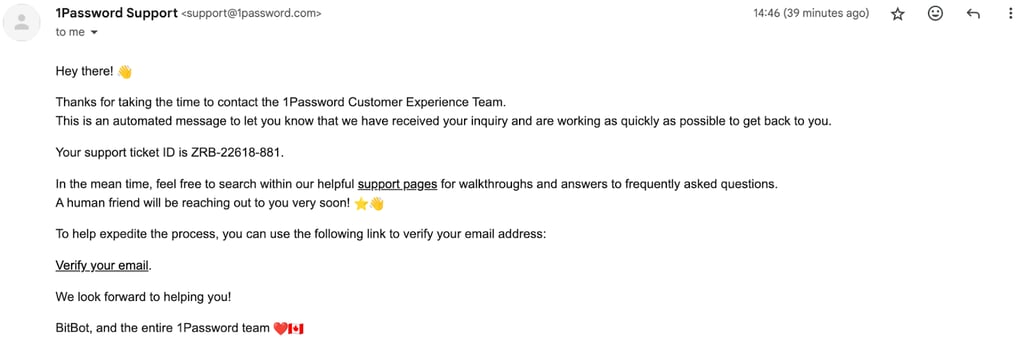
When I contacted 1Password via email, I got a response within 8 minutes – that’s pretty fast. However, it’s still slower than contacting a live chat agent.
In addition, when I tried reaching out on X (Twitter), 1Password took a couple of hours to reply.
All in all, live chat is one of the most preferred ways to contact customer support, and only one password manager offers the option to do so, making NordPass the obvious winner.
NordPass vs 1Password: video review
Want to watch a video comparison of 1Password vs NordPass? Click here to learn everything there is about these providers, from security to features to ease of use.
NordPass vs 1Password: final verdict
NordPass and 1Password are both solid password managers and your choice should depend on your expectations. For me, NordPass stands out as the option with a better price-to-value ratio, offering all of the core functionality and more for a much lower price. Plus, you get access to practical features like email masking and 3GB of cloud storage. It’s also one of the best free password managers on the market, especially if you just need it for secure storage.
1Password is pricier but more polished, so you’ll be paying extra for that premium feel. It provides multiple layers of security to circumvent user error (Secret Key, PBKDF2, and yearly audits). It also has unique features you won’t find anywhere else, including Privacy Cards and Travel Mode, which are great, but only if you’re actually planning on using them.
| Category | NordPass | 1Password |
| Features | Password generator, password sharing, email masking, individual file storage up to 3GB | Password generator, unique password sharing features, secret key, individual file storage up to 1GB, Travel Mode, Privacy Cards |
| Pricing and plans | Budget-friendly and a free plan | More expensive and no free plan |
| Security | Employs the newest and fastest encryption method | Employs the widely accepted AES-256 |
| Ease of use | Intuitive and easy to use | Easy to use, but more cluttered than NordPass |
| Customer support | 24/7 live chat, email, and knowledge base | Email and knowledge base |
| Compatibility | Compatible with Windows, macOS, Linux, iOS, and Android | Compatible with Windows, macOS, Linux, iOS, and Android |
FAQ
Is NordPass better than 1Password?
While both password managers are good, I found that NordPass is better than 1Password for users looking for a budget-friendly option – it’s highly secure, is easy to use, and ensures a no-logs policy. 1Password is not far behind. However it’s slightly more expensive and doesn’t offer 24/7 live chat.
Can NordPass import from 1Password?
Yes, NordPass can import passwords from 1Password directly, making it easier to transfer all your saved logins without manually re-entering them. NordPass allows importing using CSV or 1PUX files, so you can bring in data from other password managers or customize the data for a smooth transition. This flexibility ensures a seamless setup, even for users with complex data setups.
Has NordPass been breached?
No, NordPass has never been breached. The company uses a zero-knowledge architecture and robust XChaCha20 encryption to ensure user data stays secure. NordPass also undergoes regular third-party security audits to verify and maintain its high standards of data protection.
Has 1Password ever been breached?
1Password has maintained a strong security record, with no breaches reported to date. The service utilizes end-to-end encryption and follows a zero-knowledge policy, meaning only users have access to their vaults. Regular independent security audits further enhance the trustworthiness of its security measures.
Is NordPass more secure than 1Password?
NordPass and 1Password are secure, but take different approaches to enhance user security. NordPass uses the more efficient XChaCha20 encryption and MFA, while 1Password utilizes Secret Key and 2FA.
Is NordPass free?
Yes, NordPass has a free version, which lets you store unlimited passwords, notes, and even payment details. However, the more advanced features like data breach scanning, email aliases, and file attachments are only available for paying users.