NordPass vs Proton Pass comparison in 2026

NordPass is my better overall pick for everyday password management, particularly if you want a straightforward, polished experience, and its paid features fit your needs. Proton Pass is the stronger pick for tech-savvy users, free-plan users, and people who already live inside Proton’s ecosystem.
NordPass and Proton Pass are two well-known password managers with strong security and useful everyday features. However, they take slightly different approaches, so the better option depends on what you value most.
NordPass is developed by Nord Security, the company behind NordVPN. It uses zero-knowledge architecture and XChaCha20 encryption and offers apps for major desktop and mobile platforms. Proton Pass comes from Proton, the company behind Proton Mail and Proton VPN. Its apps are open source, independently audited, and integrate with the wider Proton ecosystem.
To help you choose between NordPass vs Proton Pass in 2026, I compared how both services perform across Windows, macOS, iOS, and Android devices, evaluating their pricing, features, security, ease of use, customer support, and overall value. By the end, you'll know which password manager is the better fit for your specific needs.
What are the key differences between NordPass and Proton Pass?
Not to spoil my whole article, but I found NordPass to be the better pick for everyday use, especially for individuals and families, due to its smoother user experience and competitive long-term pricing.
Proton Pass still earns serious points for being open-source, which provides additional transparency by allowing its code to be independently reviewed. Plus, its free tier is unusually generous, including support for many devices, which NordPass’s free plan does not match.
Here is a quick overview:
| NordPass | Proton Pass | |
| Paid pricing | From $1.29/month | From $2.49/month |
| Standout tools | Password Health, Data Breach Scanner, Email Masking, File Attachments, and Emergency Access | Hide-my-email aliases, built-in 2FA authenticator, Dark Web Monitoring, Emergency Access, and file attachment support |
| Security model | XChaCha20, zero-knowledge architecture, independent audits | 256-bit AES-GCM, zero-knowledge architecture, open source, independent audits |
| Support | 24/7 support through live chat and email, ticket system, knowledge base, community forum | Email/ticket support, knowledge base, community; priority support on paid plans |
| Platforms | Windows, macOS, Linux, Android, iOS, plus web app and browser extensions | Windows, macOS, Linux, Android, iOS, plus web app and browser extensions |
| Free plan | One active session on one device, with unlimited password storage, autosave, and autofill | Unlimited logins, notes, and devices, plus 10 hide-my-email aliases and passkeys support |

Pricing: winner NordPass
NordPass wins on pricing simply because it offers a much lower entry price than the competitor, without skimping on any features. When comparing the prices of NordPass and Proton Pass, I looked at all available plans across the free, personal, family, and business tiers.
Here’s a quick side-by-side breakdown of how they stack up:
| NordPass | Proton Pass | |
| Free plan | ✅ Available (1 active device at a time) | ✅ Available (unlimited devices) |
| Personal plan | Premium from $1.29/month (2-year) or $1.99/month (1-year) | Pass Plus from $2.49/month (1-year) or $4.99/month (monthly) |
| Family plan | From $2.32/month (up to 6 users) | From $4.19/month (up to 6 users) |
| Starting business plan price | Teams from $1.79/user/month | Pass Essentials from $1.99/user/month |
| Lifetime plan | Not available | Pass + SimpleLogin Lifetime available |
| Bundles | ✅ Available with NordVPN and NordLocker | ✅ Included in Proton Unlimited alongside Mail, Drive, VPN, and Calendar |
For individuals, NordPass Premium starts at just $1.29/month, compared to $2.49/month for Proton Pass Plus. NordPass can maintain this pricing advantage without sacrificing quality by offering discounted 2-year subscriptions, allowing users to lock in substantially lower long-term costs in exchange for a longer commitment.
Family plans follow a similar pattern. NordPass Family requires a longer subscription (2-year), but the price drops significantly to just $2.32/month for up to six users, while Proton Pass Family starts at $4.19/month (1-year). Both providers include a 30-day money-back guarantee, so you can try either service without any risk.
That said, Proton Pass does offer a much stronger free password manager. It works across unlimited devices and includes features like hide-my-email aliases, whereas NordPass Free restricts you to one active device at a time.
What is also really surprising is that Proton Pass actually offers a lifetime option called Pass + SimpleLogin Lifetime for a one-time payment of $199.00, while NordPass (and the vast majority of other providers on the market) does not.
Business pricing is also competitive on both sides, with NordPass Teams starting slightly lower than Proton Pass Essentials. However, Proton Pass is the better fit if your company already uses Proton Mail, Drive, VPN, or Calendar, since Workspace Standard integrates Proton Pass into a larger business suite.
Features: winner NordPass
NordPass and Proton Pass both offer a strong feature range for premium password managers, and each one covers the essentials well. Here’s a quick side-by-side breakdown of their feature set:
| Feature | NordPass | Proton Pass |
| Email masking | ✅ Available | ✅ Available |
| Built-in 2FA authenticator | ✅ Available | ✅ Available |
| File attachments | ✅ Available | ✅ Available |
| Emergency access | ✅ Available | ✅ Available |
| Password health | ✅ Available | ✅ Available |
| Data breach monitoring | ✅ Available, email and credit card monitoring | ✅ Available, Dark Web Monitoring |
| Offline access | ✅ Available | ✅ Available |
| Vault/password sharing | ✅ Available | ✅ Available |
| Live chat support | ✅ Available | ❌ Email/ticket support |
| OCR scanner | ✅ Available | ❌ Not available |
| Command line interface (CLI) | ❌ Not available | ✅ Available |
When it comes to features, NordPass and Proton Pass are closely matched for everyday password management. Both cover essentials such as email aliases, built-in 2FA authentication, file attachments, emergency access, password health monitoring, and secure sharing. However, each has a few features that set it apart.
NordPass has an edge in breach monitoring, as its Data Breach Scanner can monitor both email addresses and credit card numbers and provides recommendations when compromised information is detected. Its OCR scanner is another useful extra for quickly adding information from documents and payment cards.
Proton Pass has some advantages of its own. Pass Monitor checks for weak and reused passwords, inactive 2FA, and compromised information, while paid users also get Dark Web Monitoring. Proton Pass Plus also includes a command-line interface (CLI), making it particularly useful for users who want to integrate password management into terminal-based workflows.
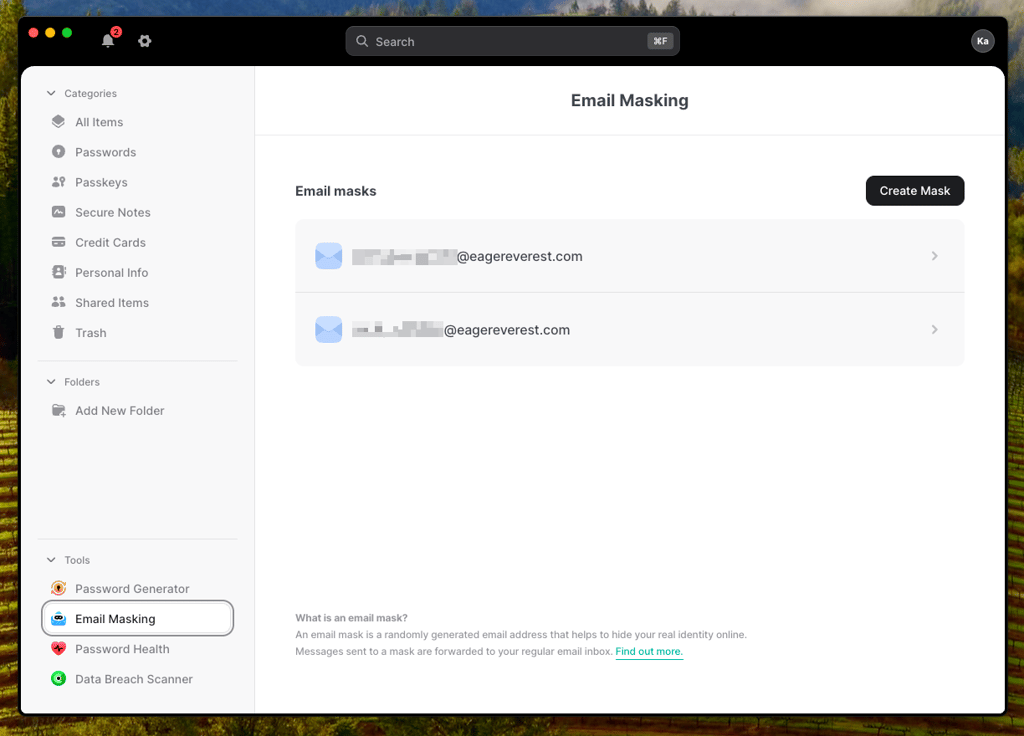
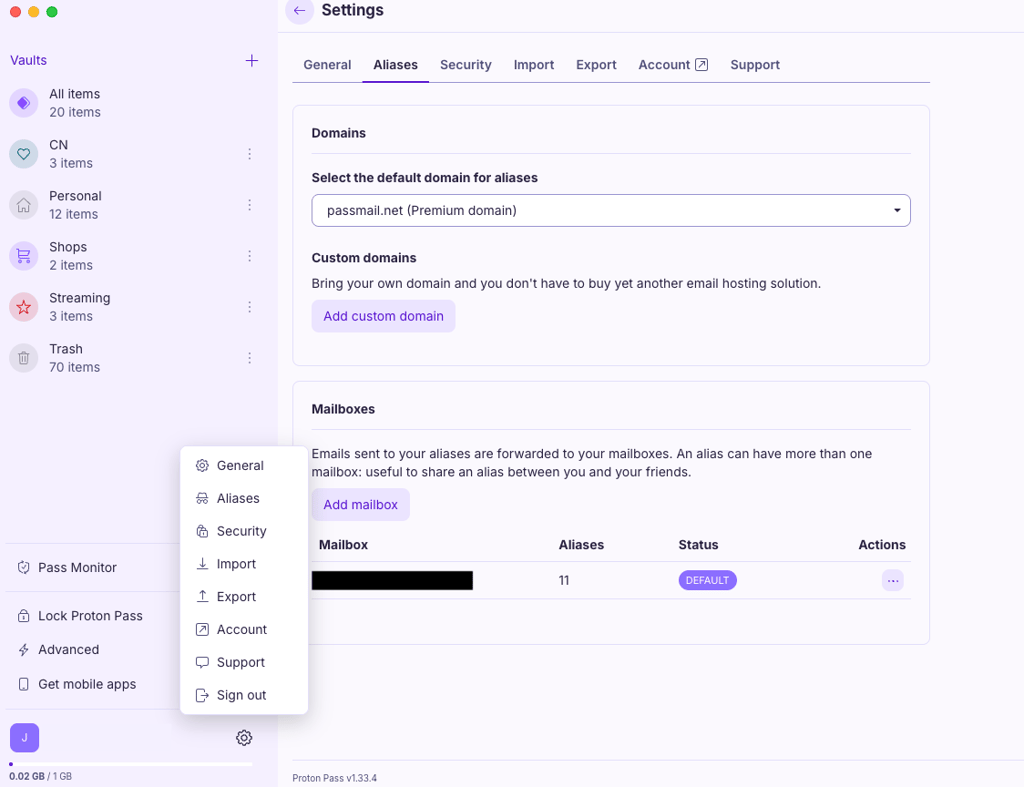
Proton Pass also includes strong monitoring through Pass Monitor, with password health checks, inactive 2FA alerts, and Dark Web Monitoring. However, NordPass has an advantage in breach monitoring because its Data Breach Scanner can also monitor credit card numbers for exposure.
That said, Proton Pass still has advantages of its own. The built-in command-line interface is useful for advanced users, and Pass Monitor combines password health, breach alerts, and security recommendations in a single dashboard. For users who prefer a more technical workflow, Proton Pass may still be the better fit.
If you want a deeper look at how each feature holds up in real use, check out my full NordPass review for a complete breakdown.
Security and trust: winner Proton Pass
NordPass and Proton Pass are both secure password managers. Here’s how they compare:
| Security and trust | NordPass | Proton Pass |
| Encryption | XChaCha20 | AES-256-GCM |
| Zero-knowledge architecture | ✅ Yes | ✅ Yes |
| Source code | Closed-source | ✅ Open-source |
| Jurisdiction | Panama (outside Fourteen Eyes) | Switzerland (outside Fourteen Eyes) |
| Security audits | Independent security audits, SOC 2 Type 2, ISO 27001 | Independent security audits with public reports |
Both NordPass and Proton Pass offer strong security. When looking at encryption and zero-knowledge architecture, both password managers provide strong protection for vault data. Both use modern encryption and have undergone independent security assessments, providing a strong security foundation for protecting sensitive information.
However, when it comes to trust and transparency, Proton Pass has the edge. It’s open source, which means its apps can be independently reviewed by anyone, not just internal teams or third-party auditors. NordPass also has a strong security-validation framework, including independent audits, SOC 2 Type 2, ISO 27001, and a bug bounty program.
On the other hand, Proton Pass also benefits from more recent public security validation, including a Recurity Labs audit published in May 2026, giving a more up-to-date view of how its security model holds up. Nonetheless, NordPass still follows a solid audit-based model, but its most recent public attestation dates back to December 2023, which provides less current visibility into its ongoing security posture.

If privacy is your main concern, my full Proton Pass review goes deeper into how it handles your data and why it stands out as one of the most privacy-focused password managers available.
User experience: Winner NordPass
NordPass wins the user experience category, but the gap is not large. Both NordPass and Proton Pass are easy to use and well-designed, but NordPass relies more on context-based actions, which removes that little amount of friction.
Here’s a quick side-by-side look at usability basics:
| NordPass | Proton Pass | |
| Windows, macOS, Linux | ✅ Available | ✅ Available |
| Android and iOS apps | ✅ Available | ✅ Available |
| Browser extensions | ✅ Chrome, Edge, Firefox, Safari, Brave, Opera | ✅ Chrome, Edge, Firefox, Safari, Brave, Opera |
| Interface design | ✅ Modern and easy to navigate | ✅ Modern and easy to navigate |
| Ease of setup | ✅ Beginner-friendly | ✅ Beginner-friendly |
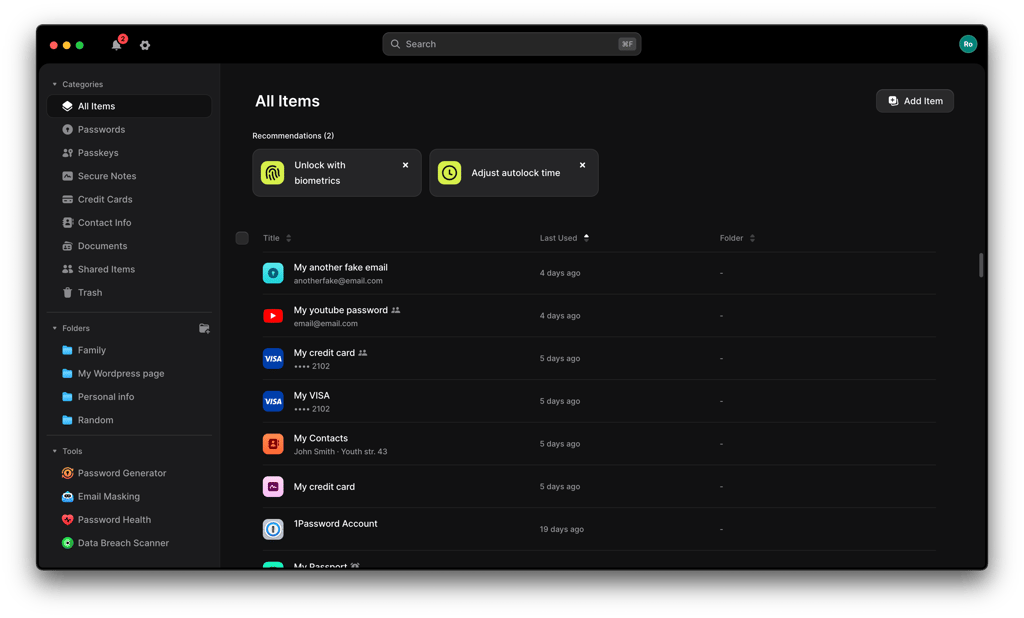
NordPass desktop apps are very similar across Windows, macOS, and Linux. The interface is structured into categories like Passwords, Passkeys, Secure Notes, and Credit Cards with a very intuitive design.
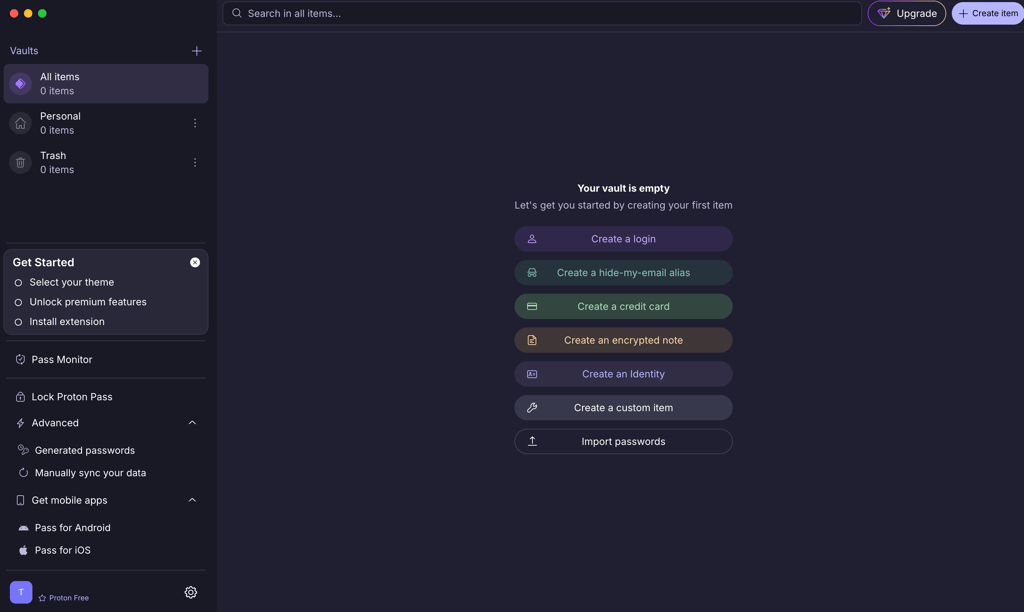
The Proton Pass experience is also smooth. Installation takes only a few minutes, and once logged in, you start with a very clean, empty vault interface that helps quickly create items like logins, aliases, notes, and identities.
NordPass maintains a similar structure and interaction style across desktop and mobile, making it easy to switch between devices. On mobile, autofill and password creation worked smoothly in my tests, with straightforward prompts when signing into accounts.

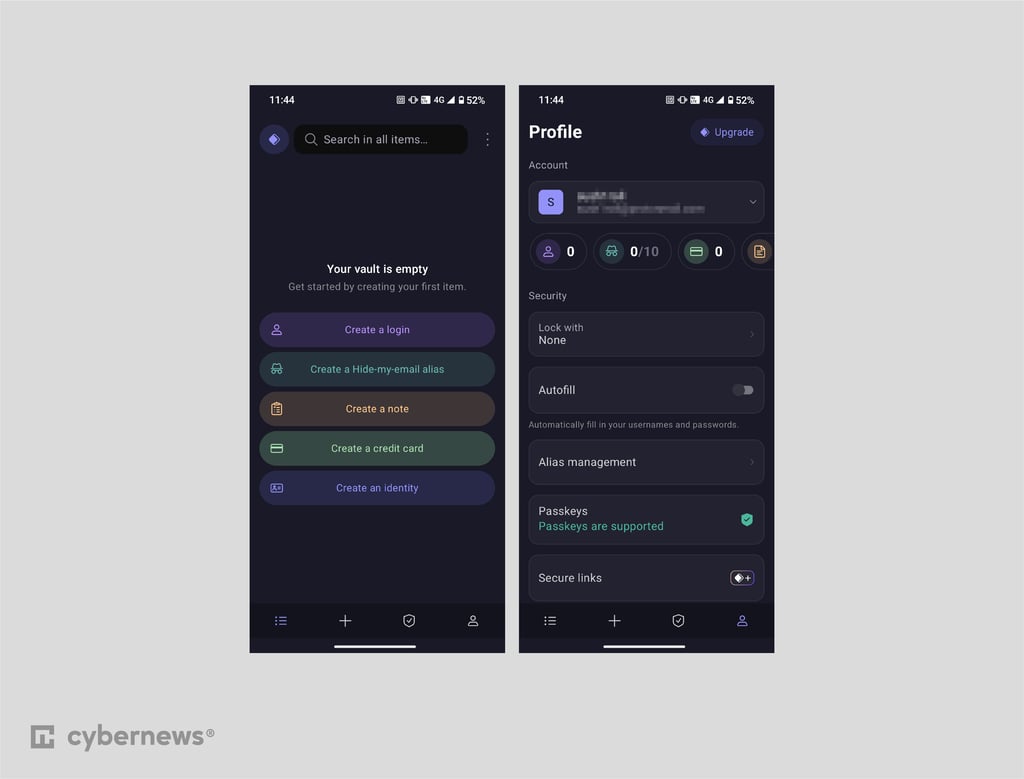
Proton Pass mobile apps also support most of what is available on desktop, including passkeys, secure sharing, email aliases, and password monitoring. The interface is clean, modern, and easy to navigate, with quick access to common actions directly from the home screen.
NordPass and Proton Pass are similar overall, but throughout my experience, I really liked NordPass’s behavior when it comes to autofill, since it automatically detects which password is needed and proactively suggests it. When you have tens or even hundreds of passwords, that can be a massive win. While with Proton Pass, some websites required an extra manual selection before credentials are filled, especially on mobile.
Customer support: Winner NordPass
When comparing NordPass vs Proton Pass customer support, NordPass is the clear winner. Both providers offer email support, setup guides, and detailed knowledge bases, but NordPass adds something Proton Pass lacks entirely: 24/7 live chat support.
Here are the main customer support differences:
| Support option | NordPass | Proton Pass |
| 24/7 live chat | ✅ Yes | ❌ No |
| Email support | ✅ Yes | ✅ Yes |
| Knowledge base | ✅ Yes | ✅ Yes |
| How-to guides | ✅ Yes | ✅ Yes |
| Phone support | ❌ No | ❌ No |
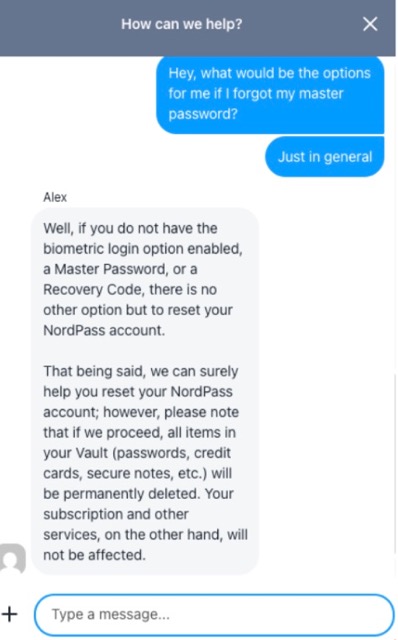
During my testing, NordPass connected me with a live agent in under a minute. I asked what my options would be if I forgot my master password, and received a detailed explanation. Interestingly, support explained that if I lost both my Master Password and Recovery Code and couldn't recover access through biometrics, I might need to reset my vault, which would delete its stored items.
Proton Pass offers ticket-based support and an extensive knowledge base, as well as a support chat that starts with an AI assistant and can escalate to a human advisor. To be fair, the responses I received were professional and helpful. I contacted support regarding password imports and later about the refund process, and both issues were resolved without much back-and-forth. Proton's knowledge base is also excellent, and its active Reddit community can provide answers if official support isn't immediately available.
That said, if you're locked out of your account, dealing with sync issues, or helping a less technical family member, live chat is a significant advantage. Having access to 24/7 chat with escalation to a support agent can be more convenient than relying primarily on ticket-based assistance
NordPass vs Proton Pass: key similarities
Most importantly, NordPass and Proton Pass both cover the core password manager needs very well. They both deliver secure vault storage, password sharing, autofill, password generation, passkey support, and cross-platform sync.
They're also available on all major platforms, including Windows, macOS, Linux, Android, and iOS, with browser extensions for Chrome, Firefox, Edge, Safari, and other popular browsers. For most users, either service can comfortably handle everyday password management.
| Shared feature | NordPass | Proton Pass |
| Zero-knowledge security | ✅ Yes | ✅ Yes |
| Secure sharing | ✅ Yes | ✅ Yes |
| Autofill | ✅ Yes | ✅ Yes |
| Password generator | ✅ Yes | ✅ Yes |
| Passkeys | ✅ Yes | ✅ Yes |
| Cross-platform sync | ✅ Yes | ✅ Yes |
| Biometric login | ✅ Yes | ✅ Yes |
Zero-knowledge architecture and secure sharing
NordPass and Proton Pass both use zero-knowledge architecture, meaning neither provider can access or read your vault data. That is the core promise behind both products, and both keep it central to their design. The main difference lies in the overall implementation of encryption and secure sharing design.
When it comes to encryption, NordPass uses XChaCha20 for vault data, while Proton Pass uses 256-bit AES-GCM. Both are modern, widely trusted encryption standards, and both services perform encryption locally before any data is shared.
NordPass supports item-level sharing of passwords, passkeys, secure notes, and credit cards between users, with four permission levels that let the recipient control access: Can Edit, Can Share, Can View, and Can Autofill. However, sharing is limited to users with a NordPass account, as items can only be shared between NordPass members.
Proton Pass uses Secure Links for encrypted sharing with both users and non-users, with access managed via expiring links, configurable view limits, and the ability to revoke access at any time from the dashboard. Overall, both services provide secure sharing options, but they differ in how granular control and external access are handled.
Autofill, password generator, passkeys
NordPass and Proton Pass both handle autofill, password generation, and passkeys well. These are the features that matter most in daily use, and neither service drops the ball here, however, exact approaches do differ.
NordPass detects compatible form fields and surfaces saved credentials directly within them. It automatically recognizes login and payment fields on websites and fills them through browser extensions like Chrome, Firefox, Safari, Edge, Opera, and Brave. It works on websites and mobile apps, but not inside desktop applications.
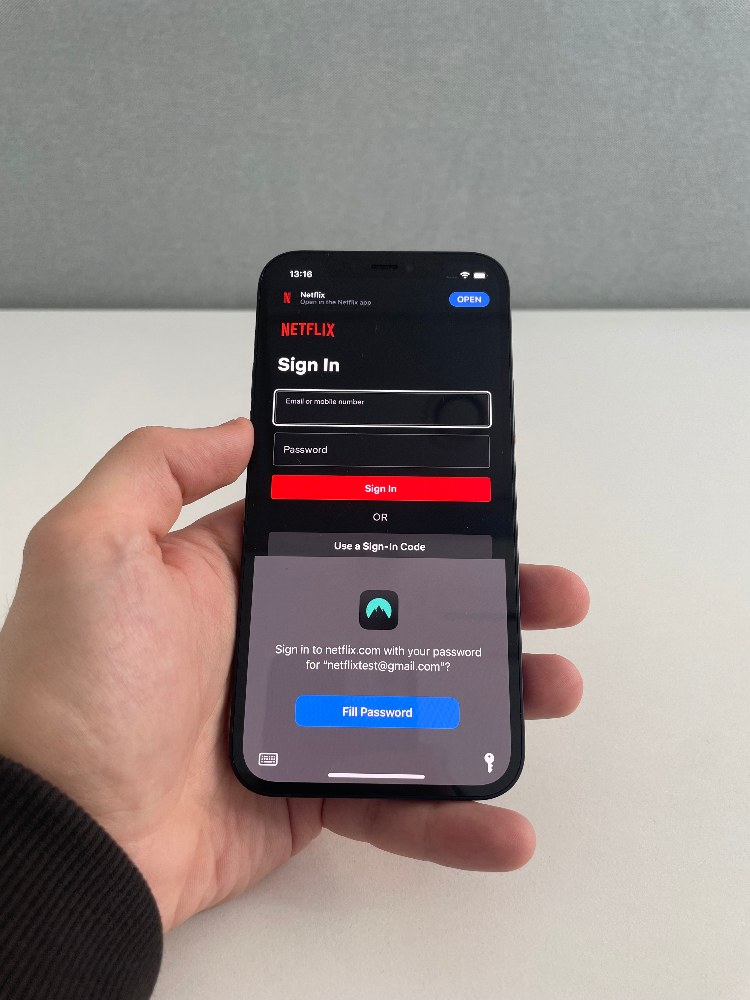
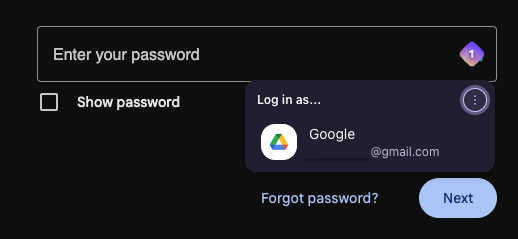
Proton Pass similarly detects login fields and lets you select saved credentials directly from the autofill menu. You select a saved login from a dropdown when you click a username or password field, and it fills both automatically. It also supports Autotype for desktop apps and system autofill on iOS, which helps where browser extensions are not available.
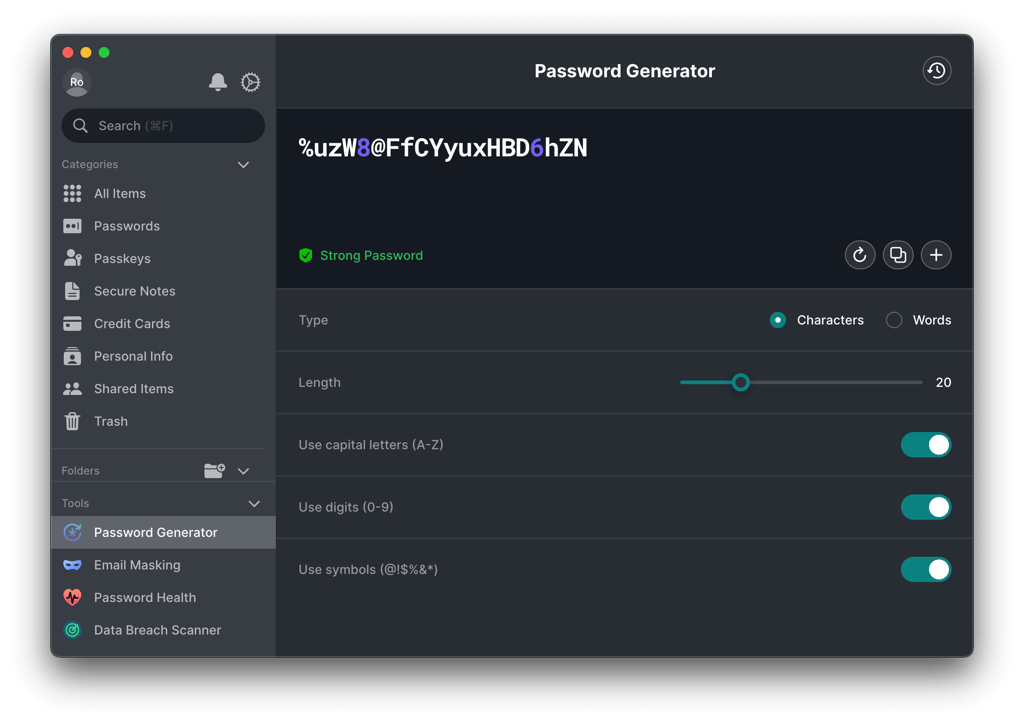
For password creation, NordPass goes for a traditional generator with options like length and symbols. Proton Pass adds passphrases and can suggest memorable passwords during sign-up, then automatically saves new accounts.
Finally, both support passkeys for passwordless authentication based on public-key cryptography. NordPass, on the other hand, lets users store, manage, and share passkeys like other supported vault items.
Cross-platform sync and biometric login
Both NordPass and Proton Pass handle cross-device access and biometric login well. Any passwords, passkeys, notes, or payment cards you save are available across your devices, and both support Face ID, and fingerprint unlock.

NordPass automatically syncs changes across its browser extension, desktop apps, mobile apps, and Web Vault. If you update a password on one device, the change appears on your other devices without any manual action. It encrypts data before syncing it to the cloud, so the same vault stays available everywhere you sign in. Proton Pass provides a similar experience across its desktop apps, mobile apps, and browser extensions, keeping your vault available wherever you sign in.
Overall, there is little difference when it comes to cross-platform synchronization. Both provide automatic access to the same vault across devices and make account access faster through biometric authentication.
Which password manager should you choose?
NordPass and Proton Pass are excellent password managers. Both provide the fundamentals most people need, including zero-knowledge encryption, autofill, password health tools, emergency access, and apps for all major platforms. No matter which one you choose, you'll get a secure and capable password manager.
That said, after comparing pricing, features, security, usability, and support, NordPass comes out ahead. It delivers better value on paid plans, a smoother day-to-day experience, and stronger customer support, while still maintaining the same core security foundations expected from a premium password manager.
Nonetheless, Proton Pass remains a strong alternative. It stands out for its open-source codebase, more recent public security audits, and generous free plan, making it a great option for users who prioritize transparency or already use other Proton services.
FAQ
Can I import my passwords from another password manager into NordPass or Proton Pass?
Yes. NordPass and Proton Pass both support password import, including from CSV files and other password managers. Proton Pass also makes imports available on its free plan, and NordPass provides straightforward import tools across its apps and extensions.
What happens to my passwords if I forget my master password?
That depends on the recovery methods you've set up. NordPass lets you reset a forgotten Master Password using your Recovery Code, and biometric recovery may also be available if you enabled it beforehand. Proton offers several account and data recovery methods, including a Recovery Phrase, which can restore access to your encrypted passwords. Because some Proton account-reset methods don't automatically restore encrypted data, it's important to configure a data recovery method in advance.
Are NordPass and Proton Pass safe to use for business accounts?
Yes. Both services offer business plans with stronger admin controls, and both products are built around encryption and zero-knowledge design.
Can I use NordPass or Proton Pass without an internet connection?
Yes, both products support offline access, but online synchronization is still needed to update vault data across devices.