Hostinger Website Builder review 2026
Our team of experts and researchers rigorously test and evaluate website builders through transparent, in-depth testing procedures and methods using both in-house and industry-approved tools.
Drawing on cybersecurity insights, we provide unbiased, empirical rankings and analysis to help users make informed digital platform choices.
Learn more

Hostinger Website Builder has been around since 2020, though back then, it went by the name Zyro. In 2023, Zyro officially merged with Hostinger’s main services and was rebranded as the Hostinger Website Builder we know today.
The Cybernews team has been testing and reviewing it since day one. We have tracked how it’s grown from a simple drag-and-drop tool into a full-fledged AI-powered website-building platform.
For this Hostinger Website Builder review 2026, I spent about a month creating and tweaking test sites. Based on my hands-on experience, here’s what I’ve gathered on its pros and cons, the quality of its templates, how it handles different types of sites, and much more.
Quick verdict – is Hostinger Website Builder good in 2026?
Hostinger Website Builder is a reliable and budget-friendly hosting choice in 2026, ideal for bloggers, small and beginner websites, or eCommerce stores with up to 1000 products. However, if you’re creating a more content-heavy site or need to handle a high volume of transactions, a more advanced builder like Shopify or Wix might be a better fit.
💡 Extra 10% off with coupon code: CNSPECIAL
| ⭐ Rating: | |
| 🥇 Overall rank: | #5 out of #37 |
| 💵 Price: | From $2.69/month |
| 🪄 Ease of use: | Extremely easy to use |
| 🎨 Templates: | 300 |
| 🏢 Business features: | eCommerce functionality, analytic tools, SEO settings |
| 👨💻 24/7 live support: | Yes |
| 🔥 Coupons: | Hostinger Website Builder coupon 81% OFF! |




Our in-house research team and expert writers work hand in hand to regularly test website builders and provide accurate and fact-checked information. Discover the ins and outs of how we test and evaluate website builders.
Hostinger Website Builder pros and cons
Hostinger Website Builder pricing and plans
What stood out to me about Hostinger Website Builder is the price. It starts at just $2.69/month, which is affordable compared to most well-known builders. For context, Wix’s cheapest plan is $17.00/month, and Squarespace’s price starts at $16.00/month.
Hostinger allows choosing from 2 paid plans. The Premium plan and the Business plan, which unlocks eCommerce and AI tools. There’s also a 14-day free trial. Playing around with the builder before paying is useful, but you can’t publish your site until you upgrade.
Personally, I think it’s worth it if you want something simple and affordable with key features like a free domain, unlimited storage, and SSL. But if you need a free forever plan to get started, you’ll need to look at builders like Wix or Weebly instead.

Overall, both plans are affordable and include features you’d typically pay much more for elsewhere. If you’re building a personal site, blog, or portfolio, the Premium plan is more than enough. It’s simple, fast, and has everything you need to get online without spending much.
If you’re planning to run a small online store or business website, go for the Business plan. It includes advanced AI tools, eCommerce features, daily backups, and, best of all, 0% transaction fees. That’s a big deal, since many other builders like Wix or Squarespace take a cut from your sales, while Hostinger lets you keep every dollar you earn.
It delivers excellent value for money, starting at just $2.69/month, far below competitors like Wix or Squarespace, while still offering features like AI tools, templates, backups, and eCommerce options. The 0% transaction fees on the Business plan are a huge bonus for online stores, and the 30-day money-back guarantee makes it risk-free to try.
My hands-on experience with Hostinger Website Builder
I tested Hostinger’s Website Builder using the Business plan for about a month to explore its advanced features. The setup process was straightforward, and I could either let AI generate a website for me or choose from pre-made templates.
When entering my site details, I mentioned that I wanted an online store. Instantly, the builder offered to add a store section, which was a nice touch.
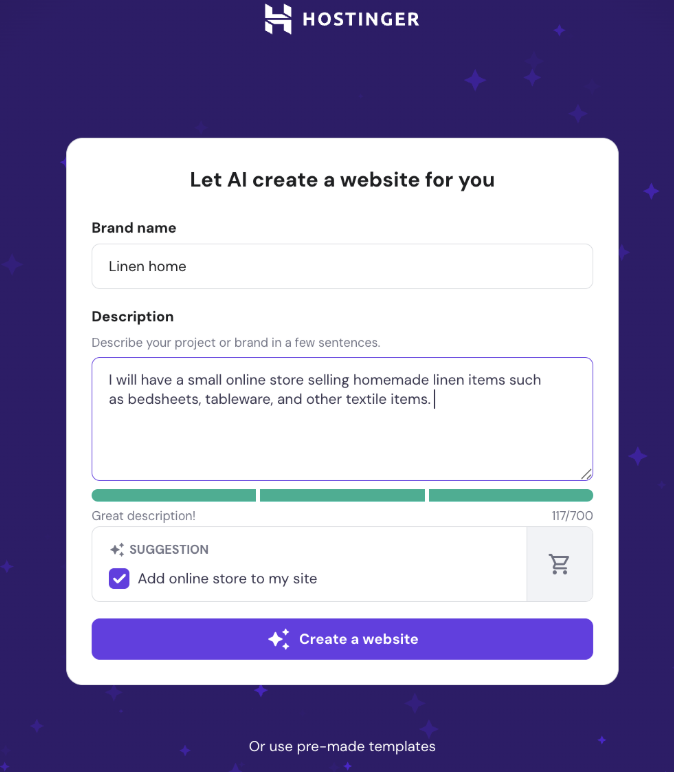
After providing the site name and description, it generated a complete website with an eCommerce layout. All the essential pages and features were there, but the theme and images didn’t really match what I had in mind.
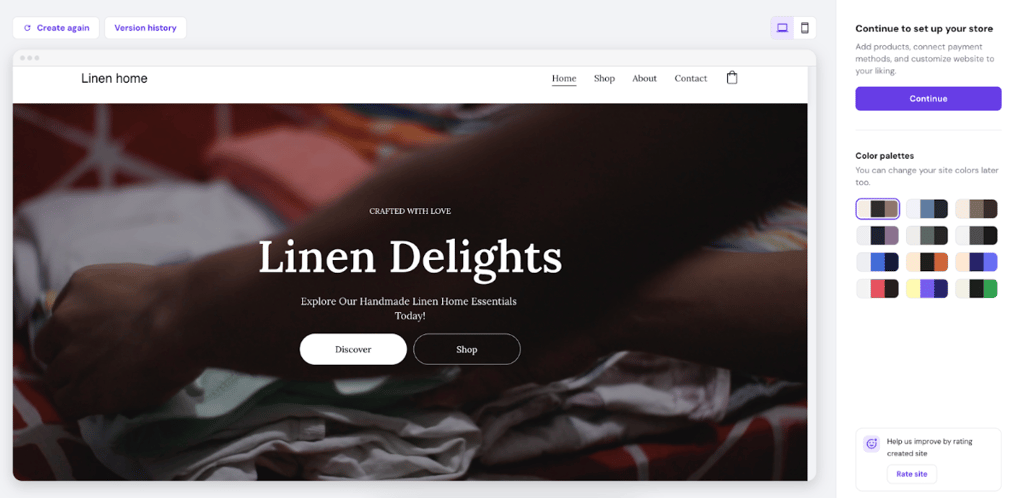
I gave the AI another shot, adding more details about my desired design style, but the images stayed the same. So, I switched to a pre-made template while keeping my description, and that immediately gave the site a better look.
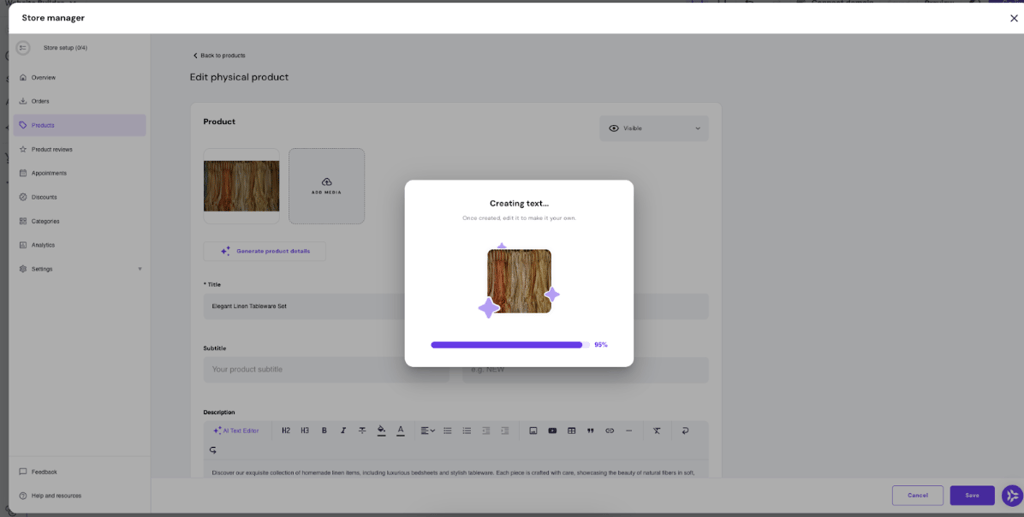
From there, editing was simple. The builder is uncluttered, so I had no trouble finding features or connecting a custom domain. I appreciated how easy it was to set up SSL automatically. The AI text generator worked flawlessly when I added products, instantly creating fitting descriptions without me having to rewrite everything.
Publishing was quick and effortless. With one click, my site went live and looked exactly as expected on both desktop and mobile. The templates are fully responsive, so I didn’t need to make extra adjustments. Performance was solid, the pages loaded quickly, and I didn’t experience any glitches during testing.
Hostinger Website Builder is intuitive, fast, and easy to use, with AI tools and responsive templates making setup and publishing a breeze. The AI design, like most AI tools, needs tweaking, but switching to a template is always available. Overall, it’s a reliable, user-friendly option for beginners and small business owners.
Templates and design flexibility
I started with a website template since Hostinger Website Builder offers over 300 templates across 20 categories, all fully customizable and mobile-responsive. The variety made it easy to find a design that matched my needs.
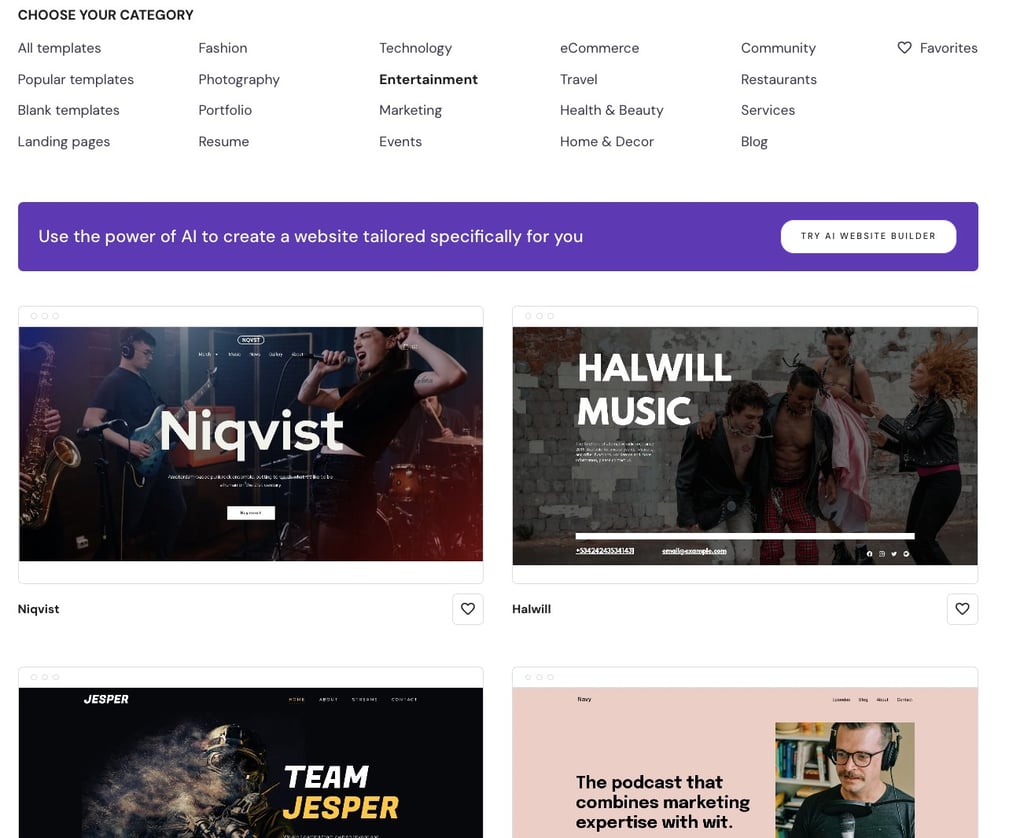
From there, building a simple website with 8 products took me just over 30 minutes, including the extra time I spent experimenting with features. That’s impressive compared to other builders like SITE123, which I found less intuitive and slower to work with.
Hostinger’s drag-and-drop editor is clean and easy to navigate, so I never felt overwhelmed by options. Tweaking text, images, and layouts was straightforward, and since the templates are responsive by default, my site looked great on both desktop and mobile without any extra adjustments.
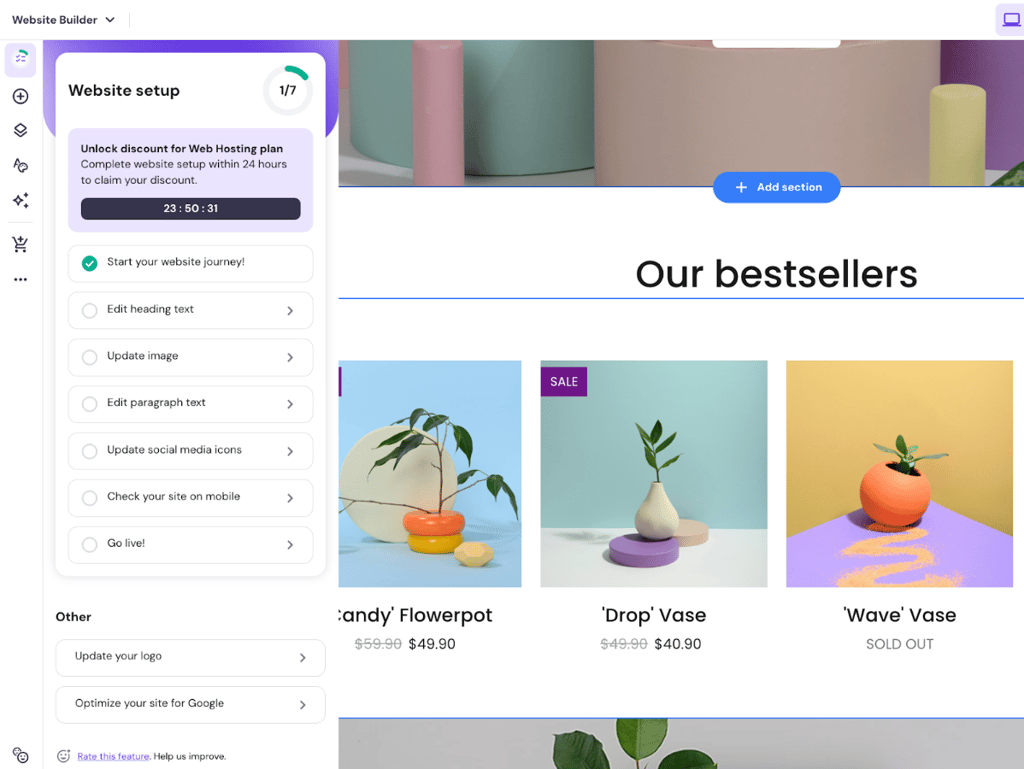
There are a couple of drawbacks, though. Once you start creating your website, you can’t switch to a different template without starting over, which is frustrating if you like experimenting with different designs. And if you ever decide to move to another platform, your site can’t be fully transferred – you’d need to rebuild it from scratch. On the bright side, you can preview templates before committing, and each one offers enough customization to create a unique look without coding.

Overall, I liked the large variety of templates and customization options. Hostinger Website Builder makes it possible to launch a polished, functional site fast, which is ideal for beginners or small business owners who don’t want to get lost in overly complex editors.
Hostinger Website Builder offers over 170 mobile-responsive templates, giving plenty of options for different site types. The drag-and-drop editor makes customizing layouts, text, and images easy. While you can’t switch templates mid-build, you can tweak things to your liking.
eCommerce features – I expected more
Hostinger’s eCommerce tools are only available with the Business plan, so you won’t be able to sell products on the Premium plan. The store management process is smooth, with all the main options found in the sidebar or by clicking on the items on the website.
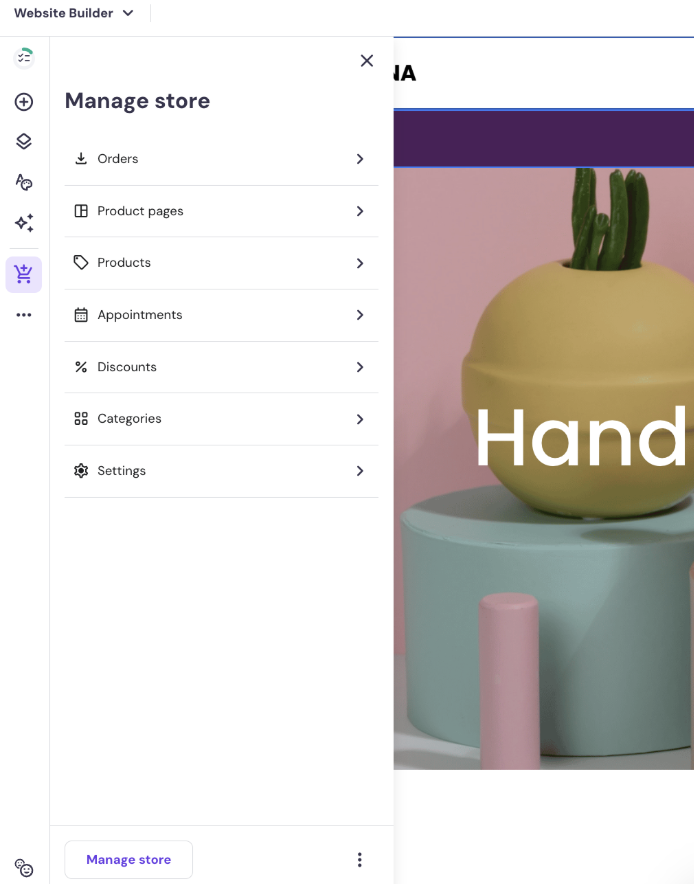
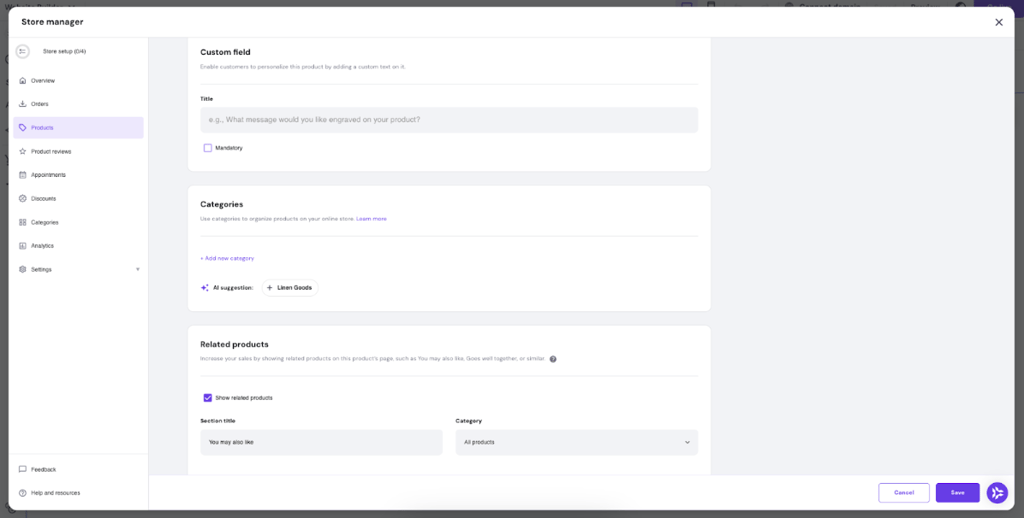
The website builder allowed me to easily add product names, descriptions, prices, and images. The editor also supports inventory tracking and multiple product categories, which makes finding the product your visitors need easier.
A recent improvement is Hostinger Website Builder’s integration with Printful, a leading print-on-demand platform. This makes it easy to design and sell custom products like t-shirts, mugs, and posters without holding inventory. Printful handles everything from printing to shipping, giving store owners access to over 400 customizable items across apparel, accessories, home decor, and office goods.
I really appreciate the 0% transaction fees, which many other builders, such as Squarespace or Wix, don’t offer. Hostinger’s Website Builder also supports over 100 payment gateways, so accepting payments globally isn’t an issue.

However, after some testing, some limitations became clear. You can only add up to 600 products, which is fine for a small or mid-sized store, but if you plan to scale beyond that, you’ll hit the limit quickly. There are also no advanced eCommerce tools like abandoned cart recovery, advanced shipping calculators, or built-in analytics, which competitors like Shopify or Wix offer.
Overall, Hostinger Website Builder works well for small businesses that want an easy way to sell online without extra costs. But if you’re building a large eCommerce store with hundreds of products and need more automations or advanced reporting, I’d recommend opting for a more advanced eCommerce builder.
I liked how easy it was to set up a store, add products, and connect payments, and the Printful integration is a nice bonus for selling custom merch. The 0% transaction fees are a huge win, especially since most other competitors take a cut. Still, I expected more advanced tools. Things like abandoned cart recovery or detailed analytics are missing, which makes it better for small shops than large-scale stores.
SEO tools and marketing – solid for beginners
When I tested Hostinger Website Builder’s marketing tools and SEO features, I found them suitable for small businesses and personal sites, with intuitive AI-powered guidance, but lacking some advanced features that competitors like Wix and Squarespace provide.
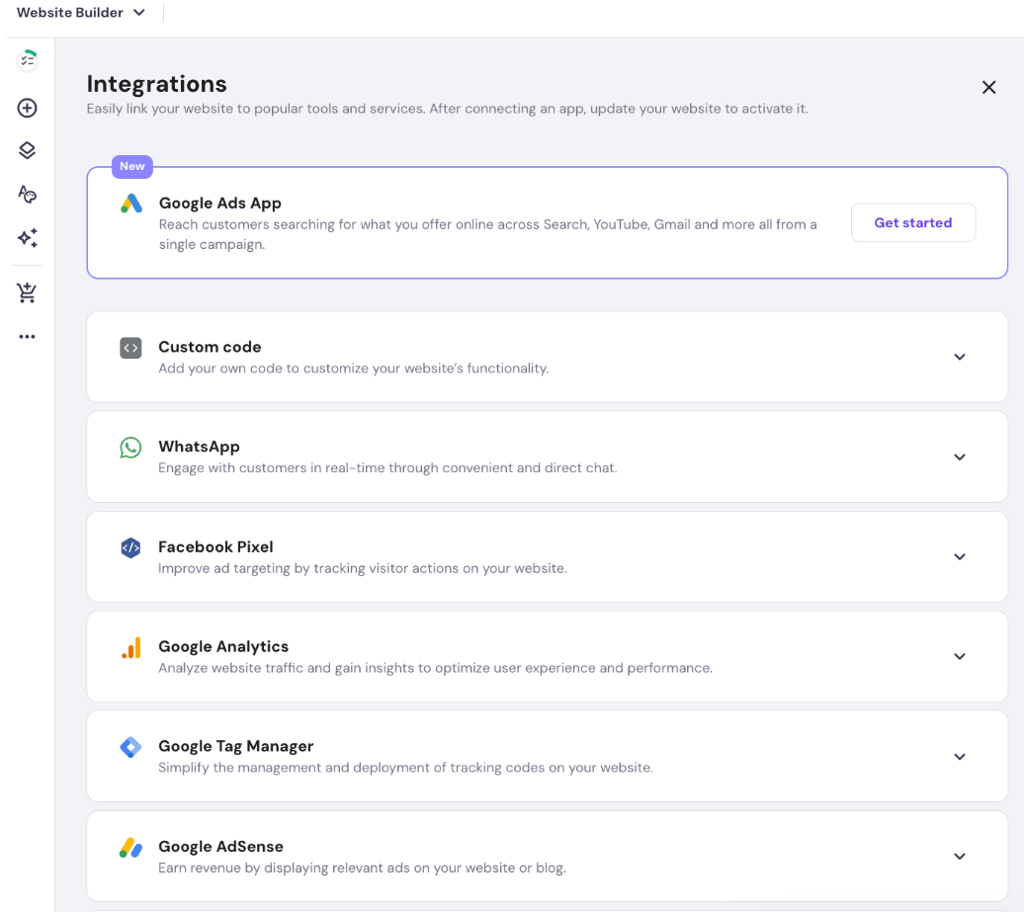
Marketing integrations are easy to set up. From the sidebar, I quickly added Google Analytics and Facebook Pixel for performance tracking and ad campaigns without any technical hassle.
SEO options are solid for a beginner-friendly builder. You can edit meta titles, descriptions, and other attributes for every page. What I really liked is that the builder provides clear recommendations and explains what each setting means, which makes it easier to optimize even if you’re new to SEO. The AI assistant is a nice bonus. I asked it to generate meta titles, descriptions, and keywords for me, and it even showed a preview of how my site would look in search results.
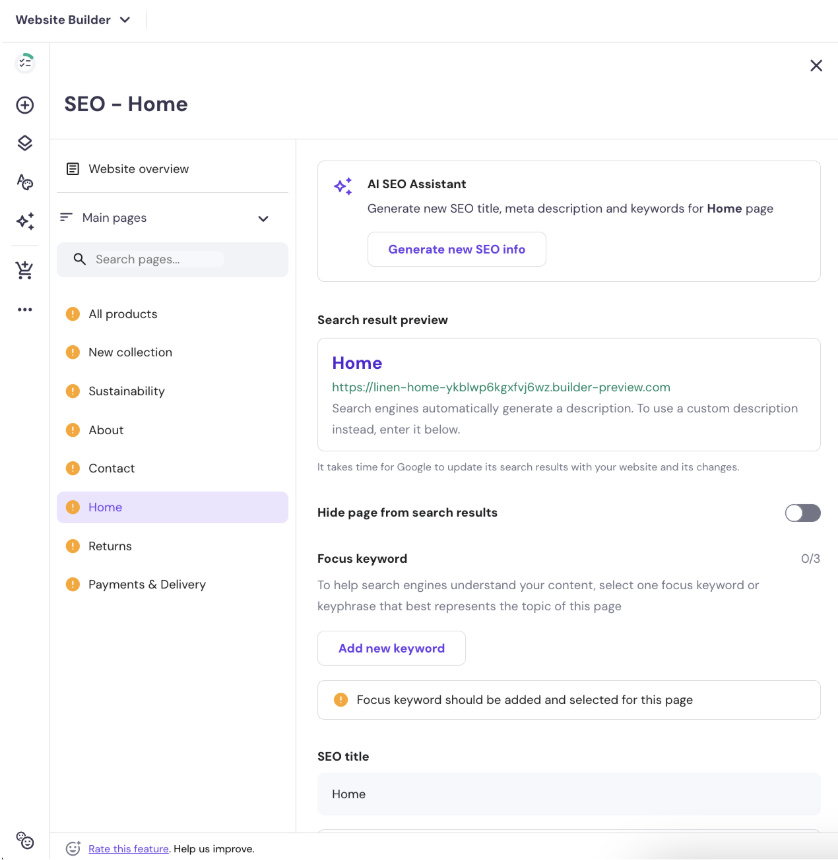
However, the analytics are limited for in-depth analysis. You only get a basic traffic overview with daily sessions and the number of unique visitors. I’d love to see deeper built-in insights, like traffic sources or engagement metrics, since now they require connecting to Google Analytics.

Hostinger Website Builder introduced Hostinger Reach, an AI-powered email marketing tool. I tested it on one of my sites, and it made creating newsletters surprisingly simple. I was able to design inbox-ready emails in minutes, keep track of performance in real time, and find ways to grow my audience.
Hostinger’s SEO and marketing tools are simple but effective for getting started. I liked how easy it was to add Google Analytics, Facebook Pixel, and use the AI SEO assistant for quick optimization. The built-in tools reach a solid standard for small-to-medium sites, but advanced marketers or agencies will find some limitations in customization and analytics depth.
Hostinger Website Builder customer support
Hostinger Website Builder offers 24/7 support through live chat and email and a large help center with tutorials and guides. I was pleasantly surprised when I contacted them, as I received my first reply in under a minute, and my issue was solved soon after.
The chat started with Kodee, Hostinger’s AI chatbot. It’s useful for basic questions and quick fixes, but I asked it to connect me with a real agent. The agent replied almost instantly and gave me clear, helpful answers.
I also like that if you can’t wait in the chat, you’ll get an email notification when the agent responds. And if you don’t feel like chatting at all, the same icon works as a search tool for the help center, which has plenty of step-by-step guides.
Overall, Kodee can feel limited for complex issues, but Hostinger’s support agents and its helpful knowledge base provide efficient help.
I was impressed by how fast and helpful Hostinger’s support team was. I got a reply in under a minute, and my issue was solved right after. The AI chatbot is fine for quick fixes, but the real agents are where it truly shines.
Video review
If you prefer video over reading, a detailed Hostinger Website Builder review is included right below.
Final verdict – should you use Hostinger Website Builder?
Hostinger Website Builder is a solid choice if you’re looking for an affordable, beginner-friendly platform with all the essential features. Its drag-and-drop editor and AI tools make building a website straightforward, especially for small businesses, personal sites, or simple online stores. Pricing is very competitive, and the hosting is reliable and fast.
That said, it lacks some advanced flexibility, deeper SEO controls, and robust marketing features compared to bigger names like Wix or Shopify. For beginners or those on a budget, Hostinger Website Builder offers great value, but if you need more power or advanced customization, you might want to consider alternatives.
| Feature | Rating | Review |
| Pricing | Hostinger Website Builder is affordable, with plans starting at just $2.69/month. Starting plans for other website builders are often more expensive. | |
| Ease of use | The drag-and-drop editor and hPanel control panel are user-friendly, making setup quick and simple. | |
| Templates and design | Templates are modern and responsive but offer limited flexibility once you start building. You also can’t change the template once you start building. | |
| eCommerce | Supports products, multiple payment options, no sales fees, limited advanced features | |
| SEO and marketing | It covers the basics well, but lacks advanced SEO tools and marketing integrations. | |
| Support | 24/7 live chat and email support with quick responses. AI chatbot handles simple queries well. |
FAQ
Is Hostinger Website Builder free?
No, Hostinger Website Builder doesn’t offer a free plan. You can start with a 14-day free trial, but you can’t publish your site until you upgrade to one of the paid tiers. After that, plans begin at $2.69/month.
Does Hostinger have an AI builder?
Yes, Hostinger Website Builder includes a full suite of AI tools, including a website builder, writer, image generator, blog generator, SEO tools, logo maker, product generator, and heatmaps.
Can I use Hostinger Website Builder for eCommerce?
Yes, the Business plan enables eCommerce functionality. You can sell up to 600 products, accept over 100 payment methods with 0% transaction fees, and manage inventory and orders.
Can I move my Hostinger Website Builder site to another platform later?
No, you can only export content like text, images, and files to WordPress, but design, layout, eCommerce, forms, and SEO settings won’t transfer.
Is there a Hostinger Website Builder free plan?
There is no free Hostinger Website Builder plan. However, you can use a provider's 30-day money-back guarantee to get all your money back if you’re not satisfied. Additionally, there’s a free demo version where you can test out the editor before spending any money.