Wix vs Namecheap: which is better for domain registration?
Our in-house research team evaluates domain registrars by reviewing industry data, pricing structures, and feature availability across different providers.
We focus on factors such as the range of available TLDs, pricing transparency, renewal costs, domain management features, and WHOIS privacy options. By combining data-driven research with hands-on testing, we provide clear and reliable recommendations on the best domain registrars.
Learn more

Registering a domain is a small step in setting up a website, but your provider choice can make a difference long after you secure the name. Think of it as laying the foundation for your house: it needs to be reliable, secure, and easy to manage to sustain your work down the line, without breaking the bank or surprising you with hidden costs.
Wix and Namecheap are two popular options, but they approach website management differently. The right fit depends on what you need from your registrar and how you plan to manage your website. To help you decide, my Wix vs Namecheap comparison looks in depth at ease of use, pricing, security, renewal terms, features, and customization.



Our in-house research team analyzes domain registrars, while our experts use hands-on testing and gathered insights to evaluate each provider. We assess factors like pricing and its transparency, domain management features, and the range of available TLDs. Find out how we assess domain registrars.
Quick overview and comparison table
This Wix vs Namecheap comparison table summarizes the key facts you can read about in depth in the article below.
| Domain registrar | Wix | Namecheap |
| Rating | ||
| Ease of use | Quick registration, clean dashboard, and automated wizards | Simple registration, more technical settings, jargon prompts, and features |
| First-year .com price | $7.90; free with an eligible yearly or multi-year site plan | $6.48 new-customer promotional price ($14.98 standard), plus a $0.20 ICANN fee |
| Renewal price for .com domain | $21.35 | $18.48 + $0.20 ICANN fee |
| Transfer | Guided transfer-out process; authorization code sent by email | Unlock and request an authorization code through account settings |
| Security features | 2FA, domain locks, and DNSSEC for eligible domains | 2FA, domain locks, and DNSSEC for eligible domains |
| Upsells and add-ons | Built-in web builder, hosting, eCommerce, booking systems, email marketing, and SEO tools | Separate web hosting and a simpler web builder, business email, and plenty of third-party plugins |
| Customer support | 24/7 English callbacks and human live chat Monday–Friday, 2 AM–6 PM EST; time-limited daily support in other languages | 24/7 live chat and email |

Wix and Namecheap: key differences
While they are both domain registrars, Wix and Namecheap operate differently.
Wix is a user-friendly domain registrar, ideal for users who aren't particularly tech-savvy. Its clean dashboard and wizards simplify day-to-day use, easy-to-reach support solves issues promptly, and a free domain offer with an eligible yearly or multi-year site plan helps you save on registration during your first year. As part of a broader ecosystem, it’s also a great choice for those interested in building their site in the same place.
Namecheap makes sense for website owners who only need domain registration. Its lower renewal fees and lifetime WHOIS privacy protection are key advantages. But its technical settings and weaker customer service make it less beginner-friendly than Wix. So, while it also offers a website builder and hosting, many users who buy domains with it still point their DNS/nameservers toward their Wix sites.
Transparency and pricing
Domain registrars often advertise low introductory prices but raise renewal charges for security, transfers, and ICANN. That’s why you have to go beyond the checkout price and consider the service's cost over several years, including all fees and extras.
Wix has the edge in transparency. You can see exactly what you'll pay for a domain registration on its website. Namecheap lists its prices, too, but I found multiple prices and discounts for the same domain, making it harder to determine the actual cost.
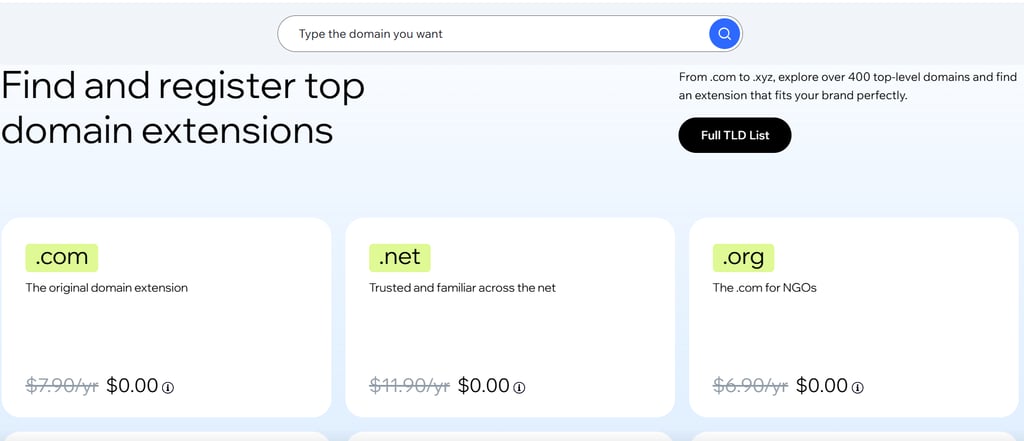
Wix is also a great option for owners still finding their feet, as eligible yearly or multi-year site plans include the first year of many of its domain extensions for free, from .com and .org to .training. You have time to settle in before you start paying the bills. Namecheap currently lists .com registration at $10.98 before the $0.20 ICANN fee, with further discounts for eligible new customers (from $6.48). Wix’s offer is most useful if you already need a paid Wix site plan.
Where Namecheap beats Wix is in the renewal fees. Its .com renewal costs $18.68, including the ICANN fee, compared with $21.35 at Wix: a difference of $2.67 per year. But Wix takes the lead on the transfer costs. It charges only a year of registration, which means $7.90–$11.90 for .com, .org, and .net, compared to Namecheap’s $14.48–$14.58 standard transfer fee.
So, despite what its competitor’s name might suggest, Wix proves to be the more affordable option of the two on most fronts.
Security
Your domain is your online identity, and protecting it means more than keeping your login details safe. Account takeovers and unauthorized domain transfers can put your website at risk, so it’s worth knowing what security measures your registrar provides. To see how Namecheap vs Wix stack up, I’ve looked for key safeguards in each:
- SSL encryption. Wix includes SSL automatically for Wix-hosted websites, while Namecheap’s shared hosting includes SSL for free for the first year. Namecheap’s SSL costs depend on the hosting plan, and EasyWP offers free SSL for eligible domains.
- 2-factor authentication. Domain registration at Namecheap and Wix includes 2FA, but Wix’s Passkeys and multiple recovery options make it more flexible and practical day to day. Namecheap supports hardware security keys and authenticator-generated codes.
- Domain locks. Wix and Namecheap enable domain locks for all their registered domains by default. They also support DNSSEC, which helps protect against DNS spoofing by letting resolvers verify the authenticity of DNS data. Namecheap adds another security layer with Domain Vault, a premium service that blocks unauthorized nameserver changes, transfers, and domain deletions.
From this analysis, it’s clear Wix and Namecheap cover the essentials of domain protection, but differ in their access and management as well as level of security (standard vs enterprise). Because each provider caters to different needs, it’s hard to name a clear winner.
WHOIS privacy
When you register a domain name, you provide contact information. Some of that information may appear in the public WHOIS database, for anyone to view, from marketing firms to online scammers.
To prevent unwanted exposure and spam, you need privacy protection. I was pleased to learn that both Wix and Namecheap tick this box.
Wix offers WHOIS privacy if you purchase additional privacy and domain protection. You can choose between two paths:
- Private registration, which lists an alternative email address and phone number and offers a dedicated online contact form for anyone who wants to contact you.
- Private registration with DNSSEC, which verifies DNS records to help protect against DNS spoofing.
Namecheap provides the same benefits, but with one difference: you get free lifetime privacy protection with every eligible domain. It not only anonymizes your information automatically after registration, but also lets you add a privacy protection layer to existing domains yourself.
The convenience that comes with the lack of subscription bundles and extra fees puts Namecheap slightly ahead of Wix.
Winner

Domain management
An easy-to-set-up service with a straightforward dashboard makes a world of difference for domain management. It can save time and energy and reduce configuration mistakes, especially if you're new to website management. It’s here that our two domain registration providers diverge the most.
Namecheap is a dedicated registrar that gives users hands-on control of their domain assets. Unfortunately, this amount of freedom comes with some trade-offs.
While registration involves a pretty traditional eCommerce checkout, you’ll be prompted to choose from several add-ons right away. There’s advanced security, premium DNS upgrades, email hosting, and more to think about.
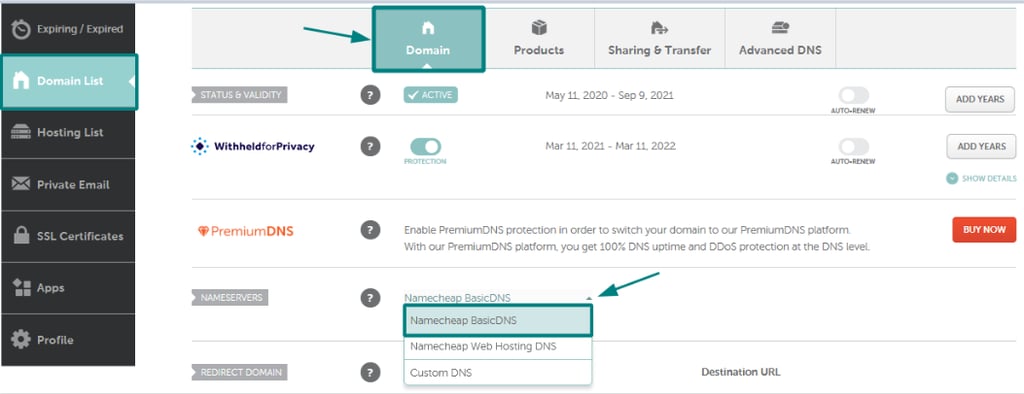
The dashboard’s advanced networking options will have you consult the knowledge base more often than not. Even Namecheap’s DNS setup is manual. It requires you to copy-paste records to connect to external sites manually. In contrast, Wix is designed with beginners in mind, so most of these steps are automated.
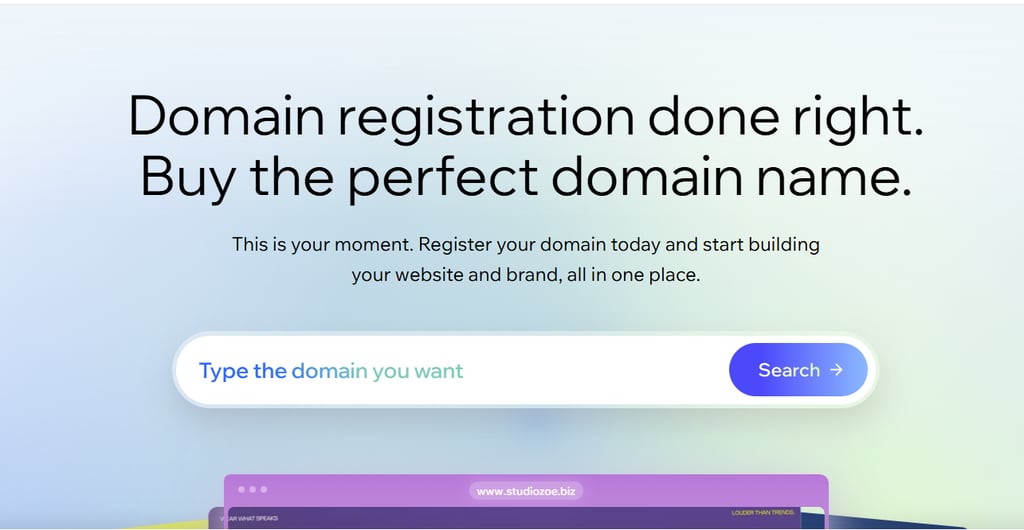
Buying a domain at Wix feels like a standard retail experience, without technical jargon that’ll make you hesitate. The dashboard is minimalistic and clean, with toggles and step-by-step wizards to streamline everyday use. With technical settings tucked away, the risk of breaking something is very low.
Transfers and ownership control
Registering and managing a domain is only part of the equation; you also need control over it and the freedom to move it to another registrar. Ownership control and transfer-out procedures are another front where Wix and Namecheap differ.
Wix lets you update your domain contact information and initiate an outgoing transfer from your domain dashboard. It takes a few clicks to unlock it, then you receive the EPP code by email and submit it to the new registrar to confirm the transfer. The steps are heavily guided, and the Help Center is packed with troubleshooting instructions to help with common setbacks.
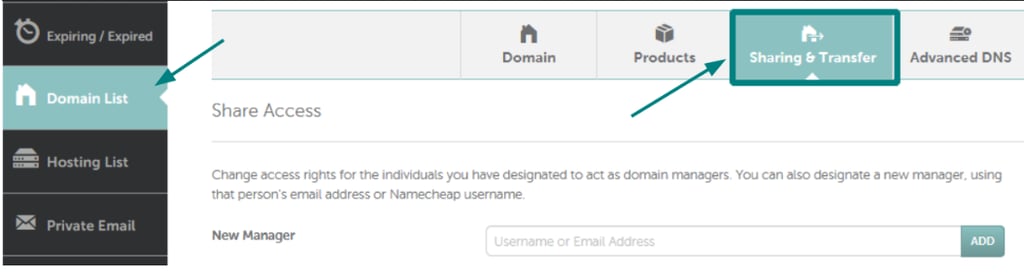
Namecheap takes a more direct, account-settings approach to outgoing transfers. Its Change Ownership feature moves a domain to another Namecheap account, while the Sharing & Transfer section lets users unlock a domain and request its EPP authorization code. While the process is clear, limited guidance makes it less intuitive for the average user than Wix’s transfer flow.
So, there’s no real competition when it comes to domain management. You can’t get more user-friendly than Wix.
Domain extensions
Domain extensions help categorize websites by their purpose, organization type, or geographic region within the Domain Name System (DNS). But not every registrar covers them all. You have to check for the extension you’re after before you decide to register your domain name.
Wix offers over 400 domain extensions, including the sought-after .com, .org, and .net, and country-specific .co.uk, .de, and .ca. There’s also a selection of pre-owned premium domains, which are highly valued for their catchy or keyword-rich names. You can explore them all on its official website, with descriptions and prices, to help you choose the right one.
Namecheap doesn’t list the exact number of domain extensions it offers, but it’s known for a massive catalog, so it may offer a few more niche, specific extensions. But its main advantage lies in bulk domain search. It lets you check up to 5,000 domains for availability at once, and register them to protect your brand or expand it internationally.
What’s more convenient at Wix is the pricing. It includes all applicable costs in the displayed price, unlike Namecheap, which adds a $0.20 ICANN fee on domain registration, renewal, and transfer for certain domains. The extra charge may be small, but it can add up over time, especially if you manage multiple affected domains.
With each provider bringing different strengths to the table, I’d call this round of the Namecheap vs Wix domain extension battle a draw.
Customer support
Countless things can go wrong when you’re managing a domain, even for experienced and tech-savvy website owners. Whether you’re dealing with registration issues, DNS errors, or renewal and transfer difficulties, reliable support is invaluable.
Namecheap offers 24/7 live chat and email support, while Wix offers 24/7 English callbacks and human live chat during listed hours. They also have comprehensive knowledge bases that answered most of my initial questions.
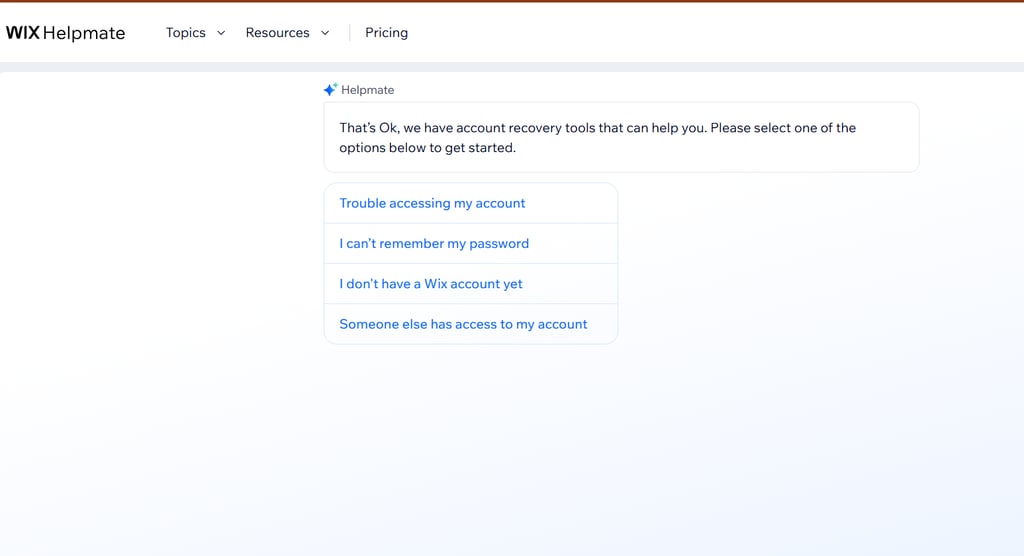
However, Wix goes the extra mile by offering support in 9 languages besides English, including French, Japanese, Spanish, and Turkish, at different times during the week. It also asks you a series of questions to match you with the right expert via live chat and offers phone callbacks for more complex issues.
Namecheap offers email and live chat support, with email response times stretching up to 2 hours. Plus, it’s not always the most helpful, as users complain about getting automated answers.
So, when it comes to customer support, Wix comes out on top.
Extra services and add-ons
Many operators offer extra services for website management; some even bundle them with domain registration. So let’s see what you can expect when you buy a domain name with Wix vs Namecheap.
Since Namecheap is first and foremost a domain registrar, it’s not the best choice if you’re after extra services. It does offer business email, hosting, a website builder, premium DNS, and similar services, but with basic features and limited customization.
Wix, on the other hand, is an all-in-one website builder. This means you’ll be able to choose between thousands of templates to build a website and use a feature-rich, drag-and-drop editor for easy customization. If you buy an eligible yearly or multi-year Wix site plan, you'll get a free year of domain registration, plus analytics, marketing tools, and more storage, depending on the plan.
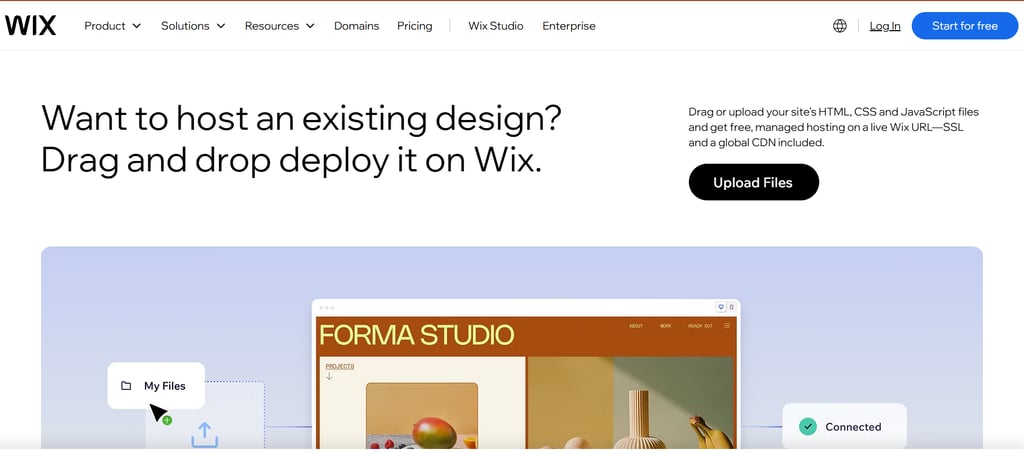
As for the extra features, Wix has built-in add-ons for eCommerce, booking systems, email marketing, SEO tools, and more. Namecheap’s features depend on the hosting or website builder you choose, and it also offers separate marketing tools.
Final verdict: which domain registrar should you choose?
After a thorough analysis, Wix came out on top for its user-centered approach to domain registration. Its 400+ domain extensions offer plenty of choice, and eligible yearly or multi-year site plans include a free first-year domain offer. It’s only the renewal fees and privacy protection that run steeper than its competitors’.
Wix also leads in terms of ease of use, combining website building and domain management in one platform with extensive customization options and plenty of built-in apps and add-ons. With automated wizards for guidance and multilingual customer support via live chat and callbacks, these features make it hard for Namecheap to compete.
So, although there’s no denying Namecheap is a great domain registrar, with a wide extensions catalog and enhanced security through Domain Vault, Wix wins on more fronts.
FAQ
Do Wix and Namecheap offer free domain registration?
Yes, Wix offers a free first-year domain with selected yearly or multi-year site plans, and Namecheap offers selected free domains with eligible shared-hosting bundles. These are benefits of paid site or hosting plans, not free trials of standalone domain registration.
Is domain registration easier with Wix or Namecheap?
Both Wix and Namecheap make domain registration simple, but Wix feels easier to manage thanks to a straightforward dashboard, automated wizards, and fewer technical settings.
Can you use a Wix domain with a website hosted somewhere else?
Yes, you can point a Wix-registered domain to an external website using DNS records, but Wix does not let you change its nameservers. If the external host requires different nameservers, you may need to transfer the domain.
Can you connect a Namecheap domain to Wix without transferring it?
Yes, Wix supports connecting an externally registered domain, whether it comes from Namecheap or another registrar. Some users choose to do this because of the operator’s beginner-friendly web builder, though a paid Wix Premium or Studio plan is required to connect a custom domain.
Do Namecheap and Wix offer privacy protection?
Yes, Namecheap and Wix offer WHOIS privacy protection, but Wix charges additionally for it. Namecheap, by contrast, includes lifetime privacy protection for free with eligible domains.
What providers can help me manage my website and domain in one place?
Wix's integrated approach can simplify management, particularly for people building and maintaining their own website. There are more templates and customization options, as well as built-in add-ons, which make the user experience smoother and more intuitive.