Sakura Mobile eSIM review: truly unlimited 5G vs daily 3GB cap
Our in-house expert researchers and journalists conduct independent, unbiased testing of eSIM services, assessing their real-life effectiveness and usability.
By staying current with industry developments and openly sharing our transparent testing methodologies, we ensure readers receive accurate, up-to-date insights so they can make informed choices about eSIM solutions.
Learn more

Sakura Mobile eSIM, based in Tokyo, is a premium travel eSIM solution tailored for visitors to Japan. It’s an online eSIM that’s easy to activate and fully supports English. For those reasons and others I’ll cover in this Sakura Mobile eSIM review, this product deserves a closer look.
Sakura offers tiered plan structures to satisfy various data needs. In this review, I’ll focus on the company’s two main traveler options, both now running on 5G: a 3GB/day plan on NTT docomo with a daily high-speed cap, and an Unlimited plan on au (KDDI) with truly unlimited high-speed data as a peace-of-mind choice for modern travelers heavily relying on maps, translation, and streaming on the move.
Who is Sakura Mobile eSIM best for?
Sakura Mobile eSIM is a great choice if you want internet access as soon as you land in Japan. You have the option of a data-only, fully digital eSIM you can use for stays up to 90 days.
It's particularly useful for travelers who use a lot of data. If you plan to upload photos and videos to social media, stream content, work remotely, or use maps and translation apps regularly, the Unlimited plan will allow you to stay worry-free.
Sakura Mobile eSIM is also perfect if you want the best Japan eSIM for travel option that’s English-language friendly, as everything, including technical support, menus, and help articles, is available in English.
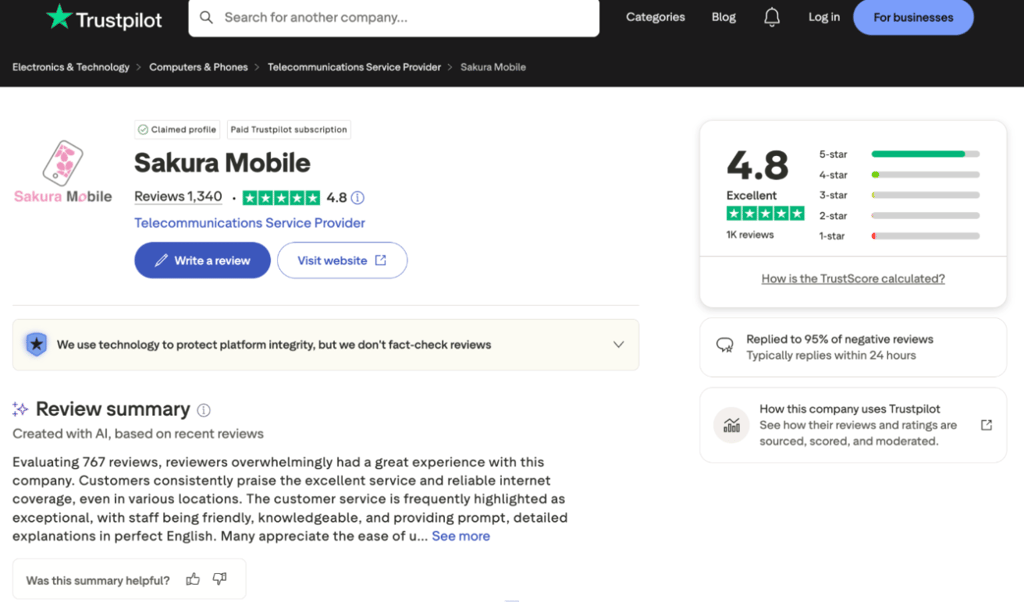
On the other hand, it may be less ideal for the very budget-focused traveler. If you’re going to use your eSIM in Japan mostly for messaging, maps, and light browsing, there are cheaper fixed-data eSIMs out there. Sakura eSIM is a premium, full-bandwidth solution focusing on convenience, stability with Japanese carrier networks, and genuinely helpful support rather than the lowest possible pricing.
Still, there’s more to Sakura Mobile than just these two plans. You also have the option of fixed-data travel eSIM options with data ranging from 1GB to 200GB (usage periods 3-90 days).
3GB/day vs Unlimited plans: key differences
It’s important to understand the exact specifications offered by Sakura eSIM. This section will help you pick your Sakura eSIM plan. Here’s a quick overview table first:
| Feature | 3GB/day eSIM | Unlimited eSIM |
| Network | NTT docomo (5G) | au (KDDI) 5G, top-rated network |
| High-speed data | Up to 3GB/day (speeds drop to 200Kbps after that) | Truly unlimited, no data caps, speed dependent on signal quality |
| Reset rule | Resets at midnight | No daily reset needed |
| Usage start | Day 1 starts on installation (recommended after arriving in Japan) | Starts on arrival in Japan |
| Hotspot | Available | Available (capped by plan) |
| Phone number | No | No |
The 3GB/day eSIM (NTT docomo network)
Sakura eSIM’s 3GB/day plan is for when you don’t need unlimited high-speed data 24/7 while you’re in Japan. This plan uses the NTT docomo network, and it’s a good choice for general reliability in urban and rural areas.
Even with 5G access, Sakura Mobile eSIM expected speeds of 3-30Mbps on NTT docomo, so treat this as the everyday browsing tier rather than a speed monster. Keep in mind that this plan’s speed drops sharply to 200Kbps after 3GB of data is used up. If you watch a lot of reels, or work remotely, you may use up the 3GB in less than 24 hours. Also, the speed limit resets daily, so one day of heavy use doesn’t ruin the rest of your trip. For many tourists, this is acceptable for basic navigation, rideshare apps, translation, and social media.
This plan’s first day starts when you install the eSIM on your device. Early installation can waste one plan day if you activate too soon before you travel. This alone may push you toward the Unlimited option.
The Unlimited eSIM (au/KDDI network)
This plan runs on the highly rated au 5G/4G network and delivers speeds ranging from 6–255Mbps, averaging around 180Mbps in Sakura’s internal testing. Unlike the 3GB/day plan, there are no daily high-speed data limits, so you can use as much data as you need without worrying about throttling.
I think this plan makes the most sense for travelers who rely heavily on their phones while in Japan. If you regularly join video calls, back up files to the cloud, stream high-resolution videos, or upload large photos and videos, the Unlimited plan is a much better fit.
One advantage of the Unlimited plan is that it starts when you arrive in Japan, not when you install the eSIM. This means you can set everything up before your trip without losing a day of service. It also supports hotspot, though the allowance varies by plan length. For example, the 7-day plan includes up to 6GB of hotspot data, while the 10-day plan increases that to 9GB.
Ease of setup and installation
It’s very simple to install Sakura eSIM on your device thanks to a fully digital process that happens online. For support, you also have step-by-step videos for Android and iPhone.
Check device compatibility before you purchase an eSIM plan because your device must be carrier-unlocked and eSIM-ready. Sakura eSIM is compatible with many devices, including recent iPhones, Samsung Galaxy series, Google Pixel series, and many other Android phones. Compatibility may vary by region. Sakura Mobile says that some Apple devices from China, Hong Kong, and Macau aren’t eSIM-compatible. If your phone isn’t supported, you can opt for Sakura Mobile’s physical SIM card or Pocket Wi-Fi options.
The installation process begins with you ordering online on Sakura Mobile’s website. There, you’ll select your usage dates for your eSIM and the type of eSIM plan. Once purchased, you’ll receive an email with a QR code link. You scan this link to install the eSIM on your device, which should take about five minutes.
Here’s the setup and installation process for an iPhone:
- Open Settings
- Go to Cellular or Mobile Data
- Tap Add eSIM
- Tap Use QR Code on the Set Up Cellular screen
- Scan the QR code you got in the email (upload from your gallery or manually enter details)
- Tap Continue to activate
- Finally, in your cellular settings, check that Sakura Mobile eSIM is your primary Mobile Data line and that your personal data is disabled (so you don’t keep using your home SIM for data)
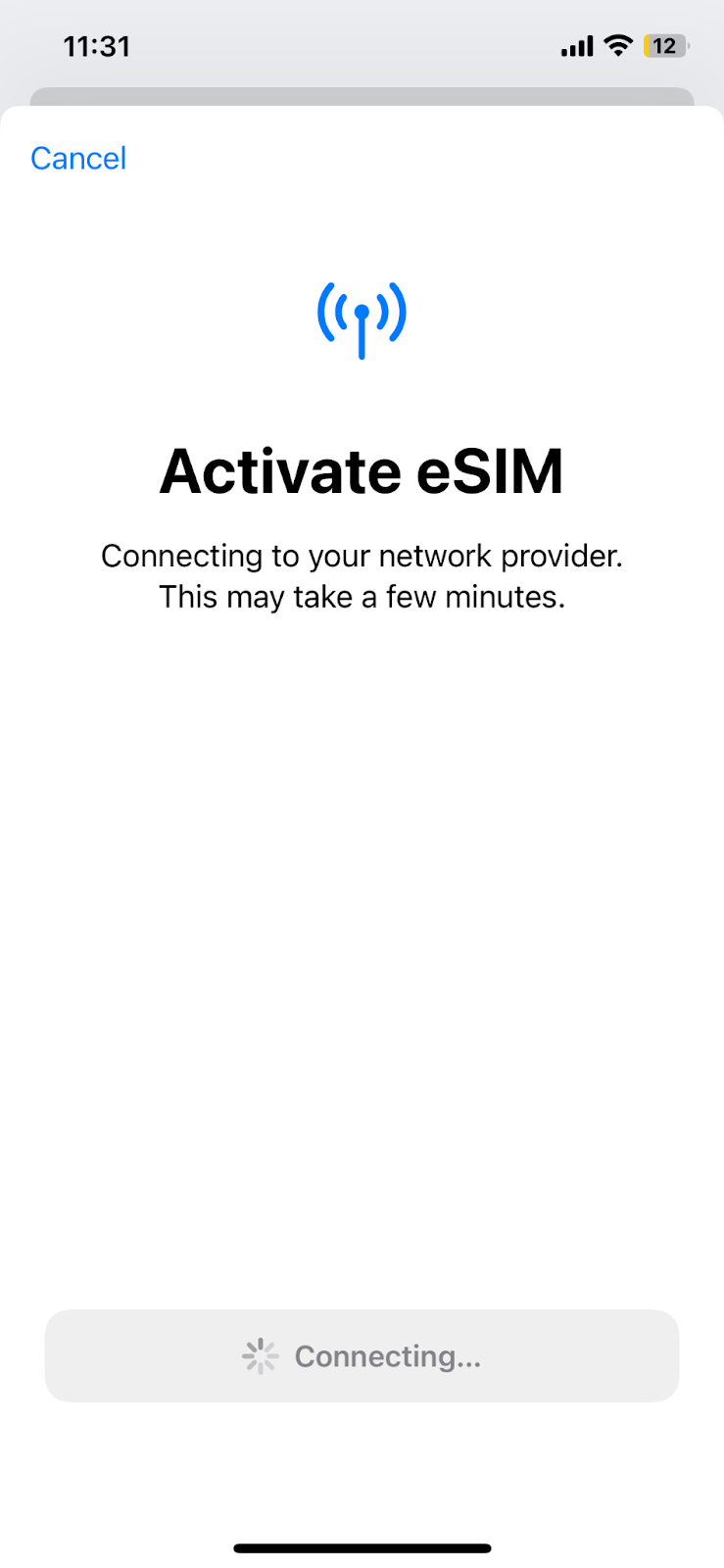
Sakura also explains what to do if the QR code is displayed on the same phone you're trying to install the eSIM on. You can upload the QR code from your photo gallery, scan it from another device, or enter the SM-DP address and activation code manually. After that, just tap Continue to complete the setup.
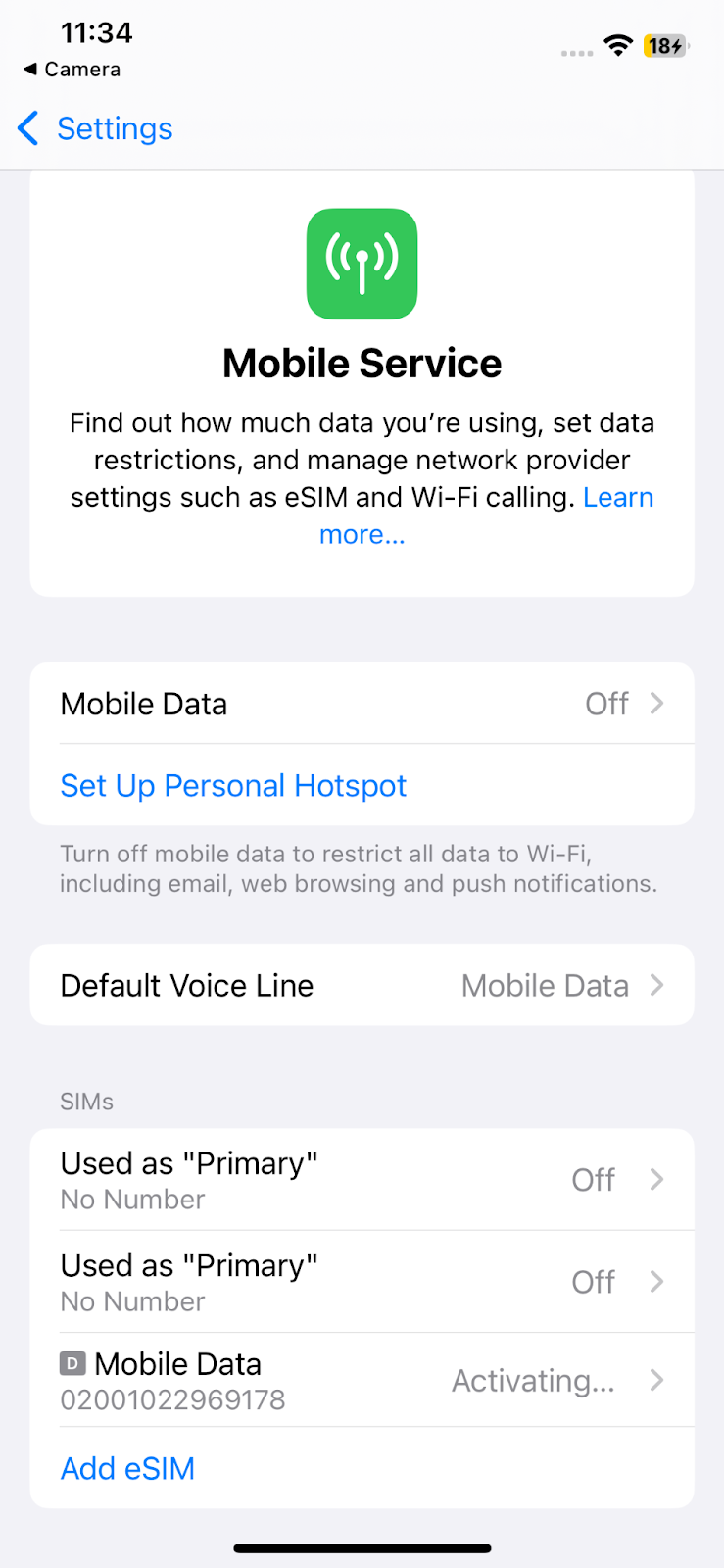
To avoid common setup mistakes, remember that the eSIM can only be installed once, so don’t delete it after installation. When installing, ensure your Wi-Fi is stable. And if you want to share a hotspot, you may need to complete an extra APN configuration under Cellular Data Network on iPhone.
On an Android phone like a Samsung Galaxy, the process is equally straightforward. You go to Connections, tap SIM manager, then Add eSIM. After that, you can choose how to add your eSIM.
Overall, the setup is traveler-focused. There’s no complex dashboard to learn before you go online, and that simplicity is great for first-time eSIM users who just want to get connected quickly.
Also, it’s worth noting that Sakura Mobile doesn’t use a separate app for setup. The process happens on the eSIM management page (you’ll get a link to that in the email), where you can check, top-up, or extend plans. For Unlimited plans, you won’t see usage data there, so the easiest way to track data consumption is through your phone’s data tracker in Settings.
Sakura Mobile pricing vs competitors
Sakura eSIM isn’t the cheapest option in the Japanese eSIM market. While Sakura Mobile eSIM does indeed fall into the “Premium” bucket of eSIMs on the market, its features justify the cost.
Some examples I’ve pulled of this premium pricing are ¥3550 (¥3905 tax incl.) for a 4-day Unlimited data eSIM, and ¥3000 (¥3300 tax incl.) for the 4-day 3GB/day plan. It’s worth noting that the gap between the capped and unlimited plans is only ¥550, which makes the unlimited option an easy call for most travelers.
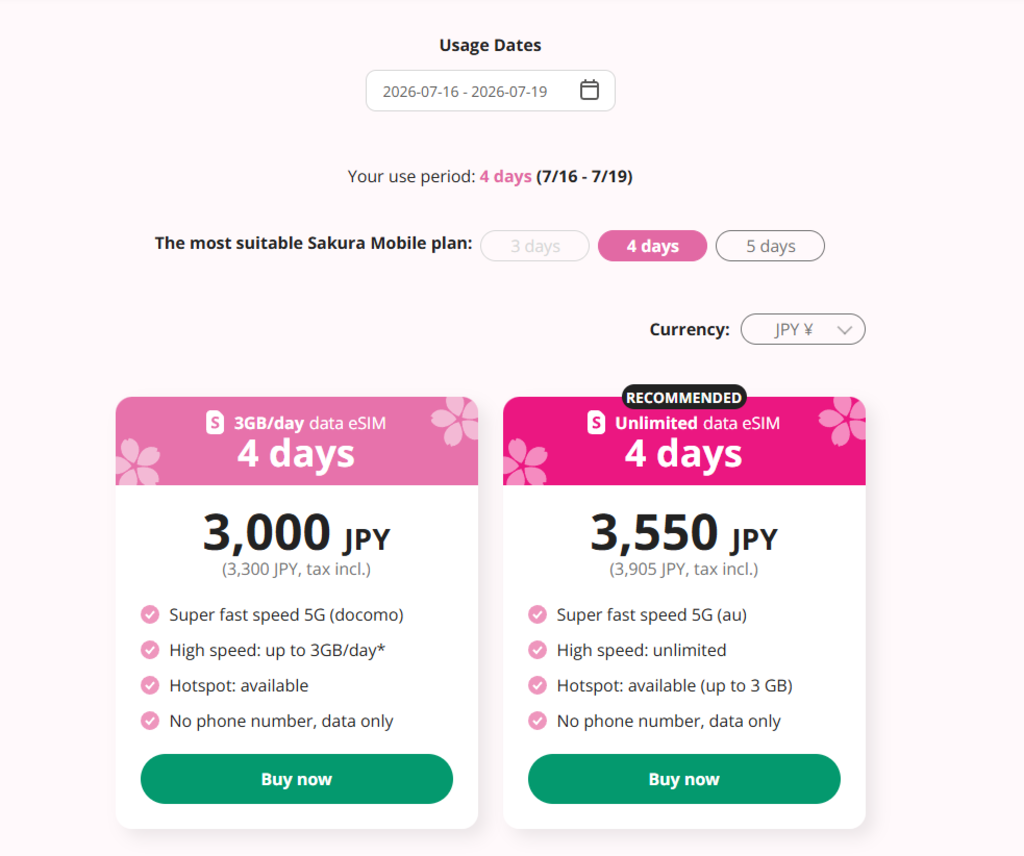
Also, keep in mind that you’re not just getting unlimited, top-tier 5G speeds without caps. You’re getting professional English support at all stages, and a beginner-friendly, fast setup that’s compatible with tons of different devices.
Furthermore, if you buy 2 or more Sakura eSIMs, you’ll get 10% off automatically, which is ideal for group purchases or families.
Pros and cons: quick summary
To make your choice even easier, I’ve included my Sakura Mobile eSIM review pros and cons. These were based on official Sakura Mobile company documentation, backed by verified online user feedback.
FAQ
Does Sakura Mobile eSIM support hotspots?
Yes. Sakura Mobile eSIM supports tethering on both plans. On the Unlimited plan, the amount of hotspot data depends on plan duration. Allowance examples are: 2GB for 3 days, 3GB for 4 days, 9GB for 10 days, going up to 30GB of hotspot data.
When does my billing/usage start?
On the Unlimited plan, usage starts when you arrive in Japan. On the 3GB/day plan, billing/usage starts when you first install the eSIM on your device, so that counts as day one.
Is the Sakura Mobile eSIM Unlimited plan data actually unlimited?
Yes. On the Unlimited plan, Sakura Mobile states that data is truly unlimited and high-speed. On the other hand, the 3GB/day plan applies a fair usage limit where speeds drop sharply once you’ve used more than 3GB/day.
Can I make calls with this eSIM?
No. Calls are not available with data-only Sakura Mobile eSIM travel plans. You can still make calls via WhatsApp or apps like LINE. If you want to make calls via a Japanese phone number, you can check out Sakura’s separate Voice+Data SIM/eSIM options.
What happens if I use up my 3GB daily limit?
You won’t be disconnected. However, if you exceed 3GB on the 3GB/day plan, Sakura Mobile says that speeds will drop to 200Kbps until the reset at midnight. Once reset, full, high-speed access is available again. These plans can’t be topped up to restore speed before the reset.