Best home security systems in 2026
Being behind major reports like The Mother of All Breaches and RockYou2024, our in-house cybersecurity experts and journalists provide unbiased, real-world testing and in-depth analysis.
We maintain complete transparency by openly sharing our testing methodologies with our audience.
Learn more

According to UCR Crime Reports, residential homes were the second and third most common robbery location, and about 2 out of every 1000 people in the US experienced burglary in 2024. It’s easy to see why so many are investing in home security systems. Getting a reliable home security system does more than protect your property. It gives you peace of mind knowing you’re safeguarding your home and your family from intruders.
These systems come with cameras, alarms, sensors, and monitoring services, all linked to keep your home under surveillance and spot danger early. Of course, that’s only if they’re well-designed and backed up. To make sure that’s the case, my Cybernews team and I have done the research.
We’ve looked into all the top security systems on the 2026 market, assessing their features, real-world performance, and price based on official specs and user feedback. You can learn everything we’ve found about our best home security system reviews below.
Top 7 home security systems – shortlist
- Vivint – best overall home security system
- ADT – top home security equipment quality
- Cove Smart – intuitive professional home security system
- Abode – best affordable home security system
- SimpliSafe – user-friendly, no-contract home security
- Xfinity – super security system for smart homes
- Ring Alarm - great entry DIY-first security system
Best home security systems compared
Home security systems differ significantly in the features they offer, and that's a good thing. Some have advanced features that demand professional installation, like Vivint and ADT; meanwhile, Abode or SimpliSafe offer a more affordable DIY setup but also more responsibility.
Take a look at the top security systems side-by-side comparison below to see the differences at a glance.
| Home security system | Monitoring | Smart Home Integration | Setup | Ease of use | Additional features | Setup price | Monitoring price | Contract required | DIY available |
| Vivint | Professional | Amazon, Alexa, Google Assistant | Professioanal | Easy | Automation routines, smart home integration, voice control | Negotiated per setup | Starts from $24.99/month | Yes, but there’s a no-contract option | No |
| ADT | Professional | Amazon Alexa, Google Assistant, Z-Wave, Zigbee | Professional | Easy | Video verification, AI-powered deterrence | Negotiated per setup | Starts from $24.99–$39.99/month | Yes, but there’s a no-contract option | Yes |
| Cove Smart | Professional | Amazon, Alexa, Google Assistant | Easy | Easy | |||||
| Abode | Professional and self-monitoring | Amazon Alexa, Google Assistant, Apple HomeKit, ZigBee, Z-Wave | Easy | Easy | Automation routines, notification preferences, | N/A | Starts from $8.49/month for the Standard plan | No | Yes |
| SimpliSafe | Professional and self-monitoring | Amazon Alexa, Google Assistant, August Smart Locks | Easy | Easy | SimpliSafe Active Guard Outdoor Protection, flexible payment plans, video verification | N/A | Starting from $1.10/day with the Core plan | No | Yes |
| Xfinity | Professional and self-monitoring | August smart locks, LIFX lighting, Cor thermostats, and more | Professional | Easy | Smart home integrations, compatibility with Comcast services | Yes, varies per setup | Starts from $10/month for the Smart Home plan (+ $2.50/month for the camera) | No | Yes |
| Ring Alarm | Professional and self-monitoring | Amazon Alexa, Google Assistant, Z-Wave locks | Easy | Easy | Up to 180 days of event history, smart alerts, and Alexa Guard | Optional, negotiated by setup | Starts at $4.99/month | No | Yes |
The 7 best home security systems – our detailed list
Here are some of the five best home security system models that I’ve narrowed down. In this section, I’ll highlight them in-depth, analyzing their key features, strengths, and weaknesses.
1. Vivint – the best overall home security equipment

| Monitoring type: | Professional |
| Installation difficulty: | Professional (difficult) |
| Equipement options: | Sensors, cameras, smart locks, thermostats, and more |
| Starting price and monthly fees: | Starts at $199.99 + $24.99/month for monitoring |
| Smart home compatibility: | Amazon Alexa, Google Assistant |
Vivint is our best home security system recommendation due to its outstanding equipment quality, which is well worth its steep price.
General overview
Established in 1999, Vivint started as a simple alarm security solution called APX. By 2011, the company rebranded and shifted its focus to smart home security, becoming one of the leaders in North America. After its acquisition by NRG Energy in 2023, Viviant further upgraded its services.
Today, this home security system offers powerful defense and automation thanks to its extensive line of sophisticated sensors, cameras, and sirens. It integrates with smart home devices like Alexa and Google Assistant and provides 24/7 professional monitoring. The company boasts a highly professional installation and impressive customer service, which makes it a favourite among homeowners.
Equipment
Vivint gives you the option to choose the components you want in your home security system. The basic kit consists of a control panel, both outdoor and indoor cameras, window and door sensors, and motion sensors. This bundle offers full security as it covers every corner of your house, and you can even add more equipment according to your needs.
Monitoring
Vivint offers round-the-clock professional monitoring with all its pricing plans. The team is US-based, has an average response time of 10 seconds, and includes an emergency dispatch, so you can rest assured you’ll get help easily and quickly when it matters most.
The monitoring system also features cellular backup, ensuring it remains functional even during power outages. There’s also a one-touch callout in the Smart Hub, if there’s ever an emergency and the alarm didn’t go off. This means your home is constantly monitored and protected, which adds a certain level of confidence.
Cost
Vivint services are priced by package and the equipment you choose, but their costs tend to be on the higher side across the board, which is a dealbreaker for many homeowners.
Equipment starts at $199, though the total generally adds up to a much higher sum with all the added cameras, sensors, and smart locks. Professional monitoring starts at $24.99/month, which hovers around the industry average. The issue is that it usually involves a 36–60-month contract, which is quite a long-term commitment.
Viviant does offer a no-contract plan called HomeProtect, but it’s a starter solution with somewhat limited features and services.
User experience
Viviant’s professional technicians will install the system and train you how to use it, so there’s little room for error and confusion from the get-go. Thanks to the intuitive app with plenty of customization options and the feature-rich Smart Hub, everyday use is pretty simple, too.
Its Alexa and Google Assistant integrations let you perform various commands, including arming and disarming with just your voice. You can choose the pre-programmed alerts you’d like to activate and connect almost any smart feature in your home, from your garage door to your refrigerator. Its automated capabilities allow you to perform your daily activities while keeping your home safe.
2. ADT – best quality home security equipment

| Monitoring type: | Professional |
| Installation difficulty: | Professional (difficult) |
| Equipement options: | Touchscreen interface, Google Nest cameras, a variety of detectors and thermostats |
| Starting price and monthly fees: | Starts at $24.99–$39.99/month, plus $199+ for equipment |
| Smart home compatibility: | Amazon Alexa, Google Assistant, Z-Wave, Zigbee |
ADT is a robust, monitored security system that uses Google Nest security cameras for protection. Although pricier than others on this list, I can't deny its outstanding equipment quality and renowned brand.
General overview
ADT is one of the most established names in home security, having protected homes and businesses since 1874. Backed by a history of automated burglar alarms and fire detection, it was one of the first in its field to apply computer-based technology to its security services in the 1970s. Nowadays, it specializes in smart professional installation and monitoring services, working for over 6 million customers.
Besides its longstanding reputation for reliability and expertise, ADT also earned a name for itself thanks to its massive US-based monitoring network and various innovations. One of the latest was its deep Google Nest integration, giving it more advanced AI detection features.
Equipment
ADT’s standard equipment package includes a touchscreen control panel, a central hub, advanced sensors, and indoor, outdoor, and doorbell cameras. The motion detectors can distinguish between humans and pets, so you don’t have to worry about receiving false warnings or alerts.
Monitoring
Unlike some competitors, ADT does not provide free self-monitoring. Instead, it offers three professional monitoring plans that ensure 24/7 surveillance and a reliable cellular connection.
Depending on the ADT equipment kit you choose (7 were on offer at the time of our review), you might not be able to choose between the plans, as they’re designed to pair with a specific kit. The good news is that the price difference between these isn’t too big, so you likely won’t break the bank even if you're pushed into a higher-tier one. Plus, you’ll have access to more advanced features.
The Complete Monitoring plan, for instance, comes with the Trusted Neighbor feature; on top of device control and video verification you get with Smart Monitoring. It lets you grant a trusted person temporary access to your home so they can pop in and check that everything’s okay.
Cost
ADT’s pricing starts at $199 for the Life Safety ADT bundleplan, with a monthly monitoring fee of $24.99-$39.99. The price increases for more advanced equipment or bundles with more pieces, which all generally pair with the most expensive Complete Monitoring plan ($39.99/month). For example, the 1-base, 2-sensor Outdoor Video package goes for $289, while: the 16-piece Total Security one costs as much as $1,233.97.
Because of these high prices, many users opt for ADT's customizable DIY home security system. Besides its affordability, it’s an enticing option because of its month-to-month contract. The standard bundles and monitoring plans include a professional setup and are tied to a 36-month contract, a major drawback if your needs change in the near future.
User experience
ADT gets high marks for its professional installation service, high-quality equipment, and flexible kits. As far as reviews go, we also didn’t find anything concerning about its day-to-day use, though it may require some getting used to if you’ve opted for a more advanced bundle and plan.
That said, it wasn’t hard to find user complaints. Even for a brand as well-known as ADT, there’s a long trail of issues, particularly around poor customer support. Several users have also reported billing errors and unexpected charges.
3. Cove Smart – easy-to-use smart monitoring
| Monitoring | Professional |
| App compatibility | iOS, Android |
| Equipment | Cameras, door/window sensors, motion detectors, smart locks, fire/smoke detectors |
| Smart home integration | Alexa, Google Assistant |
| Starting price | Setup from $229.00, $17.99/month for monitoring |
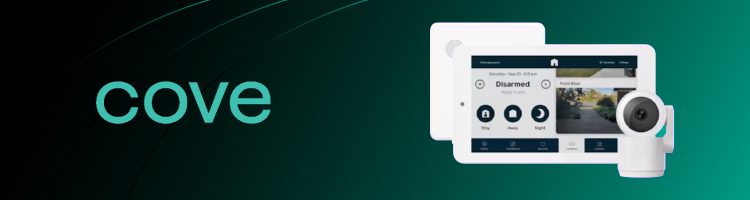
Cove Smart is a home security provider offering 24/7 professional monitoring with a DIY setup and an affordable monthly fee. In my tests, I have found it to be an excellent choice for users looking for a simple way to protect their homes without much of a hassle.
General overview
Founded in 2018, Cove Smart is a rapidly growing name in the DIY home security market. Unlike older traditional security brands, it entered the industry with a strictly customer-centric approach, focusing on affordable hardware and flexible month-to-month monitoring – entirely eliminating the hassle of long-term contracts and hidden fees. Nowadays, the company specializes in straightforward, self-installed security ecosystems that most users can set up in under 30 minutes.
Besides its reputation for budget-friendly flexibility, Cove Smart has earned a name for itself through its rapid emergency response capabilities. A major standout is its integration of RapidSOS technology, which reduces emergency dispatch times by up to four minutes by sending critical data directly to first responders. Furthermore, the system includes seamless Amazon Alexa and Google Assistant integration, allowing you to manage your home security using simple voice commands.
Equipment
Cove Smart lets you create custom equipment packages for your security setup. This includes cameras, window and motion sensors, as well as environmental tools including carbon monoxide, water, and smoke detectors.
Monitoring
Cove Smart doesn't provide free self-monitoring. Instead, all of its plans include 24/7 professional monitoring, meaning if anything is to happen, a Cove Smart employee will dispatch the correct services to your location.
Cove Smart offers three plans. The $17.99/month base plan includes 24/7 professional monitoring, while higher-tier plans add camera support and automatic AI alerts. This means that you may need a higher-tier plan depending on the set you pick.
Cost
Cove Smart takes a highly customizable approach to hardware, bypassing rigid preset bundles – like those offered by traditional providers – in favor of a flexible build-your-own-system model. While your initial equipment costs will vary based on the specific sensors and cameras you select, the ongoing professional monitoring fees are structured across three straightforward tiers.
The entry-level Basic plan starts at $22.99/month, offering foundational 24/7 protection. For users needing camera support and extended warranties, the Cove+ plan costs $32.99/month. Finally, the top-tier Cove Premium plan goes for $42.99/month. This premium option provides lifetime equipment coverage, extended cloud storage, and smart AI notifications that actively prevent annoying false alarms.
User experience
Cove Smart gets high marks for offering both DIY and professional installation, as well as their cusotmizable kits. User reviews have some notes about the app, primarily about the loading times on the cameras.
4. Abode – best affordable home security system

| Monitoring type: | Self and professional |
| Installation difficulty: | Very easy |
| Equipement options: | A central control unit, sensors, cameras, and more |
| Starting price and monthly fees: | Starts from $8.49/month, plus $130+ for equipment |
| Smart home compatibility: | Amazon Alexa, Google Assistant, Apple HomeKit, ZigBee, Z-Wave |
Abode is among our top home security system picks due to its affordable prices, extensive DIY customization, and easy setup.
General overview
Abode has been operating since 2014, founded by a team of energy, security, and tech experts, led by ADT exec Christopher Carney. The company set itself apart from high-end competitors from the start by offering home security systems with a strong focus on DIY installations. But its main selling point quickly became its rich integration and customization capabilities.
Abode is the only home security provider that works with Apple HomeKit, alongside Alexa and Google Assistant. It also allows you to personalize your system by creating automation schedules, choosing notification types, and monitoring your system and live streaming from a range of smart devices. You get extra control of your home security system and greater peace of mind.
Equipment
The standard package includes all essential equipment. It includes the central programming hub, window, door, and movement sensors. It also supports smart plugs and cameras, which you can upgrade as needed. Such flexibility makes Abode an excellent choice if you want the ability to optimize your security system often.
That said, the user feedback my team and I reviewed does point to some equipment issues. The cameras, in particular, are most often reported as not working right away or failing shortly after purchase.
Monitoring
Abode lets you choose between self-monitoring and professional monitoring, with an added charge. If you prefer a DIY experience, self-monitoring makes the plan cheaper, but you’ll have to keep an eye on your cameras and forward alarms to the monitoring center yourself. The upside is that Abode’s wide range of integrations makes it easy to access live camera feeds, so staying on top of things feels manageable.
If this much responsibility seems too much, Abode’s Pro plan might be a better choice. It’s not quite as robust as Vivant’s, but it offers 24/7 professional monitoring that automatically detects and responds to emergencies. The plans also include cellular backup, so you stay protected even if your internet is down.
Cost
Abode’s affordable plans are its main selling point. Standard is $8.49/month, and Pro is $26.99/month. Equipment is charged separately, but that’s a given in the industry. The total price varies depending on the kit you choose. You can get the basic one for $130, but if you want a more comprehensive option, you’ll likely have to dish out $320 to $500.
My main issue with Abode is its contract policy. The system is advertised as contract-free, but you lose access to quite a few of its features if you don’t commit to at least a year of use.
User experience
Abode has many positive reviews thanks to its ease of installation and user-friendly mobile app. For such an advanced system, it’s nice that it takes the average user and their lifestyle into account. Yet, what users seem to appreciate most about Abode is its integration with Apple HomeKit and its solid customer service.
Apple HomeKit lets you control the system from almost any Apple device, making it that much more effortless. It’s also a feature you can’t find in many competitors. The same goes for customer support, which, as you’ll see in our reviews below, is a pretty common point of contention in the home security systems industry.
The main issue users seem to have with Abode is its equipment, which doesn't work properly right out of the box or within a short time after purchase, a downside hard to overlook.
5. SimpliSafe – best user-friendly no-contract home security

| Monitoring type: | Self and professional |
| Installation difficulty: | Very easy |
| Equipement options: | Central hub, entry and motion sensors, cameras, smart locks, and more |
| Starting price and monthly fees: | Starts from $1.10/dayfor professional monitoring |
| Smart home compatibility: | Amazon Alexa, Google Assistant, August Smart Locks |
Similar to Abode, SimpliSafe offers affordable home security and a mix of professional and DIY services with a free-of-charge self-monitoring option.
General overview
SimpliSafe is a home security service that launched in 2008. As the name implies, it focuses on providing a security system that is easy to set up and operate, even if you’re not tech-savvy. From the wireless, stick-and-peel DIY installation to its smart device-free configuration and voice commands, it’s the most user-friendly option on our best home security systems list.
Still, SimpliSafe doesn’t lag behind competitors when it comes to innovation. It has recently introduced an AI-powered Active Guard, which is trained to recognize potential threats and alert live agents in real time.
Equipment
SimpliSafe provides a range of plans and equipment that vary according to your chosen plan. The starter package contains the basic components, like motion and entry sensors. However, if you want a more built-out security system, the Haven plan includes extra sensors, such as water and temperature-reading sensors, alongside a smoke detector. This tiered option allows you to tailor-make your security system based on your budget.
Monitoring
If you pay for professional monitoring, you can count on a 10-second response time, according to online reviews. Depending on whether you opted for the Core, Pro, or Pro Plus plan, you’ll also get access to several extra features to make monitoring more effective.
The Pro and Pros Plus are popular because they include the mentioned AI-driven Active Guard Outdoor Protection, which lets agents deter intruders with security tools like voice, 95dB sirens, and a built-in spotlight. The difference between the two is that Pro only offers extra protection between 8 PM and 6 AM, while the Pro Plus plan provides uninterrupted monitoring.
Cost
SimpliSafe has flexible, no-contract plans, making it an ideal choice for tight-budget homeowners or renters. Pricing starts at $1.10/day for Core, $1.66/day for Pro, and $2.66/day for Pro Plus, which isn’t the cheapest you can find. But the equipment does lean more affordable than most, starting at just $9.43/month for the starter kit.
User experience
SimpliSafe takes pride in its easy installation and low-maintenance design. While you can hire a professional to set it up, most claim you can get it up and running within an hour, without any help.
After you connect the base with the wireless keypad, you just have to download the app and let it guide you through the rest of the process. There’s also a 24/7 live chat for support, and a robust Help Center that answers pretty much all the pressing questions you can think of, so you should run into no issues in daily use either.
Now, there aren’t as many integrations or smart home protocols as you’d get with Vivint or Abode, but that trade-off comes with the territory when a system is this straightforward. The system provides strong security for indoor and outdoor areas. However, users have complained of poor customer support and poor video stream quality.
6. Xfinity – best security system for smart homes

| Monitoring type: | Self and professional |
| Installation difficulty: | Professional |
| Equipement options: | Touchscreen control, door, window, and motion sensors |
| Starting price and monthly fees: | Starts from $10 per month plus negotiable initial equipment costs |
| Smart home compatibility: | August smart locks, LIFX lighting, Cor thermostats, and more |
Xfinity is an excellent choice for Comcast clients. Because this telecommunications giant owns Xfinity, you can get exclusive discounts, and it is also compatible with a variety of smart devices.
General overview
Xfinity Home is a service offered by Comcast Corporation since 2012, expanding the brand into home safety and automation. It was designed to bridge the high-speed internet with home security, building a comprehensive smart home control system with energy management and live video monitoring.
While there are clear benefits here, like bundle savings and leading IoT brand integrations, it’s not the most flexible setup. You’ll need an Xfinity internet subscription to use the system, which may not work if you’re already tied to another provider.
Equipment
Xfinity offers an impressive lineup of conventional home security devices, including a touchscreen keypad, multiple sensors, and indoor/outdoor cameras. The key difference is its compatibility with other Xfinity smart home devices, which is among the most extensive on the market.
Monitoring
You can choose between Smart Home and professionalHome Security monitoring plans. Both pair with a variety of devices, so you can pick the one that best suits your needs. However, only the latter, more expensive one includes professional monitoring and cellular backup.
With the price gap of over $50, that upgrade is a tougher sell, especially when you still get on-demand urgent response and features like an AI-driven camera with night vision and motion notifications with the Xfinity Home Smart plan. But you’ll have to self-monitor using the 24/7 video recording, which is stored for up to 7 days.
Cost
Xfinity prices vary depending on the equipment and monitoring plan you need. Self-monitoring costs $10/month, whereas professional monitoring costs $65/month. Most initial equipment costs and installation fees are customizable and may require direct consultation with Xfinity. There are long-term contractual obligations and charges, but they may differ depending on your chosen package.
User experience
Xfinity might not be one of the best home security systems to choose if you prioritize user-friendliness, according to my and my Cybernews colleagues’ research. It’s not the day-to-day use that’s the issue; the system does offer control through a range of smart devices in your home and a fairly straightforward mobile app.
However, you have to hire professionals to install it, whether you’re purchasing it for the first time or moving homes. It also requires you to be an Xfinity internet user, then locks you into the Xfinity ecosystem. Plus, it doesn’t have the best customer service reviews, mostly due to slow response times.
6. Ring Alarm – great entry DIY-first home security system

| Monitoring type | Professional and self-monitoring |
| Installation difficulty | Very easy |
| Equipment options | Outdoor camera, indoor camera, pan-tilt camera, spotlight camera, battery doorbell, alarm security kit, and more |
| Starting price and monthly fees | Starts at $4.99/month, plus applicable tax and chosen equipment upfront price |
| Smart home compatibility | Amazon Alexa, Google Assistant, Z-Wave locks |
Ring Alarm is an Amazon-owned smart security company that launched in 2013. It’s a great choice for homeowners looking for an entry-level home security system with professional monitoring but without a hefty price tag.
General Overview
Ring Alarm became known for its smart doorbells and security cameras, rather than a full-fledged security system like ADT or Abode. It won users over with its DIY-first wireless devices, which are as easy to use as they are to set up. While the product offer and feature set have expanded since its launch, the appeal of Ring Alarm has stayed pretty much the same.
This company offers a range of entry-level security equipment that can easily work for a house, an apartment, or a small business. It doesn’t boast the most state-of-the-art equipment or sophisticated features. Still, it covers all the essential monitoring areas and integrates with Alexa for added convenience in daily use.
Equipment
Ring Alarm keeps its equipment simple. There are no break-glass sensors, smart hubs, or specialized locks, which competitors like Vivant and ADT offer. But you still have a range of fairly affordable products to choose from, including smart doorbells with built-in batteries and solar chargers, smart pet tags, floodlight cameras, pan-tilt cameras, and carbon monoxide alarms.
Newer cameras also have wide fields of view, a decent range (~30 ft), and up to 2k video, which, combined with SD and cloud recording, come in as more than competitive in the DIY category.
Monitoring
Ring Alarm offers four monitoring plans, two of which offer 24/7 professional monitoring. As you can guess, they are the more expensive options. Still, Ring AI Pro and Virtual Security Guard aren’t limited to a single doorbell and camera, which means you can get them with any equipment kit that suits you; they also offer a much longer list of features, so you can get more out of the equipment you’ve bought.
Besides the usual suspects like video event history and dispatch requests, higher-tier Ring plans include Alexa Guard. It makes the most of the system’s Amazon ecosystem integration, offering video descriptions, face recognition, video search, event alerts, and active warnings, all powered by AI. Just keep in mind that some of these features might not be available in your state due to legal restrictions.
User experience
Ring Alarm is among the simplest home security systems you can get today. Like most competitors, you can get it installed professionally, but there’s little need to. The equipment is designed to be easy to set up for an average user. In most cases, you just have to mount the devices you picked and link them to your internet and the accompanying app.
The app is pretty much all you need to control the system, along with the wall-mounted keypad and voice assistant. Of course, it would be nice to have all these controls in a single smart hub, but for a cheaper DIY system, this is more than reasonable. The complaints about occasional connectivity issues, which fellow Cybernews researchers and I have read about, seem like a bigger concern, but they’re not too common.
What is a home security system?
A home security system is a group of programs and devices that safeguard a home from invasion, theft, and natural disasters. The best home security systems seamlessly integrate with other smart devices, like thermostats, speakers, or water sensors, to name a few. This allows you to control all home security aspects from a single centralized app across the entire perimeter.
- Security cameras
- Entry and motion sensors
- Central control panels
- Smart locks
- Smoke detectors
- Home alarm systems
- Panic buttons
- Proprietary gateway application for centralized control
- Mobile app
- Cloud services
- Advanced privacy and security software
The best home security system should also offer professional, responsive customer support. There are many software and hardware issues that you might run into, requiring quick solutions.
Benefits of having a home security system
If you’re still unsure whether spending on a home security system is worth it, here are a few key benefits that might help you make up your mind:
- Theft likelihood. Studies show homes without security systems are 2.7 times more likely to get burglarized.
- Neighborhood safety. Research has also proven that neighborhoods with higher concentrations of alarm systems had fewer burglary incidents than those with fewer alarms.
- Fast response. Home security systems are designed to notify emergency services within seconds, reducing potential loss and damage.
- Environmental hazard protection. Modern home security systems can also detect water leaks, CO hazards, and potential fires, providing another layer of safety.
- Evidence. High-quality footage can be crucial for police investigations or legal proceedings.
- Insurance discounts. Having a home security system, especially one with advanced features and professional monitoring, can lower your insurance costs because it shows you’re taking steps to manage risk.
- Property value. A security system can boost your home’s value and offer an added benefit if you decide to sell in the future.
- Peace of mind. Home security can make you and your family feel safer on a day-to-day basis and more comfortable keeping valuables and important documents at home.
What features to look for in a home security system?
Choosing the best home security system isn’t something you want to rush.After all, you’re not just buying tech, but deciding how your property and people in it stay protected day-to-day. Here are the features that make an actual difference:
- Monitoring. Depending on how much money you can spare and how involved you can be, choose between self-monitoring and a professional monitoring system. Self-monitoring will be cheaper, but it puts you in charge of the system and any emergencies. At the same time, professional monitoring will have a team of trained specialists handle that on your behalf 24/7.
- Smart home integration. Look for a home security system that works with the technology you already have and use every day. An integration with Amazon's Alexa or Google Assistant lets you issue voice commands, remotely control it, and check its status, all from the comfort of your couch.
- Mobile app. The best home security systems come with an easy-to-use mobile app, regardless of how feature-rich or advanced they are. It’s supposed to allow for customization and keep you on top of the live video feed, real-time alerts, all without feeling like you need a manual to figure it out.
- Camera quality. A high-definition video feed makes all the difference when you want a clear picture of what’s happening around your home. It’ll capture activity day or night, near or far, so you have reliable footage to review and share with the police or your insurance company if needed. That’s why my team at Cybernews and I also spend a good deal of time assessing the equipment security providers offer.
- Privacy and security. While we do the heavy lifting by looking into all home security companies’ privacy policies and practices, you must do your part. Check how each provider collects and stores data, what encryption protocols and safeguards it employs to protect it, and whether you’re comfortable using it in your home.
- Initial costs. Don’t forget to consider all involved costs when deciding on the security system for your home. Calculate your budget and factor in equipment costs, installation, and activation fees. Make sure you compare prices and understand what each package includes so you pick the option that offers the best value for your money.
- Ongoing costs. Take a close look at the fine print to learn about added charges, from professional monitoring, cloud storage, or special features. Pay attention to how contracts renew, what cancellation fees apply, and any other charges that may arise later. Read user reviews; I’ve found these issues come up more often than not because people didn’t inform themselves well enough.
- Installation. Depending on your choice of system, installation may be either professional or DIY. The DIY systems are usually cheaper and more flexible, but they make you responsible for the entire setup, which leaves more room for mistakes. Having a professional handle the work minimizes the risk of functionality issues and often comes with first-hand instructions on how to use the system, though the trade-off is a higher cost. It comes down to what you prioritize, prefer, and can afford.
- Customer support. Ensure the company has reliable customer support and communication channels that you prefer. Whether you’re using a DIY system or not, you may need help with setup or troubleshooting.
- Contract flexibility. To avoid getting stuck in a long-term commitment, check each system’s contract terms. Our top picks include no‑contract options, though they often come with some trade-offs in equipment, plans, or features. If you don’t plan to move or make big changes in the near future, a long-term contract might be worth it for a cheaper or more suitable plan.
On top of these essentials, I suggest looking for additional benefits like a battery backup, environmental disaster monitoring, and professional or DIY installation, or anything else you feel like you need to feel fully protected and safe.
How to set a budget for your home security system?
Although security systems for homes are becoming more affordable, they can still amount to quite a sum. What's more, some additional features may be redundant, like floodlights in well-lit areas or additional sensors for small apartments. Here's what to consider to pick the best home security system without overpaying.
Equipment cost
Start with the initial equipment cost. Basic security systems for homes include entry sensors ($10 to $20 for each), motion sensors ($10 to $30), home alarms ($20 to $30), and a control panel ($100 to $200), for up to $400 total, approximately. However, advanced equipment like smart locks, video doorbells, and high-definition cameras may increase the price well into four digits.
Installation cost
You can avoid these costs by choosing the best DIY home security system, but that requires time, effort, and some tech skills. Professional setup costs vary, from over $100 for an ADT security system up to approximately $200 for Vivint expert help. I recommend keeping an eye out for special installation discounts that home security companies regularly offer.
Monitoring cost
For your security, consider opting for professional monitoring as it offers an extra sense of safety. It also has a subscription rate, usually starting at $24.99 monthly at lower-cost tiers, such as Abode, to $55 a month with a high-end option such as Xfinity Home. This may cost more depending on the additional options you get, like video monitoring and smart home integration.
If you want to avoid long-term contracts, systems like SimpliSafe provide no-contract monitoring. This flexible option allows you to focus on making monthly payments only. Remember that if you’re on a budget, ask yourself whether you can afford to pay $24 to $55 each month, and choose providers that do not penalize early contract termination.
Contact and related fees
When choosing a home security system, it’s important to understand the financial commitments beyond the upfront equipment cost. Many providers, like ADT, have long-term contracts and impose hefty termination fees on users who want to end the contract early. So, it’s never a bad idea to spend extra time reviewing your contract and all the obligations it imposes.
If getting locked into a commitment like this sounds too overwhelming, you can always stick to no-contract, month-to-month options, like SimpliSafe or Ring Alarm.
Additional fees and discounts
It is unlikely you will encounter any hidden fees in our best home security systems list. However, consider the cost of additional cameras, smart locks, and floodlights for larger residences. Depending on the country or state laws, you may also need an alarm permit, which usually carries an annual fee, for example, $26 in Los Angeles.
What's new in home security systems?
Here are some of the latest innovations I think you should know about.
Face recognition technology
Both SimpliSafe, ADT, and Ring Alarm have developed home security systems that embrace face recognition technology. With this feature, cameras and doorbell systems can identify individuals by their faces instead of relying on motion or audio triggers.
This allows the system to act immediately by unlocking a smart lock when the person using it is a family member or sounding alarms when it detects someone unfamiliar. Despite the privacy concerns, the technology is growing and becoming a key aspect in home security.
New integration with other smart devices
Security systems are becoming more compatible with other smart devices. ADT has even added a Google Nest integration to its platform, allowing you to control your home security remotely. Ring Alarm, on the other hand, integrates with Amazon to offer AI-powered features through Alexa Guard. You can use these integrations to make the home security experience more harmonious and automated.
AI-powered video verification
The best home security systems leverage artificial intelligence to enhance their security services. Ring Alarm, which offers Alexa Guard, and ADT, which integrates with Google Nest, are great examples. Their AI-powered features analyze the footage in real time to identify potential threats. In addition, they may also offer video descriptions, facial recognition, video search, event alerts, and more.
Geofencing
Some modern security systems, like Abode or Vivint, use your phone’s location to determine when to arm or disarm. You usually only need to set a virtual boundary around your home and link your phone to it. The system will then react accordingly when your smartphone enters or leaves this area, automatically.
It’s an easy way to stay on top of your security without fiddling with the app or keypad, and it helps ensure you’re not left unprotected if you ever forget to set your alarm.
Local storage options
A few home security systems on the market offer local instead of cloud storage for an added layer of privacy. They offer direct access to your recordings while keeping them inaccessible to unauthorized third parties. Plus, they eliminate recurring costs of cloud storage, which can be steep.
Unfortunately, systems with local storage are also quite rare because cloud storage is far easier to manage, access, and back up remotely, so you’ll have to dig deeper to find a good one. Our top-rated brands, such as Abode, Ring Alarm, and Vivint, offer this feature via SD cards.
Our methodology for ranking best security systems
We read through hundreds of reviews, technical specifications, and independent online forums to ensure we recommend the best options on the market. Here are the factors we considered:
- Total cost (25%). We considered the initial prices of the equipment and the installation cost, along with the monthly monitoring fees. Security systems with transparent pricing and no hidden costs were rated higher.
- Equipment quality (30%). We examined reviews to learn how reliable the security equipment, such as cameras, sensors, and control panels, was. The systems that ranked higher had superior technology, better quality, and long-lasting devices.
- User experience and customer support (20%). We preferred systems that provide great customer support to ensure that you have an enjoyable user experience.
- Features (25%). We analyzed the list of features that each system provided, such as smart home functionality, face recognition, and high-definition cameras. Security systems that offered advanced capabilities in terms of automation, video surveillance, and remote control earned the high marks.
Other security systems you might be interested in:
Final word on best home security system
You should choose a security system that aligns with your specific needs and budget. Another important factor you need to consider is whether you want DIY or professional solutions, as it directly impacts the overall effectiveness and cost.
After extensive research, I recommend Vivint as the best home security system in 2026. It stands out thanks to its advanced automation features and seamless smart home integration.
Ultimately, you should strike a balance between price, reliability, and equipment type. Once you identify your priorities, choose a service that excels in that area. ADT excels in providing exceptional cameras but is expensive, while Vivint is more smart home-focused, making it excellent if you want automation and integration.
FAQ
What is the best home security system for smart home integration?
Vivint is the best home security system for smart home integration. Not only does it offer a variety of smart devices, like thermostats, locks, and smart floodlights like Spotlight Pro, but it also focuses on easy control and automation.
How much does a home security system cost?
The cost of home security systems highly depends on initial equipment, setup, and monitoring type. A DIY basic system may amount to up to $500 with a free-of-charge self-monitoring cost. On the other hand, a professional setup with additional cameras, natural disaster sensors, and paid monitoring costs from $2000 to $5000.
Can I install a home security system myself?
Yes, you can install a security system yourself. In fact, the DIY model is becoming more popular as more companies add this option to their services. Keep in mind that this path requires some expertise to avoid faulty setup, but it's an excellent way to save money.
What happens if my home loses power?
You may lose protection if your home loses power and your security system doesn't have a backup. However, reliable providers like Vivint offer a cellular backup feature that maintains contact with the monitoring center even if you don't have electricity.
What equipment typically comes with a home security system?
The best home security system models are equipped with a control panel, security cameras, door and window sensors, and a motion detector. Others also have a smart lock, smoke and carbon monoxide sensors and panic buttons.
How do I protect my home when I'm on vacation?
Turn on your security alarm and lock all the windows and doors. Install light timers so your home appears to be occupied, and opt for professional monitoring. If you have security cameras, ensure they are functional so you can access them using your phone.
How can I protect my home security system from hacking?
To prevent your home security system from hacking, you should use strong passwords and change all default settings. Switch on two-factor authentication, update your system, and use strong Wi-Fi with a unique password.
Do I need a permit for a home security system?
Depending on the city or town where you live, you might require a security system permit, especially if you have an alarm that notifies the emergency services. You should check with your local authorities to learn the rules in your area.
What is the best home security system for renters?
Based on our research, the best home security for renters is SimpliSafe. It’s the most flexible, no-contract option you can set up on your own, in a short time. It offers Standard and Pro plans with professional and self-monitoring, and enough different features to fit different needs.
Do home security systems reduce insurance premiums?
Yes, home security systems can reduce insurance premiums by up to 20%, depending on their features. Professionally monitored systems with smart cameras, smoke detectors, burglar alarms, and similar devices typically qualify for higher discounts.
What's the difference between self-monitoring and professional monitoring?
Systems with professional monitoring have trained agents in a remote center who monitor your home security, verify threats when alarms trigger, and dispatch emergency services. Self-monitoring, on the other hand, requires you to keep an eye on your security devices and contact authorities yourself if an alarm goes off.