Fastest VPN with best download speed in 2026
Our in-house cybersecurity experts and journalists, renowned for major reports like The Mother of All Breaches, conduct transparent, unbiased VPN testing and in-depth analysis.
With 750+ articles crafted based on real-world research, we empower readers to make informed purchasing decisions through first-hand expertise.
Learn more

Even with incredibly fast modern internet connections, your browsing, streaming, and downloading speeds can be affected by factors such as ISP throttling. As ISPs can theoretically monitor your online activity, they can also throttle your speeds if you engage in bandwidth-heavy or illegal activities.
To avoid this, you can use a reliable, fast VPN that masks your online activity to prevent ISP throttling without meaningfully affecting your connection speeds. Although all VPNs can slow down your connection to some point, the fastest VPNs that use modern technologies can still ensure speedy data transfer.
To find the fastest VPNs in 2026, I did a fresh batch of speed tests and feature evaluations. Read this article to learn which VPNs stood out.
5 Fastest VPN Services
-
 Get 75% OFF NordVPN + 3 months freeView deal1. NordVPN Fastest VPN service in 2026Expert review
 -
 Now up to 88% OFF Surfshark + 3 months FREEView deal2. Surfshark - High-speed VPN with a diverse server fleetExpert review
 -
 View deal3. IPVanish - Swift VPN with unlimited connectionsExpert review
 -
 Learn more4. ExpressVPN - Speedy VPN with a proprietary protocol
 -
 Learn more5. CyberGhost - Very fast VPN with exceptional server fleet
Which VPN protocol is the fastest?
As of 2026, WireGuard is one of the fastest open-source protocols used by many VPN services to ensure consistent speed. However, some fast providers, such as NordVPN, develop in-house variants to improve this protocol. Let’s look at a table summarizing the average speed loss of some of the best VPN services in the industry using either WireGuard or a different protocol.
| Provider (fastest tunneling protocol) | 2025 average speed loss | 2026 average speed loss |
| NordVPN (NordLynx) | 10% | 16% |
| Surfshark (WireGuard) | 14% | 17% |
| IPVanish (WireGuard) | 20% | 26% |
| ExpressVPN (Lightway) | 23% | 19% |
| CyberGhost (WireGuard) | 14% | 25% |
As you can see, NordVPN offers the best overall results with its in-house NordLynx protocol, which is based on WireGuard. Surfshark took second place and isn’t too far behind NordVPN. In terms of speed, ExpressVPN is third, followed by CyberGhost and then IPVanish.
How we tested the highest-speed VPNs
The research team and I measured the connection speeds of various VPNs to learn which are the fastest in 2026. We used Windows and macOS laptops with Ethernet connections to ensure stable and consistent connectivity while testing. Naturally, we also had to consider other factors influencing a VPN’s overall performance. We used a weighted evaluation system when ranking VPNs for this list.
Below is a summary of our VPN evaluation and testing process and assigned weight values.
- Connection speed (30%). Connection speeds had the highest impact on rankings on this list. We used third-party measurement tools like Ookla’s speedtest.net to check VPN service speeds across various locations worldwide. We performed the tests multiple times to accurately estimate a VPN’s overall performance. Finally, we tallied the results and calculated average upload and download speed retention rates to better understand overall performance.
- Security and privacy (20%). In my opinion, a VPN is primarily a cybersecurity product, meaning that judging its protection features and giving them significant weight in our rankings is vital. That means testing the included technical features, their effectiveness, the provider’s privacy policies, and overall transparency.
- Device compatibility (10%). A fast VPN is pointless if you can’t install it on your most-used devices. Therefore, judging device compatibility and app ease of use was paramount. I also included simultaneous connection numbers in this category when judging VPNs.
- Server variety (10%). A VPN must have a diverse server network so users worldwide have nearby servers to facilitate optimal connections. Thus, we had to consider the overall server number and country coverage.
- Use cases (10%). We had to ensure that the VPNs we’re suggesting are suitable for common use cases like streaming, gaming, P2P file sharing, and more. However, this isn’t the priority of this article, so we didn’t test these aspects extensively.
- Features (10%). We checked what extra features each service includes that improve other aspects besides speed. For example, a good VPN should grant some additional convenience and security features for added versatility. Notable examples are split tunneling, ad blocking, tracker blocking, etc.
- Price (5%). After testing speeds and other features, we checked whether the package aligns with the service’s asking price. After all, you shouldn’t overpay for a service that doesn’t deliver its promises. Besides that, we also checked whether the VPNs provide acceptable free trials and lengthy money-back guarantees.
- Subjectivity (5%). There’s always a hint of personal bias when reviewing any product. Some services were more appealing than others because of my or the research team’s individual preferences. Thus, we figured we should share our subjective thoughts on what we liked or disliked about these speedy VPNs.
High-speed VPNs – detailed list
Picking the best VPN with the fastest speeds by yourself might be challenging, as it involves lots of testing. Plus, you can’t test multiple services if you own none. Thus, you must rely on third-party tests to see which are fast.
To help you make an informed decision, I took the time to assess each provider carefully. When picking a VPN for yourself, consider why you need a VPN with swift speeds – whether streaming, torrenting, unblocking content in a restrictive country, or an anonymous online experience.
1. NordVPN – fastest VPN service in 2026

-
Connection speed
-
Security and privacy
-
Device compatibility
-
Server network
NordVPN is the fastest VPN service available today. It offers the fastest upload and download speeds, thanks to the proprietary NordLynx protocol, which utilizes WireGuard’s best qualities while upgrading its security. With this technology, NordVPN easily beats other providers like Surfshark and IPVanish, which rely on the default WireGuard version.
NordVPN is not only the fastest VPN with its average 16% speed loss but the best overall. It offers top-tier security, privacy, and great performance in other areas. Read on to learn what’s included in its excellent package.
Connection speeds
During in-house tests for our NordVPN review, I checked NordVPN’s speed retention, which indicates how much of the original internet speed is maintained while using a VPN. NordVPN retains 90% of the original speed overall, which makes it the fastest provider on this list. Its fastest tunneling protocol is NordLynx, but other options, including OpenVPN (UDP and TCP), NordWhisper, and IKEv2, are available.
To test NordVPN, I checked its performance when connecting to servers in Australia, Canada, the United Kingdom, and the United States with NordLynx. Compared to the 2025 speed test results, the provider is slower in 2026, but the differences in download and upload speeds aren’t significant enough to influence any notable changes in performance.
Unsurprisingly, during our tests, the VPN performed best when connecting to US servers. The average download speed was 799Mbps, and the average upload speed was 205Mbps, with a baseline of 940Mbps for download and 600Mbps for upload. In comparison, NordVPN demonstrated the lowest download speed when connecting to a Canadian server (773Mbps) and the lowest upload speed when connecting to an Australian server (72Mbps).
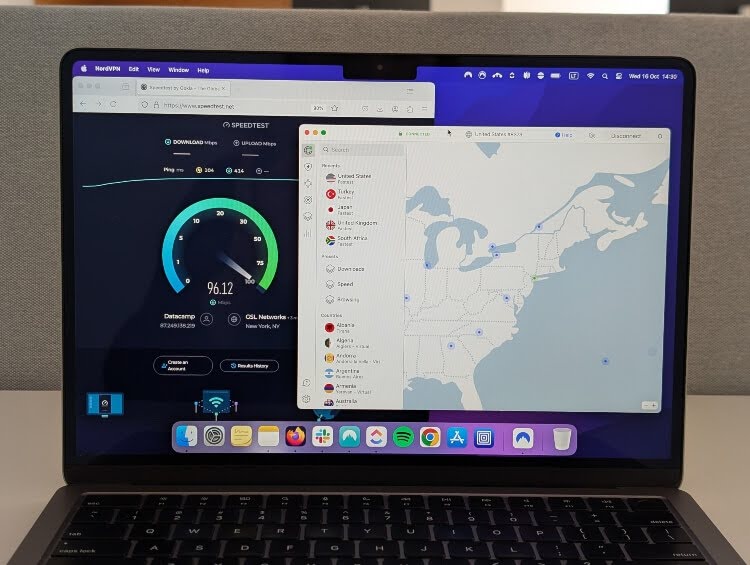
| Country | NordLynx (retained original speed, 2025) | NordLynx (retained original speed, 2026) |
| Australia | 61.8% download and 54% upload | 60% download and 50% upload |
| Canada | 81.2% download and 74.2% upload | 82% download and 74.2% upload |
| The UK | 90% download and 87.4% upload | 88% download and 89% upload |
| The US | 90% download and 78.2% upload | 88% download and 76% upload |
Security and privacy
NordVPN is based in Panama, one of the best countries for customer online privacy. The country lacks any mandatory data retention laws and isn’t a part of the notorious Fourteen-Eyes surveillance alliance. Even better, NordVPN has conducted six independent audits of its no-logs policy (the latest being in late 2025), assuring me that it’s dedicated to keeping customer data completely anonymous.
Digital security is well covered with the essentials and numerous extras. As expected of any high-quality VPN, NordVPN employs AES-256 and ChaCha20 encryption to keep user connections secure. Interestingly, NordVPN includes two kill switches, a unique perk among the fastest VPNs on this list. Moreover, DNS leak protection works well and is reliable.
Compatibility
By default, NordVPN permits 10 simultaneous device connections per account, which is good but not spectacular. Thankfully, this is basically the only compatibility drawback I have about NordVPN. The service offers feature-rich and approachable apps for practically all operating systems.
So, you can install NordVPN on Windows, Mac, Android, iOS, Linux, and numerous other devices. For example, the service offers browser extensions, router configuration options, and Smart DNS. Overall, these installation methods make it easy to utilize the fastest VPN on any device you own.
Server network
NordVPN offers thousands of servers in 225 locations, which is very impressive. The server number is only surpassed by CyberGhost, while the location variety is unmatched on this list. Additionally, NordVPN offers specialty servers for achieving specific tasks, which I find pretty convenient sometimes. For example, double VPN and Onion over VPN servers can greatly improve my online security, while obfuscated servers allow accessing geo-blocked content in censorship-heavy countries.
Usability
NordVPN is one of the best VPNs for streaming. It can easily unblock Netflix, Amazon Prime, Hulu, Max, and other popular platforms and their different libraries. To test NordVPN's speed while streaming, I connected to Australian, UK, and US libraries. I experienced no lags or buffering during the test, and the stream quality was very high (4K).
To test NordVPN for gaming, I chose Counter-Strike 2, with a ping baseline of 1-2ms. When connected to a US server, the ping was around 134ms, with some noticeable lag periods. The ping while connected to a UK server fluctuated between 63-70ms, and the experience was much more enjoyable. This was also the best result of all VPN tests. On the other hand, the ping was 360ms when connected to an Australian server, and the lag was highly noticeable.
Features
NordVPN protects your traffic with AES-256 encryption. It has specialized obfuscated servers that mask the fact that you’re using a VPN and are great for bypassing online censorship. You might also like the myriad of extra NordVPN features – an ad blocker that removes ads and blocks trackers, split tunneling for customizing your VPN traffic, two kill switches, Double VPN, Dark Web Monitor, Call Protection, Scam Checker, and more. All of this makes NordVPN the most secure VPN, too.
Price
NordVPN plans start at $3.49/month, and you can protect up to 10 devices. Although this is enough to cover multiple personal devices at once, if you want more coverage, you might prefer Surfshark, which offers unlimited connections. If you’d like to test how fast NordVPN is yourself, use a 30-day money-back guarantee or a 3-day free trial for Android devices. Although the free trial can only be activated when registering via an Android device, after registration, you can create accounts on other devices, too.
Subjectivity
Honestly, NordVPN is my daily VPN because it’s so fast and effective. The app launches on startup on my PC and immediately connects to a nearby server to ensure swift speeds. Most of the time, I don’t even notice it running in the background, but it keeps me secure and private no matter what I do.
The same applies to my phone, where NordVPN is always running but doesn’t interfere with my doom scrolling. There’s even a connection streak feature on the app, which gamifies the system and makes me want to enable NordVPN more often. I also appreciate its next-gen antivirus (formerly Threat Protection) feature that blocks malware, ads, and trackers, thus eliminating the need to install a separate ad blocker on my devices.
2. Surfshark – high-speed VPN with a diverse server fleet

-
Connection speed
-
Security and privacy
-
Device compatibility
-
Server network
Surfshark came in second in my VPN speed tests, making it a worthy alternative to NordVPN. While not as fast, it’s cheaper and provides unlimited device connections, making it a budget-friendly option for securing a massive household.
Surfshark is a speedy and affordable VPN for securing unlimited devices. With an average speed loss of only 17%, it’s a great bargain for any larger household. Continue reading what other perks this VPN offers.
Connection speeds
To analyze the VPN for a full Surfshark review, I tested its fastest tunneling protocol, WireGuard. Although users can also opt for the OpenVPN protocol, WireGuard offers superior speeds. Overall, the VPN retained 93% of the original speed, which is a great result, even if it is not as good as NordVPN's.
Like all VPNs on this list, I tested Surfshark’s speeds using servers in Australia, Canada, the UK, and the US. Although the VPN demonstrated slower download and upload speeds in Canada than the 2025 results, it showed better speeds when connecting to a UK server. The US server speeds were a little slower, but the results generally show that Surfshark is continuously stable and reliable.
During in-house tests, Surfshark demonstrated the fastest speeds when connected to a Swedish server – 893Mbps download and 567Mbps upload speeds. It was slowest when connected to an Japan server – around 578Mbps for downloads and 73Mbps for uploads.
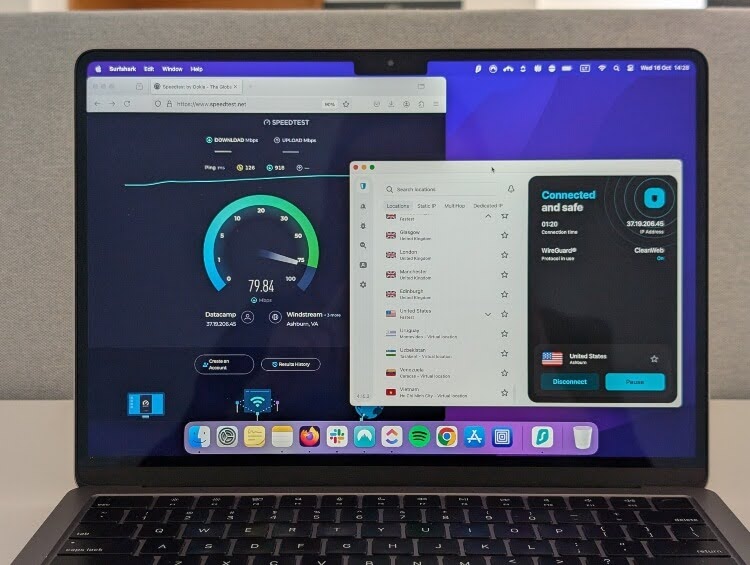
| Country | WireGuard (retained original speed, 2025) | WireGuard (retained original speed, 2026) |
| Australia | 66% download and 54% upload | 67% download and 53% upload |
| Canada | 89% download and 83.2% upload | 86% download and 75% upload |
| The UK | 94% download and 85% upload | 93% download and 84% upload |
| The US | 80% download and 75.2% upload | 82% download and 76% upload |
Security and privacy
Surfshark is very good in the security and privacy departments, but has a minor flaw that might make some second-guess it. Most notably, the service is based in the Netherlands, which belongs to the Nine-Eyes alliance. However, I wouldn’t worry about logging issues, as the service underwent its most recent independent no-logs policy audit in June 2025. Moreover, it offers various extra privacy features that make it pretty reliable.
Compatibility
As mentioned before, one Surfshark account supports unlimited device connections, which makes it one of the best regarding compatibility. Another fast VPN with this perk is IPVanish. Best of all, Surfshark supports numerous devices and operating systems, combining well with the unlimited device limit. Other rare benefits this VPN includes are Smart DNS and router compatibility.
Server network
Surfshark has an impressive network of 4,500 servers across 100 countries. It’s smaller than what NordVPN offers but almost the same size as ExpressVPN’s fleet. However, I should point out that some more exotic country locations, like Bhutan or Egypt, are virtual, meaning the physical location of those servers isn’t actually in their respective countries. In some cases, this could result in surprisingly slower connections, but that’s highly unlikely. Plus, virtual servers are clearly labeled to avoid confusion.
Like NordVPN, Surfshark includes various specialty servers to help you complete certain tasks more efficiently. While NordVPN has Double VPN, Surfshark calls it MultiHop. Surfshark’s variant is slightly better because it allows you to select your entry and exit server locations.
Usability
During Surfshark tests, I was pleased with the VPN’s performance. I had no trouble finding servers to connect to, and the process was quick and easy. To assess its speed, I tested Surfshark in different scenarios while streaming and gaming.
To test streaming speeds, I attempted to use Netflix while connected to servers in Australia, the UK, and the US. There was no lag or buffering when connected to servers in the UK and the US, and 4K quality video was loaded instantly, ensuring top performance. The speeds were lower when connected to servers in Australia, and the video quality took around 10 seconds to go full HD.
I used the same server locations to evaluate ping times when testing gaming speeds. The baseline was 1-2ms, and the ping while connected to a UK server was the best (76-108ms). It was the worst with an Australian server (around 290ms), and, in this case, the gaming experience was poor.
Features
Surfshark enables you to select the fastest VPN server and connect to the speediest and least crowded one. The VPN also has obfuscation, known as Camouflage Mode, for masking your VPN connection, dedicated P2P servers, and a robust antivirus suite for an extra charge. Most importantly, Surfshark is the fastest VPN with unlimited simultaneous connections, which I think is an excellent accomplishment.
Price
Surfshark is incredibly cheap. For as little as $2.49/month, you get all the best perks and features of this VPN. But you do need to make a full commitment right away. If you want to test it first, there’s a fuss-free 30-day money-back guarantee. Moreover, you can use a 7-day free trial to register using Android, iOS, and macOS devices.
Subjectivity
Surfshark would most likely be my daily VPN if it weren’t for NordVPN. I prefer its simple interface and overall design. It also has many of the same features as NordVPN and even allows unlimited simultaneous connections, which puts my mind at ease when installing the VPN on every device I own.
Crucially, Surfshark is my go-to Netflix VPN whenever NordVPN struggles to unblock some content (it doesn’t happen often, but sometimes I lose my patience). Since it’s fast and packed with servers, it usually works well at unblocking content and providing a smooth streaming experience. And, of course, I enjoy all the extra security features like Alternative ID for masking my actual email address.
3. IPVanish – high-speed VPN with unlimited connections

-
Connection speed
-
Security and privacy
-
Device compatibility
-
Server network
IPVanish is a worthwhile high-speed VPN with an impressive feature arsenal. Like Surfshark, it supports unlimited device connections, the WireGuard protocol, and boasts an audited no-logs policy. It usually costs the same, although the price tends to fluctuate. However, its most noticeable downside is the small server fleet, which is the smallest among my selected fast VPNs.
With IPVanish, I encountered an average 26% speed loss, which is quite good. The service has many similarities to Surfshark and NordVPN, making it an ideal choice for someone who can’t decide between the two. Read on to learn the details.
Connection speed
IPVanish users can choose from WireGuard, OpenVPN, IKEv2, L2TP, and PPTP tunneling protocols. For in-house IPVanish tests, I picked WireGuard, as it guarantees the fastest speeds consistently. On average, this protocol retained around 80% of my initial connection speed. Compared to Surfshark or NordVPN, this result is alright, but certainly could be improved.
Fortunately, this is just the average result, and you can achieve faster speeds when connected to servers in different locations. For example, when connected to a server in Sweden, I witnessed 882Mbps download and 567Mbps upload speeds..
On the downside, IPVanish didn’t perform that well when connected to an Australian server (68.8% download and 73.8% upload speeds). When comparing 2025 to 2026 results, the upload speeds have improved or stayed similar in 2026, while the download speeds decreased.
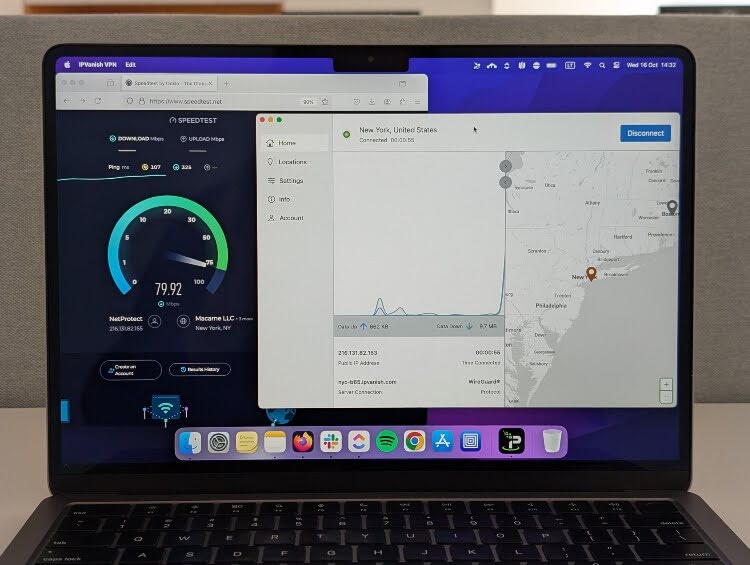
| Country | WireGuard (retained original speed, 2025) | WireGuard (retained original speed, 2026) |
| Australia | ND | 68.8% download and 73.8% upload |
| Canada | 89.4% download and 78.6% upload | 76% download and 54% upload |
| The UK | 81% download and 74% upload | 82% download and 84% upload |
| The US | 69% download and 48% upload | 71% download and 51% upload |
Security and privacy
Like Surfshark, IPVanish is very good in the privacy department but has picked its country of jurisdiction poorly. Specifically, IPVanish resides in the United States, a founding member of the Five-Eyes alliance. This could make some users suspicious that the provider shares their data with the government due to the Patriot Act. However, one favorable feature is that IPVanish has an independently audited no-logs policy.
Security features are abundant, too. For starters, IPVanish includes a kill switch and DNS leak protection to prevent leakage. The VPN has Threat Protection, which shares features with NordVPN’s tool, except it doesn’t scan downloaded files for malware.
Compatibility
Like Surfshark, IPVanish supports unlimited device connections for complete household protection. App-wise, the service supports practically every device you can imagine. You can install IPVanish on Windows, Mac, Android, iOS, Linux, ChromeOS, Fire TV, and routers. The only notable drawback for me is that IPVanish doesn’t offer Smart DNS, which is disappointing because fast VPNs are usually needed for streaming.
Server network
IPVanish offers 3,400 servers across 112 countries, which is good but still on the lower end compared to other providers. I should note that this could also result in slower speeds in some cases. For example, some users in specific countries might not find a nearby server for optimal connections. Moreover, a large number of users concentrated on a handful of servers can result in slower speeds.
Usability
Unfortunately, IPVanish has proven to be somewhat disappointing for streaming. While I could connect to Netflix using servers in the UK, US, and Australia, sometimes the streams lagged a bit. However, it was still usable, just not as good as NordVPN or Surfshark.
As for gaming, just like with NordVPN and Surfshark, I found IPVanish to be the fastest when connected to servers in the UK. On average, the ping stayed at 75ms, and while there was some lag during a Counter-Strike 2 test, it wasn’t too disruptive. On the other hand, the lag was much more noticeable when connected to servers in Australia and the US – 355-370 ping and 120-125 ping, respectively. Against a 1-2 ping baseline, this is quite significant.
Features
IPVanish offers split tunneling, a feature that allows you to include or exclude specific apps from the VPN connection. For those who are concerned about security, there’s AES-256 encryption and a kill switch to protect your IP at all times, encrypted file storage, and more. Due to specialized obfuscated servers that conceal the VPN usage, it’s among the top gaming VPNs.
Price
IPVanish plans start at $2.19/month with a 30-day money-back guarantee if you’d like to take the speedy VPN for a spin. There’s also a 7-day free trial for iOS and Android users, but you can register for it only if you subscribe to 1-year or 2-year plan.
Subjectivity
At first glance, I wasn’t particularly impressed by IPVanish’s app interface. It appears bland and uninspired, yet it is similar to Surfshark in some ways. On the other hand, the inclusion of a world map makes it similar to NordVPN. I suppose IPVanish is trying to combine the best practices of some of the best VPNs in the industry, which is good in my book.
Over time, the app grew on me because it runs smoothly, launches quickly, and offers a user-friendly interface. It’s also pretty customizable, meaning you can adjust the app to suit your needs.
4. ExpressVPN – speedy VPN with a proprietary protocol

-
Connection speed
-
Security and privacy
-
Device compatibility
-
Server network
ExpressVPN is unlike any other VPN I tested because it provides solid speeds with a protocol that isn’t based on WireGuard. The exclusive ExpressVPN Lightway protocol is built from the ground up and offers an excellent balance of speed and security that rivals NordLynx.
ExpressVPN is definitely a top-tier VPN in terms of speed and other areas. During my tests, I experienced a 19% speed loss on average, which isn’t noticeable in most cases. However, its high price makes it a hard sell. Continue reading to learn if this fast VPN is worth it.
Connection speeds
Although users can choose from OpenVPN, L2TP/IPsec, and IKEv2 protocols, to test ExpressVPN’s speed boundaries, I used the proprietary Lightway protocol. It surprised me by maintaining around 77% of the original speed, on average. While it’s not as high as when using NordVPN, the fastest VPN to date, the speed is still impressive.
During hands-on testing, I discovered that ExpressVPN demonstrates top download speeds when connected to servers in the Netherlands. The baseline was 940Mbps for downloads and 600Mbps for uploads during the test, and ExpressVPN averaged 876Mbps during downloads, which translates to 93% speed retention. ExpressVPN was fastest at uploading when connected to Swedish servers (560Mbps with 93% original speed retention).
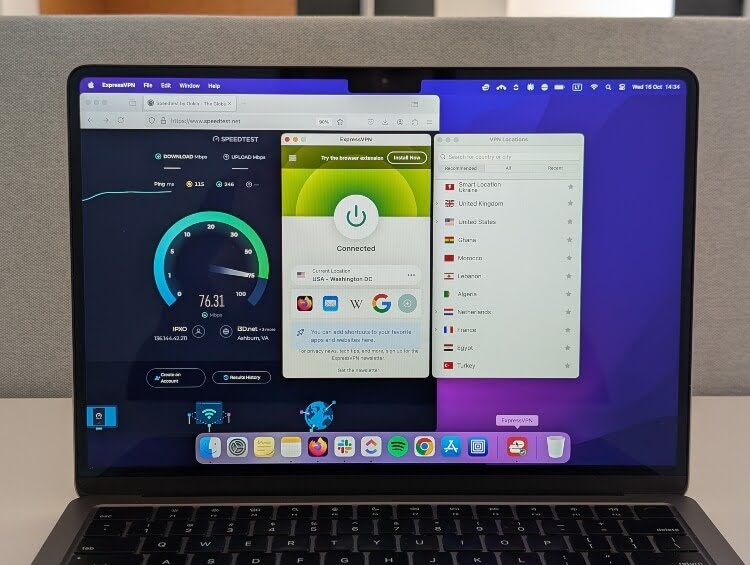
| Country | Lightway (retained original speed, 2025) | Lightway (retained original speed, 2026) |
| Australia | ND | 72% download and 48% upload |
| Canada | 71% download and 69.4% upload | 76% download and 68% upload |
| The UK | 92.2% download and 74.9% upload | 89% download and 82% upload |
| The US | 89.6% download and 90.8% upload | 76% download and 66% upload |
Security and privacy
I think it’s almost impossible to rival ExpressVPN’s security and privacy credentials. The service conducts numerous independent audits, is based in the British Virgin Islands, and has a no-logs policy that was confirmed in a criminal investigation. To be precise, authorities had seized some of ExpressVPN’s servers, hoping to get some valuable information, but they found nothing. For me, that’s convincing enough of the service’s reliability.
Compatibility
One ExpressVPN subscription supports 14 simultaneous connections, which isn’t bad. I mean, it’s not the lowest number on this list (that title belongs to CyberGhost), but it’s pretty close to it.
Besides that, ExpressVPN has apps for pretty much everything. One of its most unique offerings is the Aircove router, which is preinstalled with ExpressVPN for added convenience. However, it's important to note that, starting March 31st, 2026, ExpressVPN’s dedicated app for non-Aircove routers is no longer supported, meaning users who want an easier setup and management experience should use the Aircove router or manually configure their connection on other routers.
Server network
ExpressVPN doesn’t disclose exactly how many servers it runs, making it difficult to assess its overall capabilities. However, with its country selection of 113, this puts the provider in the same category as Surfshark. Sadly, there are no specialty servers to make certain activities easier to accomplish.
Usability
Since users often employ VPNs to stream movies on platforms that may be geo-restricted in their regions or to play games, I performed separate tests for these two scenarios.
Unlike IPVanish, ExpressVPN had no trouble connecting to Netflix libraries in the US. Things got a bit trickier when connecting to libraries in Australia and the UK – Netflix detected VPN usage in Australia, and the UK library didn’t load all titles. When loaded, however, I enjoyed HD quality and experienced no lag or buffering.
When connecting to different servers for gaming, I found ExpressVPN to be the fastest when connected to a server in the UK. The ping was just around 70ms, which is similar to NordVPN’s ping when connected to a UK server. As in all other cases, the ping was the worst when connected to an Australian server – around 360ms. This made the game experience very unenjoyable, as the game kept stopping at random. The gameplay was pleasant when connected to the UK and US servers.
Features
Next to key VPN features, such as split tunneling or kill switch, you get a Threat Manager to block all tracking and malicious activities. Also, I couldn’t find information on whether it has specialized obfuscated servers. However, its customer support states that ExpressVPN offers stealth servers that conceal VPN usage. It’s also worth noting that ExpressVPN is one of the few VPNs that include a password manager at no extra cost, but I found it pretty underwhelming.
Price
ExpressVPN's pricing is in line with other high-speed VPNs, starting at $2.99/month. You can test its excellent speeds before buying by using its 30-day money-back guarantee.
Subjectivity
Personally, I find ExpressVPN’s app a bit too minimalistic. Practically everything is hidden away in separate menus, meaning you’ll have to do a lot of clicking to change anything.
The main screen only includes the on button and server selection menu, which opens another tab if you want to change servers. Then, you have to choose from one of the recommended locations or click “All locations” and then click your desired continent. Only then can you select a country. For me, that’s too much clicking to change my location.
If you want to change other settings, you need to click the hamburger button, which again opens another window with different options. Everything is clear there, so I have no complaints. And regarding the app's overall look, it does nothing for me.
5. CyberGhost – very fast VPN with an exceptional server fleet

-
Connection speed
-
Security and privacy
-
Device compatibility
-
Server network
CyberGhost VPN stands out from other fastest VPN services with its affordable price and vast server fleet. It provides swift data delivery with WireGuard, while the immense number of servers with specialized options makes it convenient for anyone to find the perfect connection point.
Go with CyberGhost VPN if you’re looking for the most cost-effective VPN for speed. My tests with this VPN led to an average speed loss of around 25%, which is still quite good for such an affordable VPN. Read on to see what other perks this VPN provides.
Connection speeds
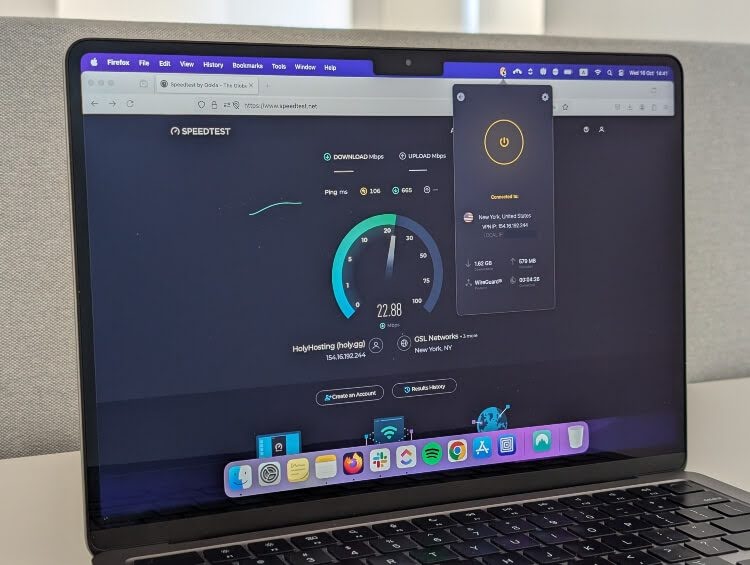
When using CyberGhost, you can choose to connect to VPN servers using WireGuard, OpenVPN, and IKEv2 tunneling protocols. As you know by now, WireGuard is the fastest of the bunch, so it was used during in-house testing for the in-depth CyberGhost review. The test revealed that CyberGhost retains roughly 75% of the initial download speed.
However, when I tested specific locations, in some of them, the speeds were much faster compared to the average. The best results – 850Mbps during downloads and 545Mbps during uploads – were observed when connected to a server in Germany. This represents 90% and 90.3% speed retention. On the flip side, CyberGhost reached 586Mbps download and 76Mbps upload speeds (62% and 12% speed retention) when connected to a server in Australia. This was by far the worst speed result when connecting to the Australian servers of all 5 VPNs.
As the table below shows, the 2025 speed test results were notably worse than the 2026 results.
| Country | WireGuard (retained original speed, 2025) | WireGuard (retained original speed, 2026) |
| Australia | ND | 62% download and 12% upload |
| Canada | 70% download and 36% upload | 72% download and 48% upload |
| The UK | 84.8% download and 75.2% upload | 88% download and 83% upload |
| The US | 93% download and 79.6% upload | 83% download and 70.4% upload |
Security and privacy
CyberGhost is practically flawless regarding user protection. The service operates from Romania, which doesn’t belong to the Fourteen-Eyes alliance. It also has an audited no-logs policy, confirming the provider doesn’t unnecessarily store customer data.
Security essentials are also included to keep your daily browsing safe. As expected, there’s an automatic kill switch, DNS leak prevention, malicious content blocking, and strong encryption.
Compatibility
One CyberGhost subscription supports only 7 simultaneous connections, the lowest number on this list. However, unlike ExpressVPN, this is pretty fair considering CyberGhost’s affordable price.
Other than that, CyberGhost works with practically any device you can imagine. It has apps for mobile and desktop devices, browsers, smart TVs, consoles, and routers. It even includes Smart DNS if you’d like to unblock streaming content without using a VPN app.
Server network
CyberGhost VPN has a massive fleet of 9,800 servers across 100 countries, the most impressive one among the fast VPNs I’ve selected. However, I’ve noticed that the service no longer advertises this number as prominently as before, so it’s possible the service actually has fewer servers. Besides that, the service offers numerous specialty servers for specific tasks, such as unblocking streaming services or playing video games.
Usability
Although CyberGhost has an immense server network with specialty servers, I still ran into issues when testing streaming and gaming speeds.
CyberGhost was just as disappointing as IPVanish because it couldn’t connect to Netflix successfully, so I couldn’t perform extensive speed tests. As for gaming, the results were decent. Like all other VPNs, CyberGhost performed the best when connected to a UK server – the ping fluctuated between 75-85ms, and while I experienced slight lag, the gameplay didn’t suffer much. The worst ping result was recorded when connected to an Australian server – the ping was never lower than 370ms, and it was difficult to enjoy the game with extensive lag.
Features
CyberGhost includes a kill switch, split tunneling, and even a Private Browser to enjoy ad-free browsing without annoying interruptions. CyberGhost offers specialized servers for streaming, gaming, and torrenting, and it unblocks most major streaming platforms. Therefore, you’ll be able to stream, game, or torrent at blazing-fast speeds.
Price
CyberGhost is not only fast but also a very cheap VPN solution. Its subscription plans start at $2.19/month and include all the perks. Plus, there’s a generous 45-day money-back guarantee, longer than any other provider on this list can offer. There’s also a variety of free trial options – 1 day on Windows or macOS, 3 days on Android, and 7 days on iOS.
Subjectivity
CyberGhost always had a soft spot in my heart because of its cute Ghostie mascot. It has been a vital part of the brand’s identity for as long as I can remember, which I think is an excellent testament to the service’s consistency.
The desktop app is pretty good and customizable. You can stay with the default small window that only includes the on button and server selection, similar to ExpressVPN’s interface. Alternatively, you can expand the app to have everything on full display, which is preferable for me. Everything is labeled clearly, meaning anyone can take full advantage of this service without much effort.
Factors that affect internet speed with VPN on
Internet traffic is encrypted and routed through a VPN server when using a VPN. Additionally, your IP address and location are masked for added privacy and security on public Wi-Fi. This extra step can introduce latency and reduce the overall connection speed. While in some cases, for example, when ISPs throttle bandwidth to manage network traffic, a VPN may speed up internet connection, in most scenarios, VPNs negatively affect internet connection speeds. Here are the main factors that affect internet speeds when using a VPN:
- Distance between the user and server. The closer you are to a VPN server, the higher the speed you are likely to experience. Since the physical distance between the user and the VPN server can impact speeds, connecting to closer servers is best. During in-house tests, the speeds connected to servers in faraway locations (e.g., Australia) were always worse than when connected to servers closer (e.g., the UK).
- Server load. The number of users connected to one VPN server can also impact the connection speed. If a VPN provider has few servers, they are more likely to be overcrowded, which could cause slower speeds. For example, with 3,400+ servers in 112 countries, IPVanish has the smallest server network out of the 5 fastest VPNs on this list. Unsurprisingly, while using IPVanish, we experienced the slowest download and upload speeds when connecting to servers in Australia and Canada, where only some servers exist. However, because the VPN has plenty of servers in the UK and the US, the speeds were very good during tests.
- VPN protocol. VPNs use tunneling protocols to introduce rules for how data is transmitted. Some protocols are more focused on encryption, while others are focused on speed. VPN providers introduce different protocols to satisfy various users’ needs. For example, OpenVPN uses heavy encryption (AES-256-GCM), which may slow down the connection overall. Meanwhile, WireGuard, while using modern cryptography, is also designed to be fast. When creating this list, I tested the fastest protocols that each provider offered: NordLynx (NordVPN), Lightway (ExpressVPN), and WireGuard (Surfshark, IPVanish, CyberGhost).
- Encryption strength. The type of encryption that a VPN service uses also impacts speeds. Stronger encryption methods – such as AES-256 and ChaCha20 – typically require more processing power. This could lead to slower speeds, especially when using a VPN on an older device. The providers included in the fastest VPNs list only employ robust encryption algorithms because security takes precedence over speed, and the difference in speeds when using strong and weaker encryption algorithms is unlikely to be noticeably different.

What is the fastest free VPN?
First, I must note that free VPNs aren’t as fast as paid VPNs because they lack the technical features needed to deliver speedy connections. They may also reduce speeds artificially to ensure paying customers don’t experience significant slowdowns because of too many free users.
During our tests, Proton VPN emerged as the fastest free VPN in 2026. It uses WireGuard protocol and offers servers in 10 countries for optimal connectivity. Most importantly, it doesn’t have any data caps, meaning you can use it as much as you need without worrying about running out of data. Naturally, it has fewer features than the paid version, so don’t be surprised when most perks are unavailable.
Conclusion
If you need the fastest VPN service, do not pick one randomly. Instead, choose a tested tool that has proven itself in independent evaluations. Luckily, all the VPNs on this list deliver great speeds thanks to top-notch tunneling protocols and good infrastructure.
The fastest VPN service overall is NordVPN. Its in-house NordLynx protocol and extensive server network guarantee lightning-fast speeds regardless of your location. Most importantly, you can use its excellent performance to bypass geo-blocking and watch foreign cinema in UHD quality without lagging issues.
Fastest VPNs in 2026 – VPN speed comparison
| Brand | Rating | Average download speed | Average upload speed |
| NordVPN | 790Mbps | 361Mbps | |
| Surfshark | 780Mbps | 350Mbps | |
| IPVanish | 699Mbps | 310Mbps | |
| ExpressVPN | 762Mbps | 332Mbps | |
| CyberGhost | 707Mbps | 286Mbps |
FAQ
What is the best VPN for gigabit internet?
For gigabit internet, you’ll need a speedy VPN that can keep up with your internet connection. According to our tests, NordVPN is the fastest VPN currently available. It retains around 90% of your original speed, meaning you won’t notice any speed loss while using this service.
Can a VPN increase download speed?
No, a VPN can’t increase your download speed in most cases. There’s only one exception: if your ISP is throttling your connection. However, this is highly unlikely. Ultimately, VPNs reduce your connection speed because your traffic has to detour to an intermediary server. Luckily, this reduction is minimal if you’re using a fast VPN service.
Can a VPN slow down internet speed?
Yes, a VPN will inevitably slow down your internet connection because your traffic has to travel a greater distance than before. Thankfully, the speed reduction will be minimal if you use a fast VPN provider that employs modern tunneling protocols and offers loads of servers worldwide.
Can a VPN be faster than a normal connection?
No, VPN connections usually aren’t faster than normal connections. This is because VPN connections have to travel a greater distance than usual because of the VPN server, leading to slower connections. However, this slowdown is barely noticeable with the fastest VPN services.
What VPN location has the fastest internet?
In most cases, the fastest VPN location is closest to your current location. This is because your internet connection only has to make a small detour to reach the VPN server, which reduces the travel distance for data packets, which leads to faster speeds. Conversely, connecting to faraway locations usually leads to slower connections.
Which VPN has the fastest upload speed?
According to our tests, NordVPN has the fastest upload speed in 2026. Our baseline 940Mbps download speed was reduced by only about 10% to 18%, which is impressive. We also had similar results with ExpressVPN.
Does Express VPN slow down the internet?
Yes, ExpressVPN, like any other VPN, will slow down your internet speed, but not significantly. This is because connecting to a VPN server increases the distance your online traffic has to travel, leading to slower response times. However, the fastest VPN services use cutting-edge technology to minimize speed loss.