Best routers for fiber internet in 2026: For gaming, streaming, and more


Fiber internet delivers the fastest speeds — up to 5Gbps. However, you need a router capable of supporting multi-gig speeds to get fiber internet connectivity. With the many options available on the market, picking the best router for fiber internet can be tricky.
I worked with the Cybernews research team to review and compare different routers and give you my recommendations. In this guide, I’ll rank the best routers for fiber internet based on their performance, features, ease of use, and affordability.
Keep reading for a rundown of the best fiber optic internet routers in 2026.
Best routers for fiber internet – shortlist
- NETGEAR Nighthawk Tri-Band WiFi 7 Router (RS700S) – overall best router for fiber internet
- NETGEAR Nighthawk WiFi 7 Router (BE17000) – best Wi-Fi router for wide coverage
- WAVLINK WiFi 6 Router (AX3000) – best affordable Wi-Fi router
- TP-Link AC1900 Smart WiFi Router (Archer A8) – best for budget gaming
- NETGEAR Nighthawk 6-Stream Dual-Band WiFi 6 Router (RAX54S) – best fiber internet router for gaming
- TP-Link AX1800 WiFi 6 Router V4 (Archer AX21) – best affordable router for fiber internet
- TP-Link AX5400 WiFi 6 Router (Archer AX73) – best fiber optic Wi-Fi router for 8k streaming
- ASUS RT-AX3000 Ultra-Fast Dual Band Gigabit Wireless Router – best fiber router for large homes
- NETGEAR 4-Stream WiFi 6 Router (R6700AX) – best fiber-compatible router for enhanced security
- GL.iNet GL-MT6000 (Flint 2) WiFi 6 Router – best fiber optic router for speeds of up to 6Gbps
- Linksys E8450 AX3200 WiFi 6 Router – best fiber optic Wi-Fi router for simultaneous dual-band streaming
The best routers for fiber internet compared
After providing you with the general image about the eight best routers for fiber internet, I decided to compile a comparison table. This table should be useful so you can compare each of my top picks and see the differences in their features, price, and suitability. Let’s check it out:
| Model name | Pricing | Best for |
Wi-Fi standard
| Key features | Maximum speeds | Number of ethernet ports | Frequency bands |
| NETGEAR Nighthawk Tri-Band WiFi 7 Router (RS700S) | Premium | Business | Wi-Fi 7 | WPS, support for up to 200 devices, 10Gbps internet ports, one-year Armor subscription | 1,900Mbps | 6 (1 WAN port, 5 LAN ports) | 2.4GHz, 5GHz, and 6GHz |
| NETGEAR Nighthawk WiFi 7 Router (BE17000) | Premium | Gaming | Wi-Fi 7 | Internet security, support for 4K/8K streaming, UHD video conferencing, and AR/VR entertainment, NETGEAR Armor | 1,700Mbps | 5 (1 WAN port, 4 LAN ports) | 2.4GHz, 5GHz, and 6GHz |
| WAVLINK WiFi 6 Router (AX3000) | Affordable | Home usage | Wi-Fi 6 | Access point mode, beamforming, internet security, parental control, QoS | 3,000Mbps | 3 (1 WAN port, 2 LAN ports) | 2.4GHz and 5GHz |
| TP-Link AC1900 Smart WiFi Router (Archer A8) | Affordable | Gaming | Wi-Fi 5 | Beamforming, guest mode, internet security, parental controls, access point Mode, quality of service (QoS) | 1,900Mbps | 5 (1 WAN Port, 4 LAN Ports) | 2.4GHz and 5GHz |
| NETGEAR Nighthawk 6-Stream Dual-Band WiFi 6 Router (RAX54S) | Premium | Security | Wi-Fi 6 | Guest mode, NETGEAR Armor | 5,400Mbps |
5 (1 WAN port, 4 LAN ports)
| 2.4GHz and 5GHz |
| TP-Link AX1800 WiFi 6 Router V4 (Archer AX21) | Affordable | Multiple devices | Wi-Fi 6 | Mesh system, Beamforming, QoS, Alexa-compatible, access point mode, WPS, parental controls | 1,800Mbps | 5 (1 WAN port, 4 LAN ports) | 2.4GHz and 5GHz |
| TP-Link AX5400 WiFi 6 Router (Archer AX73) | Premium | Streaming | Wi-Fi 6 | Beamforming, QoS, WPS, parental controls | 5,400Mbps | 5 (1 WAN port, 4 LAN ports) | 2.4GHz and 5GHz |
| ASUS RT-AX3000 Ultra-Fast Dual Band Gigabit Wireless Router | Premium | Security | Wi-Fi 6 | Parental controls, mesh system, AiProtection Pro, adaptive QoS | 5,400Mbps | 5 (1 WAN port, 4 LAN ports) | 2.4GHz and 5GHz |
| NETGEAR 4-Stream WiFi 6 Router (R6700AX) | Mid-range | Gaming | Wi-Fi 6 | Internet security, WPS | 1,800Mbps | 5 (1 WAN port, 4 LAN ports) | 2.4GHz and 5GHz |
| GL.iNet GL-MT6000(Flint 2) WiFi 6 Router | Premium | Gaming | Wi-Fi 6 | QoS, access point mode, guest Mode, internet security | 6,000Mbps | 4 | 2.5GHz |
| Linksys E8450 AX3200 WiFi 6 Router | Mid-range | Streaming | Wi-Fi 6 | Guest mode, parental controls |
3,200Mbps
| 4 | 2.4GHz and 5GHz |
11 best routers for fiber internet – our detailed list
With the help of the Cybernews team, I spent hours researching and comparing the best internet routers for fiber optic, and after analyzing their speeds, features, frequency bands, and what they’re suitable for, I picked the eight best solutions.
So, here are the eight best routers for fiber optic internet in detail:
1. NETGEAR Nighthawk Tri-Band WiFi 7 Router (RS700S) – best router for fiber internet in 2026

The NETGEAR Nighthawk Tri-Band WiFi 7 Router (RS700S) is one of the most powerful routers you can get. So, I knew I had to explore it further and learn all about its capabilities.
Speed and signal strength: This router delivers 2.4x faster speeds than Wi-Fi 6, maximizing performance across all devices. More precisely, the speeds reach up to 1,900Mbps for real-time gaming, 4K or 8K streaming, UHD video conferencing, and AR/VR entertainment
Specs and key features: By purchasing the NETGEAR Nighthawk Tri-Band WiFi 7 Router (RS700S), you’ll get a one-year NETGEAR Armor subscription. Due to this, you’ll receive a powerful suite of tools to help keep you safe online, including enhanced protection against hackers, malware, and identity theft, at home or on the go. Plus, there’s the Wi-Fi Protected Setup (WPS) feature, which enables quick and password-free connection of compatible devices to the network.
Who I recommend it for: Based on what this router offers, it’s perfect for business needs or larger offices that rely on fast and stable internet connections. On top of this, you can even enjoy gaming, streaming, and AR/VR activities without any issues.
User reviews: Overall, the NETGEAR Nighthawk Tri-Band WiFi 7 Router (RS700S) has positive reviews. While some users criticize its high price tag, most of them perceive it as a game changer when it comes to gaming and streaming.
2. NETGEAR Nighthawk WiFi 7 Router (BE17000) – best Wi-Fi router for large homes
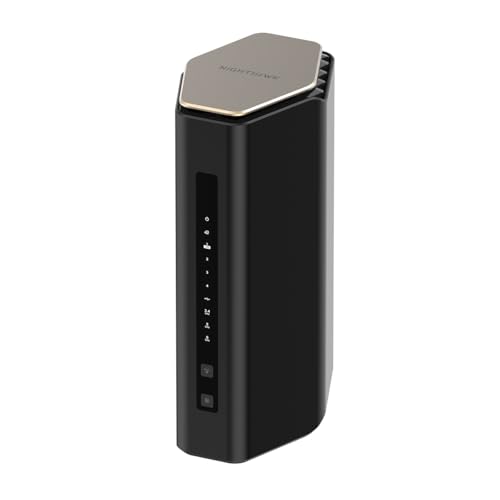
NETGEAR features another reliable model, which is the Nighthawk WiFi 7 Router (BE17000). It comes with incredible speeds, stable performance, and extensive coverage for larger homes and even offices.
Speed and signal strength: The Nighthawk WiFi 7 Router (BE17000) provides ultimate speeds of up to 1,700Mbps. Thus, you can enjoy lag-free gaming, 4K and 8K streaming, UHD video conferencing, and AR/VR entertainment.
Specs and key features: This router supports up to 150 devices. Additionally, it provides a 30-day Armor subscription for top-notch performance against hackers, malware, and identity theft, regardless of your location.
Who I recommend it for: Thanks to all of these features, the Nighthawk WiFi 7 Router (BE17000) is perfect for business, gaming, and any type of home usage. You shouldn’t experience any issues, even with high-bandwidth activities.
User reviews: Users point out the excellent speeds, which are extremely helpful for 4K and 8K streaming and gaming. Yet, some reviews reveal that the price is pretty high and that the setup can become complex.
3. WAVLINK WiFi 6 Router (AX3000) – best Wi-Fi router for gaming
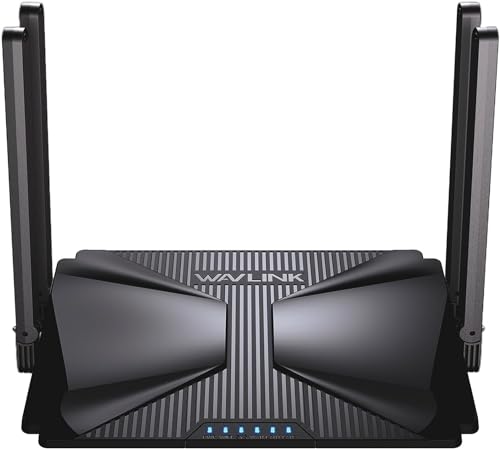
In third place is the WAVLINK AX3000 Wi-Fi 6 Wireless Router, which is perfect if you want to use it for larger spaces and smooth internet connections. Here’s what I learned about it when I started digging deeper.
Speed and signal strength: The WAVLINK AX3000 Wi-Fi 6 Wireless Router features dual-band signals with 5G transfer rate of 2400Mbps and 2.4G transfer rate of 600Mbps. As a result, it reduces buffering and latency, ensuring smooth connections at all times. It’s also equipped with 1 Gigabit WAN port and 2 Gigabit LAN ports, which further contributes to stable and fast wired network access.
Specs and key features: Thanks to its OFDMA+MU-MIMO technology, the router improves network utilization and can connect more than 256 wireless devices simultaneously. Plus, it supports up to 6 mesh nodes for Wi-Fi coverage in your whole house. Another great aspect is the security. This is because the router supports SPI Firewall, access control, website blocker, DDoS attack prevention, and smart parental control.
Who I recommend it for: Based on my extensive research, I would say that the WAVLINK AX3000 Wi-Fi 6 Wireless Router is great if you want top-notch home security without breaking the bank.
User reviews: Generally, users praise the router for its fast performance, compact design, and cost-effectiveness. Ultimately, they like the VPN capabilities and suitability for travel. However, some users reveal that setting up the router requires more technical knowledge.
4. TP-Link AC1900 Smart WiFi Router (Archer A8) – the overall best router for fiber internet
| Wi-Fi standard | Wi-Fi 5 (802.11ac) |
| Frequency bands | Dual-band (2.4GHz and 5GHz) |
| Max speed | 1,900Mbps |
| Best for | Gaming |
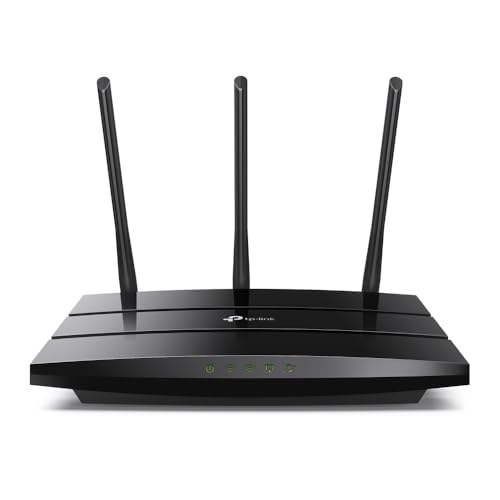
When I first heard about the stellar speeds and the unique features of the TP-Link AC1900 Smart WiFi Router (Archer A8), I had to learn more. That’s why I listed it first. What’s more, the TP-LINK AC1900 Smart WiFi Router is perfect for budget gaming. But if you’re like me and just enjoy uninterrupted connections, you can use it for any other online activity.
Speed and signal strength: While this router doesn’t have a Wi-Fi 6 standard, it runs on the Wi-Fi 5 one, delivering speeds of up to 1,900Mbps. Due to its dual-band, you’ll enjoy 600Mbps on the 2.4GHz band and 1,300Mbps on the 5GHz band. Okay, but what sets it apart are its OneMesh extenders that strengthen the Wi-Fi signal throughout your home.
Specs and key features: The TP-Link AC1900 Smart WiFi Router (Archer A8) utilizes 4 x Gigabit LAN and 1 x Gigabit WAN ports, so you can create fast and reliable wired connections for your PCs, Smart TVs, and gaming consoles. Plus, I really liked its Beamforming technology that ensures strong wireless connectivity over long distances. Plus, there are the parental controls that block inappropriate content and set daily limits to control how much time your children spend online.
Who I recommend it for: Based on all of the features I discovered and the incredible performance of the router, I’d recommend it for streaming and gaming. Its speeds contribute to unparalleled 4K/HD quality, and the loading times only make your overall experience better.
User reviews: If you’re like me and need additional assurance of the router you’re using, you’ll love how highly users speak of the TP-Link AC1900 Smart WiFi Router (Archer A8). Mainly, they find it amazing that the router offers incredible speeds and allows them to enjoy reliable internet connections even when they are in their backyards.
5. NETGEAR Nighthawk 6-Stream Dual-Band WiFi 6 Router (RAX54S) – the best fiber internet router for gaming
| Wi-Fi standard | Wi-Fi 6 (802.11ax) |
| Frequency bands | Dual-band (2.4GHz and 5GHz) |
| Max speed | 5,400Mbps |
| Best for | Gaming |
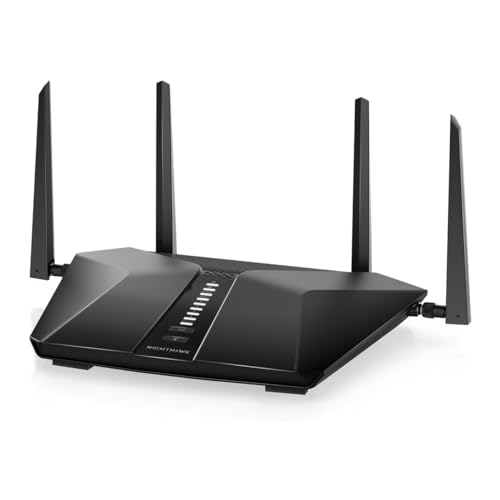
After a lot of exploring and comparing different routers, I picked the NETGEAR Nighthawk 6-Stream Dual-Band WiFi6 Router (RAX54S) as one of the best Wi-Fi routers for general use. Thanks to its fantastic speeds, broad coverage, and robust security features, you can play video games, stream, or browse without any issues.
Speed and signal strength: With a Wi-Fi 6 standard and coverage of up to 2,500 square feet, this NETGEAR router is perfect for big homes. That said, prepare for speeds of up to 5,400Mbps. Even though there are no additional features that strengthen the signal, you won’t even need them.
Specs and key features: The NETGEAR Nighthawk 6-Stream Dual-Band WiFi6 Router (RAX54S) has four 1-gig Ethernet ports and one USB 3.0 port. This allows you to enhance the fiber internet speeds on your PC, streaming device, game console, and storage drives. But another thing that caught my eye was the blend of extraordinary performance and security. I’m talking about the one-year NETGEAR Armor subscription you’ll also get for real-time protection of your home network.
Who I recommend it for: At first, I was a bit skeptical when I saw that there were no unique features. But as soon as I discovered the excellent speeds, I can definitely say that you can use this router for anything you like. From browsing to 4K gaming, NETGEAR has you covered. You can even use it as a router for your small business.
User reviews: According to users, this NETGEAR router saved them the hassle of buying additional Wi-Fi extenders. Reviews show a great satisfaction with its speeds and performance, which is crucial for any router.
6. TP-Link AX1800 WiFi 6 Router V4 (Archer AX21) – best affordable router for fiber internet
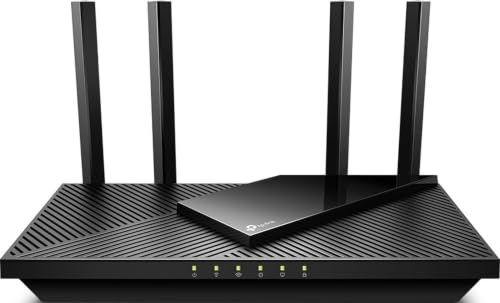
| Wi-Fi standard | Wi-Fi 6 (802.11ax) |
| Frequency bands | Dual-band (2.4GHz and 5GHz) |
| Max speed | 1,800Mbps |
| Best for | Multiple devices |
I was researching and comparing, and again, ran into a TP-Link router for my next pick. If you’re on a tighter budget and don’t feel like spending a lot of money on a router, you should definitely check out the TP-Link AX1800 WiFi 6 Router V4 (Archer AX21). With remarkable features and extensive coverage, you’ll get everything you need.
Speed and signal strength: By going for this fiber optic router, you can get speeds of up to 1,800Mbps. 1,200Mbps come from the 5GHz band and 574Mbps from the 2.4GHz band, due to the dual-band technology. This makes it perfect for a more extensive coverage and even internet-intensive activities, like gaming, streaming, and downloading large files.
Specs and key features: What’s more, I was surprised that the TP-Link AX1800 WiFi 6 Router V4 (Archer AX21) has something for the additional enhancement of the internet signal. Still, it offers, Beamforming technology, four high-gain antennas, and an advanced front-end module (FEM) chipset. Plus, there are five Ethernet ports. On top of this, you can even improve your home network security with the VPN support of the TP-Link router.
Who I recommend it for: As I briefly mentioned, its speeds, security, and superb performance make the TP-Link AX1800 WiFi 6 Router V4 (Archer AX21) router suitable for gaming, streaming, and downloading large and confidential files without a worry.
User reviews: Users love this router, as it’s compatible with some of the most prominent internet providers, has stellar speeds, and adds an extra layer of security to your home network.
7. TP-Link AX5400 WiFi 6 Router (Archer AX73) – best fiber optic Wi-Fi router for 8K streaming
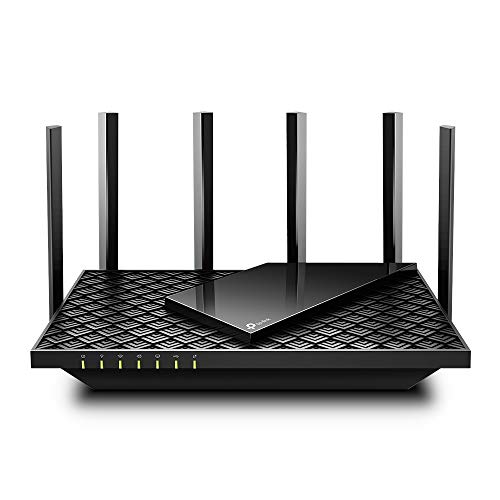
| Wi-Fi standard | Wi-Fi 6 (802.11ax) |
| Frequency bands | Dual-band (2.4GHz and 5GHz) |
| Max speed | 5,400Mbps |
| Best for | Streaming |
The TP-Link AX5400 WiFi 6 Router (Archer AX73) is the best fiber optic router for uninterrupted streaming. While its speeds are slower than other routers on my list, you can still watch your favorite movies with ease. Just like I prefer to do it.
Speed and signal strength: This router can deliver speeds of up to 5,400Mbps, as it utilizes the Wi-Fi 6 standard. While it has one 2.4GHz band, its 5GHz one comes with 4T4R and HE160 technologies to enable max 4.8Gbps connections. But what sets it apart are its high-power FEM, six antennas, and Beamforming that extend the Wi-Fi coverage throughout your house.
Specs and key features: With five Ethernet ports and one USB 3.0 port, you can also strengthen the signal even more and directly share media and private cloud storage to other devices. What’s more, the TP-Link AX5400 WiFi 6 Router (Archer AX73) uses TP-Link HomeShield, which protects both your network and Internet of Things (IoT) devices.
Who I recommend it for: Thanks to its speeds and fantastic performance, this router is perfect for streaming without any lag and interruptions. So, if you’re a movie fan like I am, you’ll find it perfect for your needs.
User reviews: What users like about this router is the extended coverage and stellar internet speeds. Plus, they praise the customer support that helped them with the initial setup.
8. ASUS RT-AX3000 Ultra-Fast Dual Band Gigabit Wireless Router – best fiber router for large homes
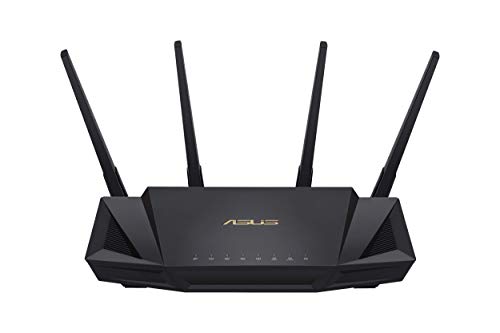
| Wi-Fi standard | Wi-Fi 6 (802.11ax) |
| Frequency bands | Dual-band (2.4GHz and 5GHz) |
| Max speed | 3,000Mbps |
| Best for | Business |
The ASUS RT-AX3000 Ultra-Fast Dual Band Gigabit Wireless Router offers broad coverage, making it suitable for large homes and businesses. It also provides high-end network safety and a powerful mesh system.
Speed and signal strength: The ASUS RT-AX3000 router supports 160MHz bandwidth and 1024-QAM. Plus, it delivers speeds of up to 3,000Mbps — 575Mbps on the 2.4GHz band and 2,402GHz on the 5GHz band. I like that this wireless fiber internet router can cover up to 3,000 square feet. Additionally, it uses OFDMA and MU-MIMO technology, which allows it to communicate with devices more efficiently and provide speeds that are 2.4 times faster than the Wi-Fi 5 standard.
Specs and key features: With one WAN, four 1G LAN, and one USB 3.0, you can further enhance your connections. On top of this, the ASUS RT-AX3000 Ultra-Fast Dual Band Gigabit Wireless Router supports AiMesh technology. Thus, you can count on excellent network stability and seamless coverage even in dead zones in your home.
Who I recommend it for: While you can use it for any online activity that requires an internet connection, I specifically recommend this ASUS router for businesses or larger homes. You’ll benefit a lot from its long-distance connectivity, which is crucial for ultimate performance.
User reviews: Those that already tried the ASUS RT-AX3000 Ultra-Fast Dual Band Gigabit Wireless Router claim they’ll never switch to another device. They like the built-in OpenVPN support and fast speeds.
9. NETGEAR 4-Stream WiFi 6 Router (R6700AX) – best fiber-compatible router for enhanced security
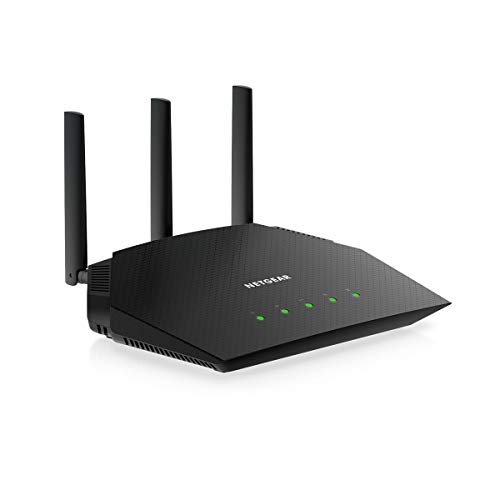
| Wi-Fi standard | Wi-Fi 6 (802.11ax) |
| Frequency bands | Dual-band (2.4GHz and 5GHz) |
| Max speed | 1,800Mbps |
| Best for | Security |
When I first found out that the NETGEAR 4-Stream WiFi 6 Router (R6700AX) is not as fast as other routers on this list, I decided to give it a chance due to another aspect – the robust security.
Speed and signal strength: One of the standout features of this router is its wide coverage. It covers up to 1,500 square feet and supports 20 devices. You can also expect fast speeds of up to 1,800Mbps due to the Wi-Fi 6 standard and the two frequency bands of 2.4GHz and 5GHz.
Specs and key features: Another thing I like about the NETGEAR 4-Stream WiFi 6 Router (R6700AX) is that it has four 1-gig Ethernet ports and one WAN port. So, you can strengthen your internet connectivity by connecting your PC, streaming device, and game console. Plus, you’ll enjoy a robust Quad-core 1.5GHz processor and 512MB RAM. Also, you shouldn’t miss out on the parental control and the NETGEAR Armor subscription for top-notch security of all your devices.
Who I recommend it for: All of the features, the Wi-Fi 6 standard, and the strong processor make this router perfect for uninterrupted streaming, HD video gaming, and web conferencing.
User reviews: I didn’t forget about the actual experience as well. Users state that this router is effortlessly easy to use, powerful, and great for various online activities.
10. GL.iNet GL-MT6000(Flint 2) WiFi 6 Router – best fiber optic router for speeds of up to 6Gbps
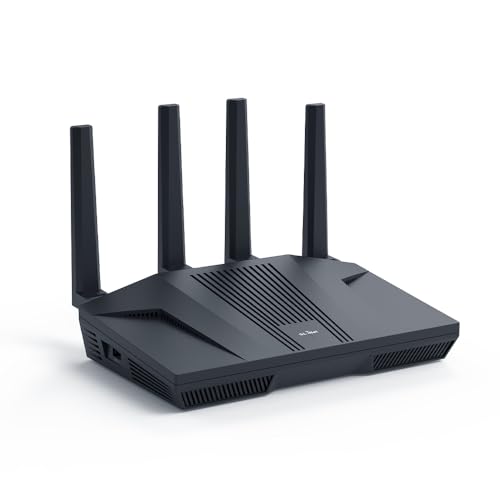
| Wi-Fi standard | Wi-Fi 6 (802.11ax) |
| Frequency bands | Dual-band (2.5GHz) |
| Max speed | 6,000Mbps |
| Best for | Gaming |
Unlike the other routers I selected, the GL.iNet GL-MT6000(Flint 2) WiFi 6 Router doesn’t have a 5GHz band. Still, it’s one of the best fiber routers for gaming, thanks to its fantastic speeds. In fact, it’s the fastest router on my list.
Speed and signal strength: This router has a Wi-Fi 6 standard, which provides speeds of up to 6,000Mbps. As I already mentioned, you’ll benefit only from its two 2.5GHz bands, which perform better than you can imagine. Plus, the router has 8-stream Wi-Fi 6 technology and Flint 2, which expands the coverage and ensures you get blazing speeds anywhere in your home.
Specs and key features: Thanks to its Quad-core 2GHz processor, you’ll also get enhanced performance. But I really liked how the GL.iNet GL-MT6000(Flint 2) WiFi 6 Router also considers your security. Its AdGuard Home feature enables a DNS server that blocks unwanted tracking and filters ads. Thus, you can control your online experience and enjoy clutter-free browsing.
Who I recommend it for: The GL.iNet GL-MT6000(Flint 2) WiFi 6 Router is perfect for gaming. Its processor, high-speed connections, and security layer provide you with a hassle-free gaming journey with no lag or buffering.
User reviews: In terms of the actual performance, users claim the router is very powerful and has great value for its price.
11. Linksys E8450 AX3200 WiFi 6 Router – best fiber optic Wi-Fi router for simultaneous dual-band streaming
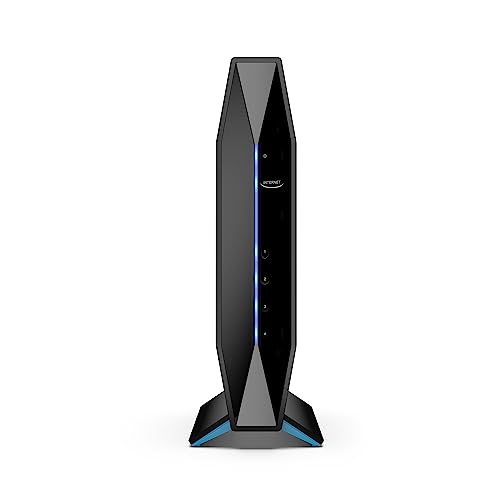
| Wi-Fi standard | Wi-Fi 6 (802.11ax) |
| Frequency bands | Dual-band (2.4GHz and 5GHz) |
| Max speed | 3,200Mbps |
| Best for | Business |
Last but not least on my list is the Linksys E8450 AX3200 WiFi 6 Router. With the opportunity of expanded coverage, you can find a great use for it if you run a business and need uninterrupted connections.
Speed and signal strength: This Linksys router can handle 25+ connected devices, allowing you to enjoy fast internet speeds of 3,200Mbps on your phone, gaming console, streaming device, or smart home device. It covers up to 2,500 square feet and has a Wi-Fi 6 standard. Another thing about this router that got my attention is the simultaneous dual-band streaming option, which transmits signals over the 2.5GHz and 5GHz bands simultaneously.
Specs and key features: The router has a wide range of features that will help you get the most out of it. But if I had to point out one, then that feature would be the parental control. It lets you limit online time and block specific websites on your child’s devices. You can even share internet connectivity with a separate guest network.
Who I recommend it for: Based on my findings, I’d recommend the Linksys E8450 AX3200 WiFi 6 Router for medium-sized homes and businesses. Its Wi-Fi 6 technology and expanded coverage will have your back at all times.
User reviews: Ultimately, users praise this router for its ease of setup, value, and compact size, which lets you put it anywhere. Plus, they say that the functionality is great.
How did we select the best routers for fiber internet?
I worked with the Cybernews research team to investigate and review different routers and identify the best Wi-Fi routers for fiber internet. Here’s a glimpse into the criteria I used to pick the best routers for fiber internet:
- Wi-Fi standard (25%). First of all, I evaluated the routers’ Wi-Fi standards, prioritizing routers with the Wi-Fi 6 standard as they’re suitable for big homes, provide a strong fiber internet connection, and deliver excellent speeds.
- Ease of use (10%). Assessing the ease of use is also a must. That’s why I checked how long it takes to set it up and whether technical expertise is required. I even considered whether these routers have native mobile apps that make controlling your settings easier.
- Price-to-performance ratio (10%). Of course, I also considered price. However, I didn’t choose the cheapest options; instead, I focused on the price-to-performance ratio, which is more important.
- Security features (10%). I must say, I was surprised by the availability of the security features I encountered in each of my top picks. More precisely, I looked for firewalls and WPA3 encryption, but also specific security features, such as the NETGEAR Armor.
- Customer reviews (10%). Additionally, I reviewed numerous customer reviews to ensure each router’s performance is just as advertised. This gave me reliable first-hand information to base my ratings.
- Special features (10%). I also looked for any special features that are relevant to fiber internet. For example, I looked at whether these routers support wired (Ethernet) connectivity, which allows you to configure LAN and WAN networks for high-speed internet.
Speed (25%). Last but not least, I checked each router’s speeds. I focused on whether the routers support gigabit speeds and low latency, which is crucial to get the most out of your fiber internet connection.
What is a fiber optic router?
A fiber optic router is a specialized router that utilizes fiber optic cables to transmit data. On the other hand, regular routers use CAT-5 and CAT-6 cables. The main difference between standard and fiber optic routers is that fiber optic cables transmit light signals using laser-transmitting glass threads. As a result, you can enjoy speeds of up to 10,000Mbps.
Fiber optic routers usually come with innovative new-generation chipsets and ethernet ports capable of supporting fiber internet. While there are different types of fiber internet connections, most network providers only offer fiber to the cabinet (FTTC) and fiber to the home (FTTH).
Others like fiber to the antenna (FTTA), fiber to the node (FTTN), and fiber to the radio (FTTR), are less common and are usually reserved for industrial and commercial operations.

What is Wi-Fi band and how does it affect internet speeds?
A Wi-Fi band refers to any wireless frequency that the router broadcasts to different Wi-Fi devices. This helps the device send or receive data. Simply put, it’s the specific range of radio waves that your wireless network utilizes in order to transmit data between devices.
That said, the two main frequency bands that routers use are the 2.4GHz and 5GHz bands. And yes, they do affect internet speeds. But don’t worry. It’s not quantum physics to understand how they impact the speeds. That’s why I’m here to help you learn something more.
The 2.4GHz band offers a bit slower speeds, but it boosts the Wi-Fi coverage to a larger area. On the other hand, the 5GHz band is suitable for smaller areas, but its speeds are significantly faster.
To get a better idea, I’d say that routers with 2.4GHz are better for bigger homes with a lot of rooms, while 5GHz bands are better for smaller areas with more open space.
Benefits of fiber internet routers
I’ve mentioned several benefits of fiber internet routers, but let’s sum them up:
- Fast speed. The most significant benefit of using fiber-optic routers is fast internet speeds. Thanks to fiber-optic cables, these routers support stellar speeds and can handle gigabit connections.
- Lower latency. Fiber internet routers boast lower latency, making them ideal for gaming and streaming with minimal delay and interruptions.
- Better security. Fiber-optic routers have security features like advanced encryption and a firewall, which keeps your devices safe.
- Greater reliability. Fiber routers are generally more reliable. They can provide stable internet for multiple users and devices.
How to choose the right router for fiber internet for my needs?
If you’re not a tech-savvy person and don’t understand in detail how routers work (basically as I was in the past), you’d appreciate a few tips that can help you get the most out of them. Don’t worry. I've got your back. Here are a few tips to help you choose the best fiber internet router for your needs:
- Speed requirements. You need to pick a router that can support the speed of your fiber connection. I suggest going for a router with gigabit Ethernet ports.
- Range. Ensure the router provides suitable coverage for your home’s size and structure.
- Security features. Look for routers with WPA3 encryption, firewalls, secure guest networks, and other security features.
- Wi-Fi 6 support. Consider the standard the router utilizes. If you have many devices or plan to upgrade, choose Wi-Fi 6 for the best speed and efficiency.
- Ease of use. Decide whether you need a router with an easy setup or a more advanced option with customizable features.
A final word on the best routers for fiber internet
A fiber internet router ensures strong and stable internet connectivity in your home or workplace.
However, choosing the best router for fiber optic internet can be challenging, given the many available options. Based on my detailed research, the NETGEAR Nighthawk Tri-Band WiFi 7 Router (RS700S) is the best overall fiber internet router. This router is ideal for gaming, and its speeds are also suitable for general use.
If you prioritize streaming, I recommend the TP-Link AX5400 WiFi 6 Router (Archer AX73), which supports 8K streaming quality.
If you have a small budget, consider the TP-Link AX1800 WiFi 6 Router V4 (Archer AX21). It’s reasonably priced, and you’ll enjoy fast speeds and robust features.
The GL.iNet GL-MT6000(Flint 2) WiFi 6 Router is perfect for high-speed internet, providing up to 6,000Mbps internet speeds.
I recommend carefully considering your needs before selecting a fiber internet router to ensure it is suitable for your home or office.
FAQ
What is the difference between a Wi-Fi 5 and a Wi-Fi 6 router?
The main difference between a Wi-Fi 5 and a Wi-Fi 6 router is the speed that routers provide. Wi-Fi 5 routers are slower, while the Wi-Fi 6 standard offers faster speeds.
Can I use any router with fiber internet?
No, you can’t use any router with fiber internet. You need a router that supports fiber internet to connect with your fiber internet provider.
How do I know if my router supports fiber internet speeds?
To know if your router supports fiber internet speeds, look for Ethernet ports and a new-gen chipset.
What is the ideal router for gaming with fiber internet?
The NETGEAR Nighthawk Tri-Band WiFi 7 Router (RS700S) is the best fiber internet router for gaming. It supports speeds of up to 1,900Mbps.
Do I need a special router for gigabit fiber internet?
Yes, you might need a special router for gigabit fiber internet because not all routers support gigabit connections.