Best wireless access points in 2026


Strong Wi-Fi coverage has become a basic requirement, not a luxury. Between remote work, smart home devices, video calls and streaming, many networks struggle once you move beyond a small apartment or add more users. Even good routers and mesh systems can fall short when coverage needs to be precise or when many devices are active at the same time.
That’s where standalone wireless access points come in. They’re designed to deliver focused Wi-Fi coverage, handle higher client loads and give you more control over how your network is structured.
To build this guide, I worked with the Cybernews research team to evaluate widely available wireless access points based on real buyer priorities – performance consistency, coverage behavior, management tools and long-term value rather than marketing promises.
Shortlist of the best wireless access points
The shortlist below highlights the strongest options overall, each suited to a slightly different type of user. While all of them deliver reliable Wi-Fi, their strengths vary depending on whether you’re setting up a large home, a home office, or a small business network.
- AdaLov AX3000 – best long-range outdoor access point for expansive coverage
- BrosTrend AX3000 – best plug-and-play access point for internal home dead zones
- BrosTrend AC1200 – best mid-range outdoor access point for yards and gardens
- Ubiquiti UniFi U6 Pro – best overall wireless access point for performance, scalability and long-term flexibility
- TP-Link Omada EAP660 HD – best value wireless access point for small businesses and high-density environments
- Netgear WAX210 – best wireless access point for home offices and mixed-use spaces
- Cisco Business 140AC – best choice for stability-focused business networks
- TP-Link EAP225 – best budget wireless access point for smaller spaces
Wireless access point comparison table
The table below compares key specifications that matter most when choosing a wireless access point. Instead of vague labels, it focuses on concrete factors like Wi-Fi standard, real-world speed potential, coverage suitability and power options.
|
|
|

|
|
|
|
|
|
| Title | AdaLov AX3000 | BrosTrend AX3000 | BrosTrend AC1200 | Ubiquiti UniFi U6 Pro | TP-Link Omada EAP660 HD | Netgear WAX210 | Cisco Business 140AC | TP-Link EAP225 |
| Price | $69.99 | $69.99 $77.99 -10% | $49.99 $79.99 -38% | $499.57 | $59.99 $69.99 -14% | |||
| Frequency bands | Dual-band | Dual-band | Dual-band | Dual-band | Dual-band | Dual-band | Dual-band | Dual-band |
| Coverage area | Large yards, farms | Attics, garages | Gardens, poolsides | Large homes, offices | Offices, retail | Medium spaces | Small offices | Apartments |
| Best for | Extreme outdoor range | Easy indoor setup | Residential outdoor use | Multi-AP setups | High-density use | Home offices | Stability-first setups | Budget upgrades |
| More info | Buy on Amazon | Buy on Amazon | Buy on Amazon | Buy on Amazon | Buy on Amazon | Buy on Amazon | Buy on Amazon | Buy on Amazon |
Best wireless access points – detailed list
Below, I break down each wireless access point in more detail, explaining who it’s best for, where it fits into a real network setup and what trade-offs to expect.
1. AdaLov AX3000 – best for extreme outdoor range
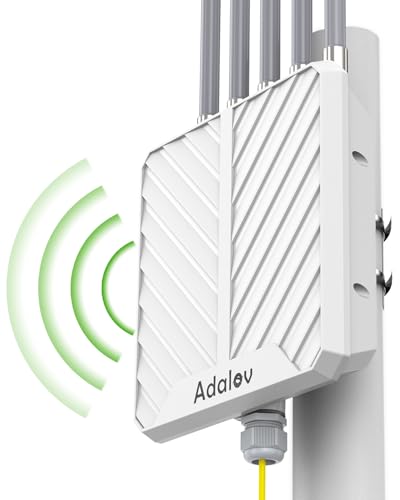
The AdaLov AX3000 outdoor wireless access point is a specialized solution for expansive properties like farms or large estates where indoor hardware cannot reach. It utilizes 5 x 8dBi high-gain antennas to push a signal up to 300 meters, far exceeding the capabilities of standard residential units.
Built to survive the elements, it features an IP67-rated waterproof housing and 6kV lightning protection. This makes it ideal for mounting on poles or external walls to provide connectivity for remote security cameras or outdoor workspaces. While it requires a wired PoE connection for power, it ensures a stable, high-bandwidth link that resists the interference typical of open outdoor environments.
2. BrosTrend AX3000 – best for easy indoor setup
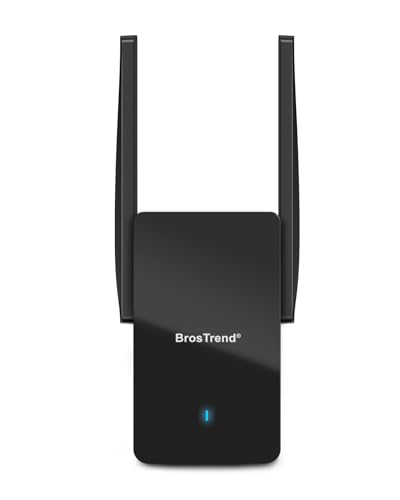
The BrosTrend AX3000 WiFi 6 access point prioritizes residential convenience and indoor aesthetics. Unlike industrial mounting systems, this unit plugs directly into a standard wall outlet, making it an ideal choice for bringing high-speed Wi-Fi to "dead zones" like a finished basement or an attic office.
It matches the raw Wi-Fi 6 performance of larger units, offering 2402Mbps on the 5GHz band to support 4K streaming and gaming. Because it is designed for home use, it focuses on features like Beamforming to direct the signal through interior walls toward specific devices.
3. BrosTrend AC1200 – best for residential outdoor use
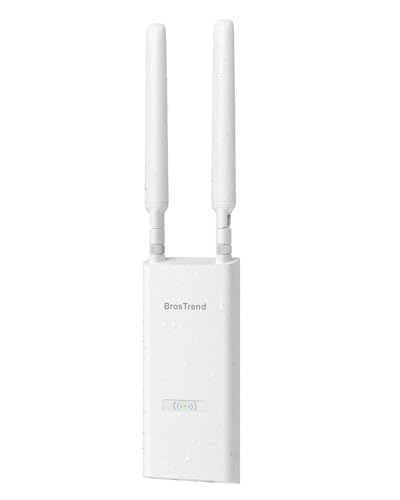
The BrosTrend AC1200 outdoor access point is a cost-effective choice for covering residential outdoor spaces like decks, poolside areas, and gardens. It offers a 656-foot range, which provides enough coverage for most suburban backyards without the extreme power (and cost) of industrial-grade estate extenders.
Despite using an older Wi-Fi standard than the AX3000 models, it supports MU-MIMO and 2x2 streams, which are sufficient for outdoor 4K streaming and video calls. The unit is rated IP65 for dust and water protection and includes 6kV lightning protection to ensure survival through harsh seasonal weather. It is a highly compatible option for those needing a simple PoE-powered expansion for outdoor smart devices.
4. Ubiquiti UniFi U6 Pro – best overall wireless access point
The UniFi U6 Pro is built for users who want strong performance today and flexibility tomorrow. It’s a natural fit for large homes, multi-story buildings and offices where consistent coverage across multiple rooms or floors is critical.
Its biggest advantage is scalability. Through the UniFi controller, you can manage multiple access points from a single dashboard, create separate networks for guests or IoT devices, monitor traffic patterns and fine-tune performance. While setup takes more effort than consumer gear, the payoff is a network that’s easier to expand and control over time.
5. TP-Link Omada EAP660 HD – best value for small businesses
The EAP660 HD is designed for high-density scenarios such as offices, cafés and retail spaces where many users connect at once. It focuses on maintaining stable performance under load rather than chasing headline speeds.
For small businesses, it offers a strong balance between capability and cost. Features like VLAN support, captive portals and centralized management make it easier to separate traffic and maintain control without moving into expensive enterprise hardware.
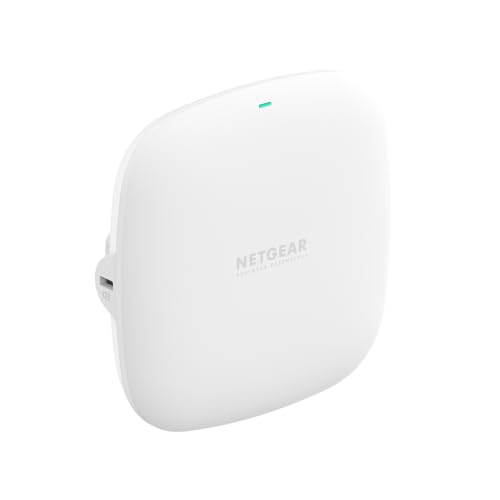
6. NETGEAR WAX210 – best for home offices
The NETGEAR WAX210 is a compact Wi-Fi 6 access point designed for home offices and small workspaces that need reliable wireless performance without enterprise-level complexity. It comfortably supports everyday workloads such as video conferencing, cloud applications, and multiple connected devices, making it a practical upgrade from standard consumer routers.
With standalone management and PoE support, the WAX210 is easy to deploy and maintain, even in environments with limited IT resources. It’s a solid choice if you want improved coverage and stability while keeping your network setup simple and flexible.
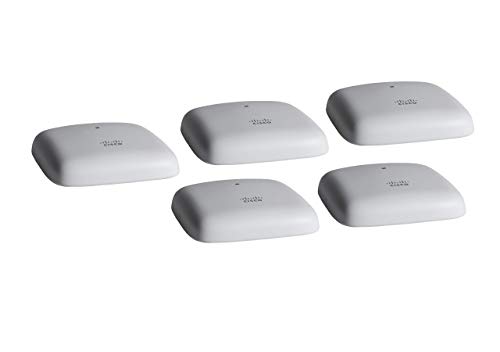
7. Cisco Business 140AC – best for stability-focused setups
The Cisco Business 140AC is aimed at offices that prioritize predictable performance over cutting-edge features. While it lacks Wi-Fi 6 support, it delivers stable, interference-resistant connections for everyday business tasks like email, cloud tools and VoIP.
It’s best suited to smaller offices that want a network that works reliably with minimal configuration, making it a practical option when simplicity and uptime matter more than future-proofing.
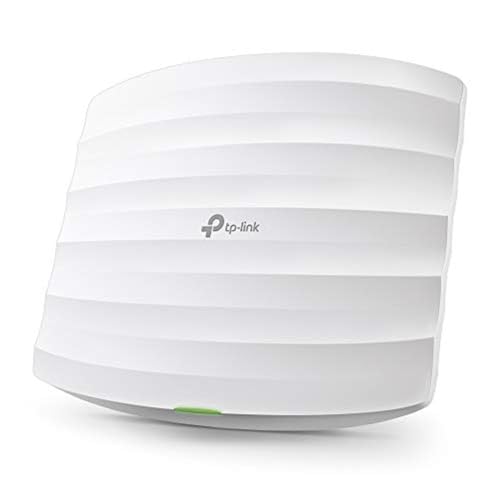
8. TP-Link EAP225 – best budget wireless access point
The EAP225 is a straightforward option for users who need better coverage than a basic router can provide but don’t want to spend much. It works well in apartments, small offices and secondary coverage areas where a single router struggles to deliver consistent signal.
While it’s not designed for heavy loads or long-term expansion, it offers stable performance for everyday tasks like streaming, browsing and light work. As a budget access point, it makes sense for simple setups where affordability and reliability matter more than advanced features.
How we choose the best wireless access points
Choosing a wireless access point isn’t just about picking the newest model or the one with the highest advertised speed. Different environments place very different demands on Wi-Fi hardware, which is why this guide focuses on practical performance rather than theoretical maximums.
To make sure our recommendations reflect real-world use, I worked with the Cybernews research team to evaluate each access point using weighted criteria that mirror how people actually use their networks at home and at work:
- Performance and speed (35%). We focused on throughput stability, how well each access point handles congestion, and how performance holds up when multiple devices are active at the same time. Raw speed matters, but consistency matters more.
- Coverage and scalability (25%). We assessed signal reach, wall penetration, and how effectively each model can be deployed as part of a multi-access-point setup without causing interference or dropouts.
- Ease of setup and management (15%). We evaluated dashboards, configuration workflows, and how approachable the management tools are for non-experts, especially in controller-based systems.
- Features and security (15%). We looked at practical features like VLAN support, guest networks, encryption standards and traffic segmentation that improve both security and usability.
- Value for money (10%). Finally, we compared pricing against performance, features and expected lifespan to understand which models deliver lasting value rather than short-term savings.
Taken together, these criteria help surface wireless access points that perform reliably today and remain useful as network demands grow.
What is a wireless access point?
A wireless access point is a dedicated device that connects to a wired network and broadcasts Wi-Fi to nearby devices. Unlike routers, access points don’t manage internet traffic or assign IP addresses. Instead, they focus entirely on delivering stable, high-quality wireless coverage.
This separation of roles is what makes access points so effective in larger or more complex environments. By offloading Wi-Fi duties to dedicated hardware, you can place access points exactly where coverage is needed rather than where your internet connection enters the building.
Access points are commonly used in offices, schools and retail spaces, but they’re increasingly popular in homes as well, especially where thick walls, multiple floors, or many connected devices make router-based Wi-Fi unreliable.
Wireless access point vs router: what’s the difference?
While routers and access points both broadcast Wi-Fi, they serve different purposes within a network. A router acts as the central hub, directing traffic between your local network and the internet, managing IP addresses and often providing basic security features.
A wireless access point, on the other hand, exists solely to extend and improve Wi-Fi coverage. When you rely on a router alone, Wi-Fi quality is tied to where that router sits. With access points, you can distribute coverage evenly throughout a space, reducing dead zones and improving roaming between rooms.
In practical terms, routers are essential, but access points are what make Wi-Fi scalable. That’s why larger homes and businesses often combine one router with multiple access points rather than relying on a single all-in-one device.
Who should use a wireless access point?
Wireless access points are most useful when Wi-Fi reliability matters more than simplicity. They’re especially well-suited to environments where a single router can’t provide consistent coverage.
Typical use cases include:
- Large homes with multiple floors or thick walls that block signals
- Home offices where video calls, uploads and cloud tools run all day
- Small businesses, cafés and retail spaces with many simultaneous users
- Users planning to expand their network gradually over time
In these scenarios, access points provide more predictable performance and make it easier to adapt as needs change.
How to choose the best wireless access point
Choosing the right wireless access point starts with understanding your space and usage. Wi-Fi standard is important – Wi-Fi 6 models offer better efficiency and device handling – but it shouldn’t be the only factor.
Coverage needs, PoE support and management style often matter more in practice. Controller-based systems are better for larger or growing networks, while standalone access points are easier to manage in fixed setups.
It’s also worth thinking ahead. If you expect to add more devices, users, or rooms in the future, choosing an access point that supports expansion can save money and frustration later.
Final word on the best wireless access points
The best wireless access point isn’t the one with the highest speed rating, but the one that fits your space and usage patterns. For most users looking to extend their network across expansive grounds, AdaLov AX3000 stands out thanks to its balance of range, durability, and high-speed Wi-Fi 6 performance.
That said, simpler or more affordable options on this list can still deliver excellent results when matched to the right environment. The key is choosing an access point that solves today’s coverage problems while leaving room for tomorrow’s demands.
FAQ
Is a wireless access point better than a router?
Yes, a wireless access point is better for extending coverage and improving Wi-Fi performance, but it works alongside a router rather than replacing it. Routers handle traffic and internet access, while access points focus on delivering consistent wireless coverage.
Do wireless access points need Ethernet?
Yes, most wireless access points require an Ethernet connection to provide stable backhaul and predictable performance, especially in busy networks.
Can I use multiple wireless access points?
Yes, using multiple access points is ideal for large spaces, as it allows Wi-Fi coverage to be distributed evenly and managed centrally for seamless roaming.
Is PoE important for access points?
Yes, Power over Ethernet simplifies installation, letting a single cable provide both power and data, which is especially useful when mounting access points on ceilings or walls.