Best laptops under $1,000: tested in 2026


Have you noticed that it takes longer and longer to open apps or run programs on your laptop? It might be a sign that it's time for an upgrade. But choosing a new laptop isn't easy. You'll likely use it for the next few years, so you want something that will last without necessarily spending a fortune.
That's why I researched the market to find the best laptops under $1,000 in 2026. I tested and rated each model based on its performance, battery life, and overall value for money. I also picked options for different needs, whether you're looking for a laptop under $1,000 for work, gaming, school, or everyday use. Read on to find the one that best fits your needs.
Top laptops under $1,000: our shortlist
- MacBook Neo – best MacBook under $1,000
- Lenovo IdeaPad Slim 3 – best laptop for students
- HP Envy x360 – best touchscreen laptop under $1,000
- Acer Swift 16 AI – laptop with the best battery life
- Acer Aspire 16 – best laptop with a large display
- ASUS ExpertBook B1 – best laptop for storage expansion
- HP ProBook 4 G1a – laptop for business security
- Lenovo ThinkPad L16 – best laptop under $1,000 for business
- Dell Inspiron 14 – best everyday 2-in-1 laptop
- HP Victus – best gaming laptop
Best laptops under $1,000: a deep dive
Choosing a good laptop under $1,000 for school, work, or everyday use isn't always straightforward. Below, I review 10 of the best laptops that cost less than $1,000/£1,000 in detail, explaining what each one does best and what to consider before buying.
1. MacBook Neo – best Mac under $1,000
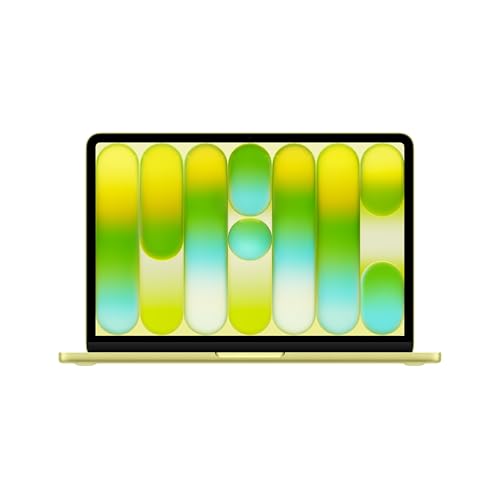
Getting a MacBook under $1,000 was practically impossible until Apple released the MacBook Neo in 2026. This model makes it much easier to get your hands on a MacBook without spending a fortune, especially if you're a die-hard Apple fan.
The MacBook Neo is a great portable laptop. It has a 13-inch screen and weighs just 2.7 pounds, making it easy to carry around. It also comes in several colors, so you can choose a more neutral option like Silver or Indigo, or go for something brighter and more fun.
Apple advertises that MacBook Neo has up to 16 hours of battery life. The laptop also features the 13-inch Liquid Retina display, so all colors are super vibrant. You also get a 1080p camera, which is ideal for video calls. Apple's A18 Pro chip handles everyday tasks smoothly, from browsing and streaming to working with documents and switching between lighter apps.
The only limitation we noted in our MacBook Neo review is its performance. With just 8GB of RAM, the MacBook Neo isn't made to handle demanding workloads. If you regularly play games or use heavy apps for 3D rendering and AI tasks, you'll want something more powerful. However, for school, work, and everyday browsing, it's a prime pick.
2. Lenovo IdeaPad Slim 3 – top laptop for students
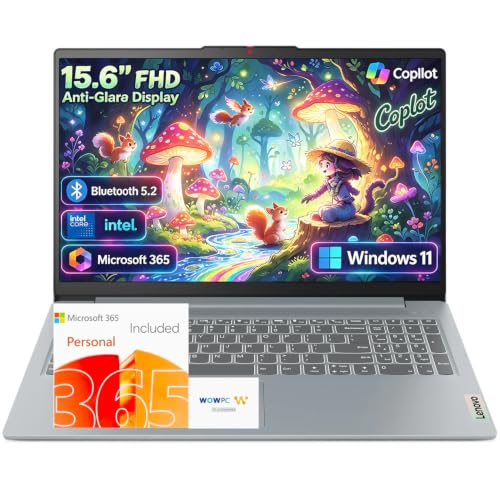
The Lenovo IdeaPad Slim 3 is my pick for students who need plenty of storage for coursework, enough power to run several apps simultaneously, and a comfortable screen for long study sessions. Its 2TB SSD gives you plenty of room for lecture recordings, research materials, presentations, and personal files, so you won't have to constantly delete things to free up space. The 15.6-inch touchscreen also makes it easy to navigate documents, slides, and other study materials.
At its core, the IdeaPad Slim 3 features an AMD Ryzen 7 5825U processor and 16GB of RAM. This combo handles everyday student workloads with ease, whether you're researching with multiple browser tabs open, writing assignments, working on spreadsheets, or attending online classes.
The 15.6-inch Full HD display provides a wide viewing area for reading, writing, and remote learning. Its slim design also makes it easier to carry between lectures and study sessions. While it's not built for demanding gaming or professional creative work, it's a dependable everyday laptop that covers most students' needs.
3. HP Envy x360 – best laptop under $1,000 with a touchscreen
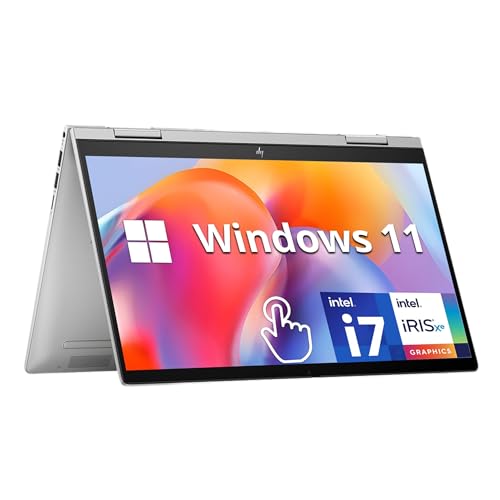
I picked the HP Envy x360 as the best touchscreen laptop under $1,000 because its responsive touchscreen and 360-degree hinge make it easy to switch between different ways of working. You can fold the display back to use it as a tablet, prop it up in tent mode for watching videos, or stick to the traditional laptop setup. While the Lenovo IdeaPad Slim 3 also has a touchscreen, the Envy x360 offers more flexibility, making it better suited for digital note-taking, sketching, and navigating apps with your fingers.
The HP Envy x360 also packs an Intel Core i7-1355U processor, 16GB of RAM, and a 1TB SSD. This combination gives you enough power for multitasking, everyday productivity, and working with larger files. Its 14-inch Full HD IPS display works well for routine work, but its limited color coverage isn't ideal for photo editing. Intel Iris Xe graphics handle light creative work but struggle with demanding applications.
You also get a 5MP webcam for video calls, Wi-Fi 6E connectivity, and a backlit keyboard for working in dim environments. Overall, it's a versatile everyday laptop with a touchscreen that you can also use as a tablet.
4. Acer Swift 16 AI – best laptop for long battery life
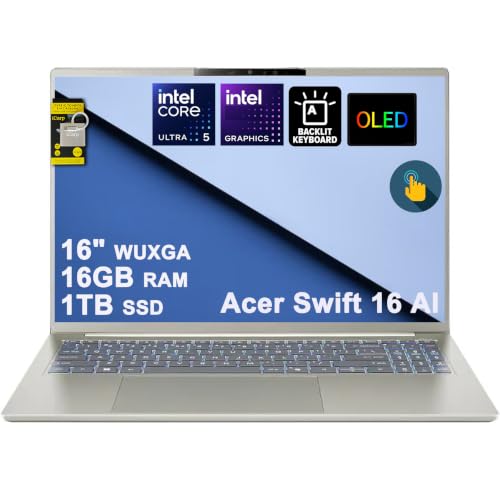
The Acer Swift 16 AI is a strong choice for anyone who needs a laptop that can last through a full workday without constantly looking for a power outlet. Its 70Wh battery delivers up to 14 hours of web browsing and up to 24 hours of video playback, according to Acer. This makes it particularly suitable for students and professionals who spend long hours working away from a desk.
Battery life isn't its only advantage. The laptop features an Intel Core Ultra Series 3 processor, with configurations offering up to 32GB RAM and a 2TB SSD. It’s also optimized for on-device AI tasks, making it a Copilot+ PC.
Its 16-inch OLED touchscreen offers a sharp 2880x1800 resolution, deep blacks, vibrant colors, and smooth scrolling thanks to its 120Hz refresh rate. This gives you a much nicer screen to work with, whether you're watching movies, browsing, or working with photos.
However, its integrated graphics aren't ideal for demanding gaming or heavy 3D workloads, and the glossy screen can be distracting in brightly lit environments.
5. Acer Aspire 16 – best big-screen laptop
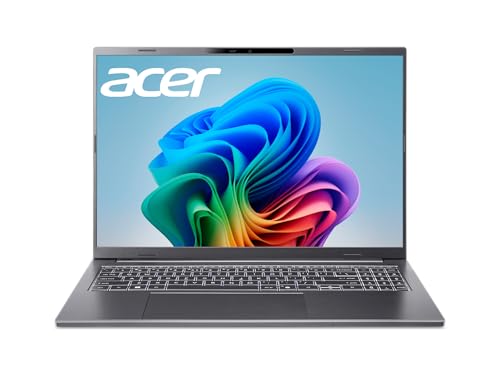
The Acer Aspire 16 is a good option if you want a larger display without sacrificing everyday performance or portability. Its 16-inch screen gives you more room to work with documents, spreadsheets, and multiple windows side by side.
Under the hood, the Aspire 16 runs on an Intel Core Ultra 5 processor, paired with 16GB of RAM and a 512GB SSD. This setup handles everyday multitasking, office applications, and browsing with multiple tabs without much trouble. Its integrated Intel Arc 130V graphics can also handle light creative work, though it's not intended for demanding gaming or video editing.
The 1920x1200 resolution provides a 16:10 aspect ratio, giving you extra vertical space compared to standard 16:9 screens. The 120Hz refresh rate also makes scrolling and animations look smoother. I also like that it has a matte IPS touchscreen, which reduces glare compared to the glossy display on the Acer Swift 16 AI. This makes the Aspire 16 more comfortable to use in brightly lit environments.
6. ASUS ExpertBook B1 – best laptop for storage upgradability
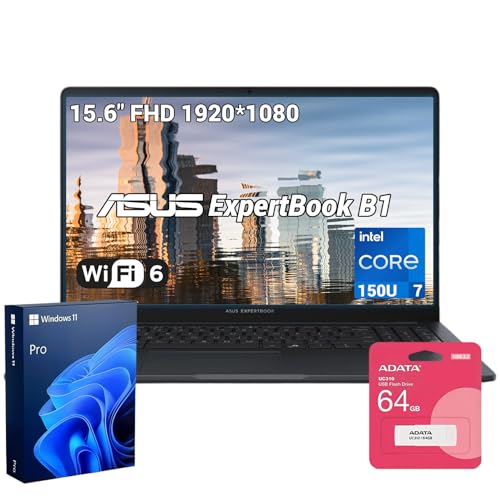
The ASUS ExpertBook B1 earns its spot as the best laptop for storage expansion thanks to its upgrade-friendly design. Unlike laptops with soldered storage, the ExpertBook B1 uses a replaceable SSD, which means you can increase storage capacity without replacing the entire laptop.
Beyond storage, the ExpertBook B1 is a practical everyday work laptop. It comes with Intel Core processors that can comfortably handle web browsing, spreadsheets, and video calls. It also offers expandable RAM, giving you another way to improve performance as your workload grows.
I also like that ASUS hasn't overlooked connectivity. The ExpertBook B1 offers a practical selection of ports, including USB-A, USB-C, HDMI, and Ethernet. This means you can connect external monitors, wired networks, and accessories without relying heavily on adapters.
The main compromise is its display. It uses basic IPS-level panels that are fine for office work but lack the brightness and color accuracy you'd want for demanding creative tasks.
7. HP ProBook 4 G1a – best laptop for business security
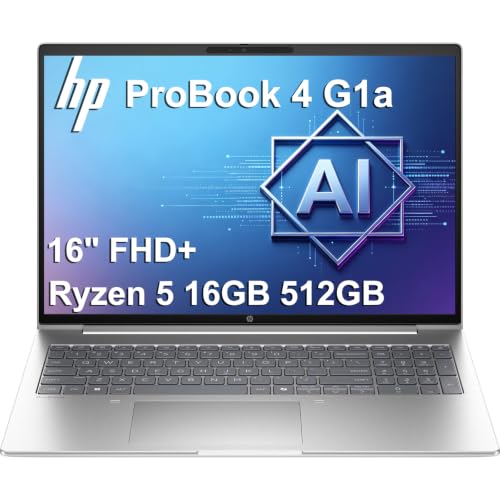
The HP ProBook 4 G1a is a great choice for business security because of its built-in security features. One of the most notable ones is HP Wolf Security, which adds several layers of protection against malware, suspicious files, and unauthorized access.
One feature I particularly like is HP Sure Click. It opens potentially dangerous websites and files in isolated environments, so any malware they contain can't easily spread to the rest of the system. There's also HP Sure Sense, which uses AI to detect and block malware, including threats that traditional antivirus software might miss. Another useful addition is HP Sure Start. It checks the laptop's BIOS for signs of tampering and can automatically restore it if something goes wrong.
The ProBook 4 G1a also comes with a TPM 2.0 chip, which helps protect encryption keys and login credentials. Depending on the configuration, you can also get a fingerprint reader for quicker and more secure sign-ins. Overall, I think HP has done a good job of covering different security risks, making this laptop a solid option for businesses that handle sensitive information.
8. Lenovo ThinkPad L16 – best business laptop under $1,000
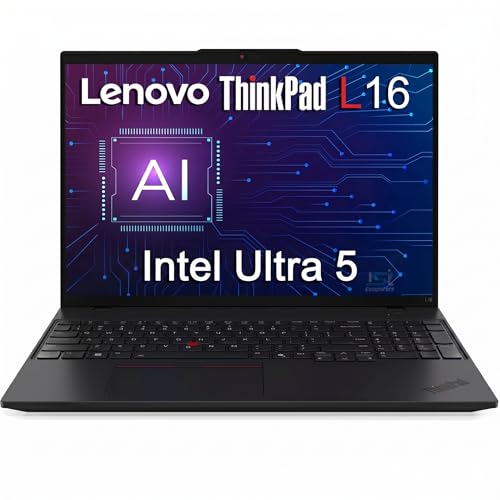
The Lenovo ThinkPad L16 is an excellent choice for business users who need a dependable laptop for work. It combines capable performance, a comfortable keyboard, business-focused security features, and plenty of connectivity options, making it especially fitting for professionals who spend most of their day working with documents, spreadsheets, and multiple applications.
Powered by an Intel Core Ultra 5 processor, the ThinkPad L16 can handle everyday productivity tasks and video conferencing without much trouble. Its 16GB RAM provides enough headroom to keep multiple applications and browser tabs running smoothly, while the 512GB SSD offers fast boot times and sufficient storage for work files.
Security is another strong point of the ThinkPad L16. The laptop includes a TPM 2.0 security chip, a webcam privacy shutter, and optional fingerprint and facial recognition features. Its selection of ports, including Thunderbolt 4, HDMI, USB-A, and Ethernet, also makes connecting external monitors and office equipment easy.
Plus, its spill-resistant keyboard and MIL-STD-810H durability testing make it a practical everyday work companion. The laptop also has an anti-glare coating, which helps reduce reflections in brightly lit offices.
9. Dell Inspiron 14 – best 2-in-1 laptop for everyday use
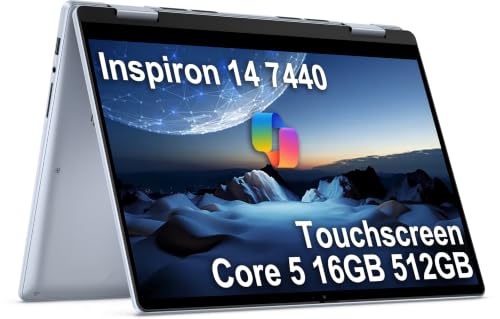
I selected the Dell Inspiron 14 for those who want more flexibility than a traditional laptop can offer. Its 360-degree hinge lets you switch between laptop, tablet, tent, and stand modes, making it convenient for everything from typing documents and browsing the web to watching videos or taking notes. The touchscreen also makes navigation feel more natural, especially when using it in tablet mode.
Compared to the HP Envy x360, another 2-in-1 laptop on my list, I found the Inspiron 14 more practical thanks to its full-size SD card reader, which makes connecting accessories and transferring photos easier.
The Inspiron 14 is powered by an Intel Core 7 processor and 16GB of RAM, providing enough performance for everyday multitasking, office applications, streaming, and video calls. Its 512GB SSD gives you decent storage for documents, photos, and software.
I also like its 14-inch FHD+ touchscreen. The 1920x1200 resolution and 16:10 aspect ratio provide more vertical workspace than the HP Envy x360's Full HD display, which comes in handy when reading documents or browsing websites. The 300-nit brightness also makes the screen easier to see in well-lit environments. A 54Wh battery provides a decent amount of capacity for daily use, too.
10. HP Victus – best laptop for gaming
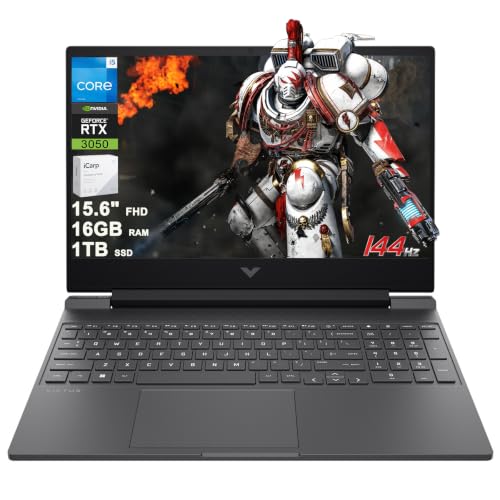
The HP Victus is my pick for the best gaming laptop because it offers dedicated NVIDIA graphics and strong processing hardware to run modern PC games. Unlike regular everyday laptops that rely on integrated graphics, the Victus has a dedicated GPU designed to handle more demanding games, deliver better frame rates, and support higher graphical settings.
I was also impressed by the processor options HP offers. Depending on the configuration, you can get an Intel Core i5-13420H or Core i7-12650H. Both are capable chips that provide enough processing power to handle heavy games, while also keeping background apps and everyday tasks running smoothly. Combined with the dedicated NVIDIA graphics, this makes the Victus better equipped for demanding titles than laptops with integrated graphics alone.
The display is another important part of the gaming experience. The HP Victus comes with a Full HD display and a refresh rate of up to 144Hz. This means smoother motion during fast-paced games, which is particularly useful in shooters, racing games, and other titles where quick reactions matter. The larger screen also gives you more room to see what's happening in-game.
Top laptops under $1,000 compared
Take a look at the table below to see how the best laptops under $1,000 differ in key specifications.
| Laptop | Best for | Processor | Screen size | RAM | Battery life |
| MacBook Neo | Portability | A18 Pro | 13" | 8GB | Up to 16 hours |
| Lenovo IdeaPad Slim 3 | Students and everyday use | AMD Ryzen 3/5/7 or Intel Core i3 | 14"-16" | 8GB-32GB | Up to 14 hours |
| HP Envy x360 | Touchscreen and 2-in-1 use | Intel Core i7 | 14" | 16GB | Up to 12 hours |
| Acer Swift 16 AI | Long battery life | Intel Core Ultra | 16" | 16GB | Up to 24 hours |
| Acer Aspire 16 | Large-screen productivity | Intel Core Ultra 5/7 or Snapdragon X | 16" | 16GB-32GB | Up to 17 hours |
| ASUS ExpertBook B1 | Budget business laptop | Intel Core i3/i5/i7 | 14"-15.6" | 4GB-32GB | Up to 8 hours |
| HP ProBook 4 G1a | Business and multitasking | AMD Ryzen 5/7 | 14"-16" | 8GB-64GB | Up to 12 hours |
| Lenovo ThinkPad L16 | Business and office productivity | Intel Core 5/7 | 16" | 16GB-64GB | Up to 13 hours |
| Dell Inspiron 14 | 2-in-1 versatility | Intel Core 5 | 14" | 16GB | Up to 17 hours |
| HP Victus | Gaming | Intel Core i5/i7 or AMD Ryzen 5/7 | 15.6"-16.1" | 8GB-32GB | Up to 11 hours |
FAQ
Is a laptop under $1,000 worth it?
Yes, you can get a reliable, powerful laptop under $1,000 without compromising on essential features. Models like the MacBook Neo, Lenovo IdeaPad Slim 3, and HP Envy x360 offer great performance for general use, work, and studying.
Is $1,000 enough for a gaming laptop?
Yes, $1,000 is enough to get a capable gaming laptop. The HP Victus is a good option in this price range, offering dedicated graphics and enough processing power to run many modern games smoothly.
How to choose the best laptop under $1,000?
Start by considering what you'll use your laptop for, whether it's work, studying, gaming, or everyday browsing. Then compare the processor, RAM, storage, display quality, battery life, and portability to find the best fit.
What laptop brand is the most reliable?
There isn't one laptop brand that's always the most reliable. Apple, Lenovo, HP, and Dell all offer dependable models. However, reliability depends more on the specific laptop, its build quality, components, and warranty than the brand name alone.
What is the most powerful laptop under $1,000?
The HP Victus is one of the most powerful options under $1,000, particularly for gaming and demanding workloads. Its dedicated graphics card and capable processor give it an advantage over laptops designed primarily for everyday tasks.
What to look for in a laptop under $1,000?
Look for at least 16GB of RAM, a modern processor, and a 512GB SSD for smooth everyday performance. Also consider display resolution, battery life, build quality, and connectivity to make sure the laptop meets your needs.
Is HP or Lenovo better?
It depends on what you're looking for and which models you're comparing. Both brands offer solid laptops, but some models are better suited to specific needs. For example, the Lenovo IdeaPad Slim 3 is a good option for students, while the HP ProBook 4 G1a stands out for its business security features.
Which laptop brand is best on a budget?
Don't focus too much on the brand. Instead, compare individual models and what they offer for the price. Apple, Lenovo, HP, Acer, ASUS, and Dell all have affordable laptops worth considering, so the best choice comes down to your budget and what you need the laptop to do.