Best VPN for TwinSpires in 2026
Our in-house cybersecurity experts and journalists, renowned for major reports like The Mother of All Breaches, conduct transparent, unbiased VPN testing and in-depth analysis.
With 750+ articles crafted based on real-world research, we empower readers to make informed purchasing decisions through first-hand expertise.


-
TwinSpires is an online horse racing betting platform available only in selected US states due to local gambling regulations.
-
To access TwinSpires from unsupported locations, you must use a premium VPN to connect via a supported state like New York or Florida.
-
Based on my tests, NordVPN is the best VPN for TwinSpires thanks to its fast speeds, reliable connections, and strong privacy features.
*Currently, NordVPN's cheapest plan is discounted to $3.49/month. You also get 3 extra months free and can try it risk-free with a 30-day money-back guarantee.
TwinSpires is an online horse racing betting platform that allows users to place wagers on live races and betting pools. It is only available in selected US states due to gambling regulations and licensing rules, meaning users outside approved states cannot access the platform or place bets.
Because of these restrictions, users look for a VPN for TwinSpires to change their virtual location and access the platform through a supported US state, such as California, New York, or Kentucky.
That said, while VPNs can change your apparent location, TwinSpires actively monitors for mismatches. If detected, you may experience session interruptions or temporary holds on withdrawals during account review. Using a VPN for access may also violate the platform's terms and potentially conflict with gambling laws in your area.
If you're considering this route, review TwinSpires' terms of service and your state's online gambling regulations first.
Our recommended VPNs for TwinSpires
| VPN for TwinSpires | Rating | Best for | Servers | Servers in the US | Price |
| 1. NordVPN | Best overall TwinSpires VPN | Thousands of servers across 225 locations | 3,420+ servers across 55 locations | From $3.49/month | |
| 2. Surfshark | Best budget TwinSpires VPN | 4,500+ servers in 100 countries | 600+ servers across 24 cities | From $2.49/month | |
| 3. Proton VPN | Secure VPN for TwinSpires | 20,700+ servers in 149 countries | 6,070+ servers across 22 cities | From $2.99/month | |
| 4. IPVanish | Simple VPN for TwinSpires access | 3,400+ servers in 112 countries | 1,530+ servers across 22 cities | From $2.39/month | |
| 5. Norton VPN | Beginner-friendly betting VPN | Undisclosed number of servers in 65 countries | Undisclosed number of servers across 25 cities | From $3.33/month |




We spare no effort to test the products & their features. All information is gathered by our in-house research team & fact-checked by our team of experts. Discover the ins and outs of our testing procedures.
How to access your TwinSpires account while traveling

- Get a fast VPN with servers across the US. I recommend NordVPN for its speed, reliability, and strong privacy.
- Download the app and log in.
- Connect to a server in a TwinSpires-supported state, such as Florida or New York.
- Visit the TwinSpires platform and start placing bets on horse races.
For safer and more reliable TwinSpires access, turn on your VPN’s kill switch and DNS leak protection. These features help keep your connection secure and prevent your real IP address from leaking if the VPN connection drops.
Best VPNs for TwinSpires – my detailed list
To select the best VPNs for TwinSpires, our research team and I tested more than 41 different VPNs for gambling. I focused on key features like US server coverage, stable connections, fast speeds, and strong privacy tools such as leak protection and a kill switch.
Based on my tests, NordVPN, Surfshark, Proton VPN, IPVanish, and Norton VPN stood out as the best TwinSpires VPNs due to their reliable US connections, consistent performance, and strong security features.
1. NordVPN – overall best VPN for TwinSpires in 2026

| Rating: | |
| Based in: | Panama |
| Servers: | Thousands of servers in 225 locations |
NordVPN is the best VPN for TwinSpires because it combines fast US servers, reliable connections, and strong privacy features. During my tests, it consistently worked with TwinSpires on supported state servers and performed better than the other VPNs I tested, especially when switching between locations.
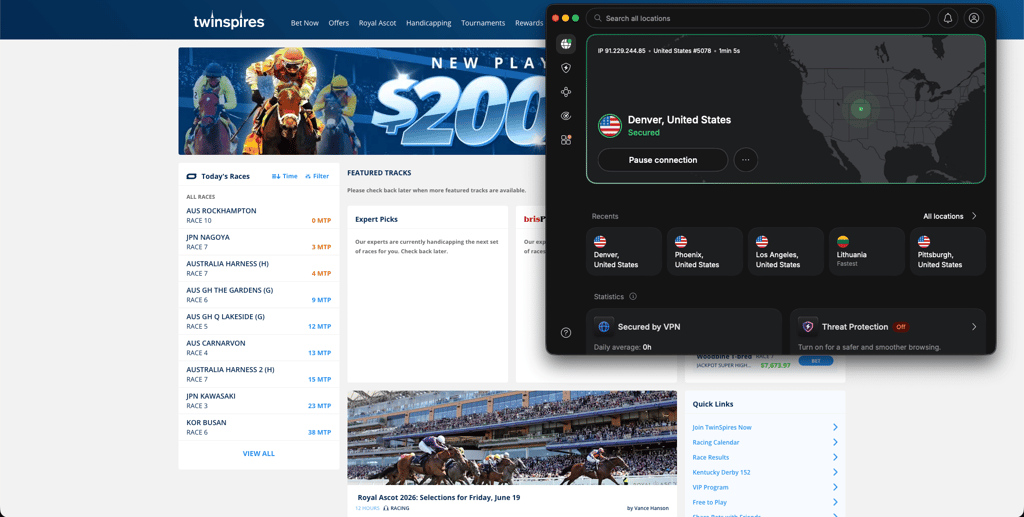
NordVPN successfully connected to TwinSpires 95% of the time during testing. It has 3,420+ servers across 55 US locations, making it easy to switch to a supported state when needed.
Best NordVPN servers for TwinSpires:
- New York City, New York
- Los Angeles, California
- Miami, Florida
NordVPN kept 85% of my original 940 Mbps connection speed, so TwinSpires loaded quickly and worked without noticeable slowdowns. I also tested for IP and DNS leaks, and my real location never appeared. The kill switch worked properly and blocked my connection when I simulated a VPN drop.
My verdict: NordVPN is the best VPN for TwinSpires if you want the most reliable experience. Plans start at $3.49/month, include a 3-day Android free trial, and a 30-day money-back guarantee.
2. Surfshark – most affordable VPN for TwinSpires

| Rating: | |
| Based in: | Netherlands |
| Servers: | 4,500+ servers in 100 countries |
Surfshark is a budget-friendly VPN for TwinSpires, with plans starting from just $2.49/month. It offers solid speeds, stable US servers, and strong privacy features, making it a good option for accessing TwinSpires from outside supported states.
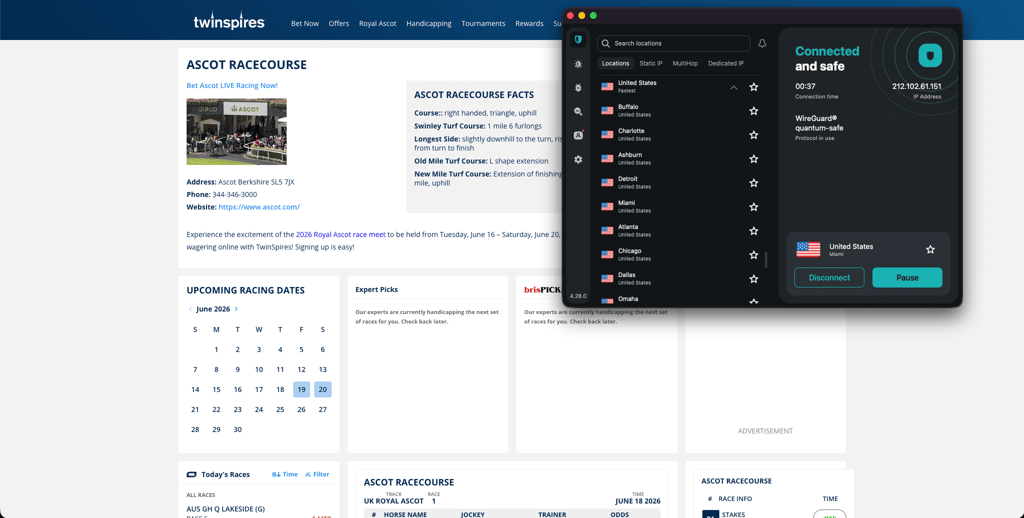
In testing, Surfshark worked with TwinSpires 90% of the time. It has 600+ servers across 24 US cities, so you can easily switch if one server fails.
Best Surfshark servers for TwinSpires:
- Boston, Massachusetts
- Seattle, Washington
- New York City, New York
Surfshark maintained 82.8% of my original 940 Mbps speed, so TwinSpires ran smoothly with no noticeable delays. I didn’t detect any IP or DNS leaks, and the kill switch worked properly during connection drops.
Compared to NordVPN, Surfshark was slightly less consistent when switching servers but still reliable overall for the lower price.
My verdict: Surfshark is the best-value VPN for TwinSpires, starting at $2.49/month, with a 7-day free trial and a 30-day money-back guarantee.
3. Proton VPN – privacy-focused VPN for TwinSpires

| Rating: | |
| Based in: | Switzerland |
| Servers: | 20,700+ servers in 149 countries |
Proton VPN is a privacy-focused VPN for TwinSpires. It offers strong security features, stable US access, and consistent performance, making it a solid option for accessing TwinSpires from outside supported states.
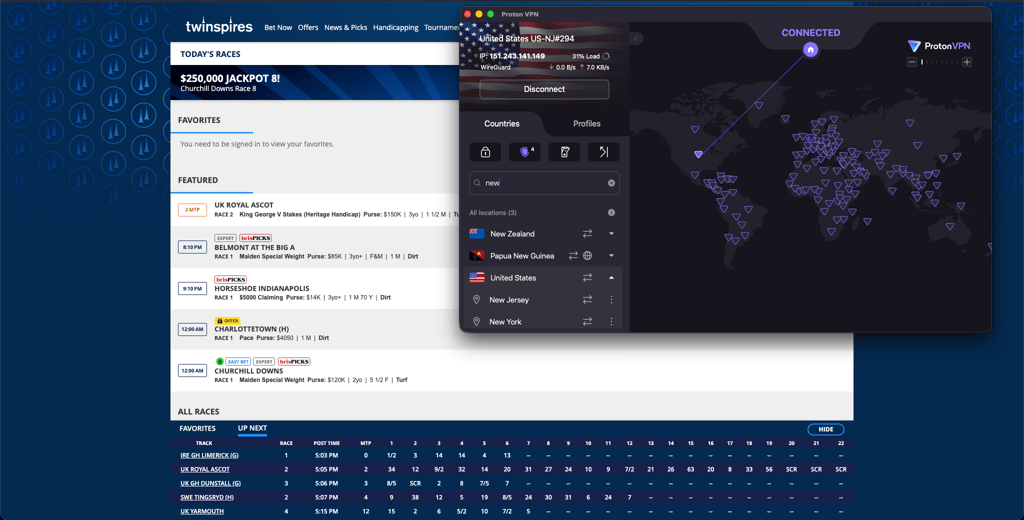
Proton VPN worked with TwinSpires 84% of the time when testing. It has 6,070+ servers across 22 US cities, giving enough options to switch if one server fails.
Best Proton VPN servers for TwinSpires:
- Ohio
- Pennsylvania
- Virginia
Proton VPN kept 81.9% of my original 940 Mbps speed, so TwinSpires loaded at a steady pace with only minor delays. I didn’t detect any IP or DNS leaks during testing, and the kill switch worked properly when I forced a connection drop.
Compared to NordVPN and Surfshark, Proton VPN was slightly slower to connect, but once running, it stayed stable throughout use.
My verdict: Proton VPN is a solid VPN for TwinSpires, starting at $2.99/month, with a free plan and a 30-day money-back guarantee.
4. IPVanish – straightforward VPN for easy TwinSpires access

| Rating: | |
| Based in: | United States |
| Servers: | 3,400+ servers in 112 countries |
IPVanish is an easy-to-use VPN for TwinSpires that focuses on simple setup and quick access to US servers. It’s a good choice if you want a VPN that works without complicated settings or advanced configuration.
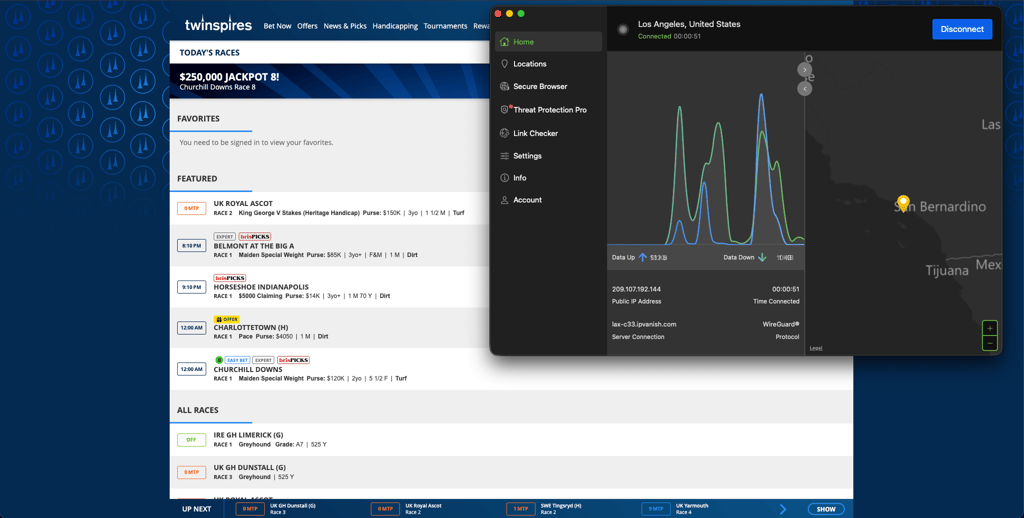
IPVanish worked with TwinSpires 80% of the time while testing. It offers 1,530+ servers across 22 US cities, which is fewer than NordVPN or Surfshark but still enough to find working connections in key locations.
Best IPVanish servers for TwinSpires:
- Buffalo, New York
- New Orleans, Louisiana
- Chicago, Illinois
During testing, IPVanish kept 71.9% of my original 940 Mbps speed. TwinSpires stayed responsive for browsing races and placing bets, although performance wasn't as consistent as NordVPN or Surfshark.
I also didn’t detect any IP or DNS leaks, and the kill switch worked properly when the connection dropped, keeping my real location hidden throughout use. Compared to other VPNs in this list, IPVanish is less about performance and more about simplicity and ease of access.
My verdict: IPVanish is a simple VPN for TwinSpires, starting at $2.39/month, with a 30-day money-back guarantee and a 7-day mobile free trial.
5. Norton VPN – user-friendly VPN for TwinSpires

| Rating: | |
| Based in: | United States |
| Servers: | Servers in 65 countries |
Norton VPN is a general-purpose VPN for TwinSpires that focuses on stable connections and basic privacy protection. It’s mainly designed for users who already use Norton security products and want a VPN that runs quietly in the background without much manual control.
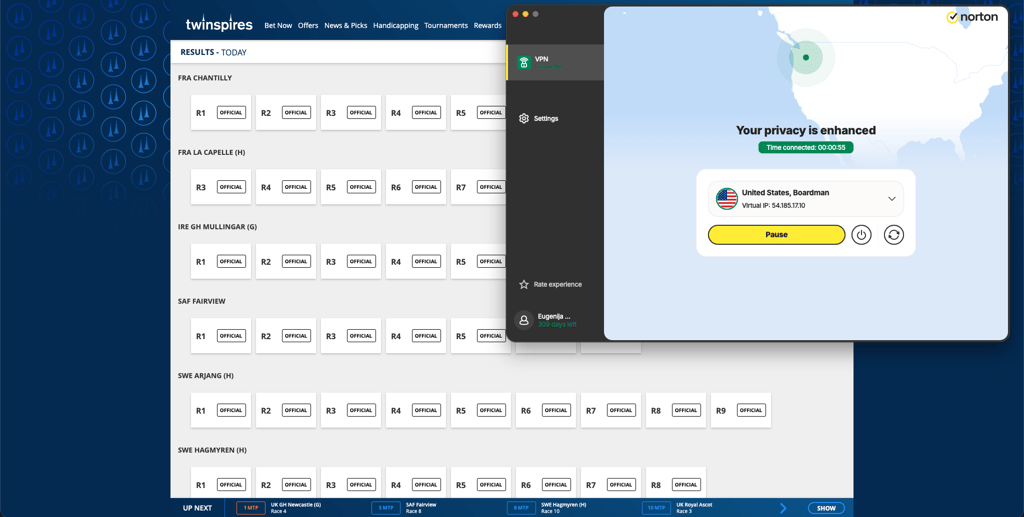
Norton VPN worked with TwinSpires 75% of the time in testing. It offers servers across 25 US cities, which is enough to connect through supported states, but performance is less consistent than NordVPN or Surfshark.
Best Norton VPN servers for TwinSpires:
- Tampa, Florida
- Boardman, Oregon
- Los Angeles, California
During testing, Norton VPN maintained 77.8% of my original 940 Mbps speed. TwinSpires loaded without major issues, but connections sometimes took longer to fully stabilize compared to other VPNs.
IP and DNS leak checks showed no issues, and the kill switch worked properly when the connection dropped, keeping the session protected throughout use.
My verdict: Norton VPN is a basic VPN for TwinSpires, starting at $3.33/month, with a 30-day free trial and a 60-day money-back guarantee on all annual subscriptions.
Where is TwinSpires legal?
TwinSpires is only available in selected US states where online horse race betting is legal. Because it's licensed on a state-by-state basis, you won't be able to access your account or place bets if you're in a state where the platform isn't approved.
TwinSpires is currently available in: Alabama, Arkansas, California, Connecticut, Delaware, Florida, Illinois, Iowa, Kansas, Kentucky, Louisiana, Maryland, Massachusetts, Montana, New Hampshire, New York, North Dakota, Ohio, Oklahoma, Oregon, Pennsylvania, Rhode Island, South Dakota, Tennessee, Vermont, Virginia, Washington, West Virginia, Wisconsin, and Wyoming.
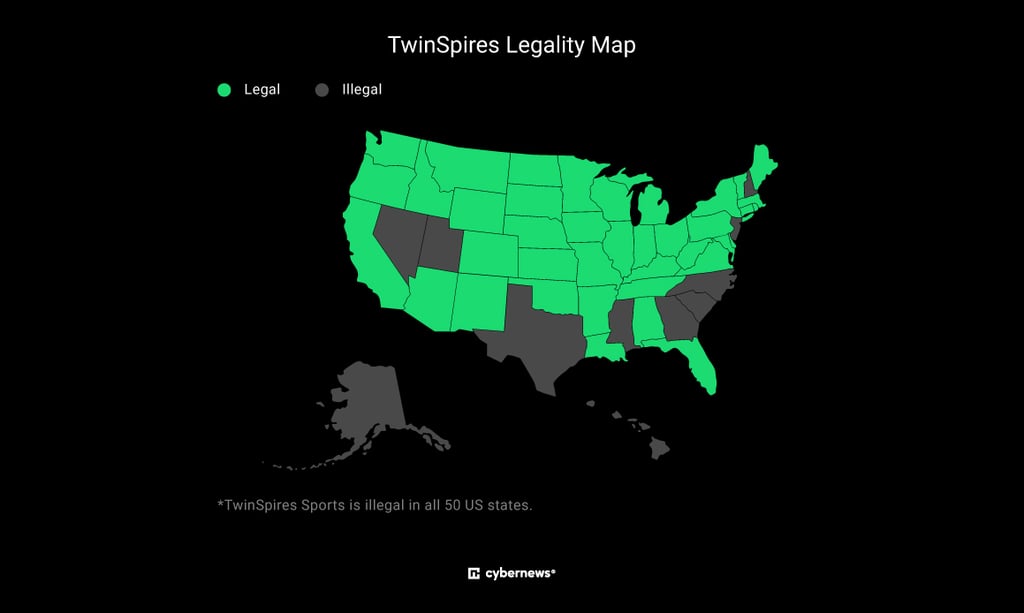
If you're traveling or located outside a supported state, a reliable VPN can route your connection through a supported location, helping you access TwinSpires more securely.
Note: Using a VPN is legal in most countries, but using one to bypass TwinSpires' location restrictions may violate the platform's terms of service or local gambling laws. Cybernews does not encourage breaking the law or violating platform rules. Always check the regulations in your location before using a VPN.
How to access TwinSpires from unsupported locations
TwinSpires blocks access from states where it isn't licensed to operate. If you're traveling or located in a restricted state, here's how to use a VPN to connect through a supported location.
Step 1. Choose a reliable VPN
To access TwinSpires while traveling out of state, you need a reliable VPN with a broad selection of US servers to resolve any geofencing issues that may flag your temporary location. NordVPN performed best in my tests; it connected to TwinSpires seamlessly, and switching to a new server took only a few seconds when my connection was blocked.
Once I was in, TwinSpires loaded quickly, and everything felt smooth browsing between pages. A Los Angeles server gave me the most stable connection during testing, so I kept using it when I needed consistency. I also ran leak checks while using it, and my real location never showed up.
Step 2. Download and install the VPN
After subscribing, download the VPN app directly from the official website or your device’s app store. Install it and log in using your details. Always use official sources like https://nordvpn.com to avoid unsafe or modified versions of the app.
Step 3. Connect to a supported US state
TwinSpires is only available in certain US states where online horse racing betting is licensed, such as California, Florida, New York, and a few others. Open your VPN app and select a server in one of these supported states to change your IP address and appear to be accessing the platform from an approved location.
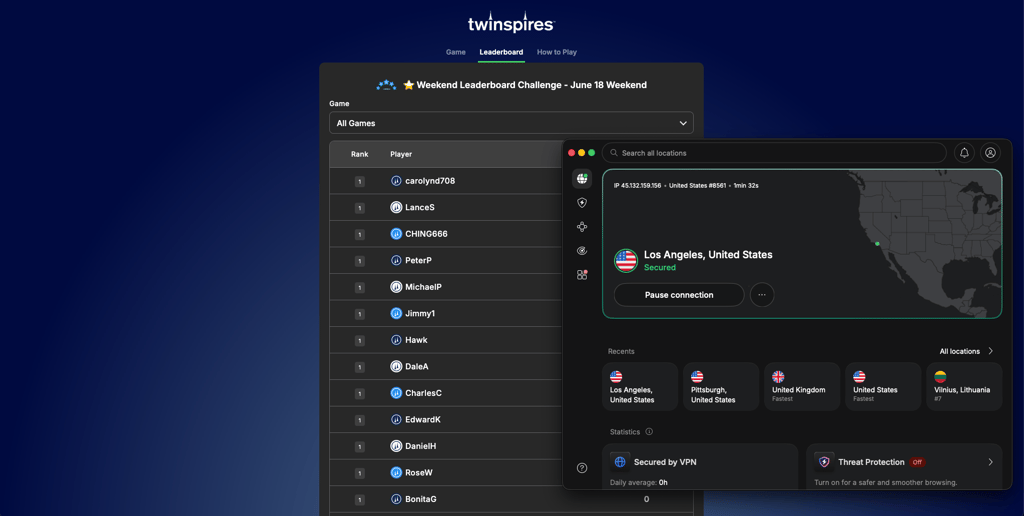
In my testing, switching between states like California and Florida helped when one server was slower or did not load properly. It only takes a moment to reconnect, which keeps access stable while using TwinSpires.
Step 4. Visit TwinSpires and start betting
Once the VPN is connected, open TwinSpires in your browser or app and log in to your account. The site should now load normally, letting you browse horse races, check odds, and place bets as usual.
If something feels slow or does not load correctly, try switching to another US server and refreshing the page. Keeping the VPN on in the background helps maintain a stable connection while you use the platform.
How to use TwinSpires abroad on an iPhone
TwinSpires only works in certain US states, so if you're traveling or outside those areas, you may need a VPN to access it on your iPhone. The process is a little different from desktop because you'll usually access TwinSpires through Safari, and you can even add it to your Home Screen for quicker access.
- Download a VPN for iPhone. From my testing, NordVPN is the most reliable option thanks to its stable US servers and consistent performance with TwinSpires.
- Install and log in. Get the app from the App Store, install it, and sign in using your VPN account.
- Connect to a US location. Pick a server in a supported state, such as New York, Florida, or California, to change your virtual location.
- Open TwinSpires in Safari. Go to the TwinSpires website, log in, and you can also add it to your Home Screen for faster access later.
How to fix "TwinSpires not available in your region" error
The “TwinSpires not available in your region” message usually appears when the platform can see your actual IP address rather than your VPN. It can also happen if the VPN server you’re using is blocked or too busy, if your browser still has old cookies saved, or if something in the connection leaks your real location.
That said, if TwinSpires is blocking your VPN, you can try a few quick fixes:
- Reconnect to a different US server. Your current server may be flagged or temporarily blocked by TwinSpires. Switching to another US location, such as New York, Florida, or California, can assign you a fresh IP address and restore access.
- Clear browser cookies and cache. Stored data can still reveal your real location even when your VPN is active. Clearing your cookies and cache forces TwinSpires to load your session only over the VPN connection.
- Check for VPN leaks. DNS or IP leaks can expose your real location in the background. Enabling leak protection in your VPN settings helps prevent this and keeps your connection properly masked.
- Restart your VPN connection. Disconnect and reconnect your VPN and then refresh TwinSpires. This resets your routing and ensures the new IP address is fully applied before you try again.
Is it legal to use VPN on TwinSpires?
Using a VPN with TwinSpires is legal in most countries, since VPNs are widely used tools for privacy and online security. However, that does not mean it is allowed by the platform itself or by gambling laws in your location. TwinSpires can detect VPN use and may restrict accounts if it thinks you are trying to access the service from an unsupported state.
TwinSpires operates under strict US state licensing, so access is limited to approved regions. Using a VPN to bypass these rules can violate its terms of service and may result in account checks or payout delays.
Laws on online gambling also vary widely depending on where you are.
Final tips for using TwinSpires with VPN
Accessing TwinSpires from outside supported US states can be a bit inconsistent since the platform checks your location to apply licensing rules. A VPN usually solves this, but the experience is much smoother if you set things up properly from the start.
Use a trusted VPN with solid US coverage, like NordVPN or Surfshark, and skip free VPNs, as they tend to get blocked or stop working reliably. Before you log in, connect to a US server and make sure leak protection and the kill switch are turned on. It also helps to clear your cookies or just use private browsing so nothing old gets in the way.
In my testing, servers in certain US locations, such as California, New York, and Florida, were more stable, so sticking to those locations made access much more consistent.
FAQ
Is TwinSpires legal in the US?
Yes, TwinSpires is legal in the US but only in states where online horse racing betting is licensed. Access is restricted based on state regulations, so availability depends on your location within the country.
Does TwinSpires allow VPNs?
No, TwinSpires does not officially allow VPN use. However, a VPN can still be used to access the platform from restricted states by changing your virtual location. This may go against TwinSpires’ terms of service, and accounts could be flagged or restricted if VPN activity is detected.
What is the best VPN for TwinSpires?
NordVPN is the best VPN for TwinSpires thanks to its reliable US servers, fast speeds, and strong privacy features. It consistently performs well in restricted environments, making it the most dependable option for smooth, stable access.
Can I use a free VPN with TwinSpires?
Yes, but it is not recommended. Free VPNs usually have limited US servers, slower speeds, and unstable connections, making TwinSpires access unreliable. You also often cannot choose specific server locations, which reduces consistency.
How to play TwinSpires outside of legal states?
You can access TwinSpires outside legal states by using a VPN to connect to a US server where the platform is licensed. This changes your IP address and allows you to browse and use the service as if you were in a supported location.
Will a VPN slow down TwinSpires?
Yes, a VPN can slightly slow down TwinSpires because your traffic is being encrypted and routed through another server. However, with a fast provider and nearby US servers, the difference is usually minimal, and you can still use the platform smoothly.
Can I use TwinSpires while traveling?
Yes, you can use TwinSpires while traveling, but access depends on the state or country you are in. If you are outside a supported US state, you may need to connect to a VPN from a licensed location to log in and use the platform.
What should I do if TwinSpires is not working with my VPN?
Try switching to a different US server, as your current one may be blocked or overloaded. If that does not help, clear your browser cookies and cache and then reconnect your VPN. You can also check for leaks or reload the website before trying again.