A brief guide to Instagram vanish mode – learn how to use it
Being behind major reports like The Mother of All Breaches and RockYou2024, our in-house cybersecurity experts and journalists provide unbiased, real-world testing and in-depth analysis.
We maintain complete transparency by openly sharing our testing methodologies with our audience.
Learn more
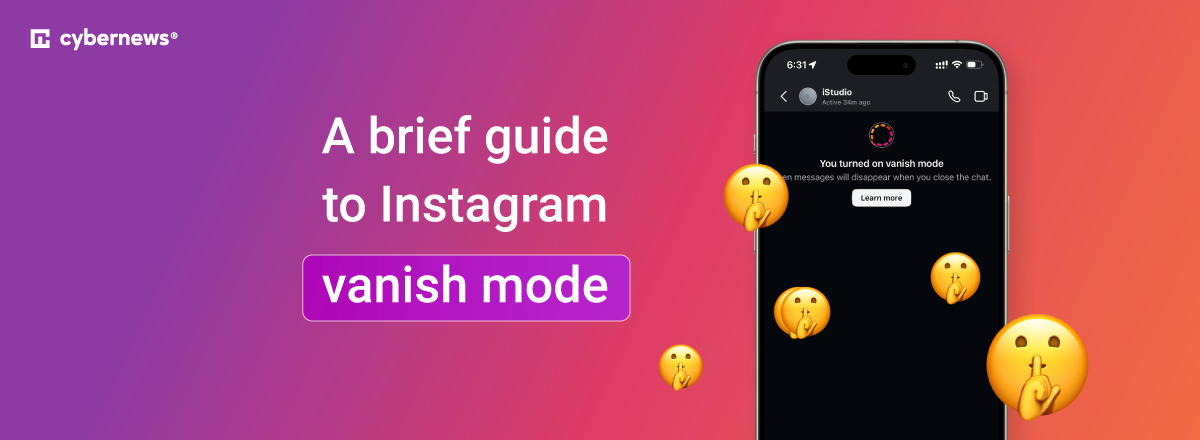
Vanish mode is Instagram's take on private messages. Once activated, all texts, pictures, and files self-destruct the moment the recipient sees them. Think of it as a temporary chat state that follows different rules. Turning it on is simple: open the chat and swipe up from the bottom.
But Instagram is rolling out a newer version of this feature called disappearing messages, with more customization options. If you want step-by-step instructions or more context about these two modes – including their limitations – keep reading.
How to activate vanish mode on Instagram
Before we move on, here's some important information. At the moment of writing, there are two versions of this feature:
- The classic vanish mode, available mostly in the US,
- And disappearing messages, rolling out globally.
You can’t pick between them – the version you have depends on the rollout of this feature in your region. Instagram’s goal is for disappearing messages to replace vanish mode entirely.
Vanish mode and disappearing messages can only be activated on mobile devices – Android, iPhone, and iPad. If you're using Instagram on a desktop, you won't be able to access these features.
On top of that, there's the option for shared media to disappear after being seen – but that's a separate feature entirely. You can set it to View once or Allow replay in settings, and it only works with photos and videos, not text messages.
Activating Instagram’s vanish mode
To activate Instagram’s vanish mode, you need to do this:
- Open the chat where you want vanish mode/disappearing messages activated
- Swipe up from the very bottom of the chat (above the text box)
- You'll see a circle fill up as you scroll
- Keep swiping until the circle is completely full
- Release – the vanish mode is now active
Once vanish mode is activated, you'll see both text and visual confirmations. Your chat's background will turn dark, and a brief note will appear letting you know the mode is on.
Deactivating Instagram’s vanish mode
Deactivating works exactly the same as activating – enter the chat and swipe up from the bottom until the circle is completely full.
Once you deactivate it, your chat will return to its default colors, and you'll see a confirmation message.
Deactivating the classic vanish mode will delete all previous messages. Deactivating disappearing messages will not delete the contents you've already sent. These will remain in the chat and delete after the set time expires.
Modifying Instagram’s vanish mode
As mentioned above, Instagram has two modes – vanish mode and disappearing messages, depending on your region, and modifying each of them differs.
Vanish mode
By default, vanish mode deletes messages in three scenarios:
- When the recipient reads your message
- When someone leaves the chat
- When someone deactivates vanish mode
These settings cannot be changed. The classic vanish mode doesn’t leave any room for customization.
Disappearing messages
Disappearing messages work differently. By default, all shared content is deleted after 24 hours. But unlike classic vanish mode, you can customize this.
At the end of the confirmation message, you'll see a blue Change button. Tap it to modify your settings.
You can set messages to disappear:
- The moment the recipient sees the content
- 24 hours from the recipient seeing it (default)
- 7 days from the recipient seeing it.
For now, only these three options are available.
In all cases, the messages you sent disappear only for the recipient – you will still see them in the chat. Deactivating it or leaving the chat won’t delete messages.
Limitations of Instagram’s vanish mode
While both features offer some level of privacy, they're not completely bulletproof. It's not a magical cloak of invisibility – it's better to treat these conversations the same as any other.
And here's the most important thing: people can take screenshots. You'll be notified about it, but you can't stop it. What's more, people can take pictures with another device – but that's a shortcoming of all private-chat apps.
If you receive any abusive or harmful content through vanish mode, you can report it. These messages aren't erased from Instagram's servers right away. While that might sound like a weakness, Instagram keeps them for up to 14 days specifically for safety reasons.
As of right now, there are no parental controls that let parents manage how children use this feature. If you're a parent, consider educating your kids about the risks of sharing sensitive content online and making sure they understand that this feature doesn't truly hide secrets.
If your device supports disappearing messages, you can mitigate this risk by setting messages to delete the moment the recipient sees them. With the classic vanish mode, that setting is turned on by default.
There are also some limitations on the functionality of both these modes:
- You can't copy, download, or forward content
- You can’t reply to specific messages
- Some business accounts may have these modes blocked
- They work in one-on-one chats, but not group chats
- People you aren’t connected with won’t be able to send message requests using these modes
Why vanish mode may be missing from your device
If you've followed the instructions and nothing happens, there are three possible reasons:
- Regional rollout. The classic vanish mode is currently available mainly in the US, while disappearing messages are rolling out in Europe. Other regions may not have the feature available yet.
- Account type. Professional and business accounts usually have this feature disabled.
- App version. Make sure both you and the recipient have the latest version of Instagram installed. Since this feature is still in its rollout phase, it's relatively new.
If you care about privacy, vanish from data brokers too
If you're searching for Instagram's vanish mode, you probably care about privacy. And while making your chats disappear definitely helps, it's not your Instagram acquaintances who pose the biggest threat to your privacy. Data brokers do.
It's a $270 billion industry that collects, stores, and trades your data. Not your chats – data about yourself: your name, addresses, family members, phone numbers, public records, browsing habits, and much more.
Here's a tip from me: invest in a data removal service. I won't get into too much detail, but these services focus on one thing – removing your personal information from data brokers. And you don't even have to lift a finger.
I highly recommend at least checking them out. Some names to consider: DeleteMe, Onerep, Optery, and Incogni. I've been using Incogni for a while and can't complain – it does its job quickly and efficiently without breaking the bank.
FAQ
What is vanish mode on Instagram?
Vanish mode is a messaging feature on Instagram that automatically deletes messages after they’re viewed. In some regions, including much of Europe, Instagram uses timed disappearing messages (such as 24 hours) instead of instant deletion. The feature is designed for temporary, private conversations.
Does vanish mode disappear on both sides?
Yes, messages sent in vanish mode disappear for both people in the conversation. Once the disappearance condition is met (closing the chat or the timer expiring), neither participant can see the messages anymore. One person cannot keep a copy while the other loses it.
Why do people turn on vanish mode on Instagram?
People use vanish mode for more private, low-pressure conversations where they don’t want a permanent chat history. It’s often used for casual talks, sensitive topics, or moments that don’t need to be saved. It also reduces message clutter and encourages more spontaneous communication.
How to tell if someone has you in vanish mode?
Instagram makes it obvious when vanish mode or disappearing messages are active. You’ll see a visual change in the chat (such as a darker background) and a notice indicating that messages will disappear. It cannot be enabled without you knowing.
Does it tell the other person if you turn on vanish mode?
Yes, Instagram always notifies both participants when vanish mode or disappearing messages are turned on or off. The setting applies to the entire chat, not just one user. There’s no way to activate it secretly.
Can vanish mode messages be recovered?
No, once vanish mode messages disappear, they cannot be recovered through Instagram. However, Instagram may temporarily retain data internally for safety, abuse prevention, or legal reasons. Screenshots are still possible, though users are notified when one is taken.
Why can't I reply to a specific message in vanish mode?
Vanish Mode is designed for quick, flowing conversation. Certain features available in standard chats, such as replying to specific messages, copying text, or forwarding content, are disabled to maintain privacy.