Incogni vs Onerep: which data removal tool protects your privacy better?
Being behind major reports like The Mother of All Breaches and RockYou2024, our in-house cybersecurity experts and journalists provide unbiased, real-world testing and in-depth analysis.
We maintain complete transparency by openly sharing our testing methodologies with our audience.
Learn more

I compare Incogni vs Onerep to find out which data removal service delivers broader coverage and better long-term value. Both tools automate opt-out requests and monitor data broker listing, but one pulls ahead with wider broker coverage, lower-priced plans, and support for custom removal requests.
Collaborating with the Cybernews research team, I examined each platform’s features, pricing, and overall effectiveness to determine how well it’ll perform in real-world scenarios.
Incogni wins over Onerep for users who want their data removed from as many as 2,420 broker sites. Its cost-effective annual plans also support custom removal requests, and you can protect your whole household with family plans that cover five members.
Incogni vs Onerep overview
Compare these two data removal services in this overview table below:
| Data removal tool | Incogni | Onerep |
| Rating | 4.8 | 4.4 |
| Price |
From $6.79/month (with a code CNDEAL) | From $8.33/month |
| Free version | ❌ No | ❌ No |
| Free trial | ✅ Yes (30-day money-back guarantee available) | ✅ Yes (5-day free trial available) |
| Platforms | Android, iOS, Windows, macOS | Android, iOS, Windows |
| Credit monitoring | ❌ No | ❌ No |
| Insurance | ❌ No | ❌ No |
| Discounts | ✅Yes (discounts via coupon codes) | ✅Yes (discounts via coupon codes) |

How we tested these software tools
With my team of Cybernews experts, I’ve come up with a unique testing and comparison methodology. In case you want to apply the same steps when forming your decision, here’s how I did it:
- Features and scope (40%). The main thing I looked at is the sheer range of data removal features and the depth they cover when it comes to removing your information. Besides regular data removals, I also focused on features like re-scans, detailed reports and activity dashboards, and custom reports.
- Pricing and value (25%). I also compared the pricing plans of these tools, while especially focusing on the differences between the standard and pro packages.
- Security and compliance (20%). I then proceeded to explore the security features and safety protocols, like AES-265 GCM used by Incogni. On top of the encryption and other safety-related tools, I also explored compliance with GDPR and CCPA regulations.
- Ease of use (15%). As the finishing touch, I wanted to see how easy these tools would be for an average beginner to use. Thankfully, both options excelled in this aspect, so you can’t go wrong by choosing either of them. Personally, I find Incogni to be a bit more beginner-friendly.
About Incogni
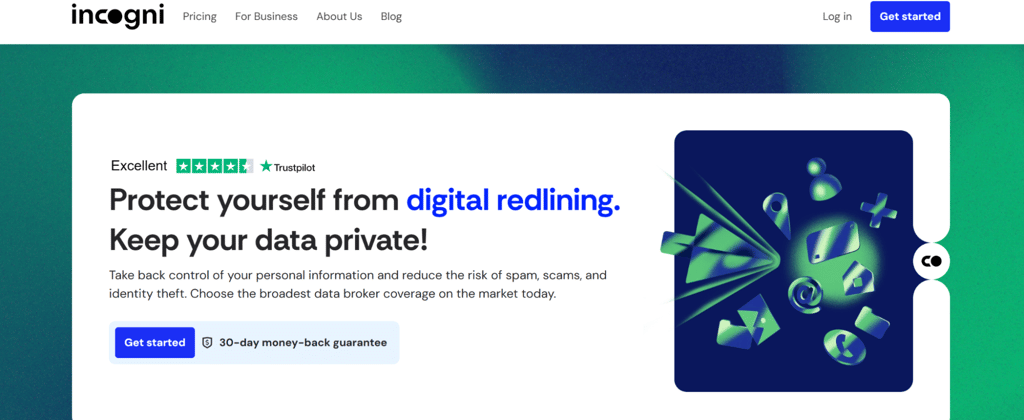
Operated by SurfShark, Incogni is my top pick for the best data removal tool. It covers more than 420+ (3,420 with custom removals) data brokers worldwide, and gives you the tools to act accordingly. You can send requests on repeat, track your progress, and set up automated removal for easier handling.
What’s more, Incogni is the first data removal service to undergo an independent Deloitte assessment, which demonstrates its commitment to transparency and best practices in handling user data. On top of that, Incogni also stands out with advanced anti-doxxing methods, as well as spam call prevention. Plus, you can use it to move away from informational stalking and other shady activities. It’s also our top pick in terms of convenient pricing, especially if you go with the Family Unlimited plan.
About Onerep
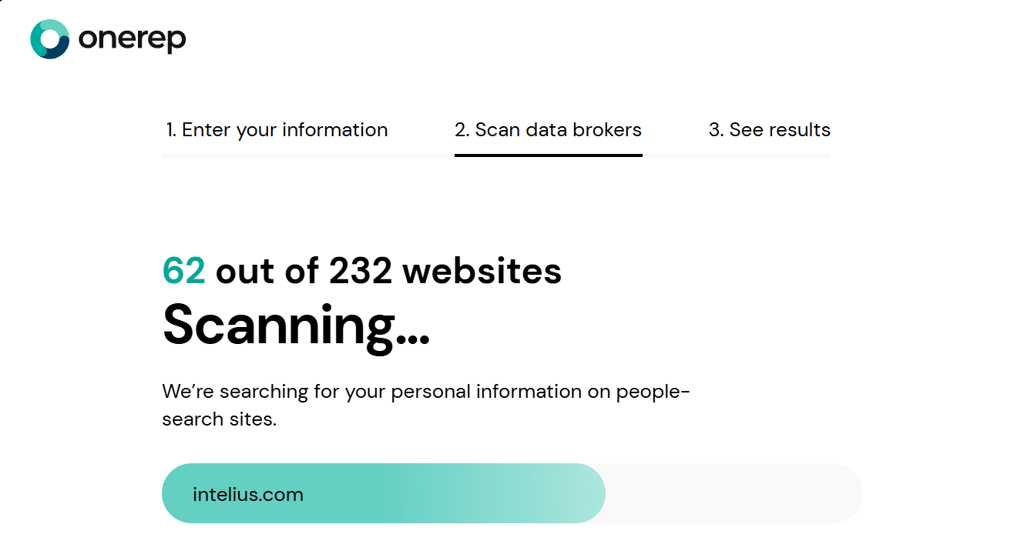
Onerep comes close to Incogni in terms of features and convenient packages. The individual and family offers cover up to 313 public data broker sites, while the pro membership gives you an extended coverage of 640 data brokers.
It also gives you the chance to file unlimited custom removal requests, as well as generate alternative home and email addresses and phone numbers for complete obfuscation. New data brokers are regularly added, too. On top of that, Onerep has some of the best daily, weekly, and monthly email reports.
Through the Onerep family package, you can share the account with up to five more people, making the cost more affordable. And if you want to save some time, too, it’s even possible to schedule fully automated requests.
Incogni vs Onerep: features comparison
As you can see, there are lots of similarities between Incogni and Onerep, but it wouldn’t hurt to also explore their differences. That’s why I’ve created a complete comparison table with all the features listed to help you make up your mind:
| Feature | Incogni | Onerep |
| Type of data removed | Personal information, including full name, home address, marital status, date of birth, employment history, and other | Personal information like full name, date of birth, gender, race, phone numbers, email address, employment history, financial information, and more |
| Number of data brokers | 420+ (3,420 with custom removals) | 313 with basic plans, 640 with pro plans |
| Frequency of scans/removal requests | Usually every 10 days (or up to 40 times per year with automated scans) | Automated removal requests |
| Automation and user control | Automated scanning and reports | Automated scanning and reports |
| Reporting/dashboard visibility | Available | Available |
Incogni vs Onerep: pricing, plans, and money-back guarantee
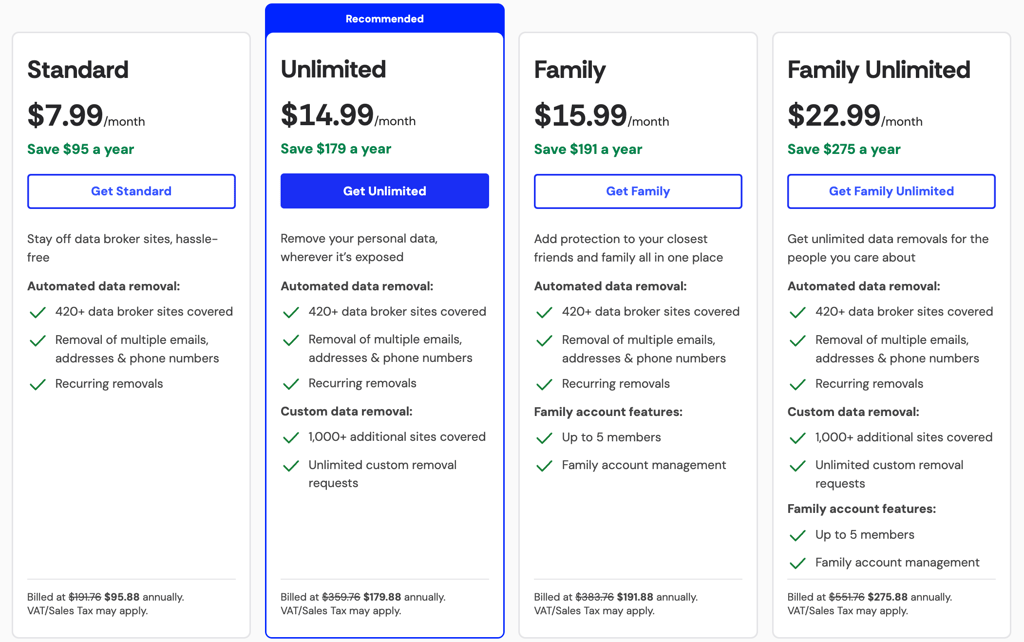
Incogni’s starting price is $6.79 per month (with a code CNDEAL) for the Standard plan (billed annually), which includes some basic functions, such as total coverage of over 420+ (3,420 with custom removals) brokers and custom email and address removal. The Family plan also offers great value; for only $15.99/month, you get all of the benefits of the Standard plan for 5 users.
For even better coverage, I recommend getting the Unlimited plan for $14.99/month, as it offers custom removals from any people-search website and unlimited custom removal requests. Incogni’s subscriptions come with a 30-day money-back guarantee.
On the other hand, Onerep starts at $8.33/month for the Individual plan or $15.95/month for Individual Pro (billed annually). Onerep’s functionality depends on its plan even more than Incogni’s does. So, you’ll need to get one of the Pro plans if you intend to use the full capacity to scan over 640 data broker sites or send unlimited custom removal requests.
OneRep’s Family plan is cheaper than Incogni’s at only $15/month and covers six instead of five users. It also has a generous 5-day free trial and 30-day money-back guarantee so you can test its service before committing to a subscription.
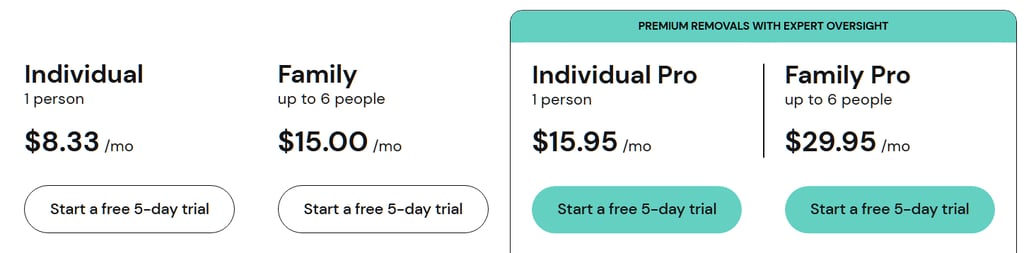
However, keep in mind that Onerep’s functionality depends on the plan even more than Incogni’s does. So, you’ll need to get one of the pro plans if you intend to use the full capacity to scan over 640 data broker sites or send unlimited custom removal requests. Even so, you can still use automated data removal and monthly reports with the Individual plan. Not to mention the option to generate addresses and phone numbers.
Incogni vs Onerep: security and privacy
In terms of security, Incogni and Onerep do a great job keeping your details safe. They both rely on data encryption, but Incogni uses the higher-grade AES-265 GCM protocol.
Both these platforms also feature 2FA and comply with data privacy laws like the GDPR and the CCPA. However, although their security features seem similar at a glance, Incogni is the only one that managed to keep a clean slate in terms of safety-related reputation.
I’ve found a few interesting details about a security investigation into Onerep, which revealed shady practices of its CEO related to possibly exposing customer data to the very sites the brand is committed to clean up.
While I wasn't able to find any conclusive details regarding these allegations, the matter did cost Onerep a great deal, as they lost their partnership with Mozilla.
Incogni vs Onerep: regional availability & limitations
Onerep focuses almost entirely on the United States, removing listings from US-based people search and data broker sites. It relies on site opt-outs rather than legal frameworks like CCPA for removals, so users can’t leverage regional privacy laws automatically.
Meanwhile, Incogni supports users in the US, Canada, the UK, Switzerland, Norway, Iceland, Liechtenstein, the Isle of Man, and all EU member states covered by GDPR. It operates under GDPR, CCPA, PIPEDA, and similar privacy rights laws, enabling legal opt-out and deletion requests in those regions.
Both services only offer their platforms and customer support in English, with no confirmed localized language interfaces or documentation for other languages.
Incogni vs Onerep: real-world effectiveness
Both Incogni and Onerep target key personal information, including full name, date of birth, phone number, email, gender, employment history, and financial records.
Incogni scans 420+ both public and private brokers using an algorithm to predict where your data may appear, whereas Onerep uses True Scan™ technology to locate actual profiles across its network of 313 sites.
Removal verification also differs between the two services. OneRep independently confirms that data has been deleted before marking it removed, whereas Incogni relies on broker confirmation, particularly for private brokers that cannot independently verify deletion.
Both services resubmit removal requests if data reappears, but users report that OneRep’s updates are more precise, showing actual deletion rather than broker-reported status. Of course, the process isn’t perfect; you may experience delays due to manual verification, incomplete coverage of smaller brokers, and OneRep’s restriction to US-based sites.
Incogni vs Onerep: ease of use
Oddly enough, I was indecisive when the time came for me to compare the two in terms of user convenience. I know it’s not the primary feature you should be looking at, as it’s not directly related to the outcome of data removals, but having an intuitive dashboard is pretty neat.
Both Incogni and Onerep do a great job here. For instance, Incogni focuses on removal requests and their statuses conveniently displayed through an activity timeline. You can use it to check the overall compliance score, as well as more details on the last requests sent.
Incogni is also relatively easy to get started with, as you simply need to sign up with your name, email address, and home address. You’ll then need to sign an authorization form and opt for one of the plans.
With Onerep, you’ll get similar functions, along with several improvements, including last scan dates, the number of profiles found, and statistics on removed profiles.
You can also see your total exposure rate and stay up to date with the statuses of ongoing removals. Getting started with Onerep is fairly easy, too, as you just need to visit the site and opt in by providing the required information.
Incogni vs Onerep: customer support
I was pleased to see that both Incogni and Onerep feature great customer support options through a variety of channels.
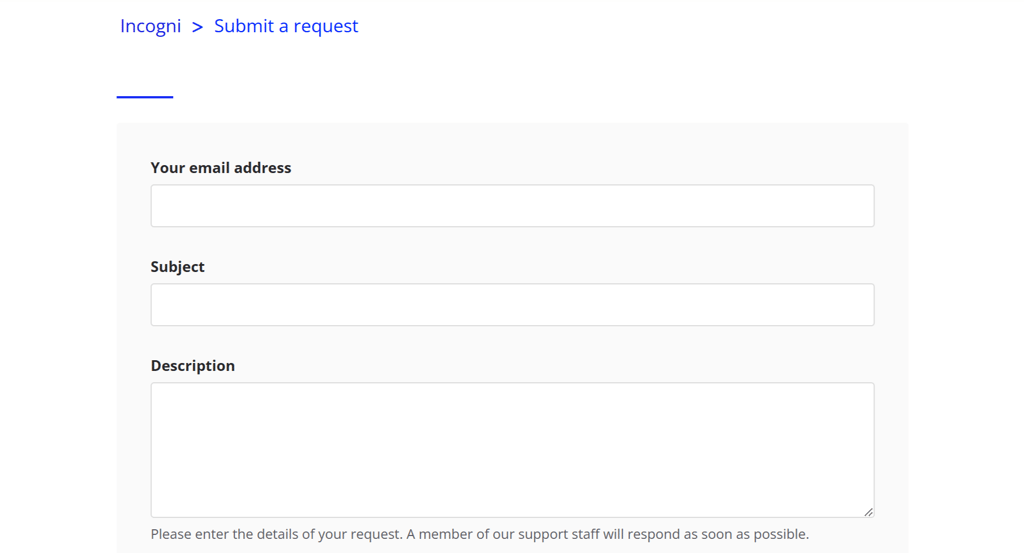
Incogni users can visit the Help Center and send a message through the site’s official support system. You can simply leave your email and explain the reason for your inquiry. Additionally, you can use the official support email even without an account or the live chat once you’ve subscribed.
As for Onerep, the service offers dedicated phone support options for the US, as well as email support and Help Center inquiries. Though the two are pretty similar in this regard, Onerep lacks the live chat support, which can be very useful in time-sensitive situations.
Incogni vs Onerep: extra features
Currently, neither service includes extras like VPNs or dark web scanning, keeping features tightly focused on data removal only. However, the good news is there is a bundle plan of Incogni and Coveron (formerly NordProtect), the Protect plan.
Coveron is a privacy suite with a fast VPN that encrypts your internet traffic and monitors breaches, alerting you if personal data is exposed. It also blocks malicious websites and trackers to enhance online safety. What I really like about it as that it also offers home tilte protection – a service not many providers have. Besides, if you get Coveron as a standalone service, there are not only individual but also plans for couples and families. Learn more about this service in our Coveron review.
Incogni vs Onerep: which one should you choose?
Ultimately, I’d say that Incogni is a more complete option when compared to Onerep, which doesn’t diminish its value by any means. With the 30-day money-back guarantee, custom reports that come even with some standard plans, and global coverage, it strikes a strong balance between flexibility, value, and reach.
Who should choose Incogni: I’d recommend Incogni to worldwide users who seek fully automated data removal. Custom requests are available as part of the Unlimited option. In addition, family plans coupled with a longer money-back guarantee make it a superb choice.
Who should choose Onerep: Onerep is perfect for US-based users who wish to gain deeper control of their personal information. With features like unlimited custom removal requests and the chance to generate an alternative address, email, and phone number, it’s a great option overall.
FAQ
Is Onerep better than Incogni for US-based users?
While Onerep isn’t necessarily better than Incogni for US-based users, it does cater exclusively to US customers. On the other hand, Incogni is available in other locations, too.
How long does it take for Incogni to remove data?
In most cases, it takes Incogni up to a few weeks. You can even check the average data removal time for each request in your Incogni dashboard.
Can I use Incogni and Onerep together?
Yes, you can use Incogni and Onerep together, but I wouldn’t recommend it. There are quite a few features that overlap, and given all the plans and options, it’s best to stick with one and avoid paying double subscription.
Which service offers better customer support: Incogni or Onerep?
Incogni has slightly better customer support with a dedicated live chat and a responsive Help Center support form. However, Onerep follows right up, only without the live chat feature.
Do Incogni and Onerep tools guarantee 100% data removal?
No, neither Incogni nor Onerep guarantees a 100% successful data removal. Still, they are very effective, and you can even track the progress of the removal process while using Incogni.