How to delete your Instagram account
Being behind major reports like The Mother of All Breaches and RockYou2024, our in-house cybersecurity experts and journalists provide unbiased, real-world testing and in-depth analysis.
We maintain complete transparency by openly sharing our testing methodologies with our audience.
Learn more

Instagram is a social media for entertainment, where you can follow various people and interesting content. But have you ever felt overwhelmed or like your privacy is at risk? That’s because, like any other social media, it comes with the potential for developing an addiction or endangering your safety.
That said, you may want to delete your Instagram account because you want to take a break, improve your mental health, or improve your privacy. So, whether you want to erase it completely or deactivate it for some time, I’ve got you covered.
With the help of my Cybersecurity research team, I decided to come up with an in-depth guide on how to delete an Instagram account. In this guide, I’ll break down the process step-by-step, explain why you may want to delete it, point out the difference between deactivating and deleting, and a lot more. So, let’s get down to business.
How to delete your Instagram account

- Open the Instagram page on your browser
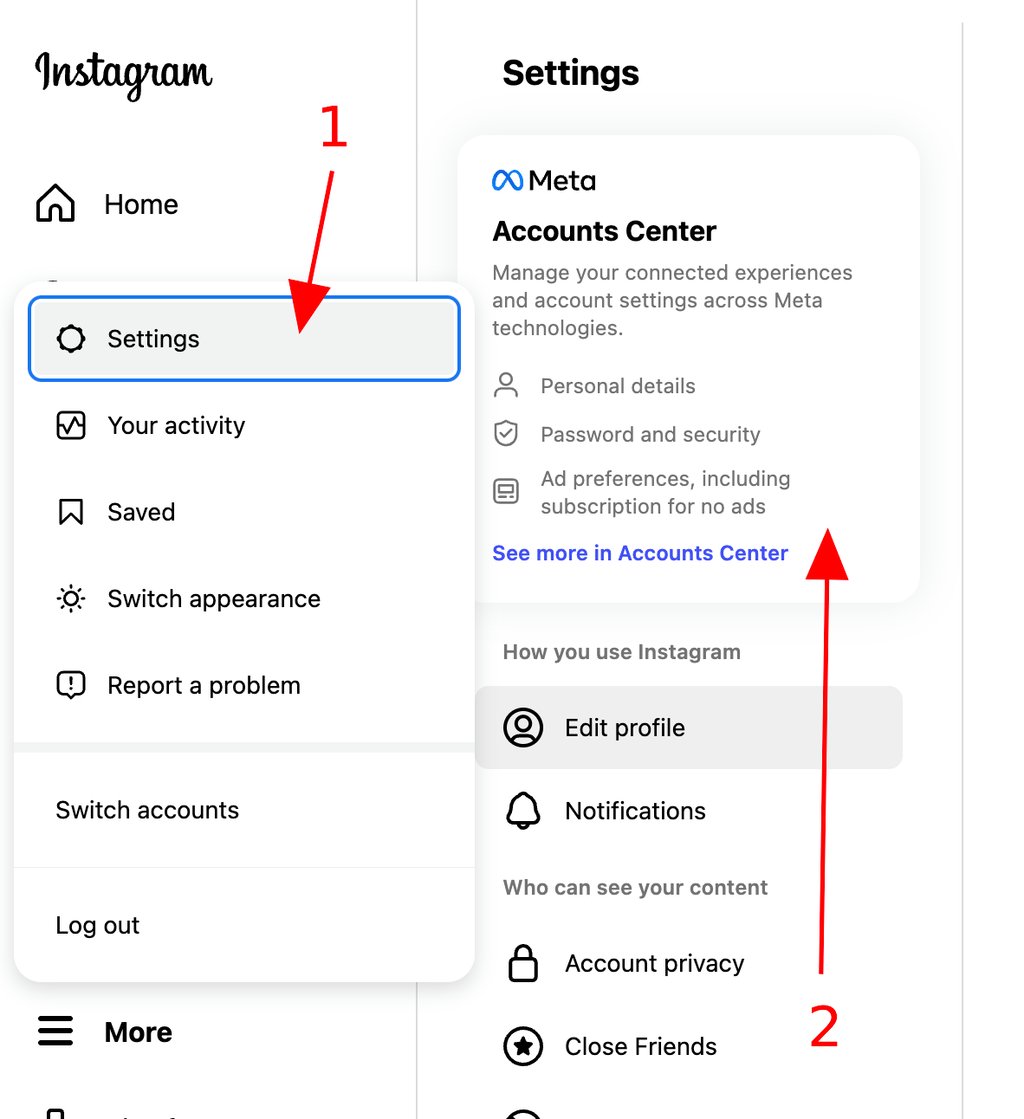
- Go to the three horizontal lines in the bottom left corner, and click on Settings
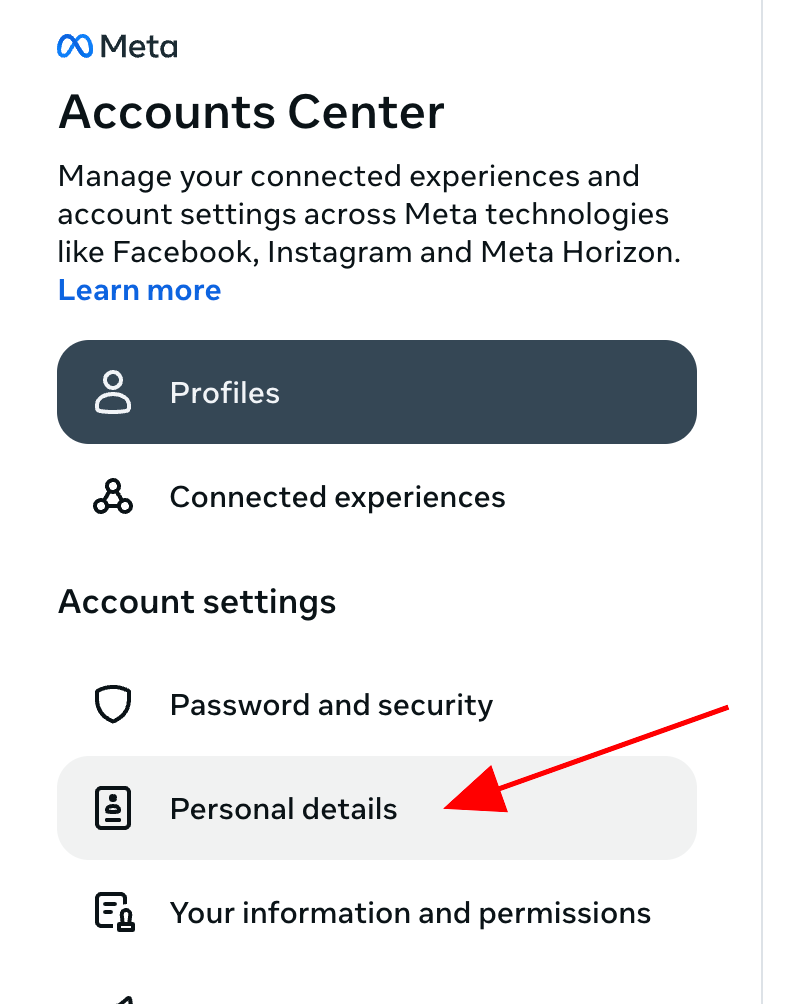
- Find Accounts Center, and click on Personal details
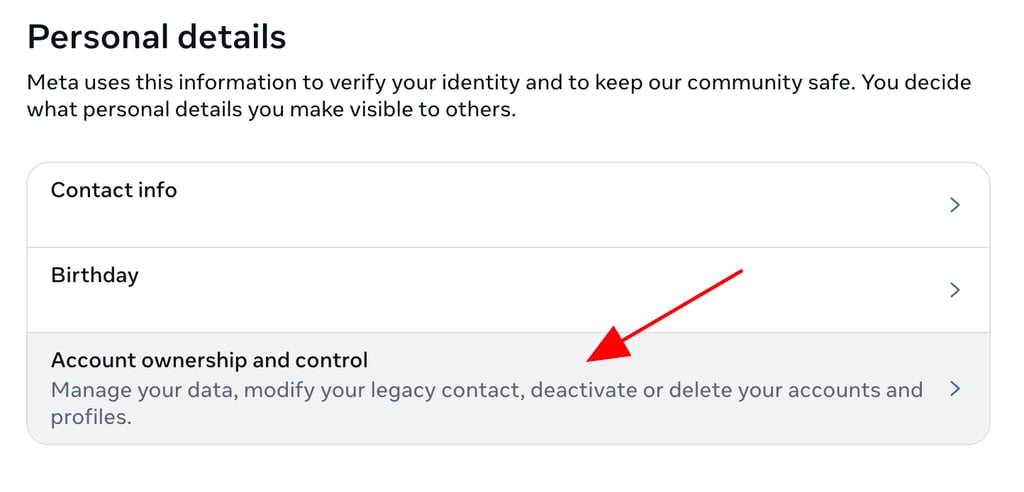
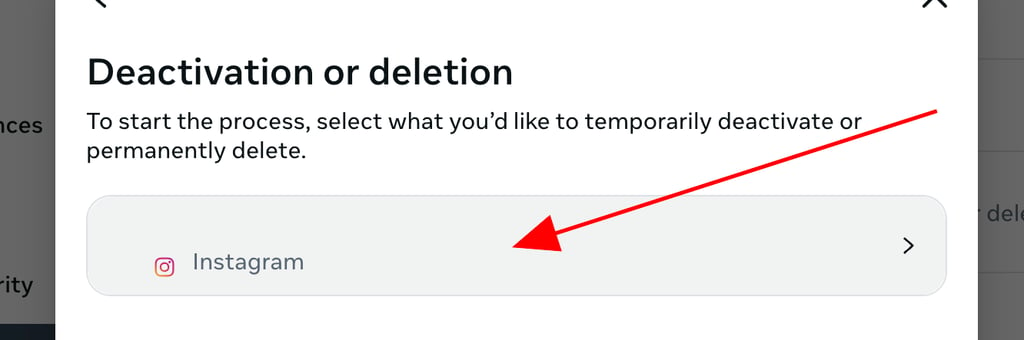
- Click Account ownership and control, then press Deactivation or deletion
- Select the account you'd like to permanently delete
- Click Delete account, then click Continue
- Check for any remaining personal data online by using a tool like Incogni
Why delete Instagram (or take a break)?
There are a lot of reasons why you may want to delete Instagram or just take a break. Don’t worry. I’ve got you covered. Here are the most common motives that you may have in order to erase your Instagram account:
- Privacy: Social media like Instagram is a target for many hackers. Thus, enhancing your privacy can be one of your top priorities.
- Time-wasting: Due to the loads of content on a daily basis, you may spend hours scrolling through your Instagram feed. Thus, this is another reason why you may consider deleting your account.
- Mental health: It’s not a secret that the things we see online are not entirely true. So, some users even battle mental health issues due to the unrealistic image that social media like Instagram portrays, which leads to deleting an Instagram account.
- Reducing social pressure: You may think you need to be successful like the influencers you follow, adding to your social pressure. So, deleting the account may help you with this.
- Data concerns: As Instagram has had a few data breach issues in the past, you may want to protect your confidential information.
- Harassment: Lastly, some people create fake accounts to harass you. Therefore, it’s smart to take some time off from Instagram.
Deactivate vs delete: what’s the difference?
Instagram lets you step away by deleting your account or temporarily deactivating it.
On one hand, deactivating only hides your profile, photos, comments, and likes until you log in again. However, you can only do this once per week.
On the other hand, deleting your account permanently erases your photos, profile, videos, likes, and any other content you have. Still, Instagram has a 30-day grace period during which your account is hidden, but you can still return it.
What you should also note is that you can access both options from the Instagram app if you’re an iPhone user, while Android users need to use the web browser.
Back up your data before deleting
Once you delete your Instagram account, you’ll lose your content for good. That’s why you should first download all Instagram data, including photos, videos, messages, and profile info. Here’s how you can do that.
Back up data from the Instagram app:
- Open your profile.
- Tap on the menu icon (three horizontal lines) in the upper right corner.
- Find the “How you use Instagram” section.
- Click on “Your Activity.”
- Navigate to the bottom and press “Download your information.”
- Click the “Download or transfer information” button.
- Select “All available information” or “Some of your information.”
Back up data from a web browser:
- Click the menu button in the bottom left corner.
- Go to “Your activity.”
- Click on “Continue” to proceed to the “Accounts Center.”
- Click “Download or transfer information.”
- Choose “All available information” or “Some of your information.”
- Press “Create files” to schedule the request.
Step-by-step: how to delete your Instagram account
If you’ve backed up your data and you’re ready to delete your Instagram account, let’s see the steps you should follow. I’ll guide you through both the mobile app and web browser processes. But keep in mind that I’m using Chrome as my web browser and an iPhone.
How to remove an account from Instagram using the iPhone app:
-
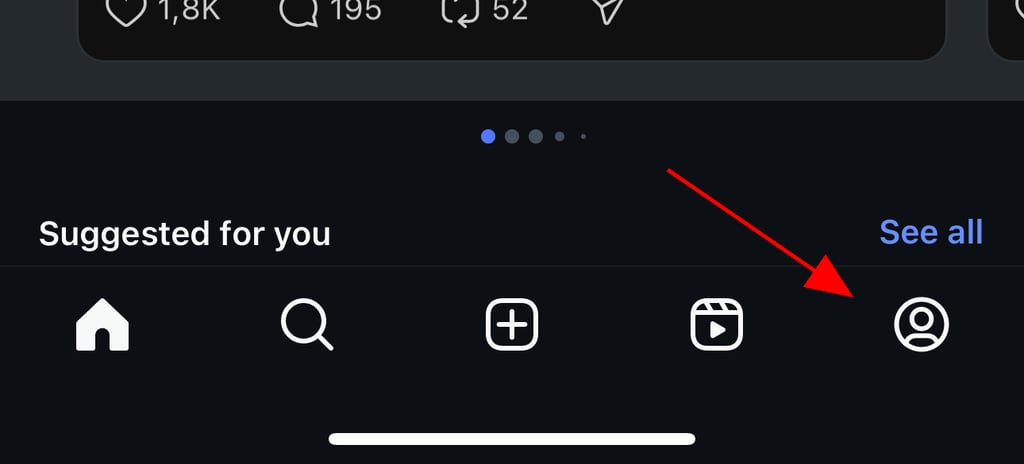
Open your profile
-
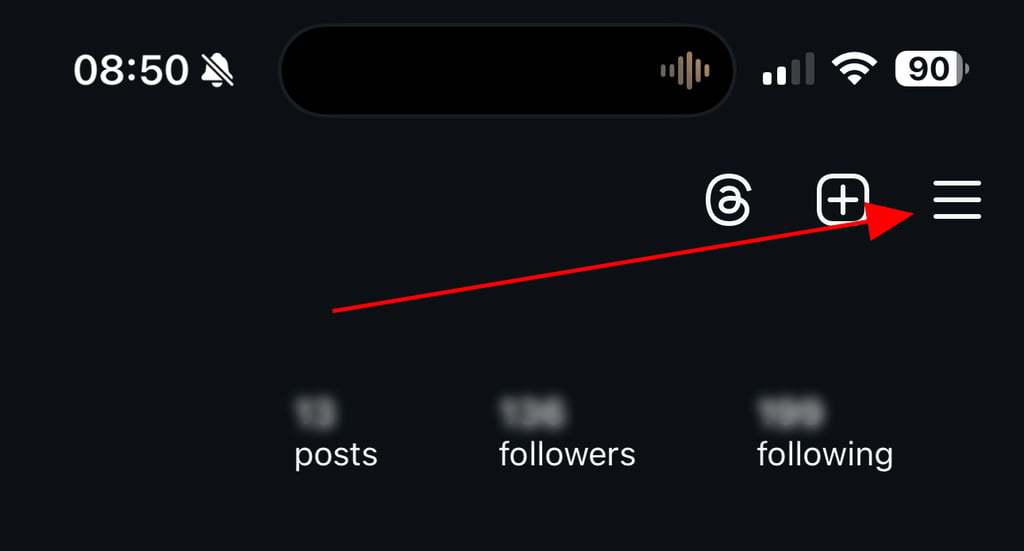
Click on the menu icon in the upper right corner. You should look for three horizontal, stacked lines
-
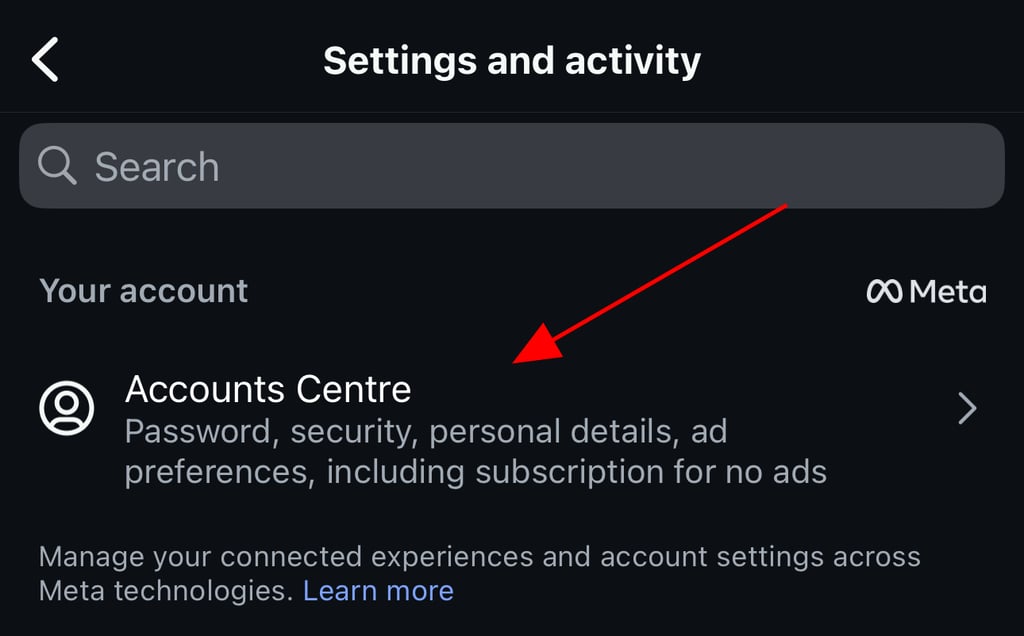
Then, search for “Accounts Center,” and click on it
-
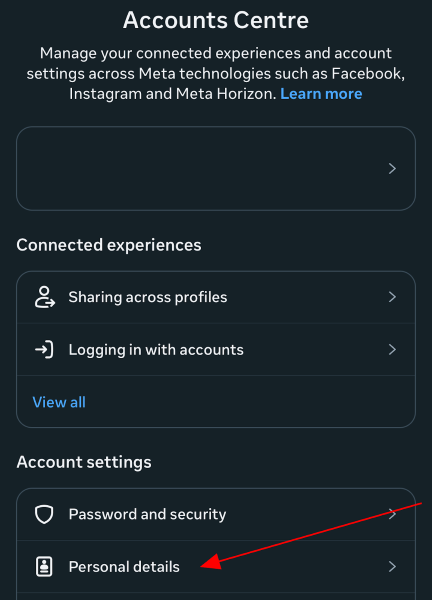
Press “Personal Details”
-
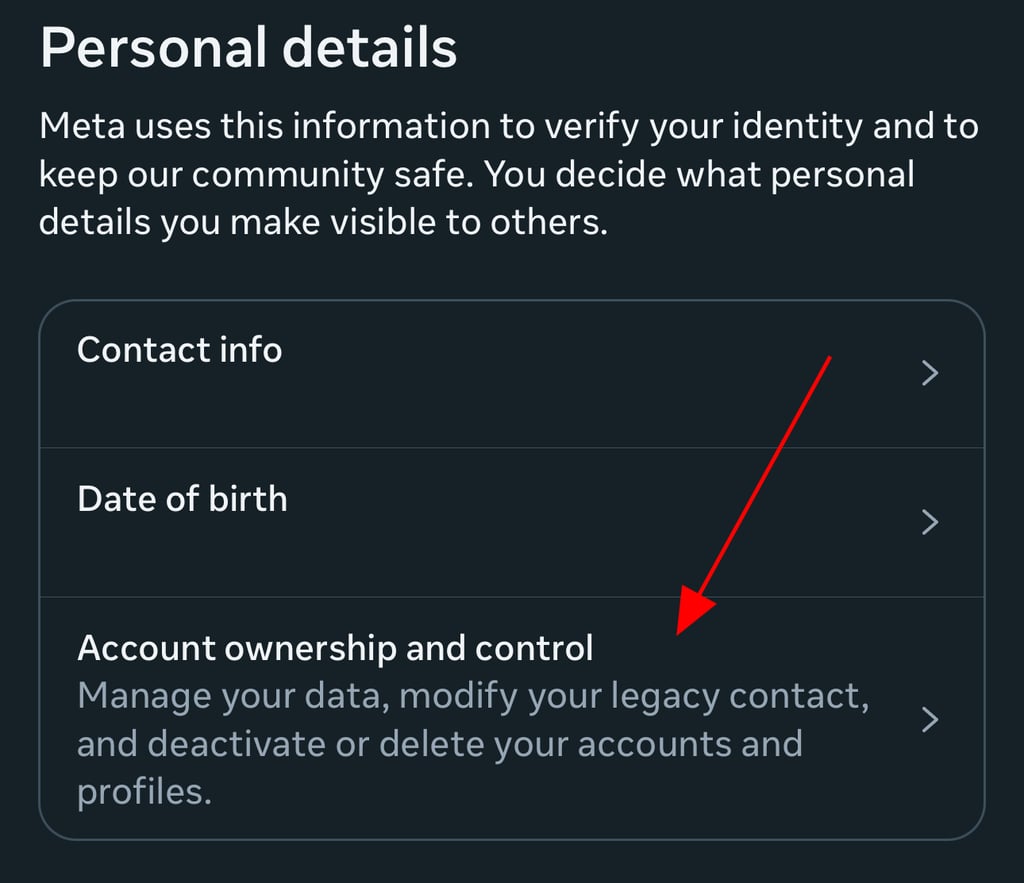
In that section, look for “Account ownership and control,” and select that option
-
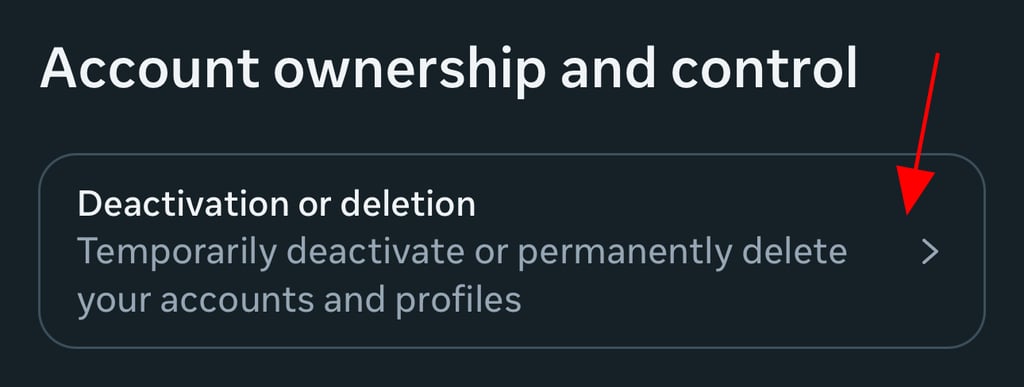
Tap “Deactivation or deletion”
-
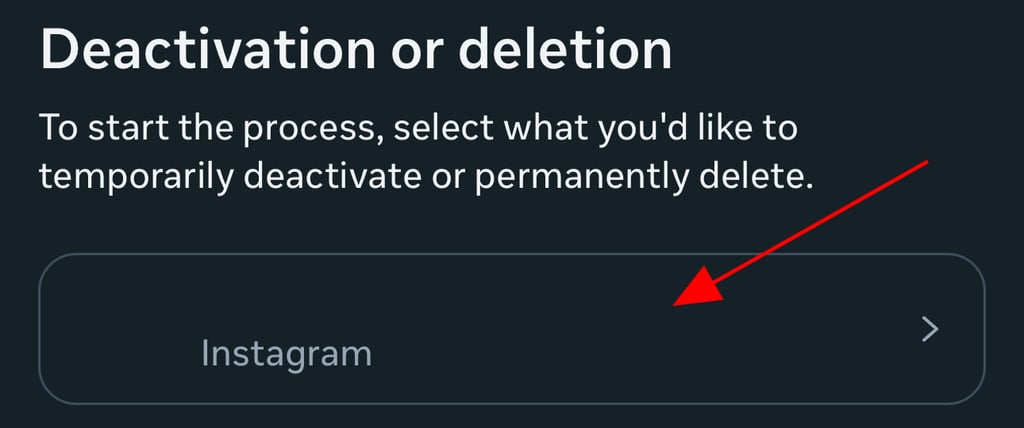
Select the account you want to delete (if you have more than one)
-
Press on “Delete account”

- Enter your password for security reasons
-
Choose a reason why you’re deleting your account

- Click “Delete account” again to confirm the process.
How to delete Instagram using a web browser (Chrome):
-
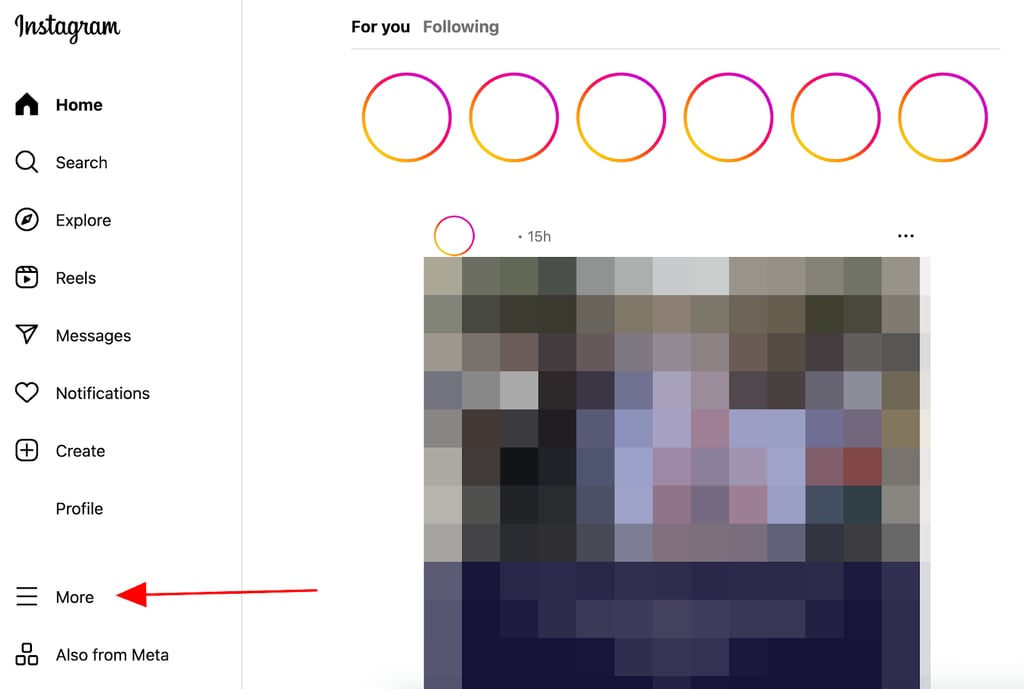
Search for the menu section, again three horizontal, stacked lines. However, on a web browser, the icon is in the bottom left corner
-
Go to “Settings”, then go to “Accounts Center”
-
Click on “Personal details”
-
Press “Account ownership and control”
-
Search for the account you want to delete and select it
- Tap on “Delete account”
-
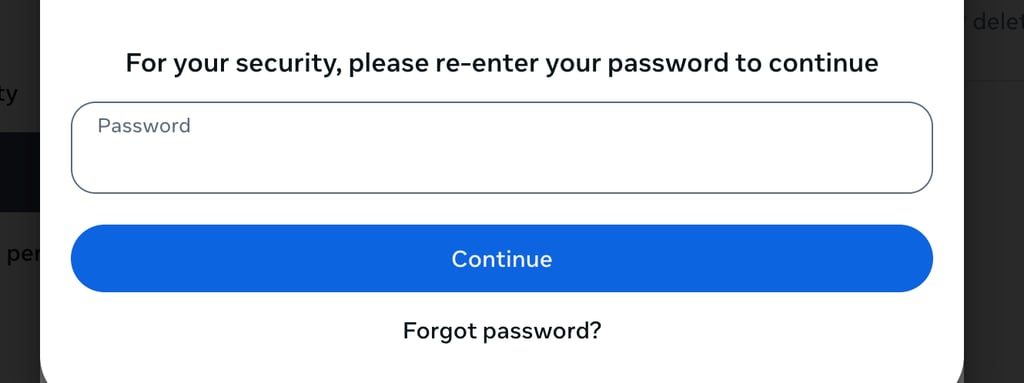
Enter your password to prove it’s you
-
Select a reason why you’d like to delete your IG account

- Press on “Delete account” again to confirm that you want to permanently erase the account. However, you have 30 days to change your mind. After that, your account is gone for good
What happens after you delete?
You may think that Instagram will immediately take your account down. But even after you delete it, its 30-day grace period gives you some time in case you change your mind. During this period, your account is only hidden.
You can log back in to cancel your deletion request. By doing so, you can return your profile, posts, and all interactions. If not, Instagram will erase your data after 30 days.
When it comes to the removal of your information, Instagram will remove most of it from its active servers. Still, some limited copies may remain in backups for technical or legal reasons for a temporary period. But once your data is gone, you can’t recover it. The only thing you can do is create an entirely new IG account.
As for your username, you may use it again, but if no one else takes it. So, think this through before you take any action.
Data and privacy considerations
As Instagram operates under Meta, the company discloses all of the information it retains and how it uses them. What’s important to note is that this may differ depending on how and for what purpose you use Instagram.
Generally, they collect your activity and the information you provide, friends, followers, and other connections, app, browser, and device information, and information from partners, vendors, and other third parties.
However, Meta uses this information in order to provide you with a more personalized experience, promote safety, security, and integrity, provide measurement, analytics, and business services, communicate with you, and research and innovate for social good. Plus, you’re always in control of managing the data they collect about you.
In terms of the data they share with ad and partner networks, you can be sure that Meta only shares non-identifying data, such as demographics, interests, location, and device details. This is so they can help them target ads.
Partners may also provide data like email addresses or purchase history, which Instagram can match to accounts. Additionally, your activity on partner sites and apps may also get to Instagram for better ad personalization.
However, you need to be aware that even when you delete your Instagram account and Meta begins removing your profile, photos, and any other activity from its servers, third parties may retain some data.
In fact, data brokers that have your information through cookies and ads may keep it according to their own policies. That’s why you need to contact those companies directly or use data removal services, such as Incogni. Therefore, you’ll ensure full removal of any residual data.
Alternatives to deleting
If you’re not sure whether you want to delete your Instagram account or you simply want a lighter solution, I’ve got your back.
You can implement a few alternatives, such as temporarily deactivating it, using account breaks, locking your content, reducing the app usage, muting unwanted notifications or followers, removing followers, and implementing stricter privacy settings.
The best solution depends on your motive, which is why I recommend carefully considering why you’d like to take a break.
Conclusion
Instagram is a popular social media about sharing photos of your daily life. However, it can easily become overwhelming or even risky for your privacy. That’s why you may want to delete your Instagram account.
If you decide to do so, you need to download your data, delete the account entirely or pause it, and review your privacy elsewhere, beyond Instagram. To make sure all of your information is off the internet, I recommend using a data removal tool like Incogni. This will ensure you have long-term data removal, and no one can access your information.
Other guides from Cybernews:
A brief guide to Instagram vanish mode
How to delete your Facebook account
FAQ
Will Instagram delete my messages?
Yes, Instagram will delete your messages if you decide to erase your account. As soon as you complete the removal process, the app will start erasing all of your profile activity, including the messages from your inbox. However, to make sure all of your data is off data broker sites, I recommend using data removal tools like Incogni.
Can someone else use my username?
Yes, someone else may use your username if you delete your account. This is because the username will be free to use for other users, and if you decide to create another account, it’s possible that it will be unavailable.
How long before Instagram deletes your account?
Instagram has a grace period of 30 days before it entirely deletes your account. This means that even if you submit a removal request, you still have time to change your mind.
Can others see my profile if I deactivate?
No, others won’t see your profile if you deactivate it. The profile won’t come up in any searches, and you won’t even be in their following list. As for the messages, they’ll only appear under the name “Instagram User.”