Beyond WP-CLI: managing WordPress sites natively with Cloudways Site Manage


WordPress powers roughly 43.5% of all websites online, according to W3Techs. That kind of dominance comes with a price: it makes WordPress one of the biggest targets on the internet, and it makes managing WordPress sites securely a daily grind for the digital agencies and website developers who run them in bulk. Automated brute-force login attempts are among the simplest and most relentless attacks out there, and we’ve all seen how plugin and theme update channels can quietly turn into delivery routes for malicious code.
Based on hands-on experience, this is exactly where things get painful for agencies and developers juggling dozens or even hundreds of installs. Everyone knows that delaying a critical WordPress themes update or core patch is risky. Yet plenty of teams hesitate anyway – call it update anxiety – because one bad update can break layouts, kill checkout flows, or take a live client site offline.
Cloudways Site Manager is built to solve exactly this problem, replacing the endless dashboard-to-dashboard hopping with centralized, infrastructure-led control. Instead of logging into each install one by one, teams get a single place to handle updates, monitoring, and safe rollbacks, closing visibility gaps and removing the manual friction that makes managing WordPress sites at scale such a headache.
The architectural trap: why WP-CLI and external dashboards fail
Before Cloudways Site Manager, the two go-to approaches for managing WordPress at scale both came with serious baggage. Plus, neither actually solves the problem – they just relocate it.
The first is the WP-CLI route – running WP-CLI update plugins commands across hundreds of sites sequentially is slow and offers no central oversight, and trying to automatically update WordPress plugins in parallel instead can spike server CPU/memory.
The second approach – external SaaS dashboards – dodges the script problem but introduces its own. Because these tools sit entirely outside the hosting layer, they lean on constant external API sync routines to stay current.
Here's how they stack up:
| Approach | What it costs you |
| WP-CLI script loops | Blocks processing threads, freezes the UI, lags databases, and times out browsers during bulk updates |
| External SaaS managers | Adds sync complexity, opens security loopholes outside your infrastructure, and forces duplicate subscriptions that eat into margins |
So you're left choosing between a method that strains your servers and one that bolts on extra cost and extra attack surface. For website developers, that’s engineering hours burned babysitting update scripts. Meanwhile, for digital agencies, it’s another subscription quietly eating margin on every client account. Neither is built into the place your sites actually live, which is exactly the gap Cloudways Site Manager was designed to close.
The fleet paradigm shift: moving operations natively into the hosting stack
The smartest move is shifting toward running site operations directly inside the cloud hosting layer itself.
Instead of bolting management tools on from the outside, the work happens where the sites already live. This is what's now called WordPress Fleet Management, and it's quietly rewriting how digital agencies and website developers structure their workflows.
But not every fleet stack is built the same. To actually streamline operations rather than just rebrand the old problems, an optimized setup needs three things:
- Non-blocking background API engines. Resource-heavy update workloads get offloaded to asynchronous background threads. That keeps your management dashboard fully fluid and usable even while bulk actions run in the background, instead of freezing the moment you hit update across the fleet.
- Multi-page and multi-device testing verification. Basic homepage-only snapshots don't cut it. Real validation means cloning a site to an isolated staging sandbox, running the WordPress automatic updates routine there, and executing automated screenshot comparisons across desktop and mobile viewports, including secondary sub-pages, to confirm design integrity before anything touches production.
- Intelligent vulnerability patching. Rigid chronological timers are the wrong model. The right one applies hotfixes the exact moment an off-site zero-day vulnerability definition is recorded, not on whatever schedule your update cron happened to be set to.
Managing WordPress sites at scale: native vs standalone tools
So how do the actual tools on the market stack up against this standard? The clearest way to see it is to line up the structural differences between traditional external SaaS dashboards and a native hosting layer, because the architecture is what determines everything downstream.
The old guard, manual/scripted SaaS tools like ManageWP, run on an external hub model. Everything lives outside your infrastructure, which means a high risk of UI blocking during bulk processing, visual checks that rarely go beyond the homepage, and fragmented API sync routines holding the whole thing together.
The newer crowd, modern SaaS like WP Umbrella, tightens some of that up. The detached hub lowers the UI blocking risk, but you're still stuck with homepage-only screenshot validation and a separate subscription draining your margins every month.
A native cloud fleet approach, which is where Cloudways Site Manager sits, takes a different path entirely. Operations live inside the hosting stack, processing runs on asynchronous background API threads with zero UI blocking, and verification covers proper multi-page, multi-device regression testing.
Here's the full picture side by side:
| Checkpoint | Manual/scripted SaaS (ManageWP) | Modern SaaS (WP Umbrella) | Native Cloud Fleet (Cloudways Site Manager) |
| Architecture | External SaaS hub | Detached external hub | Built into the hosting stack |
| UI blocking risk | High during bulk actions | Lower | None (async background API) |
| Visual validation | Homepage only | Homepage only | Multi-page, multi-device regression |
| External sync risk | Fragmented API sync | Still external | Eliminated |
| Subscription cost | Separate | Separate | Native to hosting |
Market deep-dive: Cloudways Site Manager (an operational case study)
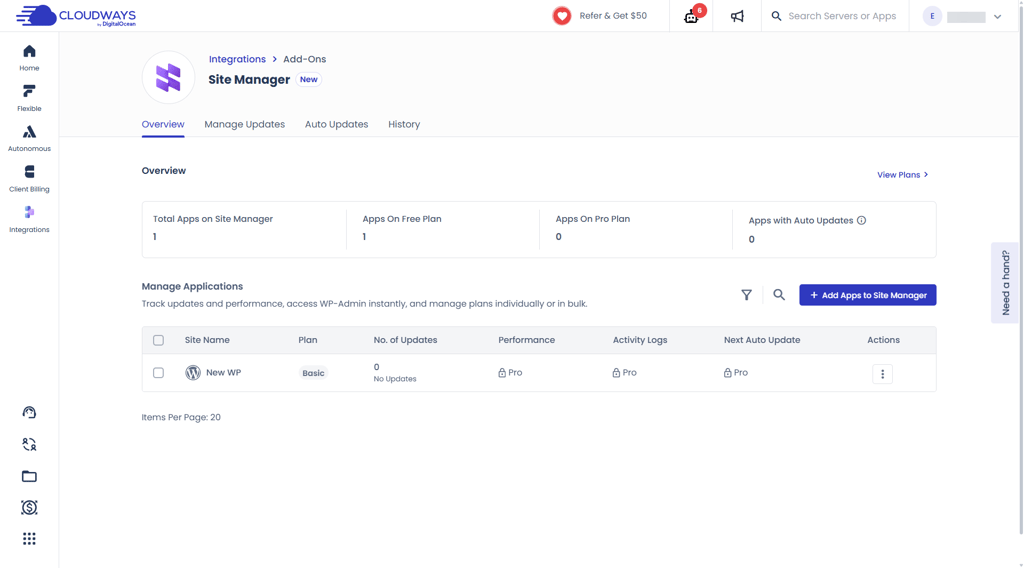
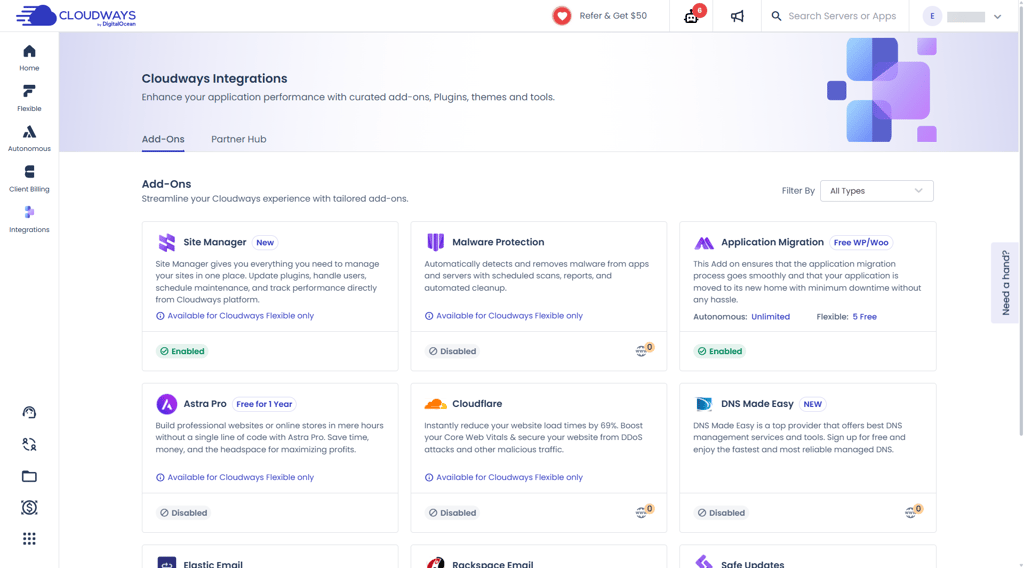
Cloudways Site Manager is the clearest real-world example of this native approach in action. Co-developed in partnership with BlogVault and powered by an integrated version of WP Remote, it's positioned as the flagship case for the native infrastructure transition, moving fleet operations off detached dashboards and into the hosting layer itself. Here's how it actually holds up.
From public preview to enterprise-ready
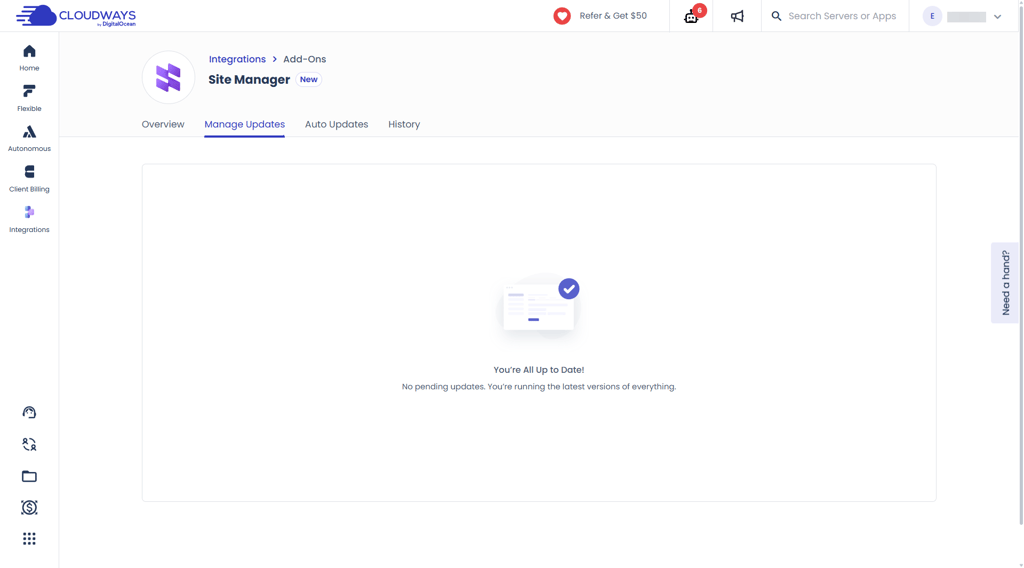
Cloudways Site Manager moved from a public preview into full General Availability, and the GA milestone is what signals it's no longer an experiment but a tool built for digital agencies and website developers managing WordPress sites at serious volume. The preview wasn’t small, either: over 3000 users opted in, running Cloudways Site Manager across more than 15,000 WordPress applications, and that feedback directly shaped the GA release – from expanded bulk operations to deeper visibility into update history and failures.
That progression matters: a preview tells you a feature exists, but a GA launch tells you it's been hardened for the kind of fleet scale where one bad bulk action can cost a client relationship.
What it actually does
The capability set is where the native approach earns its keep. The standouts:
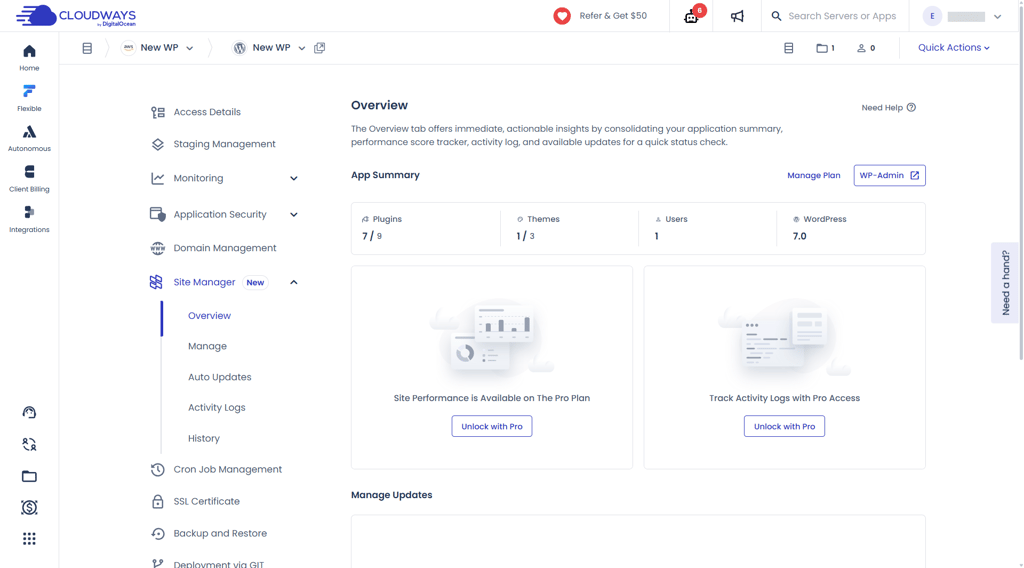
- Centralized fleet plane. Global visibility over core versions, theme configs, plugin states, and application-level health from a single screen, so you're not piecing the picture together across tabs.
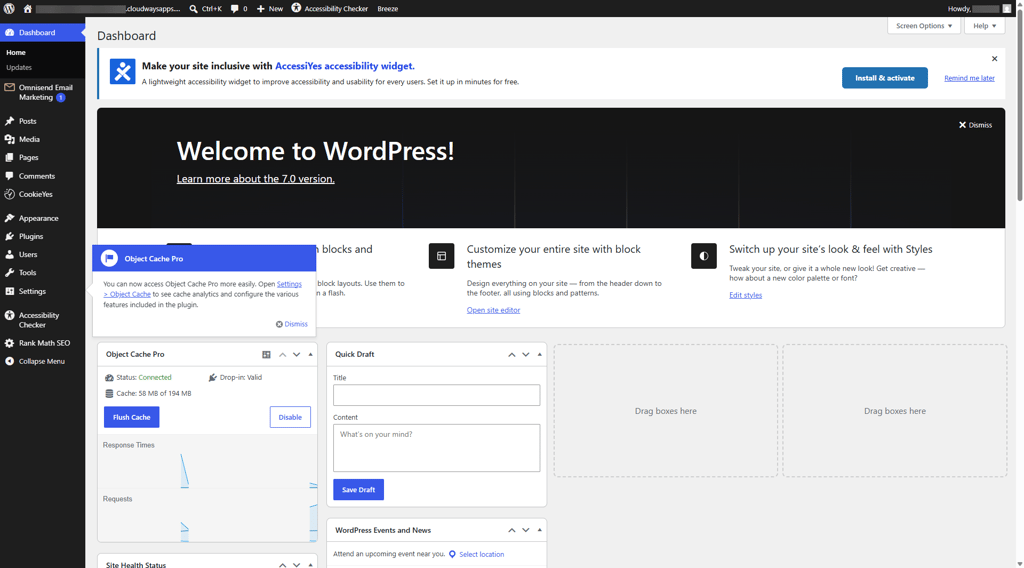
- Passwordless administrative SSO. Secure 1-click sign-on into any managed site's backend. That also lets teams safely disable WordPress automatic updates running in the background to prevent unexpected server-side cron collisions.
- Built-in monitoring array. Real-time tracking of PHP code errors, daily Google PageSpeed Insights checks, and historical Core Web Vitals, including TTFB and LCP.
- Operational visibility. Offsite activity logs storing detailed records, plugin activations, core changes, and edits complete with user IP addresses and timestamps, kept for up to 90 days of compliance-grade auditing.
What it means for digital agencies vs website developers
For digital agencies, the payoff is client-facing. One screen shows every client site’s health, the 90-day activity logs answer "what changed and when" the moment a client asks, and staged update verification catches a broken checkout before the client does. Fewer emergencies, cleaner SLAs, margins that survive.
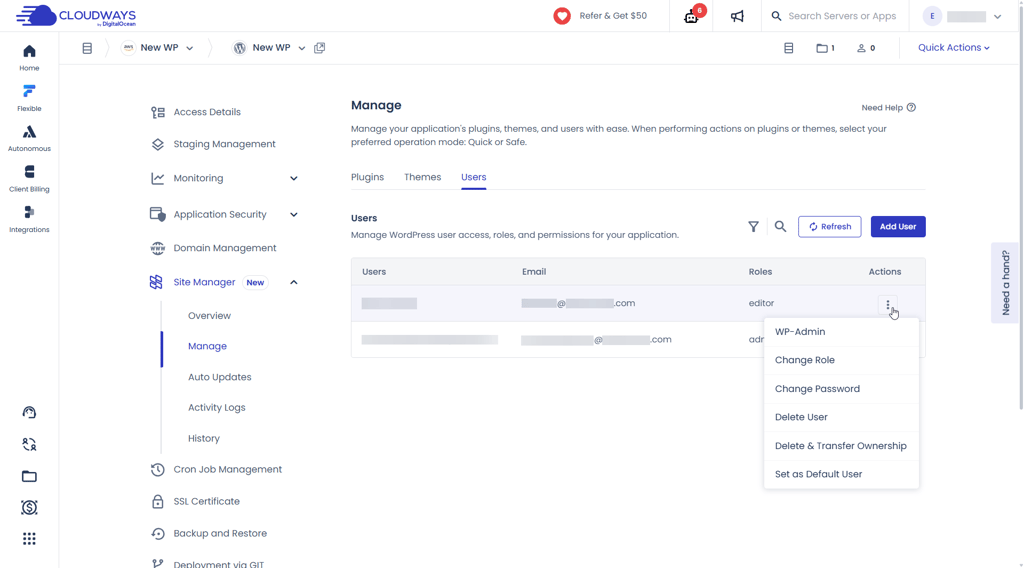
For website developers, the payoff is workflow. No more SSH sessions babysitting update scripts, no more cycling through wp-admin logins across a hundred tabs. Passwordless SSO drops you into any backend in one click, PHP error tracking surfaces problems before the tickets arrive, and multi-device regression testing means you push updates without holding your breath.
Volume-tier economics
This is where it gets pointed. Standalone management platforms bill you separately, every month, on top of your hosting, and that overhead quietly erodes agency margins. Site Manager attacks that directly.
| Tier | Pricing | Best for |
| Free | $0.00 | Removing the barrier to entry entirely |
| Pro | $3.00/app/month, dropping to $2.00/app/month at 6 or more apps | Large networks running real volume |
The aggressive volume break is the whole point. As your fleet grows, the per-site cost drops instead of climbing, which heavily undercuts the flat, detached subscriptions agencies have been swallowing for years. For teams whose profitability lives and dies by service margins, that pricing curve is arguably as compelling as the technical architecture.
Conclusion: eliminating the multi-site “maintenance tax”
Here's the bottom line: when you're overseeing a complex, business-critical web footprint, your real overhead was never the raw cost of computing power or storage blocks. That stuff is cheap and getting cheaper.
The actual expense is the maintenance tax: the accumulated technical debt, the cognitive load of keeping dozens of installs straight, and the billable engineering hours quietly bleeding away on manual administration, tool hopping, and patching up fragmented updates. None of it shows up cleanly on an invoice, which is exactly why it goes unnoticed until it's eating your margins.
Moving operations directly into the native hosting layer – like Cloudways Site Manager – is what cancels that tax. Managing WordPress sites stops meaning dashboard-to-dashboard hopping: it pulls every WordPress install you run into a single dashboard, including health scores from daily PageSpeed and Core Web Vitals checks, bulk-pushed core, plugin, and theme updates, user roles managed without ever logging into individual sites, and a full activity log of what changed and when.
Because it's built into the host rather than bolted on top, there's no plugin sprawl, no second tool to reconcile, and no performance penalty for the convenience. For digital agencies and website developers juggling dozens of client sites, that's the maintenance tax collapsing from a recurring drain into a handful of clicks.
FAQs
What is Cloudways Site Manager?
Cloudways Site Manager is a native WordPress fleet management tool built directly into the Cloudways hosting layer. Built together with BlogVault and powered by WP Remote, it lets agencies handle updates, monitoring, and rollbacks for dozens or hundreds of sites from a single screen, without bolting on an external dashboard.
How is Cloudways Site Manager different from ManageWP or WP Umbrella?
The main difference is architecture. ManageWP and WP Umbrella run as external hubs that sit outside your infrastructure and sync in over an API. Cloudways Site Manager runs inside the hosting stack itself, which means no UI blocking during bulk actions, no fragmented sync routines, and no separate subscription stacked on top of your hosting.
Does Site Manager slow down my dashboard during bulk updates?
No. It offloads resource-heavy update workloads to asynchronous background API threads, so the management dashboard stays fluid even when you automatically update WordPress plugins across the entire fleet. This is the core problem that script-based tools like WP-CLI loops fail to solve.
How much does Cloudways Site Manager cost?
There's a free tier that removes the barrier to entry entirely. The Pro tier starts at $3.00/app/month and drops to $2.00/app/month once you’re managing 6 or more apps, so your per-site cost drops as your fleet grows rather than climbing.
Is Site Manager good for agencies and developers managing client sites?
Yes. It's built specifically for exactly those two groups, with centralized fleet visibility, 1-click passwordless SSO into any site, multi-page and multi-device update verification, and 90 days of activity logs for compliance auditing.