If a blue dot shows up on your Android phone, Google is warning you that it knows your location
Android will add an additional privacy-related indicator. However, some users already find it annoying.
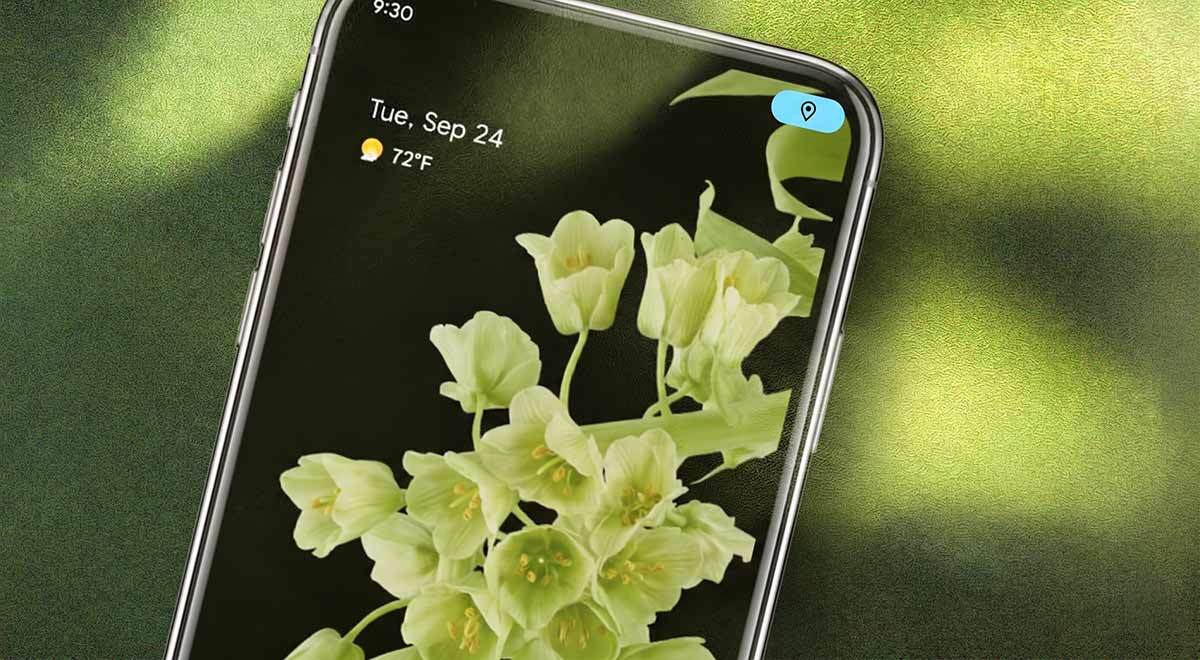
Image by Cybernews

 Follow us
Android will add an additional privacy-related indicator. However, some users already find it annoying.
- Android is rolling out a new blue privacy dot to show when an app is accessing your location.
- The feature is meant to improve transparency and privacy by helping users notice when apps track location in the foreground or background.
- Early user reactions are mixed: some find it helpful, but others say it appears too often.
Key Takeaways by nexos.ai, reviewed by Cybernews staff.
Google has introduced a new privacy feature that alerts Android smartphone users when an app is currently tracking their location by displaying a blue dot.
It’s been reported that the feature will be released together with the launch of Android 17. Nevertheless, the feature has already been tested by some Android smartphone owners.
For example, Google Pixel users received it with Android 16 QPR3, according to Android Authority.






While it’s quite obvious that a device is tracking a user’s location when they use apps such as maps, some apps may be doing so without the user realizing it.
Blue location privacy dot: Still work in progress?
The new feature was created for privacy reasons, to make sure that smartphone users are aware that their location is being tracked.
Users can also check which apps are using their location data by tapping the blue dot, shared Tech Advisor.
Android users can also check which applications have access to their location in the settings via “Privacy and Security.”
Users whose phones already have the new feature have had a few concerns.






One Redditor said the privacy tool was “useless” because it flagged apps they had already given permission to track their location.
“Now I have a blue dot up there two thirds of the time, because some smart home application, tasker, macrodroid, smartthings tag location, etc., is using the phone location in the background,” wrote the user.
They further explained: “I want the dot to appear when other applications I only use occasionally or that I did not specifically allowlist show up.”
"blue dot" location indicator useless for me without a list of pre-approved/allowed apps
by u/Charming-Tutor-1923 in GooglePixel
Another user also shared that the blue dot “appears all the time, it is not consistent, but on average it will now appear 80% of the time.”
The user also noted that it's Google Play Services, which enables the blue dot to appear on the screen.
The Redditor also added that “the permission activated is not actually Location itself but (Nearby) Devices, which apparently just gets triggered all the time by Google Play Services.”
Strong password generator

For the user, the “dot has zero meaning, it's just something that appears and disappears all the time.”
Their experience sparked an online discussion, with some sharing that the feature was useful and others finding it rather distracting.
Blue location privacy dot pops up all the time after 2026/3/3 update.
by u/RednasSosb in GooglePixel
What do dots in other colors mean?
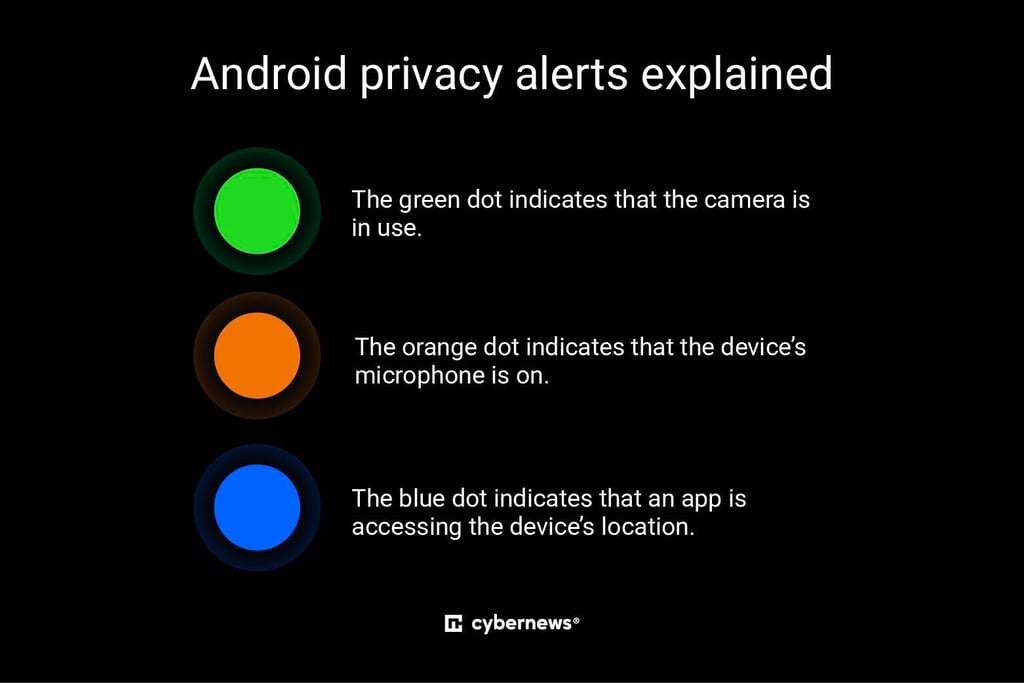
The blue dot isn’t the only privacy-related indicator. The green dot indicates that the camera is in use, and the orange shows when the device’s microphone is on.
Such indications normally appear when you’re taking a photo, watching a video, taking a phone call, or sending a voice message.
The idea behind this privacy feature is to let users see which apps may be eavesdropping and review app permission settings.
Apple has also included the same “system” to notify users if their microphone, camera, or location data is in use.
FAQ about privacy indications on Android smartphones
What does blue location privacy dot mean?
The blue dot shows that an app is actively accessing your location. It appears when the app is running actively on your screen or in the background.
How to check which apps use your location?
To check which apps are using your location, go to your device’s privacy or security settings. There, you can find a full list of apps and change their access to your location information.
What do green, orange, and blue dots indicate on my Android smartphone?
The green privacy indicator shows that an app is actively using your camera. The orange indicator alerts when the microphone is in use, while the blue dot marks that an app is currently using your location data.
FAQ by nexos.ai, reviewed by Cybernews staff.
Unlock more exclusive Cybernews content on YouTube.