Busy Bar by Flipper Zero makers: a real-life Slack status
An expensive tech toy or a tool to combat distractions?
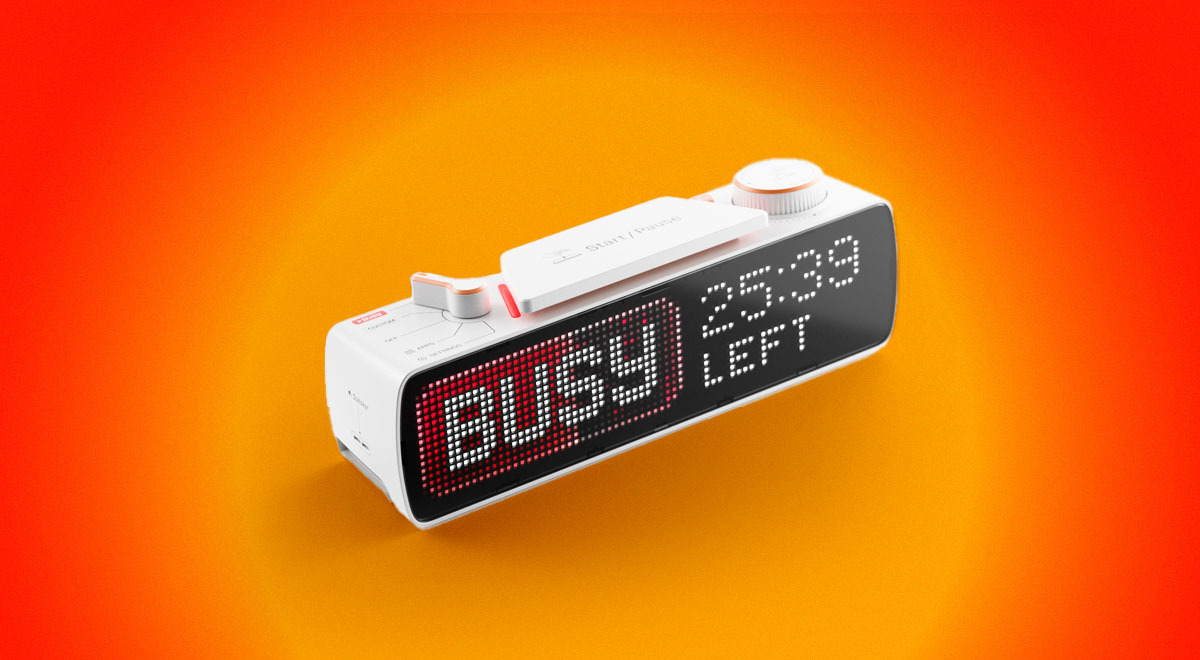
Image by Cybernews

 Follow us
- Flipper Zero’s creators launched Busy Bar, a $250 LED device that shows when users are unavailable.
- The device can block selected apps during focus time, helping users avoid social media and streaming distractions.
- Busy Bar supports customization through an open API and can connect with calendars, calls, and smart home devices.
Key Takeaways by nexos.ai, reviewed by Cybernews staff.
The creators of Flipper Zero, an open-source multi-tool for geeks and hackers, launched a productivity device called Busy Bar. It helped me avoid distractions and stopped me from doomscrolling.
The device is an LED board designed to let others know when you’re busy as a sort of real-life Slack status.
Flipper Zero can be personalized to your needs. Besides blocking distractions, it supports third-party software, integrates with calendar events and calls, and can connect to smart home devices.
Considering that we’re surrounded by constant distractions, I thought maybe Busy Bar could help me when the urge to scroll becomes too hard to resist.





First impressions
When I first unboxed the device, not entirely sure what it’s for or how to use it, I was instantly intrigued by its design.
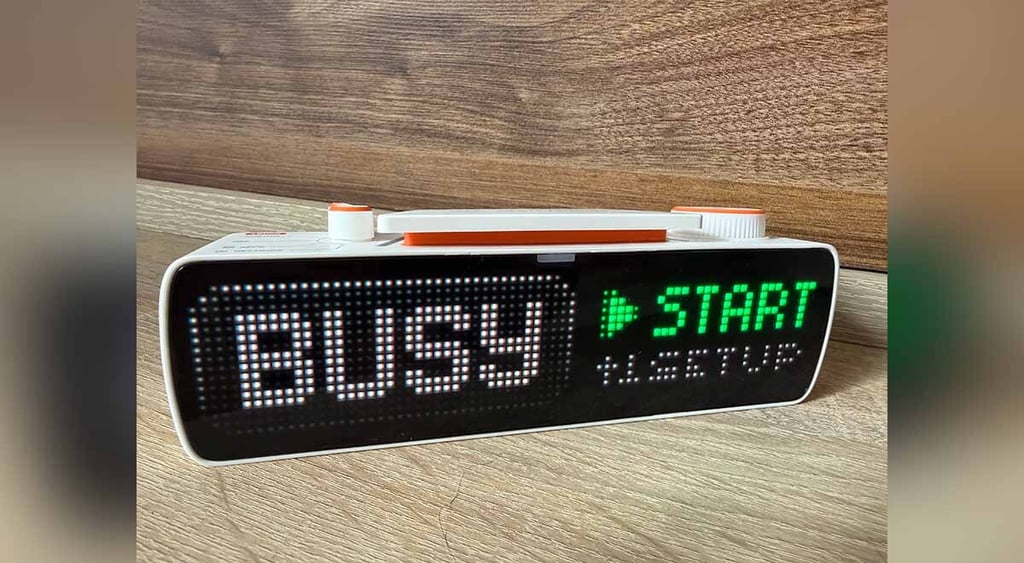
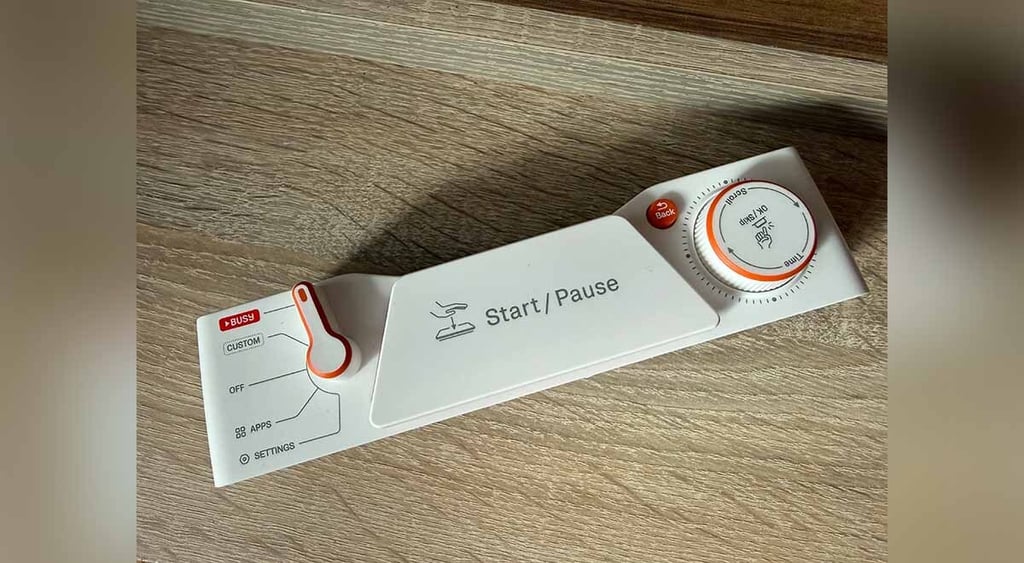
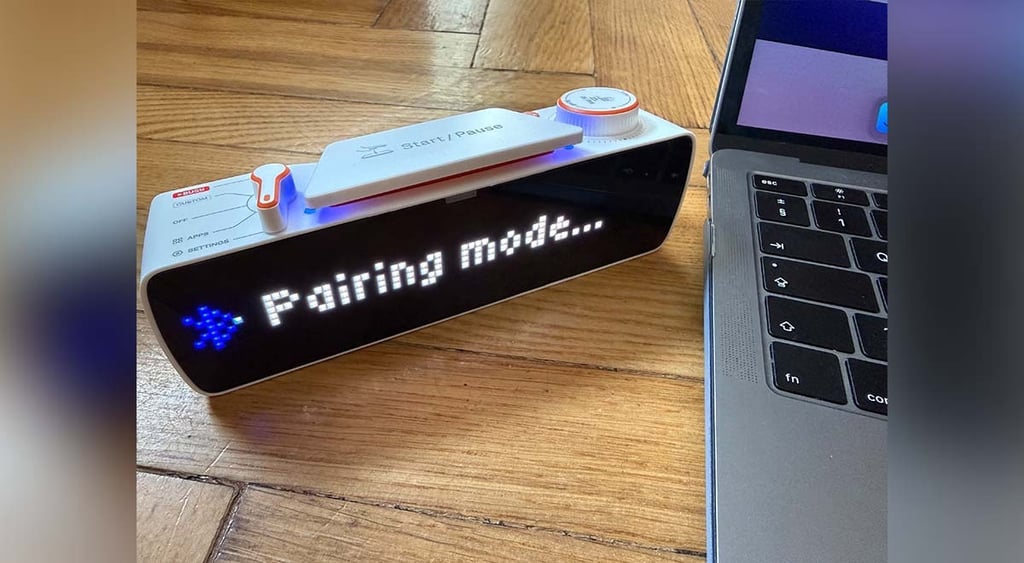
The Busy Bar reminded me of a cool, sleek digital clock with all its buttons, a lever, and a rotary dial to operate it.
Users can navigate the device using these buttons and view the main LED screen or the back screen. A Busy Bar app can be controlled through a user's smartphone or PC.
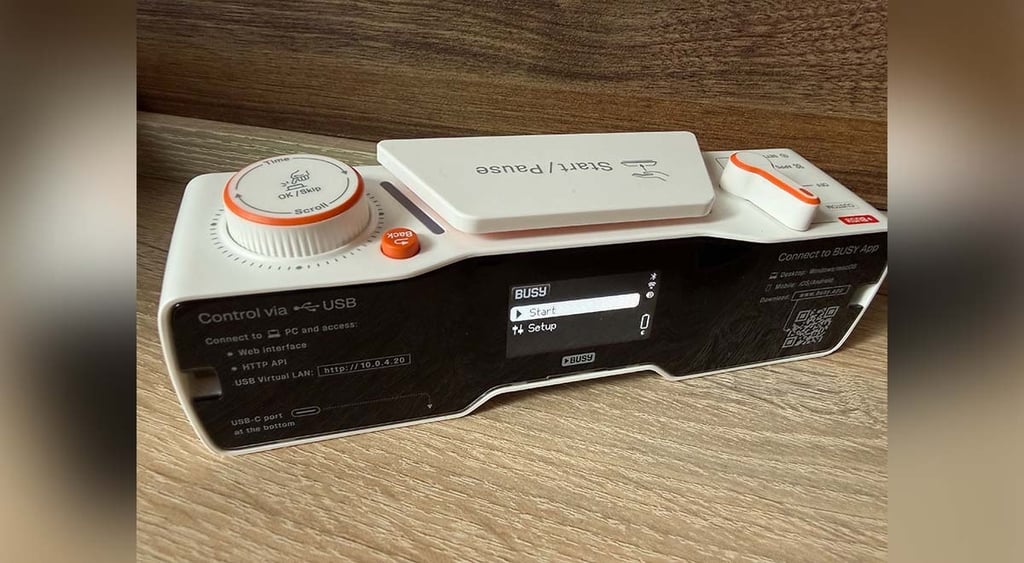
According to the company, the device's battery lasts up to eight hours in active use. While I hadn’t used it for that long and had only needed to charge it a few times, I was surprised to find it dead the day after charging it.
At first, I thought I might have forgotten to turn the device off, but it happened again even after it was fully charged.
What is Busy Bar for?
Similar to Flipper Zero, the Busy Bar comes with an open API, allowing you to adapt it to your own projects or even connect it to your smart home appliances.
One of the device's primary functions is displaying status. The screen can show whether you’re busy, with a timer indicating how long you’ll be unavailable for.
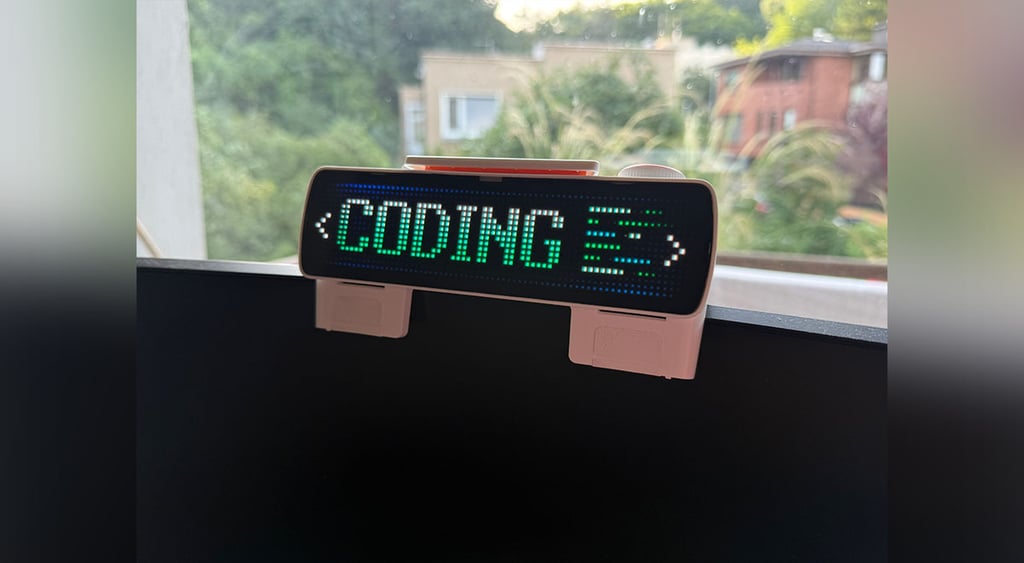
The timer also serves as an indicator for you, helping you stay focused and reminding you to take breaks.
It also includes status options for when you’re out for lunch, in a meeting, or just don’t want to be disturbed or need complete silence.
Since the device can be managed via phone or laptop, it can be displayed on a screen, a wall, or anywhere for others to see.



Stay updated with our latest stories and follow us on social media
Be the first to discover new stories, ideas, and updates from our team.
But how does it help you get focused, besides letting others know when to avoid your workspace or refrain from knocking on your door?
Once I downloaded the app to my iPhone, I learned that before enabling a status, I could add apps that Busy Bar would block.
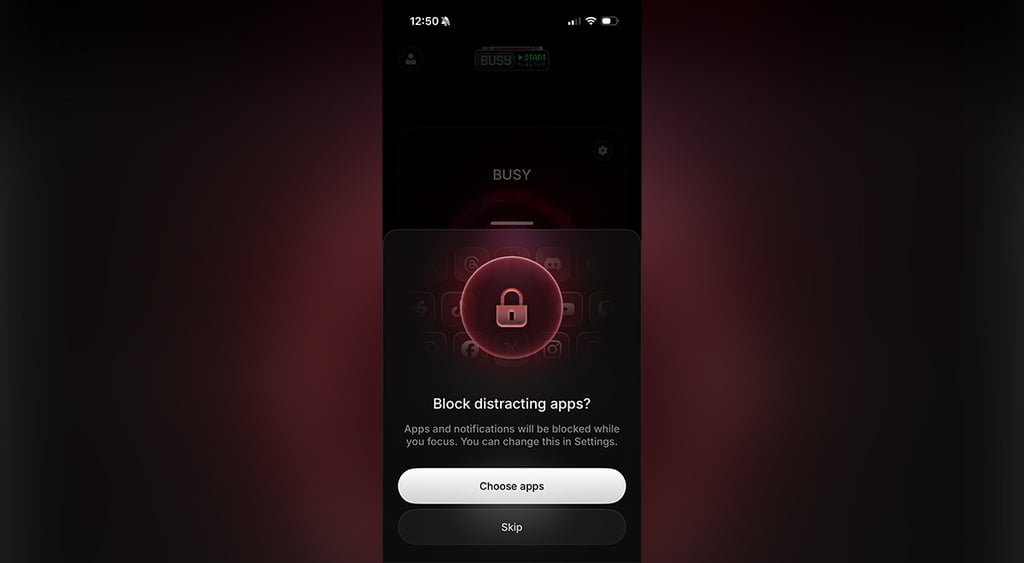
For example, if I enabled the “Busy” status, it would prevent me from using apps like Instagram, Facebook, Netflix, and Spotify.
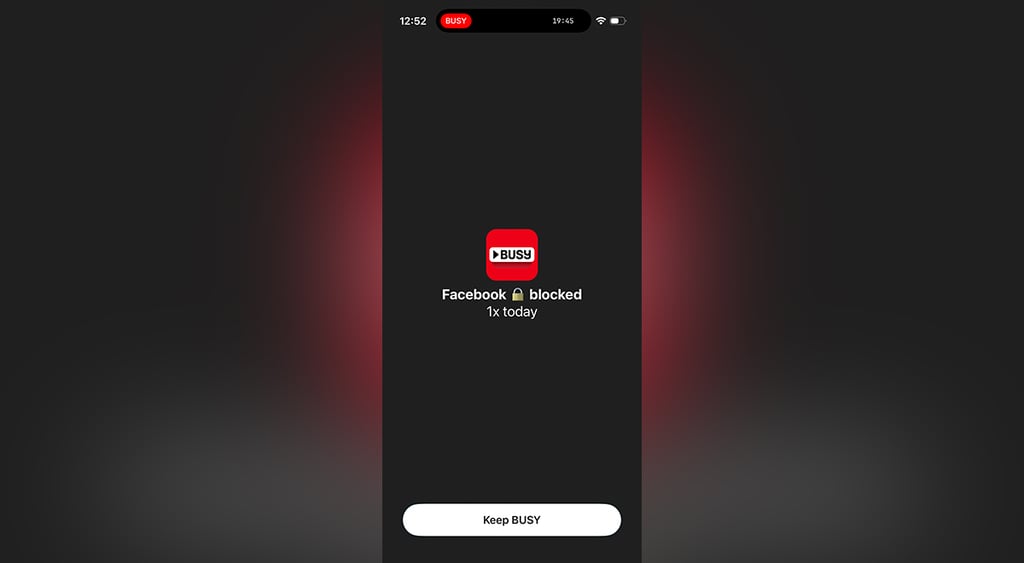
Every time I tried to open one of these, instead of seeing my feed or dashboard, I got a block from Busy Bar.
I also noticed that Busy Bar can automatically change the status to “On Call” if you pair the device with your computer.
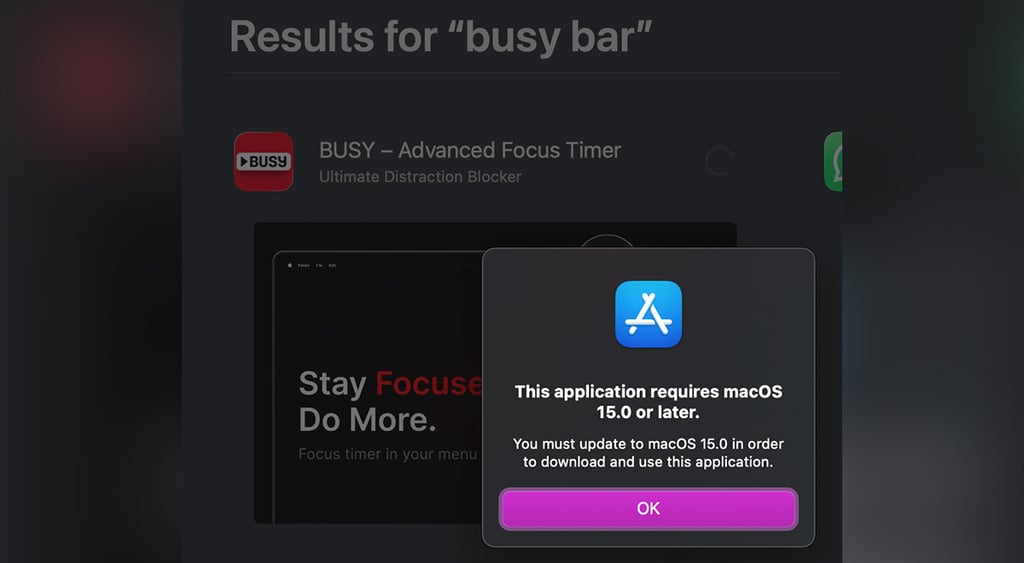
However, I couldn’t test this because I couldn’t download the app to my MacBook, as it requires macOS 15 or later.
Is it worth it?
While the $250 device (which comes with a 20% discount as of the time of writing) has an eye-catching design, its worth depends on how you’re going to use it.
As hardware, it could be suitable for a (home) office when you need to let people know you’re busy or unavailable.
When it comes to its main feature, distraction blocking, I really liked being able to add a status and avoid unnecessary interruptions from my most-used apps.
Nevertheless, I think the device’s full potential lies in its ability to be personalized for your own use or connected to other smart home devices, allowing users to pause music or turn the lights on via the Busy Bar.
Pros and Cons of a Busy Bar
- Sleek design, doesn’t take too much space
- Blocks apps during focus time
- Can be personalized for your own needs (open API, connection to smart home devices)
- Relatively pricey
- Questionable battery life