Every task you take, ChatGPT will be watching you: What is the Computer History feature?
Chronicle research preview 2.0?
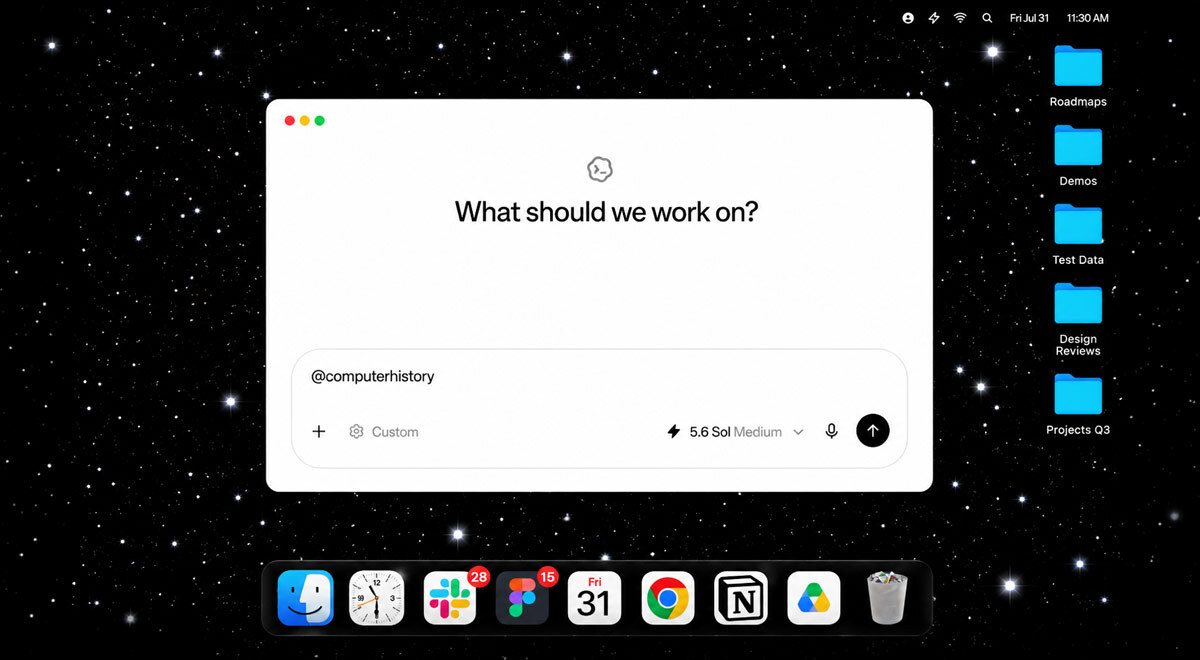
Screenshot from OpenAI

 Follow us
- OpenAI introduced Computer History for eligible Mac users, turning activity across allowed apps and websites into searchable memories.
- The feature tracks clicks, typing, keyboard shortcuts, and app switches, but not screenshots, screen recordings, or audio.
- Computer History is off by default and available only to US ChatGPT Pro, Business, and Enterprise users on macOS.
Key Takeaways by nexos.ai, reviewed by Cybernews staff.
OpenAI has introduced a new feature for Mac users that turns their activity “into memories and a timeline that ChatGPT and Codex can use.”
The feature, called Computer History, needs to track user activity on the device to work. This includes following users’ clicks, typing, keyboard shortcuts, and app switches done when using apps and websites the feature has access to.
The feature is available in the ChatGPT desktop app for macOS users who have a Pro, Business, or Enterprise subscription and only works when enabled.
The feature is also limited to users in the US.





“Computer History turns your activity across apps and websites into memories and a timeline that ChatGPT and Codex can reference,” shared the company.
This means that users can ask questions about their recent activities, continue where they left off, identify patterns in their work, and turn them into “skills or automations.”
ChatGPT notes that the feature doesn’t take screenshots or screen recordings, nor does it capture microphone or system audio. It also doesn’t account for site browsing in private mode.
ChatGPT Computer History: What is it good for?
The company notes that Computer History is replacing Chronicle research preview, which used screenshots. Meanwhile, Computer History only records interactions.
Users can resume their work by asking ChatGPT where they left off, with Computer History telling them what their last task was.
The feature can also help find a document even if a user doesn’t remember its name by simply providing context about what the document was about.
The feature can also turn repetitive tasks into skills or automations.



Stay updated with our latest stories and follow us on social media
Be the first to discover new stories, ideas, and updates from our team.
FAQ about Computer History
What is Computer History, and what does it do?
Computer History is a macOS desktop feature that turns user activity across allowed apps and websites into a searchable timeline and memories, so ChatGPT/Codex can help the user pick up where they left off, find recent work, or turn repeated workflows into automations.
Does it take screenshots or record my screen/audio?
No, it doesn’t record screenshots, screen recordings, microphone input, or system audio. It records interaction events (clicks, typing, keyboard shortcuts, app switches) via macOS's accessibility system.
Who can use it, and is it on by default?
It's available only to ChatGPT Pro, Business, and Enterprise users in the US, and it's off by default. Business/Enterprise users also need admin approval before they can opt in themselves
What happens to user data? Is it stored or sent to OpenAI?
Interaction events are temporarily stored on a user’s Mac (deleted after 48 hours) and briefly processed on OpenAI's servers to generate memories, which are then saved locally as plain-text Markdown files. OpenAI doesn't use this data for training and doesn't retain the raw event files after processing.
Can a user control, pause, or delete what the feature tracks?
Yes. Users can include/exclude specific apps or websites, pause/resume collection anytime from the macOS menu bar, and delete or clear history (the last 10 minutes, an hour, a day, or everything) at any time.
FAQ by nexos.ai, reviewed by Cybernews staff.