Pixel Watch bug blamed on Google Health app
Turning it off and on again didn’t help.
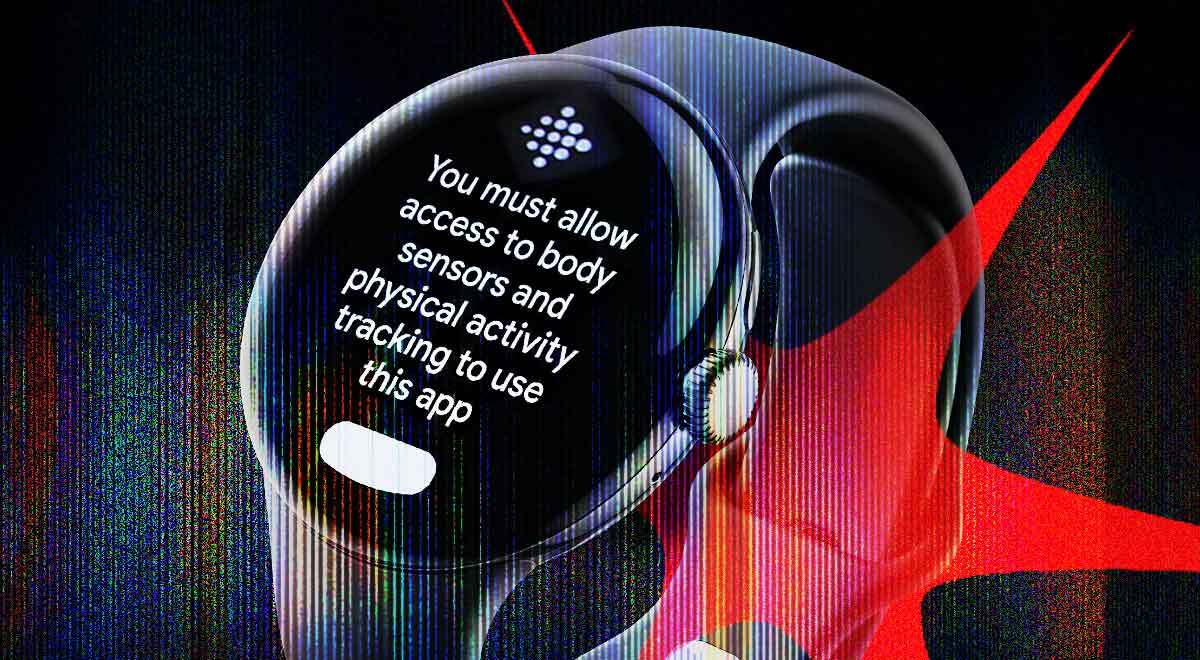
Image by Cybernews

 Follow us
- Pixel Watch owners report losing access to health data because the Google Health app keeps requesting permissions.
- Users say the error appears despite granted permissions and can stop heart rate, sleep, and step tracking.
- Factory resets and permission changes often failed, but enabling Health app notifications cleared the error for some users.
- Google has not addressed the issue, leaving users to rely on workarounds like uninstalling app updates.
Google Pixel Watch owners are complaining that they can’t access their health data.
According to user reports, it’s the Google Health app that’s causing the problem rather than anything to do with the device itself.
One owner posted on Reddit that their 2-year-old Pixel Watch started asking for permission whenever they wanted to check their heart rate or sleep score.
The added photo shows a message, “You must allow access to body sensors and physical activity tracking to use this app.” However, the user reported that they had already granted such permissions.




Their question about the issue prompted other netizens to reveal they had the same problem.
“I have exactly the same issue. Have had the watch for a while now and suddenly this pops up, and the health tracking even stopped working,” wrote another Redditor.
“I get this when my step count suddenly drops on my watch face, and I tap the complication to see what's up,” added another user.
“This is clearly a bug”
Some users reported that this notification would pop up weeks after a Google Health app update. Redditors also shared what they tried to do to get rid of the notification, including turning on all permissions and even performing a factory reset.
The discussion about what seems to be a bug also took place on the Pixel Watch support forum thread, which has been active since July 5th, 2026.
After contacting Google Pixel support, the user shared that “the Pixel Watch expert went through a lot of suggestions, and we even reset the watch, which did not resolve the error.”
What eventually solved the problem was turning on notifications on the Health app on the watch.
“Likewise, enabling notifications cleared the error. This is clearly a bug,” wrote another Pixel user.
The company hasn’t yet addressed the issue that has been taking place for quite some time.



Stay updated with our latest stories and follow us on social media
Be the first to discover new stories, ideas, and updates from our team.
However, one Reddit user shared that if Google Pixel Watch users have Google Health 4.02.1.1.943803011, they “may want to try and uninstall updates from Play Store on [their] watch.”
In July 2026, the company released version 5.03 of the Google Health app.