How to access Meta Muse outside the US: Unblock Meta Muse from anywhere

-
Meta Muse is available in the US and Canada but hasn’t launched in Europe
-
A VPN can help you access Meta Muse from Europe by connecting to a US or Canadian server. Age verification is still required
-
NordVPN is our top pick for speed, privacy, and US coverage. Surfshark and Proton VPN are good alternatives
Personal AI agents are now becoming accessible to everyone. Meta Muse is designed to let you hand over tasks such as browsing the web, filling out forms, and working with connected apps, without the technical setup required by self-hosted agents like OpenClaw. It runs on Meta’s servers and can continue working on tasks for you in the background.
However, Muse is currently exclusively available in the US and Canada, while Meta says more countries will be added over time. If you’re outside a supported market, a VPN can help by routing your connection through a server in a supported location and assigning your connection an IP address associated with that country.
In this guide, I’ll show you how to access Meta Muse outside the US, how to set it up with a VPN, and what to do if Muse still detects your usual location. I’ll also cover Muse’s availability, age verification requirements, and the main things to know before getting started.
How to access Meta Muse with a VPN: quick guide
- Pick a reliable VPN. My recommendation is NordVPN, now 75% OFF
- Download your chosen VPN’s app and install it on your device
- Create and log in to your account
- Connect to a US VPN server
- Open muse.ai or the Muse app on your device
- Sign up or log in to Meta Muse and start setting up your personal AI agent
Why do you need a VPN to access Meta Muse outside the US?
You need a VPN to access Meta Muse outside the US because Meta is rolling out its personal AI agent gradually by country rather than making it available worldwide from launch. Meta says Muse is intended to be widely available, but the current rollout is limited to selected regions while the company expands access to additional countries.
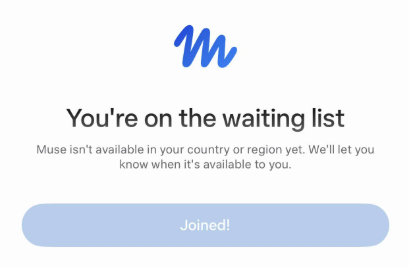
If you are outside a country where Meta Muse is available, you may not be able to access the AI agent through your regular internet connection. This is where a reliable VPN can help.
By connecting to a VPN server in a supported country, such as the US, you route your internet traffic through that location and use an IP address associated with it, which may allow you to access Meta Muse from abroad. Besides, a VPN also encrypts your internet traffic, which adds another layer of privacy while you're using online services.
Where is Meta Muse available?
Meta initially launched Muse in the US. The service has since expanded to Canada.
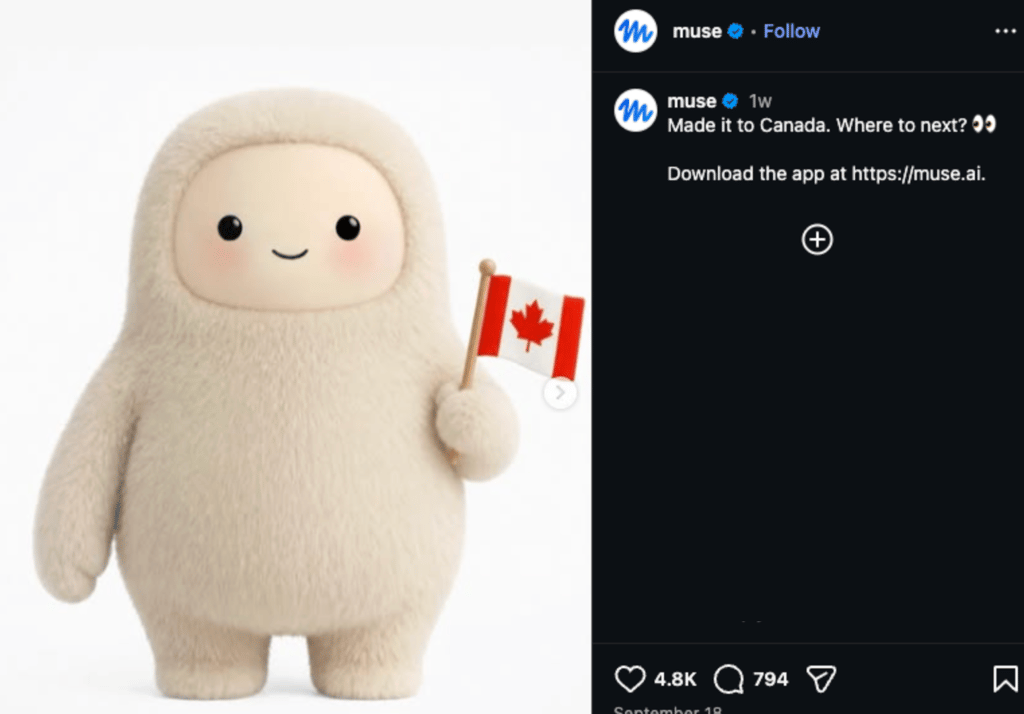
In short, if you're already in the US or Canada, you don't need a VPN simply to access Muse. Device-wise, Muse is available through muse.ai, iOS, Android, and Mac.
How to unblock Meta Muse outside the US: detailed guide
If you're outside a country where Meta Muse is currently available, you can use a VPN to change your virtual location before opening Muse. Here’s how.
Step 1. Choose a VPN with US servers
Start with a VPN that has servers in the United States. I recommend NordVPN for Meta Muse because it offers servers in all 50 states, fast connections, and privacy features designed to protect your internet traffic.
Other noteworthy options I recommend are Surfshark, which lets you connect an unlimited number of devices simultaneously under one subscription, and Proton VPN, which is worth considering if you want a privacy-focused VPN with a free version.
Step 2. Download and install the VPN
Once you've chosen your VPN, download the official app for your device. The VPN providers I recommended all support major platforms such as Windows, macOS, Android, and iOS. Install the app and sign in before continuing.
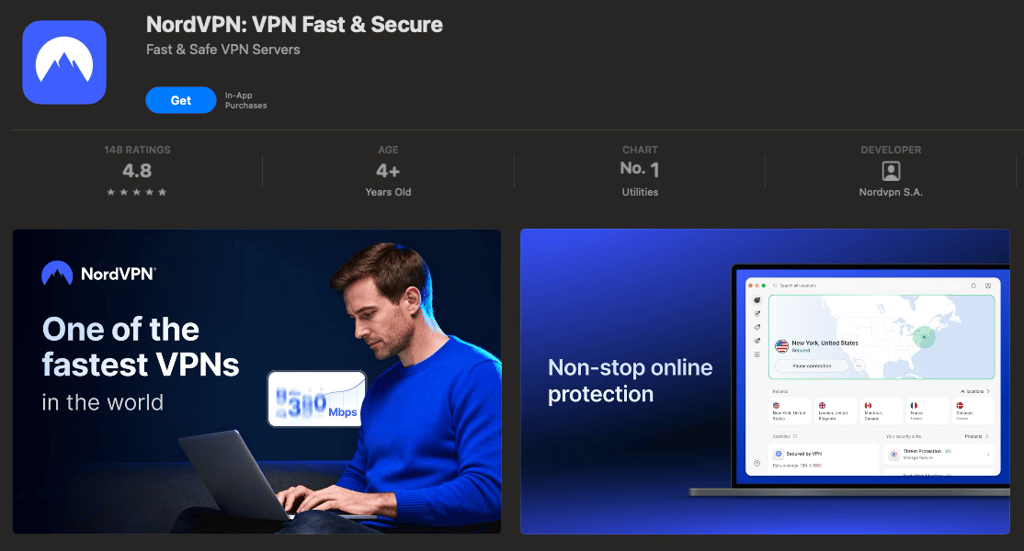
Meta Muse itself is now also available on Mac. The Mac version runs directly on your desktop and can help organize files, fill out forms, and work with Messages, Calendar, and Notes, with your permission.
Step 3. Connect to a US server
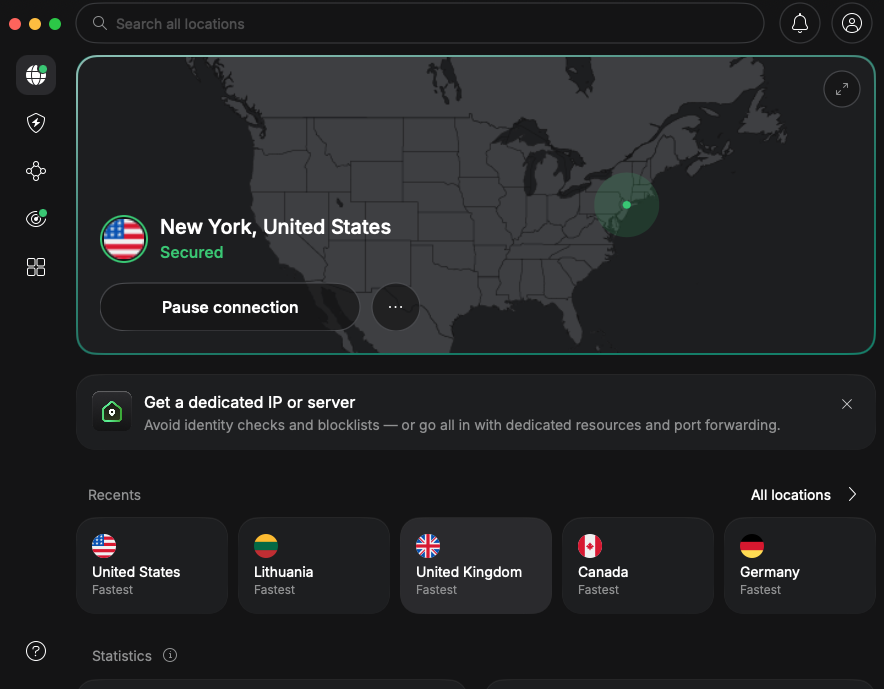
Open the VPN app and select the United States as your location. Once connected, your internet connection will use a US IP address instead of your normal IP address.
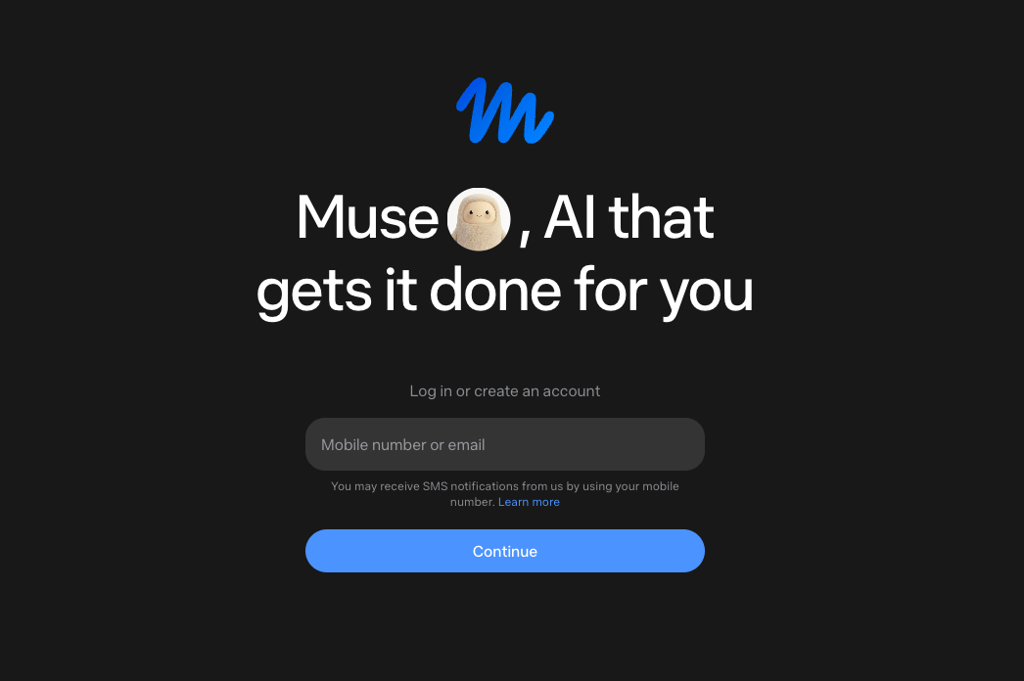
Step 4. Open muse.ai and sign up or log in
Once your VPN is connected, open muse.ai. If you already have a Muse account, log in. If you're new to Muse, follow the signup process. You can also use the Muse mobile apps on iPhone and Android.
Step 5. Confirm your age
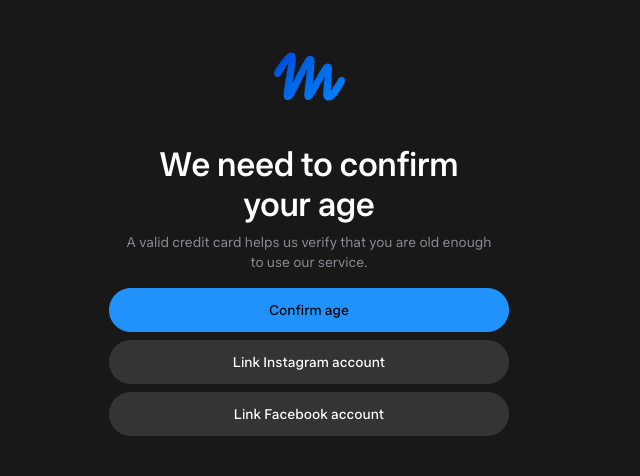
Meta Muse is restricted to users who are 18 or older, or the local age of majority. During setup, Meta asks you to confirm your age before you can start using the AI agent. You can verify your age by linking an existing Facebook or Instagram account or by using a credit card. At this stage, this requirement applies even if you're using Muse's free tier
Step 6. Set up your Meta Muse AI agent
After signing in, you can start setting up your personal AI agent and experiment with its capabilities.
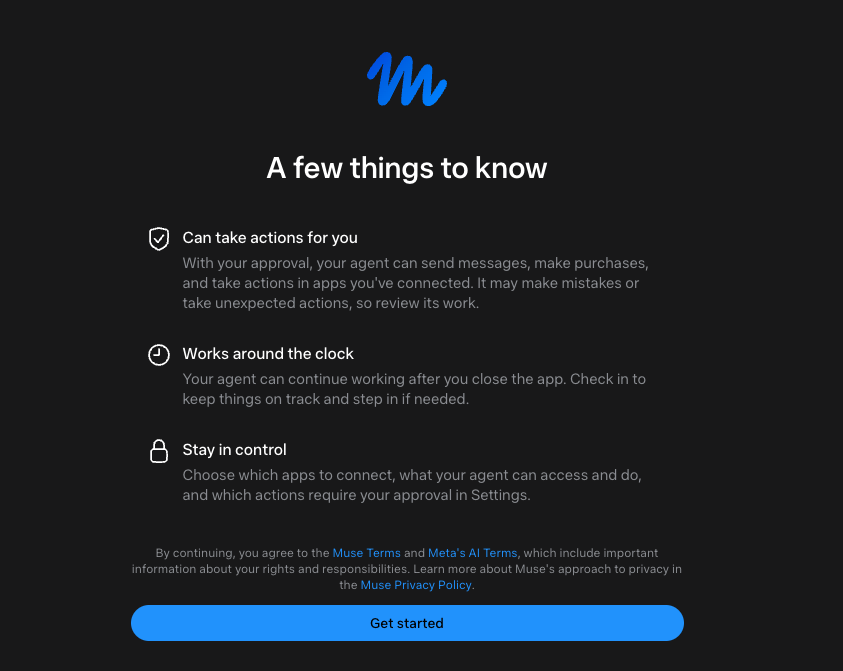
Once set up, Muse can help with tasks such as organizing information, filling out forms, sending emails, and working toward longer-term goals. You remain in control of those permissions, and if something changes, you can change access or disconnect a service at any time.
Best VPNs for Meta Muse
- NordVPN – best overall VPN for Meta Muse. It offers x locations, both inside and outside the US, including servers in all 50 states, fast connections, and strong privacy features, making it ideal for changing your virtual location before accessing Muse.
- Surfshark – best budget VPN for connecting multiple devices. Surfshark lets you use the VPN on unlimited devices, which can be useful if you want to access Muse on all your home devices at the same time.
- Proton VPN – privacy-focused VPN with a free version. Proton VPN focuses heavily on privacy and offers a free version for users who want to try a VPN without paying immediately.
Meta Muse not working with a VPN: how to fix it
A VPN can help you access Meta Muse from a supported location, but connecting to a VPN alone does not change your Meta account or age requirements. If Muse is still not accessible, here are a few things to check:
- You’re connected to the wrong country. Meta Muse is currently available in the US and Canada. Make sure your VPN is connected to a server in one of these countries before opening Muse.
- The VPN connection isn’t working properly. If your connection drops or the VPN fails to assign a new IP address, Muse may still see your regular connection. Try reconnecting to the VPN or switching to another server in the same country.
- Muse is still using your previous session data. If you opened Muse before connecting to the VPN, your browser may still have cached data from your previous connection. Connect to the VPN first, then open Meta Muse in incognito or private mode. You can also clear your browser’s cache and cookies, and run a DNS leak test to make sure your regular connection details aren’t being exposed.
- Your account still needs to meet Meta’s requirements. A VPN only changes the network connection. It does not remove account requirements, such as age verification or other checks Meta may use when determining access. Make sure you’re signed in and have completed the required setup steps.
Can you access Meta Muse with a free VPN?
Free VPNs can seem like an easy option when you don’t want to pay for a VPN. However, they often come with limitations that can make it harder to access Meta Muse from outside a supported market. Fewer server locations, slower connections, and limited features can all affect your experience.
That said, there are actually good free VPNs on the market. For example, Proton VPN offers a free version that can provide VPN protection without a subscription. The main limitation is that the free plan gives you access to a much smaller selection of server locations and fewer features than the paid version. This can affect connection speeds and your choice of locations, which may be a drawback if you plan to use Meta Muse for tasks you need to access regularly.
Summary
While Meta Muse plans to expand its market outside the US and Canada, at the time of writing, it’s unavailable outside these markets. For this reason, a reliable VPN can help you access Meta Muse from abroad by routing your connection through a server in a supported location and assigning it an IP address associated with that country.
A VPN can also encrypt your internet traffic, adding an extra layer of privacy while you’re online. For these reasons, my top recommendation is NordVPN. It offers a wide pool of servers in the US and Canada, making it easy to connect to a fast server in a supported location when accessing Meta Muse from abroad.
FAQ
Is Muse AI available in UK?
No. Meta Muse is currently only available in the US and Canada, so it isn’t officially available in the UK at the time of writing. If you’re in the UK and want to access Meta Muse, a reliable VPN, such as NordVPN, can route your connection through a server in the US or Canada, giving you an IP address associated with that location.
Is Meta Muse available in Europe?
No. Meta Muse is not currently available in Europe. Meta’s latest information confirms that Muse is currently available in the US, Canada, and Mexico, with plans to roll it out to additional markets. If you’re in Europe and want to access Meta Muse, a VPN can route your connection through a server in one of the supported countries.
Can I access Meta Muse in Canada?
Yes. Meta Muse is available in Canada. Meta expanded Muse to Canada shortly after its initial US launch, and the service is available through the web, iOS, and Android.
Do I need a US phone number to use Meta Muse?
No. You don’t need a US phone number to use Meta Muse. However, you do need to confirm that you’re 18 or older during setup. Meta will ask you to verify your age by linking an existing Facebook or Instagram account or using a payment card.
Is Meta Muse free to use?
Yes, Meta Muse has a free tier with a usage limit. If you reach that limit, you can either wait for it to refresh or upgrade to a paid plan. The paid plans are Power at $20.00/month and Maximum at $100.00/month, with higher usage limits than the free version.