Best VPS for Paperclip in 2026 (VPS and cloud)
Our in-house experts conduct independent, hands-on testing and transparent reviews of VPS hosting providers by using real server environments, and industry-recognized benchmarking methods to ensure impartial and evidence-based assessments
Using the same criteria for all VPS services, we share our detailed methodologies and testing practices to help customers compare performance, reliability, scalability, and overall value before choosing a virtual private server.
Learn more
Paperclip is an open-source platform where you can manage and orchestrate AI agents for business tasks and operations. One of its key benefits is that it offers a single space to coordinate agents, projects, tasks, and workflows – so you don’t need to manage each agent on a separate platform.
Although you can run it on your computer, choosing the best VPS for Paperclip can help keep your instance and agents available when your laptop is turned off. It also gives you the resources and control to run Paperclip remotely without tying everything to your personal computer.
This guide is for anyone looking to host Paperclip on a VPS, from beginners to more advanced users running demanding workloads. Our in-house research team and I evaluated 6 top VPS providers based on their setup, performance, resources, scalability, pricing, and ease of use to help you find the right option for your business needs.
6 best VPS providers for Paperclip (in short)
- Hostinger – best for beginners
- Contabo – best value for resource-heavy setups
- Kamatera – best for scalability
- DigitalOcean – best for developers
- Hetzner – best for compute-intensive workloads
- OVHcloud – best for security



Our in-house VPS research team and expert writers work together to regularly test VPS hosting services across different use cases and provide accurate, up-to-date insights. Learn more about how we test and evaluate virtual private servers.
What is Paperclip, and why do you need VPS hosting for it?
Paperclip is an open-source tool for running AI agents that can independently manage different business tasks and operations. View it as a control panel where you can coordinate your agents and give them the context, tools, and tasks they need to work on projects. This allows multiple agents to work on different tasks and projects at the same time, without you having to manage each one separately.
To complete all this work, Paperclip needs a reliable server that stays online. While you can run it locally on your computer, a VPS offers dedicated resources and keeps your Paperclip instance available remotely. Here are some of the main benefits:
- Always-on environment: your Paperclip instance can keep running even when your personal computer is turned off
- Remote access: you can access your Paperclip environment and agents remotely whenever you need them
- Dedicated resources: a VPS gives your Paperclip setup its own allocated CPU, RAM, and storage
- More control: unlike shared hosting, a VPS usually provides root access, so you can install Node.js, development tools, AI agent dependencies, and other software required for your Paperclip setup
- Room to grow: you can upgrade your CPU, RAM, and storage as you coordinate more agents or take on more demanding tasks without moving your entire Paperclip setup to another machine
Best VPS providers for Paperclip in 2026 – detailed reviews
Working with our research team, I evaluated a range of VPS providers to find which ones are best for running Paperclip. Below are the providers I selected based on their straightforward remote setup, flexible resource options, scalability, and affordable pricing.
1. Hostinger – best for first-time VPS users
| Rating: | |
| Setup time: | 10–15 minutes |
| Starting price: | $8.09/month |
| Money-back guarantee: | ✅ Yes, 30 days |
| Special deal: | Get up to 73% OFF Hostinger VPS |
From all providers I’ve tested, Hostinger is my top pick, especially if you’re just getting started with Paperclip. I found its VPS setup simple to manage, and its affordable plans give you enough resources to run a basic Paperclip setup without a large upfront commitment. Here are the main reasons why I recommend it:
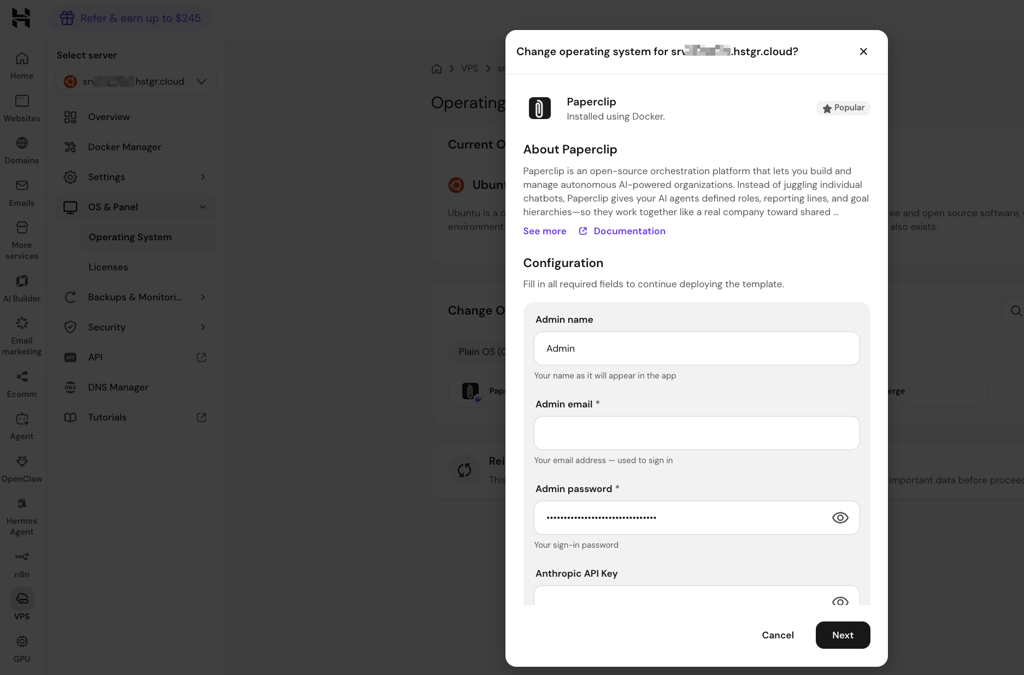
- 1-click Paperclip deployment. Since Hostinger offers pre-configured VPS templates, deploying Paperclip was very quick and straightforward. In my testing, the entire setup took me about 10–15 minutes.
- Intuitive control panel. Hostinger’s proprietary hPanel made it easy to manage my server and monitor its resources. Even if you’re new to VPS hosting, you won’t feel overwhelmed.
- Full root access. With root access to your VPS, you can install Paperclip, its dependencies, and other tools.
- Fast NVMe storage. NVMe SSD storage can help Paperclip handle database operations efficiently, especially as you generate more activity and audit data.
- Affordable starting price. Hostinger’s VPS plans for Paperclip start at $8.09/month, which is really affordable compared to other top providers.
- Room to scale. If your Paperclip setup grows beyond a basic configuration, you can always upgrade to a higher-tier VPS with more CPU, RAM, and storage.
2. Contabo – best for demanding workloads
| Rating: | |
| Setup time: | 10–15 minutes |
| Starting price: | $7.20/month |
| Money-back guarantee: | ✅ Yes, 30 days |
| Special deal: | Get Contabo for just $5.28/month! |
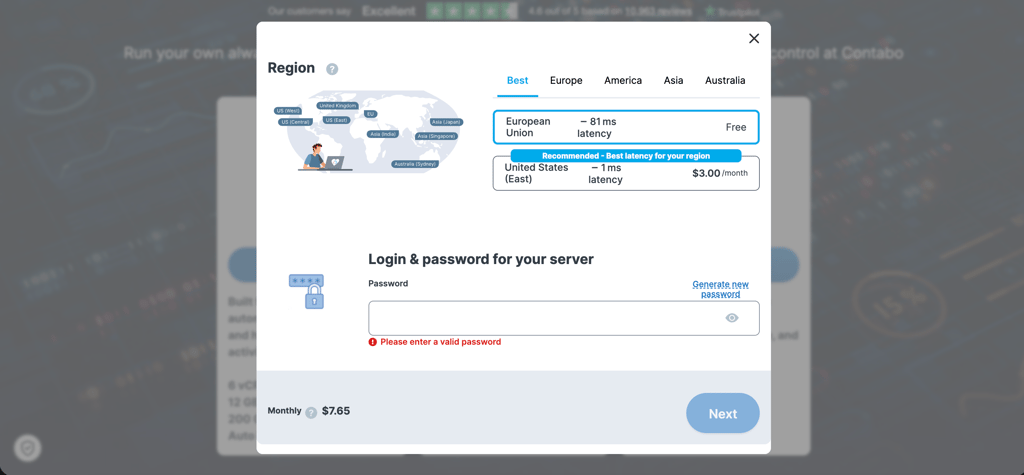
Contabo is best suited for heavy workloads that need a lot of resources. Even with Paperclip's starter plan, you get 6 CPU cores, 12GB of RAM, and a 200GB SSD – enough to run a multiple-agent setup. Another thing I like is the 1-click Paperclip deployment, which saves time compared to a manual installation. Here are the main reasons why I recommend it:
- 1-click Paperclip deployment. You can install Paperclip directly from the application installation menu, so you don’t have to set up the software manually. In my testing, the starting setup took around 10–15 minutes.
- Resource-rich VPS plans. Contabo includes generous amounts of CPU, RAM, and storage for coordinating multiple agents and handling heavier workloads.
- High-capacity NVMe storage. You can choose NVMe storage and upgrade to larger capacities, which is useful if your Paperclip instance accumulates more project data, logs, and other files over time.
- Free VPS firewall. Contabo’s firewall blocks incoming traffic by default and lets you create rules for specific IP addresses, ports, and protocols. This gives you an additional way to control access to your Paperclip server.
- Generous network allowance. Current VPS plans include 32TB of traffic and unlimited incoming traffic, which can be useful for Paperclip agents that regularly communicate with external services and APIs.
- Good value. Contabo offers a lot of CPU, RAM, storage, and traffic for the price, making it particularly appealing if your Paperclip workload is resource-intensive.
3. Kamatera – best for growing workloads

| Rating: | |
| Setup time: | 10–15 minutes |
| Starting price: | $16.00/month |
| Money-back guarantee: | ❌ No |
| Special deal: | Get Kamatera now, starting at only $4.00/month |
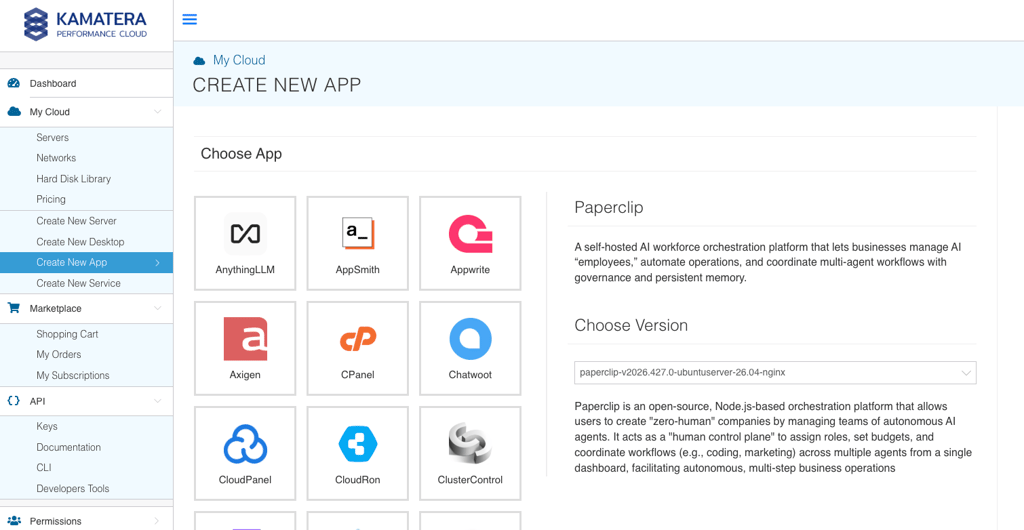
Kamatera is great if you have growing Paperclip workloads. I like it because you can start with minimal resources and scale your server as your setup becomes more demanding. This can be useful if you plan to coordinate multiple AI agents or several companies within a single Paperclip instance. Overall, here are the main reasons why I recommend it:
- Flexible server configurations. You can customize your VPS resources and choose the CPU, RAM, and storage you actually need for your workload – without paying for resources you don’t need.
- Easy Paperclip setup. In my testing, I only took about 10–15 minutes to get a basic Paperclip environment up and running. I also found the setup very straightforward, even for first-time users.
- Simple scaling. You can increase your server resources as you add more agents or your workloads become more demanding, without having to move your Paperclip installation to a new server.
- Suitable for multi-agent workloads. Paperclip can coordinate multiple AI agents, and Kamatera’s flexible configurations make it easier to provide enough resources as your agent workforce grows.
- Reliable cloud infrastructure. Kamatera’s cloud infrastructure is well-suited to workloads that require continuous availability, which is useful for Paperclip’s background tasks and automated workflows.
- Global data centers. Kamatera operates data centers in multiple locations, giving you flexibility when choosing where to host your Paperclip instance.
4. DigitalOcean – best for developer-friendly hosting
| Rating: | |
| Setup time: | 15–20 minutes |
| Starting price: | $24.00/month |
| Money-back guarantee: | ❌ No |
While Hostinger caters to beginners, DigitalOcean is more geared toward developers running Paperclip. For technical users, it provides greater control over their hosting environment, along with clear documentation and tools for managing and scaling a VPS. Here are the main reasons why I recommend it:
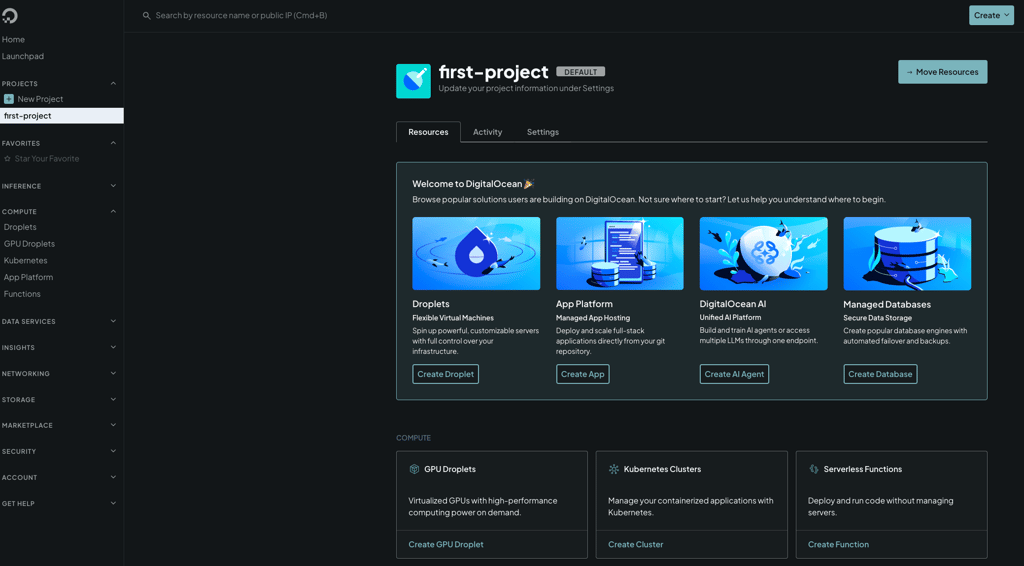
- Straightforward Paperclip setup. In my testing, I got a simple Paperclip environment up and running in about 15–20 minutes. DigitalOcean’s documentation also made the process easy to follow.
- Developer-friendly platform. DigitalOcean provides developer-focused tools, documentation, and APIs. This gives plenty of control over your Paperclip environment and makes it easy to customize your setup.
- Full server control. You get full root access, so you can install Paperclip, dependencies, development tools, and other software you need.
- Built-in monitoring. You also get monitoring tools that let you keep an eye on CPU, memory, disk usage, and other server metrics – that’s very useful when running multiple agents.
- Scalable Droplets. You can resize your Droplet as your Paperclip workload grows, allowing you to add CPU, RAM, and storage without rebuilding your setup.
5. Hetzner – best for high-performance workloads
| Rating: | |
| Setup time: | 15–20 minutes |
| Starting price: | $23.59/month |
| Money-back guarantee: | ✅ Yes, 14 days |
| Special deal: | Available now for only €1.60! |
I’d choose Hetzner when performance is a bigger priority than beginner-friendly management. If your Paperclip setup includes multiple agents and heavier workloads, Hetzner offers great value, thanks to its powerful configurations and competitive pricing. Here are the main reasons why I recommend it:
- Fast Paperclip setup. I appreciated how fast you can launch a basic Paperclip setup. In my experience, the process took only 15–20 minutes.
- Good value for robust performance. You can get a powerful CPU and RAM configuration at a reasonable price – great if you have demanding Paperclip workloads.
- Powerful CPU options. You can choose from x86 and ARM-based servers, giving you flexibility when selecting the right configuration for your workload.
- Generous bandwidth. Hetzner’s generous bandwidth allowances are useful if your Paperclip agents regularly communicate with external APIs, process files, or handle other data-intensive tasks.
- Scalable resources. You can choose higher-spec configurations as your Paperclip workload grows, so you can upgrade to more CPU and RAM when your setup needs additional resources.
6. OVHcloud – best for secure hosting

| Rating: | |
| Setup time: | 10–15 minutes |
| Starting price: | $8.50/month |
| Money-back guarantee: | ✅ Yes, 14 days |
| Special deal: | Get OVHCloud for just $4.54/month! |
If you want extra security for your Paperclip setup, OVHcloud might be worth considering. Since Paperclip can act as a central hub for multiple AI agents and business workflows, I like that OVHcloud combines built-in Anti-DDoS protection with generous network resources. Here are the main reasons why I recommend it:
- Rapid deployment. During hands-on testing, I set up a basic Paperclip environment to run in just 10–15 minutes.
- Built-in Anti-DDoS protection. OVHcloud includes native Anti-DDoS protection, keeping your Paperclip instance and public-facing services secure against attacks.
- Unmetered bandwidth. Unmetered traffic can be useful if your Paperclip setup handles frequent external API calls or larger data transfers.
- Flexible VPS resources. Adaptable CPU, RAM, and storage options let you tailor server specs directly to your Paperclip workload.
- Affordable starting price. Starting at $8.50/month, OVHcloud provides an economical way to run Paperclip on secure infrastructure.
What resources does Paperclip need for VPS hosting?
One of the key things to consider before choosing a plan is how many resources you need. If you choose a plan with too few resources, you may experience slower performance, while choosing a bigger plan than you need may lead to overpaying. A lightweight Paperclip setup for one or two agents won’t need the same amount of CPU and RAM as a setup coordinating several agents and more demanding workloads.
Note that Paperclip doesn’t publish official system requirements, so there’s no confirmed minimum VPS configuration to follow. Below are our research team’s recommended starting points.
Small Paperclip setups
A small Paperclip setup means you’re running one or two agents and managing light business tasks. This can work for individual users or small teams who are just getting started with Paperclip and don’t plan on running many demanding workloads simultaneously.
Suggested VPS configuration:
- 2 vCPUs
- 4GB RAM
- 50GB NVMe storage
This kind of setup is one of the more affordable ways to host Paperclip, costing $8.00–25.00/month, depending on the provider. If you’re just getting started, I’d begin with these resources and upgrade once you notice that your workloads need more CPU or memory.
Medium Paperclip setups
A medium setup makes more sense if you regularly coordinate several agents or run multiple tasks at the same time. For this setup, I recommend choosing more CPU and RAM headroom to keep concurrent workloads running smoothly, especially as your Paperclip environment becomes more complex.
Suggested VPS configuration:
- 4 vCPUs
- 8–16GB RAM
- 80–160GB NVMe storage
With additional resources, the cost will increase to $25.00–65.00/month. However, you’ll also get more room to run multiple agents and workloads without constantly worrying about resource limits. I’d also prioritize NVMe storage if your setup involves handling larger projects or a growing amount of data.
Large Paperclip setups
Most users are fine with a small or medium setup and won’t need the resources of a larger configuration. Large setups are better suited for businesses or teams that coordinate many agents and handle more demanding workloads simultaneously. In this case, having plenty of CPU and RAM is important, and scalable resources can help you adapt as your workload grows.
Suggested VPS configuration:
- 8+ vCPUs
- 16–32GB+ RAM
- 160GB+ NVMe storage
Be aware that these configurations can be expensive, particularly if you opt for high-performance or dedicated CPU resources. The price can vary between $65.00–200.00/month. Since Paperclip doesn’t specify a maximum resource requirement, your actual needs will depend on the number of agents, tasks, and other workloads you run simultaneously.
Deploying Paperclip on a VPS vs cloud hosting
Generally, Paperclip can run on both a VPS and cloud hosting. The better option for you comes down to your budget, the resources you need, and how much control you want over your server. In my experience, a VPS is the more practical option for Paperclip because it’s more affordable yet still gives enough resources and control.
Running Paperclip on a VPS gives you a dedicated virtual environment with root access. This means that you can configure the server and install the software and dependencies you need for Paperclip. All VPS providers on my list also offer fixed monthly pricing for a set amount of resources, so you can predict your costs if you plan to keep Paperclip running continuously.
On the other hand, cloud hosting is better if you need to scale resources fast or prefer a more flexible pricing model. Cloud providers usually let you adjust CPU, RAM, and storage as your workload changes. Just keep in mind that pay-as-you-go pricing can make costs less predictable for running Paperclip nonstop.
All in all, choose a VPS if you want an affordable option with sufficient resources and control. However, if your workloads are less predictable or you plan on scaling, cloud hosting might be a better fit.
Final thoughts
After reviewing different VPS providers for Paperclip, I can say that there’s no single VPS that works best for every setup. Each provider has its own strengths and weaknesses, so your choice should depend on your workload, budget, and the number of AI agents and tasks you plan to run simultaneously.
Overall, I’d recommend Hostinger, especially if you’re just getting started with Paperclip. I found its VPS setup straightforward to manage, and its affordable plans give you enough resources to run a basic Paperclip setup without a large upfront commitment. You can also upgrade to a higher-tier plan if your workload grows and you need more CPU, RAM, or storage.
The other VPS providers on my list can also be a good fit depending on your needs. Here’s my final recommendation list based on different Paperclip hosting scenarios:
- Best VPS for beginners – Hostinger
- Best value VPS for resource-heavy setups – Contabo
- Best VPS for scalability – Kamatera
- Best developer-focused VPS for Paperclip – DigitalOcean
- Best VPS for compute-intensive Paperclip workloads – Hetzner
- Best secure VPS for Paperclip – OVHcloud

FAQ
Can I host Paperclip on a VPS?
Yes, you can host Paperclip on a VPS, and it’s a good option if you want a dedicated environment with control over your resources. Our research team recommends at least 2 vCPU, 4GB of RAM, and 50GB NVMe storage for a basic VPS deployment.
How much RAM does Paperclip need?
Paperclip needs at least 2GB of RAM for a basic VPS deployment, according to our research team. For larger workloads or multiple agents running simultaneously, you may need more RAM to maintain smooth performance.
Can I self-host Paperclip?
Yes, Paperclip is open-source and can be self-hosted on your own machine or infrastructure. You can run it locally or deploy it to a VPS or cloud server for remote access.
Can I host Paperclip on shared hosting?
No, I wouldn’t recommend shared hosting for Paperclip because it requires Node.js 20+, pnpm, and server-level access that typical shared hosting plans may not provide. A VPS is a better choice because it gives you the Linux environment and control needed to run Paperclip reliably.
Is cloud hosting better than VPS hosting for Paperclip?
Cloud hosting isn’t necessarily better than VPS hosting for Paperclip, as both can provide the resources and control needed to run it. A VPS is often the simpler and more affordable choice, while cloud hosting can be useful if you need greater scalability or flexibility.
What OS is best for Paperclip hosting?
Ubuntu is the best OS for Paperclip hosting because it’s well supported and straightforward to configure with most VPS providers.