Best VPS for WordPress in 2026
Our in-house experts conduct independent, hands-on testing and transparent reviews of VPS hosting providers by using real server environments, and industry-recognized benchmarking methods to ensure impartial and evidence-based assessments
Using the same criteria for all VPS services, we share our detailed methodologies and testing practices to help customers compare performance, reliability, scalability, and overall value before choosing a virtual private server.
Learn more
Using a VPS for WordPress provides dedicated resources and more control compared to shared hosting, which is a great choice if your site is growing fast or receives high traffic. I tested VPS providers by setting up identical WordPress websites using the default Twenty Twenty-Five theme with the same pages, posts, and images.
Performance and reliability were measured with WebPageTest for load times and Grafana Synthetics for uptime. Based on these results, I’ve listed the 8 best VPS providers for WordPress in 2026, based on performance, features, and value.
The 8 best VPS for WordPress in 2026
- Liquid Web – best premium and business WordPress VPS
- Hostinger – best VPS for WordPress performance
- Cloudways – best managed cloud VPS for high‑growth sites
- SiteGround – best VPS for WordPress agencies and professionals
- ScalaHosting – VPS for WordPress sites needing strong security
- DreamHost – best VPS for beginners looking for simplicity
- Kamatera – VPS for high-traffic and scalable WordPress sites
- OVHcloud – high-security business VPS



Our in-house VPS research team and expert writers work together to regularly test VPS hosting services across different use cases and provide accurate, up-to-date insights. Learn more about how we test and evaluate virtual private servers.
When is a VPS better than shared hosting for WordPress sites?
If you’re deciding between shared hosting and top VPS for WordPress, it helps to know when VPS hosting is the better option. Here are some common cases:
- Growing traffic and performance needs. Unlike typical WordPress hosting, if your site is receiving more visitors or experiences traffic spikes, a VPS helps your WordPress site load quicker. You also have dedicated resources like CPU and RAM, which prevent slowdowns or downtime caused by other sites on a shared server.
- Resource-heavy or complex websites. Sites with numerous plugins, eCommerce stores, membership platforms, or custom themes may hit limits on shared hosting. A VPS gives you more flexibility and power to handle your workload.
- Higher security requirements. On shared hosting, vulnerabilities in other sites on the same server can affect your site. If you use a VPS, you can isolate your environment, implement stronger security measures, and reduce the risk of attacks.
- Lack of customization and control. If you want to modify server settings, install custom software, or optimize caching and PHP versions for WordPress, VPS offers the control that shared hosting typically restricts.
- Predictable resource usage. Because a VPS guarantees server resources, you can expect consistent performance even when traffic surges, unlike shared hosting, where your site can slow down if neighbors consume too many resources.
- Scalability and flexibility. A VPS lets you easily increase CPU, RAM, or storage as your site grows. This flexibility makes it easier to manage long-term growth without migrating to a different hosting plan.
Best VPS hosting for WordPress 2026 – detailed reviews
1. Liquid Web – best premium and business WordPress VPS

| Rating: | |
| Starting price: | From $5.00/month |
| Money-back guarantee: | ✅ Yes, 30-day |
| Storage: | 30–960GB SSD |
| CPU: | 1–16 |
| RAM: | 2–24 GB |
| Special deal: | Get up to 50% OFF Liquid Web VPS |
Liquid Web is a premium VPS provider that's targeted towards businesses that need high performance and guaranteed uptime. It provides powerful servers, helpful and fast support, and enterprise-grade protection. While it’s not designed for cheap WordPress hosting, it’s a strong upgrade option if you’ve outgrown budget providers and need more reliability. Here's what else Liquid Web stands out for:
- 100% uptime guarantee. Their service agreement promises that your power and network will not go down, which is rare, as you’ll often find a 99.9% guarantee.
- Huge resource limits. Servers come with high RAM and bandwidth for heavy WordPress workloads.
- Real human support. Phone and chat responses are guaranteed in under 60 seconds.
- Acronis Cyber Backups. Off-site backups are stored in separate data centers, with full-image recovery, encryption, and fast restores.
- High-performance servers. SSD storage and optimized configurations keep sites fast and stable.
- Managed updates and monitoring. Automatic maintenance and proactive monitoring reduce technical workload.
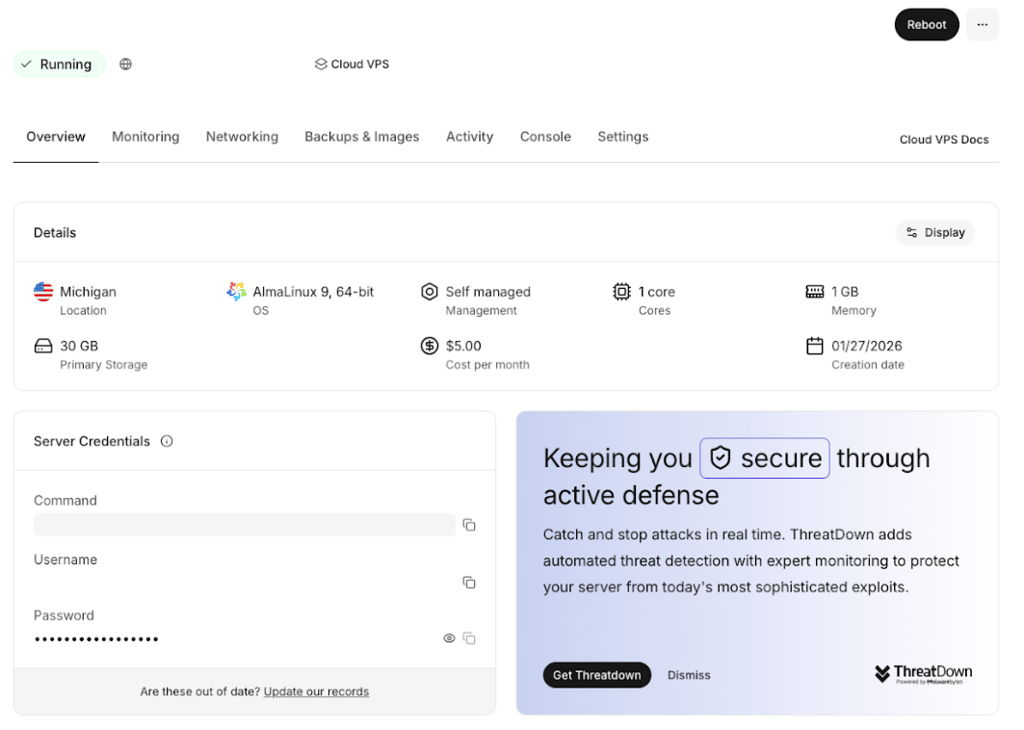
Liquid Web is perfect for businesses running high-traffic or resource-heavy WordPress sites.
Liquid Web is not ideal for small or low-budget personal websites.
2. Hostinger – best VPS for WordPress performance

| Rating: | |
| Starting price: | From $5.84/month |
| Money-back guarantee: | ✅ Yes, 30-day |
| Storage: | 50–400GB SSD |
| CPU: | 1–8 |
| RAM: | 4–32 GB |
| Special deal: | Get up to 73% OFF Hostinger VPS |
Hostinger is one of my top SSD VPS options for WordPress for its high performance and ease of use. One of my favorite Hostinger features is Kodee, an AI assistant that helps you manage your server through simple chat commands instead of the terminal. This makes everyday tasks like installing plugins or fixing issues much easier. Here’s what Hostinger stands out most for:
- Kodee AI assistant. You can install plugins, optimize performance, fix configuration issues, and run WordPress commands through chat instead of using the command line.
- High-speed NVMe storage. Faster read and write speeds help WordPress sites load quicker, especially under heavier workloads.
- Global server locations. You can choose data centers worldwide to keep your site closer to visitors and reduce latency.
- Affordable VPS plans. One of the lowest entry prices for VPS hosting, making it a strong option for growing sites.
- Full root access. You get full control to configure your server based on your needs.
- Simple dashboard. The custom control panel is easier to use than most VPS interfaces.
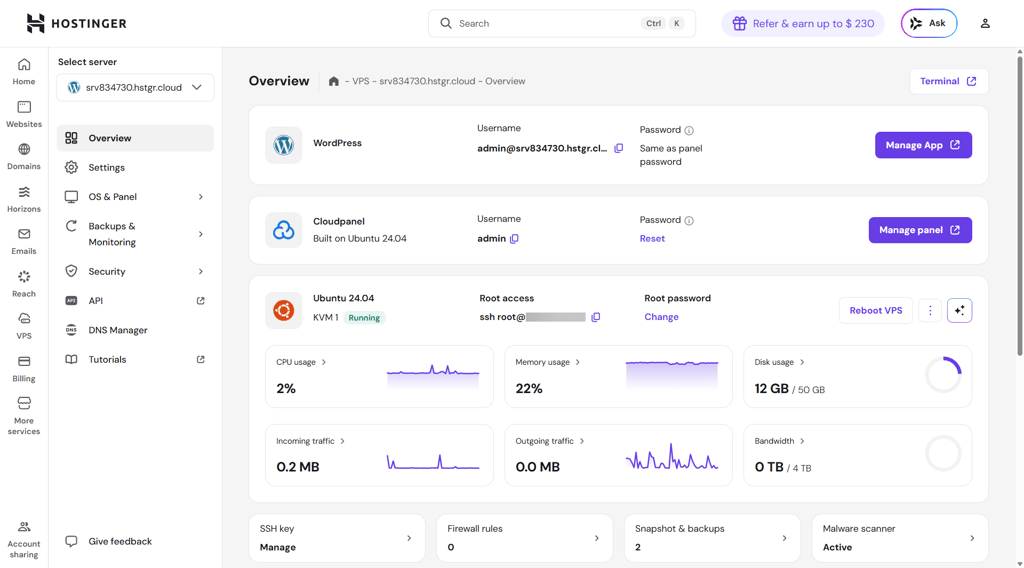
Hostinger is perfect for users who want fast WordPress performance with an easier VPS setup.
Hostinger is not ideal for users who want fully managed hosting with hands-off support.
3. Cloudways – best managed cloud VPS for high‑growth sites

| Rating: | |
| Starting price: | From $6.60/month |
| Money-back guarantee: | ❌ No, only 3-day trial |
| Storage: | 25–3840GB |
| CPU: | 1–32 |
| RAM: | 1–192GB |
| Special deal: | Get up to 40% OFF Cloudways |
I tested Cloudways and found it to be a solid choice for WordPress sites that need speed and flexibility without the hassle of managing servers. You pick a cloud provider, such as DigitalOcean, AWS, or Google Cloud, and Cloudways handles the setup, caching, and performance optimization. As it’s fully managed, there’s only minimal technical work to be done from the user’s side. Here’s what Cloudways stands out most for:
- Flexible cloud options. Cloudways lets you choose from multiple providers, so you can pick the best location, performance, and the price you want to pay for your WordPress site.
- Optimized performance. Every server comes preconfigured with Nginx, Apache, and advanced caching for fast loading times. In my tests, sites loaded without issues even under heavier traffic.
- Pay-as-you-go pricing. You only pay for the resources you use, making it easy to scale up for sales or traffic spikes and scale down when needed.
- WordPress tools included. Staging environments, Git/SFTP access, and the Breeze caching plugin make site management simple and efficient.
- Automated maintenance. Cloudways handles backups, monitoring, and 24/7 support, so I didn’t have to worry about downtime or losing data.
- SafeUpdates. This feature tests and applies WordPress plugin and theme updates on a staging site before going live, which helps prevent broken sites after updates.
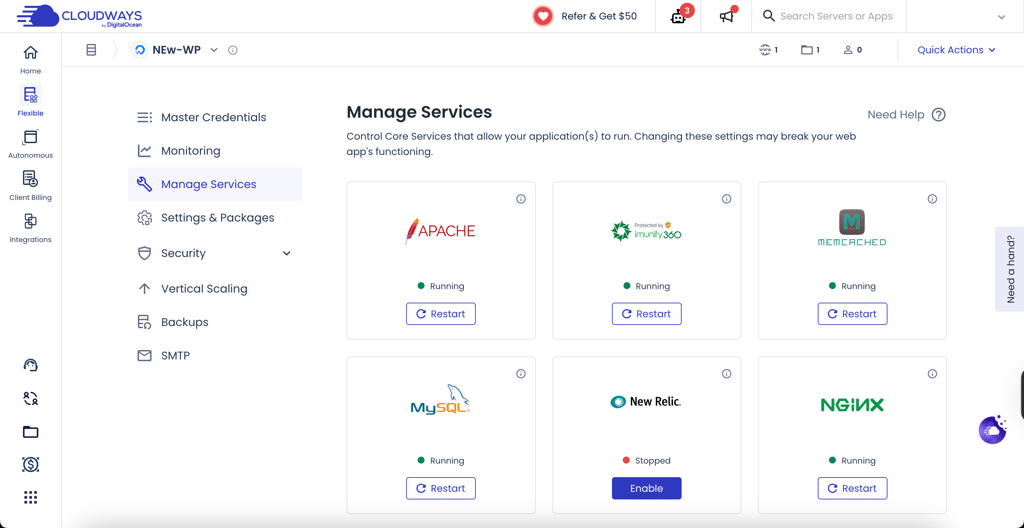
Cloudways is perfect for growing WordPress sites needing fast performance and easy scaling.
Cloudways is not ideal for users who want built-in email hosting or simple domain management.
4. SiteGround – best VPS for WordPress agencies and professionals

| Rating: | |
| Starting price: | From $100.00/month |
| Money-back guarantee: | ✅ Yes, 14-day |
| Storage: | 40–160GB |
| CPU: | 4–16 |
| RAM: | 8GB |
| Special deal: | Special deal! Get up to 83% OFF SiteGround + FREE TRANSFER |
I tested SiteGround with the Cybernews research team, and it’s an good choice for agencies or freelancers managing multiple WordPress sites. It combines high performance with tools designed for client management, so running several projects from one dashboard is simple and reliable. Here’s what SiteGround stands out most for:
- Client management. You can safely share site access with clients without sharing your account, payments, or other information.
- Autoscaling performance. SiteGround automatically adds CPU and RAM if traffic spikes, preventing crashes and keeping sites running smoothly.
- Priority expert support. Cloud plan users get faster access to an experienced technical support team, so issues are resolved quickly.
- White-Label Hosting. You can brand the dashboard with your logo and hide SiteGround’s branding so clients see only your interface.
- Fast and reliable servers. SSD storage and optimized caching ensure consistent performance for multiple WordPress sites.
- Security and backups. SiteGround keeps your sites safe and recoverable with daily backups, isolated accounts, free SSL certificates, advanced firewall protection, and proactive monitoring.
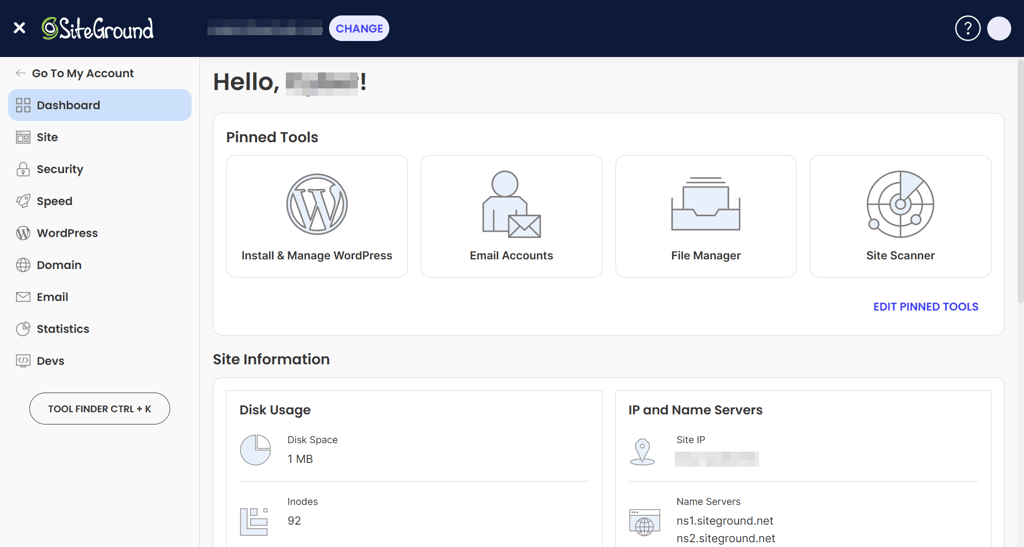
SiteGround is perfect for agencies or freelancers managing multiple client WordPress sites.
SiteGround is not ideal for beginners or low-traffic personal websites.
5. ScalaHosting – VPS for WordPress sites needing strong security

| Rating: | |
| Starting price: | From $14.95/month |
| Money-back guarantee: | ✅ Yes, 30-day |
| Storage: | 20–120GB SSD |
| CPU: | 2–8 |
| RAM: | 2–16GB |
| Special deal: | Get up to 63% OFF ScalaHosting VPS |
ScalaHosting is a strong choice for businesses that need robust security and high performance web hosting. The platform offers fully dedicated VPS resources and built-in security tools, making it ideal for business websites or high-risk WordPress projects. Here’s what ScalaHosting stands out most for:
- Custom control panel. ScalaHosting uses SPanel, which is a lightweight alternative to cPanel that avoids expensive licensing fees.
- Dedicated resources. Your CPU and RAM are fully yours and never shared with other customers, ensuring consistent performance.
- Remote backups. Site data is backed up daily to a separate physical location for extra safety.
- SShield security. The automated system monitors your site in real time and blocks 99.998% of attacks before they reach your website code.
- High-performance servers. SSD storage and optimized configurations keep sites fast and stable.
- Managed maintenance. Automatic updates, monitoring, and support reduce technical workload for site owners.
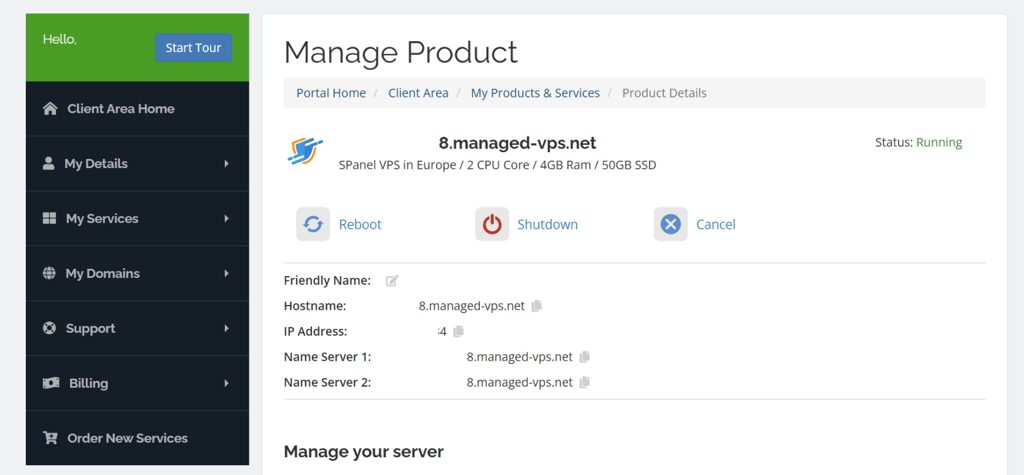
ScalaHosting is perfect for businesses that prioritize WordPress security and dedicated resources.
ScalaHosting is not ideal for beginners or casual, low-traffic websites.
6. DreamHost – best VPS for beginners looking for simplicity

| Rating: | bs |
| Starting price: | bs |
| Money-back guarantee: | ✅ Yes, 30-day |
| Storage: | 30–960GB SSD |
| CPU: | 1–16 |
| RAM: | 2–24 GB |
| Special deal: | bs |
DreamHost is a good VPS provider if you want to run your WordPress website without dealing with server management. It handles system updates and security, so you can focus on building and updating your site. Here's what I appreciate most about DreamHost:
- Simple dashboard. Managing WordPress sites, domains, and settings is straightforward in the custom control panel.
- Unlimited features. You can host multiple WordPress sites with unlimited bandwidth and email accounts on most plans.
- Managed OS. Server updates and security patches are handled automatically, so your WordPress environment stays stable.
- Auto-Boost RAM. Extra RAM is added during traffic spikes to keep your WordPress site responsive.
- Reliable performance. SSD storage helps WordPress pages load consistently for everyday traffic.
- Built-in email hosting. You can create email accounts for your WordPress site without extra tools.
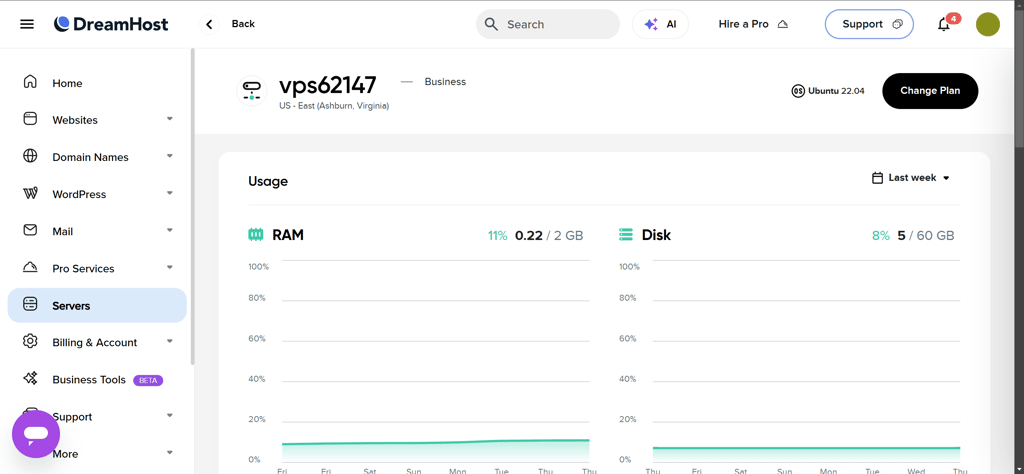
DreamHost is perfect for beginners who want a simple, hands-off WordPress VPS.
DreamHost is not ideal for advanced users or high-traffic WordPress projects.
7. Kamatera – VPS for high-traffic and scalable WordPress sites

| Rating: | |
| Starting price: | From $4.00/month |
| Money-back guarantee: | ❌ No, but provides a 30-day trial |
| Storage: | 20–4000GB SSD |
| CPU: | 2–32 |
| RAM: | 512MB–128 GB |
| Special deal: | Get Kamatera now, starting at only $4.00/month |
Kamatera is a strong choice for WordPress sites that need flexibility and power. You can customize your server resources, choose your data center, and scale up as your site grows. Here are the main advantages of Kamatera:
- High customizability. You can select CPU cores, RAM, storage, OS, applications, and data center location to match your WordPress needs.
- High-end hardware. Servers run on the latest Intel Xeon Platinum CPUs, giving WordPress sites fast processing power.
- Instant deployment. Pre-installed WordPress VPS packs get your site online faster.
- Diagonal scaling. Scale up server resources or clone servers to increase availability and computing capacity.
- Reliable performance. SSD storage and optimized server configurations keep WordPress fast and stable.
- Global reach. Kamatera has 24 data centers across 4 continents to reduce latency for visitors worldwide.

Kamatera is perfect for high-traffic WordPress sites needing flexibility and scalability.
Kamatera is not ideal for beginners or small personal blogs.
8. OVHcloud – high-security business VPS

| Rating: | |
| Starting price: | From $4.20/month |
| Money-back guarantee: | ❌ No |
| Storage: | 75–400GB SSD |
| CPU: | 4–24 |
| RAM: | 8–96 GB |
| Special deal: | Get a VPS starting from $4.20/month! |
OVHCloud is a solid VPS choice for WordPress sites that need strong security and compliance. Its European infrastructure meets GDPR standards, and built-in protection tools help keep sites safe from attacks. Here’s what OVHCloud stands out most for:
- GDPR-compliant servers. European-based servers keep your WordPress data safe and comply with privacy regulations.
- KVM VPS virtualization. Your CPU and RAM are dedicated to you, ensuring consistent WordPress performance.
- VAC DDoS protection. Proprietary hardware-level system blocks attacks before they reach your server.
- High-performance storage. SSD drives and optional NVMe help WordPress pages load quickly.
- Scalable resources. Easily increase CPU, RAM, or storage as your WordPress site grows.
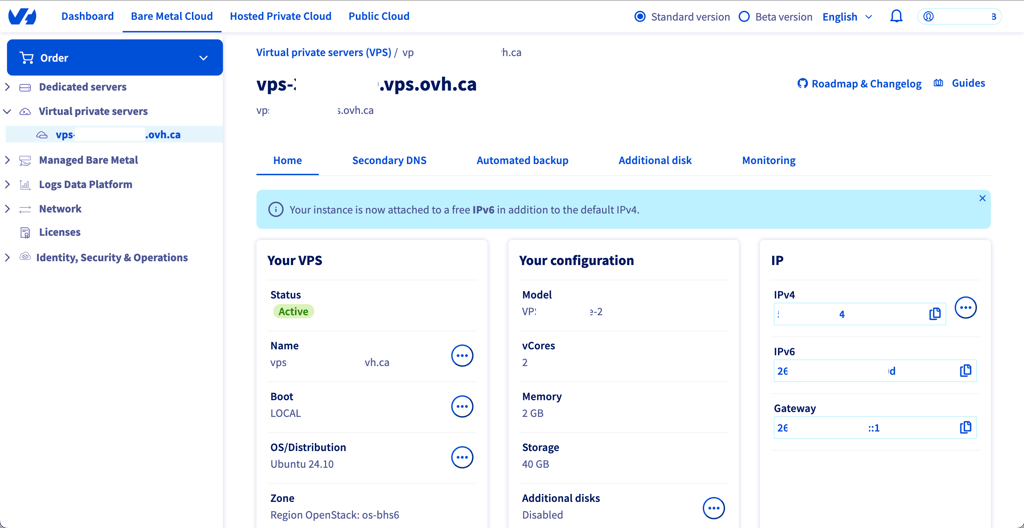
OVHCloud is perfect for security-conscious WordPress businesses.
OVHCloud is not ideal for beginners or users looking for fully managed WordPress hosting.
Best VPS for WordPress comparison
| Best for | Price | Storage | CPU | RAM | |
| Liquid Web | Premium and business VPS | From $5.00/month | 30–540GB | 1–8 | 1–16GB |
| Hostinger | Overall VPS performance | From $5.84/month | 50–400GB | 1–8 | 4–32GB |
| Cloudways | Managed cloud VPS for high‑growth sites | From $6.60/month | 25–3840GB | 1–32 | 1–192GB |
| SiteGround | VPS for agencies and professionals | From $100.00/month | 40–160GB | 4–16 | 8–20GB |
| ScalaHosting | Business‑level security | From $14.95/month | 50–2000GB | 2–24 | 2–128GB |
| DreamHost | Beginner‑friendly VPS | From $10.00/month | 60–360GB | 2–6 | 2–12GB |
| Kamatera | High-traffic WordPress sites | From $4.00/month | 20–4000GB | 2–32 | 512MB–128 GB |
| OVHcloud | Security-conscious businesses | From $4.20/month | 75–400GB | 4–24 | 8–96 GB |
How to choose a VPS for your WordPress website
To pick the right VPS for your WordPress site, I recommend focusing on a few key factors:
- Server resources and limits. Check how much CPU, RAM, and storage the VPS offers. Make sure it can handle your WordPress site, especially if you run multiple sites or expect high traffic.
- Server location and speed. The closer your server location is to your main audience, the faster your site will load. Look for VPS providers with multiple data center options and SSD or NVMe storage for better performance.
- WordPress features and support. A good VPS should make WordPress easy to manage. I look for 1-click installations, staging environments, automatic updates, and clear documentation. Access to responsive support is a huge time-saver when troubleshooting.
- Security and backups. Make sure the VPS includes automatic backups, SSL certificates, and malware protection. Some providers also offer server-level firewalls or DDoS protection, which can prevent downtime and keep your WordPress site safe.
- Pricing and money-back guarantee. Compare the starting price with renewal rates, as VPS can get more expensive over time. Check if the host offers a trial or money-back guarantee so you can test the VPS risk-free before committing.
By checking these points, you can choose a VPS that fits your WordPress needs and avoids surprises before you buy.
Final thoughts
When looking for a VPS host for you WordPress site, consider your audience, the type of site you need, and what matters to you most in terms of speed, security, scalability, or simplicity.
Here’s my quick decision guide:
- Premium resources for high-traffic WordPress sites – Liquid Web
- High-speed VPS with AI server assistant – Hostinger
- Fast and flexible VPS for growing WordPress sites – Cloudways
- Manage multiple client sites easily – SiteGround
- Strong security and backups for business sites – ScalaHosting
- Beginner-friendly and simple VPS – DreamHost
- Customizable and scalable VPS for growing sites – Kamatera
- Secure, GDPR-compliant European VPS – OVHCloud

FAQ
What is VPS hosting for WordPress?
VPS hosting gives you a virtual server with dedicated resources like CPU, RAM, and storage. It offers more control, flexibility, and performance compared to shared hosting for running WordPress sites.
Can I host WordPress on VPS?
Yes. VPS can run WordPress just like shared hosting. You have full control over server settings, allowing better performance, security, and customization.
Can beginners use VPS hosting for WordPress?
Yes, beginners can use a VPS if the host provides a simple control panel and management tools. Managed VPS plans make setup and maintenance easier.
How do I install WordPress on a VPS?
WordPress can be installed manually via FTP and database setup or using one-click installers provided by many VPS hosts. Managed VPS often simplifies this process.
Can I move my WordPress site from shared hosting to VPS?
Yes. You can migrate WordPress using backup plugins, manual file transfer, or migration tools provided by your VPS host.
How much RAM does a WordPress VPS need?
For small sites, 1–2 GB RAM is usually enough. Medium sites may need 4–8 GB, and high-traffic or resource-heavy sites can require 16 GB or more.
How many visitors can a VPS handle for WordPress?
Visitor capacity depends on CPU, RAM, caching, and optimization. A properly configured VPS can handle hundreds to thousands of simultaneous visitors.
Is VPS hosting secure for WordPress?
Yes, VPS isolates your site from others and allows stronger security measures, like firewalls, SSL certificates, automated backups, and malware scanning.