Venice AI review 2026
Being behind major reports like The Mother of All Breaches and RockYou2024, our in-house cybersecurity experts and journalists provide unbiased, real-world testing and in-depth analysis.
We maintain complete transparency by openly sharing our testing methodologies with our audience.
Learn more

Venice is an AI chatbot for web and mobile platforms that got famous for its focus on total privacy and zero censorship. Unlike other tools, Venice AI neither trains on your dialogues nor keeps your chat history – all is stored only in your browser.
I decided to check if such privacy can result in a smart chatbot useful in everyday tasks. So, together with the research team, I tested Venice across document analysis, coding, and simple interaction. In this Venice AI review, you’ll find test results, its comparison with ChatGPT, an overview of its features, and a pricing breakdown.
Venice AI overview
| Best for | Safe, uncensored interaction with AI, including image, video, and text generation. |
| Brief description | It’s a chatbot whose hallmark is privacy. The only data the tool knows is your email and IP address, while all chat information is stored only in your browser. Venice AI interacts with the server via encrypted messages and can’t share any data with third-party services. Its main functions are content generation, file analysis, and online web search. |
| Pricing | Users with no account can send five text prompts and ten image requests per day. Users with a free account can send 25 text prompts and 16 image requests per day. The Pro account costs $18.00/month and includes unlimited text prompts and up to 1000 image generations per day. |
Pros and cons of Venice AI
Every tool has its strengths and weaknesses. So, here’s a brief breakdown.
How does Venice AI differ from ChatGPT?
Both are chatbots, but there are three aspects that make Venice and ChatGPT totally different:
| ChatGPT | Venice AI | |
| Data storage | Stores user data and their chat history on its own servers and can use it for model training by default. This data can also be used to report illegal activities to authorities and shared with third-party providers who help ChatGPT deliver its services. | Gathers only user email and IP addresses. In case you register with a Web3 crypto wallet, Venice registers only your public key. All the data is stored only in your browser. Once you delete a chat, it’s gone forever. |
| Censorship | Outputs are heavily censored. It refuses to generate or respond to any potentially harmful, inappropriate, or explicit content. | You’re free to produce anything you want or turn to censored AI models. |
| AI models | Uses proprietary OpenAI models. | Uses a few open-source models such as Dolphin 72B, Llama 3.1 405B, and DeepSeek AI. |
What features does Venice AI offer?
Venice offers a basic set of features focused on generative AI. They include:
- Text chat. A classic text chat where you can set the System prompt to make AI respond in a certain tone or behave in the needed way. Also, you can adjust Top P and Temperature to change the output quality and enable the Mature filter.
- Image generation. Venice offers a text-to-image generation method via eight AI models. If your prompt is less than 200 characters, Venice enhances it automatically for a more precise result.
- Video generation. You can generate videos from both text prompts and images.
- AI character. You can create your own chatbot with a unique personality. It can be a popular actor, movie character, or anyone you need to simulate for professional purposes. Chatting with AI characters gives you a unique perspective from their point of view.
- File analysis. Venice supports PDF and TXT files up to 10MB and around 250,000 characters.
- Web browsing. You can switch the toggle to enable online web browsing mode for the outputs.
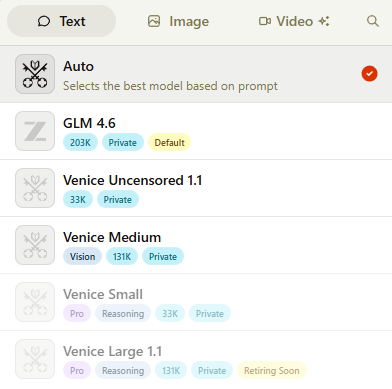
- Multiple models. Venice offers various AI models for text, image, and video generations. They vary in the level of censorship, style, and speed, as they were trained on different datasets.
All the features are available in the free plans, except for AI characters and access to some of the AI models.

My hands-on experience with Venice AI
Overall, the Venice interface is pleasant and intuitive, with all the essential features turned on by default. Even someone new to chatbots would know what to click.
I especially like that all the main controls are right in the input box, so I don’t need to wander around the platform. There’s also Venice Voice, which lets you listen to the output at a customizable speed and voice.

While the interface is similar to all the other chatbots, the real usage may be different. So, I checked how Venice works across file analysis and coding, performing two tasks in each area. Below are the test results.
Testing file and document analysis
First, I uploaded a PDF file of a macOS user manual and asked AI to make a summary. Only a minute passed from the file upload to the ready output. Venice correctly analyzed data and images and presented them in a shorter text version.
I liked that the text was clearly formatted with separate sections for each file’s chapter, bullet points, and important ideas bolded. This summary can definitely be used for professional or academic purposes.
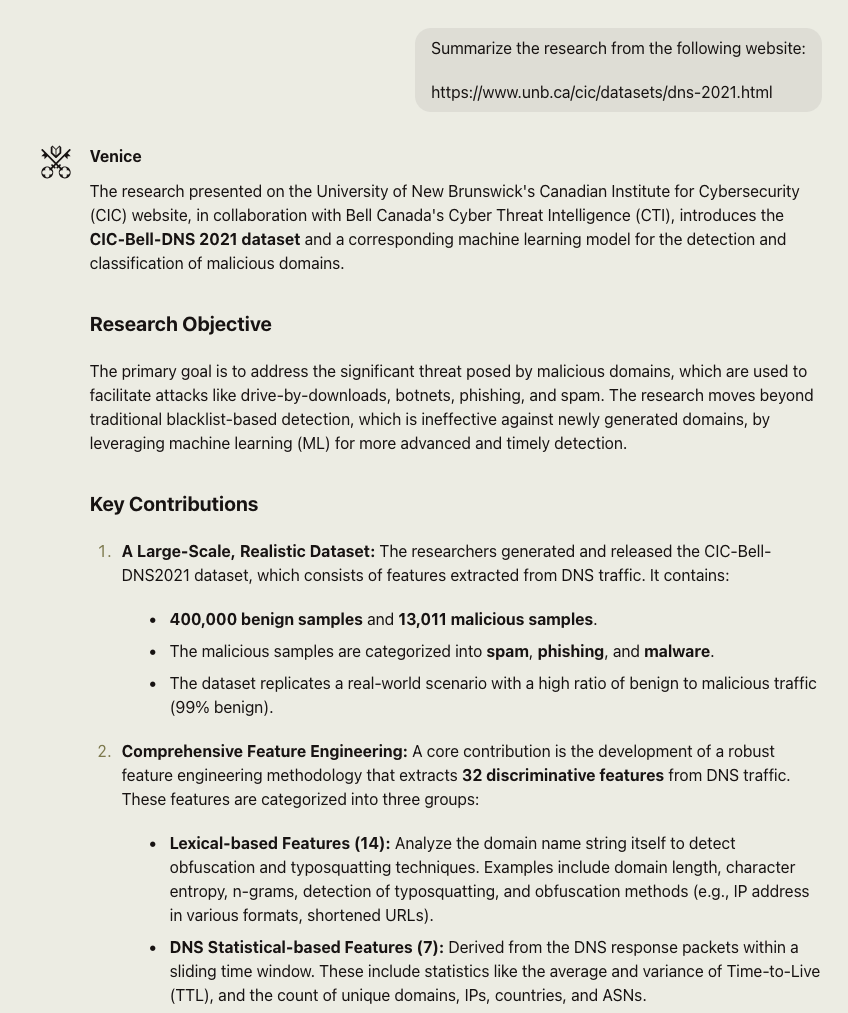
Then, I asked Venice to analyze a text from a website to see how well it handles online content. Again, it did a great job with the spot-on summary without repeated thoughts, made-up facts, or incorrect formatting.

Coding test: I tried a Snake game in Python
For the coding testing, I asked Venice to write a Snake game in Python. It quickly wrote a fully functional game, along with the instructions for the required Python modules. When I launched the code in the terminal, the game had working controls, graphics, and a score system without bugs.


In the second test, I asked the AI to edit my older Bash (command-line) web-scraping script and include an SSL certificate for the proxy server. Instead of simply adding a single snippet of the code, Venice also fixed some of the script sections and added comments to the functions. However, the final script was still fully functional, and Venice didn’t break anything.

Privacy features
You don’t have to opt out of data collection or search for ways to hide your true identity, as all the privacy settings are turned on by default. Venice collects only your IP address and email address, while all the data shared between your browser and Venice servers is encrypted.
Your chat history is stored only in your browser, so even if you log into your account from another device, you won’t see the history. You can go even further and select the Temporary Chat mode to delete the chat forever once you close the website or the app.
I like Venice’s Mature Filter, which restricts adult content and is turned on by default for all free users. Once you have a paid plan, you can choose whether you want to go for unrestricted AI use or not.


Such privacy and lack of censorship offer users more freedom for generating content that most chatbots would block. You can even make the chat respond in a less restrained way by giving it System prompts.
For some, this openness is a way to avoid ideological and political constraints. However, it comes with the risk that the tool can be misused to generate harmful code or other illegal content.
You should still be cautious about going all-in on unethical prompts – I couldn’t find any independent verification of Venice's privacy architecture or zero retention policy. Also, legal regulations on AI use vary by country, so even if Venice allows certain actions, your local laws may say otherwise.
How much does Venice AI cost?
Venice’s pricing is straightforward, without complex AI credit calculations. There are only two plans:
| Plan | Free | Pro |
| 1-month plan | $0.00 | $18.00 |
| 1-year plan | $0.00 | $149.00 |
| Top features | 25 text prompts per day, 15 image generations per day, limited access to AI models | Unlimited text prompts, 1000 image generations per day, advanced AI models, AI character generation, API access |
Venice’s web browser version is the most popular one, but it also offers apps for iOS and Android and an API.
Should you try Venice AI?
Venice AI is the only chatbot on the market that offers a decent balance between privacy and the quality of its outputs. Journalists, researchers, and content creators who handle sensitive data daily and need uncensored responses benefit the most from Venice AI. It’s also a perfect solution for those who don’t want to constantly feed AI models with their data or share personal information with different services.
Keep in mind that official country rules on uncensored and unethical content may be different from the policies of Venice AI. So, turn on the Mature filter, if needed, and go for safer AI models within Venice to keep yourself protected.
FAQ
How good is the Venice AI image generator?
The Venice AI image generator produces good results, but the final output depends on the chosen AI model and the quality of the prompt. Overall, there are eight AI models, each having its own perks and a distinct style of images. So, you have a high chance of producing images that match your needs.
Is it worth paying for Venice AI?
Yes, it’s worth paying for Venice AI if you need a chatbot that doesn’t store your data. On the other hand, ChatGPT and Gemini are better at research and analysis, but they collect and store user data on their private servers and use it for training their models.
Who is behind Venice AI?
Erik Voorhees is behind Venice AI. He’s the owner of ShapeShift, a cryptocurrency exchange platform, and the only investor and CEO of Venice AI.