Midjourney review 2026
Being behind major reports like The Mother of All Breaches and RockYou2024, our in-house cybersecurity experts and journalists provide unbiased, real-world testing and in-depth analysis.
We maintain complete transparency by openly sharing our testing methodologies with our audience.
Learn more

Midjourney has been around since 2022, which in AI years makes it practically ancient. Most tools from that era have either pivoted, vanished, or been absorbed into something sleeker and more sanitized. Not Midjourney. It still runs out of Discord. It still leans hard into stylization over realism.
And somehow, in 2026, it still feels relevant, not because it adapted to the market, but because it refused to. While newer platforms chase photorealism and plug-and-play simplicity, Midjourney keeps generating images that look like concept art for dreams you haven’t had yet.
But in 2026, does it still lead in image quality? Is the Discord-only workflow a clever shortcut or a UX relic? And is the price tag worth the pixels?
I teamed up with the Cybernews research team to stress-test Midjourney, examining its output, pricing, usability, and what the community really thinks.
Midjourney review: quick overview
| Best for: | Artists, designers, and creatives who want high-quality AI-generated visuals with cinematic flair |
| Key features: | Text-to-image generation, stunning visual quality, consistent artistic style, fast rendering (with higher tiers) |
| Free version: | No |
| Starting price: | From $8.00/month via Discord-only access |
What is Midjourney?
Midjourney is an AI image generator that transforms written text into four unique visual outputs. You type a phrase, and Midjourney brings it to life with surreal precision, moody lighting, and often a painterly flair that feels anything but artificial.
But there’s the twist: it doesn’t live on your desktop or inside a slick mobile app. Midjourney operates entirely through Discord. You join the Midjourney server (or bring the bot into your own), then type slash commands like /image or /gen followed by your prompt. The bot replies with four options. You pick your favorite to upscale or variations if you want to explore other angles.

So there’s no regular standalone UI and no drag-and-drop canvas. It’s all built around Discord’s chat interface.
How Midjourney works (Discord workflow)
If you’re used to typing into a neat little box like ChatGPT, Midjourney is a different beast. Everything runs through Discord, a chat platform that wasn’t exactly built for image generation, but it works, once you get the hang of it.
Here’s how the workflow plays out:
-
Join the Midjourney Discord server.

-
Head to a #newbie channel – these are set up specifically for beginners. You’ll see prompts, results, and interactions from other users, which helps you learn quickly.

-
Use /gen to create images – this is the core command now. You enter your idea, and the bot returns four AI-generated visuals.

-
Explore advanced creative tools:
/animate creates short video loops from your images
/move makes your images move
/real turns anime into a real photo
- Interact with results – once the image grid appears, you can click to upscale, make variations, or regenerate.
Midjourney’s Discord-native workflow may feel like a curveball at first, but they ease you in with supportive #newbie channels, tooltips, and clear command menus. It’s not traditional, but it works.
Image quality and output characteristics
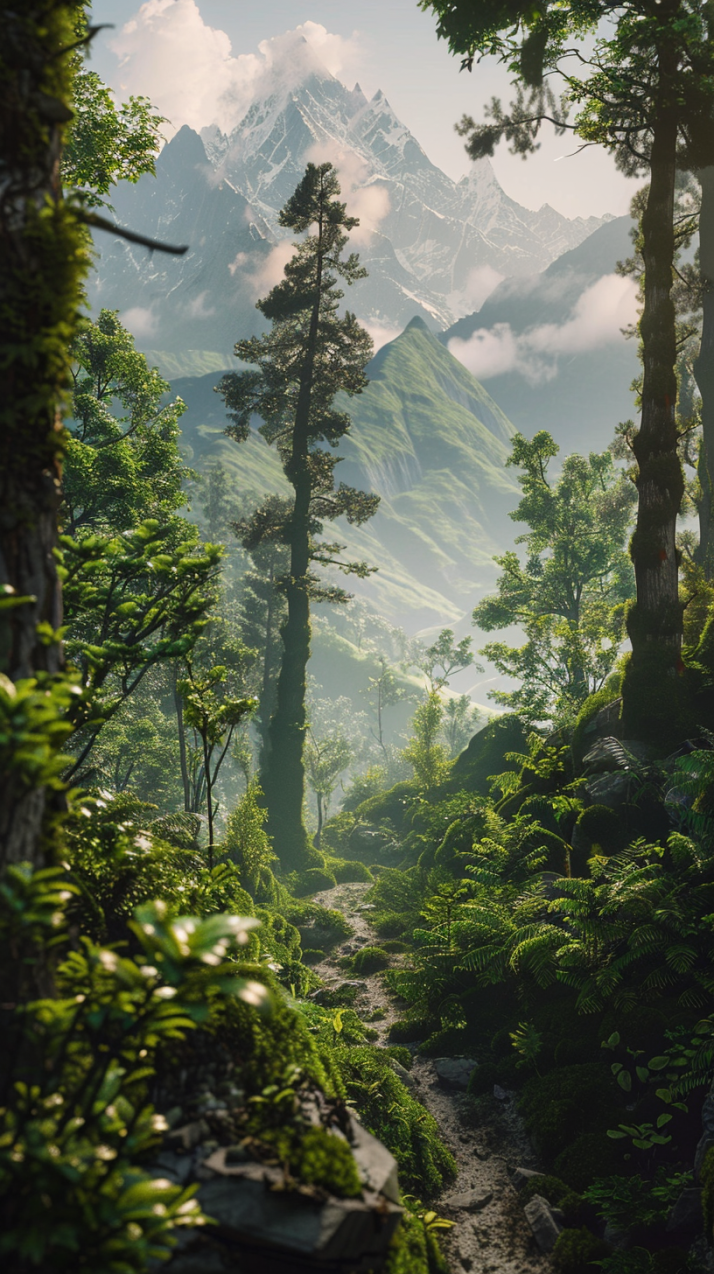
The tool consistently delivers highly stylized outputs – images that look more like digital paintings than anything photo-based. Prompts like “deep green mystical forest” or “portrait of a medieval astronaut” came back with rich textures, dramatic lighting, and striking visual flair.
But it’s clear that Midjourney interprets rather than replicates. Even when asking for realistic outputs – say, “high-fashion editorial photo of a pale-skinned woman with short curly red hair” – I noticed frequent creative liberties. The backgrounds were often stunning, but the features and colours could be off.
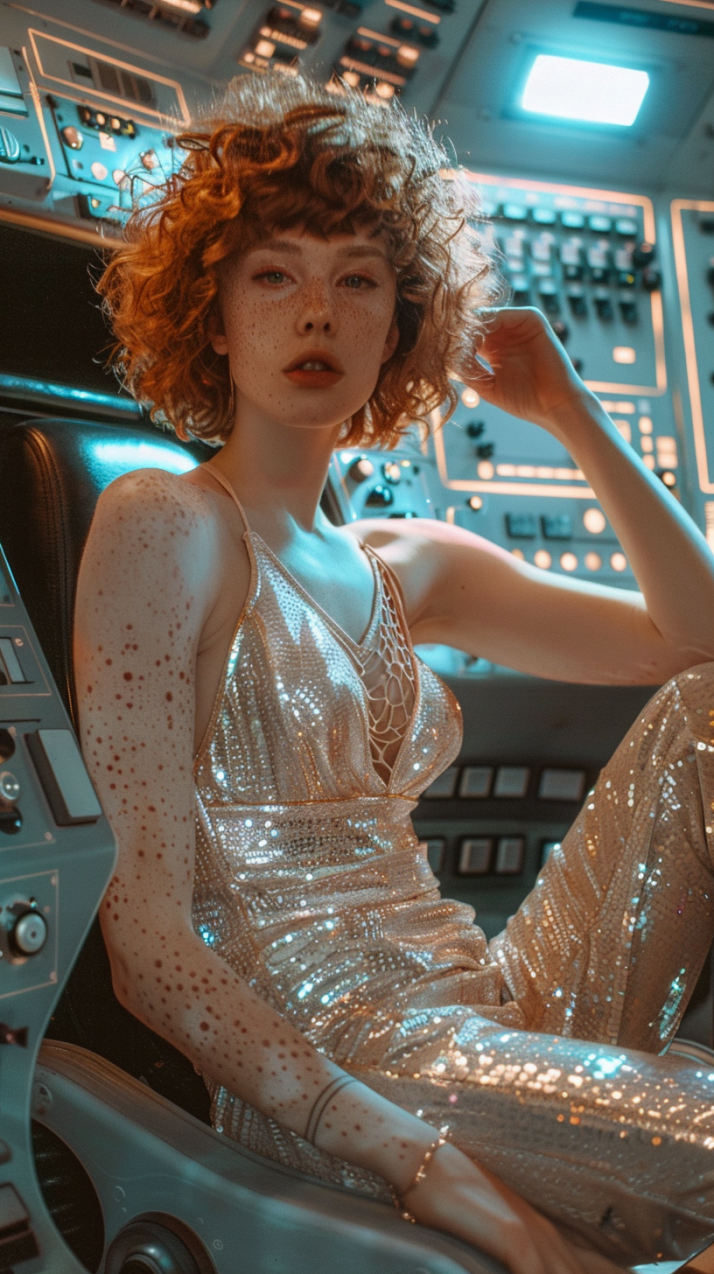
This kind of inconsistency isn’t a bug so much as a byproduct of Midjourney’s artistic lean. It doesn’t aim for literal realism unless you push it in that direction with very specific prompt tuning. Even then, it tends to reinterpret rather than faithfully reconstruct.
Where Midjourney shines is in conceptual work: fantasy landscapes, cinematic portraits, sci-fi scenes, or surreal mashups. It thrives in mood-heavy, stylized imagery where strict accuracy isn’t the goal.
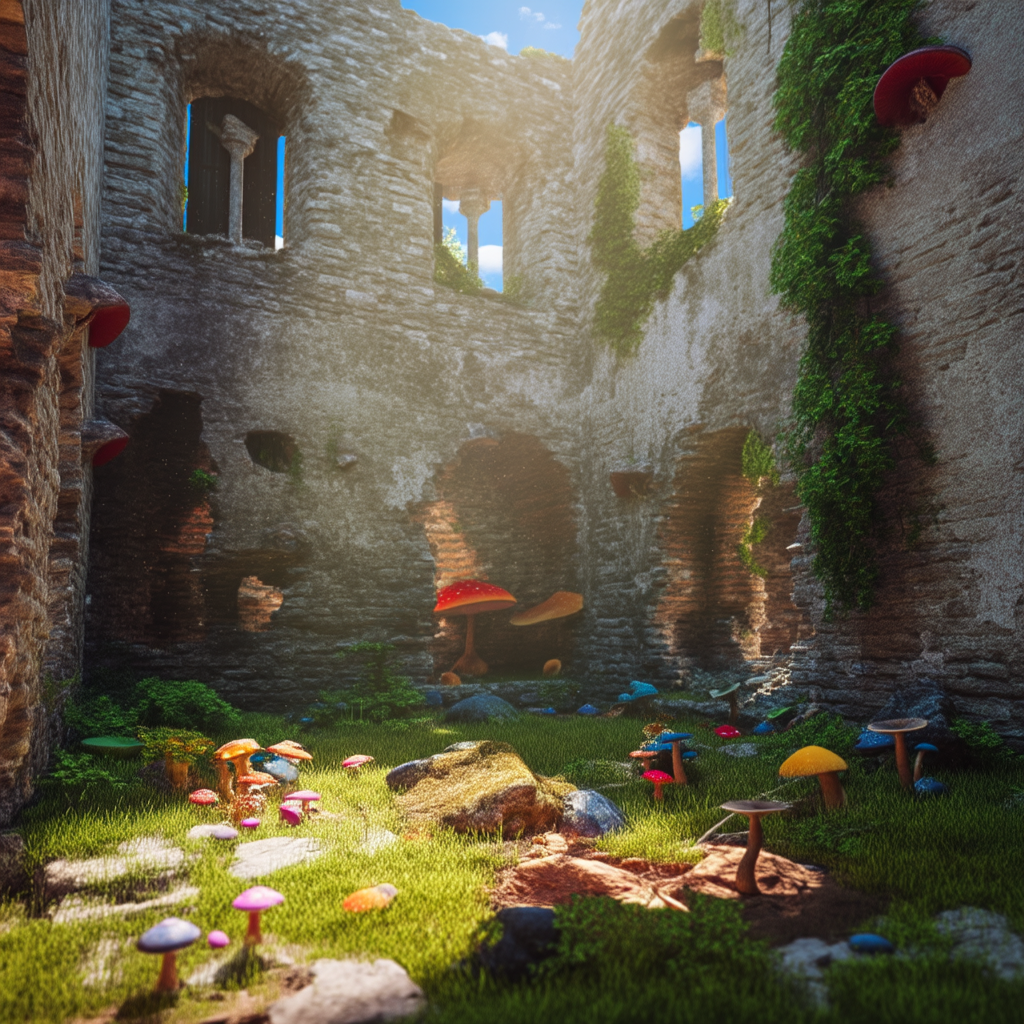
But if you're after photorealistic people, technical illustrations, or product renders, the output can be unpredictable and less reliable.
Prompting and control features
Using Midjourney starts with the prompt, but the way you write it makes the difference. You don’t just type “dog” and expect a masterpiece. Good results come from knowing how to guide the AI with detail, structure, and the right modifiers.
You use the /gen command to start. A good prompt usually includes three things:
- The subject – what you want (e.g., “cyberpunk samurai”)
- The style or mood – how you want it to look (e.g., “neon-lit, rainy, cinematic”)
- Details or modifiers – add-ons like camera angle, lighting, or art style (e.g., “portrait, 85mm lens, chiaroscuro, digital painting”)
Then you stack control features on top:
- Style parameters like “--stylize 1000” tell Midjourney how artistic to get.
- Aspect ratio using “--ar 16:9” frames the image like a movie shot or square thumbnail.
- Image blending with /blend lets you upload two or more images to mix styles or concepts.
- Upscale and variations buttons appear under results – click to enhance or explore.
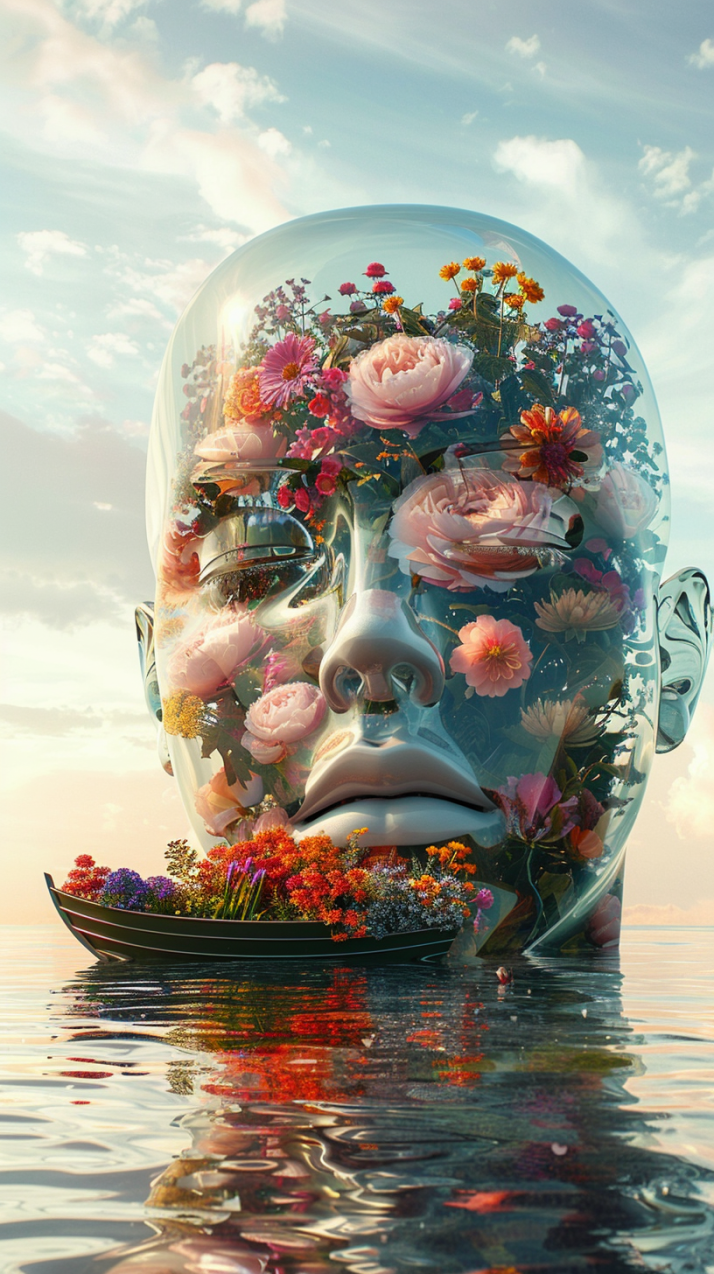
Prompting isn’t hard, but clear, descriptive input gives you the best shot. “A giant glass female face statue submerged partially in water, filled with blooming colorful flowers inside the transparent surface, a dreamy cinematic scene inspired by the 90s, warm nostalgic tones <...>” gives the AI something to work with.
Community and collaboration features
When you join the official Midjourney Discord, you’re not working alone. You’re in a space where thousands of people are generating, sharing, and tweaking prompts in real time.

Here’s what you actually get out of it:
- Prompt examples everywhere – you can see what other people typed and what results they got. Copy, remix, or just learn from it.
- Instant feedback – post your prompt or result, and someone will probably give advice or point you in the right direction.
- Collaborative learning – you pick up tips fast just by watching how others work. There are whole channels for prompt crafting, theme challenges, and beginner support.
Pricing of Midjourney
Midjourney is a subscription-only service – there’s no free tier, and you need a paid plan to generate images or videos. The platform offers four main plans, each scaling in GPU time, speed, and generation capacity.
| Plan | Price (annual) | Fast generations | Video generation | Concurrent jobs | Other features |
| Basic | $8.00/month (billed annually) | ~200 images/month | SD only | 3 image jobs, 1 video job | General commercial use, optional credit top-ups, editor on uploaded images |
| Standard | $24.00/month (billed annually) | 15h/month | SD and HD | 3 image jobs, 3 video jobs | Unlimited Relaxed image generation, optional credit top-ups, and an editor on uploaded images |
| Pro | $48.00/month (billed annually) | 30h/month | SD and HD | 12 image jobs, 6 video jobs | Unlimited Relaxed image and SD video generation, Stealth mode, Editor on uploaded images |
| Mega | $96.00/month (billed annually) | 60h/month | SD and HD | 12 image jobs, 12 video jobs | Unlimited Relaxed image and SD video generation, Stealth mode, Editor on uploaded images |
For creative professionals who generate hundreds of images or need privacy, the Standard or Pro level generally offers practical value. Casual users may find the Basic tier enough for occasional experimentation but limited once the Fast time runs out.
Midjourney user reviews and sentiment
When you look at real user feedback across review platforms and community forums, the sentiment around Midjourney is mixed, with both strong praise and clear complaints.
Recurring praise
Beautiful imagery: many users on forums and Reddit still note that Midjourney produces visually striking and stylistically rich images compared to other generators.

Strong creative potential: users who stick with it often highlight its ability to explore imaginative concepts and generate compelling artistic outputs beyond simple stock‑style images. (This aligns with broader expert reviews pointing to its high‑quality output.)
Recurring complaints
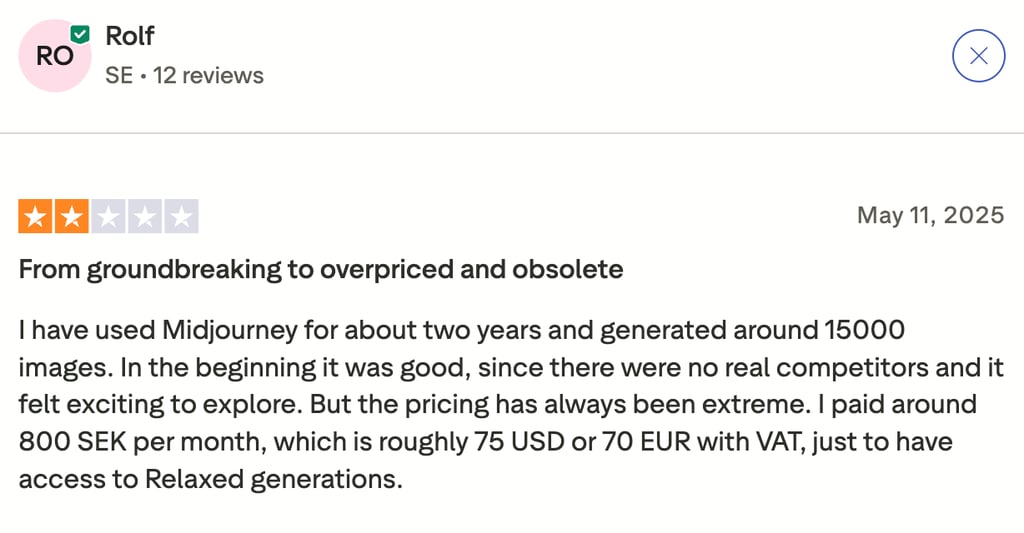
Subscription costs: a large portion of user reviews, especially on Trustpilot, call out pricing as too high or not justified, sometimes even labeling the model “not worth paying for.”
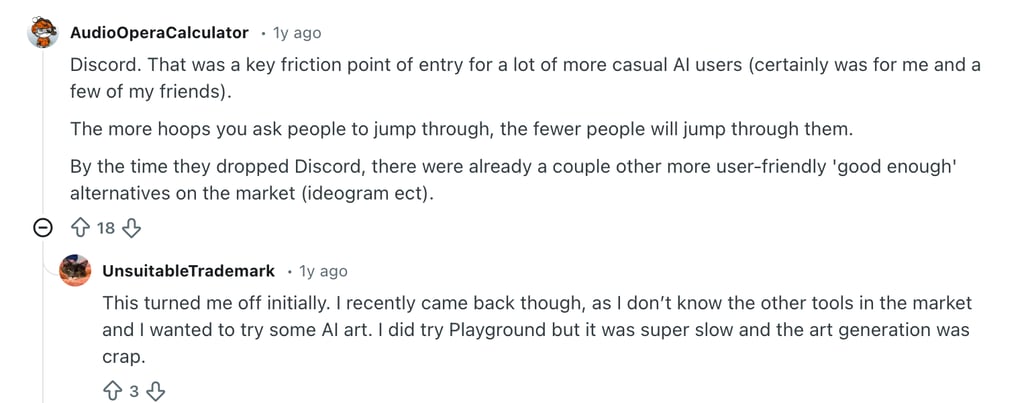
Discord onboarding friction: Many less technical users find the initial Discord‑based workflow confusing or frustrating, contributing to negative early impressions in user reviews. (Common in community threads discussing the learning curve.)
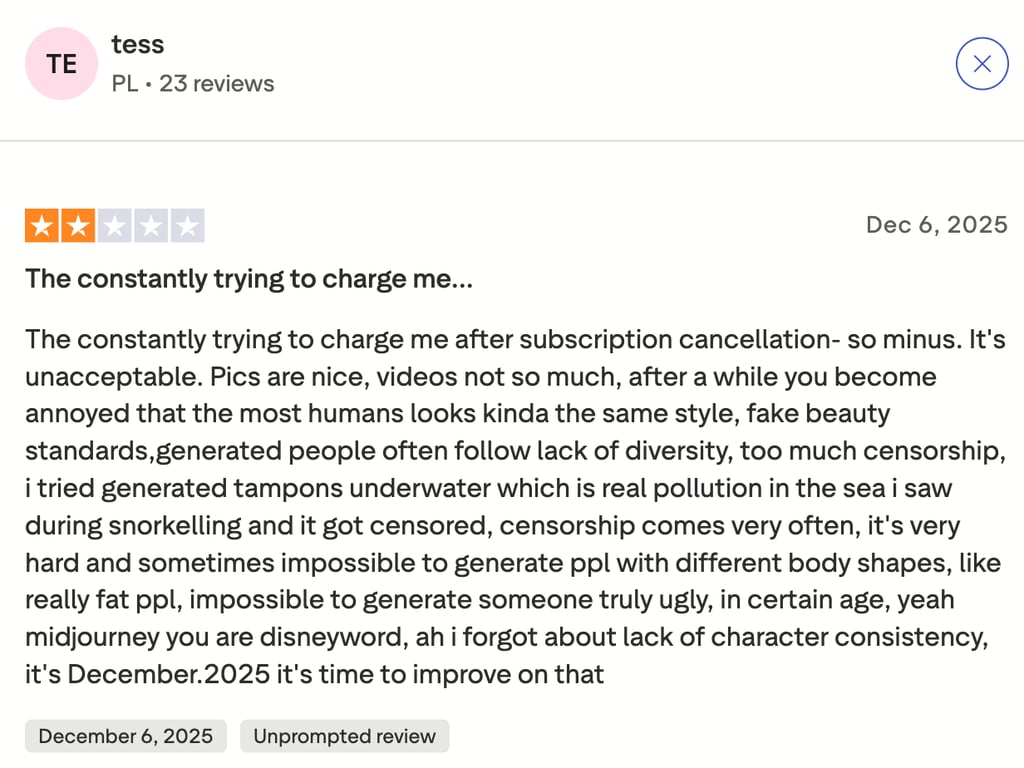
Customer service issues: multiple users report billing problems, unexpected charges, or unresponsive support when trying to resolve subscription or account issues. Complaints about slow or absent support replies appear repeatedly in recent reviews.
Tips for creating with Midjourney
After spending serious time with Midjourney, here are my practical, no-fluff tips that actually make a difference. These are based on real testing and common mistakes I saw (and made myself):
- Be specific, not verbose. Long, rambling prompts confuse the model. Clear phrases like “portrait of an elderly astronaut, oil painting, 18th century style” work better than vague or overly detailed blocks of text. One sharp sentence beats a messy paragraph.
- Experiment with styles gradually. Don’t stack five art styles and three lighting conditions into one prompt. Add one or two modifiers at a time to see how they impact the image. Layer complexity slowly.
- Reuse successful prompt patterns. When something works, save it. Reuse and tweak proven prompts instead of starting from scratch every time. Small changes can lead to new directions without losing quality.
- Leverage community inspiration. Discord is full of working examples. Look at what others are prompting, borrow structure, and adapt it to your needs. It’s one of the fastest ways to improve.
- Expect iteration, not perfection. You rarely get the perfect image on the first try. Use variations, reroll options, and prompt tweaks to dial things in. Midjourney rewards refinement, not one-and-done thinking.
Midjourney alternatives
Here’s a concise comparison of Midjourney and other AI tools you might consider, framed by what they’re best for, output style, ease of use, pricing, and customization:
| Tool | Best for | Output style | Ease of use | Pricing | Customization |
| Midjourney | Artistic, stylized AI imagery | Painterly, cinematic, expressive | Moderate – Discord‑centric workflow | Subscription tiers ($8.00–$96.00/month) | High – prompts and parameters |
| DALL·E 3 | Quick, literal images integrated with ChatGPT | Clean, photorealistic to illustrative | High – browser/ChatGPT interface | Pay‑per‑use credits or plan | Medium – detailed prompts |
| Zapier | Workflow automation (not focused on images) | N/A | Very high – visual logic builder | Tiered SaaS pricing | Integration rules and steps |
| Jasper AI | AI writing and marketing content | Text (writing) | High – simple editor | Subscription tiers | Prompt templates and style settings |
Quick take:
- Midjourney still leads for creative, atmospheric visuals but requires Discord familiarity.
- DALL·E 3 is easier for users who want simple image generation inside familiar interfaces like ChatGPT.
- Zapier isn’t an image tool – it’s for automating tasks across apps.
- Based on our Jasper review, the tool excels at written content, not visual art.
How we test AI image generation tools
Final verdict: is Midjourney worth it?
From a professional standpoint, Midjourney holds its ground, but only in specific use cases. After testing it extensively, I’d say this: if your work relies on generating stylized, visually rich concepts, for art, design, mood boards, or storytelling, Midjourney is a solid tool. The output quality is reliable in that space, and once you learn how to control it, the creative possibilities open up.
But it’s not for everyone. The Discord-based workflow still feels like a leftover from early adoption – functional, but not user-friendly. It slows down casual use and puts off newcomers who just want quick results.
Pricing is fair if you’re generating consistently and know what you’re doing. If you’re not, it can start to feel like you’re paying for features you don’t use.
In my opinion, Midjourney is worth it for creators who treat image generation as part of their regular workflow. If you need one-off visuals, prioritize speed over style, or dislike navigating interface hoops, look elsewhere.
FAQ
Does Midjourney offer a free plan?
No, Midjourney doesn’t have a free plan. All users must subscribe to access image generation. Plans start at $8.00/month, with no trial option currently available.
How does Midjourney compare to DALL·E 3?
It depends on what you need. Midjourney is stronger in stylized, artistic outputs, while DALL·E 3 (especially via ChatGPT) is more literal and easier to use for quick, realistic images. Midjourney offers more visual control, but DALL·E is more accessible for beginners.
Can I use Midjourney images commercially?
Yes, with a paid plan. Commercial usage is allowed for all subscribers, including Basic tier users. Just make sure your use follows their terms, especially if you’re generating content for clients or products.
Is Midjourney easy for beginners?
No. The Discord-based interface can be confusing if you’re new to it. There’s a learning curve around prompts, commands, and navigation, but the #newbie channels and prompt examples help.
What file formats does Midjourney support?
Midjourney primarily generates images as .png or .jpeg files and supports uploading various formats like .png, .gif, .webp, .jpg, and .jpeg for image prompts.