Best smart home security systems: top picks for 2026
Being behind major reports like The Mother of All Breaches and RockYou2024, our in-house cybersecurity experts and journalists provide unbiased, real-world testing and in-depth analysis.
We maintain complete transparency by openly sharing our testing methodologies with our audience.
Learn more

The best smart home security systems today include wireless security systems, smart security cameras, and home automation security. And you can even control them remotely. However, there are multiple options on the market. That’s why the Cybernews research team helped me evaluate dozens of smart home security systems.
I assessed these systems based on installation type (DIY vs professional security), smart home integration, monitoring options, and overall reliability. In this article, you’ll discover my top picks for the most advanced and reliable home automation security solutions. You’ll also find helpful comparisons, cost information, installation methods, and customer service ratings.
Top 6 smart home security systems - shortlist
- Vivint – overall best security system in 2026
- ADT – best smart video camera for home security
- Cove Smart – easy-to-use system for smart home security
- Abode – best DIY home security system
- SimpliSafe – best budget smart home security solution
- Xfinity – best third-party-friendly smart home security
The best smart home security systems compared
Check out the following table to compare key features side by side and see which systems actually work best for you:
| Home security system | Monitoring | Installation | Smart home integration | Price | Best for |
| Vivint | Professional | Professional | Amazon Alexa, Google Assistant | Monitoring starts at $39.99/month, and equipment packages start at $449.99 | Premium full-service setup |
| ADT | Professional and DIY (ADT Self Setup) | Professional or DIY (Self Setup) | Amazon Alexa, Google Assistant, Z-Wave, Google Nest, Samsung SmartThings | Monitoring starts at $24.99/month for Self Setup; $45.00/month for Smart Security; equipment starts at $599.00 | Traditional brand with new DIY option |
| Cove Smart | Professional | Professional or DIY | Amazon Alexa and Google Assistant | Negotiable initial equipment fee + $0.77 per day professional monitoring | |
| Abode | Professional and self-monitoring | DIY | Amazon Alexa, Google Assistant, Apple HomeKit, ZigBee, Z-Wave | Monitoring starts at $7.99/month (Standard), $21.99/month (Professional); equipment packages start at $139.99–$159.00 | Flexible smart home compatibility |
| SimpliSafe | Professional and self-monitoring | DIY or optional professional install | Amazon Alexa, Google Assistant, August Smart Locks | Monitoring starts at $9.99/month, and equipment packages start at $100.00 | Budget-conscious, customizable setup |
| Xfinity | Professional and self-monitoring | Professional | Amazon Alexa (limited support), Zigbee | Monitoring starts at $45.00/month with paperless billing; equipment sold separately | Existing Xfinity customers |
Our methodology
Before reviewing various home safety systems for this article, I evaluated them across four key areas using our testing methodology. I assigned a percentage weight to each based on its importance to overall safety, usability, and value.
Here’s a quick look at the criteria I used to select the best smart home security systems:
- Equipment quality (35%). The reliability of each system’s hardware was crucial. This included assessing the control panels, sensors, cameras, and smart devices with the help of the Cybernews expert team and real-world user feedback.
- Total cost (30%). Price is critical for any long-term home security product. As such, I evaluated both the upfront equipment cost and any recurring monthly fees for monitoring. Systems that provided honest pricing, flexible financing, or competitive plans scored higher. I also factored in the availability of contract-free options and whether self-monitoring actually offered real savings without compromising safety.
- Installation process (20%). Ease of installation (whether that’s DIY or professional) significantly impacts the experience. I checked how straightforward the setup was, the quality of mobile app control, and whether the system integrated with popular smart home ecosystems like Amazon Alexa, Google Assistant, Apple HomeKit, Z-Wave, and Zigbee. Systems with seamless automation features and intuitive control options scored higher.
- Customer support (15%). I considered customer reviews and how well providers respond to technical issues and service requests. I assessed each company’s customer support based on responsiveness, troubleshooting assistance, user reviews, and availability of support channels e.g., phone, chat, or email. Systems with accessible support teams and knowledge bases scored higher.
Next, I shortlisted the 5 best home security systems and verified all information to ensure accuracy and fairness.
The best smart home security systems – our detailed list
The Cybernews research team and I pored through countless expert testimonials and customer reviews before shortlisting the best of the best. These are the best smart home security systems available today, and there’s something for every kind of client.
1. Vivint – overall best security system in 2026

| Monitoring options: | Professional monitoring |
| Smart home integration: | Google Assistant, Amazon Alexa, Vivint smart thermostats, locks, lighting, garage door controllers, and more |
| Camera features: | 1080p Full HD, LED ring light, night vision, two-way audio |
| Installation type: | Professional installation |
| Price range: | Monitoring starts at $39.99/month, and equipment packages start at $449.99 |
Vivint is my #1 smart home security system because it offers robust solutions, advanced technology, reliable equipment, and customizable packages. You’ll also get professional installation and advanced monitoring. Even if you’re a tech-savvy user, you can get this home security system due to its focus on smart home automation.
Equipment
I really liked the wide range of smart equipment that Vivint offers. You’ll benefit from indoor and outdoor HD cameras, motion detectors, door and window sensors, glass break sensors, and environmental sensors. These sensors can even detect smoke, carbon monoxide, and floods.

Monitoring
Vivint also comes with 24/7 professional monitoring. One minor drawback is that there’s no self-monitoring. However, it makes up for this with the mobile app, which allows you to manually check camera feeds and arm or disarm the system remotely. You get the app access as part of the professionally monitored package.
Cost
You can expect up to $39.99 per month for professional monitoring and about as much as $449.99 for the starter package. But if you’d like to get more accurate pricing, which will align with your needs and preferences, I recommend you get in touch with Vivint’s customer support.
User experience
Another thing that got my attention was Vivint’s hassle-free professional installation. You can seamlessly manage Vivint remotely due to its user-friendly mobile app. More precisely, you can arm or disarm the system, lock or unlock doors, view live camera feeds, and receive instant push notifications via the app.
2. ADT – best smart video camera for home security

| Monitoring options: | Professional, DIY Self Setup monitoring |
| Smart home integration: | Google Assistant, Amazon Alexa, Z-Wave, Zigbee, Google Nest, Samsung SmartThings |
| Camera features: | HD video, night vision, 30 days of video history, custom alerts, video backup |
| Installation type: | Professional or DIY installation (ADT Self Setup) |
| Price range: | Monitoring starts at $24.99/month (Self Setup) or $45/month (Smart Security); equipment packages start at $599.00 |
ADT has been around since 1874, but it upgraded its home security service by utilizing Google Nest security cameras for your home protection. And while this makes it a bit pricier, it also ensures you’ll get top-notch quality, along with professional monitoring.
Equipment
As soon as I heard about ADT, I knew I had to check out what it offers. Well, you’ll get various equipment, such as a touch interface, central hub, outdoor and indoor cameras and sensors, and motion detectors.
Monitoring
Unfortunately, ADT doesn’t have a self-monitoring option, which may be a minor drawback for someone. But if you’re like me and don’t like to handle things by yourself, you can enjoy ADT’s professional monitoring with a backup cellular connection.
Cost
Monitoring ranges from $24.99/month to $45/month, depending on the plan. You can get the equipment for a minimum of $599.00, which I personally think is a lot. Still, ADT gives you a chance to pick your financing option, which makes up for the higher cost.
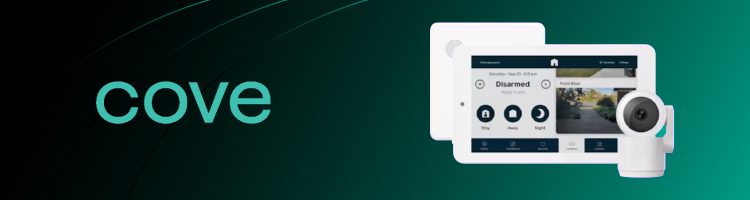
3. Cove Smart – easy-to-use monitoring for Google Home
| Monitoring | Professional |
| App compatibility | iOS, Android |
| Equipment | Cameras, door/window sensors, motion detectors, smart locks, fire/smoke detectors |
| Smart home integration | Alexa, Google Assistant |
| Starting price | Setup from $229.00, $22.99/month for monitoring |
Cove Smart is a relative newcomer to the security space, making it a perfect choice for smart home integration. Cove Smart works with Amazon Alexa and Google Home, while providing 24/7 professional monitoring.
Equipment
Cove Smart offers various equipment, from an alarm, to door and window sensors, all the way to cameras, and smoke, water, and carbon monoxide detectors. This ensures that your home stays safe from external and environmental factors alike.
Monitoring
Cove Smart, unfortunately, doesn't offer self-monitoring, which may be an issue to some. However, if you want a hands-off experience, Cove Smart's professional support will ensure everything works as intended.
Cost
Monitoring ranges from $22.99/month to $42.99/month, depending on the plan. You can get the equipment for a minimum of $94.95, which is an affordable start. Note that this price doesn't include any cameras; it only includes the hub and basic alarms.
4. Abode – best DIY smart home security system

| Monitoring options: | Self-monitoring, Professional monitoring |
| Smart home integration: | Google Assistant, Amazon Alexa, Apple HomeKit, Zigbee, ZWave, and more |
| Camera features: | 1080p Full HD, night vision |
| Installation type: | DIY |
| Price range: | Self-monitoring starts at $7.99/month ($74.99./year), and professional monitoring is $25.99/month ($239.99.year) |
Another worthy smart home security provider is Abode. You can set it up on your own, as the whole process is seamless. Plus, you can even enjoy many third-party integrations. But regardless of the DIY approach, you can still use it if you’re looking for advanced automation options.
Equipment
As part of Abode’s standard core equipment package, you’ll receive a system control hub, smart plugs, and cameras. Additionally, you’ll also benefit from motion, window, and door sensors.
Monitoring
The Abode home security system includes free self-monitoring. Still, you always have the chance to enjoy professional monitoring. The only catch is that if you like 24/7 monitoring, you need to pay an additional fee.
Cost
Abode’s Smart Security Kit starts at $159.99 and offers one smart security hub, door/window sensor, motion sensor, and keyfob. However, you can always upgrade to the Standard Plan ($7.99/month) or the Pro Plan ($25.99/month) for extra perks.
User experience
Last but not least, I highly appreciate that Abode is very user-friendly. Even if you don’t have a lot of technical expertise, you can easily install it, use its intuitive mobile app, and ask for assistance from its responsive customer support.
5. SimpliSafe – best budget smart home security system

| Monitoring options: | Self-monitoring, Professional monitoring |
| Smart home integration: | Google Assistant, Amazon Alexa |
| Camera features: | HD video quality, AI-powered motion detection, two-way audio |
| Installation type: | DIY or optional professional install |
| Price range: | Self-monitoring with camera recording starts at $9.99/month. Professional monitoring plans are $21.99/month (Standard) and $31.99/month (Core with Fast Protect™). Equipment packages start at $100.00. |
SimpliSafe is pretty affordable, which is why you may want to use it if you plan on saving some cash. Plus, you can pay in installments and opt for refurbished equipment at lower costs. There’s even a 60-day money-back guarantee and one month of free professional monitoring.
Equipment
SimpliSafe has a broad equipment choice. You can benefit from keypads, entry sensors, motion sensors, key fobs, sirens, smoke detectors, water sensors, temperature sensors, cameras, and panic buttons.
Monitoring
When it comes to monitoring, you can enjoy self-monitoring and even arm or disarm the system through SimpliSafe’s mobile app. I liked that you can view live camera feeds at any time and from anywhere, get monitoring alerts, or benefit from agent responses.
Cost
SimpliSafe’s equipment starts at $100.00, and monitoring plans have competitive prices. The self-monitoring plan costs $9.99/month. Its Standard professional plan stands at $21.99/month, while the Core plan is available for $31.99/month.
User experience
SimpliSafe also stands out due to its easy setup and low prices, though I found some reports about issues with customer support. Still, you can easily manage anything from the mobile app, which is great if you want flexible home security systems.
6. Xfinity – best smart home system with many third-party integrations

| Monitoring options: | Self-monitoring, Professional monitoring |
| Smart home integration: | Amazon Alexa (limited), August smart locks, GE lighting, Yale locks, Cor thermostats, and more |
| Camera features: | AI-powered motion detection, weather resistance, night vision |
| Installation type: | Professional installation |
| Price range: | Self-monitoring starts at $10/month; professional monitoring starts at $45/month with paperless billing. Equipment packages start at $360.00. |
Xfinity expands its product portfolio with a home security system. If you’re looking for a fully automated smart home, then this solution can be your go-to choice because it offers numerous integrations with third-party providers. The only thing that I’d like to see improved is the support for voice assistants.
Equipment
You won’t miss anything with Xfinity’s home security system. In fact, it comes with a touchscreen control panel, window/door sensors, pet-friendly motion detectors, indoor and outdoor cameras, video doorbells, and other necessary equipment.
Monitoring
Xfinity’s plans enable you to enjoy both professional and self-monitoring. If you want to take things into your own hands, you can do this through the dedicated app. However, the professional monitoring provides you with an ease of mind.
Cost
Speaking of the two available monitoring options, you can enjoy self-monitoring for $10/month, and professional monitoring is $45/month with a discount. Unfortunately, the equipment starts at $360, and there may be installation fees.
User experience
I listed Xfinity due to its impressive list of third-party integrations and user-friendly usage. However, I ran into a few complaints about its pricing, marketing, customer service, and tech support.
What is a smart home security system?
A smart home security system protects your home from would-be intruders and warns you of security incidents and environmental disasters such as fire, smoke, water leaks, or carbon monoxide. It uses various smart devices to provide remote control, automation, and real-time monitoring.
Unlike traditional security systems, which rely on physical alarms and basic sensors, smart systems allow you to manage and monitor security remotely through your smartphone or voice assistants. Key components of these systems include smart cameras, doorbell cameras, motion sensors, smart locks, and environmental sensors (like smoke or carbon monoxide detectors).
These systems also offer automated routines (e.g., arming the system when you leave), alerts sent directly to your phone, and remote access to live video feeds. Additionally, they can integrate with other smart home devices, such as lights and thermostats.
Smart systems are often customizable and scalable, and they provide greater flexibility than traditional systems.
Why you need a smart home security system
The main reason why you need a smart home security system is to enhance your safety. However, what if I tell you that you’ll enjoy numerous other benefits? Let’s see the most prominent ones:
- Enhanced security: Due to the equipment that smart home security systems offer, you can always monitor your home. Also, you can even receive instant notifications about any suspicious activity. This can be an open door or window, triggered alarms, and detected motions.
- Improved convenience: Such systems let you control your home’s security from the app via voice control or the native app. Some even have smart locks that come with keyless entry options, like biometric or PIN codes.
- Automation: Smart home security systems help with task automation. Therefore, you can adjust your thermostat temperature, lock the door, or arm the alarms based on your daily schedule.
- Peace of mind: One of the things I found best is that most of the best smart home security systems have professional installation and monitoring. Due to this, you don’t have to do anything. Just pick your preferred option and enjoy your ultimate safety.
What are the key features to look for in a smart home security system?
The specific criteria for choosing a smart home security system largely depend on your needs. Some users prioritize the freedom to manually install security equipment themselves, while others want a system with 24/7 professional monitoring.
Of course, there’s a baseline each security system should meet to be considered “one of the best.” Here’s what I looked for when picking the best smart home security systems.
- Smart home integration. The home system should integrate with voice assistants (like Google Assistant or Amazon Alexa) to allow hands-free use.
- Mobile app control. A user-friendly and intuitive mobile app is essential, as this will be your control panel when you’re on the go. The app should be capable of issuing real-time alerts and ideally allow you to view live video streams.
- Privacy & encryption. Ensuring your data is secure is a top priority. Look for systems that use WPA2 encryption to secure Wi-Fi connections and two-factor authentication (2FA) to protect app access. These measures help keep your personal information safe from unauthorized access.
- Security cameras. Your smart home system should have HD cameras for both indoor and outdoor use. Night vision is also a big plus.
- Automation features. Your security software should integrate with other smart or “Internet of Things” (IoT) technologies, such as smart lights, locks, thermostats, and more.
- Professional monitoring. While not necessary (some users prefer self-monitoring), the option for professional monitoring provides greater security and peace of mind.
- DIY vs professional installation. Ease of installation is another critical factor, especially for DIY systems.
Having options for different user preferences is a good sign that a home security provider knows the market. The best in the game will also have extra features like cellular and battery backup and disaster monitoring.
Ready to dive into which security providers met our strict standards? Keep reading below.
How smart home protocols compare (Matter, Z-Wave, Zigbee)
The most common smart home protocols are Matter, Z-Wave, and Zigbee. Each of them plays a crucial role because they’re in charge of the communication and interoperability between different devices in your smart home. Thus, they simplify setup, provide seamless operation, and improve your overall experience. Here’s how they compare:
- Matter: This is a relatively new industry standard, which major vendors back. What’s important is that Matter provides a simplified setup and universal compatibility.
- Z-Wave: A proprietary, low-power mesh network that operates at sub-1 GHz. It’s mostly popular for its long range and mature device ecosystem.
- Zigbee: An open-standard 2.4 GHz mesh network with a broad device base but potential interference.
Security & privacy considerations
While smart home security systems enhance your safety, they can raise some serious security and privacy concerns. More precisely, this refers to scenarios in which malicious actors hack IoT devices.
As a result, the attackers can access your video feeds, unlock the smart locks, or even compromise your home network. This is where data encryption standards, like TLS for data transmission and AES for storage, play a crucial role. This will provide end-to-end encryption for your cameras.
But the data storage is another critical factor. While cloud storage is convenient, it can increase your exposure in case of breaches. On the other hand, local storage offers more control but requires regular and proper backup.
With all of this in mind, I recommend you use WPA3 Wi-Fi encryption, enable two-factor authentication, and always change default passwords to stay safe. Also, regularly update your devices to prevent any vulnerabilities.
Other home security systems you might be interested in:
A final word on the best smart home security systems
I spent a lot of time reviewing some of the top smart security solutions. But after I carefully evaluated what each of them offers and went through user reviews, Vivint stood out as the best smart home security system.
Vivint offers top-tier smart integration and professional monitoring, so it’s ideal for homeowners who prefer a fully managed service. Still, selecting the right smart home security system in 2026 depends on your specific needs and preferences.
Whether you prioritize professional monitoring, DIY setup, affordability, or advanced automation, there’s a system designed for you. Go again through the detailed reviews I prepared with my Cybernews team, and pick the one that suits you best.
FAQ
Can I install a smart home security system by myself?
Yes, many smart home security systems are designed for DIY installation. Systems like Abode and SimpliSafe offer easy-to-follow setups with minimal tools required. Even though Vivint and ADT typically offer professional installation, they’ve recently introduced DIY options (like Vivint's Smart Hub DIY Kit and ADT's Self Setup option) for customers who prefer it.
Do smart home security systems work without Wi-Fi?
Yes, but smart home security systems generally rely on Wi-Fi, especially for remote control, live video streaming, and real-time notifications. Some systems, like Vivint and ADT, offer cellular backup, which can keep the system working during a Wi-Fi outage. Without Wi-Fi or cellular backup, certain features may be limited, but many systems still allow self-monitoring via mobile apps..
Are smart home security systems safe from hacking?
Yes, smart home security systems use encryption and secure protocols to protect data. No system is entirely immune to hacking, but following best security practices – like setting strong passwords, enabling two-factor authentication, and keeping your devices updated – greatly reduces the risk of vulnerabilities.
Do smart home security systems require a monthly fee?
Yes, most smart home security systems have monthly fees, particularly for professional monitoring services. For instance, Vivint, ADT, and SimpliSafe offer plans that include 24/7 monitoring at a monthly fee. However, several systems, such as Abode and SimpliSafe, also provide self-monitoring options with minimal or no cost.
Which smart security system works with Apple HomeKit?
A few smart security systems work with Apple HomeKit. However, I recommend going for my #1 pick, Vivint. Of course, you can also try SimpliSafe and ADT, as they’re also compatible with this service.
Do smart home alarms work during internet outages?
Yes, smart home alarms work during internet outages. However, depending on the solution you pick, you’ll get different functionalities. Most of them will trigger the alarm locally, but won’t send you a remote notification.
What is the most secure smart home security system?
The most secure smart home security system is Vivint. This is because it comes with a comprehensive smart home integration and 24/7 monitoring with remote notifications.