Best laptops under $500: tested in 2026

Most laptops under $500 can handle everyday tasks like browsing, writing, streaming, and video calls. However, the challenge here is finding one that does those things comfortably. At this price, a bright screen, long battery life, and plenty of memory don’t always come together in one device.
To find the best laptops under $500 that are worth the investment, I compared several devices across Windows and Chrome OS. I inspected what each configuration offers, where it makes compromises, and whether those compromises wouldn’t amount to poor usability over time.
In this review, I’ll share my hands-on experience with each under-$500 laptop, taking into account their performance, battery life, configuration, price-to-performance ratio, and overall usability.
Top laptops under $500: our shortlist
- Acer Aspire 3 – best for everyday Windows use
- Lenovo IdeaPad Slim 3 – best for multitasking
- ASUS Vivobook Go 15 – best for basic Windows tasks with extra storage
- Lenovo Chromebook Plus – best large-screen Chromebook
- Lenovo IdeaPad Flex 5i – best convertible Windows laptop
What to look for in laptops under $500
At this price, you should make peace with the fact that any budget laptop you choose may have one or two compromises,. However, that shouldn’t mean you will end up with a useless box. To make your money worthwhile, I recommend paying attention to these things when picking a laptop under $500:
- Performance and memory. If you plan to use your laptop for general browsing, documents, and video calls, then a midrange processor paired with 8GB of RAM should do the job perfectly well. That said, if you plan to multitask or want a laptop for gaming, you may want to look for 16GB of RAM, as it will better handle the workload. Look at the processor model, too. For example, a Ryzen 5 or Core i3 label alone doesn’t tell you how a specific chip performs.
- Screen quality and size. A Full HD screen makes text and images look sharper than an HD panel, which probably matters more on a 15.6-inch display than on a 14-inch one. Touch can make scrolling and navigation easier, but it doesn’t necessarily mean the laptop converts into a tablet. Brightness and color quality also affect how comfortable the screen is for working near a window or watching video.
- Storage and operating system. A 256GB SSD is a practical baseline for a Windows laptop, but a 512GB SSD offers noticeably more space for apps, photos, and downloads. Chromebooks can work well if you mostly use web apps and cloud storage. However, before you buy one, make sure to check if Chrome OS supports the apps you rely on.
- Battery, keyboard, and ports. Battery life depends on how you use a laptop, so hands-on test results offer a more useful guide than a manufacturer’s “up to” claim. A comfortable keyboard, a responsive touchpad, and ports for your usual accessories can make as much of a difference in daily use as a small bump in processor speed.
- Price of the exact model. Make sure the configuration you’re considering stays under $500. I also recommend waiting a bit for big sale events, such as Black Friday or winter holidays, to get a better price if you are not in a hurry.
Best laptops under $500: full reviews
The best under-$500 laptop for you hugely depends on what you need it to do. Some of these models offer the flexibility of Windows, while others are Chromebooks built for browsing, schoolwork, and online apps. Below, I’ll explain what each laptop does well and the trade-offs to consider before you buy.
1. Acer Aspire 3 – best for everyday Windows use
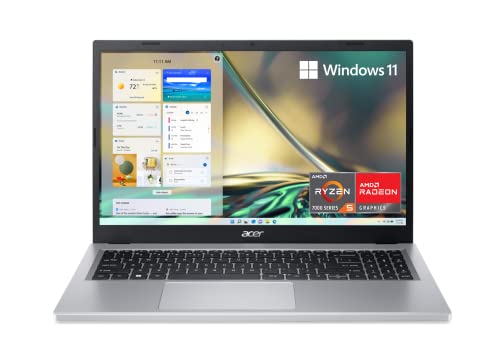
The Acer Aspire 3 has a 15.6-inch Full HD IPS display, an AMD Ryzen 5 7520U processor, 8GB of memory, and a 256GB SSD. With this setup, it’s more than suitable for everyday Windows tasks, including browsing, writing, streaming, and video calls. However, it isn’t built for heavy workloads.
When working with the Acer Aspire 3, I thought the keyboard was particularly comfortable for typing, and the laptop worked pretty smoothly, unless I opened way too many tabs at once. All in all, the Acer Aspire 3 is a fairly capable, inexpensive laptop perfectly suitable for casual everyday tasks.
During my tests, the Acer Aspire 3 battery lasted just under 7 hours, which means the laptop won’t last you a full working day without plugging it in. Meanwhile, the display measured 223 nits, which is a bit dim if you want to use the Acer Aspire 3 near a bright window. That said, given the price-to-feature ratio, I can easily recommend the Aspire 3 as my top under-$500 laptop.
2. Lenovo IdeaPad Slim 3 – best for multitasking
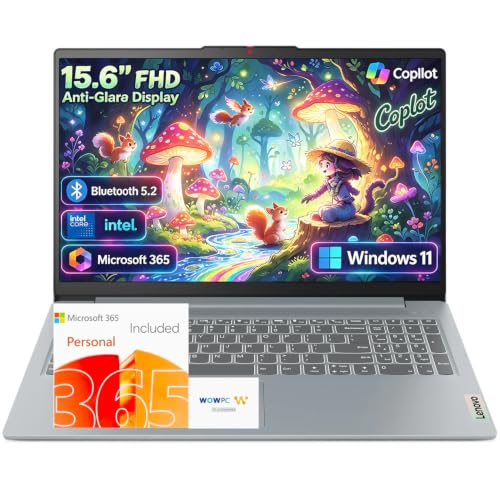
The Lenovo IdeaPad Slim 3 is a solid and practical choice for students and home workers who keep several tasks going at once. The Ryzen 7 processor and 16GB of RAM give you room to move between tasks without the tighter limits of an 8GB budget laptop. Its 15.6-inch Full HD touchscreen also provides a comfortable workspace for reading and working.
During my testing, the Slim 3 delivered solid overall performance and a fairly long battery life for everyday tasks. I also liked the smooth feel of the touchpad, which is a nice detail, given that with some budget laptops the touchpad can seem a bit like an afterthought. Plus, there’s a useful selection of ports, including USB-A, USB-C, HDMI, and an SD card reader. Lastly, the Slim 3 is lightweight and easy to carry, though it does take up a bit more space in a backpack than a standard laptop.
The main trade-off I noted is the screen, as its limited color range makes photos and videos look less vivid. Because of this, it may not be the best choice for color-sensitive creative work. Another thing is that the memory is soldered and cannot be upgraded later if you need it.
3. ASUS Vivobook Go 15 – best for everyday Windows use and file storage
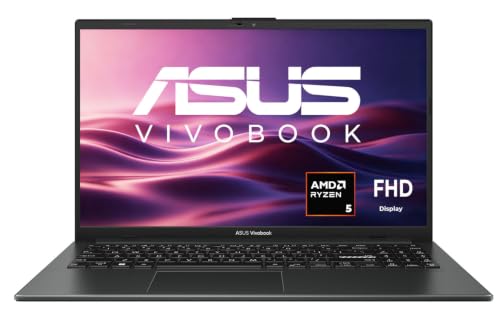
I chose the ASUS Vivobook Go 15 as one of the top under-$500 laptops because it is a reasonable, affordable fit for anyone who needs a full Windows laptop for everyday work. During my tests, its Ryzen 5 processor handled all typical office tasks smoothly, with minimal compromise.
I liked the 15.6-inch Full HD screen, which gave me a good-sized slate for work, and I usually prefer these bigger screens when working with documents. At the same time, the 512GB SSD meant there was always enough space for photos and downloaded files, so I didn’t have to rely on cloud storage as much.
That said, the display could be brighter, and I thought the ASUS Vivobook Go 15 was less capable of handling bright rooms or outdoor use. Also, the 8GB of RAM is enough for most tasks, but I started feeling slowdowns if I kept many apps and browser tabs open. As for the battery life, it lasted a bit over 6 hours, so bring a charger for a full day’s work. Lastly, the integrated graphics also meant this wasn’t the laptop I’d choose for heavier games or demanding creative software.
4. Lenovo Chromebook Plus – best large-screen Chromebook
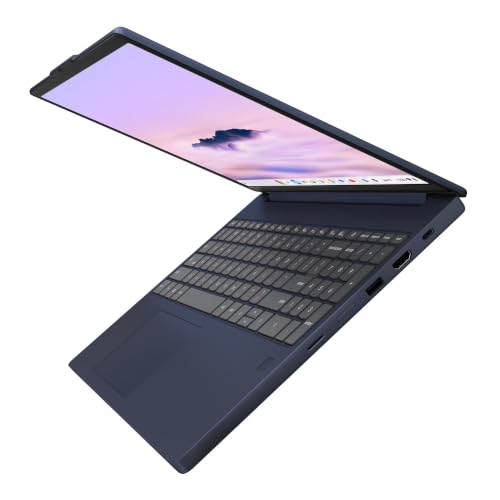
I selected the Lenovo Chromebook Plus for those who prefer a larger screen and smooth daily use. The laptop gives a spacious 15.3-inch touchscreen for classes, documents, and video. Plus, its 120Hz refresh rate makes scrolling smooth, and the Core 3 N355 processor, 8GB of memory, and ChromeOS felt well suited to browser-based work and everyday apps.
During my tests, I noted the bright, vivid screen, which probably offered the best quality among the laptops on my list. This meant that images looked good, and I could, in theory, use this laptop for creative work. I also like the Chromebook Plus’ sturdy build and the sharp 5MP webcam, which I used for video calls. And while the battery lasted just a bit over 8 hours, I noticed the overall performance was slightly disappointing. For example, if I kept a handful of tabs open and played a YouTube video, I noticed slowdowns. So, it may not be ideal if you like to multitask.
That said, I enjoyed the Lenovo Chromebook Plus for its bright, vivid, and large screen, solid battery life, and smooth scrolling for documents. I can easily recommend it to anyone looking for a budget touchscreen laptop that looks and works solid.
5. Lenovo IdeaPad Flex 5i – best convertible Windows laptop
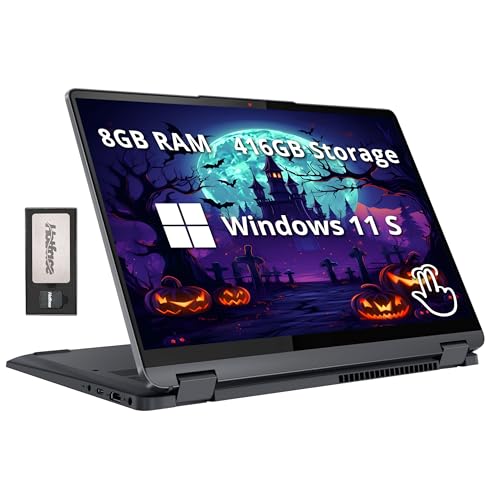
The Lenovo IdeaPad Flex 5i is the only under-$500 touchscreen laptop with a 360-degree hinge, which gives it even more flexible use. You can use it as a regular laptop for writing and homework, fold it into tablet mode to read or browse, or prop it up to watch a video. With a Core i3-1215U processor, 8GB of RAM, and 2a 56GB SSD, this laptop won’t disappoint with everyday tasks.
One of the biggest strengths of the Lenovo IdeaPad Flex 5i is its battery life. When I used this laptop for browsing and casual work, I got almost 10 hours of battery life without plugging it in. So, it should absolutely last the whole working day without a cable. Another highlight for me was the comfortable keyboard and touchpad, and I noted the overall smoothness when using this laptop for everyday tasks.
While the 14-inch touchscreen makes a lot of sense when switching between laptop and tablet modes, the display itself felt dim and had muted colors. This means it may not be the best choice for color-sensitive work. Plus, the underside got quite warm when I ran a heavier workload on the Lenovo IdeaPad Flex 5i, but it didn’t get to the point where it was uncomfortable to touch. Lastly, the 8GB of memory is soldered, so you can’t upgrade it later.
6. Acer Aspire Go 15 – best affordable Windows alternative
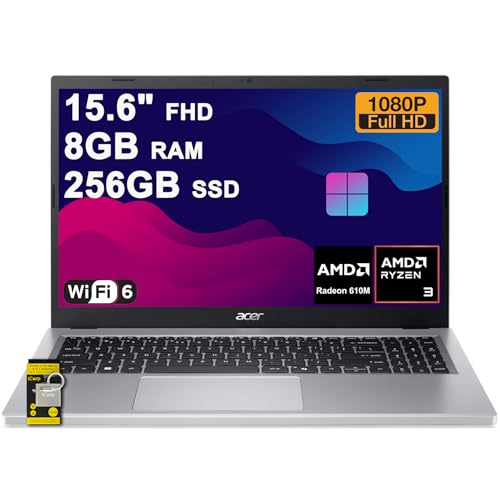
The Acer Aspire Go 15 is a solid, budget-friendly laptop with a particularly comfortable keyboard and a large, responsive touchpad. I selected it for its capable Ryzen 3 7320U processor, 8GB of RAM, and a 512GB SSD, which gave me enough space for smooth everyday tasks. Plus, its 15.6-inch Full HD screen provided me with plenty of room to work on documents or watch videos.
I found several highlights with the Acer Aspire Go 15. For starters, its battery life was excellent, and I got close to 13 hours of browsing and casual work on a single charge. This was by far the best result of all the under-$500 laptops on my list. I also thought the laptop handled everyday tasks quite well, and I could multitask to some level without the device becoming unresponsive.
That said, the Acer Aspire Go 15 has its trade-offs, too. While a matte screen helped reduce reflections, it also made the colors somewhat muted and less vivid. Plus, because of the integrated graphics, I found the laptop not suited for more demanding games or photo editing software.
7. ASUS Chromebook Plus CX34 – best compact Chromebook for everyday work
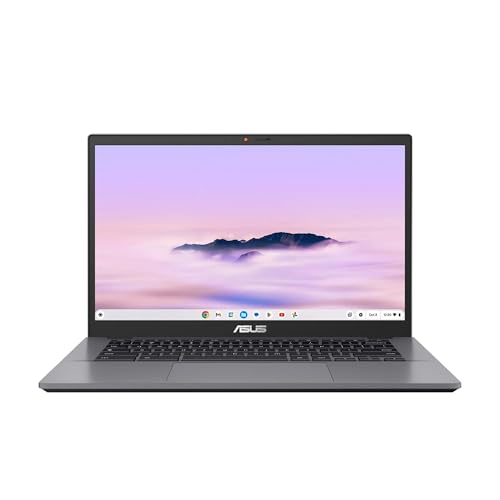
The ASUS Chromebook Plus CX34 is on my under-$500 laptop list thanks to its excellent responsiveness and a good fit for anyone who mostly works using a browser. Its 14-inch Full HD screen gave me just enough room to work on documents and join video calls. Meanwhile, the Core i3 processor and 8GB of RAM made simple tasks like browsing, streaming, and switching between tabs feel responsive and smooth.
During my tests, I found another solid perk – the battery life. When I used the Chromebook Plus CX34 for web-based work, I got just over 12 hours of use, meaning this laptop will hold out for a full day of classes or work without needing a charger. Plus, there’s also a nice 1080p webcam for video calls.
However, the 128GB felt workable if I relied on Google Drive and other cloud services, but it did feel tight if I wanted to keep lots of files and downloads on the laptop. And while the display seemed bright, it did not hold up with outdoor use. Lastly, I didn’t like the keyboard much, though that may be a personal preference, as most reviewers note its comfort.
8. HP 15 – best for users who want a touchscreen
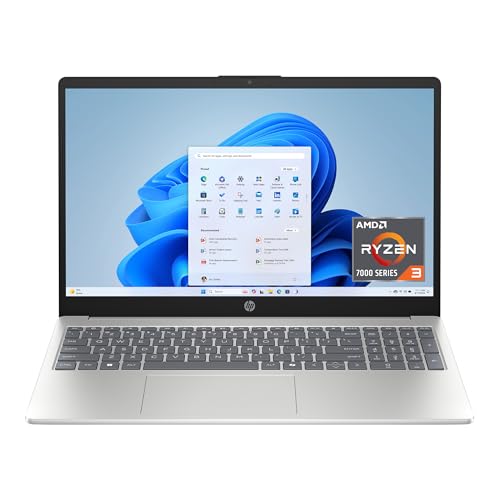
The HP 15 is a good Windows laptop under $500 for general schoolwork, browsing, and streaming. The large, 15.6-inch touchscreen is a nice choice if you want scrolling and tapping menus to feel more direct and precise. However, the HP 15 does come with a few caveats.
When I tested the HP 15 for work, I felt that the Ryzen 3 with 8GB of RAM provided a capable enough setup for typical tasks. Plus, the 256 SSD meant my apps loaded quickly, and the laptop performed smoothly. I genuinely liked the keyboard and thought the touchpad was accurate enough for routine work.
However, while the touchscreen felt like a useful addition, the HP 15 is still a standard laptop rather than a two-in-one device because the screen does not fold back into tablet mode. Its HD resolution is also noticeably less crisp than a Full HD display, making this laptop better suited for documents and emails than photo or video work. Lastly, with browsing and casual work, the battery lasted around 6 hours and 29 minutes, which should cover a few classes or a stretch of work, but you may want to have your charger around just in case.
9. Dell Inspiron 3530 – best for a large SSD
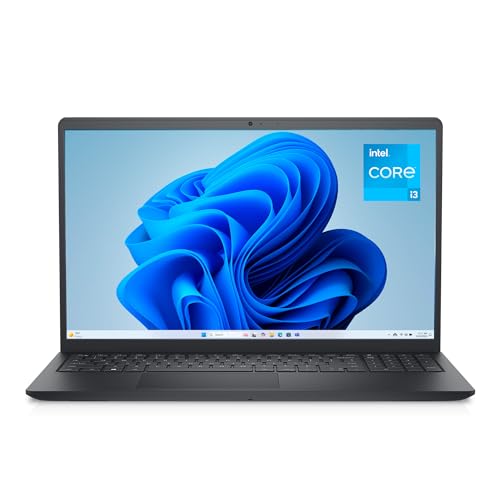
I selected the Dell Inspiron 3530 for my top laptops under $500 list because it offers a large 512GB SSD, making it a great choice if you want plenty of room to store photos and files directly on your device. As such, it makes a solid fit for schoolwork, office work, and general use, without having to keep all your files and apps in cloud storage.
In hands-on testing of this Core i3-1305U, 8GB RAM, 512GB SSD configuration, I found the Inspiron 3540 smooth and responsive for browsing, office apps, and even some multitasking. Another thing I like was the 15.6-inch Full HD screen with a 120Hz refresh rate. With it, scrolling and on-screen motion looked noticeably smoother than on a standard 60Hz display. However, I still thought the display wasn’t a match for higher-end screens, particularly in outdoor use.
The biggest caveat I found was the battery life, as I only got around 5 hours and 30 minutes of general use. This means the Inspiron 5350 won’t last you throughout the day, and you will have to carry the charger around with you. That said, given its large SSD and the price, this laptop is a worthy contender for any student or at-home worker.
10. Acer Chromebook Plus 514 – best Chromebook for performance and storage
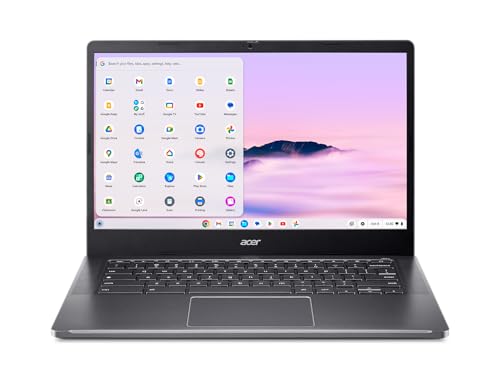
Last but not least on my list of laptops under $500 is the Acer Chromebook Plus 514. It’s a strong choice if you want a fast, browser-first laptop with enough storage for more than just a couple of files. Its Intel Core i3-N305 processor and 8GB of RAM are well-suited for Google Docs, research, video calls, and some level of multitasking.
When I tested the Chromebook Plus 514, I found it highly responsive, especially with ChromeOS tasks, and I noted the crisp feel of the keyboard. My test laptop had a 512GB SSD, which meant I could store most of my files, photos, and apps without ever touching a cloud service. That said, the Acer Chromebook comes in different configurations, so check if the one you chose also has the same SSD capacity. Battery life proved to be another highlight, with around 12 hours of use.
That said, as with most laptops under $500, the 12-inch touchscreen felt good enough for documents and browsing, but lacked sharpness and color for movies and photos. Lastly, the Acer Chromebook Plus 514 lacks a built-in HDMI port, so you’ll need to buy an external one if you plan to use this laptop with a separate display.
Top laptops under $500 compared
In the table below, I’ve included my top 10 laptops under $500 for an easy side-by-side comparison.
| Laptop | Best for | Processor | Screen | RAM | Battery life |
| Acer Aspire 3 | Everyday Windows use | AMD Ryzen 5 7520U | 15.6-inch Full HD IPS | 8GB | Up to 7 hours |
| Lenovo IdeaPad Slim 3 | Multitasking | AMD Ryzen 7 | 15.6-inch Full HD | 16GB | Up to 11 hours |
| ASUS Vivobook Go 15 | Everyday Windows use and file storage | AMD Ryzen 5 7520U | 15.6-inch Full HD | 8GB | Up to 7 hours |
| Lenovo Chromebook Plus | Large-screen Chromebook use | Intel Core 3 N355 | 15.3-inch Full HD+ touchscreen, 120Hz | 8GB | Up to 8 hours |
| Lenovo IdeaPad Flex 5i | Windows 2-in-1 versatility | Intel Core i3-1215U | 14-inch Full HD+ touchscreen | 8GB | Up to 10 hours |
| Acer Aspire Go 15 | Affordable Windows alternative | AMD Ryzen 3 7320U | 15.6-inch Full HD | 8GB | Up to 13 hours |
| ASUS Chromebook Plus CX34 | Compact Chromebook for everyday work | Intel Core i3-1215U | 14-inch Full HD | 8GB | Up to 13 hours |
| HP 15 | Touchscreen Windows use | AMD Ryzen 3 7320U | 15.6-inch HD touchscreen | 8GB | Up to 7 hours |
| Dell Inspiron 3530 | Everyday work on a large screen | Intel Core i3-1305U | 15.6-inch Full HD | 8GB | Up to 6 hours |
| Acer Chromebook Plus 514 | Browser-based work and study | Intel Core i3-N305 | 14-inch Full HD | 8GB | Up to 12 hours |
Final thoughts
After reviewing and testing these laptops under $500, I can recommend the Acer Aspire 3 as the best overall budget choice for everyday tasks. For the price, its AMD Ryzen 5 7520U processor, 8GB of RAM, large 15.6-inch display, and solid battery life make it a well-rounded choice.
As an alternative to the Acer Aspire 3, I also liked the Lenovo IdeaPad Slim 3, with slightly better battery life. Meanwhile, the ASUS Vivobook Go 15 may be a good choice if you want to store more files on your device. Either of the laptops on this list under $500 is a practical choice for everyday tasks, streaming, and browsing.
FAQ
Which is the best laptop under $500?
Based on my tests, the Acer Aspire 3 is the best choice for a laptop under $500. It offers solid battery life, enough RAM for everyday tasks, and a bright, large, Full HD display. If you need more RAM, the Lenovo IdeaPad Slim 3 is a good alternative, while the ASUS Vivobook GO 15 is well-suited for storing more files locally.
Is a laptop under $500 good enough for everyday use?
Yes, many laptops in this range can handle browsing, email, documents, video calls, and streaming. However, they’re less suitable for demanding games, professional creative software, or heavy multitasking.
Is a Chromebook or Windows laptop better under $500?
It depends on the software you need. Choose Windows for traditional desktop applications. Choose a Chromebook if you mainly use web apps and Google services.
How much RAM should a laptop under $500 have?
8GB is a reasonable starting point for basic use. If you often keep many browser tabs and apps open at once, 16GB would be a better choice.
Can I play games on a laptop under $500?
Yes, you can play lightweight games, especially browser and older titles, but these laptops generally use integrated graphics and aren’t designed for demanding modern games.
Are 2-in-1 laptops worth it?
A 2-in-1 can be useful if you expect to use the touchscreen in tablet or tent mode. If you’ll mostly type at a desk, a standard laptop may offer better value for the same price.