This Inkwon Tag portable printer has woken up the DIY girly in me
Apparently, a printer that is responsive, doesn’t jam paper, and prints funny stickers does exist.
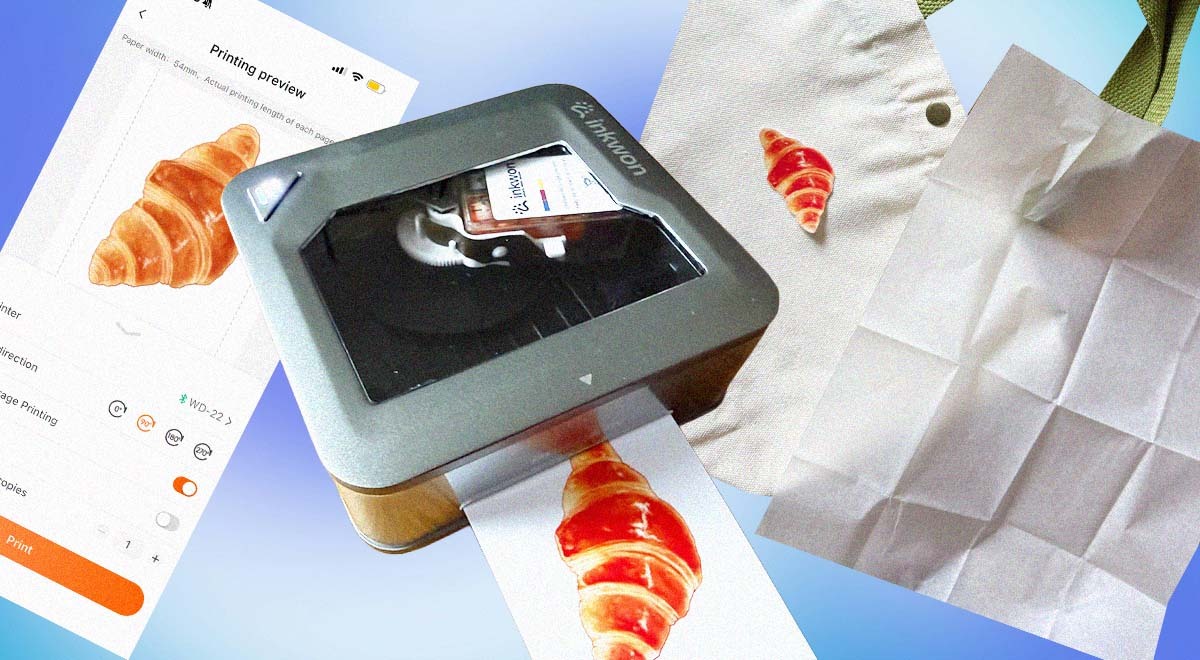
Image by Cybernews

 Follow us
Apparently, a printer that is responsive, doesn’t jam paper, and prints funny stickers does exist.
When I was still in school, and my conscience was free of thoughts about the environment and how we’re polluting it with all the things that we make and buy, I was very into arts and crafts.
But as I grew older, I decided that I would too become a minimalist, and so I no longer did things like decoupage or scrapbooking, convinced that instead of crafts, I was generating more trash.
That was until my friend brought a label maker she got for Christmas to our book club meeting, making us a little diary to mark all the books we read.
I’m not going to lie, I was super excited. And this is when I felt the arts-and-crafts girly was still definitely a part of me.





I, too, wanted to print labels, or more likely funny memes to stick on my laptop, or pictures from trips to finally put them into my very empty albums.
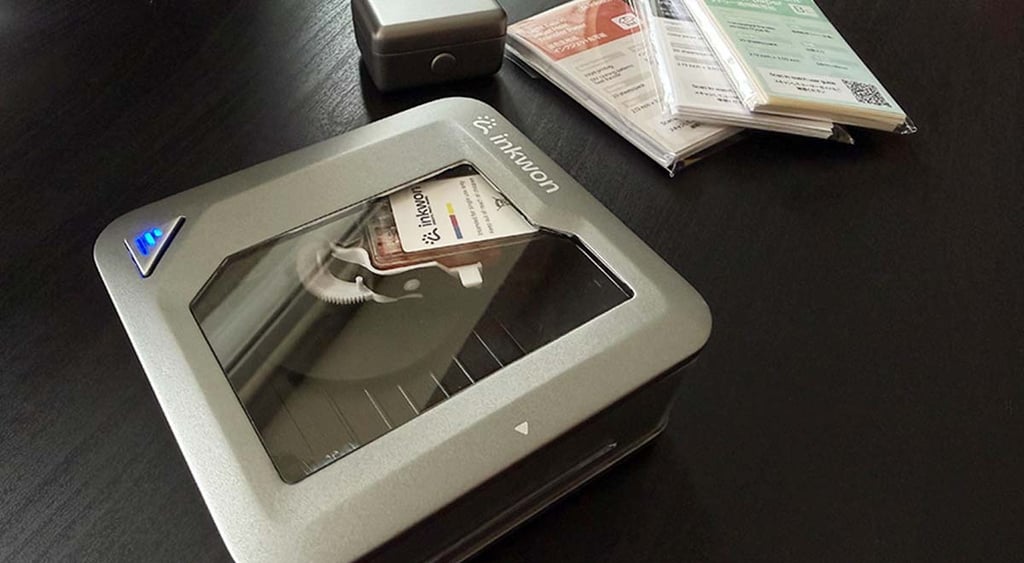
That’s when I got the Inkwon Tag, a 4-in-1 portable color printer.
I’m just a girl: first impression using Inkwon Tag portable printer
The printer is a small device that includes a cartridge and a variety of papers for different types of printing: tattoos, stickers, photos, or designs for your t-shirt.
The box also includes a mini tote bag, a t-shirt, and what appeared to be a photo frame.
It was late in the evening, I was home alone and bored, so I decided to take out the printer and give myself a tattoo.
The last time I had a fake tattoo, it was the kind you get from a chewing gum packet. This made me think that things really have changed over the years, because for me to get a cute flower tattoo now, I first needed to set up the printer, download the app, and figure out which paper to use for it to work.
So I started with the printer, which was already charged, so I only needed to add a cartridge for it to work.
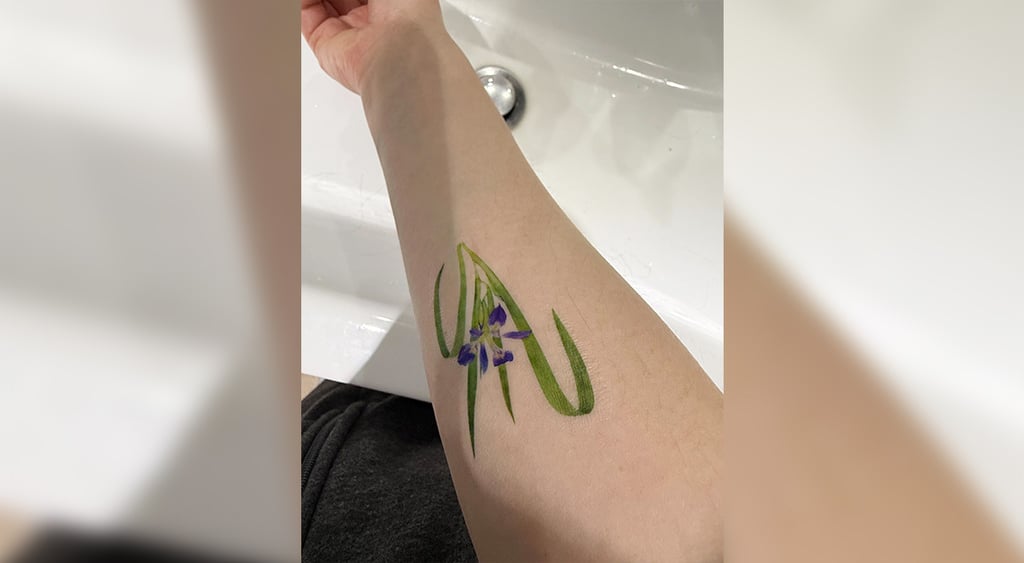
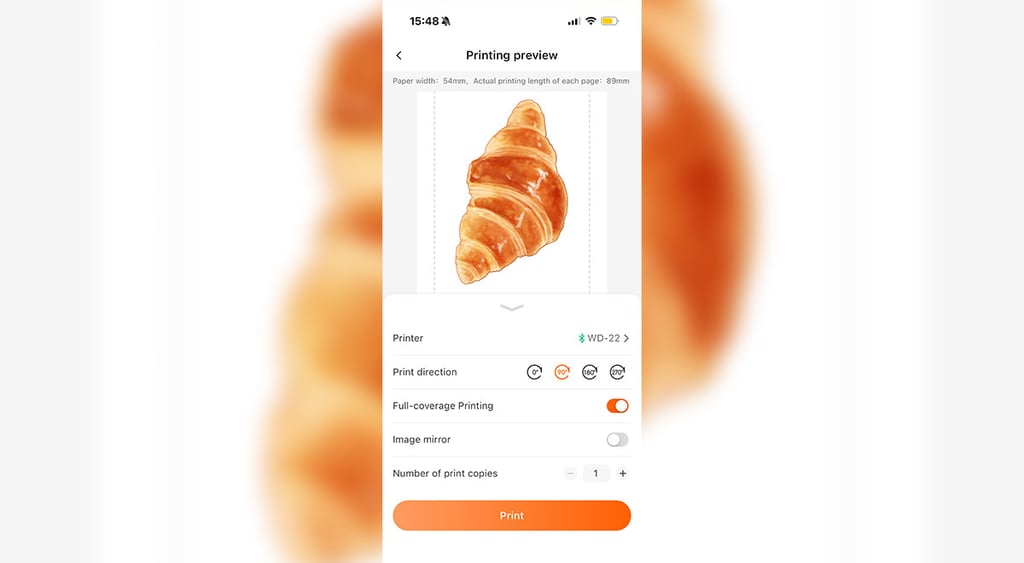
Then I set up the app, where I could prepare my print by either uploading my own images or choosing from the ones provided. I decided to go with the one I found in the app’s “library.”
After this, I needed to choose its size and decide on some changes, including the print direction. Once my image was ready to print, I put the required paper sheet into the device and started printing.
The image was of good quality, and the whole process made me more excited than I would like to admit.
Exploring my DIY possibilities: What else can this portable printer print?
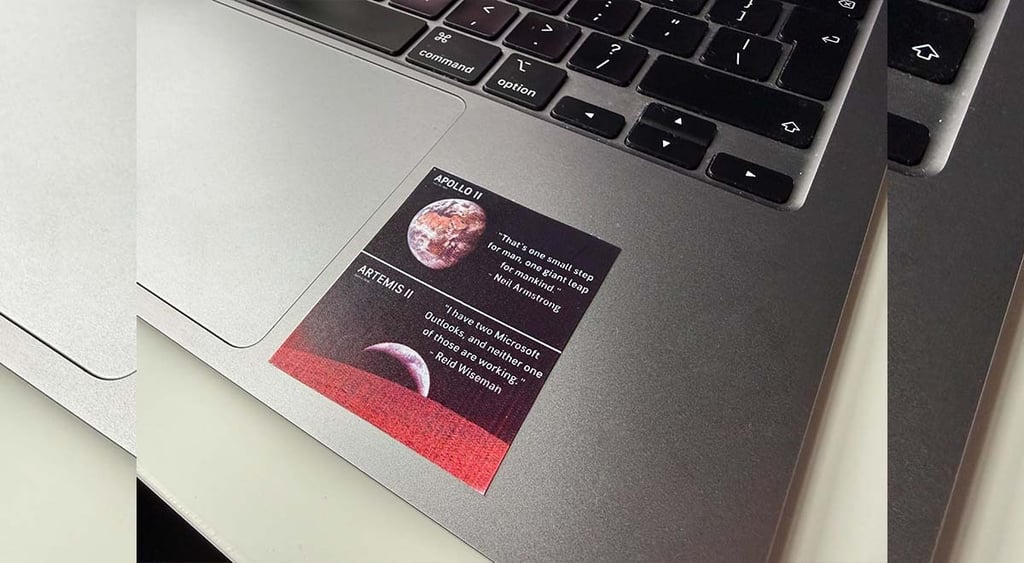
Next on my agenda was sticker making. For this, I finally put my meme folder to good use, looking for ideas for what I could print.
However, I was afraid I would soon run out of cartridges. That became especially concerning when I was printing very colorful images, as they would sometimes change color or not be as bright as I expected.
According to the company, you can print 60 sheets per cartridge, so in theory, I was good to go.






However, while printing one of the stickers, I noticed that the background was more red than black. My first thought was that the printer had run out of one of the colors.
I soon learned that if the device prints blurry images, it may need to be charged. After I did that, the images were of better quality and didn't include color distortion. But I have to admit that I also stopped printing very colorful images.
After I was done with stickers, my eye caught the box with all the add-ons. What interested me most was using the device to create designs you can later put on fabric.
I wanted to see if it really works and if the design stays on, wishing I had this printer a year ago, when I decided to make custom matching t-shirts for my friend and me for our hiking trip across Lithuania.
It was quite a painful experience, since I needed to find a company that would agree to do that for me and write a bunch of emails discussing the design, deadlines, and price. And that’s certainly not the work you’d want to do just for two t-shirts.
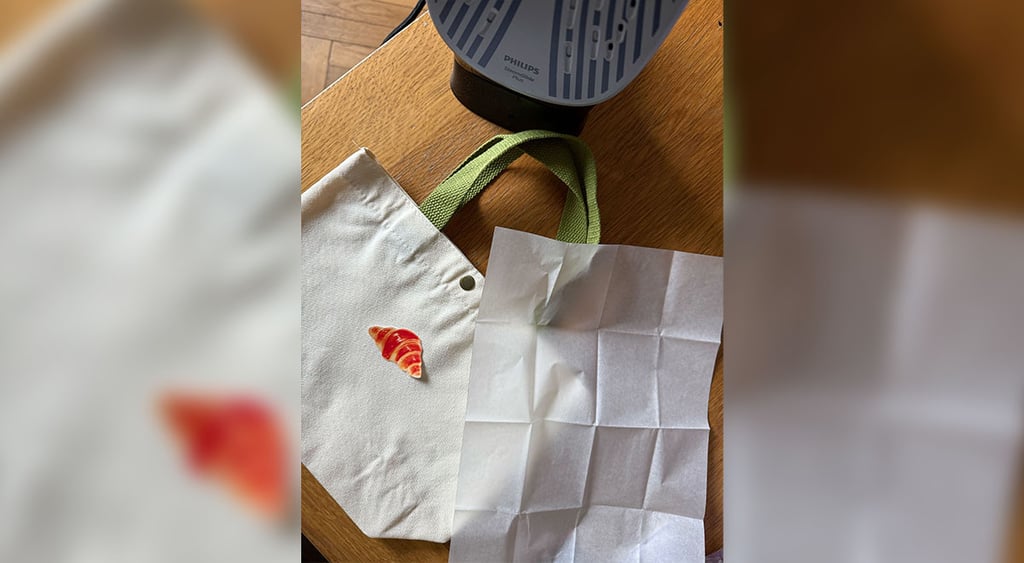
This is when I decided to take the tote bag given with the printer and customize it. I once again chose the print that was already available on the app.
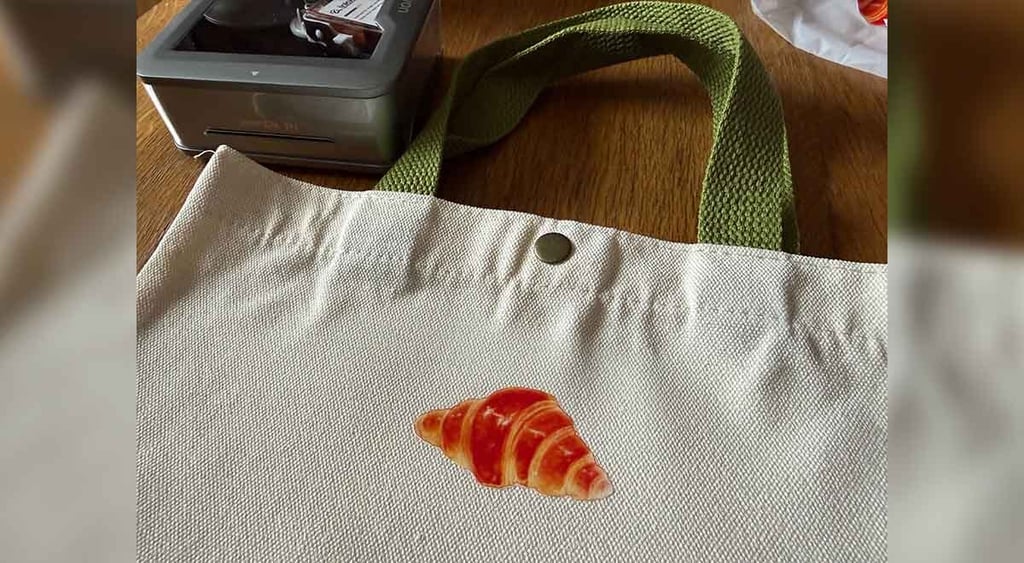
All I needed to do was print the design, peel off the protective layer, add the print to the bag, add protective paper, and press it with an iron. In just a minute, I had a print on my little tote bag.
Inkwon Tag portable printer: Take it or leave it?
The Inkwon Tag portable printer wasn’t something that I needed, but I sure enjoyed using it.
One of the things I liked most about the device is that it can print a variety of items: regular stickers, fabric stickers, tattoos, and photos.
Of course, a regular printer could do that too, but you’d have to buy the right paper. So that’s why I was glad that the printer also included all the necessary accessories.
Another convenient thing is that the printer is quite small, so you can carry it around (yes, I will be that person who makes funny stickers at a restaurant).
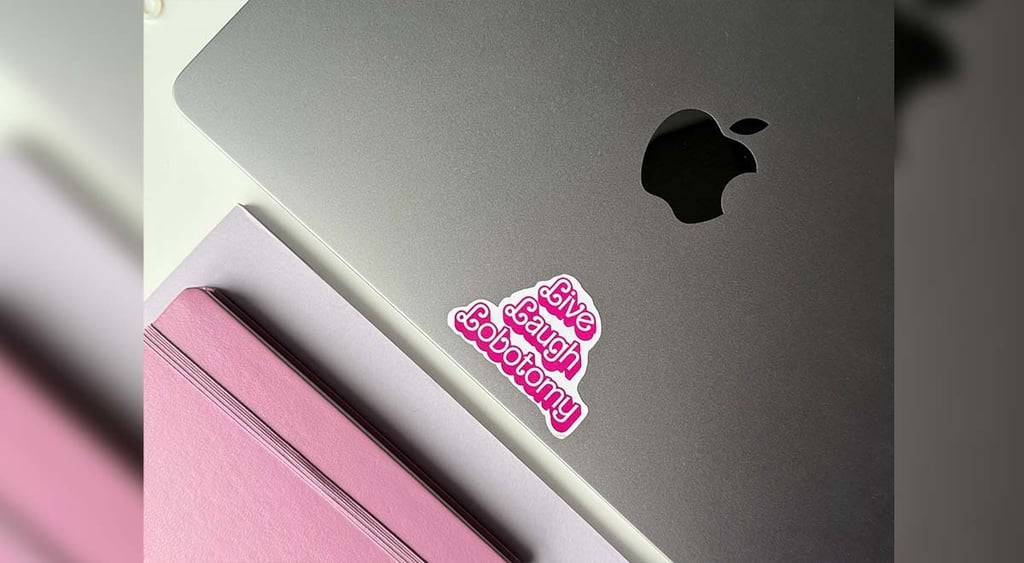
Even though I saw the compact size as a plus, it also has limitations, since it means you can’t print larger images.
By testing this device, I also learned that it's smart to keep an eye on the battery life, since it also affects image quality.
- Prints color images for different uses (stickers, photos, fabric design)
- Small and portable
- Includes different add-ons (different types of paper, a tote bag, a t-shirt, etc.)
- You can’t change print size much (the design needs to fit into the paper)
- Blurry or colored-distorted images (if the printer is running out of battery)

Unlock more exclusive Cybernews content on YouTube.