viaim RecDot earphone review


viaim RecDot earphones aim to deliver solid sound quality, along with AI-powered transcription features that help you in your day-to-day work. With the help of the Cybernews research team, I tested the product to see how well it combines classic earphone features with its AI functionalities.
In the review process, I found that the RecDot offered excellent AI audio transcription in English, with solid noise cancellation and sound quality, making it an interesting product for active professionals looking to improve their day-to-day work.
| Rating: | |
| Price: | $199.99 |
| Features: | Speech recording, AI transcription, AI summaries, AI live translation, AI chat assistant |
| Compatibility: | Android, iOS (full app), Windows, macOS, Linux (earphones) |
What are viaim RecDot earphones?
viaim RecDot are earphones built to do more than just play audio. They're capable of recording your conversations, transcribing and summarizing them, or even real-time translations when needed.
Built by viaim, a company founded by Hu Yu, a veteran of the automatic transcription industry, the RecDot aims to make its earphones a one-stop shop for recording, transcription, and AI analysis.
viaim RecDot features – how does it stand out?
To start this review, I'd like to go over RecDot's most notable features that I feel set it apart from other earphones – and other transcription products.
Recording and transcription
RecDot's biggest features are its recording and transcription capabilities. The earbuds can record your conversations and send them straight to the app, or if you're offline, each earbud can store 69 minutes of conversation, for over 2 hours of total recording time.
Transcription is done via an Android/iOS app that offers 10 hours of free speech-to-text. Above that limit, you will need a premium subscription. The app itself was intuitive, and I had no trouble accessing my recordings or starting a transcript.
I tested the transcription accuracy with the Cybernews research team. We found that the English transcript missed only 2 words out of a 127-word sample, for an accuracy of 98.4%. We also tested its foreign-language transcription capabilities with a Lithuanian sample and found that the RecDot’s accuracy fell to 84.6%. This is pretty typical of AI transcription software: the less popular the language in question, the less training material the AI has access to – thus lowering accuracy.
I was also impressed by how reliable the RecDots were in separating speakers in multi-person conversations. This feature is particularly handy when in larger meetings, as it also enables more accurate summaries.
AI summarization
RecDot’s AI summarization was an excellent feature. Even in the case of the Lithuanian text, it corrected transcription errors and provided an accurate English translation of the transcribed fragment. Similarly, the English version was well summarized and clearly presented.
My favorite feature in terms of summaries is templates. With them, you can choose a preset for your summary that matches your needs. Some of the prebuilt templates include medical and legal summaries. RecDot also lets you create your own template, which can be handy for some niche fields or specific organizational needs.
Live translation
Another impressive feature of the RecDot is its live translation capability. RecDot lets you translate conversations live, straight to your ear. I tested this by playing a Spanish YouTube video. Similar to a real-life interpreter, RecDot started translating the video with only a slight delay. All in all, this can be a useful feature, particularly when traveling, although it won’t enable true two-way simultaneous translation – unless the other person also owns a pair of RecDots.
AI chat integration
The RecDot also integrates AI assistant capabilities into its earphones when connected to the app. The assistant, called Vitana, can quickly give you answers to questions about the content of your recordings.
For example, you can ask it for the agenda of a given meeting, or what your colleague said about a certain matter. Overall, this works well, with the model summarizing and finding information quickly and pretty accurately. If you feel an answer isn’t up to par, you can use a single gesture to regenerate it, which I felt was a nice touch that helped avoid frustration with the assistant when I felt it didn’t answer my question properly.
viaim RecDot ease of use and build quality – are they good earphones?
While RecDot’s features are well designed, I wanted to see how well its user experience matches its capabilities. To do so, I tested its functionalities with the research team, focusing on its sound quality and ease of use.
Build quality
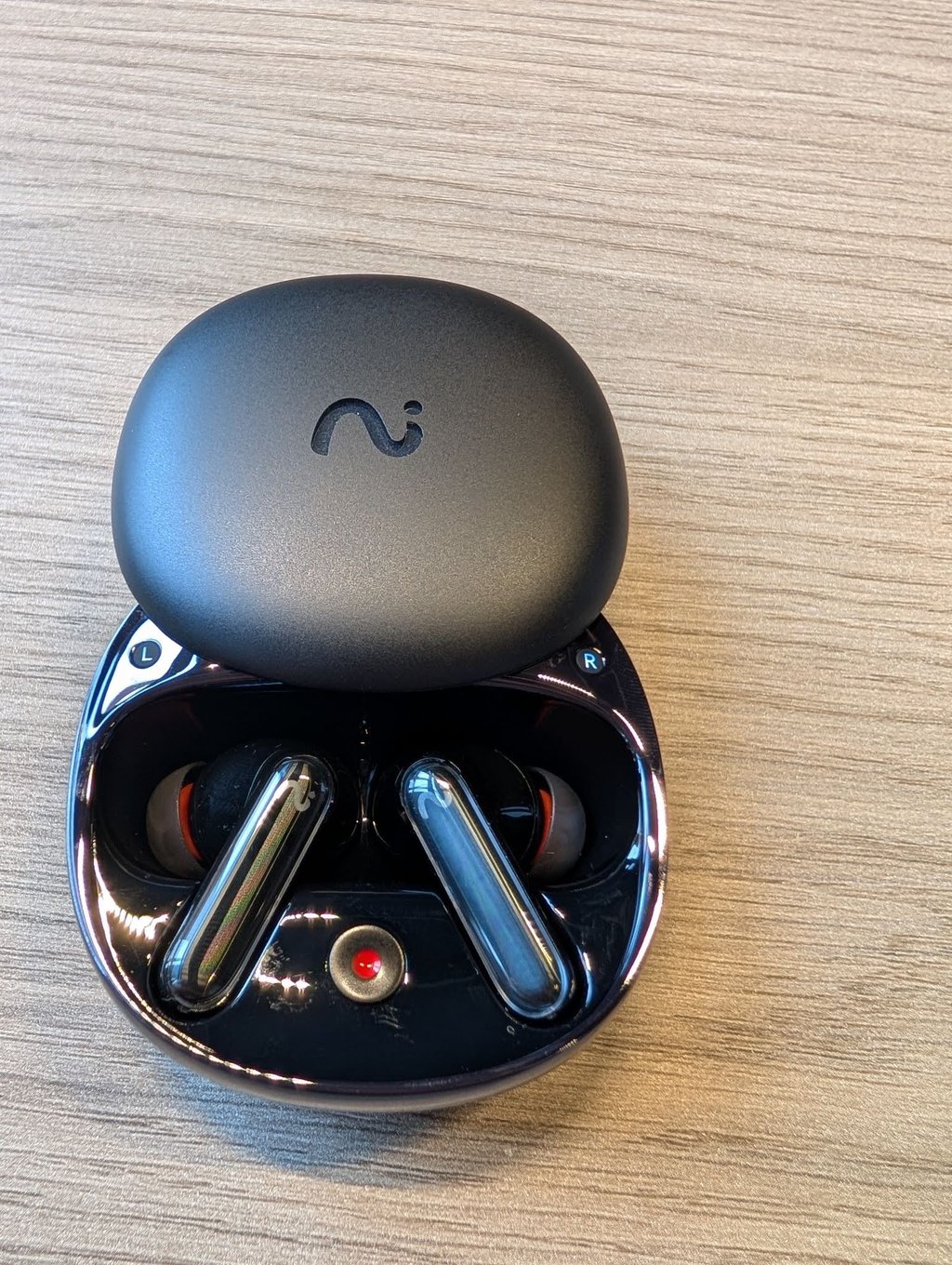
I found the build quality of the viaim RecDot to be solid. The earphones come with a lightweight case that slides open to reveal the two earphones and a record button. The box also includes a USB-C cable, a manual, and four eartip replacements in various sizes. The earphones are sturdy and can be controlled through a touch-based control slider with no mechanical buttons.
Note that the case can act as a recorder if it has at least one earphone in it, making it a great choice for in-person meetings. My one issue with it is that it’s a bit hard to tell whether the recording mode is on, since its light signals aren’t the most intuitive. When paired with the case, the device offers a total of 36 hours of battery life, making it hard to run out of power in the middle of a meeting or on a train ride.
Sound quality and noise cancellation
When testing viaim RecDot, I found its sound quality to be good compared to other consumer earphones on the market. Essentially, the RecDot’s sound quality was better than that of the AirPods, though sometimes I felt that the bass was a bit overpowering. This was only noticeable when listening to music, though, and the RecDot sounded extremely well in its primary use case – listening to conversations or dialogue.
I was able to get better quality from RecDot through the app, which offered specific equalizers for various content types, music genres, and even a gaming-specific mode. I definitely recommend using these presets, as they can tune RecDot to your preferences.
In terms of noise cancellation, I found the earphones to do their job. They isolated external sound well, and when in transparency mode, they were able to boost important sounds without amplifying external static too much.
Overall, I felt that the RecDot’s sound quality was more than enough for its primary use cases. The earphones were well tuned for meetings and phone calls, the voice recording quality from both the earphones and the case recorder was solid, and the overall quality was good enough for casual music or movie streaming, especially in travel settings.
Earphone ease of use
Connecting RecDot to my device was easy; the process was just like connecting any other Bluetooth device. The earphones let you connect to two devices simultaneously, for example, a phone and a laptop, and I found that this functionality worked well, seamlessly switching based on the device that was outputting audio at a given time.
That said, my biggest criticism of this product is that RecDot’s physical interface isn’t the most intuitive to use. The touch volume slider was very hit-and-miss during testing, and I also had trouble getting double-clicks to work properly. I definitely prefer the purely mechanical buttons on my earphones to touch controls, as the latter can be extremely frustrating in the long run.
Luckily, you can set up your own control presets in the RecDot app. I was impressed with the customization options, which also let me assign my most-used functions to gestures I knew worked. However, the best alternative for me was voice control, which actually worked without a hitch. The earphones recognized all of my commands with ease, allowing me change music, start recordings, and control the app.
viaim app ease of use
I feel that the viaim app is definitely its strongest feature. My favorite feature by far is Spaces. This is RecDot’s system for sorting your recordings, which allowed me to divide the various recordings I made into appropriate folders. This gave me quick access to the information I needed, whenever I needed it, without having to dig through multiple unsorted recordings. I was also able to upload files to the given Spaces, giving the AI models further context when analyzing my recordings.
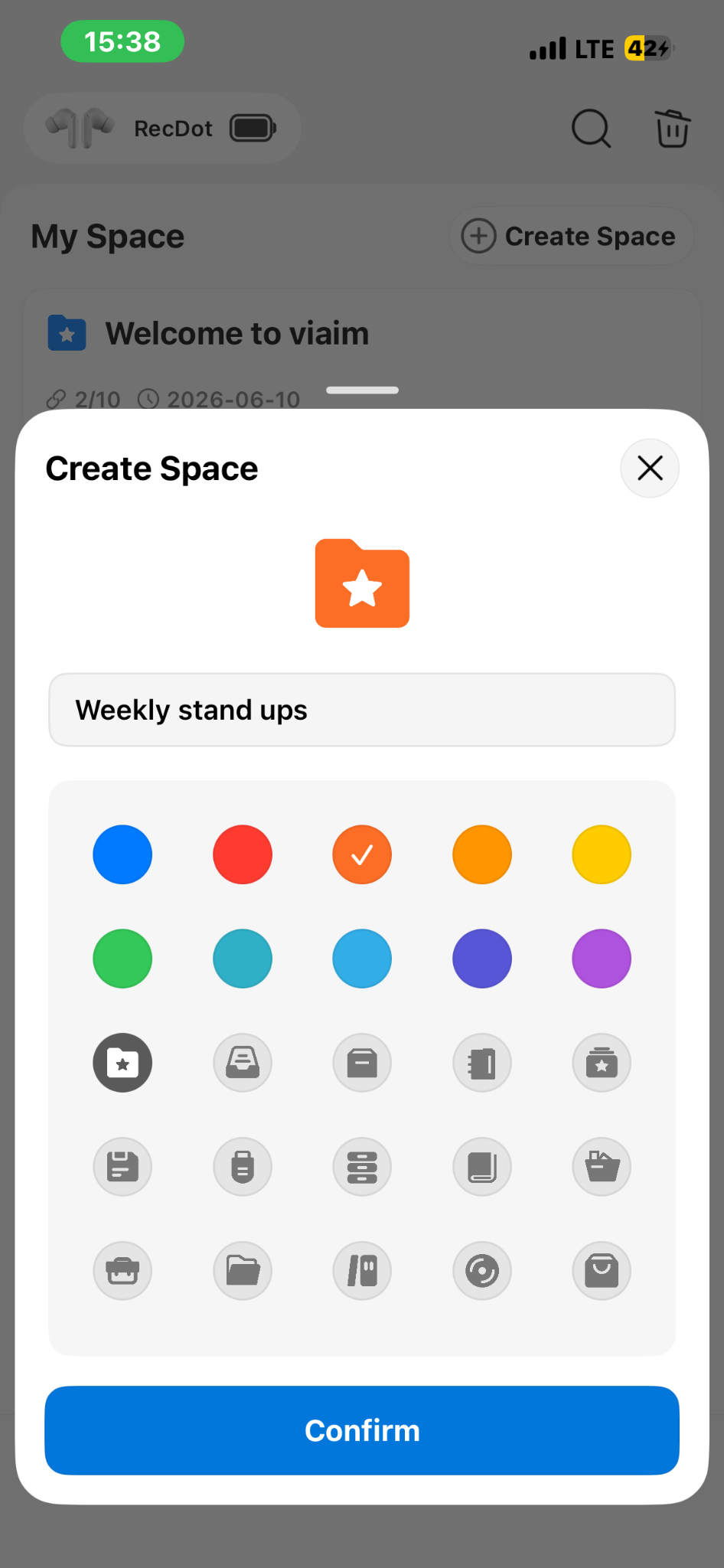
In addition to Spaces, the RecDot app has excellent visualization capabilities. With it, I was able to sort my recordings into a mind map, which can be useful when looking back at a business process or tracking back on your creative work that required dictation. Vitana, the app's AI assistant, was also very helpful in navigating my files and answering my questions about the transcripts.
viaim RecDot pricing – are the earphones affordable?
The viaim RecDot costs $199.99, and includes a basic subscription to RecDot’s AI transcription plan, giving you 10 hours of transcription every month. You can also get a bundle with viaim’s NoteKit, designed for recording computer-based meetings for $249.00, and bundles with either the Pro or Ultra plan, giving you savings on the premium subscriptions. To help you visualize this, I prepared a simple price comparison:
| RecDot | RecDot + NoteKit | RecDot + Pro Plan | RecDot + UltraPlan | |
| Price | $199.99 | $249.00 | $239.99 | $299.99 |
| Price if bought separately | - | $271.98 | $279.98 | $359.98 |
| Savings | - | $22.98 | $39.99 | $59.99 |
Note that you don’t need the premium plans to use RecDot. For many users, the 10 hours of recording included with the Free Plan in a RecDot purchase should be enough. However, if you need more transcriptions, you may be interested in the Pro or Ultra plans. Here’s a breakdown of the standalone pricing of each plan, as well as the features offered.
| Plan | Monthly price | Yearly price | Monthly transcription limit | Custom templates | Workspaces | Premium model access |
| Basic | Free | Free | 600 minutes (10 hours) | 1 | 10 | ❌ No (GPT-5.6 Luna, Gemini 3.1 Pro Preview, Claude Haiku 4.5) |
| Pro | $9.99/month | $79.99/year | 1,800 minutes (30 hours) | 10 | 20 | ✅ Yes (GPT-5.6 Sol, Gemini 3.6 Flash, Claude Sonnet 5) |
| Ultra | $19.99/month | $159.99/year | Unlimited | 20 | 40 | ✅ Yes (GPT-5.6 Sol, Gemini 3.6 Flash, Claude Sonnet 5) |
viaim RecDot privacy – is your data safe?
With any recording and transcription device, one of the big worries is data safety. Luckily, viaim has an excellent privacy policy, compliant with the most stringent data protection regulations like GDPR.
With RecDot, your recordings aren’t automatically sent for transcription, as the app asks for your permission every time. Recording is also set to a clear, loud tone by default to avoid third-party privacy violations. The company also doesn’t train its models on your recordings. The product also holds multiple third-party certificates. Here’s a breakdown of what you can expect from RecDot from a security and privacy perspective.
| Encryption | AES-256 + TLS end-to-end |
| AI processing consent | Manual opt-in required per recording |
| Recording alert | Audible tone by default (customizable) |
| Certifications | ISO 27001, ISO 27701, SOC 2 Type II, HIPAA, EN 18031 |
viaim RecDot pros and cons
To summarize my findings, I created a simple list of pros and cons to give you an overview of what viaim RecDot does well, and where it could improve.
Is viaim RecDot the right choice for you?
RecDot is designed for people who regularly record conversations, meetings, and spoken notes, then want help turning those recordings into useful summaries or transcripts. To help you decide whether RecDot fits your needs, here’s who it’s best suited for.
RecDot is a good fit for you if you:
- Frequent a lot of meetings that you want recorded
- Need a dictation device that will automatically transcribe and summarize your thoughts
- Want earphones that will automatically translate your conversation
- Are looking for an AI assistant that will help you gather information from various recordings you make
RecDot might not be the best choice if you:
- Are looking for audiophile-level sound quality
- Use earphones primarily for media consumption and gaming
- Attend very few in-person meetings that you want recorded
Conclusion
viaim RecDot is an interesting product that combines the convenience of Bluetooth earphones with meeting recording and transcriptions. In this review, I found it to be an excellent choice for users who need quick and effective transcriptions and summaries, thanks to its high-quality recordings and well-trained AI models.