Levels vs Nutrisense: which continuous glucose monitor should you choose?
Being behind major reports like The Mother of All Breaches and RockYou2024, our in-house cybersecurity experts and journalists provide unbiased, real-world testing and in-depth analysis.
We maintain complete transparency by openly sharing our testing methodologies with our audience.
Learn more

Glucose monitors have gone a long way from analog devices for diabetes management to health-based platforms with additional features like metabolism tracking. If you’re looking to get the best of both worlds, services like Levels and Nutrisense provide great value for your buck.
Naturally, it takes some time and knowledge to test them and decide which one may be a better fit for your needs, which is why I'm giving you a shortcut.
In this Levels vs Nutrisense guide, my team of Cybernews experts and I thoroughly reviewed the features, pricing, and pros & cons of both. Stick around to find out why these two are widely considered the best CGM-based health-related platforms in the industry.
Best for independent users: Levels. Its intuitive app makes it easy to get detailed metabolism analytics and health-related information at your fingertips.Best for those looking for guided support: Nutrisense. With its personalized insights and nutrition coaching, it provides in-app help from certified dietitians.
Levels vs Nutrisense overview
| Platform | Levels | Nutrisense |
| Ranking | 4.8 | 4.6 |
| Collection method | Wearable CGM sensor | Wearable CGM sensor |
| Test type | CGM + comprehensive lab tests | CGM only |
| Biomarkers checked | CGM + blood biomarkers (including lipids, insulin, hormones, and inflammatory markers) | CGM levels only |
| Result time | Real-time data | Real-time data |
| Starting price | From $24/month ($288/year with the Classic plan) | From $179/month |
| Insurance coverage | Not covered (HSA/FSA eligible) | Not covered (up to 11 insured calls with expert nutritionists for most users) |



Our team of in-house researchers, writers and editors reviews and analyzes health tech products using a research-driven approach. We gather data from multiple sources, fact-check all information, and conduct our research based on peer-reviewed studies, expert opinions, consumer ratings, and regulatory approvals.
You can learn more about how we test health tech products here.
How we tested Levels and Nutrisense
To provide a factual and unbiased Levels health vs Nutrisense comparison, my team of Cybernews experts and I relied on a pre-set methodology.
While we didn’t personally test these products, we still used official sources, third-party insights, and user reviews from reputable sources. Here’s what we focused on:
- Features and functionality (25%). I first tested all the features within the dedicated apps for their practicality and compared glucose tracking insights and nutrition support options.
- Data accuracy and insights (20%). I also explored user reviews to see if the data within the tests is accurate. Plus, I compared the ways in which both translate glucose readings into actionable insights.
- Coaching and support (20%). Moving on, I looked into support options, including the help of actual nutritionists and health experts within the coaching features.
- Pricing and subscription value (15%). I made sure to put the pricing plans to the test and compare them for your convenience.
- App experience and integrations (10%). Since both platforms focus on their apps, I checked them for their convenience, data syncing, and compatibility with third-party fitness trackers and health-related apps.
- User feedback and transparency (10%). Finally, I checked the feedback on reliable platforms like Trustpilot to see how real customers feel about each.
What is continuous glucose monitoring?
Continuous glucose monitoring (CGM) is a technology for tracking blood sugar levels and their day and night fluctuations.
The main difference (and arguably benefit) of products like Levels and Nutrisense versus traditional trackers is the fact that you don’t need to rely on heavy analog tools. Modern CGM devices consist of a tiny wearable sensor, which continuously tracks your blood sugar levels.
Both Levels and Nutrisense require you to place them at the back of your upper arm. But don’t worry, there’s no need for needles with this technology, as there’s just a tiny filament at the bottom of the sensor that goes under the skin. It’s nearly painless, and it transmits real-time data that can be reviewed in the dedicated app.
Some of the main benefits of this method include real-time data tracking and the metabolic insights you get based on the measurements.
Levels vs Nutrisense: key features
As already mentioned, both Levels and Nutrisense offer advanced data tracking and features like continuous monitoring, detailed health-related insights, and more. Here’s a summary of the key characteristics of both at a glance:
| Feature | Levels | Nutrisense |
| App interface | Clean, beginner-friendly layout with AI-powered insights | Simple layout but slightly outdated design |
| Real-time glucose tracking | ✅ | ✅ |
| Food logging | AI-powered meal logging with photo recognition | Only meal and CGM scores |
| Meal comparisons | ✅ (compares glucose scoring to different foods) | ✅ (compares meal responses) |
| Lab testing | ✅ (comprehensive blood panels in Core and Complete plans) | ❌(Not available in any plan) |
| Biomarker tracking | More than 50 biomarkers, including insulin, lipids, hormones, inflammation, and organ functions (for the kidney and liver) | Glucose only |
| Activity tracking | Imports from Apple Health or Health Connect | Imports from Apple Health, Google Fit, and wearables |
| Sleep tracking | Available via third-party devices | Available via third-party devices |
| Coaching and educational content | ✅ (Available in the Complete plan with coaching from physicians and dietitians) | ✅ (Available in all plans, but mainly based on glucose testing) |
| Integrations with wearable apps | Apple Health, Android Health Connect | Apple Health (Watch), Google Fit, Samsung Watches, Fitbit, Oura Ring |
Nutrisense vs Levels: data measured
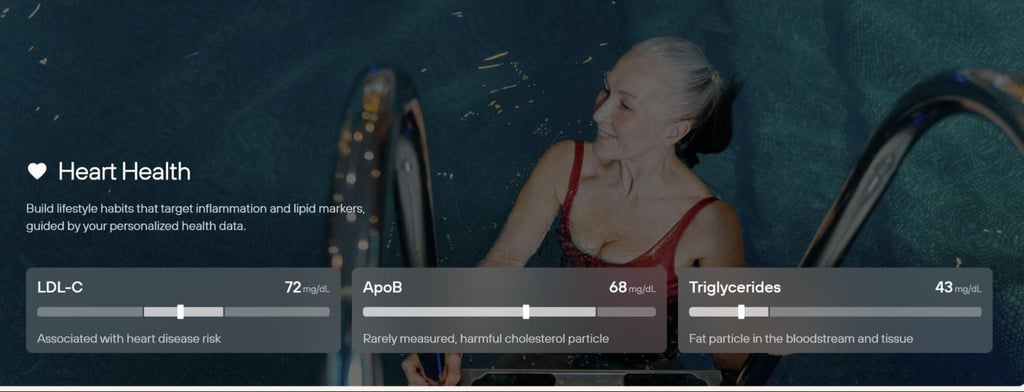
Levels provides a comprehensive data ecosystem, and naturally, it’s primarily CGM-focused. However, it also claims that it gives a full overview of your metabolic health via data obtained from over 50 biomarkers.
Of course, the availability of these tests depends on the subscription plan, but let’s move the Levels CGM price aside for a second. According to the manufacturer, with all the features unlocked, it tracks your metabolic health, cardiovascular function, hormonal balance, and even liver and kidney function.
It also showcases the correlation between glucose levels and the type of food you consume, as well as your activity. The data is shown in the metabolic score format.
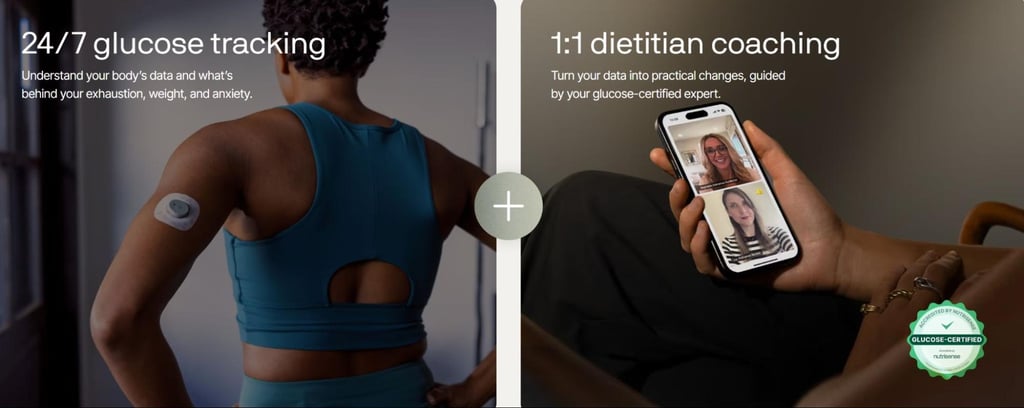
On the other hand, Nutrisense only focuses on glucose monitoring without any biomarkers or other health-tracking features.
Though this is a considerable downside, I’d say that Nutrisense does a great job in terms of data visualization, as it displays information in the form of graphs or response charts for easier understanding.
Levels vs Nutrisense: nutrition coaching
While Levels is more app-based, Nutrisense includes coaching from professional nutritionists. In fact, it states that nearly 95% of the users have access to completely free one-on-one nutritionist coaching, excluding those with the basic plan.
Naturally, I mainly relied on information from existing users and haven’t used the coaching feature myself, but the majority of customers who have tried both praise Nutrisense in this context. It also allows you to reach your assigned dietitian through the app and schedule video calls with no extra costs.
On the flip side, Levels features personalized health plans developed by professional nutritionists, but offers communication with experts only in the Complete plan.

Levels vs Nutrisense: CGM sensor support
Both Levels and Nutrisense are compatible with third-party CGM sensors, which makes their application easier. For instance, Levels offers two sensor brands via the platform, including the Dexcom G7 and Abbott FreeStyle Libre.
They last up to 10 days, and you can get them in kits of 3. On the other hand, I’ve seen users reporting that Abbott FreeStyle Libre sensors may last up to 14 days, but they come in kits of 2.
One thing that I particularly liked is that, if you’ve already got a sensor assigned or recommended by a doctor, Levels allows you to only subscribe to the software. That makes the Levels CGM cost much more affordable in the Classic plan, while Core and Complete options come with the sensors included.
With Nutrisense, you get a bit more flexibility. I’ve found out that its monthly shipments come with the Stelo Glucose Biosensors, which should last up to 15 days. Of course, you can also choose to go with other compatible sensors, including the Dexcom G6, G7, and FreeStyle Libre 2 and 3 models.
Similarly to Levels, you can opt for the Bring Your Own Sensor plan via Nutrisense and only be required to pay $39 per month for app access. If you’ve already got your sensors prescribed by a doctor, that is.
In terms of installation, both are rather manageable, with quick application. As reported by most users, sensors like the Dexcom G7 are nearly completely painless, and you might just experience slight discomfort with some.
Levels vs Nutrisense: pricing and subscriptions
Both Nutrisense and Levels come with convenient pricing plans depending on your needs. Proper Levels subscription starts with the Core plan, which costs $499 per year. What’s convenient is that it then sets you back just $199 for renewal, and you get the following features included:
- 2 lab panels with over 28 biomarkers
- Full month of glucose monitoring
- Chance to get your data reviewed by a medical expert twice per year
- Access to the Levels app and its real-time updating dashboard
- AI-powered meal insights
- Adaptive programs based on your results and data
You can also go with the Complete plan at $1499/year with an annual subscription. It has a few additional features, such as more comprehensive lab panels with over 100 biomarkers, a dedicated metabolic coach via messaging, and food and macro tracking. You can also use AI health-related insights based on your glucose and lab test data with this one.
Alternatively, you can just go with the Classic plan and get just app access with your own sensors for $24/month or $288 when billed annually.
When it comes to Nutrisense, things are simple: you can pick the basic plan for $179/month if you're ready for a long-term commitment or choose slightly higher costs for short-term plans. For instance, the 1-month option would set you back $329/month.
Plus, Nutrisense has coaching insurance, which Levels lacks.
Levels vs Nutrisense: mobile app
In terms of mobile apps, it’s a close race between the two. Levels features a slightly more sophisticated application, and I got the feeling that it’s also more intuitive, despite the constant praise that users had for the Nutrisense app.
The reason leading me to that impression is the clean and understandable presentation of the measured data. Visualization is on point, with clear graphs showing glucose trends and levels at all times.
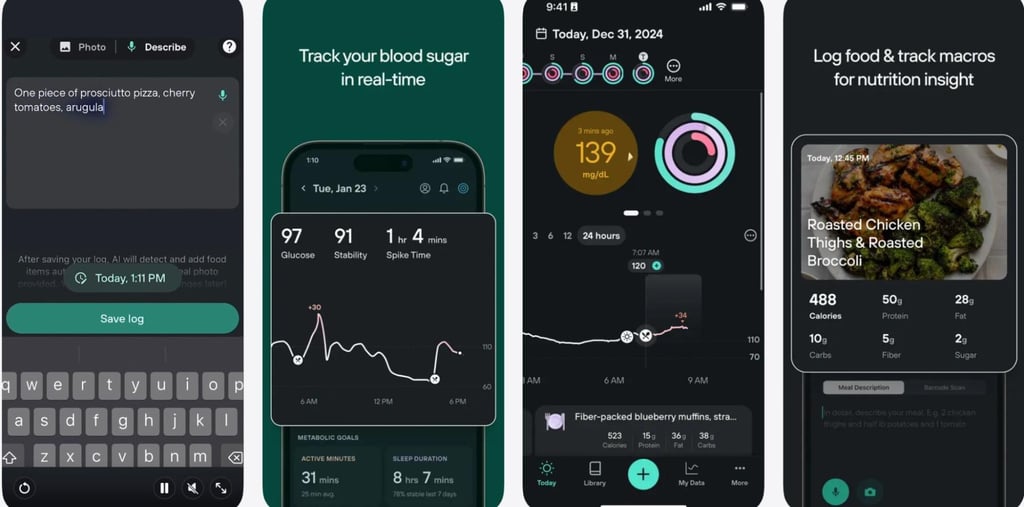
As soon as you load the app, you get the Daily Metabolic Score displayed right at the center. You can also access in-app meal-tracking features with daily meal logging. There’s even some educational content to help you balance your diet in a way that benefits your health, especially when it comes to sugar intake.
The Nutrisense app does manage to rival that with a clear interface and graphs showing glucose levels, and there are some meal-logging options, though not as advanced as Levels'.
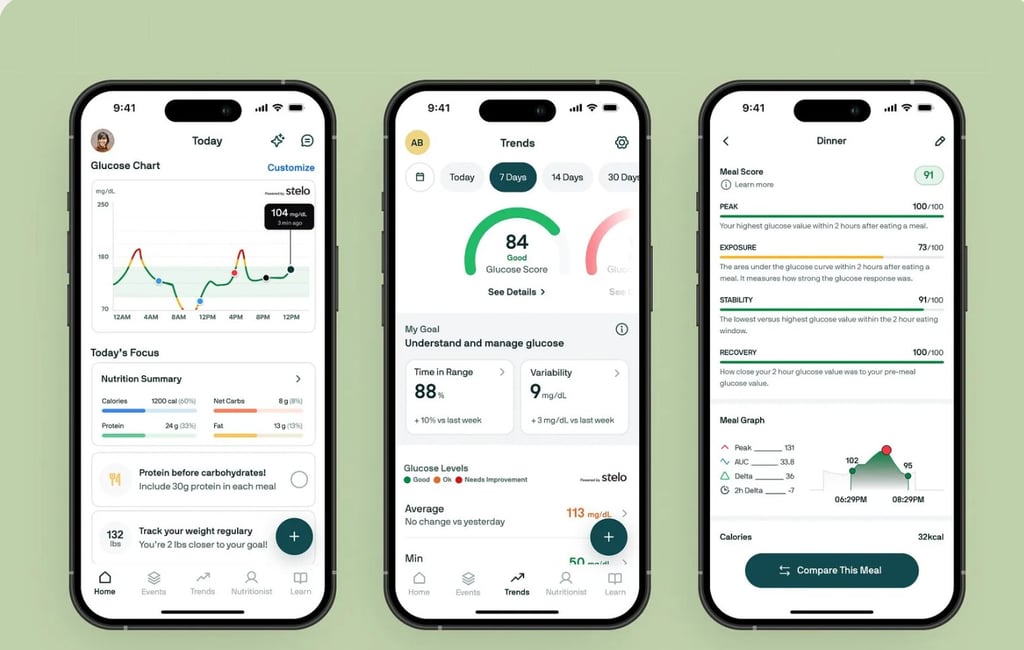
The app also gives some health-related recommendations based on third-party fitness app integrations, but I’ve found some reviews stating that the design is dated. Some users also complain that it requires more time for meal logging than the Levels app.
Levels vs Nutrisense: app integrations
Levels integrates with lots of health-tracking platforms, and it uses their data to give personalized recommendations on the glucose level intake depending on your lifestyle. The list includes:
- Apple Health
- iOS Health Connect
- Oura Ring
- WHOOP
- Garmin
- Apple Watch
Thanks to these integrations, the Levels app can even track heart rate and visually display alerts if it exceeds 85% of your maximum, based on post-workout glucose levels.
The Nutrisense app also integrates with several major wearables and platforms, including:
- Apple Health
- Samsung Watches
- Apple Watches
- Oura Ring
- Garmin
- Google Fit
It uses information from these integrations to make the connection with your glucose levels. As customers report, this helps them balance between workouts, glucose level fluctuations, and sleep quality.
Levels vs Nutrisense: pros and cons
When the time for making the final call comes, it’s crucial to consider all the differences between Levels and Nutrisense:
Levels vs Nutrisense: which one should you choose?
Ultimately, both these platforms make good options for those who would like to track their blood sugar levels on a regular basis. Still, I feel like the complete package offered by Levels is superior to that of Nutrisense, especially when it comes to all the other tests and biomarkers that the latter lacks.
I’d recommend Levels to people looking for a way to independently get detailed health-related data, though it’s not really a replacement for medical testing. Even so, it’s a useful alternative for at-home health tracking, especially with all the biomarkers and integrations.
On the other hand, Nutrisense is still a solid option for those looking for guided support and interaction with human coaches.
FAQ
What are the main differences between Levels and Nutrisense?
Levels provides limited messaging with experts but covers over 50 biomarkers. Conversely, Nutrisense is exclusively useful for glucose level tracking, but it offers human coaching support.
Can I use Levels or Nutrisense without a prescription?
No, you can not use Levels nor Nutrisense without a prescription, as they both require approval from a healthcare provider.
How accurate are the CGM sensors used by these platforms?
Both Levels and Nutrisense use commercial CGM sensors, which have proven to be precise for at-home blood sugar measurements.
Is nutrition coaching worth paying extra for?
Nutrition coaching might be worth paying extra for if you aim for personalized human support from real nutritionists, like with the Nutrisense subscription.
Which platform, Levels or Nutrisense, is better for long-term metabolic health tracking?
Overall, Levels makes a slightly better option for long-term metabolic health tracking due to its integrations with third-party health-based platforms and more comprehensive measurements not entirely focused on CGM.