Best cookie scanners: expert review and guide from Cybernews
-

-
Contribution by
Sara Mircevska


In an era where data misuse and cyber threats are rapidly growing, you must consider the data protection of your users. Luckily, a cookie scanner is a tool that significantly impacts your business's data privacy regulations and compliance. Not only do these solutions help companies manage cookies, but they also ensure that your business is GDPR and CCPA-compliant.
That’s why I set out to find the best cookie scanning tools. Together with my team of experts at Cybernews, I tested and compared some of the most beneficial options and narrowed them down to the 5 best picks in terms of cookie automation, compliance coverage, and reporting tools. I’ll explain what’s special about each below.
Best cookie scanners – shortlist
To help you decide on the absolute best cookie scanner for your business, I’ve created a shortlist of the 5 top options:
- Cookiebot – ideal option for regional regulations and regulatory compliance
- Termly – top pick for weekly automated scans
- CookieYes – intuitive consent management solution suitable for beginners
- Iubenda – comprehensive cookie consent solution
- CookieScript – best tool with Google Consent Mode V2 integration
5 best cookie scanners – our detailed list
1. Cookiebot – top for automated consent management and regulatory compliance updates

| Best for | Alignment with regional regulations and compliance |
| Free trial | Yes (14-day free trial) |
| Starting price | $8/month |
| Top features | More than 7,000 subpages, multi-user functionality, automated cookie scans, consent record keeping |
Cookiebot is the most widespread cookie scanning tool for businesses, with a coverage of over 2.4M websites and apps worldwide. It’s a perfect choice in terms of automatic cookie detection, and you can use it to automate classification and ensure data privacy compliance with ease.
I especially liked its consent management features, which are directly integrated with business platforms. In a nutshell, it blocks cookies until users provide consent information in accordance with GDPR compliance metrics.
It also supports the ePrivacy Directive, the CCPA, the LGPD, and many more, with a special focus on regional regulations.
You can also set up real-time alerts every time new cookies are detected, and the tool has even been certified by Google as a gold-tier CMP partner, which adds to its reputation.
2. Termly – affordable option for weekly scans

| Best for | Compliance with data privacy regulations in over 150 countries, cookie script auto-blocker |
| Free trial | Yes (free mode available) |
| Starting price | $0.47/website/day, billed monthly |
| Top features | HTML-embeddable policies, cookie script auto-blocker, cookie policy & banner, branding options |
Termly is a perfect option for small and mid-size businesses, with its free plan and lots of convenient features. I especially liked the combination of cookie scanning and policy generation, as the scanner automatically detects and recognizes cookies.
From there, it categorizes them and updates your website’s cookie and privacy policies accordingly. Compliance coverage aligns with GDPR, CCPA, and other regulations, while the customizable weekly and monthly scans help you stay on top of regulatory compliance.
It may not offer the customization options of tools like CookieYes, but I’d still recommend it for its convenient pricing. Along with the free plan, you can choose the $0.47/website/day Starter package, or go with the $0.67/website/day Pro Plus option with more extensive regulatory compliance checks.
3. CookieYes – great for flexible plans with custom CSS and consent management settings

| Best for | Third-party cookie tracking, adaptive consent requirements based on location |
| Free trial | Yes (15-day free trial) |
| Starting price | $9/month/domain |
| Top features | Up to 8,000 pages scanned per month, advanced banner customizations, Google consent mode |
CookieYes is the most customizable website cookie scanner on the market. It packs all the options that Termly lacks, such as custom CSS and consent management settings. It allows you to run through 600 to 8,000 pages per scan, depending on the plan, and it features unlimited page views per month as part of its Ultimate subscription.
Some of the standout features include multi-site licenses, flexible plans, and personalized support. All this (and more) is available as a part of their custom Agency Partner Program. Even the basic options are pretty neat, though, as you get advanced banner customization options, custom CSS, and Google’s consent mode through them.
Pricing starts at $9 per month and goes up to $49.50 for the Ultimate package. However, I’d recommend splurging for the priciest option to both small businesses and enterprises, as it comes with a customizable Revisit Consent button.
4. Iubenda – good pick for comprehensive privacy and compliance solutions
| Best for | Customizable branding, direct API integration, custom page views per month |
| Free trial | Yes (free plan available) |
| Starting price | $6.99/month |
| Top features | Complete privacy compliance suite, tailored pricing plans on request, automated updating of legal documents |
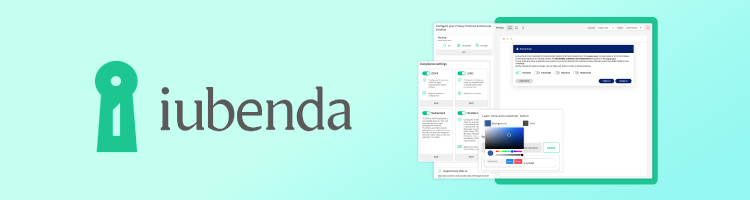
Iubenda ticks all the boxes for those companies that are in need of a complete integrated privacy compliance suite. It’s a tool that features attorney-level privacy and compliance solutions with automated updates in accordance with your company’s consent policies and documents. I’ve also added it to my list due to its extensive regulatory coverage of GDPR, CCPA, LGPD, PIPEDA, and several other major frameworks.
What’s particularly convenient is Iubenda’s pricing structure, which caters to everyone’s budget. It starts with the free plan that you can use to explore its main features, like the Privacy Policy, Cookie Generator, or automated legal document filing. From there, you can upgrade to the Essentials ($6.99 per month), Advanced ($27.99/month), or Ultimate plan ($119.99/month).
5. CookieScript – best Google Consent tool with global coverage

| Best for | Free website compliance scans, automated Privacy Policy generation, third-party cookie blocking |
| Free trial | Yes (7-day money-back guarantee) |
| Starting price | Around $8/month |
| Top features | Consent and script manager tools, advanced cookie control, cookie banner |
Last but not least, the CookieScript online cookie scanner checks every box for small and mid-sized businesses. It offers a free website scan and a 7-day money-back guarantee, which is more than enough for testing its Lite, Standard, and Plus plans.
The platform currently covers more than 300,000 websites in 42 languages, and you can use automatic monthly scans and script blocking to simplify the process on your end. All plans include the dedicated cookie banner with a user-friendly layout suitable for beginners.
Plus, they have a third-party cookie-blocking service and a custom cookie scanner tool with detailed reports. I’d also give a shoutout to its consent control feature, which allows your visitors to withdraw cookie consent at any moment.
How did we select the best cookie scanners?
To get to the best web cookie scanner tool, I used a specific ranking methodology. Here’s what I focused on the most:
- Compliance coverage (25%). I prioritized cookie scanning tools compliant with the GDPR, the CCPA, ePrivacy directives, PIPEDA, and other regulations.
- Automation & accuracy (25%). Moving on, I picked tools with automated cookie consent and scanning to help you avoid the trouble of doing it manually.
- Ease of integration (20%). I focused on tools with direct WordPress integration, like CookieScript, as well as tools optimized for JavaScript tags and direct API integration.
- Reporting & analytics (15%). I also did a deep dive into the reporting and analytics features for each tool. I wanted to mainly bring you options with automated audit logs and compliance status updates.
- Pricing & value (15%). Finally, I considered both affordable small-business solutions like Iubenda and enterprise-level options with custom plans, such as CookieYes, which offers on-demand pricing.
What is a cookie scanner?
A website cookie scanner is a tool that automatically identifies cookies, scripts, and trackers of a specific website. However, their role is much more diverse, as they also allow businesses to stay compliant with consent and data privacy regulations through built-in features outlined above.
Not only does this save businesses from legal trouble, but it also adds to user trust. If you go with any of the solutions from my list, you’ll also get to use some other features, such as cookie categorization, weekly and monthly reports, and automated updates of regulatory compliance and consent policies.
They help by providing complete transparency of your website’s cookie tracking policies, letting users know exactly what to expect privacy-wise. The tools also protect businesses from privacy fines and irreparable company reputation damage, which is why I find them to be a crucial asset for digital compliance.
How do the cookie scanners work?
While each cookie scanner tool is different, they all work based on a similar principle. Here’s what the cookie-scanning process usually looks like:
- Automated crawling. These tools use crawlers to scan for cookies and identify scripts on different websites. Advanced options are capable of scanning through JavaScript and dynamic elements to pinpoint cookies.
- Cookie detection. The next phase is cookie detection, which is when the crawler reports a cookie and captures metadata, which usually includes the name of the cookie, local storage, session storage, and fingerprinting.
- Classification and analysis. Moving on, they classify cookies based on purpose. It can be anything from necessary, analytical, marketing, and other options.
- Third-party identification. A cookie scan might also reveal third-party companies collecting data from your website. This way, you can unveil the complete data-sharing network of your website to ensure it’s all according to data privacy regulations.
- Reporting. Finally, the process usually ends with automated reports, so you can get weekly and monthly findings instantly.
Features and benefits of cookie scanners
Besides the basic premise of cookie detection, these tools also feature other benefits, including:
- Automated scanning. Each cookie scanner from my list features automated scanning and reporting, which means you won’t have to lift a finger. I also ensured to bring you picks that automatically update your website’s consent and cookie policies.
- Cookie classification. As mentioned, these tools also categorize cookies based on their nature, focusing on functional, analytical, marketing, and other types. This helps with the creation of a consent system that blocks cookies unless website users give their consent.
- Policy integration. All cookie scanner tools from my list feature integration with major data privacy and compliance policies, and some even provide embeddable policy widgets.
- Compliance reporting. Compliance reports focus on cookie inventories, classification, and historical tracking to show you how your website’s compliance has changed over time.
- User consent management integration. Some cookie scanners also include user consent management features to make user consent transparent and compliant.
- Multi-site management. If you’re running a mid-size or enterprise-level business with multiple websites, these tools will help you manage cookie policies, consent, and compliance for all.
What to look for when choosing a cookie scanner
When looking for a cookie scanner tool, you should focus on regulatory coverage first. Make sure to check if it complies with the GDPR, CCPA, LGPD, and other regulatory frameworks.
I’d also recommend checking the automation level to see if it automatically submits reports and handles third-party tracking. It’s also important to see how a tool integrates with your CMS, whether it’s WordPress, Shopify, or another platform.
Finally, I’d suggest checking for customization features, especially for consent banners and branding options. Make sure to select a cookie scanner tool that is aligned with the growth of your business and handles automated documentation updates.
Best practices for adding cookie scanners to your website
To make the most out of these tools, you should also consider the following practices to maintain compliance and show accountability to regulators:
- Schedule automated scans. Cookie scanner tools allow you to run weekly and monthly scans to detect new cookies and check their compliance.
- Integrate with a consent banner. You should also use the tools to generate consent banners for real-time optimization with scan results.
- Review reports regularly. It’s important to regularly go through the automated reports and remove unnecessary cookies, as well as check for third-party ones.
- Keep the policies updated. You can also use the scanned data from the reports to update your data and cookie consent policies. Some options even help you do it automatically.
- Involve legal and IT teams for full regulatory coverage. Involve legal and IT teams to ensure utmost regulatory coverage. The results from these tools help you stay on top of your compliance and regulations.
Conclusion
Overall, based on our research, we can state that cookie scanner tools are essential for crafting a long-term compliance and data-protection business strategy. They can be even more meaningful than they seem at first, especially with all the modern-day features like automated reporting, custom banners, and consent policy updates.
One final piece of advice would be to always choose solutions that offer automation, accurate reporting, and scalability to grow together with your business. If you’re going for the most affordable option, I’d recommend Iubenda, which even has a completely free plan. For large companies and enterprises, I’d suggest options like CookieScript with custom plans.
FAQ
What does a cookie scanner detect on a website?
A cookie scanner identifies cookies on a website and classifies them by their name, purpose, and category. These tools also detect third-party cookies and their purpose.
How often should I run cookie scans for compliance?
To ensure proper data privacy and consent compliance, you should run cookie scans at least a few times per year. Some of the tools listed in this guide make that easier for you via automated weekly and monthly scans.
Can a cookie scanner automatically update my cookie policy?
Yes, a cookie scanner can automatically update your cookie policy and consent. Some of the best tools with these features include Iubenda and Termly.
Are cookie scanners required for GDPR compliance?
No, cookie scanners aren’t required for GDPR compliance, but they can help your business stay compliant by identifying cookies and trackers.
What’s the difference between a cookie scanner and a consent management platform?
While a cookie scanner identifies cookies, a consent management platform uses that information to update user consent. Some tools, like CookieYes, are capable of handling both tasks.