Best business VoIP providers in 2026
Being behind major reports like The Mother of All Breaches and RockYou2024, our in-house cybersecurity experts and journalists provide unbiased, real-world testing and in-depth analysis.
We maintain complete transparency by openly sharing our testing methodologies with our audience.
Learn more

Business management has undergone many changes over the years, yet phone systems remain one of its core pillars. That’s why having the best business VoIP provider has become essential.
Besides online-based calls and texts, these services offer call routing and monitoring, video conferencing, voicemail transcription, and many other advanced features. To help you grasp these benefits in practice, I put the 2026 market’s leading options to the test.
In this guide, you’ll find my detailed reviews of the top business VoIP service providers, along with an overview of my testing process. You’ll also learn how to pick the right system and set it up to upgrade your workflow hassle-free.
Our top picks for the business VoIP phone service in 2026
- Surfshark's Alternative Number – best business VoIP provider overall
- Dialpad – top choice for smart call transcription
- Quo – best VoIP for small business
- GoTo Connect – perfect solution for remote teams
- Zoho Voice – most flexible VoIP provider for 2026
- Aircall – excellent pick for users looking for an intuitive VoIP
- 8x8 – fantastic VoIP system for enterprises and large businesses
- RingCentral – highly scalable business VoIP phone service



The Cybernews team consists of professional and highly skilled writers and an in-house research team. They’re the core of all our reviews, bringing the performance of each tool closer to you. Additionally, we stick to a transparent testing process, which includes investigating various services, their features, and disclosing our testing methodology with everyone. Discover more about our testing process.
Comparison of best business VoIP providers
Before I break down my top choices for the best business VoIP phone system, a quick overview might come in handy. The table below compares all the leading providers, outlining their standout features, capabilities, and pricing. Give it a look to see what options would best fit your business.
| VoIP provider | Best for | Price | Platforms | Customer support | Software phone | SMS messaging | Voicemail transcription | Call monitoring | Automatic call-back | Video conferencing |
| Surfshark’s Alternative Number | VoIP phone service overall | $3.49/month (on top of standard Surfshark subscription) | Windows, iOS, Android, and macOS (through Surfshark’s App) | Yes | Yes (for receiving calls and messages only) | No | No | No | No | No |
| Dialpad | Call transcription | $27/month | Windows, iOS, Android, macOS, and web | Yes | Yes | Yes | Yes | Yes | Yes | Yes |
| Quo | Small businesses | $19/month | Windows, iOS, Android, macOS, and web | Yes | Yes | Yes | Yes | Yes | No (only auto-replies) | No |
| GoTo Connect | Remote teams | Custom | Windows, iOS, Android, and macOS | Yes | Yes | Yes | Yes | Yes | Yes | Yes |
| Zoho Voice | Flexibility | Free (in Business Phone) | Windows, iOS, Android, macOS, and web | Yes | Yes | Yes | Yes | Yes | No | No |
| Aircall | Straightforward setup and use | $40/month | Windows, iOS, Android, macOS, and web | Yes | Yes | Yes | Yes | Yes | Yes | Yes |
| 8x8 | Enterprise-level and experienced businesses | Custom | Windows, iOS, Android, macOS, and web | Yes | Yes | Yes | Yes | Yes | Yes | Yes |
| RingCentral | Scalability | $30/month | Windows, iOS, Android, macOS, Linux, and web | Yes | Yes | Yes | Yes | Yes | Yes | Yes |
Best business VoIP services – detailed review
Now that you have the comparison of the best business VoIP providers above, I can get into the nitty-gritty without overwhelming you. My in-depth reviews break down each brand’s features, strengths, and weaknesses to help you find the perfect fit for your business.
1. Surfshark's Alternative Number – best for VoIP phone service overall

| Best for | VoIP phone service overall |
| Platforms | Windows, iOS, Android, and macOS (through Sorfshark’s App) |
| Price | $3.49/month (on top of standard Surfshark subscription) |
| Customer support | Yes |
Surfshark has made a name for itself in the VPN world with top-tier data encryption. But I couldn’t help but notice how many businesses also praise it for one of its standout add-ons – an alternative number.
With Surfshark’s Alternative Number, users across all plans can make calls and send messages using a computer-generated number. The number is built into Surfshark’s native app, works 24/7 regardless of your location, and can be changed every 30 days.
Setup takes just a few clicks, which is ideal for those who aren't tech-savvy. For only $3.49/month, you can stay in contact with clients and team members wherever you are, without limits or security concerns.
If you pair it with Surfshark Alternative ID, you also get a complete fictive identity that safeguards your privacy and reduces your online footprint. It’s just a shame that it doesn’t come with the standard advanced VoIP phone system features that are suitable for entrepreneurs and business owners with greater needs.
2. Dialpad – best for call transcription

| Best for | Call transcription |
| Platforms | Windows, iOS, Android, and macOS |
| Price | $27/month |
| Customer support | Yes |
Unlike Surfshark, Dialpad was built specifically to streamline business communication. It started as a video conferencing tool, but ongoing innovation transformed it into a cloud-based phone system powered by AI technology. It ended up in the runner-up spot on this top list mainly for its call transcription capabilities.
Thanks to a TalkIQ acquisition in 2018, this service was able to train its large language model (LLM) on proprietary business data. Today, this technology allows the VoIP to transcribe calls in real time with the utmost precision, be it in audio or video form.
The same voice intelligence can help you summarize key moments from each call, tag and filter calls by purpose, and follow speed coaching cards during virtual meetings. You can create a dictionary specific to your company, customize all call recaps, and revisit them anytime.
I would’ve liked to see a lower starting price – $27/month isn’t exactly cheap. However, considering the plans come with ring groups, call queues, adjustable dashboards, and other advanced tools on top of its AI-driven features, it’s a reasonable trade-off.
3. Quo – best for small businesses
| Best for | Small businesses |
| Platforms | Windows, iOS, Android, macOS, and web |
| Price | $19/month |
| Customer support | Yes |
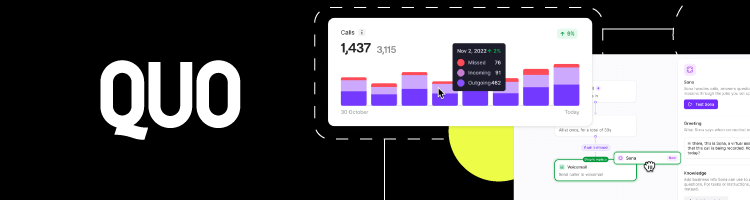
Launched in 2018, Quo (formerly known as OpenPhone) is a relative newcomer to the VoIP space. That said, its fast growth, strong UCaaS (Unified Communications as a Service) features, and budget-friendly pricing prompted me to call it the best VoIP for small business leaders.
I was impressed with Quo's unlimited US- and Canada-based calls and text capabilities, all seamlessly unified on one platform. Users seem to love how multiple team members can share a single number because it keeps client communication flowing, even when someone’s off.
They also commend the solution’s built-in analytics and call routing features, which help teams stay in sync and ensure work is distributed properly.
The absence of video conferencing and landline support may not be ideal for everyone, but I’d say that Quo compensates for it with integrations to platforms like Slack, HubSpot, and Google Contacts. Combined with task inbox, which offers chat threads under agent queries from SMS, voice, voicemails, and transcriptions, the solution is more than enough for small businesses.
4. GoTo Connect – best for remote teams

| Best for | Remote teams |
| Platforms | Windows, iOS, Android, and macOS |
| Price | Custom |
| Customer support | Yes, but not the best |
GoTo Connect is one of the most established VoIP phone system providers on my list. But its track record isn't the only reason it ranks 4th. What stood out to me were the features that facilitate remote collaboration.
GoTo Connect’s entry-level plan covers free calls to 50 countries, includes toll-free minutes, and supports video conferences with up to 250 participants at no extra cost. It also comes with unlimited auto-attendants, call queues, dial plans, and routing. If you can afford add-ons, there’s also an AI-powered receptionist, detailed call analytics, and handy integrations.
The biggest downside for my team was the unpredictable pricing and inconsistent customer support. GoTo Connect plan costs vary by region, so it's hard to get a clear estimate. However, if you’re willing to get past that, the platform offers a seamless user experience.
Calls, meetings, and messaging all run through a single administrative center, creating a sense of working side by side, even when you're remote. Plus, encryption is on by default, meetings can be locked, and access must be approved, which keeps sensitive information safe.
5. Zoho Voice – best for flexibility

| Best for | Flexibility |
| Platforms | Windows, iOS, Android, macOS, and web |
| Price | Free (in Business Phone) |
| Customer support | Yes |
The Zoho brand is a powerhouse in the world of business software, so I wasn’t surprised to learn it also offers a comprehensive VoIP phone system. I immediately noticed its limited integrations and lack of video calling, but its flexibility was impressive enough to include it halfway through my top list.
Zoho Voice offers two pricing structures, with three and four plans, respectively, including a free forever version. The tiers differ in features, but each packs a robust dialer app and analytics and reporting, which isn't standard in the industry. This structure allows you to find a solution that fits any budget and can scale with your business.
Another feature that caught my attention was Zoho Voice’s pervasive customer support. Users praise technicians’ responsiveness both online and over the phone. They also recommend the comprehensive guide archive, which, they say, is all the help you need to get started or fine-tune your VoIP experience, no matter your skill level.
6. Aircall – best for straightforward setup and use

| Best for | Straightforward setup and use |
| Platforms | Windows, iOS, Android, macOS, and web |
| Price | $40/month |
| Customer support | Yes |
Aircall is a cloud-based VoIP service renowned for its simplicity. User testimonials rave about its quick setup, while expert reviews laud its ease of use.
Setting Aircall up takes just a few clicks – whether you do so through the website or apps available in Apple and Android stores, you’ll be up and running in minutes. From there, you can adjust dashboards, customize greeting and after-hours messages, or make and receive calls immediately.
Aircall’s numerous features can further streamline your workflow. A shared callbox lets multiple users handle calls from one number while the live feed monitors call metrics like answer times and agent availability. AI analytics evaluate conversations to help improve performance, and customer support is quick to respond and help.
My only gripe with it is the price – starting at $40/month/user, it might not be the best VoIP phone system for a small business or tight-budget firm, especially since you need at least three users to sign up.
7. 8x8 – best for enterprise-level and experienced businesses

| Best for | Enterprise-level and experienced businesses |
| Platforms | Windows, iOS, Android, macOS, and web |
| Price | Custom |
| Customer support | Yes |
8x8 is one of the few old-school business VoIP phone system providers still available today. As such, it's still geared toward offering hardware solutions, from conference phones to headsets and adapters. The service also requires quite a bit of manual setup, making it unsuitable for beginners or startups.
That said, 8x8 has earned its longevity by virtue. I found that most users report smooth call quality, intuitive desktop and mobile apps, and valuable real-time monitoring and agent whispering features.
Video conferencing handles up to 500 participants, and streaming via YouTube offers unlimited access to meetings. Meanwhile, in-app chat tools allow entire departments to collaborate seamlessly, which is ideal for big firms.
I’ve seen some complaints about customer support, mainly slow response times. However, the platform offers a solid knowledge base and a fairly affordable price, so these types of flaws are easier to overlook.
8. RingCentral – best for scalability

| Best for | Scalability |
| Platforms | Windows, iOS, Android, macOS, and web |
| Price | $30/month |
| Customer support | Yes |
RingCentral is an American company that’s become a household name in cloud-based communications. I chose it to wrap up my top list due to its huge feature selection, which is ideal for businesses looking to scale.
From calling and texting to hosting video meetings and sending faxes, RingCentral seems to have it all, with no limits in the US and Canada. Its team messaging, file sharing, and advanced call routing facilitate collaboration, while AI features streamline workflow, call transcription, and meeting summaries.
As you upgrade, the plans get a bit pricey, but the platform’s AI assistant becomes more capable, video meeting capacity increases, and analytics and reporting tools expand. You also get access to up to 300 integrations and advanced call monitoring.
These are all great for a team looking for a more holistic approach to their responsibilities. Meanwhile, newbies benefit from managers giving feedback in real time.
One thing to keep in mind is that these features take some time to configure and adjust to. So, I’d say you should be ready for a steeper learning curve than with your typical VoIP phone service.
How I tested these best business VoIP services
Searching for the best business VoIP provider was no easy job. I teamed up with the brightest minds at Cybernews to scour the web and identify the most valuable solutions. We’ve spent days digging through each contender’s history and reading user feedback and expert reviews.
The research allowed us to compile a shortlist and rank the brands based on key features. To give the inside scoop, here’s what we’ve taken into account and why.
- Ease of use (20%). A quality VoIP system should be simple enough for an average user to set up and use without much help. That’s why we looked for solutions with wide cross-platform compatibility, intuitive interfaces with customizable features, and a decent onboarding base.
- Productivity features (25%). Calling and texting have become commonplace with these services. I focused on the more advanced features like toll-free and local numbers, video conferencing, call monitoring, call queues, ring groups, and collaboration tools. These options are essential for enhancing workflow and teamwork.
- AI-backing (15%). Artificial intelligence is now a must in business, and VoIP systems without it miss the mark. For me, it’s all about finding solutions that use AI to automate customer outreach and make communication smoother and more efficient.
- Integrations (15%). The more integrations a VoIP provider supports, the higher the chances of seamless compatibility with the platforms your teams already use. As a result, the workflow becomes faster and more streamlined, facilitating smoother scaling in the future.
- Customer support (15%). Responsible and helpful customer support is a strong indicator of a trustworthy platform. So, my colleagues and I spent a good chunk of our research checking out the communication channels each VoIP service offers and reading user experiences.
- Price (10%). Instead of just hunting for the cheapest business VoIP service provider, I sought out the best value for money. This led to a list of brands offering a variety of pricing plans and features, catering to different customer needs.
Key factors to consider when choosing a VoIP provider for business
I’ve narrowed down the top VoIP phone system options, but the final choice is yours. Take a moment to assess your business goals and your team’s workflow. The right choice should fit into your daily operations seamlessly and help your company grow. These are a few things you should keep in mind:
- Call quality. Even with top-tier VoIP providers, call quality isn’t guaranteed across the board. I’ve found that things like internet speed, device compatibility, and your location can make a difference. Running a few test calls during a free trial can save you from headaches down the line.
- Features. Modern VoIP services come packed with tools to improve outreach and internal communication, but you won’t need every single one. I recommend reviewing providers’ plans carefully to find the one that truly fits your business needs.
- Customer support. Many VoIP providers struggle with customer support, so it’s smart to check before you commit to one. I suggest using free trials to contact support through multiple channels and gauge their responsiveness. Check the knowledge base to ensure you won’t be left hanging while waiting for an agent to reply.
- Scalability. The choice of the best business VoIP provider for you depends on where your business stands today. It’s crucial to pick one that meets your needs now and has the features and capabilities to support future growth without becoming a financial burden.
- Security. With sensitive data flowing through your VoIP system, the service must be secure. So, make sure it implements strong encryption, firewalls, multi-factor authentication, and full compliance with data protection laws.
- Pricing plans. VoIP systems typically follow a subscription model with a monthly fee per user. Some offer discounts if you commit to a yearly plan, while others charge extra for add-ons. It's important to check all these elements to choose a solution that covers all your VoIP needs while being cost-effective.
Benefits of VoIP for a small business
Implementing a VoIP system can offer a range of benefits to your business, even if it’s a small one.
Firstly, you’ll see a reduction in costs, as using the internet to relay call data is much less expensive than landlines. As my top list shows, many providers offer unlimited calls and messages for the domestic or international locations you tend to communicate with frequently.
A good VoIP system will also give your team more flexibility. You and your employees will stay connected and productive, even if you're working remotely or using different devices. Because these services are primarily cloud-based, you also won’t have to worry about transferring services or phone numbers to a new location if you move.
Finally, the advanced features of a VoIP phone system for small businesses can simplify your workflow. Call queueing, routing, transcriptions, summaries, and analytics can boost performance, while integrations help centralize tasks and facilitate collaboration for greater efficiency.
How to set up your business VoIP system
Setting up and using a business VoIP system may seem overwhelming at first, but the process couldn't be simpler, whichever of my top-rated options you go for. Here’s everything you’ll need to do:
- Choose a provider. Browse my list of the best business VoIP service providers and find the features that align with your needs and budget. Test out the options through free trials and pick the one that performs the best.
- Check your connection and hardware. Make sure you have a reliable high-speed broadband internet connection. I recommend cable and fiber optic. Also, if you're using analog phones, you’ll need a VoIP adapter, which you can usually buy from your provider. Otherwise, you can access the service via software on your computer, tablet, or smartphone.
- Consider porting your number. To keep your existing business number, contact your provider about porting it. Make sure you do so before signing up, as this may need to be included in your contract. Don’t cancel your old phone service until the transfer is done to prevent interruptions. Moreover, confirm that there are no outstanding balances or pending orders.
- Sign up and set up. Go to your selected VoIP provider’s website, sign up for the service, and add your payment details. After that, enter your SIP username and password to configure your adapter or other hardware. If you need further assistance, check the onboarding materials or reach out to customer support.
- Go through training and support. Ensure that your employees aren't left to figure out the new VoIP system alone. It is important that they receive proper training to make the most of the system. Take advantage of the available customer support, tutorials, and guides. If your team is struggling, consider adding premium support or extra training services to your account.
How much does a business VoIP system cost?
Finding a VoIP system at an affordable price shouldn’t be too difficult. However, you’ll have to take some time to compare and weigh the costs and gains.
Most VoIP systems today use a subscription-based pricing model. You’ll need to pay for each user (or phone extension) you need, either monthly or annually, so you’ll have to think long-term.
The good news is that options are varied. There are typically at least two pricing tiers with different numbers of users, features, and expected usage for each provider. They may also come with a discount if you sign up for an annual subscription.
From my research, they range from $12/user/month at the low end to $40/user/month for more advanced options. Add-ons like Surfshark’s Alternative Number cost as little as $3.49/month, and some providers also offer custom pricing plans.
Conclusion
VoIP systems are gaining traction with modern businesses for streamlining work while being flexible and cost-effective. Thanks to their call routing, video conferencing, ring groups, meeting transcriptions, and similar features, they enable seamless collaboration and client outreach, whether your team works in the office or remotely.
However, these benefits are only available with the right solution. The best business VoIP provider for you must match your current and anticipated business needs at an affordable price. Based on my research, Surfshark’s Alternative Number seems like the perfect choice. It’s a simple add-on to your VPN service that can optimize your phone communication for only $3.49/month. Check it out and see for yourself.
FAQ
Is VoIP worth it for small businesses?
Yes, A VoIP system can be a wise investment for small businesses. It should handle your communication needs without overwhelming you with complex features or high costs. At the same time, it should scale with your business. Quo, my third top-rated business VoIP, is a great example.
How much does VoIP cost for a business?
VoIP service costs vary between providers. Some offer plans starting at $12, while others go beyond $40/user/month, with add-ons driving up the price. The right pick meets your organization's needs and supports your growth without stretching your budget too thin.
What is one of the most popular VoIP services?
Some of the most popular VoIP services include my top-rated brands like Dialpad, Quo, and SurfShark’s Alternative Number. However, their popularity shouldn’t be the only reason you employ them. You must consider their capabilities in light of your business needs and objectives, as well as their pricing.
How to choose the best VoIP provider?
To choose the best VoIP provider, you should test its call quality and customer service through the free trial period and consider the basic and advanced features it offers. You’ll want something that can be used every day, scales with your business, but does not break the bank.