Hackers target Mac users with fake CleanMyMac, empty crypto wallets
Hackers are running a convincing malware campaign targeting Mac owners, stealing money and data. They are using a fraudulent CleanMyMac website and likely buying ads to reach users searching for the popular cleaner utility.

Image by Cybernews.

 Follow us
Hackers are running a convincing malware campaign targeting Mac owners, stealing money and data. They are using a fraudulent CleanMyMac website and likely buying ads to reach users searching for the popular cleaner utility.
Malwarebytes Labs identified a malware campaign, delivering SHub Stealer, an infostealer targeting sensitive data and cryptocurrency.
Infected users lose saved passwords, browser data, cryptocurrency wallets, Telegram sessions, and other sensitive information. Even after the data theft is complete, it leaves a backdoor, persisting even after cleanup.
“A convincing fake version of the popular Mac utility CleanMyMac is tricking users into installing malware,” the security firm said in a report about the campaign.
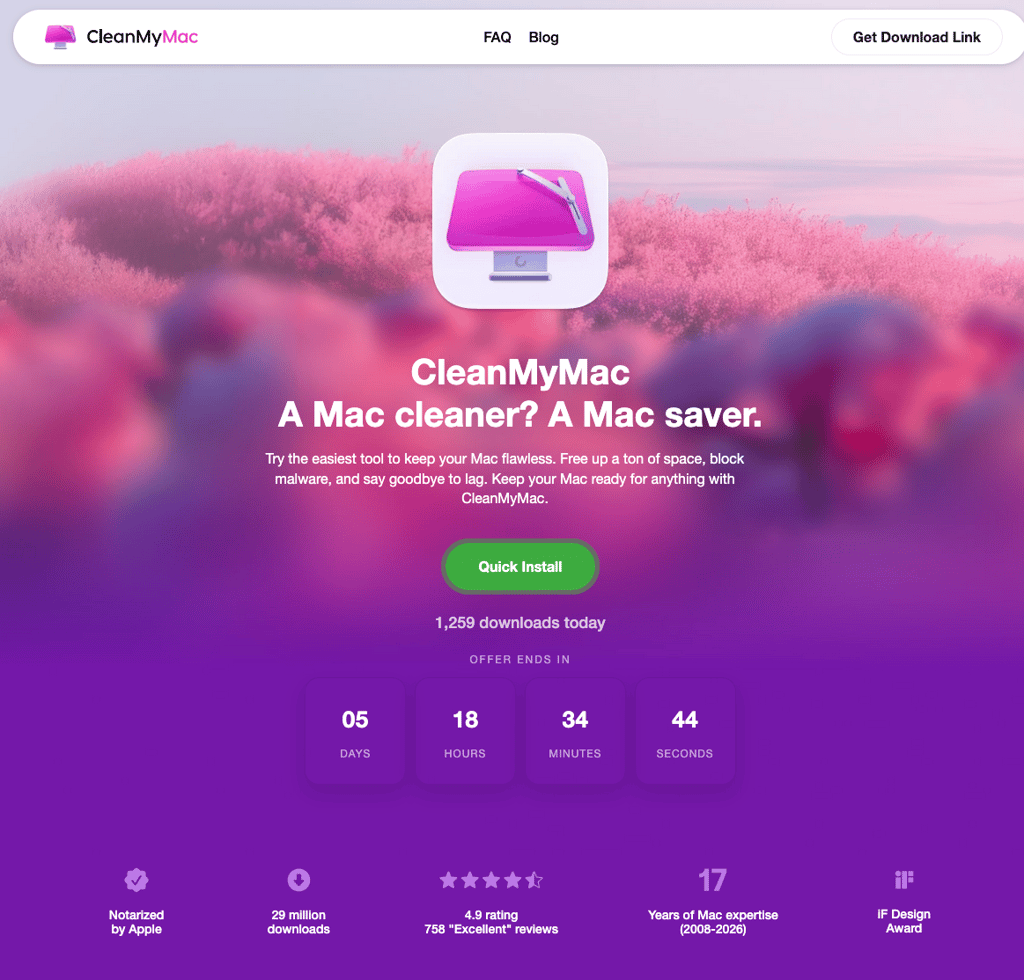





The fake clone is nearly identical to the original CheanMyMac website, but it is not connected to the legitimate software or its developers, MacPaw. Criminals are exploiting the reputable brand as a lure in a brand impersonation attack.
Asking users to install malware themselves
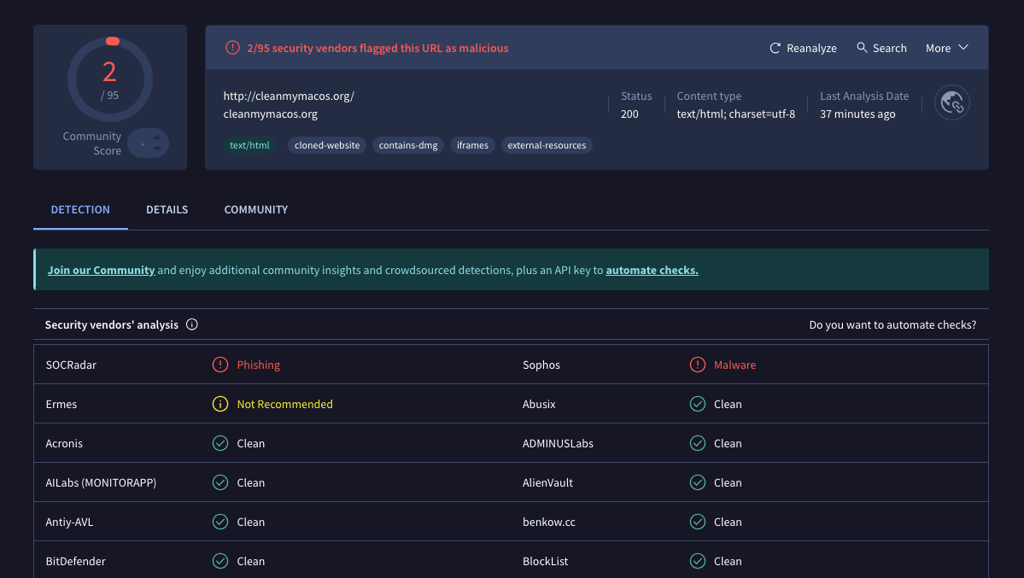
The cybercriminals have been using the domain cleanmymacos[.]org, which only a few security vendors have flagged as malicious so far. At the time of writing, the browsers do not alert users that the site is dangerous. However, attackers can easily register new domains once this gets blocked.
The malware delivery relies on the ClickFix technique – asking users to open a terminal and paste the provided command, which then fetches the payload from the attacker-controlled server.
“Instead of exploiting a vulnerability, it tricks the user into running the malware themselves. Because the command is executed voluntarily, protections such as Gatekeeper, notarization checks, and XProtect offer little protection once the user pastes the command and presses Return,” the Malwarebytes report reads.
Because this part of the attack is so simple and convincing, it is highly effective.
To hide malicious intentions, the command prints a reassuring line as if it were connecting to macpaw.com. However, the real destination is base64 encoded, and the script is piped silently into the shell – nothing appears on screen.
The malware runs only on Macs without a Russian-language keyboard installed, suggesting a potential link to a Russian-speaking cybercriminal group. Hackers in the region avoid attracting attention from local authorities.
Once the check passes, the loader sends the detailed system profile and the unique tracking ID to the attacker’s command-and-control server.
It appears that hackers track which ad campaign brought the victims to their website. Researchers identified a field in the malicious code that can only have an empty value or “PAds”, suggesting the use of paid advertising.






During the install, the malware will prompt the user for their password, and many victims are likely to enter it, believing it is part of the process. However, in the hands of attackers, the password unlocks macOS Keychain, Apple's password vault, along with WiFi credentials, app tokens, and other private keys.
“With the password in hand, SHub begins a systematic sweep of the machine,” the Malwarebytes researchers said.
The malware steals passwords, cookies, and autofill data from 14 Chromium browsers, as well as Safari. It also looks for 102 known cryptocurrency wallet extensions, covering all major brands.
SHub also captures the macOS Keychain directory, iCloud account data, Apple Notes databases, Telegram session files, and other information that could allow attackers to hijack accounts without knowing the passwords.
Once the exfiltration is done, SHub goes a step further and drops a backdoor. It replaces a certain cryptocurrency wallet app with a malicious copy to maintain persistence. For long-term access, hackers install a LaunchAgent disguised as Google's update service.
“In practice, this gives the attackers the ability to run commands on the infected Mac at any time until the persistence mechanism is discovered and removed,” the report reads.
How to protect yourself?
First and foremost, do not ever run commands you find online that you don’t understand. If you have never executed the Terminal command before, it's best to close the page immediately.
“For most users, the safest rule is also the simplest: install software only from the App Store or from a developer’s official website,” Malwarebytes said.

For those who did run the command, the security firm recommends immediately moving funds to new wallets using a clean device, rotating passwords, revoking sensitive tokens, and taking other precautions. The infected Mac needs to be cleaned and checked for persistence agents.
Malwarebytes warns that SHub is not an isolated instance and belongs to a rapidly evolving family of AppleScript-based macOS infostealers, including MacSync Stealer, Odyssey Stealer, Atomic Stealer, and others.
Cybernews has reported multiple times about cybercriminals impersonating popular platforms, including Google, code repositories, apps, and others. Hackers often target Google Ads accounts to publish fake ads in a perpetual cycle.
Unlock more exclusive Cybernews content on YouTube.