Squarespace for nonprofits: is it the right builder for your mission?


Running a nonprofit is not easy, especially with challenges like balancing a limited budget with the need for a professional, high-trust digital presence. Luckily, Squarespace for nonprofits can help you avoid this hassle.
While many builders exist, Squarespace’s combination of world-class design and built-in fundraising features makes it a top contender in 2026. Plus, the affiliate program enables you to earn payouts for every website or commerce subscription that you drive from a first-time Squarespace customer.
This article will review how Squarespace’s specific tools, from donation blocks to member areas, cater specifically to the needs of charities and community groups. During our honest assessment of both the strengths and limitations for nonprofit use, we explored all of the features that help organizations scale their impact without needing a technical team.
The Squarespace nonprofit advantage: key features reviewed
Squarespace is the best website builder for nonprofits. Thanks to its all-in-one nature, which eliminated the need for messy third-party plugins that often break or require maintenance, it stands out in the crowded website builder market.
Moreover, its Fluid Engine editor allows you to create brand-first websites that compete with large-scale corporate sites for donor attention. Plus, each website includes SSL certificate and global CDN, which is critical for organizations handling sensitive donor data.
These core infrastructure benefits allow small teams to look much larger and more established than they might be. On top of this, they help you enhance your operational efficiency, as you can save both time and money.
Now, let’s delve into more detail about the key Squarespace features for nonprofits.
Professional nonprofit templates
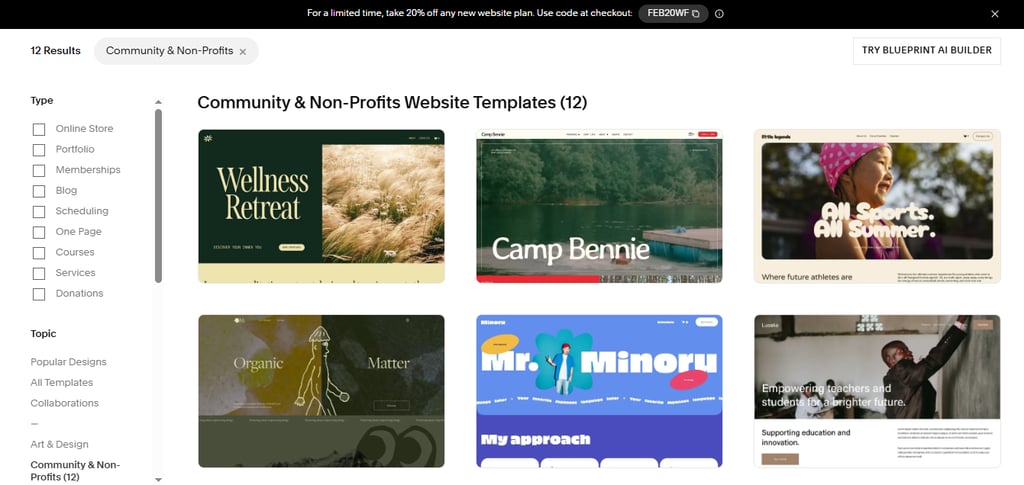
One of the best things are the Squarespace nonprofit templates. More precisely, this website builder comes with a specific “Community & Non-Profit” template category, which currently provides 12 different templates for you to pick from.
Due to their high-impact visuals that trigger empathy and clean layouts that build trust, they emphasize storytelling through dedicated mission, impact, and donor-focused sections. Thus, the cause feels urgent and tangible, which helps with the conversion of visitors into donors.
What’s more is that each of these templates come pre-loaded with sections for “Impact Stories,” “Mission Statements,” and clear calls-to-action (CTAs). Additionally, the built-in design flexibility allows you to swap out images and text while maintaining a high-end look, even if you’re not a tech-savvy designer.
This is crucial because in 2026, donors equate design quality with organizational transparency and reliability.
Plus, starting with a nonprofit-specific template reduces the time-to-launch from weeks to days. And you’ll even benefit from the mobile responsiveness of these templates, as many donors give via smartphones.
The donation block and fundraising tools
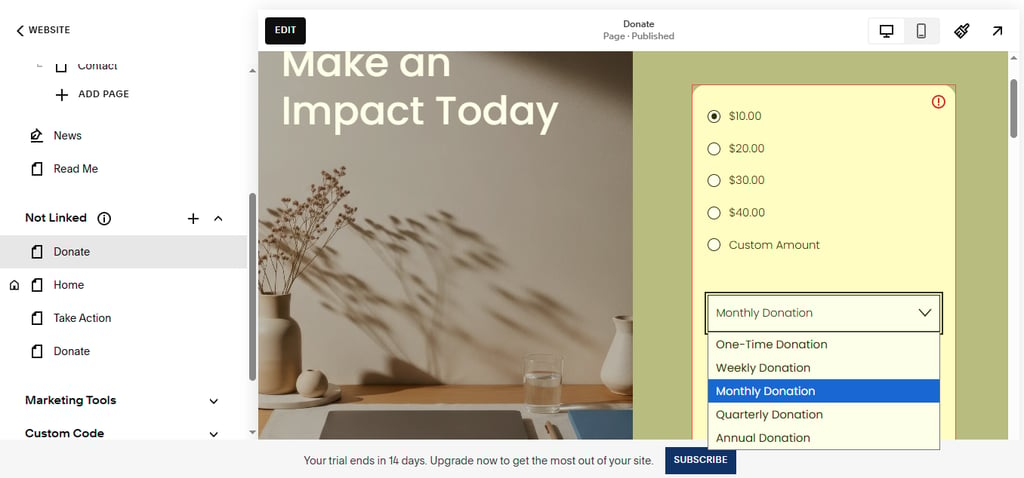
The Squarespace donation block is the heart of any nonprofit site. This is because it seamlessly integrates with Stripe and PayPal, allowing you to collect donations with ease. It basically lets you create a website that works like e-commerce for charities.
Furthermore, you can set suggested donation amounts, such as $25, $50, or $100. This nudging increases total fundraising revenue, as it leverages behavioral psychology.
More precisely, when donors are unsure of how much to give, they check out the suggested amounts as a cue. Then, these amounts guide their decision-making process, often leading them to choose a value within or near the suggested range.
Additionally, Squarespace enables recurring donations, usually weekly, monthly, or annually, through the donation block. This is a vital feature for long-term organizational sustainability that Squarespace handles natively, which is crucial for collecting donations more than once.
You can personalize the donating experience further, by creating email campaigns with custom “Thank You” emails and receipts. They’re automated to ensure immediate donor gratification.
Ultimately, you can track your website’s donation trends through the Squarespace dashboard, alongside site traffic.
Member areas and volunteer management
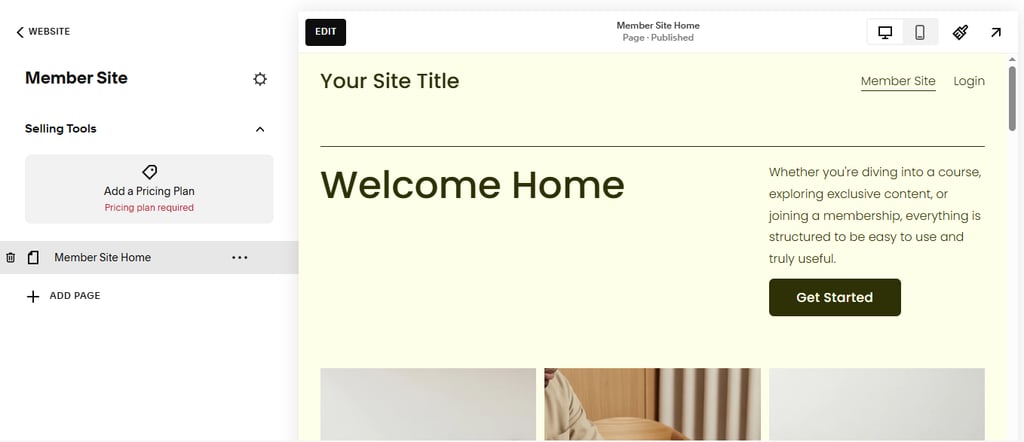
The member areas feature on Squarespace is the perfect way to monetize your charity and engage in simple donor management. This lets you create exclusive content for donors, board members, or high-level volunteers. Basically, you can sell membership access to videos, paid newsletter, communities and more.
This feature is perfect for nonprofits, as it enables you to put training manuals, board minutes, or donor-only updates behind a secure wall. More precisely, the Squarespace member areas put all of the content in a protected folder, which requires user registration or payment to view. If a non-member tries to access it, they’ll automatically face a paywall or login screen.
Having this data integrated directly into the CMS rather than using a separate, disconnected CRM or portal is another perk, as you can have everything you need in one place, without wasting time switching between platforms.Plus, this builds a sense of community and belonging that is essential for donor retention.
Lastly, setting up the memberships, regardless of whether they’re free or paid, is a breeze. You just need to open Website > Pages, click “+” in the “Member Sites” section, and name your area. Then, you should configure the pricing (free, one-time, or subscription), design the gated content pages, and customize the sign-up experience.
In just a few easy steps, you’ll be able to keep volunteers engaged through a central hub that reduces administrative friction and email clutter.
Understanding the Squarespace nonprofit discount
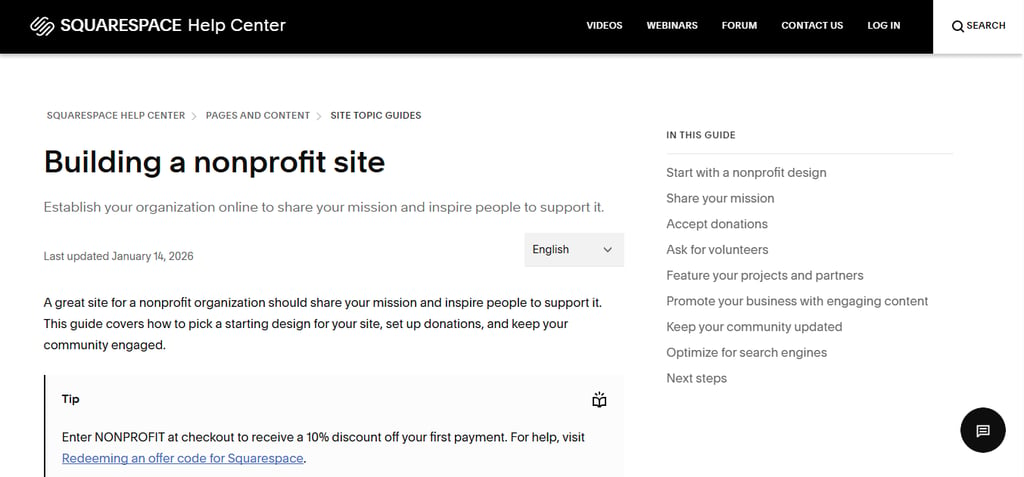
As one of the biggest pain points for nonprofits is the budget, the Squarespace charity discount helps you overcome this hurdle. More precisely, you can enjoy 10% off on your first payment by entering the code “NONPROFIT” at checkout.
In order to be eligible for this discount, you need to submit your documentation of 501(c)(3) status or similar valid tax-exempt status in your region.
While you can claim the discount by entering the code, you can always reach out to support after starting a trial but before subscribing, and maybe negotiate a better deal.
However, although the discount is a great perk, the real savings at Squarespace come from not needing a developer or separate hosting. This official support is what puts Squarespace aside from other builder, as many of them don’t offer any dedicated pricing for charities.
Pricing breakdown: which plan fits your charity?
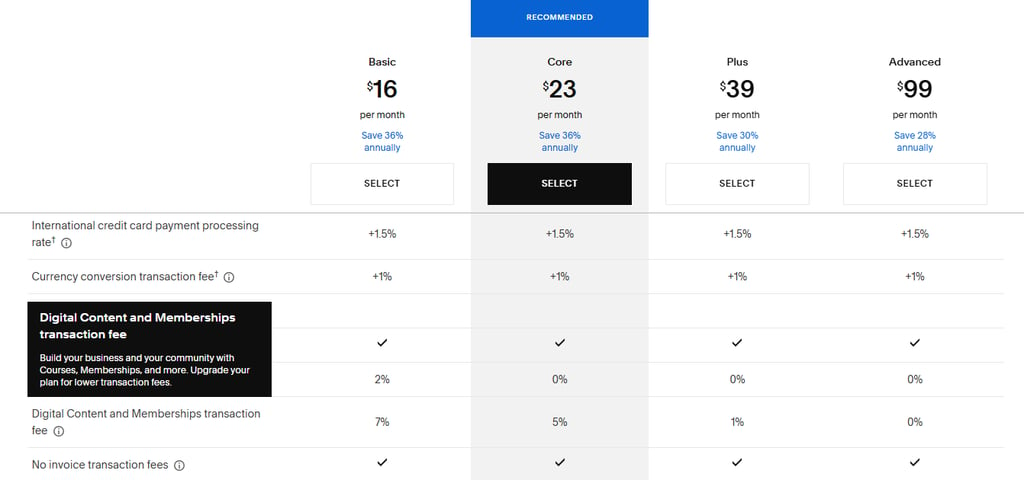
Squarespace comes with four different pricing tiers, including Basic, Core, Plus, and Advanced. While the “Basic” plan is affordable, as it starts at $16/month and unlocks the donation block, the “Core” plan is often the minimum requirement for nonprofits because it comes with a lower transaction fee (5%, not 7%) for the memberships.
More precisely, on a 5% fee structure, Squarespace takes $50 for every $1,000 you raise. However, once you collect more than $7,000 in donations, the 5% transaction fees you pay will become more expensive than the cost of the highest-tier “Advanced” subscription, which has 0% fees.
Simply put, you should upgrade to “Advanced” if you constantly raise over $600/month, as the fee savings alone will help you cover the cost of the plan. Plus, this is a great option for recurring donations. But if you only raise money once a year, and the total is less than $7,000, stay on the “Core” plan.
Another great thing is that you’ll enjoy a free domain for the first year with every plan, even the “Basic” one. However, to get a professional email (via Google Workspace), you need to purchase at least the “Core” subscription.
Squarespace vs the competition for nonprofits
For small-to-mid-sized nonprofits, Squarespace is usually the winner due to its balance of simplicity and “unbreakable” design.
More precisely, while WordPress offers more plugins, it also requires more maintenance, requiring smaller teams to constantly manage security patches and theme updates, which can lead to higher security risks.
When it comes to Squarespace vs Wix for nonprofits, Wix offers an incredible drag-and-drop flexibility, but it can be overwhelming for non-designers. On the other hand, Squarespace’s structured Fluid Engine leads to more professional-looking sites for non-designers.
Also, there are specialized tools like Givebutter that perform extraordinarily well when it comes to advanced fundraising features, but they require you to embed the tools into a separate website.
Luckily, Squarespace has incredible integrations capability, which lets you connect easily to external CRMs like Salesforce if your organization outgrows the internal tools. Plus, if you want strong SEO for nonprofits without managing multiple plugins, Squarespace is often one of the best options due to all of its built-in tools and features.
FAQ section
Does Squarespace charge a fee for donations?
Yes, Squarespace charges a fee for donations. However, the amount depends on the subscription tier you choose. More precisely, the Basic plan comes with a 7% transaction fee, the Core has a 5% fee, and the Plus option comes with a minor 1% donation fee. The best option if you collect recurring donations is the Advanced tier that doesn’t have any transaction fees for your donations.
Can I use my existing donor list?
Yes, you can use your existing donor list. First, you need to organize your donor data (name, email, etc.) into a .csv file. Then, open the “Contacts” panel in your Squarespace site dashboard, click “Add subscribers,” and select “Upload a list.” Confirm that you have permission to contact your donors, and that’s it. In case you want to export this list, just open the “Contacts” panel and download the existing .csv file.
Is the nonprofit discount available internationally?
Yes, the nonprofit discount is usually available internationally. As long as you’re eligible, you can enter the code and grab 10% off. However, you might need to register with TechSoup, or other international partners, to verify your charitable status in your country.
How do I accept recurring donations?
To accept recurring donations, you first need to add the donation block to any page or section. Then, make sure you connect to a payment processor, like Stripe or PayPal, and enable customer accounts. Once you do this, configure the “Fund” settings in the donation block, allowing donors to select whether they want their recurring donations to be weekly, monthly, or annually.