How to watch Dutch TV abroad
Our in-house cybersecurity experts and journalists, renowned for major reports like The Mother of All Breaches, conduct transparent, unbiased VPN testing and in-depth analysis.
With 750+ articles crafted based on real-world research, we empower readers to make informed purchasing decisions through first-hand expertise.
Learn more
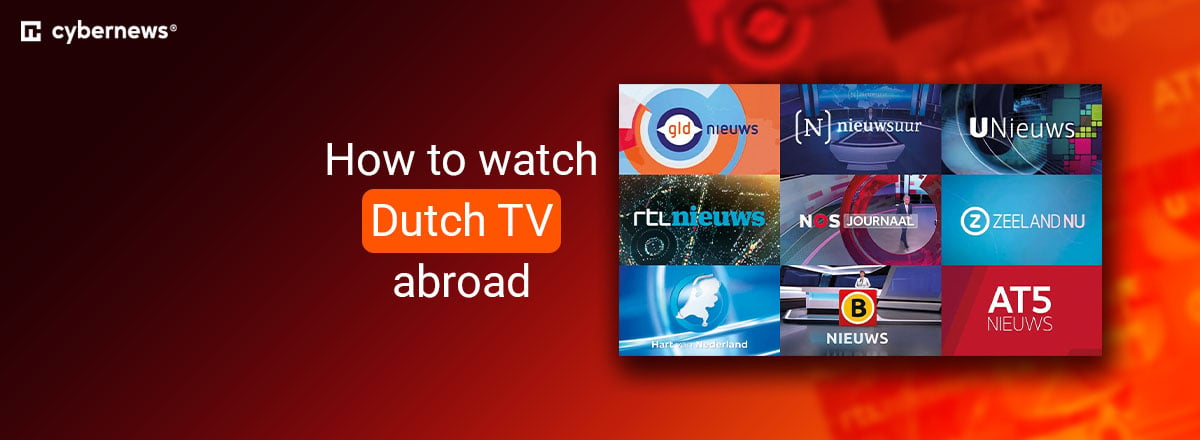
If you want to stream Dutch TV from abroad, you’ll come across geo-blocks. Popular platforms like RTL, NOS, and Kijk restrict access outside the Netherlands due to licensing rules, and even paid services such as NLZIET aren’t available overseas. This also applies to major live events like the 2026 FIFA World Cup, which many viewers prefer to watch with Dutch commentary and local coverage.
Fortunately, a VPN makes it easy to access Dutch streaming services from anywhere. Whether you want to watch Dutch TV in the USA, the UK, or while traveling, connecting to a server in the Netherlands gives you a Dutch IP address that helps bypass geo-restrictions. In this guide, I explain how to watch Dutch TV abroad, recommend the best VPNs for streaming, and walk you through the setup process step by step.
How to watch Dutch TV online abroad with a VPN
- Choose a reliable VPN with Dutch servers – I recommend NordVPN, now 75% OFF
- Download and install the VPN on your preferred device
- Connect to a server in the Netherlands to bypass geo-blocks
- Log in to a Dutch streaming service if you already have an account, or register for a new one
- Start streaming and enjoy your favorite Dutch content
Why do you need a VPN to watch Dutch TV abroad?
To watch Dutch TV outside of the Netherlands, you will need a reliable VPN. This is because Dutch content is usually geo-blocked due to compliance with regional licensing restrictions and laws.
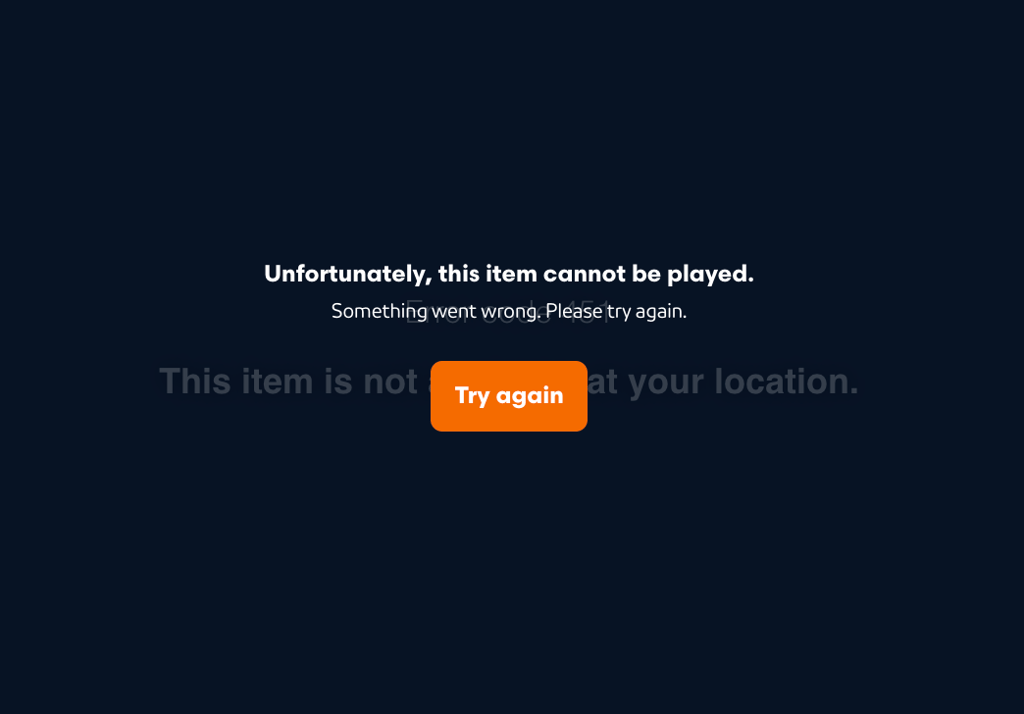
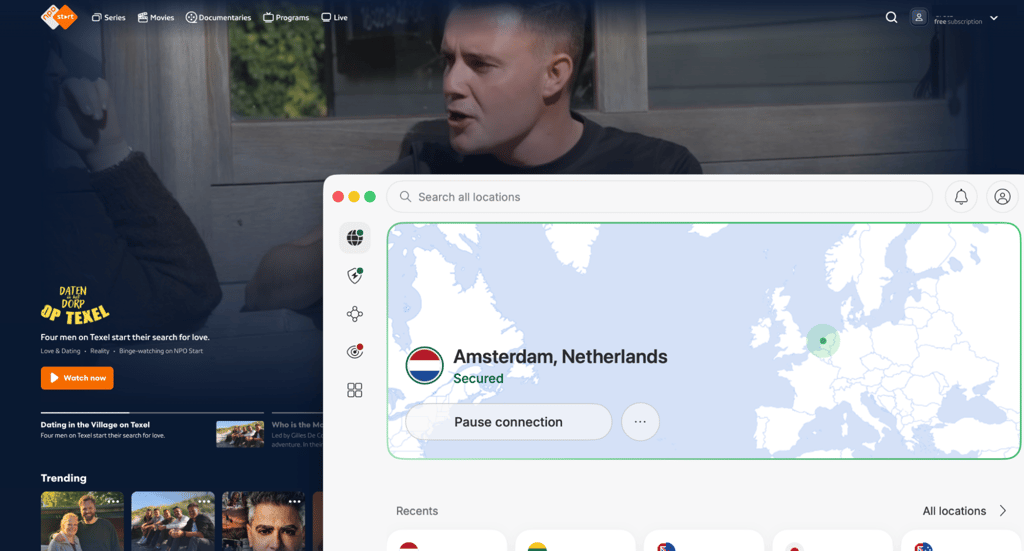
With a trustworthy VPN, you can bypass geo-restrictions, connect to a server in the Netherlands, and get a Dutch IP address. This makes it appear as though you are streaming from inside the country, allowing you to access Dutch TV platforms no matter where you are in the world.
Best VPNs for streaming Dutch TV abroad
When it comes to watching Dutch TV, here are the best VPNs for the Netherlands that will not only offer you access to Dutch TV but will also keep you safe and anonymous online. All options offer a 30-day money-back guarantee for risk-free testing.
1. NordVPN – best overall VPN to watch Dutch TV abroad

| Rating: | |
| Servers/countries: | Thousands of servers in 225+ locations |
| Unlocks Dutch TV: | ✅ Yes |
| Current deal: | Get 75% OFF NordVPN + 3 months free |
NordVPN is the best VPN for watching Dutch TV based on my personal experience and Cybernews in-house testing. With one of the largest server networks on the market, including 225+ servers in the Netherlands, it provides reliable access to Dutch streaming platforms and local content from anywhere. During testing, NordVPN consistently delivered fast and stable connection speeds, making it a solid choice for HD and 4K streaming without interruptions.
The provider stands out for its strong security toolkit, including advanced encryption, Threat Protection, and a Dark Web Monitor to help keep your data private. Plans start at $3.49/month and come with a 30-day money-back guarantee. For more details on this provider, read our NordVPN review.
2. Surfshark – budget-friendly VPN to watch Dutch TV abroad

| Rating: | |
| Servers/countries: | 4,500+ servers in 100+ countries |
| Unlocks Dutch TV: | ✅ Yes |
| Current deal: | Now up to 88% OFF Surfshark + 3 months FREE |
Surfshark is an affordable VPN that offers unlimited simultaneous connections, making it a great option for large, multi-device households. The provider has servers in Amsterdam equipped with high-capacity 100Gbps ports, which helped maintain stable streaming speeds during our tests of Dutch TV and other online content. While Surfshark doesn’t publicly disclose the exact number of Dutch servers, my connection was smooth when accessing local streaming provider websites.
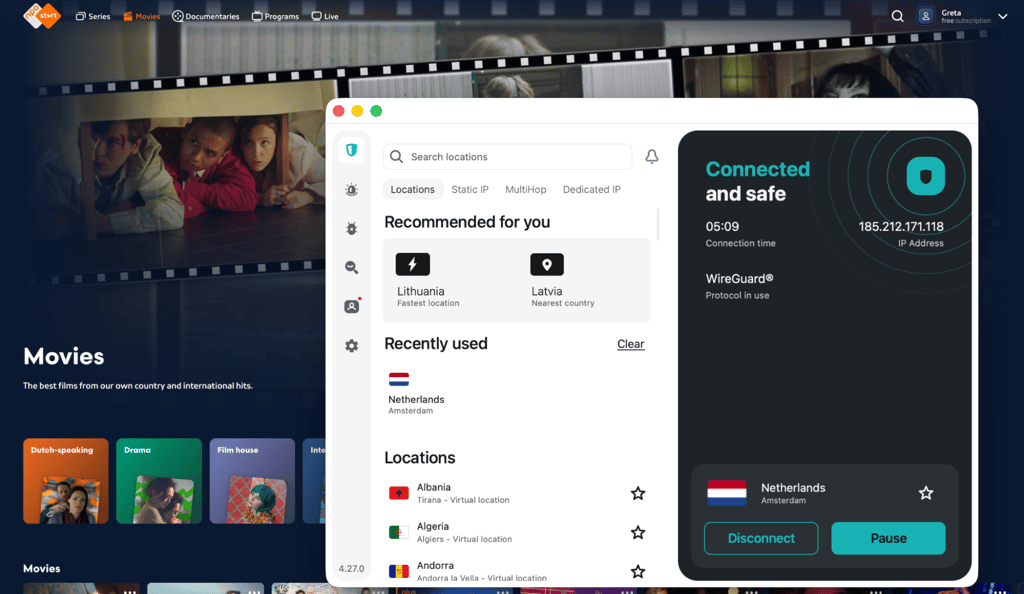
During our Surfshark VPN review, the VPN delivered solid performance across all devices, with simple-to-use apps. In addition to AES-256 encryption, Surfshark offers extra features, such as CleanWeb ad and malware blocking, a kill switch, and Dynamic MultiHop servers for better privacy. Plans start at $2.49/month and come with a 30-day money-back guarantee.
3. Proton VPN – VPN with free servers in the Netherlands

| Rating: | |
| Servers/countries: | 20,700+ servers in 149+ countries |
| Unlocks Dutch TV: | ✅ Yes |
| Current deal: | Get up to 70% OFF Proton VPN |
Proton VPN is the only VPN on this list that offers an unlimited free version. It’s a great option, especially because it has free servers in the Netherlands. However, the free plan's downside is that you can’t pick a server manually, and usually need to switch servers a few times before you are connected to the Netherlands.
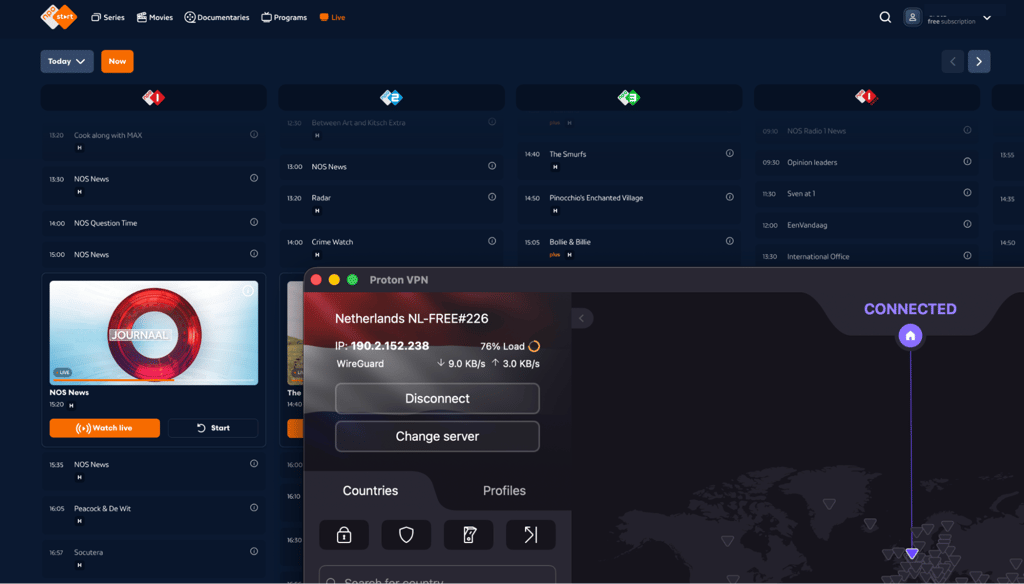
Proton VPN’s premium plan starts at $2.99/month. However, it also has the most expansive server network, including 50 servers in the Netherlands. I also like that it shows each server’s load, so you can pick the least crowded server when connecting. To find out more about this provider, read our Proton VPN review.
How to watch Dutch TV live abroad – detailed guide
Here are the steps to help you watch Dutch TV online while abroad:
-
Subscribe to a VPN with servers in the Netherlands. A trustworthy VPN like NordVPN ensures stable access to Dutch streaming services. It has 225+ high-speed Dutch servers that work with RTL, NPO, SBS 6, and other Dutch channels.
- Download and install the VPN app. Before you proceed, the VPN app should be installed on a PC, mobile device, or streaming stick. NordVPN supports Windows, macOS, iOS, Android, Fire TV Stick, and smart TVs.
-
Connect to a Dutch server. Open the VPN, navigate the server list, and select a location in the Netherlands. This changes your IP address to a Netherlands-based one, allowing you to bypass geo-restrictions.
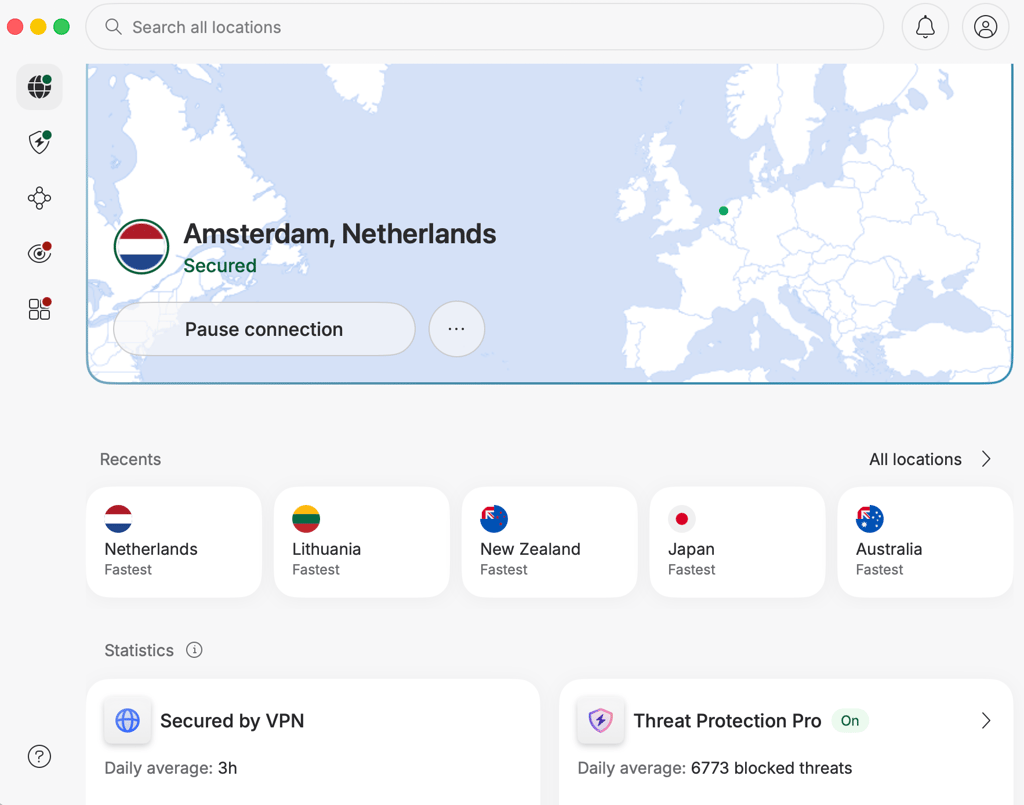
- Access the streaming platform. Visit the official website on your browser or download the app on your device. I tested these instructions with NPO.
-
Sign up or log in. If you don’t have an NPO account, create one using a free plan and ensure your VPN connection remains active.
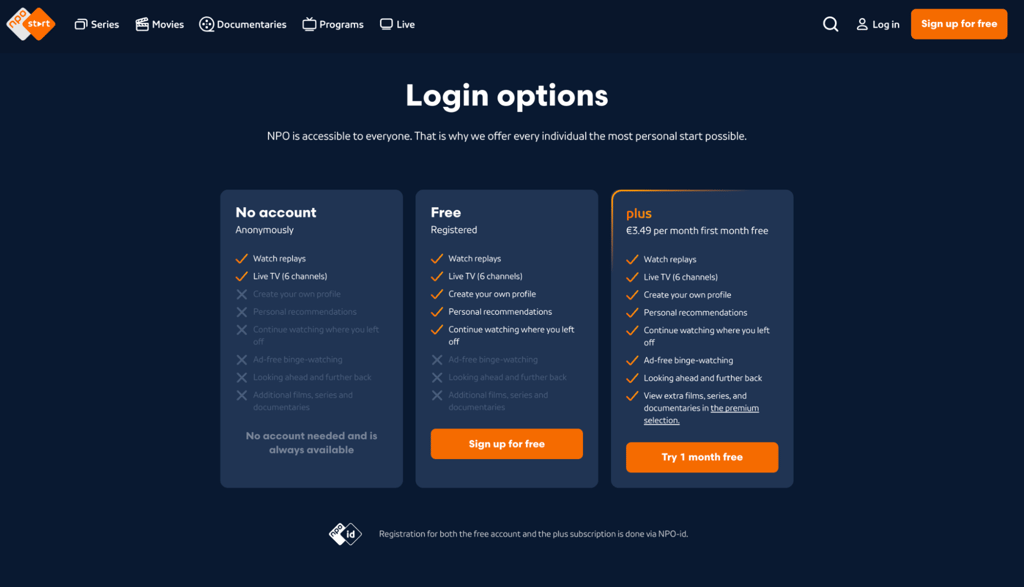
- Start streaming Dutch TV. Search for live channels or on-demand shows on NPO or other streaming services and enjoy Dutch television globally.
What Dutch TV channels can you watch abroad?
In the table below, you can find which streaming services are available in the Netherlands and the content you can watch on each, including major sports events like the 2026 World Cup.
| Streaming service | Free or paid | What you can watch | Notable sports/events | Account requirements |
| NPO Start | Free | NPO 1, NPO 2, NPO 3, Dutch news, talk shows, dramas, documentaries, kids’ content | World Cup 2026, national team matches, Olympics, major Dutch public broadcasts, election coverage, special national events | Free account, registration required |
| NOS | Free | Live news, major public-interest broadcasts, sports coverage | World Cup 2026, national team matches, Olympics, breaking news specials, and major state and national broadcasts | Free account, registration required |
| NLZIET | Paid | Live TV and catch-up from NPO, RTL, and SBS in one app | World Cup 2026 coverage via NPO channels, plus reality finales, major Dutch TV events, seasonal specials, selected live broadcasts | Subscription required |
| Videoland | Paid | Dutch originals, reality shows, films, series | Reality finales, Dutch originals, special premieres, entertainment event programming, selected live or near-live shows | Subscription required |
| RTL platforms | Free and paid plans | RTL 4, RTL 5, RTL 7, RTL 8, entertainment, reality, soaps | Major entertainment events, reality finales, special broadcasts, and some sports, depending on rights | Free catch-up; fuller Live viewing requires a subscription |
| Kijk | Free | SBS6, Veronica, Net5, reality shows, entertainment, Dutch series | Entertainment events, reality finales, seasonal specials, some sports or event coverage, depending on rights | No registration required |
| Netflix Netherlands | Paid | Movies, series, Dutch subtitles/dubbing on many titles | Original premieres, special releases, award-season titles, limited live or event programming | Subscription required |
| Disney+ Netherlands | Paid | Disney, Pixar, Marvel, Star, National Geographic | Franchise premieres, special releases, documentary events, limited live or event programming | Subscription required |
What devices can you use to watch Dutch TV abroad?
You can watch Dutch TV abroad on almost any device that supports a VPN connection. Most major VPN providers support a wide range of operating systems and devices, making it easy to stream at home or while traveling.
Here are the most common devices you can use to watch Dutch TV abroad:
- Smart TVs – Samsung TV, LG TV, Android TV, and Apple TV
- Streaming devices – Amazon Fire TV Stick, Chromecast, and Roku
- Mobile devices – Android smartphones, iPhones, and tablets
- Computers – Windows PCs, Macs, and Linux devices
- Gaming consoles – including PlayStation and Xbox consoles
- Browsers – Chrome, Firefox, Edge, Safari, and other desktop browsers with VPN support
Most streaming services also allow you to sign in on multiple devices, so you can switch between watching on your TV, laptop, or phone without losing access to your favorite shows. If your device doesn’t support VPN apps directly, you can usually set up the VPN on your router to cover all devices connected to your home network.
What to do if Dutch TV does not work with a VPN
If you’re having issues accessing a Netherlands-based streaming service, follow the tips below:
- Switch to another server. Streaming platforms often block specific VPN IP addresses, so changing to another Netherlands server can quickly fix the issue.
- Clear cookies and browser cache. Your browser may store location data from previous sessions, which can reveal your real location even when connected to a VPN.
- Use incognito/private mode. Private browsing helps prevent old cookies, cached files, and saved sessions from interfering with the VPN connection.
- Disable GPS/location permissions on mobile. Some streaming apps use your device’s GPS instead of your IP address to detect your location, especially on Android and iPhone devices.
- Try the browser instead of the app. Mobile and smart TV apps sometimes have stricter VPN detection systems than browser versions of the same streaming service.
- Update the VPN app. Running the latest version ensures you have updated servers, bug fixes, and the newest security improvements.
- Change VPN protocol. Switching between protocols like WireGuard, OpenVPN, or IKEv2 can improve connection stability and help bypass VPN blocks.
- Contact VPN support and ask which server works with your selected streaming platform. Premium VPN providers usually know which servers currently work best with specific Dutch streaming services.
- Check if the platform requires a local account or payment method. Some Dutch streaming platforms may require a Netherlands-based account, phone number, or payment method before providing access.
Conclusion
Dutch TV offers a wide range of entertainment, live sports, news, and local shows. However, most of the platforms are geo-blocked outside the Netherlands due to licensing restrictions. Fortunately, you can still access channels like NPO, NOS, RTL, and Kjik by using a reliable VPN with servers in the Netherlands.
Based on my tests, NordVPN is the best VPN for watching Dutch TV abroad. It allows you to bypass geo-blocks and change your IP address, making it appear as if you are based in the Netherlands. On top of that, with NordVPN, you can watch your favorite Dutch TV while staying safe and private online.
FAQ
Which Dutch channel is showing the 2026 World Cup for free?
In the Netherlands, the 2026 FIFA World Cup will be shown by NOS on channels like NPO 1, NPO 2, and NPO 3. Live streaming will also be available through NOS and NPO online platforms, making them the main free-to-air options for watching the tournament in Dutch.
Can I watch Dutch TV abroad?
Yes, you can watch Dutch TV abroad by using a VPN with servers in the Netherlands. Once connected, you can access Dutch streaming platforms like NPO, NOS, RTL Nederland, and Kijk as if you were located in the Netherlands.
Can I watch Dutch TV with a VPN?
Yes, a VPN is one of the easiest and most reliable ways to watch Dutch TV from outside the Netherlands. By connecting to a Dutch server, you can bypass geo-restrictions and securely stream local channels, live TV, sports, and Dutch shows abroad.
Which VPN is best for watching Dutch TV abroad?
NordVPN is the best VPN for watching Dutch TV abroad thanks to its 225+ servers in the Netherlands, fast streaming speeds, and reliable access to platforms like NPO Start, RTL, NOS, and NLZIET. It also includes strong privacy features and a 30-day money-back guarantee.
Do I need a local account to watch Dutch TV?
Platforms usually require registration. For example, Kijk doesn’t require registration, while platforms such as NPO Start and NOS ask you to sign up for a free account. Paid services like NLZIET, Videoland, Netflix Netherlands, and Disney+ Netherlands require registration and an active subscription.