How to watch ORF ON abroad in 2026
Our in-house cybersecurity experts and journalists, renowned for major reports like The Mother of All Breaches, conduct transparent, unbiased VPN testing and in-depth analysis.
With 750+ articles crafted based on real-world research, we empower readers to make informed purchasing decisions through first-hand expertise.
Learn more

ORF ON is Austria’s official streaming platform operated by ORF, the country’s public broadcaster. It offers free access to live TV channels, Austrian and international news, sports coverage, entertainment shows, movies, and documentaries. The service is especially popular for streaming live events like football, skiing, Formula 1 highlights, and Austrian TV productions.
ORF ON is geo-restricted outside Austria due to regional broadcasting rights and licensing agreements, so viewers abroad often encounter geo-blocks when trying to stream content. Fortunately, a VPN can help you watch ORF ON outside Austria by giving you an Austrian IP address.
In this guide, I’ll show you how to watch ORF ON abroad and which VPNs work best for streaming your favorite content when you’re away.
How to watch ORF ON abroad with a VPN

- Choose a VPN with servers in Austria – I recommend NordVPN, now 78%% OFF
- Download and install the VPN app on your device
- Connect to an Austrian server
- Open ORF ON to access its content
- Create an account or log in and start streaming
Why do you need a VPN to watch ORF ON abroad?
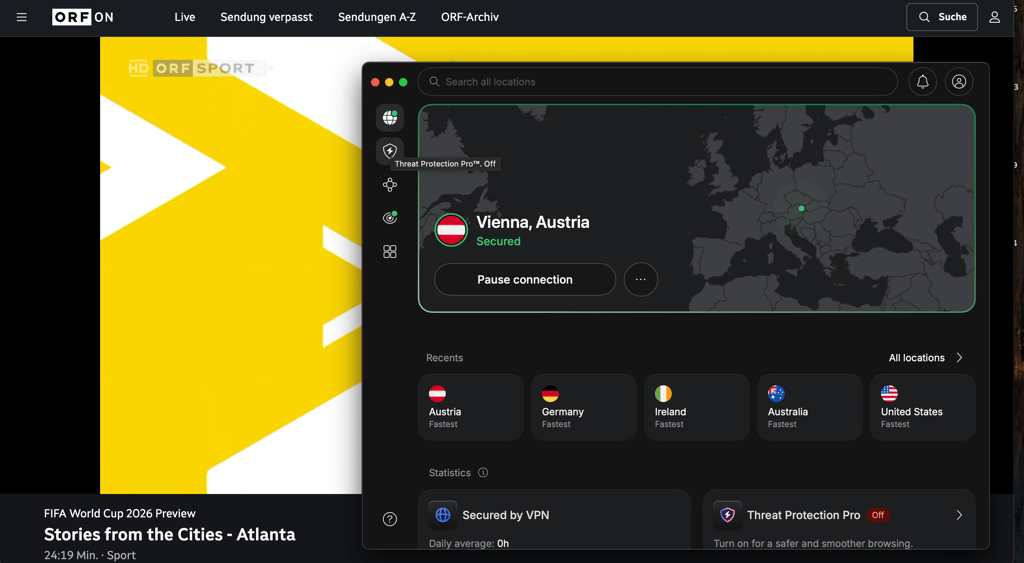
ORF ON is geo-restricted because its streaming rights are limited to Austria. Whenever you try to access the platform, it automatically checks your IP address to verify if you’re accessing the service from Austria. If ORF ON detects that you’re trying to stream from abroad, it blocks streaming access due to licensing agreements and regional broadcasting rights.

A VPN routes your connection through a server in Austria, giving you a local IP address. That makes it look as if you’re browsing from Austria and can help you access ORF ON while you’re outside of the country.
Best VPNs for watching ORF ON abroad?
I tested the best VPN providers with Austrian servers to evaluate how reliably they unblock ORF ON. I focused on whether each VPN could consistently access ORF ON without playback errors, buffering, or streaming interruptions.
I also reviewed important streaming features, including on-demand replay stability, HD playback quality, and compatibility across smart TVs, mobile devices, and web browsers. In addition, I checked for Smart DNS support and router compatibility for broader home streaming setups.
Here are the best VPNs for watching ORF ON abroad:
- NordVPN – best VPN overall for ORF ON overall. NordVPN delivered the strongest performance during ORF ON testing, with fast and stable connections across its Austrian server network. Streams loaded quickly and HD playback remained smooth during live TV and on-demand viewing, even during peak hours. It supports up to 10 simultaneous connections and works across Windows, macOS, iOS, Android, Fire TV, Apple TV, Android TV, smart TVs, and routers. SmartDNS support also helps access ORF ON on devices without native VPN apps. NordVPN plans start at $3.49/month and include a 30-day money-back guarantee.
- Surfshark – best budget VPN for ORF ON. Surfshark worked reliably when accessing the platform, particularly on its Austrian servers, where streaming remained stable for both live TV and on-demand content. Speeds were consistently fast enough for buffer-free HD playback, even with multiple devices connected at once. One of Surfshark’s biggest advantages is unlimited simultaneous connections, making it a strong option for families or shared households. It supports Windows, macOS, iOS, Android, smart TVs, Fire TV, Android TV, and router setups, while SmartDNS support improves compatibility on unsupported devices. Surfshark plans start at $2.49/month and include a 30-day money-back guarantee. However, its server network in Austria is not clear, while NordVPN offers 33 local server locations.
- Proton VPN – privacy-focused VPN for ORF ON. Proton VPN provided reliable access to ORF ON during testing, with stable performance across its server locations in Austria. Live TV streams and on-demand content loaded consistently, although speeds were slightly slower compared to NordVPN and Surfshark. Proton VPN supports up to 10 simultaneous connections and works across desktop platforms, mobile devices, smart TVs, and routers. Its SmartDNS and router compatibility also make it suitable for streaming on devices without dedicated VPN apps. Proton VPN plans start at $2.99/month and come with a 30-day money-back guarantee.
How to watch ORF ON outside Austria – detailed guide
Watching ORF ON from abroad is a straightforward process, but if you’re trying to do that for the first time, things might seem confusing. To help you get started and access ORF ON on your first try, I have prepared a detailed guide:
-
Subscribe to a VPN with servers in Austria. I recommend NordVPN because it offers fast and stable Austrian servers and strong streaming performance for ORF ON.
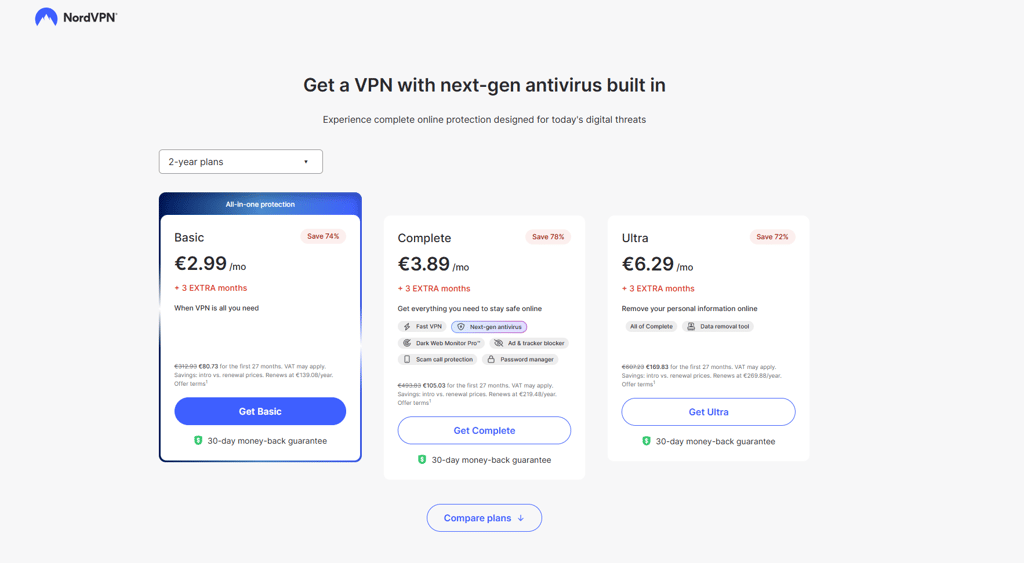
- Download and install the VPN on your device. Most of the VPNs support Windows, macOS, iOS, Android, Fire TV, Android TV, Apple TV, and router setups, making it easy to stream ORF ON on any device.
-
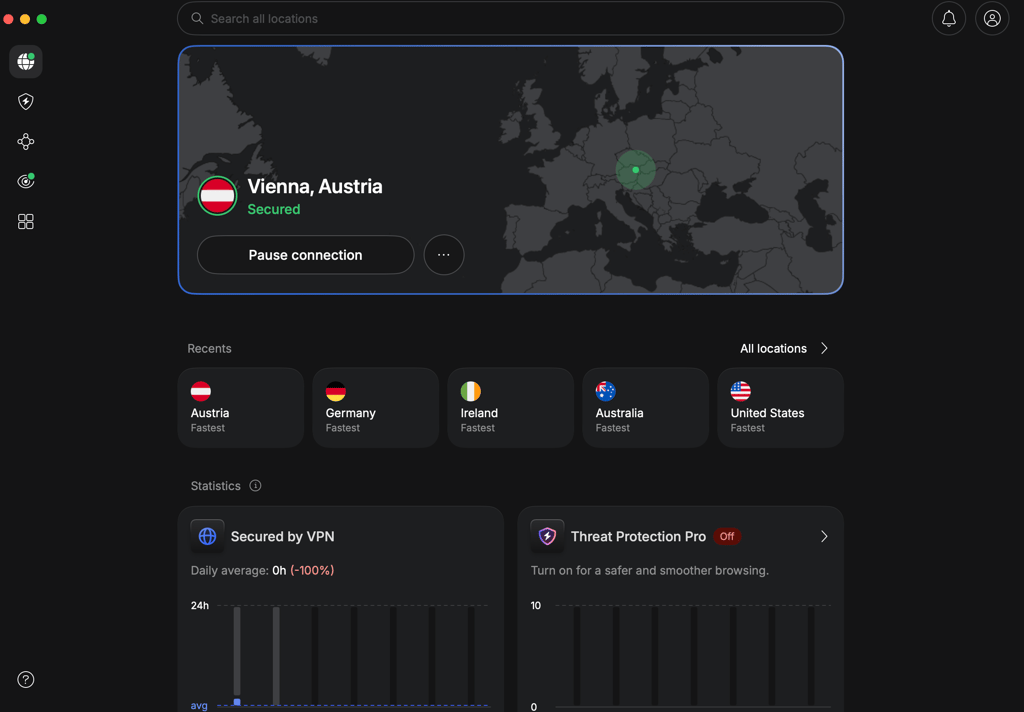
Connect to an Austrian server. This gives you an Austrian IP address necessary to access geo-blocked streaming platforms.
- Open ORF ON. Use the official ORF ON site or app for the best streaming quality.
-
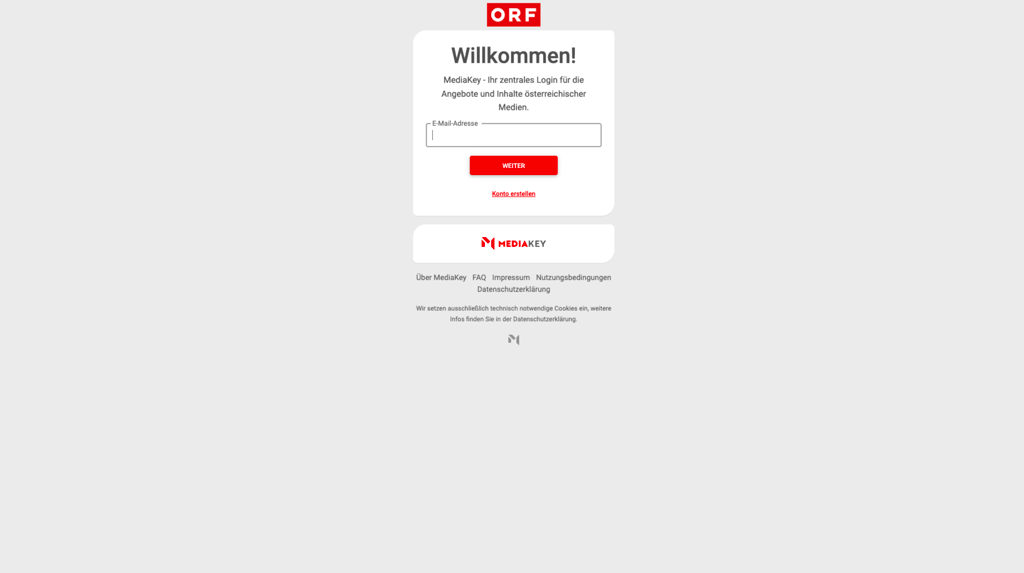
Log in or create an account or just start streaming. Creating an account with ORF ON to stream the content is not mandatory, but it gives you access to extra functionalities, such as parental controls and an option to save favorites.
What can you watch on ORF ON?
ORF ON combines live Austrian TV channels with a large on-demand library of local shows, sports coverage, movies, documentaries, and children’s programming. The platform is especially popular for free live sports, Austrian news coverage, and ORF original productions that are often unavailable outside Austria. Alongside live streams of ORF’s main TV channels, users can access catch-up content, cultural programming, and major international sporting events, including FIFA World Cup 2026 coverage.
| Content type | What ORF ON offers |
| Live TV | ORF 1, ORF 2, ORF III, ORF Sport+, ORF Kids, ORF 2 Europe |
| News | ZIB news bulletins and regional Austrian news coverage |
| Sports | FIFA World Cup 2026, UEFA Nations League, Austrian Bundesliga matches, Alpine Ski World Cup, Ski Jumping, Biathlon, IIHF Ice Hockey World Championship, Formula 1 highlights |
| Shows | Tatort, Dancing Stars, Vorstadtweiber, local ORF dramas, Austrian entertainment and cultural programming |
| Movies/documentaries | Austrian documentaries, European films, historical documentaries, cultural programs on ORF III |
| Kids’ content | ORF Kids programming, animated series, educational children’s shows, family entertainment |
| World Cup 2026 | ORF and ORF ON will stream FIFA World Cup 2026 matches live in Austria, including key fixtures and the final, with rights shared alongside ServusTV |
Can you watch ORF ON abroad for free?
ORF ON is a free service offering live TV streaming and video-on-demand to viewers in Austria. What’s really appealing about ORF ON is that whether you want to watch it on the web or using its dedicated app, you don’t need to create an account.
Since creating the account is not mandatory, you don’t need to worry about getting a local postal code, TV license, or local phone number. All you need is a VPN. However, I don’t recommend choosing a free VPN. The reason is simple – most free VPNs are usually unreliable for streaming and lack the necessary servers. They also often struggle to bypass location detection systems.
For stable access, a premium VPN is a safer and more reliable option. I recommend NordVPN, which includes a 30-day money-back guarantee and also offers a 3-day free Android trial, allowing users to test ORF ON streaming before committing.
Conclusion
Watching ORF ON outside Austria is simple with the right VPN. Since the platform is geo-restricted due to licensing agreements, a reliable VPN with Austrian servers is essential for accessing live TV and on-demand content abroad.
In our tests, NordVPN provided the most stable and reliable access to ORF ON thanks to its fast Austrian servers, consistent HD streaming performance, wide device compatibility, and strong ability to bypass geo-blocks. Surfshark and Proton VPN are also good options for watching ORF ON abroad, but their performance was less consistent compared to NordVPN.
FAQ
How can I watch ORF ON in the USA?
You can watch ORF ON in the USA by using a reliable VPN, such as NordVPN. With a VPN, you can connect to an Austrian server and get a local IP address so you can access geo-restricted content from the US.
Do I need an account to watch ORF ON?
No, you don't need an account to watch ORF ON. However, if you want extra access to extra functionalities like saving your favorite content, creating an account is recommended.
Is ORF ON free to watch?
Yes, ORF ON is free in Austria. You can stream live TV, shows, movies, and sports without having to pay a subscription fee.
Can I watch the 2026 World Cup on ORF ON abroad?
Yes, you can watch selected 2026 World Cup matches on ORF ON. Yet, ORF ON is normally geo-blocked outside Austria due to broadcasting rights, but a reliable VPN like NordVPN can help you access live streams securely while traveling abroad.
Which VPN works best with ORF ON?
NordVPN works best with ORF ON thanks to its fast Austrian servers, stable streaming speeds, SmartDNS support, and reliable geo-block bypassing. It also supports smart TVs, mobile devices, routers, and includes a 30-day money-back guarantee.