How to watch RTVE from abroad in 2026
Our in-house cybersecurity experts and journalists, renowned for major reports like The Mother of All Breaches, conduct transparent, unbiased VPN testing and in-depth analysis.
With 750+ articles crafted based on real-world research, we empower readers to make informed purchasing decisions through first-hand expertise.
Learn more

RTVE (Radio y Televisión Española) is Spain’s national public broadcaster. The network delivers its content online via the free streaming platform RTVE Play. Spanish expats and language learners abroad often look for ways to catch up on live TV, daily news, sports matches, and movies. Unfortunately, even though it’s free, RTVE Play is strictly geo-blocked outside Spain.
To get around these restrictions, you can use a VPN to make it look like you’re connecting to the platform from Spain. A VPN hides your real IP address and replaces it with a Spanish one, letting you bypass geo-blocks.
How to watch RTVE abroad with a VPN

- Choose a reliable VPN – I recommend NordVPN, now 78% OFF
- Download the VPN on your device
- Choose a server in Spain
- Go to RTVE Play and enjoy watching
Some RTVE content may require a free account. A VPN can help with geo-blocking, but it can’t replace account or payment requirements.
Why do you need a VPN to watch RTVE abroad?
RTVE Play is geo-restricted because its streaming rights are limited to Spain. When you open the platform, it checks your IP address to confirm your location. If your IP address is outside Spain, some live streams or on-demand content may be blocked. The platform automatically redirects you to RTVE Play International, which offers limited content.
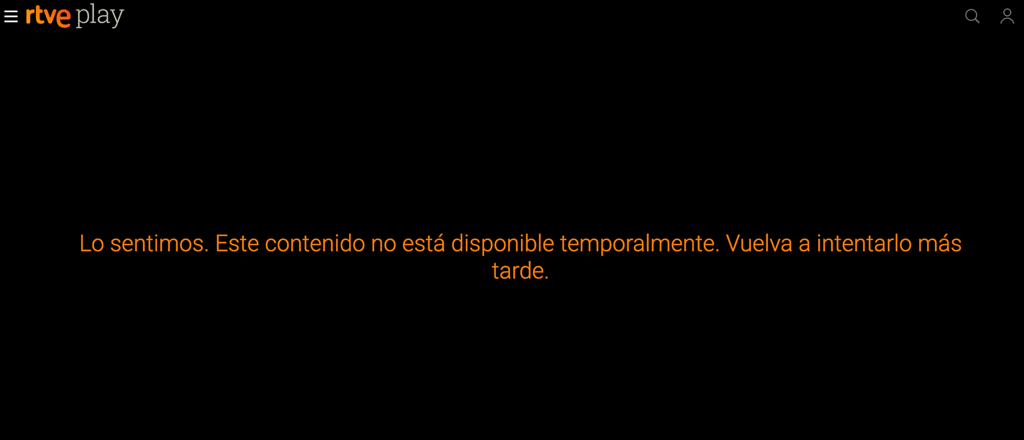
To access the domestic version of RTVE, you need a VPN that routes your traffic through a server in Spain, giving you a local IP address. So, the platform thinks you’re a local and gives you access to its content.
Best VPNs for watching RTVE abroad
To find the best VPNs for RTVE, together with the Cybernews team, I tested 41 providers and evaluated their unblocking capabilities. We considered several factors, including servers in Spain, streaming speed, device compatibility, SmartDNS functionality, and resilience against VPN-blocking technologies. Here’s our final lineup:
- NordVPN – best VPN for RTVE with 60+ servers in Spain. In our testing, it successfully bypassed RTVE Play’s blocks on the first try, while streaming performance remained consistently fast.
- Surfshark – cheapest VPN for RTVE with unlimited simultaneous connections, so you can share the service with your entire family. During our trials, it delivered excellent speeds for live sports broadcasts.
- Proton VPN – secure VPN for RTVE streaming, as it focuses heavily on privacy. Thanks to its VPN Accelerator technology, the speeds remained highly stable, which is perfect for live sports and daily shows.
How to watch RTVE outside Spain – detailed guide
Below, I show you how to watch RTVE with a VPN step by step. In my example, I use NordVPN because Cybernews tests showed it was the best in this case. The process, however, is similar across all premium VPNs.
Step 1. Subscribe to a VPN with servers in Spain
Since you need a Spanish IP address to unblock RTVE, subscribe to a reputable VPN with servers in Spain. This way, the streaming will be fast and smooth.
Step 2. Install the VPN app on your device
Download the VPN app from the official website, e.g., nordvpn.com. Then, set up the app and your account according to the prompts.
Step 3. Connect to a Spanish server
Choose a server in Spain; usually, the VPN automatically selects the fastest one available.
Step 4. Open RTVE on the website or app and enjoy watching
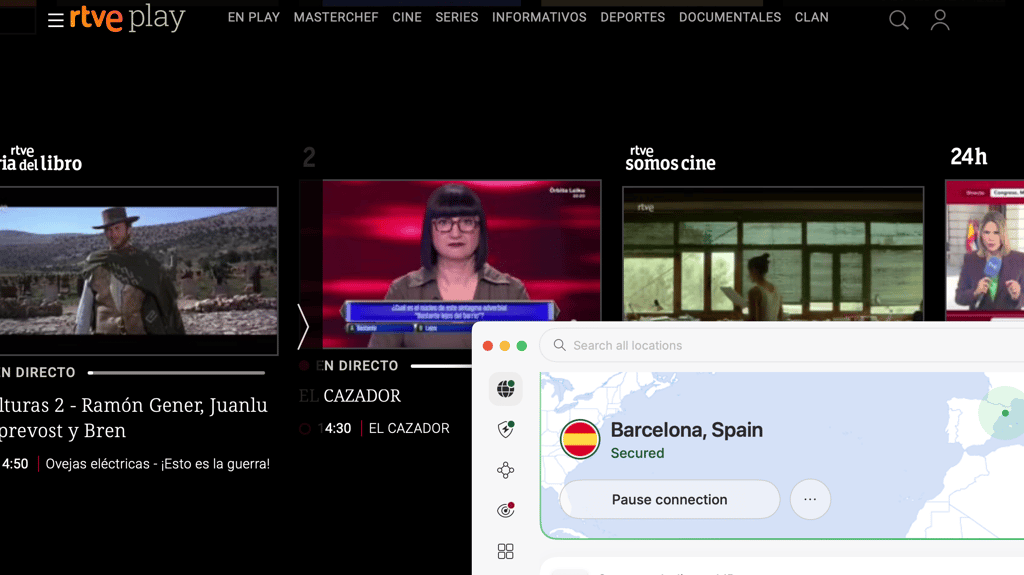
Go to the official RTVE Play website or open the dedicated app on your smartphone, tablet, or smart TV. Now, you can look through the catalog and catch up on the daily news, watch live sports like the World Cup, or enjoy popular on-demand Spanish series.
What can you watch on RTVE?
On RTVE Play, you can watch a large variety of content in Spanish, including sports matches, movies, and live TV. Here are some of the programs you can watch there online:
| Content type | What RTVE offers |
| Live TV | La 1, La 2, Teledeporte, Canal 24 Horas, and Playz |
| News | Telediario, La Noche en 24 Horas, and live bulletins |
| Sports | Tennis, cycling, athletics, basketball, and football |
| Shows | La Revuelta, MasterChef, La Promesa, and Saber y Ganar |
| Movies | Classic Spanish cinema, Imprescindibles, and nature documentaries |
| Kids’ content | Clan TVE programming and educational animations |
| World Cup 2026 | One live match per day, prioritizing Spain’s games, the opening match, the semis, and the final |
Can you watch RTVE abroad for free?
Yes, RTVE operates as a free service in its home country. You don’t need to pay a subscription fee to watch live broadcasts or catch-up TV on RTVE Play. However, the platform requires users to register an account using an email address for on-demand viewing. You won’t be asked for a Spanish postal code, local phone number, or proof of a TV license.
Free VPNs for RTVE rarely maintain servers in Spain, and the few that do are usually overloaded, causing endless buffering. Also, free providers often fail to bypass streaming firewalls and may log your browsing data. Testing a premium VPN using its money-back guarantee provides a much safer and more reliable experience.
What to do if RTVE isn’t working with a VPN
It may happen that RTVE isn’t working even with the VPN on. I suggest the following steps that solve the most common VPN issues:
- Switch to another Spanish server, as the IP address you’re using might be blacklisted by RTVE
- Clear cookies and cache, as browsers store previous location data
- Use incognito or private mode to open a clean session free of saved trackers or cookies
- Try a browser instead of an app, since mobile and Smart TV apps sometimes use built-in GPS or hardcoded DNS to determine your location
- Disable GPS and location permissions on mobile, as the RTVE app may block you even if your IP address is Spanish
- Change the VPN protocol because different protocols route traffic differently
- Update the VPN app, as outdated software can cause connectivity issues or data leaks
- Run a quick online leak test to make sure your true IP address or DNS requests aren't slipping through the VPN tunnel
- Contact VPN support so that they can point you to the exact server currently optimized for RTVE
- Confirm that the account and subscription are valid because some content is strictly gated
- Check whether the stream is live-only or on-demand only, as not all live broadcasts are licensed for replay
- Check if the app requires the local app store region to download or update the official RTVE app, so your Apple ID or Google Play account region may need to be temporarily set to Spain
Conclusion
RTVE is strictly geo-blocked outside Spain due to complex licensing agreements. Fortunately, a VPN with Spanish servers can easily help you bypass these digital borders. NordVPN is our top recommendation for unblocking RTVE Play with the fastest speeds and the most reliable connection among all the solutions we tested.
Just keep in mind that you still need to register for a free account to access most on-demand shows. Whether you want to stream daily episodes of La Revuelta or catch Spain's matches during the 2026 World Cup, a VPN guarantees you won’t miss out.
FAQ
Can I watch RTVE outside Spain?
Yes, you can tune into RTVE from anywhere by using a VPN. Routing your connection through a server in Spain masks your real location and gives you a Spanish IP address to bypass the platform's geo-blocks.
Is RTVE free to watch?
Yes, RTVE is a publicly funded broadcaster, meaning its digital platform, RTVE Play, is completely free to use. You simply need to create an account with a valid email address to unlock the full on-demand catalog.
Which VPN works best with RTVE?
NordVPN is the top choice for streaming RTVE. It boasts a vast network of high-speed servers in Spain that easily get around the broadcaster's geo-restrictions without causing video buffering.
Why is RTVE blocked abroad?
RTVE restricts its broadcasts to viewers within Spain to comply with international copyright and licensing agreements. The network only purchases the distribution rights for its movies, sports, and syndicated shows for the Spanish territory.
Why is RTVE not working with my VPN?
If the platform detects your VPN, it may block the video player. You can usually fix this by connecting to a different Spanish server, clearing your browser's cache, or turning off your mobile device's GPS services.
Do I need an account to watch RTVE?
Yes, if you want to watch all on-demand shows, movies, or series. However, you can also stream a limited number of live broadcasts as a guest.