How to watch Turkish TV abroad
Our in-house cybersecurity experts and journalists, renowned for major reports like The Mother of All Breaches, conduct transparent, unbiased VPN testing and in-depth analysis.
With 750+ articles crafted based on real-world research, we empower readers to make informed purchasing decisions through first-hand expertise.
Learn more
Turkey has a broad selection of streaming services, many of which are restricted to viewers in Turkey due to licensing rules. If you’re trying to stream them abroad, you might run into geo-blocks that limit access to live TV and on-demand content, especially when traveling or living outside the country.
A VPN can help you bypass these restrictions by routing your connection through Turkey and assigning you a local IP address. This way, streaming services treat you as if you’re in the country and restore full access to Turkish TV. You can watch major broadcasters like TRT, which offers free live channels and on-demand content via TRT İzle and tabii, along with commercial networks such as NOW TV Türkiye. Sports fans can also use platforms like beIN CONNECT Türkiye to watch international leagues and major events, including coverage of the FIFA World Cup 2026.
In this guide, I’ll show you how to watch Turkish TV abroad, which platforms are worth using, and which VPNs offer the most reliable streaming performance for Turkish content overseas.
How to watch Turkish TV abroad with a VPN
- Pick a capable VPN with servers in Turkey – I recommend NordVPN, now with a 78% discount
- Download and install the VPN app on your preferred device
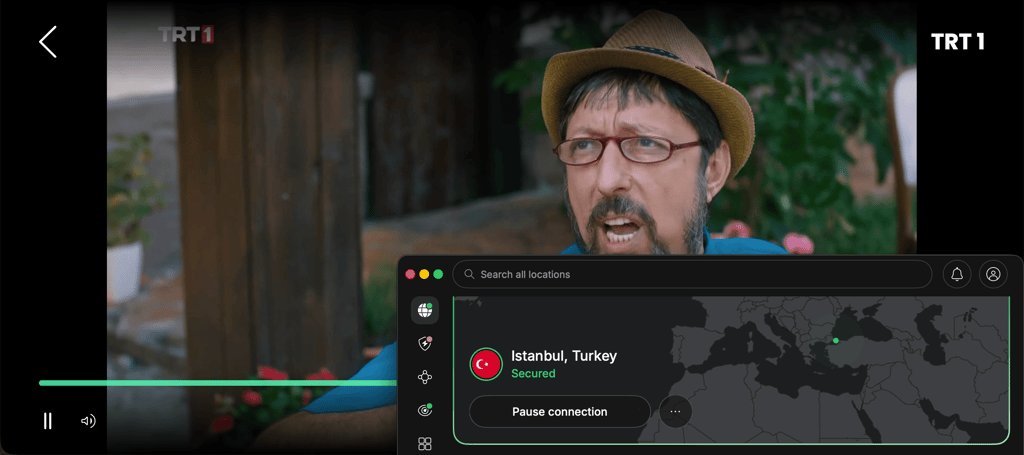
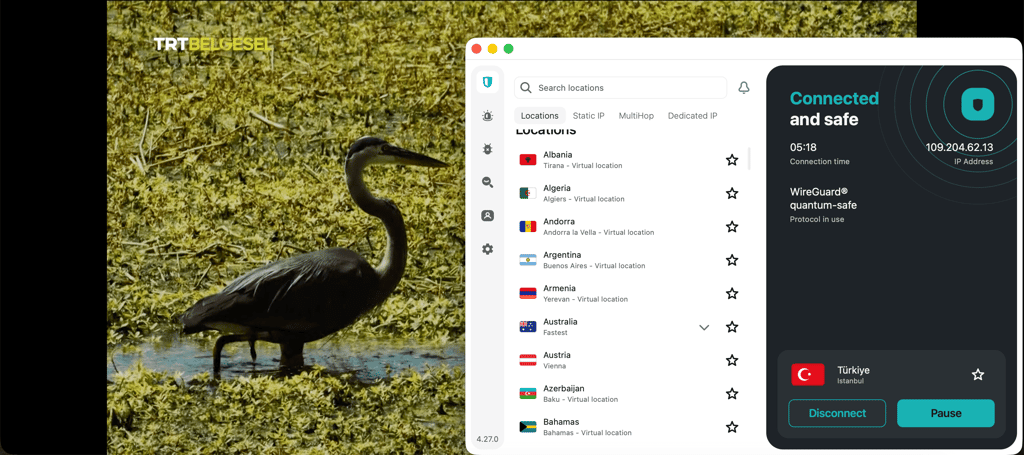
- Connect to a Turkish server to bypass geo-restrictions
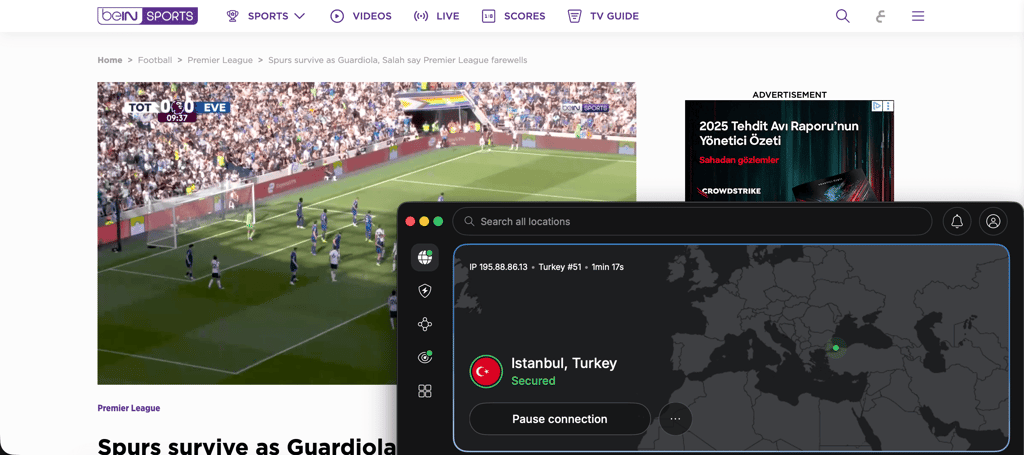
- Open a Turkish streaming site like beIN SPORTS Türkiye (you might require a Turkey-based account or payment method)
- Enjoy Turkish live TV or on-demand content from anywhere
Why do you need a VPN to watch Turkish TV abroad?
If you've ever tried accessing a Turkish streaming site abroad, you’re probably familiar with a frustrating “content not available in your region” message. This happens because most Turkish TV services only hold broadcasting rights for local viewers, so they have to block access elsewhere. They use your IP address to detect where you’re connecting from and restrict access outside the country.

Fortunately, a VPN can help you bypass these restrictions. Once you connect to a VPN server in Turkey, your real location is hidden and replaced with a Turkish IP address. This way, Turkish streaming platforms think you’re a local viewer and allow you access. In my experience, this is the easiest and most reliable way to stream Turkish live TV, local dramas, sports coverage, and events like the FIFA World Cup 2026.
Best VPNs to watch Turkish TV abroad
To compile a list of the best VPNs for streaming Turkish TV abroad, I worked with our in-house research team. Together, we tested 41 VPNs to determine whether they can unblock Turkish TV while keeping connections private and secure. All of my recommended options below include fast Turkish servers, strong streaming support, and a money-back guarantee if you want to test it first.
- NordVPN – best overall VPN for streaming Turkish TV abroad in 2026
- Surfshark – cheapest VPN to watch Turkish VPN abroad
- Proton VPN – privacy-focused VPN to watch Turkish VPN abroad
If you’re interested in more options, we also have a detailed list of the best VPNs for Turkey.
1. NordVPN – best all-around VPN for watching Turkish TV abroad

| Rating: | |
| Servers/countries: | Thousands of servers in 221 locations (with 14+ servers in Turkey) |
| Unblocks streaming content: | ✅ Yes |
| Coupons: | NordVPN coupon 78% OFF |
NordVPN proved to be the strongest option for streaming Turkish TV abroad. It offers fast streaming speeds and a large network of global servers, including over 14 in Turkey, for quick, consistent access. Features like SmartPlay and Smart DNS are especially useful when streaming on devices that don’t natively support VPN apps, such as certain smart TVs and Apple TV setups.
In my testing, NordVPN had no trouble accessing Turkish streaming platforms such as tabii and beIN SPORTS Türkiye. Streams loaded quickly, and I was able to watch live channels, football coverage, and Turkish dramas in HD without noticeable buffering, even during peak viewing hours.
NordVPN is also strong from a security perspective. It uses AES-256 encryption, includes a strict, audited no-logs policy, and offers extras such as Threat Protection and a kill switch to prevent accidental IP leaks while streaming. Apps are available across Windows, macOS, Android, iPhone, Fire TV, and smart TVs. If you’d like to learn more about this provider, read our full NordVPN review.
2. Surfshark – budget-friendly VPN for Turkish TV abroad

| Rating: | |
| Servers/countries: | 4,500 servers in 100 locations (with 10+ servers in Turkey) |
| Unblocks streaming content: | ✅ Yes |
| Coupons: | Surfshark coupon 88% OFF |
With a starting plan at $2.49/month, Surfshark is one of the cheapest VPNs for watching Turkish TV abroad. What makes it stand out isn’t just the price, but the fact that it still delivers solid streaming performance, a growing number of Turkish servers (plus a large global network), and unlimited simultaneous device support – ideal if you’re streaming on multiple screens at home or while traveling.
In my experience, Surfshark performed well on Turkish streaming platforms. It consistently unlocked services like tabii and beIN SPORTS Türkiye. Live streams and on-demand shows loaded quickly, and playback remained stable in HD with minimal buffering, even during peak viewing hours.
The provider includes all the essentials you’d expect from a modern VPN. It comes with AES-256 encryption, a strict no-logs policy, CleanWeb ad and tracker blocking, and a kill switch for added protection if the connection drops. Apps are available across Windows, macOS, Android, iPhone, smart TVs, and browser extensions. For more insights, see our in-depth Surfshark review.
3. Proton VPN – privacy-friendly VPN for Turkish streaming services

| Rating: | |
| Servers/countries: | 20,700 servers in 149 locations (with multiple servers in Turkey) |
| Unblocks streaming content: | ✅ Yes |
| Coupons: | ProtonVPN coupon 70% OFF |
I found Proton VPN to be a strong, privacy-focused solution for watching Turkish TV abroad. Besides advanced security features, it offers fast and reliable streaming performance. Moreover, it boasts the largest global server fleet on my list – x servers across x locations – including multiple servers in Turkey.
During my testing, Proton VPN reliably unblocked major Turkish streaming platforms, such as tabii and beIN SPORTS Türkiye. Streams generally loaded without issues, and I was able to watch live channels, sports coverage, and on-demand Turkish content in HD with stable playback and minimal interruptions.
Where Proton VPN stands out is its privacy-first approach. It includes AES-256 encryption, a strict no-logs policy, Secure Core routing for added protection, and fully open-source apps that enhance transparency. The service is available across Windows, macOS, Android, iPhone, Linux, smart TVs, and routers. Read more in our full Proton VPN review.

How to watch Turkish TV live abroad – detailed guide
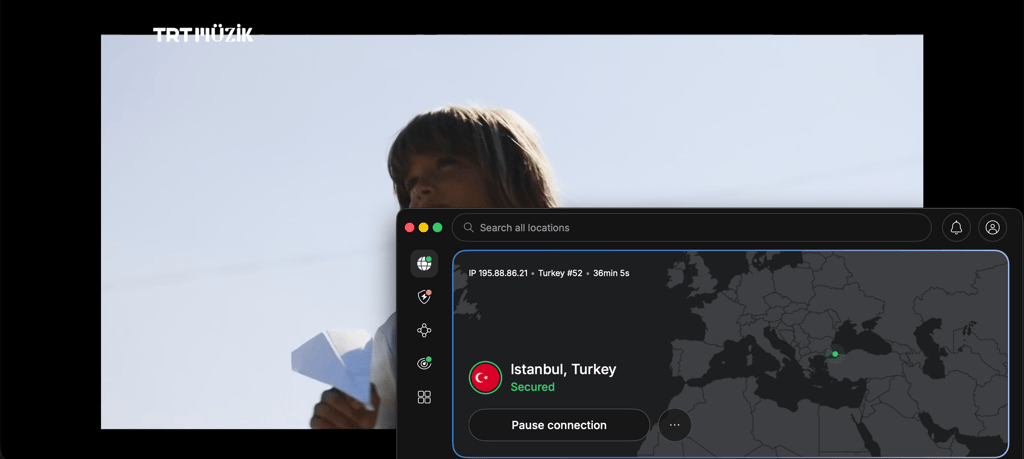
Watching Turkish TV live abroad is actually pretty easy once you have a reliable VPN. To show you how it works step by step, I used NordVPN and tabii streaming service as examples:
-
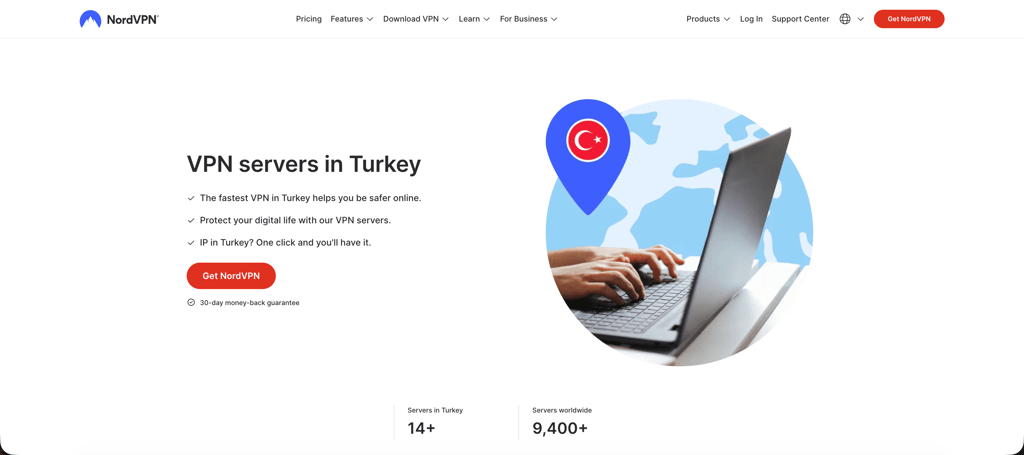
Subscribe to a VPN that has Turkish servers. Find a VPN that consistently works with Turkish streaming platforms. In my experience, not every VPN can reliably access Turkish TV abroad, especially during major live events when platforms tend to tighten geo-restrictions. If you’re not sure what to pick, I recommend NordVPN – it offers fast speeds, over 14 servers in Turkey, and streaming-friendly features like SmartPlay and SmartDNS.
-
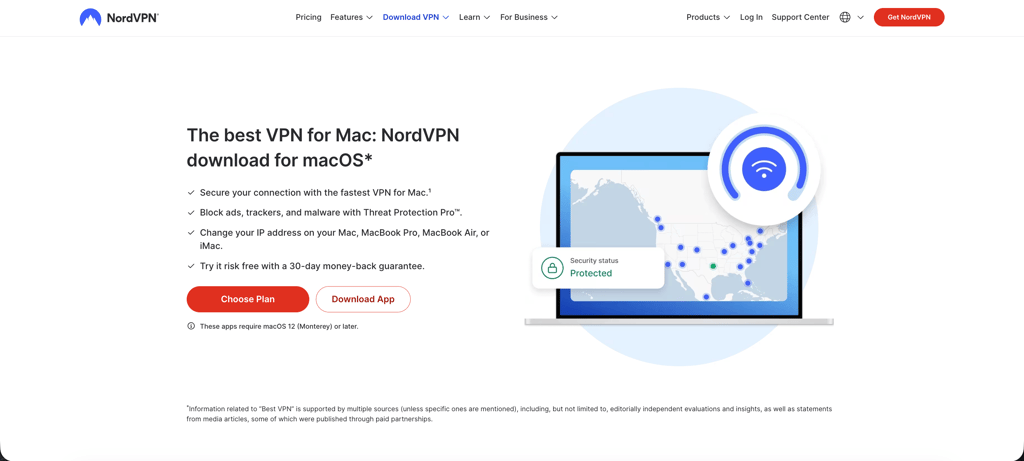
Install the VPN on your streaming device. Download the VPN app on whichever device you plan to use for streaming. Most premium VPNs support Windows, macOS, Android, iPhone, Smart TVs, Fire TV Stick devices, and even routers. Personally, I found desktop browsers and Fire TV devices to be the most reliable for streaming Turkish TV abroad.
-
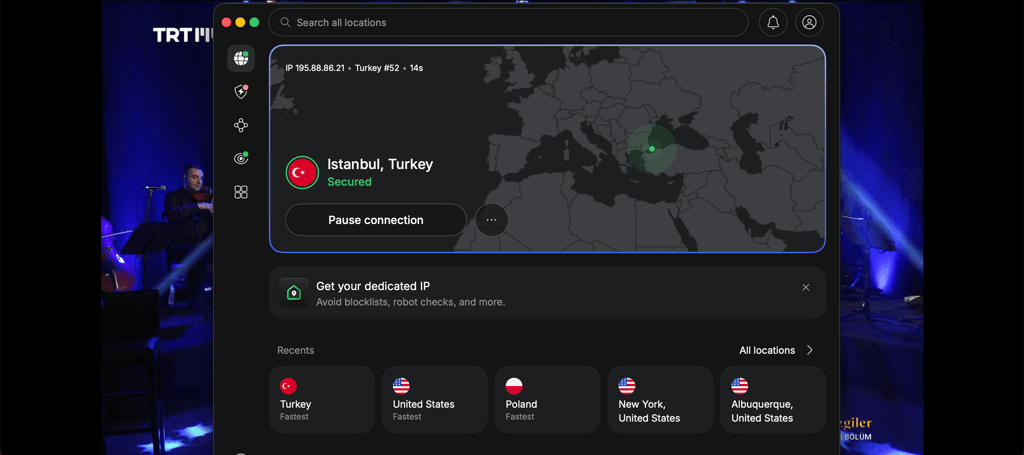
Connect to a server in Turkey. Once your VPN is set, connect to a server in Turkey. Your device will receive a Turkish IP address, which makes streaming platforms think you’re browsing from Turkey. This step will unlock any geo-blocked content.
-
Open your preferred Turkish streaming platform. After connecting to a Turkish server, go to the official streaming site or launch the app on your device. For example, TRT İzle gives you access to live TRT channels, news coverage, documentaries, and Turkish dramas, while tabii focuses more on original series and on-demand content. Sports fans can also access platforms like Exxen or beIN CONNECT Türkiye for football and international competitions.

-
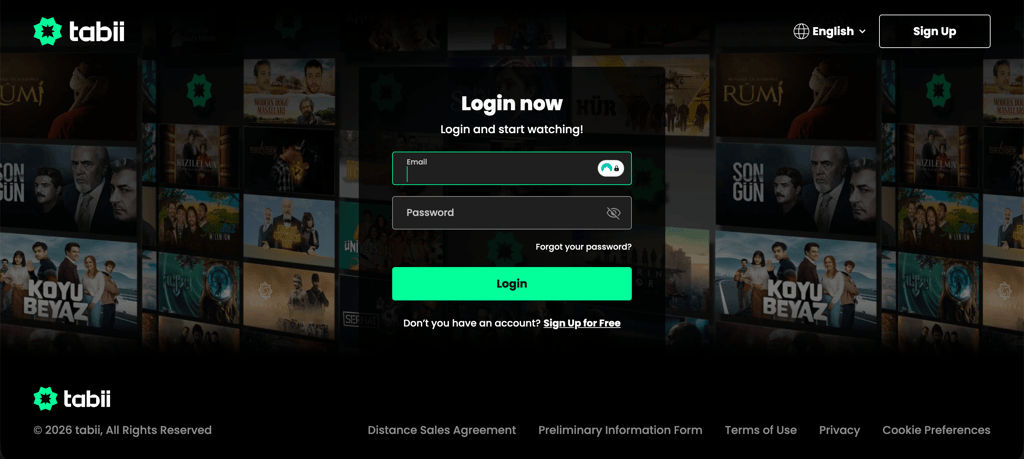
Sign in or create an account if required. On some Turkish streaming platforms, you can stream for free without registration, but on others, you might need an account to watch live channels or premium content. Paid services such as Exxen, BluTV, or beIN CONNECT Türkiye will usually require an active subscription for full access.
-
Enjoy Turkish TV from virtually anywhere. After completing all the steps above, you can start streaming Turkish live TV, local entertainment shows, sports broadcasts, and on-demand content. I’d recommend keeping the VPN connected the entire time you stream to avoid geo-blocks that might interrupt playback.

What Turkish TV channels can you watch abroad?
Turkey has one of the largest TV markets in Europe and the Middle East, including free public broadcasters, commercial live TV networks, premium sports platforms, and international stream services. If you’re outside the country, you can simply connect to a Turkish VPN server and enjoy the same Turkish streaming libraries and live channels available for local viewers. Here are some of the most popular Turkish TV channels and streaming platforms you can unlock with the help of a VPN:
| Streaming service | Free or paid | What can you watch | Notable sports/events | Account requirements |
| TRT İzle | Free | TRT live channels, Turkish dramas, documentaries, news, kids' content | FIFA World Cup 2026, Olympics, Türkiye national team matches | Free account optional |
| tabii | Free/paid | Turkish originals, TRT series, movies, live TV channels | FIFA World Cup 2026 streaming, sports documentaries | Free or premium account |
| Kanal D | Free | Turkish series, live TV, reality shows, talk shows | Sports news and event coverage | No account required |
| NOW TV Türkiye | Free | Turkish dramas, news, live broadcasts, reality TV | Sports news coverage | No account required |
| TV8 | Free | Reality TV, Survivor Türkiye, entertainment shows | Sports entertainment and occasional live sports coverage | No account required |
| BluTV | Paid | Turkish originals, movies, premium TV series | Entertainment and sports documentaries | Subscription required |
| Exxen | Paid | Live sports, Turkish TV channels, movies, series | UEFA Champions League, Europa League, Conference League | Subscription required |
| beIN SPORTS Türkiye (beIN CONNECT) | Paid | Live sports, Turkish TV channels, movies, series | Süper Lig, Ligue 1, tennis, basketball | Subscription required |
| S Sport Plus | Paid | International sports streams, documentaries, TV channels | NBA, Formula 1, MotoGP, UFC, tennis | Subscription required |
| Netflix Türkiye | Paid | Turkish originals, international movies, series | Sports documentaries | Subscription required |
| Disney+ Türkiye | Paid | Marvel, Star Wars, Turkish originals, family content | Documentary and entertainment specials | Subscription required |
A small note: while some Turkish platforms like TRT İzle let you enjoy their services for free, others, like beIN CONNECT Türkiye or Netflix Türkiye, require a paid subscription for full access.
What devices can you use to watch Turkish TV abroad?
Turkish streaming platforms are usually fairly flexible in terms of device support. Most services like TRT’s TRT İzle, tabii, and other local apps support cross-device use, especially when you’re connected through a VPN with a Turkish IP address. Here’s a list of devices you can use to stream Turkish TV abroad:
- Windows and Mac computers. Desktop browsers like Chrome or Safari are the most reliable setup you can find, as you only need to connect to a Turkish VPN server and can stream directly.
- iPhone and Android devices. Mobile streaming works smoothly with most Turkish TV apps. However, you’ll need to install both your VPN app and your preferred streaming service’s official app.
- Smart TVs (Samsung, LG, Android TV). Support varies for smart TVs. Android TVs are usually the easiest because they can run VPN apps directly. With Samsung and LG TVs, you might need Smart DNS or sharing a VPN connection from another device.
- Amazon Fire TV/Fire Stick. As many VPN providers offer dedicated Fire TV apps, the setup is really easy and works well for streaming Turkish channels on a big screen.
- Apple TV. Since Apple TV doesn’t natively support most VPN apps, you’ll need to rely on Smart DNS or router-level VPN configuration. This might be technical, but once you set it, it runs very smoothly.
- PlayStation and Xbox. Neither console supports VPN apps directly. The easiest workarounds are to route traffic through a VPN-enabled router or to share a connection from a PC.
- Routers. Installing a VPN on your router means every device on your network automatically gets a Turkish IP address. It’s especially useful if you’re trying to make a Smart TV or console behave as if it were physically in Turkey.
What to do if Turkish TV doesn’t work with a VPN?
Even if you’re using a VPN, Turkish streaming platforms might occasionally limit your streaming. Service providers might detect the VPN usage and restrict access to live streams or on-demand content. Fortunately, there are some workarounds that I’ve tested myself that can help you when Turkish TV refuses to load properly:
- Try switching servers. Some IP addresses get flagged faster than others. A quick workaround is to simply change your server – this usually resolves access issues immediately.
- Clear cookies and browser cache. Streaming platforms often rely on stored location data, so old cookies can conflict with your VPN connection.
- Use incognito or private mode. This will give you a clean session without cached location signals interfering.
- Disable GPS and location services on mobile. Mobile apps can sometimes detect your real location even when the VPN is active. Disabling GPS and location service might fix the issue.
- Switch to a browser instead of the app (or vice versa). In some cases, the web version is more VPN-friendly than the native version, or the other way around.
- Update your VPN app. Make sure that you’re using the latest VPN version. Outdated versions can struggle with newer geo-blocking systems used by Turkish platforms.
- Change VPN protocol. Switching between WireGuard, OpenVPN, or your provider’s proprietary protocol can improve stability and bypass detection.
- Contact the support team. Most VPN providers know exactly which Turkish servers currently work with streaming services and can point you in the right direction.
- Verify account requirements. Some platforms might still require a Turkey-based account setup or payment method for full access to premium content.
Final thoughts
Watching Turkish TV abroad is much easier than it used to be, but you still need to have the right setup. As streaming access is generally restricted outside Turkey due to licensing rules, a capable VPN is essential. I recommend choosing a VPN with strong performance, multiple servers in Turkey, and streaming compatibility for the best streaming experience.
After testing multiple providers, NordVPN stood out as the most reliable all-around solution. It consistently delivered fast, stable streams across Turkish TV platforms, handled live broadcasts without interruptions, and remained the easiest to use across all devices I tested. If you’re looking for alternatives, Surfshark and Proton VPN are also two reliable VPNs worth considering.
FAQ
Which Turkish channel is showing the 2026 World Cup for free?
TRT will broadcast FIFA World Cup 2026 matches for free in Turkey through channels like TRT 1 and its streaming platforms. You can stream selected matches online via TRT İzle or tabii while abroad, using a VPN to connect to a Turkish IP address.
Can you watch Turkish TV abroad for free?
Yes, you can watch some Turkish TV channels abroad for free, especially public and free-to-air broadcasters like TRT, ATV, Kanal D, and TV8. However, many of these platforms are geo-blocked outside Turkey, so you might need a VPN with Turkish servers to access their live streams and on-demand content.
How can I watch Turkish TV in the USA?
You can watch Turkish TV in the USA by using a VPN to connect to a server in Turkey and then accessing platforms like TRT’s TRT İzle, tabii, Exxen, or BluTV. Once connected, you’ll receive a Turkish IP address, which will allow you to stream Turkish live TV, dramas, sports, and news as if you were in Turkey.
Which VPN is best for watching Turkish TV abroad?
NordVPN is one of the best VPNs for watching Turkish TV abroad because it offers fast Turkish servers, reliable streaming performance, and strong unblocking capabilities. In my testing, it consistently worked with platforms like TRT İzle, tabii, Exxen, and beIN CONNECT Türkiye without major buffering or connection issues.
Can I watch Turkish TV with a VPN?
Yes, you can watch Turkish TV with a VPN by connecting to a server located in Turkey and getting a Turkish IP address. This way, you access geo-restricted platforms like TRT’s TRT İzle, tabii, and Exxen while abroad.