How to watch Survivor AU: Australia v The World outside Australia
Our in-house cybersecurity experts and journalists, renowned for major reports like The Mother of All Breaches, conduct transparent, unbiased VPN testing and in-depth analysis.
With 750+ articles crafted based on real-world research, we empower readers to make informed purchasing decisions through first-hand expertise.
Learn more

Australian Survivor: Australia v The World is now streaming on Network 10 and 10 Play after premiering on August 17, 2025. This special two-week event packs 24 returning players from Australia, the US, South Africa, and New Zealand into 15 action-filled days, all battling for a $500,000 prize. Fans can already see Survivor icons like Parvati Shallow and Tony Vlachos clash with Aussie favorites George Mladenov, Shonee Bowtell, and David Genat in what’s shaping up to be one of the most intense seasons yet.
Because of distribution rights, the show is only available in Australia and geo-restricted in the US, UK, Canada, and most other regions. The good news is that every episode is free to stream on 10play.com.au.
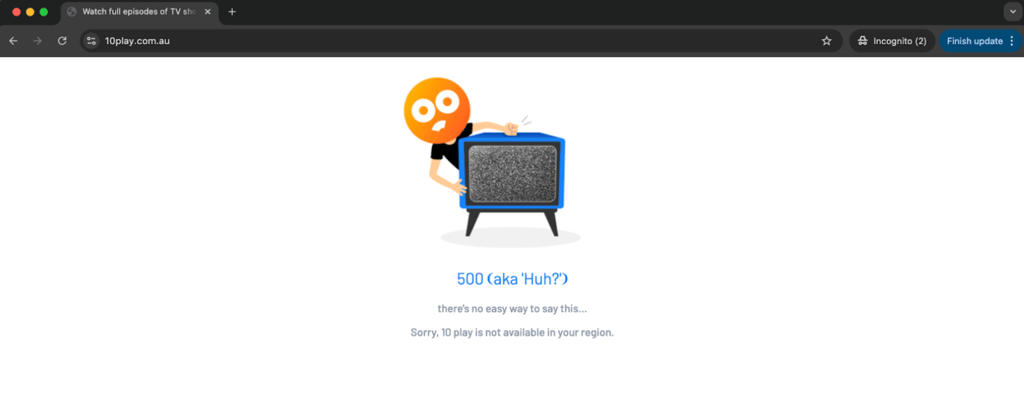
If you’re watching from outside Australia, you can still join in. By using a reliable VPN to connect to an Australian server, you’ll unlock access to 10 Play from anywhere in the world. In the guide below, I’ll show you exactly how to set it up so you don’t miss a single elimination or blindside.
How to watch Survivor AU: Australia v The World in the US with a VPN
- Choose a VPN with a range of servers in Australia. To watch Survivor AU: Australia v The World, I recommend NordVPN.
- Download and install the VPN software on your device
- Connect to an Australian server from the server list
- Head to the 10Play website and sign in or register for a free account
- Watch Survivor AU: Australia v The World from anywhere in the world for free
If you’re not familiar with using a VPN, click here to read our detailed guide on how to use one to watch Australian Survivor. The process is straightforward and only takes a few simple steps.
Keep in mind that you'll need to create a free 10Play account to watch the show. To avoid any location detection issues, I recommend using incognito/private browsing mode for the smoothest registration process. If you're facing problems registering, try deleting your browser cookies or using a browser you don't usually use to ensure no stored location cookies are interfering with the process.
During registration, you'll be asked for an Australian postal code. Simply search online for Australian postal codes and use any random one.
Why you need a VPN to watch Survivor AU: Australia v The World
Survivor AU: Australia v The World represents the ultimate clash of international Survivor legends, where the best players from different editions compete in an accelerated 15-day format. Due to distribution rights, copyright laws, and licensing agreements, this season is exclusively available on 10play in Australia and inaccessible to international viewers without proper tools.
The best way to bypass these geo-restrictions and stream the show from anywhere worldwide is by getting a premium VPN service. I recommend NordVPN, which has a 30-day money-back guarantee, allowing you to stream the entire season risk-free.

How to watch Survivor AU: Australia v The World in the UK
Unfortunately, Amazon Prime Video UK, which previously offered earlier seasons of Australian Survivor, does not have streaming rights for Survivor AU: Australia v The World. Your best option is to use a VPN to access 10Play. Here's how:
- Select a robust streaming VPN. I recommend NordVPN, now 72% off
- Download and install the app on your device
- Connect to an Australian server
- Visit 10Play and create a free account or log in
- Start streaming Survivor AU: Australia v The World and watch the international legends compete
How to watch Survivor AU: Australia v The World in Canada
Survivor AU: Australia v The World isn't available on Canadian streaming services or TV networks. However, you can easily bypass these geo-blocks using a VPN to connect to an Australian server.
- Choose a VPN with reliable Australian servers. I recommend NordVPN, now 78%% off
- Download and install the VPN software
- Connect to a server in Australia
- Navigate to 10Play and sign up for a free account
- Enjoy watching all the international Survivor legends battle it out
Meet the Survivor legends
Survivor AU: Australia v The World assembles 24 of the most iconic contestants from Survivor editions around the globe. This star-studded cast represents the cream of the crop from Australia, the United States, South Africa, and New Zealand.
Team Australia
"King" George Mladenov. The strategic mastermind from Australian Survivor: Brains v Brawn (Season 8) where he finished as runner-up, losing to Hayley Leake in a close final vote. Known for his calculated gameplay and memorable confessionals, George earned his royal nickname through his commanding presence and political maneuvering.
"Golden God" David Genat. The challenge beast and social player who dominated Australian Survivor: All Stars (Season 7), winning the season with his perfect combination of physical prowess and strategic awareness. David's golden locks and godlike challenge performances made him a fan favorite and one of Australia's most successful winners.
Shonee Bowtell. The quirky and unpredictable player from Australian Survivor: Champions vs. Contenders (Season 6) who finished 4th, known for her unique strategic approach and memorable personality. Shonee's unconventional gameplay and ability to survive elimination after elimination made her one of the most beloved Australian contestants.
Team USA
Parvati Shallow. The queen of Survivor strategy who won Survivor: Micronesia (Season 16) and finished as runner-up in Heroes vs. Villains (Season 20). Parvati is widely considered one of the greatest players of all time, known for her flirtatious strategy, alliance management, and ability to control votes through social manipulation.
Tony Vlachos. The two-time winner who claimed victory in both Survivor: Cagayan (Season 28) and Survivor: Winners at War (Season 40). Tony's "bag of tricks" approach, including spy shacks and aggressive gameplay, revolutionized modern Survivor strategy and cemented his status as one of the game's greatest champions.
International survivors
The cast also features legendary players from Survivor South Africa and Survivor New Zealand, bringing unique international perspectives and gameplay styles that have never been seen together on one season. These contestants have proven themselves as dominant forces in their respective editions, each bringing distinct strategic approaches shaped by their local Survivor cultures.
What makes this cast special?
This groundbreaking season brings together players who have collectively:
- Won multiple seasons across different countries
- Pioneered innovative strategic approaches
- Created some of the most memorable moments in Survivor history
- Demonstrated mastery of both physical and social gameplay
The condensed 15-day format promises faster gameplay, more aggressive strategies, and non-stop action as these 24 legends compete for the $500,000 prize. With no time for traditional early-game relationship building, these proven strategists must adapt their winning formulas to an accelerated timeline where every vote matters more than ever.
How to watch Australian Survivor: Australia vs The World – detailed guide
If you’re outside of Australia and want to watch Australian Survivor: Australia v The World, you can stream it for free on 10 Play. However, 10 Play is geo-restricted to Australia. With the right VPN, you can bypass these restrictions and stream the show from anywhere in the world. Below, I’ll walk you through each step, including troubleshooting tips where things commonly go wrong.
1. Subscribe to a VPN with servers in Australia
First, you’ll need a VPN that offers reliable Australian servers. Services like NordVPN and others provide multiple locations such as Sydney and Melbourne. These give you the best chance of getting stable speeds for streaming. After subscribing, download the VPN app to your device.
Troubleshooting: If your device doesn’t support VPN apps directly (for example, some smart TVs or consoles), you can install the VPN on your router or cast from a VPN-connected phone or laptop.
2. Download and install the VPN app
Install the app on your device of choice — whether that’s Windows, macOS, iOS, or Android. Launch the app and log in with your account details.
3. Connect to a server in Australia
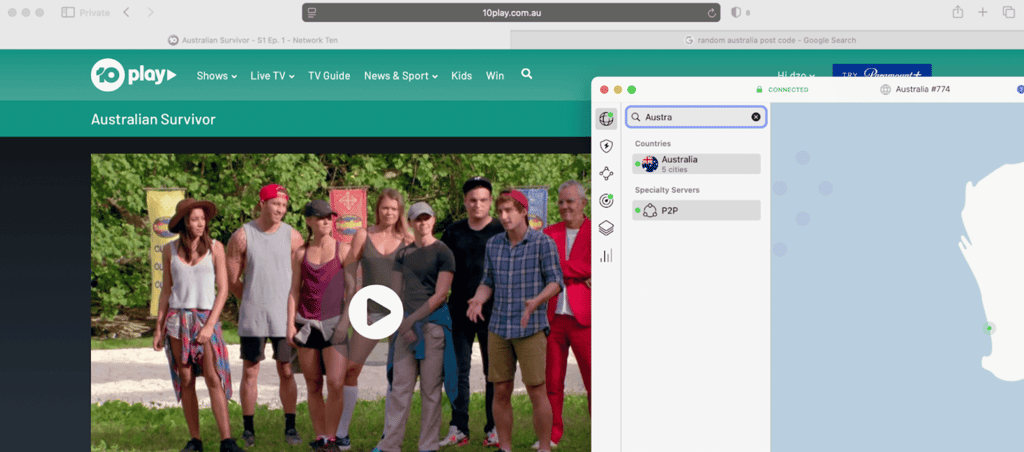
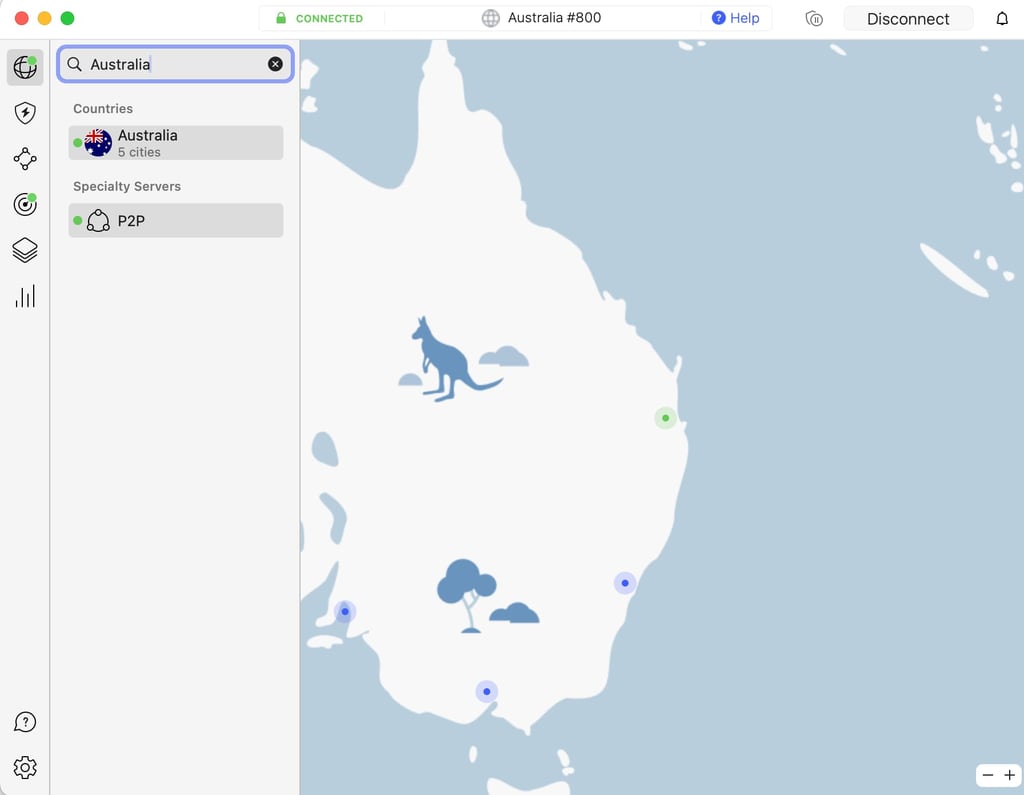
Open the VPN app, search for “Australia,” and connect to a server (Sydney usually works best). Wait until the app shows you’re connected and your IP has switched to Australia.
Troubleshooting: If you still see a “not available in your region” message on 10 Play, try switching to another Australian server, clear your browser cookies and cache, and relaunch 10 Play in an incognito/private window.
4. Create or sign into a free 10 Play account
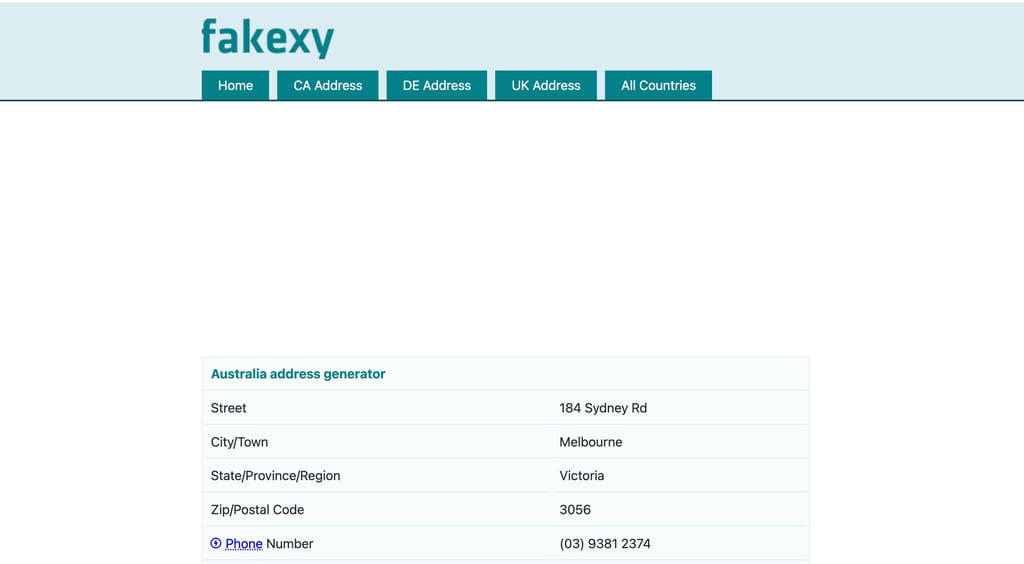
Visit the 10 Play website in your browser or open the 10 Play app. You’ll need to sign in or create a free account before streaming. During registration, you will be asked for a postcode — simply enter any valid Australian post code, such as 2000 (Sydney) or 3000 (Melbourne). You can google "Random Australian postal code" and use it.
5. Find Australian Survivor: Australia v The World and start streaming
Once you’re signed in to 10 Play, search for Australian Survivor: Australia v The World. Season 11 episodes are marked with “Sign in to watch / Stream Free.” Select an episode, click through, and press play. You can watch directly on your laptop or phone, or, if you prefer the big screen, cast to your TV using Chromecast or AirPlay. I recommend to stream on your PC — it’s the simplest setup for using a VPN — and then connect your computer to your TV with an HDMI cable for a reliable, high-quality viewing experience.
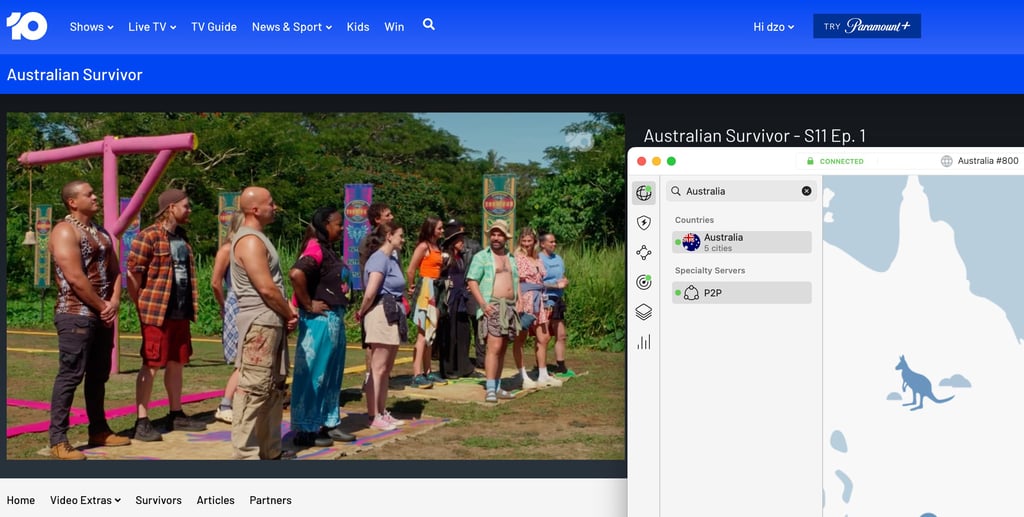
Troubleshooting VPN issues with 10Play
If you're having trouble accessing Survivor AU: Australia v The World with your VPN, try these solutions:
- Check your server connection. Ensure you're connected to an Australian server.
- Clear browser cache and cookies. This removes location data that might reveal your actual location.
- Try a different Australian server. Some servers may be detected and blocked.
- Use incognito/private browsing mode. This prevents stored location data from interfering.
- Update your VPN app. Ensure you have the latest version for optimal performance.
- Contact VPN support. Most premium VPNs offer 24/7 customer support.
Each episode will be available to stream for free on 10Play right after it airs, with full catch-up options for anyone who misses the live broadcast.
How often will Australian Survivor: Australia v The World episodes be released?
Australian Survivor: Australia v The World premiered on Sunday, 17 August 2025. This is a special shortened season with 10 episodes airing over 16 days. Instead of one episode per week, episodes are released three times a week on: Sunday, Monday, Tuesday
When is Episode 2 of Australian Survivor: Australia v The World coming out, and how can I watch it in the USA?
Episode 2 of Australian Survivor: Australia v The World airs on Monday, 18 August 2025 in Australia. Viewers outside the country, including the USA, can still watch it for free on 10 Play by using a VPN. Simply connect to an Australian server, sign in to your free 10 Play account, and stream the episode as soon as it becomes available. See the full step-by-step guide