Apple App Store now requires age verification for UK users: how to bypass it

Starting April, 2026, Apple introduced a new device-level age verification system for users in the UK with the rollout of iOS 26.4. The update changes how iPhone and iPad users access apps, as Apple now requires confirmation that users are over 18 before allowing access to certain content and features.
Unlike previous systems that relied on individual apps, this verification is applied across the entire device. As a result, age status is now tied directly to the Apple ID, which means restrictions can affect downloads, settings, and app usage system-wide.

What changed with Apple age verification in the UK
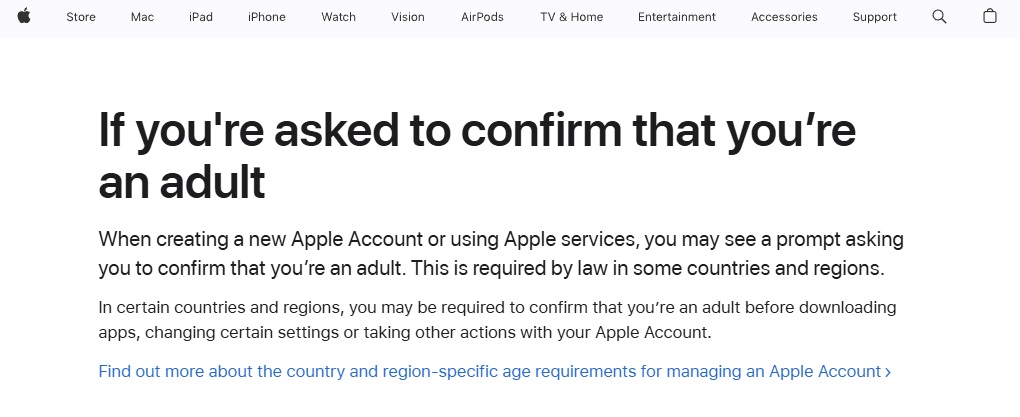
With iOS 26.4, Apple moved age verification away from individual apps and into the operating system itself. This means the device now determines whether a user can access age-restricted content, rather than each app handling checks separately.
The change is linked to the UK’s Online Safety Act, which requires platforms to ensure that users are over 18 before accessing certain types of content. Enforcement is overseen by Ofcom, and Apple’s implementation reflects a broader shift toward stricter control at the platform level.
For users, this results in a more centralized system where one verification decision applies across all apps and services connected to the Apple ID.
How Apple verifies age on iPhone and iPad
To confirm age, Apple may request additional information directly through device settings. This can include a government-issued ID such as a passport or driving licence, a credit card check, or existing account data linked to the Apple ID.
The verification prompt may appear when downloading certain apps, changing account settings, or accessing features that fall under age restrictions. If the process is not completed, the system can limit access automatically until age is confirmed.
Apple states that sensitive information is used only for verification purposes and is not stored unless the user chooses to save it, for example, by adding a payment method.
What the update means for UK iPhone users
For UK users, the update introduces a noticeable shift in how access is managed across devices. Some apps may require age confirmation before they can be installed or used, and certain settings may remain restricted until verification is completed.
Because the system is tied to the Apple ID, these restrictions can apply across multiple apps at once rather than being limited to a single service. This creates a more controlled environment, but also reduces flexibility compared to previous app-based checks.
At the same time, the availability of apps and content may now vary depending on location, as regional rules influence what users can see and access in the App Store.
How to access apps without UK-based restrictions
For users who want more flexibility, one option is to access the App Store from another region. This can change what apps are visible and available on the device.
Here’s how a VPN works in practice:
- Install a VPN app on your Apple device, like iPhone
- Connect to a VPN server outside the UK (for example, in Europe)
- Open the Apple App Store and browse available apps
- Download or access content based on connected region
This approach changes your visible location. It does not remove Apple ID verification entirely, but it can affect how regional restrictions are applied.
Apple’s device-level age verification rollout in the UK changes how access to apps is controlled, with restrictions now applied across the entire device rather than individual services. For users who want more flexibility across regions, tools like Proton VPN offer a practical way to manage how and where apps are accessed.