RayNeo Air 3s review: design, display, features and real-world use

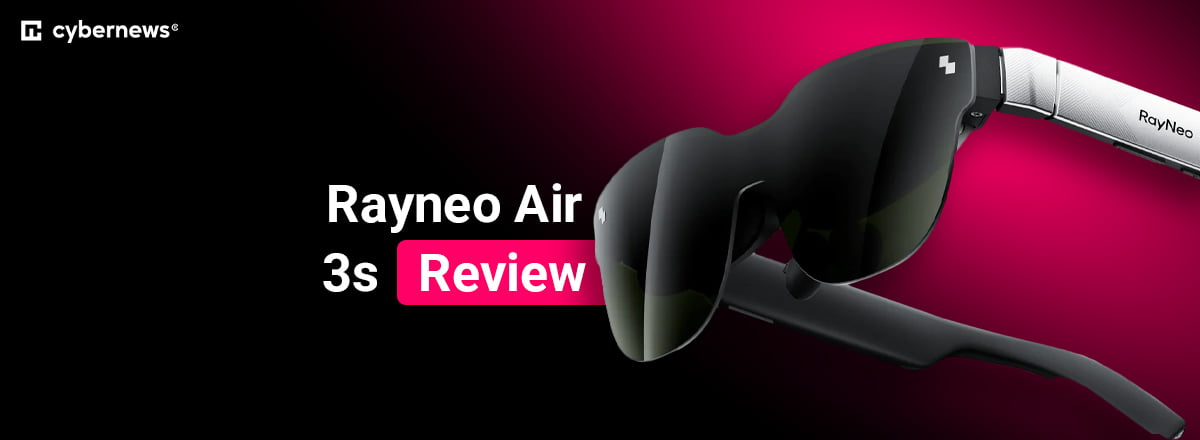
Augmented reality (AR) and extended reality (XR) smart glasses are becoming increasingly popular as more people look for portable ways to enjoy immersive content. In this review, I take a closer look at RayNeo’s latest “portable cinema” glasses, the RayNeo Air 3s, to see how they perform in terms of display quality, comfort, controls, and device compatibility. The company markets these glasses as a compact way to enjoy a big-screen viewing experience anywhere.
Together with the Cybernews research team, I analyzed the RayNeo Air 3s by reviewing official product information, technical specifications, expert commentary, and user feedback available online.
This RayNeo Air 3s review aims to help you decide whether these AR/XR glasses are worth considering. I did not personally test the device. Instead, the evaluation is based on evidence-backed information and real user experiences. In the sections below, I cover the design, display, audio, app experience, pricing, user opinions, and overall value of the Air 3s.
Quick overview of RayNeo Air 3s glasses review
In this helpful overview table, you’ll find essential information about the RayNeo Air 3s glasses. I’ve also included what I like and don’t like:
| Overall rating | 4.2/5 |
| Pricing | $269 retail, currently discounted to $219 |
| Brief description | AR glasses with 3D surround audio that turn USB-C/HDMI devices into a private 201” 1080p micro-OLED cinema experience |
| Key specs | Refresh rate: 120Hz, Brightness: 650 nits, Resolution: 1080p, Weight: 76g, Whisper Mode, 201” virtual screen, 98% DCI-P3, 200,000:1 contrast, ΔE < 2 |
Our methodology
When preparing this review, I collaborated with the Cybernews research team to evaluate the RayNeo Air 3s using a structured framework based on online research, official specifications, and real-world user experiences. Here are the weighted criteria I used:
- Design and build quality (20%). I assessed durability, comfort, ergonomics, and material quality. This is to gauge comfort over long sessions, adjustability, and portability.
- Display performance (25%). I checked brightness, clarity, field of view, color accuracy, and visual comfort. This included field-of-view (FoV), eye-comfort features, perceived sharpness, and brightness.
- Controls and sound (20%). I evaluated the responsiveness of controls, usability, speaker performance, and compatibility. Some areas were button ergonomics, speaker quality, and privacy modes.
- App and software experience (20%). I looked at stability, ease of navigation, available modes, and customization. This included setup issues, features, and third-party compatibility.
- Price and value (15%). I assessed market positioning, feature-to-price balance, and competition. All of the former criteria combined affected this score.
The goal is to help you make an informed decision based on a combination of research and community feedback, not hands-on testing.
RayNeo Air 3s glasses: design and build
The Air 3s glasses are a folding (spring-loaded arms), sunglasses-style frame that seems sturdy and comfortable on the face. The company states they weigh 76g – light enough even for longer movie sessions – so these are more comfort-focused instead of a dense, premium feel. That’s over double the weight of a standard pair of Oakleys or Ray-Bans – but still considered light for wear. Regarding the feel of these glasses, it’s more plasticky and hollow, rather than heavy metal – good for nose bridge comfort. The arms include an embedded metal material for reinforcement.
There’s good fit adjustability – the manual describes a three-level nose pad distance (far/medium/near) and three temple angles – which should help you fine-tune image alignment and reduce edge blur. Plus, the brand highlights a “9-point FlexiFit” system and that the glasses cover over 90% of interpupillary distances.
The company also includes a prescription-lens demo frame sample in the box – facilitating the transition to prescription smart glasses. There are no color options other than the standard black/silver frame combination at the moment.
RayNeo Air 3s glasses: display
These glasses have a bright screen – claimed to be a virtual “201-inch” screen (at 6m) – with “HueView” micro-OLED technology and 1920x1080 resolution for each lens. The brightness is 650 nits, there’s a 120Hz “Game Mode,” 46° FoV, and impressive color technology including: 98% DCI-P3, 145% sRGB, ΔE < 2, and 200,000:1 contrast.
Reviewers said the image is sharp across the panels, while the edges are more focused than earlier RayNeo models. The display was one aspect most reviewers praised consistently.
You get three color profiles to tune saturation, while the 46° FoV was reported as cinema-like for feature-length movies. For gaming, though, some reviewers said Heads-up-Display (HUD) readability in the corners was affected.
Productivity-wise, one user said the lack of Three Degrees of Freedom (3DoF) was a deal-breaker – adding that other top AR smart glasses models include it. Other criticisms included distracting reflections and transparency issues in moderate indoor light.
Regarding comfort-related criticisms from reviewers, I found some that described mild pressure after multi-hour, and the repeated adjustment of the glasses on public transport. Then again, multiple users said they’ve worn the glasses for hours without strain.
RayNeo Air 3s glasses: controls and sound
RayNeo has physical buttons on the temple areas, not touch controls. The right temple controls brightness levels via two buttons. The left temple controls volume, plus shortcuts to Whisper mode – with two buttons. There’s a menu button on the left temple to access settings.
Navigating is done via the volume buttons, while selecting is via the menu button – holding for exit. For 2D/3D, press a volume and a brightness button at the same time. In the RayNeo XR app, your phone is the controller – move it to control the ray, tap to confirm, and swipe to turn pages. Several reviewers say the layout is intuitive overall – following an initial learning curve.
Regarding sound, the RayNeo Air 3s has “quad speakers with dual opposing acoustic chambers” that provide “rich, bass-enhanced sound.” Meanwhile, “Whisper Mode 2.0” is designed to minimize sound leakage. Reviewers say the audio is “surprisingly good” and enjoyable especially for movies – though earbuds still win for privacy and bass. Unlike some rivals, the RayNeo Air 3s do not feature a built-in microphone.
RayNeo Air app experience
The “RayNeo XR” app has an “XR space” layer on top of basic screen mirroring. From the device manual, I read that it supports settings and customization such as color mode, Whisper Mode, and firmware controls. It also has built-in areas like a game center, film/TV apps, and an area for downloaded applications.
RayNeo’s local player supports 2D/3D playback, external subtitles (SRT/ASS), and NAS private cloud storage. On iPhone, you can enable Smart Photo Conversion (2D to 3D) and Spatial Video Viewing when iOS/device compatibility requirements are met.
Setup seems straightforward if your device is compatible – but users have noted some strange issues here. I personally haven’t found the Android app listed on the Google Play Store, and users have confirmed that download is via an APK file from RayNeo’s site. Plus, others have complained about needing an account, and one reviewer said the app “doesn’t function at all” on their Pixel 9 Pro though the display worked. Either way, the app isn’t required for plug-and–play viewing.
RayNeo Air 3s: price and availability
The RayNeo Air 3s’ general price range is $219-$269 on its official website – which may differ on other websites/stores. Remember, your final total may increase if you need an HDMI-to-USB-C adapter or JoyDock (consoles) and Switch use.
In terms of availability, it’s definitely strongest through the official RayNeo website, but Best Buy in the US is another popular option. The Air 3s is sold globally – including the US, Canada, Australia, Japan, Malaysia, plus several EU countries (via the RayNeo EU site). In fact, the EU options seem more expensive than the US options.
I like that RayNeo prices its product lower than many close rivals – but still offers that beautiful display that many reviewers rave about. For instance, the XREAL Air 2 Pro is currently $299 discounted, while the VITURE Luma is $399. The Rokid Max 2 – another competitor – costs $309. This tells me that the Air 3s is cheaper than competitors, even when they discount.
Using RayNeo Air 3s
The RayNeo Air 3s are plug-and-play “display glasses.” Where compatible, you connect the included USB-C cable to the right temple area, then connect the other end to a device that supports USB-C DisplayPort (DP). You can also use the app for more features, but that’s not necessary to fire up the display.
Here’s what’s compatible, according to the documentation: the iPhone 15 and later, many Android models with DP, MacBooks, Windows PCs, Steam Deck, and ROG Ally. For iPhones with the Lightning connector, RayNeo recommends Apple’s “Lightning Digital AV Adapter” plus a powered HDMI-to-USB-C adapter. For use with PS4/PS5 and Xbox, RayNeo also says to use an HDMI-to-USB-C adapter with “Power Delivery.” JoyDock is suitable for Nintendo Switch.
Based on reviewers’ discussions, people see the Air 3s as a device for entertainment – for streaming and movies, but gaming can also feel immersive. Productivity isn’t something reviewers use the Air 3s for. Generally, the Air 3s is liked for its portability, packability, and for not being too conspicuous in public.
RayNeo Air 3s glasses: user reviews
I’ve taken a look at legitimate RayNeo Air 3s reviews on Reddit and Trustpilot for more insights into this device. The praise is clearly centered on image quality – with people describing a sharp, bright display with rich colors. Many said the display is immersive for movies and gaming.
Comfort was another praise area – with people raving about the light weight for longer sessions, travel, and how easy they are to pack compared to a virtual reality (VR) headset. On Trustpilot, I saw people praise the responsive customer service – like troubleshooting and replacements.
That said, there was negative feedback from several reviewers across both platforms – particularly around viewing conditions and software. People frequently mentioned internal reflections and light leakage – noting that the glasses work best in dark rooms and that outdoor daylight should be avoided. Others said the corners of the image were hard to see in full view. As for the app, some users reported that installing the Android APK app was confusing, while others found their devices were incompatible.
Final verdict: is RayNeo Air 3s glasses worth it?
While working on this RayNeo Air 3s review, I felt that the RayNeo Air 3s AR glasses are strong value – with good audio to boot. The target seems to be travelers who want a packable, large virtual screen, and streamers or movie-viewers who want to relax and watch content in a dark room – just don’t get them for outdoor use.
The online reviews and my research surfaced several drawbacks – light leaks, compatibility issues, and weak app support for Android. Still, at $219 (current discount), these seem worth a try for entertainment purposes.
FAQ
Are RayNeo Air 3s glasses compatible with all smartphones and laptops?
No, RayNeo Air 3s works optimally with devices that support DP output via USB-C. RayNeo lists many compatible devices, but also states that the list is “not exhaustive.” Check if your device has DP output. For some phones – and iPhones with the Lightning connector – you’ll need to purchase extra adapters.
Do RayNeo Air 3s glasses support prescription lens inserts?
Yes, RayNeo includes a prescription-lens frame demo sample in the box. You can take this insert to your optician for custom inserts. Also, Lensology is RayNeo’s official optical partner – and notes support for myopia from 0 to -10.00D and astigmatism up to -2.00D.
Is the RayNeo Air 3s suitable for outdoor use?
No, it’s far from optimal – especially not in outdoor daylight. Many online reviewers have reported reflections, transparency issues, and light leaks even in moderately lit spaces. Some have described outdoor use as “out of the question” unless light-blocking solutions are used.
What accessories are required to use RayNeo Air 3s with gaming consoles?
For PS4/PS5 systems and Xbox systems, RayNeo recommends an HDMI-to-USB-C adapter with “Power Delivery.” For Nintendo Switch systems, RayNeo recommends the JoyDock accessory as the most suitable plug-and-play option.
How does RayNeo Air 3s compare to other AR display glasses in its price range?
It competes very well, especially display-wise. At $269 MSRP – even without the discount – it’s significantly cheaper than popular rivals like the XREAL Air 2 Pro and VITURE Luma while still offering a display that many reviewers say is very impressive.