Dad Can't Draw
Last updated: June 16, 2026
What is Dad Can't Draw?
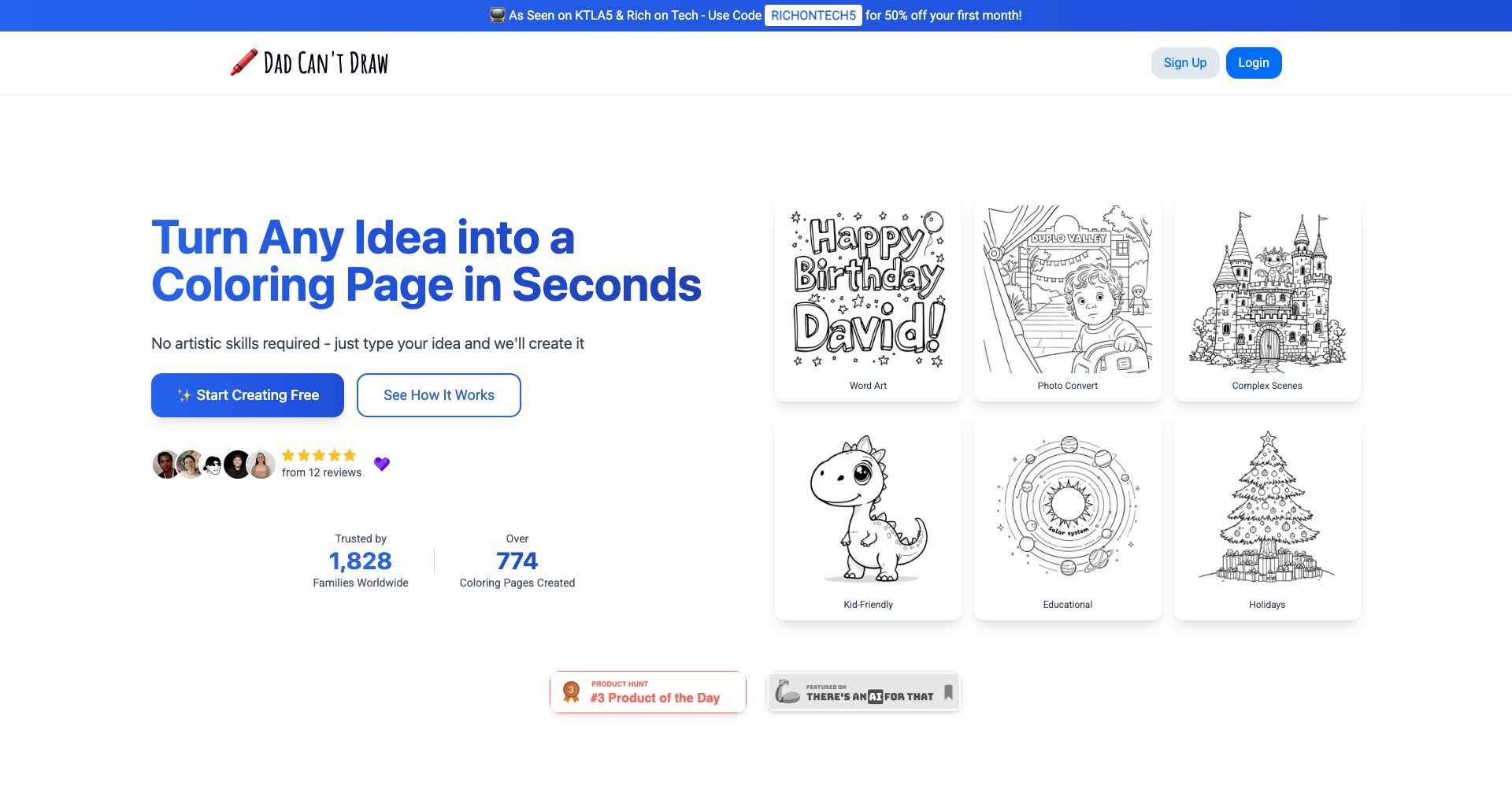
Dad Can't Draw is an AI-assisted drawing platform that helps users bridge the gap between imagination and artistic execution. Designed by indie developer Andy Howell, this app allows anyone—from children to adults—to quickly sketch an idea and watch as AI brings it to life as a finished illustration.
Whether you're a beginner adding whimsy to your doodles or a parent wanting to share creative moments with your kids, Dad Can't Draw is designed to be approachable, user-friendly, and entertaining. The platform’s main draw is its ability to turn even the simplest stick figures into vibrant, personalized works of art.
Key Features:
-
AI-Powered Art Enhancement:
Users provide a basic sketch or stick figure, and the AI reimagines it as a detailed and polished illustration. This feature allows those with little to no drawing skills to express their creativity and see professional results. -
User-Friendly Drawing Interface:
The clean interface encourages experimentation and removes barriers commonly found in more complex art programs. Simple tools and canvas options make sketching natural for all ages. -
Share and Download Options:
Once your creation is complete, you can easily save or share your AI-generated artworks via social media or direct download. This streamlines sharing creative projects with friends and family. -
Prompt-Based Customization:
Add descriptive prompts to guide the AI in style, mood, or detail, providing an extra layer of creative control. This feature helps users tailor the outcomes to their preferences. -
No Account Required:
Users can access the majority of features without signing up, making the platform instantly accessible and reducing friction for new visitors.
What makes Dad Can't Draw unique?
Dad Can't Draw stands out due to its focus on accessibility and instant gratification—users need only draw the simplest figures or doodles to unlock the magic of AI illustration. Many competitor platforms require artistic ability or a steep learning curve, but here, creativity takes center stage, regardless of skill.
The app’s playful branding and quick, seamless creation process foster a non-intimidating environment for families, educators, and casual creatives. Its blend of simplicity, AI strength, and sharing ease distinguish it in a market often filled with complex or expensive digital art solutions.
Pros and Cons
Who is using Dad Can't Draw?
Children and Families: Parents and kids can collaborate on fun drawings, using the app as a digital sketchpad that brings ideas to life. It promotes creativity without any technical hurdles.
Creative Novices: Those with little drawing skill who still want to create vivid, shareable art will enjoy how the AI enhances and completes their sketches.
Teachers and Educators: Educators looking for engaging classroom activities can use Dad Can't Draw to introduce students to digital creativity in a friendly and approachable way.
Evolution and Improvements
Since its initial launch, Dad Can't Draw has expanded its AI model to understand a wider variety of sketches and deliver more nuanced illustrations, offering progressively better results.
The user interface has become cleaner and more responsive, supporting more devices and integrating smoother sharing features as user feedback guided iterative improvements.
Recent updates have introduced prompt-based customization and a Pro version, adding value for users seeking personalized results and supporting the platform's sustainability.
Pricing
| Plan | Price | About |
| Free Version | $0 | Provides basic drawing and AI enhancement features, but output contains a watermark. |
| Pro Upgrade (One-Time) | $14.99 (one-time) | Unlocks watermark-free downloads, higher resolution outputs, and access to enhanced features. |
Verdict
Dad Can't Draw delivers a delightful experience for anyone looking to turn rough sketches into impressive digital art without the intimidation of advanced tools. Its approachable interface, playful branding, and AI-driven transformations make it a standout option for families, children, and creative enthusiasts of all skill levels.
While professionals may miss advanced editing options, the app succeeds in making art creation accessible and enjoyable. The free version provides ample opportunity to experiment, while the affordable Pro upgrade removes limitations for those who want more. Overall, it's a charming, effective tool for casual artists and parents exploring creativity with their kids.


