ImageSorter
Last updated: June 16, 2026
What is ImageSorter?
ImageSorter is a modern solution for anyone struggling to manage large collections of digital images. Using cutting-edge AI algorithms, ImageSorter analyzes and sorts image files based on content, metadata, and even custom tagging, allowing users to find what they need seamlessly and efficiently.
Whether you are a professional photographer with thousands of photos or a business managing diverse visual assets, ImageSorter takes the pain out of manual organization. With an intuitive interface and powerful automation, ImageSorter redefines how you interact with your visual content.
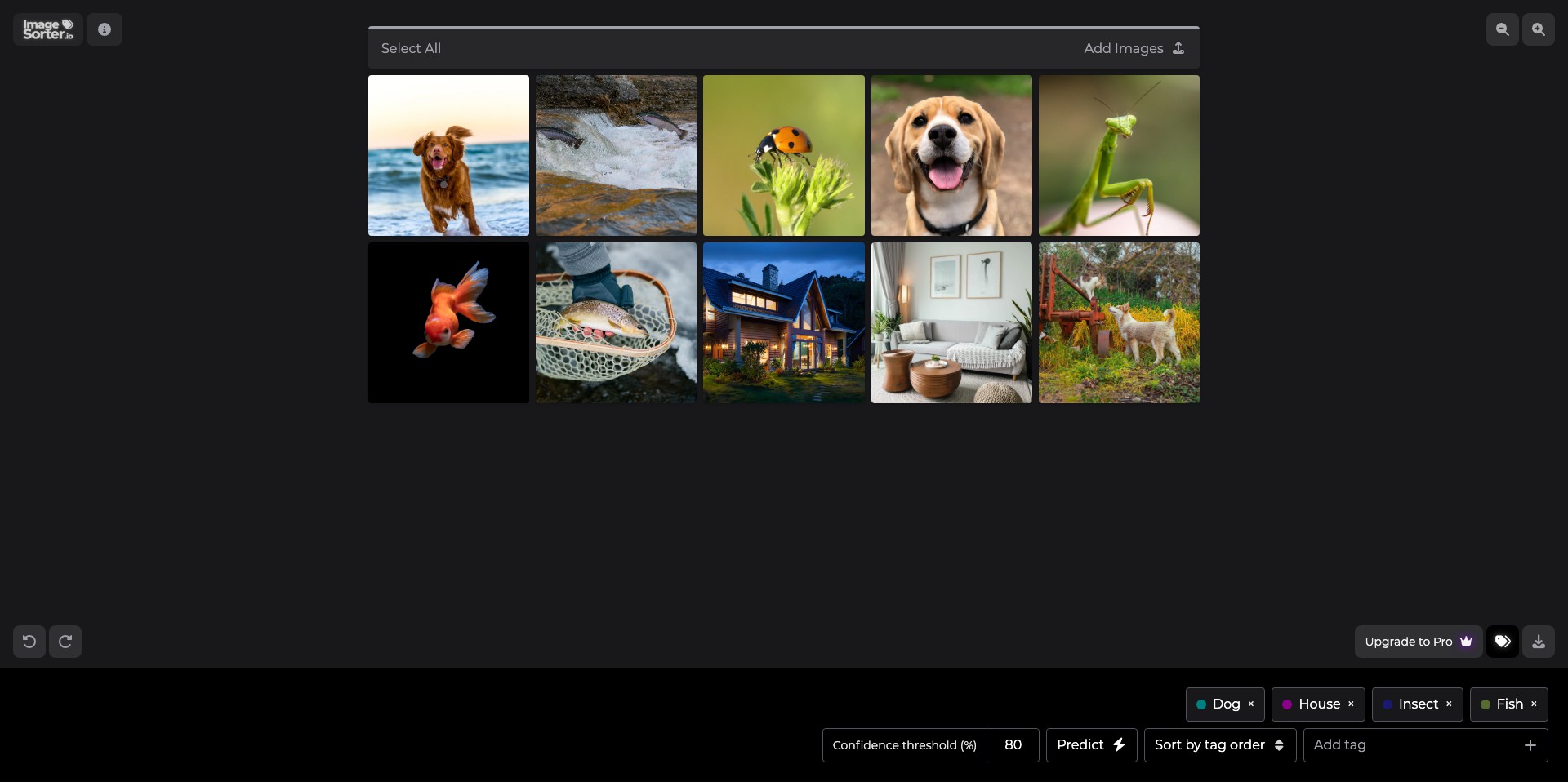
Key Features:
-
AI-Based Categorization:
Automatically detects objects, scenes, and faces within images and groups them accordingly. This allows for rapid sorting and easy discovery of specific types of images. -
Custom Tagging & Search:
Offers users the ability to add and manage custom tags, making search functionality more powerful by allowing complex, multi-faceted queries. -
Bulk Actions:
Lets users apply actions (such as move, delete, or annotate) to large groups of images at once, saving time and effort. -
Cloud Sync & Backup:
Synchronizes image libraries across multiple devices and provides secure cloud backup, ensuring your images are always accessible and safe from loss. -
Smart Duplicate Detection:
Uses advanced similarity detection to find and suggest removal of duplicate or near-duplicate images, keeping your library clean and organized.
What makes ImageSorter unique?
What distinguishes ImageSorter in the crowded space of digital asset management is its robust use of AI to perform deep image analysis and categorization. Unlike basic sorting software, ImageSorter leverages machine learning to continuously improve accuracy and adapt to your organization habits.
Its seamless cloud integration and the ability to work efficiently with very large libraries set it apart for professionals who require speed and reliability. The combination of automation and customizable features provides a flexible experience tailored to different workflows.
Pros and Cons
Who is using ImageSorter?
Professional Photographers: Photographers with extensive portfolios benefit from ImageSorter's fast organization, smart tagging, and duplicate detection, allowing them to focus more on creativity and less on manual sorting.
Marketing Teams: Marketing professionals handling hundreds or thousands of visual assets can use ImageSorter to keep campaigns organized, track usage rights, and quickly find relevant images for projects.
Small Business Owners: Small businesses looking for an affordable, user-friendly way to organize product photos and promotional materials will find ImageSorter invaluable for daily operations.
Evolution of ImageSorter
Since its initial launch, ImageSorter has continuously refined its AI engine, improving both speed and accuracy in image analysis and categorization.
It has added new features like smart duplicate detection, enhanced cloud syncing, and flexible custom tagging options based on user feedback.
Ongoing development focuses on scaling for even larger libraries and further enhancing privacy controls to address user concerns over cloud storage.
Pricing
| Plan | Price | About |
| Free | $0 | Basic features with limited cloud storage and access. |
| Pro | $9.99/month | Access to advanced AI features, increased cloud storage, and priority support. |
| Business | $29.99/month | Multiple user accounts, team libraries, and enhanced security options. |
Verdict
ImageSorter is a top-tier tool for anyone facing the challenge of managing large image libraries. Its AI-driven sorting and tagging dramatically simplify workflows, and the overall experience is fast, flexible, and user-friendly.
While advanced features require a paid subscription, the depth of its functionality and ongoing improvements make ImageSorter an excellent value for photographers, marketers, and small businesses seeking to maximize efficiency.


