SageBrush
Last updated: June 16, 2026
What is SageBrush?
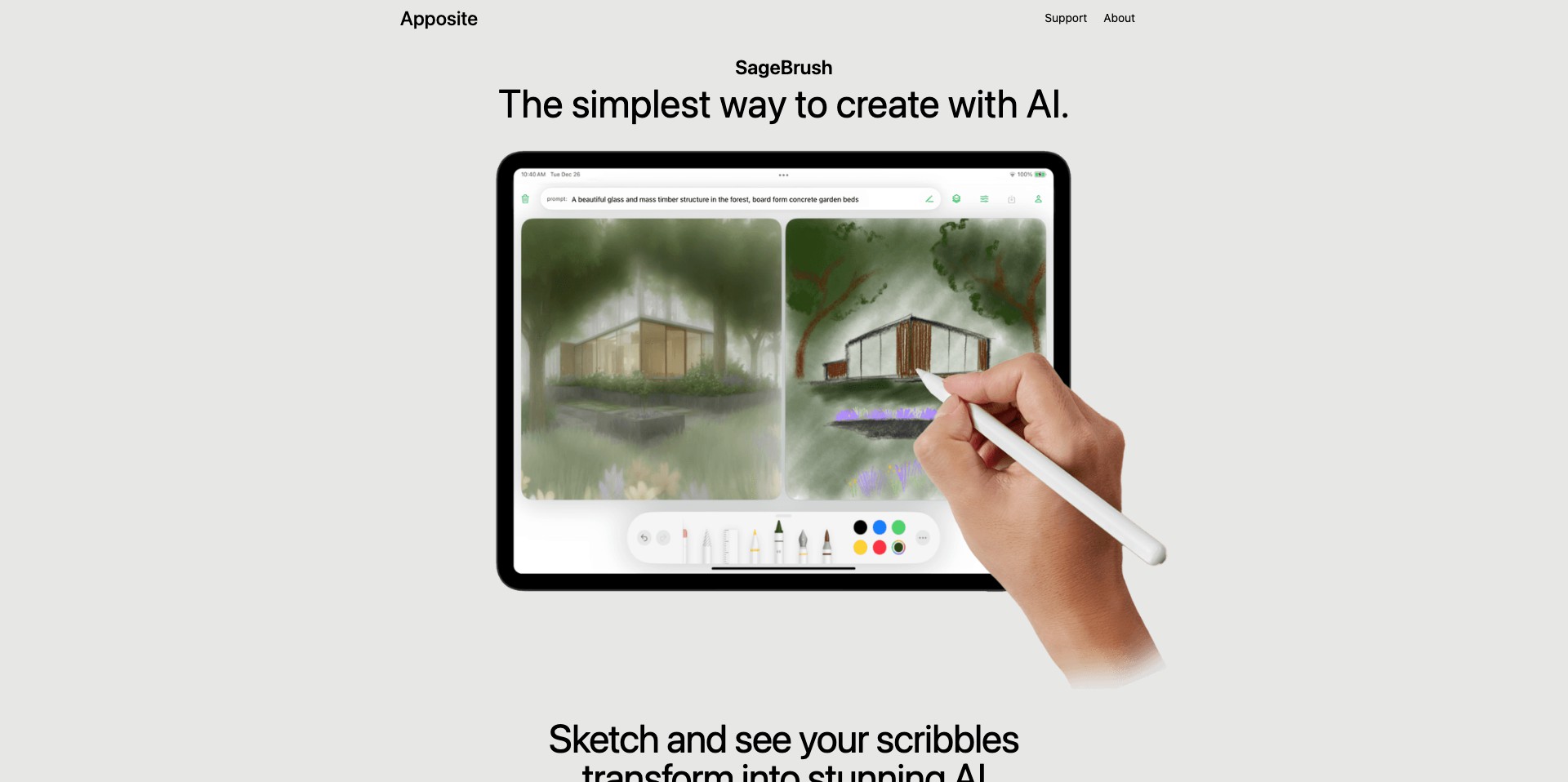
SageBrush is a next-generation digital illustration and image-generation platform harnessing the power of artificial intelligence to transform the way users create art. Designed for artists, designers, and creative hobbyists, this tool streamlines the process of turning ideas into vibrant illustrations and sketches. It provides a suite of intuitive features, including sketch enhancement, colorization, and AI-powered style suggestions tailored to help users produce visually compelling illustrations rapidly.
Unlike traditional drawing software, SageBrush integrates generative AI to support both beginners and professionals with smart automation. Whether it's expanding rough sketches into detailed pieces or experimenting with different artistic styles, the platform's intelligent algorithms offer a unique blend of creative freedom and efficient guidance. SageBrush's seamless workflow and user-centric interface make it a standout choice for anyone seeking to elevate their digital artwork production.
Key Features:
-
AI Sketch Enhancement:
SageBrush analyzes user sketches and offers intelligent enhancements—refining line quality, correcting proportions, and infusing depth for a polished look. Creators can turn basic outlines into professional-grade illustrations effortlessly. -
Automatic Colorization:
With a single click, SageBrush colorizes black-and-white sketches using palette suggestions or custom styles. This feature accelerates the coloring process and allows for easy color experimentation. -
Style Transfer and Suggestions:
The platform uses AI to recommend and apply diverse artistic styles, from classic to contemporary. Users can preview, swap, and personalize visual styles, making the creative process infinitely flexible. -
Generative Backgrounds:
Creators can generate unique, context-aware backgrounds based on their main subject, eliminating the need for complex masking or manual painting. This feature helps situate characters or objects in visually stunning settings instantly. -
Collaborative Workspaces:
SageBrush offers shared canvases and version history, enabling real-time collaboration among teams or within a classroom setting. Feedback tools and annotation features foster creative teamwork and iterative refinement.
What makes SageBrush unique?
What sets SageBrush apart from its competitors is its focus on blending intuitive manual illustration tools with powerful, context-adaptive AI assistance. Unlike many generative art tools that primarily focus on text-to-image capabilities, SageBrush caters to users who want a hands-on, iterative design process, giving detailed control at every stage while still leveraging automation.
Furthermore, its collaborative workspace features provide a unique avenue for group creativity, making it an attractive choice for design teams, art instructors, or collaborative projects. The ability to seamlessly transfer styles, auto-generate contextual backgrounds, and enhance user sketches in real-time positions SageBrush as more than just an AI art generator—it's a comprehensive creative assistant.
Pros and Cons
Who is using SageBrush?
Professional Illustrators: Illustrators looking to speed up their workflow and enhance productivity can leverage SageBrush's smart features to produce high-quality client work with less manual effort.
Design Teams and Agencies: Designers collaborating on branding, advertising, or media projects benefit from SageBrush's real-time collaborative workspaces and rapid prototyping capabilities.
Art Students and Educators: Art educators and students find SageBrush valuable for learning, providing an interactive platform for experimenting with styles and receiving feedback in a collaborative environment.
Evolving Creative Intelligence
SageBrush began as a digital sketch enhancement tool, offering basic correction and clean-up features for artists seeking to digitize hand-drawn work. Early iterations focused on streamlining the sketch-to-illustration workflow, quickly gaining traction among digital art enthusiasts.
As AI technologies matured, SageBrush incorporated more sophisticated features such as automatic colorization and generative backgrounds. The development team expanded its AI model's exposure to diverse art styles, making the style transfer feature increasingly impressive and valuable.
Recently, the platform has put a strong emphasis on collaborative tools, responding to user demand for real-time co-creation. Version histories, shared canvases, and feedback annotation have transformed SageBrush from a solo creative tool into a hub for collaborative and educational digital artistry.
Pricing
| Plan | Price | About |
| Free Tier | $0 | Access to core sketch enhancement and basic colorization features with limited usage per month. |
| Pro Subscription | $15/month | Unlocks full access to style transfer, advanced colorization, generative backgrounds, and unlimited usage. |
| Team Plan | $40/month | Adds collaborative workspace, multi-seat access, and priority support for design teams or classrooms. |
Verdict
SageBrush stands out as a nuanced blend between traditional illustration software and advanced generative AI, serving both creative professionals and casual users. Its intuitive features, especially AI-powered sketch refinement and style transfer, make it an excellent asset for anyone looking to enhance their digital artwork.
While some advanced functionalities are gated behind a subscription paywall, SageBrush's generous free tier allows for meaningful experimentation. Its collaborative capabilities, combined with ever-improving AI enhancements, make it well-suited for designers, artists, students, and creative teams eager to accelerate and enrich their creative process.


