Sketch Ai Drawing To Art Maker
Last updated: June 16, 2026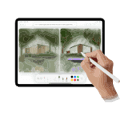
What is Sketch Ai Drawing To Art Maker?
Sketch Ai Drawing To Art Maker is an innovative app that empowers users to turn their basic hand-drawn sketches into visually captivating digital artworks using artificial intelligence. The platform is designed to be user-friendly, catering to people with varying artistic skills, from absolute beginners to experienced digital artists.
With a few taps, users can upload or create a line drawing, select their preferred art style, and watch as the AI rapidly generates a refined, high-quality piece based on their input. It's a powerful blend of creativity and technology, making digital art creation accessible and enjoyable for all.

Key Features:
-
AI-Powered Art Transformation:
The core feature converts sketches into stunning pieces of art by applying advanced AI algorithms, removing the manual labor while maintaining creative control. -
Multiple Art Styles:
Users can choose from a range of artistic styles—such as watercolor, oil painting, anime, or comic—to stylize their creations according to their preferences. -
Intuitive Drawing Tools:
Built-in drawing tools allow users to sketch directly within the app, providing basic pencils, brushes, and erasers for on-the-go creativity. -
Customizable Output:
After transformation, users can adjust parameters such as color saturation, sharpness, and style intensity to fine-tune the final artwork. -
Easy Sharing Options:
The platform enables effortless sharing on social media or direct downloads, making it easy for users to showcase their creations or use them in personal projects.
What makes Sketch Ai Drawing To Art Maker unique?
What sets Sketch Ai Drawing To Art Maker apart is its seamless combination of AI-driven image processing with an artist-friendly interface. Unlike generic photo editors, this platform is purpose-built for converting hand-drawn sketches into genuinely artistic renderings, not just filtered images.
Additionally, the app’s capacity to handle a variety of art styles and its real-time previews make it a versatile tool for creative experimentation. The freemium pricing model also lowers the barrier for entry, encouraging exploration by artists of all levels without upfront costs.
Pros and Cons
Who is using Sketch Ai Drawing To Art Maker?
Aspiring Artists: Beginners and hobbyists seeking new ways to create and share artwork will find the app accessible, intuitive, and liberating, making digital artistry less intimidating.
Professional Illustrators: Professionals can rely on the app to streamline their workflow, rapidly generating concept art or style variations to present to clients.
Social Media Creators: Content creators and influencers benefit from the app’s quick and vibrant outputs, enabling them to produce eye-catching visuals for platforms like Instagram and TikTok.
Continuous Enhancement
Since its launch, Sketch Ai Drawing To Art Maker has regularly updated its feature set, initially starting as a basic sketch-to-color tool and rapidly evolving into a full-featured art transformation platform.
Developers have added additional artistic styles, improved AI models for more accurate and vibrant outputs, and incorporated user feedback to enhance usability and customization options.
Recent updates have introduced better social sharing integration, higher-resolution export capabilities, and subscription-based access to premium features.
Pricing
| Plan | Price | About |
| Free Version | $0 | Includes basic features, several art styles, and standard export resolution. |
| Premium Subscription | Approx. $4.99/month or $29.99/year | Unlocks advanced styles, high-resolution exports, unlimited transformations, and priority updates. |
| One-Time Purchases | Varies (typically $1-5 per pack) | Allows users to purchase additional style packs or features without a subscription. |
Verdict
Sketch Ai Drawing To Art Maker is a remarkably accessible yet robust tool for anyone interested in transforming sketches into polished digital art. Its broad suite of AI-powered features and intuitive interface make it an excellent starting point for budding artists, while its customization options and upgradable features appeal to more experienced users.
While some limitations exist due to its freemium structure and style specificity, the app stands out for its inclusivity and creative empowerment. Those looking for a quick, enjoyable way to turn ideas into beautiful art will find tremendous value here.


