Windframe
Last updated: June 16, 2026
What is Windframe?
Windframe is a next-generation visual builder tailored for developers and designers who love building modern web frontends with Tailwind CSS. Designed to dramatically accelerate the UI/UX design process, Windframe’s platform blends visual drag-and-drop design tools with a powerful code export feature, allowing users to rapidly prototype, customize, and deploy web pages.
Whether you’re a freelance web developer, a product designer, or part of a software team, Windframe provides an intuitive workspace brimming with ready-made Tailwind UI components and templates. Its easy integration with existing codebases makes it an ideal solution for creating visually compelling, production-ready websites without sacrificing code quality or flexibility.
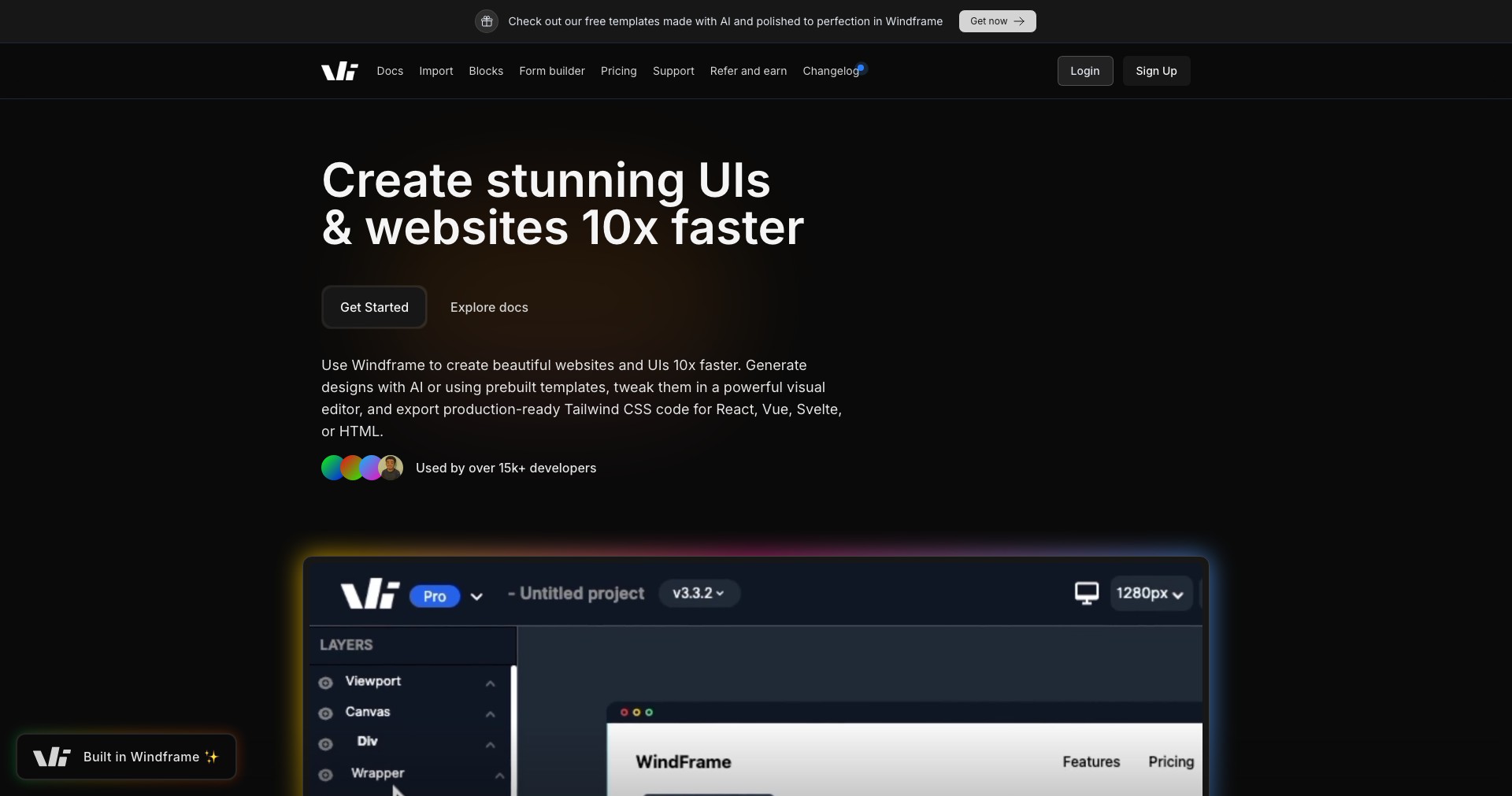
Key Features:
-
Visual Drag-and-Drop Designer:
Easily bring your ideas to life by arranging prebuilt Tailwind CSS components via a powerful drag-and-drop editor. This visual interface removes the barrier between design and development, letting you focus on creativity. -
Extensive Tailwind UI Kit:
Access a comprehensive library of over 900 ready-to-use, customizable Tailwind CSS components and templates, speeding up design tasks while ensuring consistent, professional UI standards. -
One-click Code Export:
Instantly export clean, production-ready HTML and Tailwind CSS code, making it easy to plug your designs directly into any framework or technology stack. -
Real-time Preview:
Preview your designs instantly as you make changes, ensuring pixel-perfect outcomes and minimizing back-and-forth between mockup and deployment. -
Responsive Design Support:
Design and test sites for multiple devices and screen sizes effortlessly, leveraging Tailwind’s responsive utilities combined with the visual builder’s adaptive tools.
What makes Windframe unique?
What sets Windframe apart is its deep integration with Tailwind CSS, setting it above generic no-code or low-code builders. Instead of using proprietary frameworks or generating bloated styles, Windframe outputs pure Tailwind CSS code, ensuring optimal performance and developer control.
Additionally, Windframe stands out by offering a vast, regularly updated curated component library, along with advanced customization via a visual editor that truly bridges the gap between designer sketchboards and developer tools. Its streamlined export workflow supports both solo developers and larger teams needing fast prototyping and clean handoff.
Pros and Cons
Who is using Windframe?
Frontend Developers: Developers looking to speed up Tailwind CSS web development will appreciate Windframe’s code export and pre-built components. It lets them focus more on logic and less on UI microtasks.
UI/UX Designers: Designers can realize their ideas visually and hand off responsive, accurate HTML and Tailwind CSS to their development teams, improving collaboration and reducing iteration cycles.
Startups & Agencies: Marketing teams, startups, and agencies can use Windframe to build and test landing pages, marketing sites, and product demos quickly—no need to wait for development bottlenecks.
Evolving to Meet User Needs
Since launch, Windframe has added hundreds of UI components, expanded its template gallery, and refined its drag-and-drop designer based on community feedback.
Recent updates introduced support for faster, one-click code exports and improved responsive design workflows, making the platform more seamless for cross-device testing.
Windframe continues to add integrations and collaborative features, keeping pace with evolving web development best practices and the Tailwind CSS ecosystem.
Pricing
| Plan | Price | About |
| Free | $0/mo | Includes limited components, basic editing, and restricted export options. |
| Pro | $12/mo | Unlocks unlimited exports, all UI kit components, and premium features. |
| Team | $25/mo (per user) | Adds team collaboration, advanced workflows, and priority support. |
Verdict
Windframe fills a unique niche for anyone wanting to pair the efficiency of Tailwind CSS with visual design agility. Its extensive library and intuitive editor make it a must-try for modern frontend projects, especially for teams seeking speed without sacrificing high-quality code output.
While it may not fully replace hand-coding for purists or provide deeply integrated support for all frameworks, Windframe is an excellent tool for rapid prototyping, collaboration, and production-ready page building. Its generous free plan and scalable paid options make it accessible for individuals and organizations alike.


