Best AI apps for kids in 2026: parents’ safety-first guide
Being behind major reports like The Mother of All Breaches and RockYou2024, our in-house cybersecurity experts and journalists provide unbiased, real-world testing and in-depth analysis.
We maintain complete transparency by openly sharing our testing methodologies with our audience.
Learn more
If you’re a parent in 2026, you’ve probably asked yourself a question thousands of other parents have: “Is AI actually safe for my kid?” It’s a valid concern, especially since the market is flooded with apps that just slap “AI” on the label and call it a day, without much thought for children or their still-developing, impressionable minds.
The good news is that some developers have set out to build high-quality AI apps for kids. The best ones even come with parental dashboards, content filters, and zero ads, acting as real study buddies rather than mere distractions.
But what actually separates a genuine AI app for kids from popular chatbots like ChatGPT? That’s exactly what the Cybernews experts and I wanted to explore. I spent weeks testing, researching, and comparing the top options, and in this guide, I walk you through my list of the best AI apps for kids. I also share practical tips to help keep your kids safe in this brave new world.
Askie combines built-in safety checks with age-calibrated answers, so kids can explore their questions in a more age-appropriate way.
Get AskieBest AI apps for your kids
- ASKIE – best all-in-one AI app for kids
- Buddy.ai – voice-based AI tutor for preschoolers and early learning
- HeyOtto – top AI app for guided homework help
- Khanmigo – best AI tutor for schoolwork
- LittleLit – number one choice for teaching kids AI literacy and creativity
Criteria for evaluating top AI apps for kids
As with anything else aimed at kids, there’s no shortage of options in this category. Developers know parents are always looking for something helpful and educational, but before you download the first promising app you stumble upon, you should know what to look for.
I’ve tested enough AI apps supposedly made for kids using the Cybernews AI testing methodology, and I can confidently say the flashiest aren’t always the safest. Here are some of the key factors I considered when reviewing an AI app for children.
- Content safety and filters (30%). A genuinely safe AI app for kids would never produce harmful, violent, or age-inappropriate responses. A simple keyword blocklist isn’t enough either because kids can be surprisingly creative at getting around restrictions, so I always go for apps that use age-adaptive models trained specifically on child-appropriate material.
- Parental controls and visibility (25%). You need to see what your child is doing so you can intervene when necessary. That’s why I look for apps that give parents a dashboard with full conversation history (image and audio too) and let them set time limits.
- Privacy and data handling (20%). When it comes to kids’ apps, data privacy needs to be the number one priority. For US apps, COPPA compliance should be the standard. I also look for third-party certs, like kidSAFE, and clear statements that data is never sold or shared with advertisers. I also highly rate apps that keep things on their own servers.
- Educational value (15%). AI has plenty of potential to teach children about different subjects, but not every app does it well. You want an application that understands your child’s level, adapts to it, shares the right information, and tracks progress over time.
- Engagement design (10%). The interface needs to match your child’s age and abilities. Say your child is under 8 and can’t type fluently yet. In that case, you need a voice-first app, while older kids who are more comfortable with reading and writing can go for chat-first options. The best apps blend both.
Top AI apps for kids – detailed review
I’ve reviewed the best AI apps for your preschoolers, tweens, and teens based on the criteria above. Here’s my ranked breakdown for 2026.
1. Askie (kidsai.app) – best AI companion for kids all around
Askie stands out because of its approach to safety checks. It screens questions before they reach the language model, so if your child asks something that’s potentially unsafe, it gets intercepted early.
It’s also COPPA-compliant and certified 5/5 by the Educational App Store. Since it’s voice-first, your kid could just talk to it, with answers coming back near instantly thanks to Google’s Gemini models. However, your child’s conversations or their voice itself are never used to train the AI model.
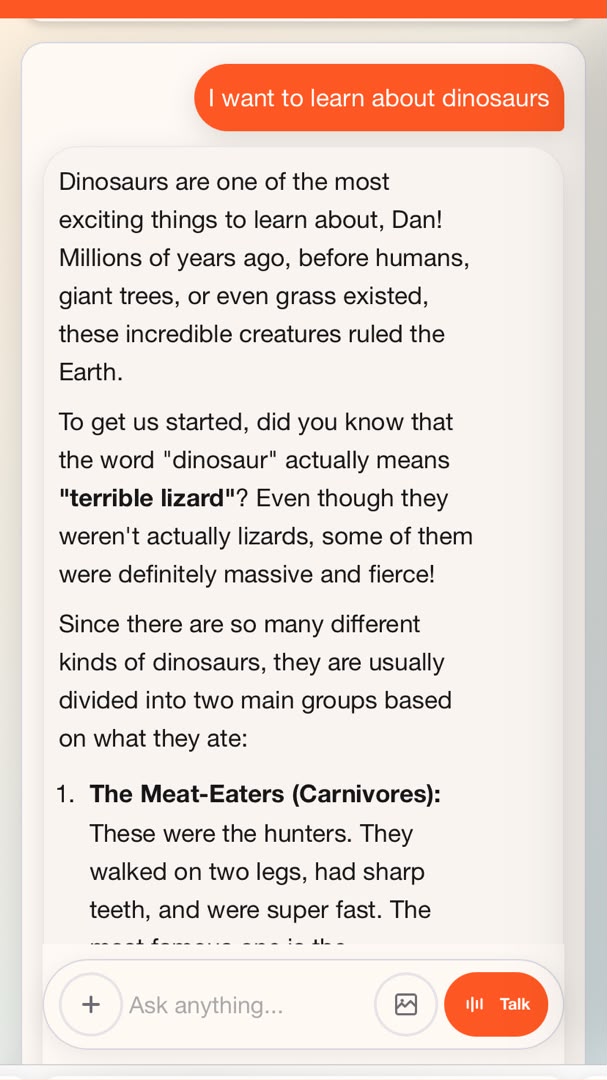
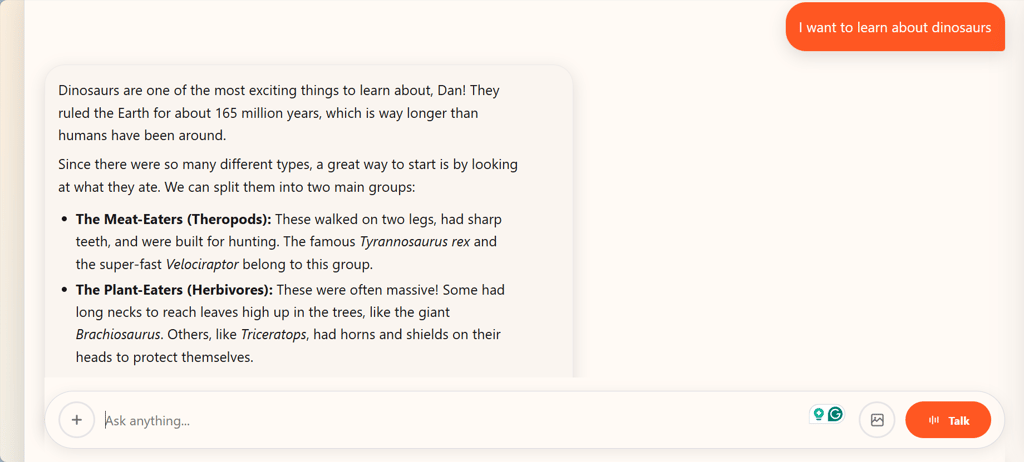
The app's age-calibrated responses were what I liked the most about this app. I created two separate age profiles for this review and asked my 5-year-old and 12-year-old profiles to learn about dinosaurs. For the first account, the AI told me that dinosaurs were both big and small, then asked if I had a favorite. Answers on the second account went deeper, telling me about the different groups dinosaurs were classified under.
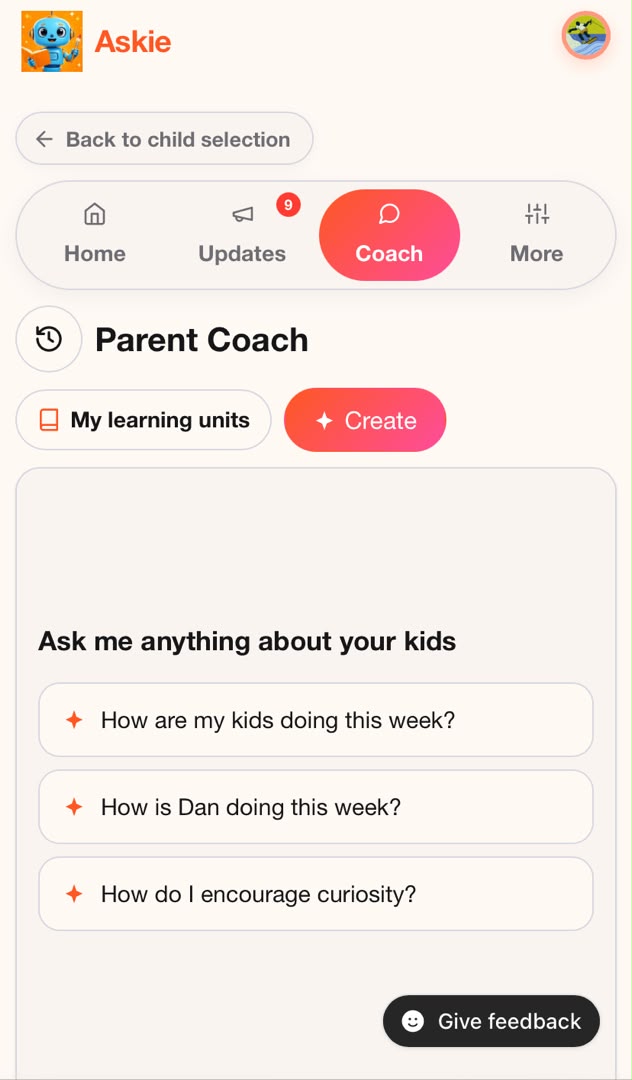
When I opted for a more sensitive topic and asked about bullying, Askie pointed me toward a trusted adult first. I also got an email about it and could view full transcripts, activity summaries, and topic breakdowns on the Parent Dashboard, which is protected by a PIN. There’s even a full AI bot for parents called Parent Coach, which offers suggestions for approaching difficult conversations.
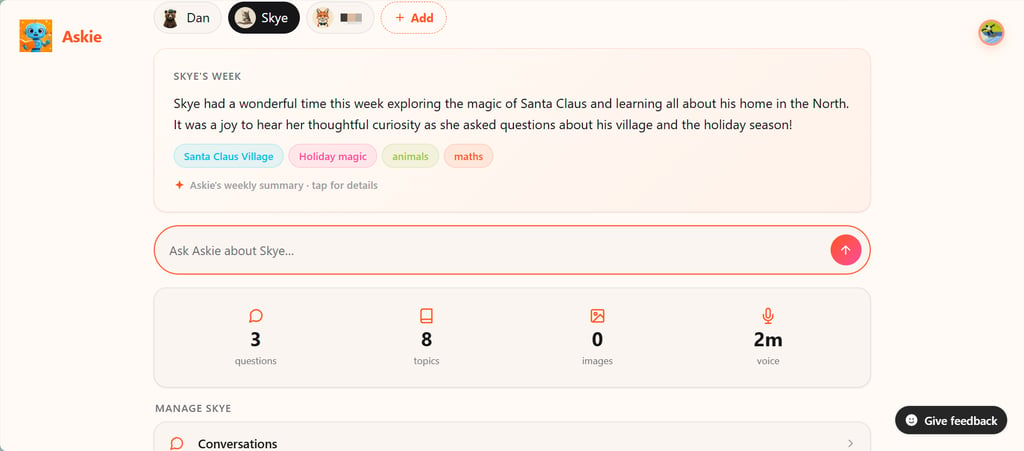
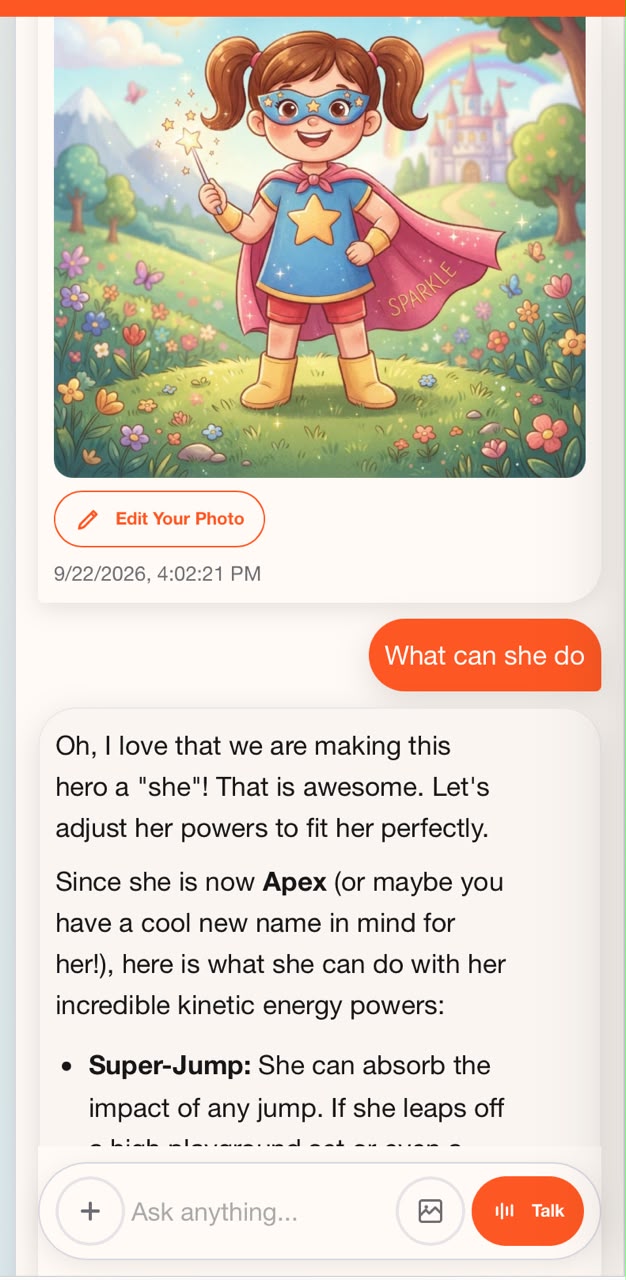
I asked Askie to create a superhero for me, which it did, naming her Apex and giving me a list of her powers. I even told it to show me what the hero would look like, and it did, pretty basic though, but with options to edit.
Askie has a free plan that gets you 70 text questions, 4 images, and 5 voice minutes weekly. Enough to try, but too tight for daily use. Subscriptions start at $14.99/month and cover every child in the house.
2. Buddy.ai – interactive voice-based AI tutor for preschoolers
If your kid is 3-to-8-years-old, Buddy.ai is the app I’d point you to first. Unlike Askie, it’s not trying to be a general companion. Instead, it’s a voice-based AI teacher focused on early fundamentals, like first words, letters, numbers, shapes, colors, and listening comprehension.
What impressed me the most about this app was the lesson structure. Sessions start with Buddy.ai warming up with small talk and games like Hello Cat to help your kid feel comfortable. Then, it introduces new concepts using flashcards and fun animations, and finally moves on to games and questions designed to check understanding.
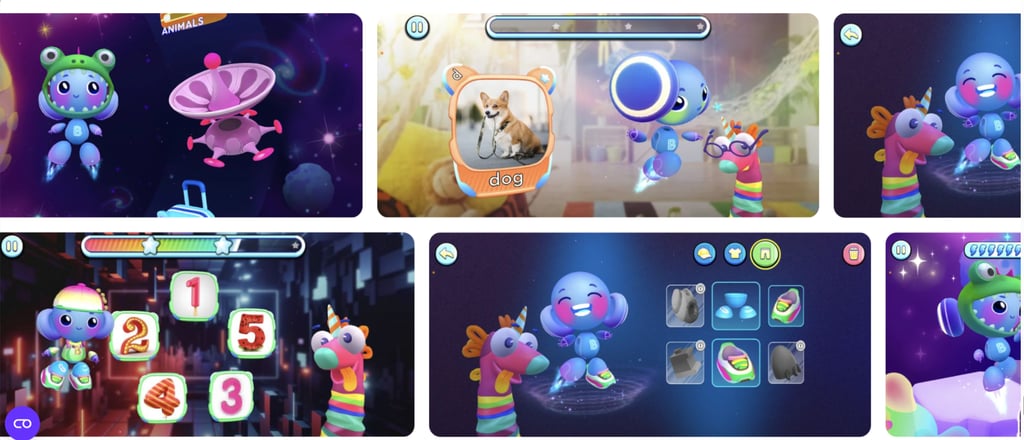
I also like that the curriculum is organized around the US education system across preschool (3–5), kindergarten (5–6), and first grade (6–7). You also get weekly reports on your kid’s progress. For children learning English, Buddy also has a specialized ELD curriculum in eight languages, including Spanish, French, and Arabic.
Unlike Askie, Buddy.ai doesn’t offer a free plan. Premium plans start at $12.49, and you get a seven-day free trial.
3. HeyOtto – guided AI homework help for kids
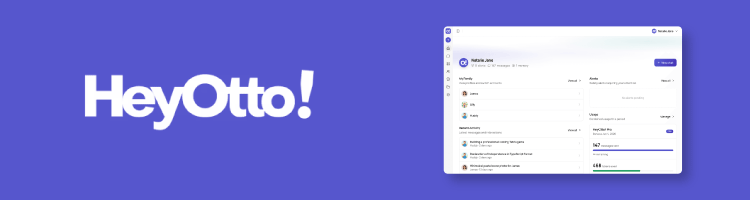
HeyOtto is built for kids aged 8 to 18. As such, it’s an app you’d hand to a tween or teen before they start exploring more advanced options. I tested it with a profile for an 8-year-old, and one thing that stood out to me was how deliberately it avoids answering certain big questions.
Even if your kid asks, “Is Santa real?” Otto won’t spoil the magic. Instead, it will encourage the kid to talk to their parents. While some might find that approach a bit deflective, I found that HeyOtto reserved it only for the big questions. On other occasions, when asked about learning new things like animals or how cars worked, the app was very expressive.
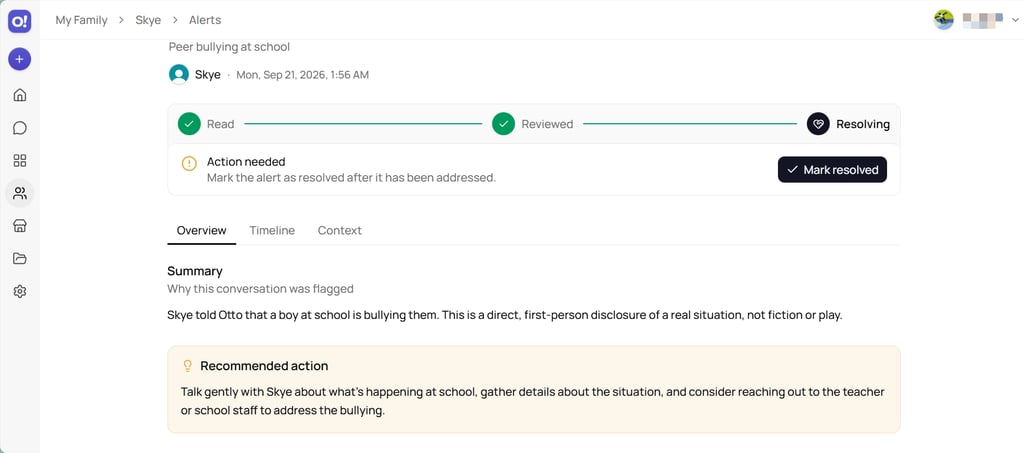
It’s also not evasive on all sensitive topics, because when I told the app I was being bullied, it validated the feeling, said it wasn’t okay, and gave me suggestions like staying near a teacher and talking to a parent. Meanwhile, on the parent dashboard, it was flagged instantly with a Medium severity tag, along with a summary, context, and recommended action.
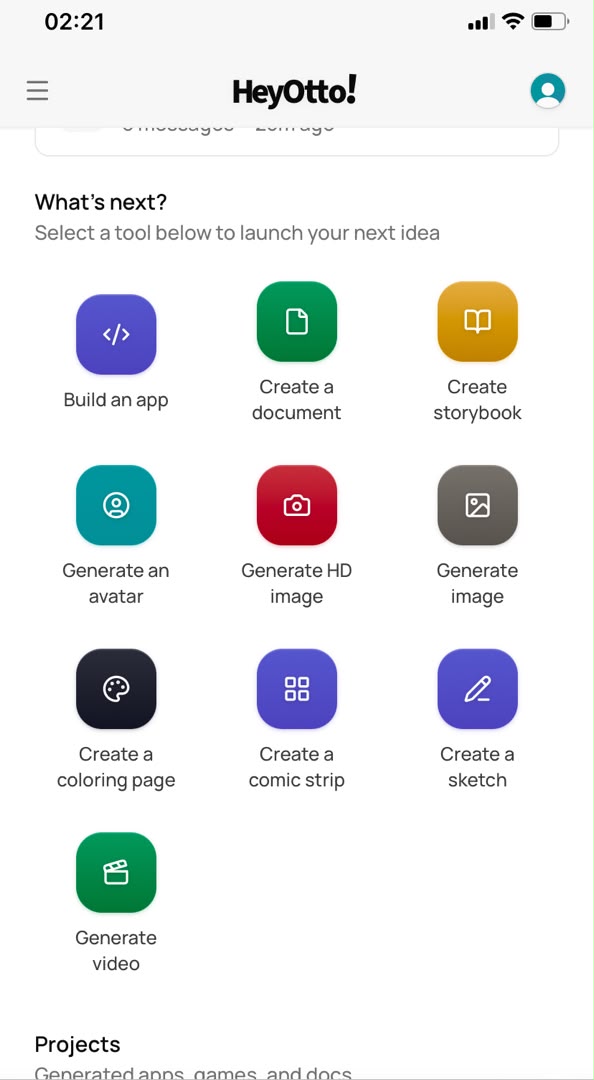
There’s even a marketplace where kids can browse apps and games built with HeyOtto. It covers everything from educational quizzes to student-made games. Kids can also build apps themselves, generate comics, storybooks, coloring pages, and videos. The free plan gives you 100 messages a month for one adult and one child. The Pro plan starts at $9.99.
4. Khanmigo – top AI tutor for schoolwork
If you prioritize schoolwork, Khanmigo is the way to go. It’s built by Khan Academy, a popular edtech brand that was really big on YouTube a couple of years back. Plus, it’s one of the few AI educational apps for kids that’s entirely built into the existing curriculum.
What sets it apart for me is its teaching method. It’s designed not to give straight answers but to guide kids to find them on their own, which is almost the opposite of what most AI tools do. The app is also broad, covering math, science, history, and humanities from elementary school through college, with text-to-speech and speech-to-text for younger kids.
Parents get a detailed dashboard that lets them view chat history, receive moderation alerts, and access countless tools like quiz generators, lesson plan builders, and a child-chat summarizer, all starting at $4/month.
However, Khanmigo isn’t as engaging as other apps on this list and lacks the personality to keep your kids entertained. It will help with schoolwork a great deal, but it might not be the companion your child wants to share personal stuff with, like being bullied.
5. LittleLit AI – AI app for cultivating kids’ AI literacy and creativity
Plenty of AI tools teach kids, but far fewer teach them about AI. That’s the gap LittleLit is trying to fill, and one I believe matters, especially as technology continues to reshape the world around us.
LittleLit is built for K-12 with a fully structured curriculum, AI tutors that work across visual, video, audio, and other interactive formats, and a strong AI literacy library you won’t find in many tools. It’s aligned to Common Core, NGSS, and NCSS, and includes support modes for autism, dyslexia, and ADHD, something no other app I’ve tested offers.
Things are also fun on the creative side. You’ll find a studio with over 1,000 projects, AI art generation, a writing coach for storybooks and essays, STEM project planning for science, and LEGO builds. I even wrote a fun, catchy song about Easter on the app.
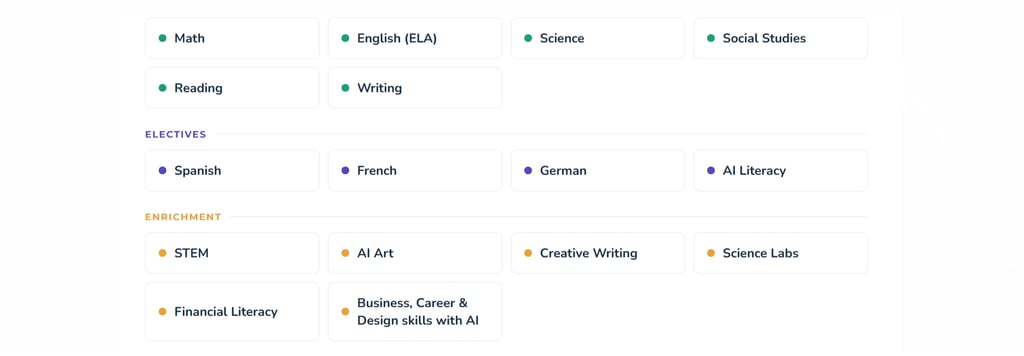
It also features a homeschooling system that can automatically build a full-year calendar, generate daily choice boards, and produce on-demand report cards with real grades using AI. This way, it can identify gaps in your curriculum and highlight areas where extra lessons may be needed. I also like the parents’ dashboard because of its AI insights and detailed alert system.
AI educational and learning apps: what sets them apart
An AI chat app keeps your kid engaged through conversation. It uses fun animations, chats, and even flashcards to liven things up, so the actual value for your child comes from the continuous back-and-forth, curiosity, exploration, and imagination.
As for AI learning apps for kids, everything is built around a curriculum. There’s a plan and a learning objective. The child’s progress is measured over time. Buddy.ai, for instance, uses structured lessons from preschool through first grade. Khanmigo takes an even more academic approach, built on Khan Academy’s existing content library.
With Askie, though, you’re in for a more hybrid approach. Chat, learning, and creativity blend into one companion app, so your kid can ask a random question about dinosaurs, work through their geometry assignment, and still get a personalized bedtime story.
This matters because a 5-year-old won’t sit through something that feels like a learning course, but will happily keep talking and learning from an app that feels like a friend.
Managing risks and avoiding common mistakes with AI apps for kids
Popular chatbots like ChatGPT, Copilot, and Gemini weren’t built for children. ChatGPT’s minimum age requirement is 13, so don’t expect it to respond appropriately to your 8-year-old. Even if you tell it to, their safety net is reactive, with the bot generating a response first before filtering.
That’s how your six-year-old ends up with a detailed, accurate, and completely age-inappropriate answer about religion or dangerous snakes, which is exactly the reason that led Askie to be built in the first place. You want a tool designed with a child in mind, one that saves you time and reduces the stress of constantly monitoring or worrying about the responses your child might receive.
Privacy is also important because most parents would think twice about an app that uses their child’s conversations to train AI models or share them with advertisers. The same goes for visibility because if you can’t see what your child is chatting about, you lose a crucial layer of parental control.
You need a real dashboard like the one at HeyOtto or Askie that shows conversation transcripts, flags sensitive topics like bullying, shows key topics, recommends actions, and sends weekly reports on your kids’ progress.
Are AI apps for kids replacing screen time with something worse?
Like every parent whose kids are constantly clamoring for their phones and tablets, you’re probably wondering what this means for your child’s screen time and if these AI apps are replacing the typical YouTube videos or edtech shows with something worse.
Well, it largely depends on the tool you use because some are built around engagement loops designed to keep kids clicking, while others really encourage curiosity and creativity in short, guided sessions. And trust me, this makes a world of difference.
Researchers in Turkey conducted a study involving nearly 1,000 high school math students, testing a custom LLM with prompts designed to support learning against ChatGPT. Students who used the custom tools saw a 127% improvement in grades, compared with 48% of those using ChatGPT. When the tool was removed, students who had used the custom tutor performed similarly to the no-AI control group.
Although students who used these tools tended to overestimate how much they had learned and how well they would perform on tests, the study suggests that AI learning tools can be effective when used alongside an engaged parent who stays involved in the learning process.
Conclusion: why Askie wins for families in 2026
Choosing the right AI apps is all about knowing what works for your kids’ age and needs. Buddy.ai is excellent for building early foundations, HeyOtto for tween and teen homework help, and Khanmigo for school-aligned tutoring. But if you want one app that covers the whole range, Askie is my number-one pick.
You can have multiple profiles for different age groups within one account, and AI responses are always unique to each child and their age. Whether your 5-year-old is asking about bugs or your 13-year-old is trying to finish up their literature assignment, the app gives helpful, filtered answers, with a detailed dashboard to keep you in the loop.
Askie works as your kids’ tutor, storyteller, art tool, and more, and that’s why it wins for 2026.
FAQ
Is it safe for kids to use AI apps?
Yes, AI apps can be safe for children when they’re specifically designed with age-appropriate safeguards. General chatbots like ChatGPT weren’t designed for children, whereas apps like Askie come with pre-input filters, a parent dashboard, and COPPA compliance.
At what age is it appropriate to start using an AI app like Askie?
Around 3-4 years old, depending on the child’s development and parental involvement. Askie is built for ages 4-15, and has a voice-first design that makes it easy for pre-readers to use without typing.
What is the difference between an AI chat app and an AI educational app for kids?
Chat apps focus on conversation and keeping your kids entertained, while educational apps follow a curriculum and are set on teaching structured lessons. Askie blends both, offering engaging chats plus structured learning.
Do AI apps for kids collect personal data?
Almost all do, but the ones listed here minimize it in accordance with COPPA guidelines. Don’t just download any AI app and set up a profile for your child. Make sure you go through the privacy policy to see what data is being collected.
Can AI apps really help with homework?
Yes, research shows that AI kids' apps can improve grades by over 120%, which is more than twice what you’d get with ChatGPT. The good thing is that these apps don’t just give answers. They guide your kids to them.
Are free AI apps for kids as good as paid ones?
Not usually. While the best apps like Askie do have free plans, they are heavily capped, so you’ll need a premium tier for unlimited conversations and full features.
How much screen time should kids spend on AI apps?
There’s no perfect number every parent uses, but short sessions are generally advised. Kids under 7 shouldn’t be spending more than an hour, while older kids should use apps that encourage quick curiosity rather than an endless engagement cycle.
Can I monitor what my child talks about with an AI app?
Yes, the best AI chat apps for kids have a parent dashboard. Askie shows full transcripts, topic breakdowns, and alerts you when your child shares something sensitive, such as information about being bullied.