Best AI coding assistants in 2026
Being behind major reports like The Mother of All Breaches and RockYou2024, our in-house cybersecurity experts and journalists provide unbiased, real-world testing and in-depth analysis.
We maintain complete transparency by openly sharing our testing methodologies with our audience.
Learn more

Developers often spend hours on repetitive tasks that drain them of time, energy, and creativity. Writing boilerplate code or refactoring variable names wastes time that could be better spent on designing features, solving complex problems, and improving user experience.
Thankfully, the market offers a wide range of AI coding assistants suited for different skill levels. Some tools come with fully integrated code editors, while others work seamlessly within popular IDEs like Visual Studio Code or JetBrains.
In this article, you’ll find assistants that excel at various tasks, whether it’s building deployment-ready apps or hunting down bugs in your code. Conversational prompts ensure that the process feels intuitive and natural, allowing you to communicate your intent clearly and quickly.
I partnered with the experts at Cybernews’s research team to find the best AI coding assistants of 2026. Keep reading to find detailed comparisons and reviews, ensuring you use only the best AI code helper for your projects.

Top 9 best AI coding assistants – shortlist
- Base44 – best AI coding assistant
- GitHub Copilot – AI code completion for pair programming
- nexos.ai – code generation and refactoring by the latest LLMs
- Amazon Q Developer – enterprise-grade AI coding for AWS developers
- Gemini Code Assist – AI code helper with deep context understanding
- Cursor – premium AI-powered code editor
- Windsurf – AI code generation with real-time collaboration
- Replit AI – browser-based AI coding
- OpenAI Codex – cloud-based multilingual coding AI
Best AI coding assistants compared
Compare the top AI coding assistants in this overview table below:
| Best AI coding assistant | Best for | AI models | IDE integrations | Starting price | Free version |
| Base44 | AI-powered web and mobile app building | GPT-5, Claude 4.5 Sonnet, and Gemini 2.5 Pro | Built-in code editor | $16/month | ✅ Yes |
| GitHub Copilot | Workflow acceleration | GPT-5, GPT-4.1, Gemini 2.5 Pro, Claude 4 Sonnet, and more | VS Code, Visual Studio, JetBrains, Eclipse, Azure Data Studio, XCode, Vim/Neovim | $10/month | ✅ Yes |
| nexos.ai | Code generation, refactoring, and testing | Gemini 3.1 Pro, GPT-5.5, Claude Opus 4.7, Grok 4.3, and more | No specialized IDE tools; only GitHub and GitLab | €18.00/month | ❌ No, free trial only |
| Amazon Q Developer | Code assistance in enterprise environments | Claude 4.5 Sonnet, Claude 4 Sonnet, Claude 3.7 Sonnet | VS Code, Visual Studio, JetBrains, Eclipse | $19/month | ✅ Yes |
| Gemini Code Assist | Deep context understanding | Gemini 2.5 | VS Code, JetBrains, Android Studio, Cloud Shell, Cloud Workstations | $19/month | ✅ Yes |
| Cursor | Testing and optimizing code before deployment | GPT-5, Claude 4.5 Sonnet, Gemini 2.5 Pro, and more | Built-in code editor | $20/month | ❌ No, free trial only |
| Windsurf | Collaborative development | GPT-5, Claude 4.5 Sonnet, Claude 4.5 Haiku, Gemini 2.5 Pro, and more | Built-in code editor, JetBrains | $15/month | ❌ No, free trial only |
| Replit AI | In-browser coding | Claude 3.5 Sonnet | Built-in code editor | $20/month | ✅ Yes |
| OpenAI Codex | Coding on-the-go | GPT-5-Codex and other OpenAI models | VS Code, Cursor, Windsurf | $20/month | ❌ No, only available in paid ChatGPT plans |
Top 9 AI coding assistants in 2026 – detailed list
For detailed reviews of the top AI code helpers available today, check out the list below:
1. Base44 – best AI coding assistant

| Use case: | Building web and mobile app prototypes |
| AI model: | GPT-5, Claude 4.5 Sonnet, and Gemini 2.5 Pro |
| Starting price: | $16/month |
Base44 is the best AI coding assistant for developers who want a no-code approach to building web and mobile apps. Using natural language prompts, you can generate both front-end and back-end app components, such as databases, authentication, and APIs within a matter of minutes.
This AI-driven app generation is ideal for anyone who wants to turn their ideas into deployable apps. Users only need to describe their desired app and its features, and Base44 will automatically construct a working application.
Reinforcing its no-code approach is Base44’s beginner-friendly UI and setup. I liked its chat interface for its clean, modern, and intuitive design, which makes app-building feel even more approachable. For tech assistance, you can choose between chat, email, and Discord support.
Base44 has a basic, free version that comes with 25 message credits and 100 integration credits per month. This lets you try out the service before upgrading to the $16/month Starter plan.
2. GitHub Copilot – AI code completion for pair programming

| Use case: | Autocompleting code and suggesting bug fixes |
| AI model: | GPT-5, GPT-4.1, Gemini 2.5 Pro, Claude 4 Sonnet, and more |
| Starting price: | $10/month |
GitHub Copilot is my pick for AI-powered pair programming, as it can speed up development with intelligent code suggestions. This AI offers real-time code completions, inline chat support, and context-aware assistance.
For developers who want to streamline their process, GitHub Copilot is the no-brainer choice. Simply start coding, and watch as Copilot provides relevant completions, analyzes your work for bugs, and validates results across multiple files.
Installing and integrating Copilot into Visual Studio Code is a straightforward process. Support is available through GitHub's support ticketing system, help documentation, and community forums.
The free Copilot plan only offers 50 chat requests per month. Thankfully, the Pro plan costs only $10/month, making it the most affordable AI code helper on this list.
3. nexos.ai – AI code generation and refactoring by leading LLMs
| Use case: | Code generation, refactoring, and testing |
| AI model: | Gemini 3.1 Pro, GPT-5.5, and Claude Opus 4.7 |
| Starting price: | €18.00/month (≈$21.16) |
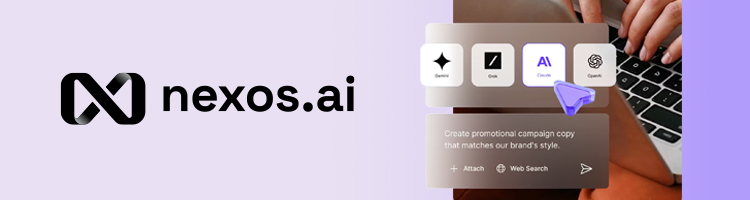
nexos.ai lets you generate code with the leading LLMs and compare responses on a single screen. While most AI coding assistants rely only on one AI engine, you get one centralized dashboard with access to the latest models from OpenAI, Google, Anthropic, and xAI.
Generally, nexos.ai's simple chat-based interface is excellent for vibe coding, allowing you to build and iterate on software by chatting with the AI in natural language. This makes it incredibly simple for beginners who need to generate simple boilerplate code or basic scripts, while professional engineers can use it for complex tasks like deep refactoring or converting logic across different programming languages. Here, you can also generate test scenarios and create documentation.
I like that the setup is very simple, intuitive, and convenient for individual programmers and IT teams. Also, nexos.ai has no specialized IDE tools, relying solely on GitHub and GitLab integrations. I think it’s a deliberate design choice to keep teams focused on a centralized, repository-level workflow rather than getting bogged down in individual local environments.
You can even set guardrails to let your team use only specific AI models for a specific range of tasks. These guardrails are essential not just for workflow control but for limiting unexpected API credit usage and preventing sensitive, proprietary code leaks.
nexos.ai offers the Pro subscription starting at €18.00/month (≈$21.16) per user. You can also buy the Pro + API credits that costs €32.40/month (≈$37.66) and allows you to plug nexos.ai into any of your products.
4. Amazon Q Developer – enterprise-grade AI coding for AWS developers

| Use case: | Enforcing coding standards across enterprise projects |
| AI model: | Claude 4.5 Sonnet, Claude 4 Sonnet, Claude 3.7 Sonnet |
| Starting price: | $19/month |
Amazon Q Developer is the only choice for developers working in enterprise environments, especially if they rely on Amazon’s web infrastructure. Far from providing only AI coding assistance, Amazon Q Developer also gives you granular access control and integration with Amazon Web Services (AWS).
One standout feature is its agentic coding capability. Amazon Q Developer can autonomously perform tasks like feature implementation, code documentation and refactoring, and software upgrades. And since most features can be accessed via natural language processing (NLP), Amazon Q Developer is usable by enterprise members of varying technical skills.
While its interface itself is easy enough to learn, Amazon Q Developer’s setup requires familiarity with AWS tools, account permissions, and IDE integrations. For tech support, you can contact the AWS Support Center or hire on-demand AWS certified experts.
Amazon Q Developer offers a limited free version that includes 50 agentic requests and 1,000 lines of code per month. Paid plans start at $19/user/month.
5. Gemini Code Assist – AI code helper with deep context understanding
| Use case: | Provide context-aware suggestions for extensive codebases |
| AI model: | Gemini 2.5 |
| Starting price: | $19/month |
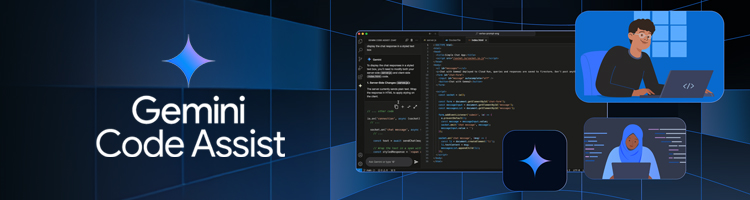
Google’s AI-powered coding assistant is designed to support developers through deep context understanding. Its large context window allows Gemini Code Assistant to maintain awareness of extensive portions of code across multiple files. This results in more accurate suggestions and improved code quality.
Android developers in particular will enjoy Gemini Code Assistant, thanks to its integration with Android Studio. This service can handle complex dependencies, suggest API integrations, and optimize UI components, making it an invaluable AI assistant for Android app development.
Signing up for Gemini Code Assist requires a Google account. Setup is easy, and support is available through the help center.
The generous free tier comes with 1,000 model requests per day, though you’re limited to Gemini 2.5 instead of having multiple model options. The standard paid plan costs $19/user/month while the enterprise plan costs $45/user/month.
6. Cursor – premium AI-powered code editor

| Use case: | Testing and optimizing code before deployment |
| AI model: | GPT-5, Claude 4.5 Sonnet, Gemini 2.5 Pro, and more |
| Starting price: | $20/month |
Cursor is a sophisticated AI-enhanced code editor built on VS Code. Its main draw is the combination of intelligent code suggestions with a beautiful user interface that makes development feel less like a chore.
This AI code editor boasts deep understanding and recall and access to top AI models, including GPT-5, Claude 4.5 Sonnet, Gemini 2.5 Pro, Grok Code, and more. I also like the Bugbot add-on, as it can detect and resolve bugs before deployment.
Cursor is available for Windows, macOS, and Linux. Setup is simple, and, of course, the code editor itself is modern, intuitive, and beautifully designed. Since it’s built on VS Code, the interface will feel familiar to experienced developers.
Cursor’s offers a free one-week trial that has limited agent requests and code completions. The paid plan is $20/user/month, and Bugbot costs an additional $40/user/month.
7. Windsurf (formerly Codeium) – AI code generation for real-time collaboration

| Use case: | Performing coding tasks in team environments |
| AI model: | GPT-5, Claude 4.5 Sonnet, Claude 4.5 Haiku, Gemini 2.5 Pro, and more |
| Starting price: | $15/month |
Windsurf (formerly Codeium) is an all-in-one code editor and AI assistant built for teams. Not to be mistaken for a basic AI code helper, Windsurf feels more like a full coding suite, thanks to its feature-rich coding agent Cascade.
Cascade’s features include in-editor web search, rule and workflow customization, and one-click app deployments. Teams will also benefit from Windsurf’s enterprise features, including the admin dashboard, role-based access control, centralized billing, and high priority support.
Like Cursor, Windsurf is a VS Code fork. The desktop app is available on Windows, macOS, and Linux.
Windsurf offers a free 2-week trial that lets you use all of its premium models. However, you only have 25 prompt credits. Consider getting the Pro plan, which costs $15/user/month and comes with 500 prompt credits per month.
8. Replit AI – browser-based AI coding

| Use case: | Deploying projects directly from your browser |
| AI model: | Claude 3.5 Sonnet |
| Starting price: | $20/month |
Replit AI makes coding accessible by combining a full-featured code editor with powerful AI straight from your browser. Build apps using natural language prompts, and enjoy automatic bug fixes and code completion without any program installation.
Building an app with Replit AI is as easy as opening your browser, going to its website, and starting a conversation with Replit Agent. You can also ask Replit AI to debug your code or refactor your projects using plain language, making app development accessible even to no-code creators.
Replit AI’s selling point is that it’s completely browser-based. It requires no installation, and it works on virtually any device that has a web browser. You can quickly start app development without needing to configure anything locally.
You can give Replit AI a go from your browser right now, thanks to its free version, which lets you build as many as 10 apps with limited use of Replit Agent. The paid subscription is $20/month and grants full access to the coding agent.
9. OpenAI Codex – AI coding from inside ChatGPT

| Use case: | Coding on-the-go, even on your phone |
| AI model: | GPT-5-Codex and other OpenAI models |
| Starting price: | $20/month |
Thanks to its integration with ChatGPT, OpenAI Codex is one of the most accessible AI coding assistants in the market. Simply open ChatGPT on your browser or using the mobile app, and you can start working on your code.
OpenAI Codex has other benefits than just availability. It can also execute code in isolated sandboxes, ensuring safe and efficient testing. However, be careful not to overload it with too complex tasks, as it can take up to 30 minutes to accomplish difficult tasks.
ChatGPT is available on any browser or phone, though you can also use Codex with third-party IDEs like VS Code, Cursor, and Windsurf. Tech support is limited, as it’s available only through chat.
Codex is not part of ChatGPT free. Even the paid plans have limited use; subscribers to ChatGPT Plus, which costs $20/month, can only send about 30-150 local messages or 5-40 cloud tasks every 5 hours when using Codex.
How we tested AI coding assistants
To find the best AI coding assistant, I evaluated each one based on these key criteria:
- Context awareness (30%). I assessed how well each assistant understands multi-file projects, dependencies, and overall code structure. I prioritized tools that maintain awareness of variables, functions, and project-wide relationships to provide accurate suggestions and reduce errors.
- Integration (30%). I checked compatibility with popular IDEs, version control systems, and cloud platforms. Tools that easily fit into existing workflows and support extensions or plugins scored higher in this category.
- Code quality and reliability (30%). I looked for AI code helpers that provide accurate generated code. I also considered the consistency of code suggestions and the assistant’s ability to catch bugs or follow coding standards.
- Cost and scalability (10%). I reviewed pricing plans, including free tiers, and checked if the assistants offer options to scale for teams or enterprise use.
Final word on the best AI coding assistants
Developers faced with repetitive and mundane tasks benefit from outsourcing these easy processes to AI assistants. By taking advantage of intelligent code suggestions and bug detection and resolution, devs can boost productivity and reduce mistakes in their code.
Base44 stands out as the best AI coding assistant for app development. Natural language prompts allow devs to generate front-end and back-end app components quickly, and features like the interactive Builder Chat grant accessibility to devs of varying skill levels.
For other development projects, I recommend GitHub Copilot. Its affordable plans make it the no-brainer option for solo devs or small teams that need reliable code predictions or error handling.
Ultimately, the best AI code assistant for you is one that aligns with your workflow, skill level, and project needs. With the help of AI, developers of all kinds benefit from smarter, faster, and more efficient coding.
FAQs
Which AI coding assistant makes the fewest mistakes?
AI assistants make fewer mistakes when paired with a project they excel in. For example, Base44 can build apps consistently and reliably, given clear and actionable prompts.
How well can an AI coding assistant follow my code style and rules?
Most assistants adapt to style and rules through settings or prompts, though some may occasionally deviate and therefore require human intervention.
Which AI coding assistant works best in VS Code?
GitHub Copilot integrates seamlessly with VS Code, offering real-time suggestions and IDE-specific features.
Can I use an AI coding assistant offline?
Few AI assistants support full offline functionality; most require cloud access, though some like Cursor allow partial offline code generation.