Best AI Tools for Students: Our Top Recommendations in 2026
Being behind major reports like The Mother of All Breaches and RockYou2024, our in-house cybersecurity experts and journalists provide unbiased, real-world testing and in-depth analysis.
We maintain complete transparency by openly sharing our testing methodologies with our audience.
Learn more

AI is stepping into various industries, changing the way we work and learn. This paves the way for a future where workers skilled in AI will replace those without such knowledge.
As a result, changes in education and learning that increase AI integration are inevitable. Teachers and students alike leverage AI to assist with work and studying. For students in particular, this means the learning process becomes more self-directed, individually paced, and engaging.
In this article, I review the best AI tools for students that can help with various tasks when studying. I tested their answer accuracy and suitability for personal tutoring, writing, and research to provide you with only reliable tools.
Best AI tools for students – shortlist
- EssayDone – best AI tool to assist students overall
- Otter.ai – best for taking notes and summarization
- Motion – best for scheduling and organizing tasks
- QuillBot – best AI tool for fixing grammar errors
- Notta.ai – AI tool for transcribing classes
- Elicit – AI tool to aid with research
- ChatGPT – best for tutoring and personalized learning
Why students might consider using AI tools for studying
Students might consider AI tools to facilitate and personalize learning. Also, these tools can make the study process more engaging. Here are some aspects in which AI tools can be helpful for students:
- Saves time with summaries and note-taking. Saving time on tedious tasks, such as summarizing and taking notes, can help boost productivity.
- Provides personalized tutoring. AI tools can provide students with a tailored learning experience. AI models can be customized to match students' learning pace and needs, ensuring optimal understanding of the educational content.
- Helps with organization and scheduling. Tools like ChatGPT can help students make a study plan and create a personalized schedule. This way students can optimize their study time and balance educational and personal commitments.
- Improves writing and grammar. A handful of AI tools offer integrated grammar and spell-checking functionalities. Students can leverage them to fix grammar and improve wording and sentence structure.
How we tested AI tools for studying
To find the best AI tools for studying, I teamed up with the Cybernews research team and reviewed over a dozen AI tools. Afterward, I hand-picked the 7 most suitable AI tools for studying and further tested them based on our AI tool testing methodology. Here’s the criteria I focused on:
- Ease of use (30%). To ensure that the tools are accessible to all students, I focused on how easy they are to use. I evaluated their user-friendliness and compatibility with mobile and desktop devices.
- Features (25%). I picked only those tools that have specific features that help facilitate the learning process, such as note-taking, flashcards, summarization, and tutoring.
- Accuracy and reliability (20%). I tested the quality of each AI tool's answers and factual correctness to pick only those that have the least risk of providing incorrect information.
- Pricing and free plans (15%). Affordability is an important factor, regardless of your student status. Because of that, I selected AI tools that are affordable, offer student discounts, or have free plans.
- Support and integrations (10%). Extended integration and support options help facilitate the learning process, connect the most used tools by the student, and personalize the experience.
I ranked these providers from 1 to 7 based on how well they did in the mentioned categories compared to other AI tools available on the market.
Best AI tools for students in 2026: our top picks
With so many AI tools available on the market, finding the one to help with your study process can be difficult. While some of these AI tools might be better suited for college students, they might not be elaborate enough for graduate students. With this in mind, I reviewed a dozen AI tools and made a list of my best 7 AI tools for students, suitable for different learning needs.
1. EssayDone – best AI tool for essay writing

| Best for: | Essay writing |
| Starting price: | From $19.00/month |
| Free version: | No, but there’s a free trial limited to 2,000 words for WriterGPT |
| Top features: | Humanizer, WriterGPT, and AI detector |
EssayDone is the best AI tool to support students in essay writing. Equipped with WriterGPT, it can help you generate topics for your project and help you write human-like essays with proper citations.
EssayDone has a simple dashboard, which makes it easy to use even for complete beginners. On the right side menu, you can pick the tools, such as WriterGPT, AI detector, or humanizer.
For testing purposes, I picked the WriterGPT. The tool was easy to navigate and use. I described the topic I wanted to write about and EssayDone generated some topics for me. Then I selected how long I wanted my essay to be and picked the outline option. In a few seconds, I had my outline ready and could tweak the parts I didn’t want to focus on and start writing.
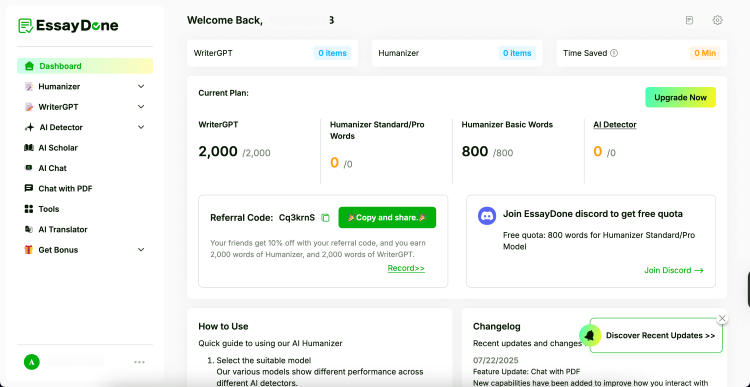
EssayDone is a reliable tool. From my experience, it does a great job generating personalized texts with a human-like tone. What’s more, EssayDone has a handful of additional tools, such as topic refinement and an AI detector, so you can count on it for extensive support in writing your essay.
EssayDone offers 3 plans: Basic, Unlimited, and Pro. The starting price for the Basic plan is $19.00/month, and it gets you 10,000 words of essay writing, humanizer, AI detector, AI chat, topic generator, literature base, and 12 essay tools.
2. Otter.ai – AI tool that saves time with summaries and notes

| Best for: | Summarizing and note taking |
| Starting price: | $8.33/month |
| Free version: | Yes |
| Top features: | Live transcription, audio recording playback, and taggable speakers |
Otter.ai is a great tool for taking notes and making summaries of classes and discussions. You can use it to transcribe your lectures in real time, completely eliminating the need to take notes.
Otter.ai greeted me with an organized and clean dashboard – it was easy to find menu items. I could also quickly find every conversation and recording without searching through menus. I also found it easy to record audio, import files, or share notes with others.
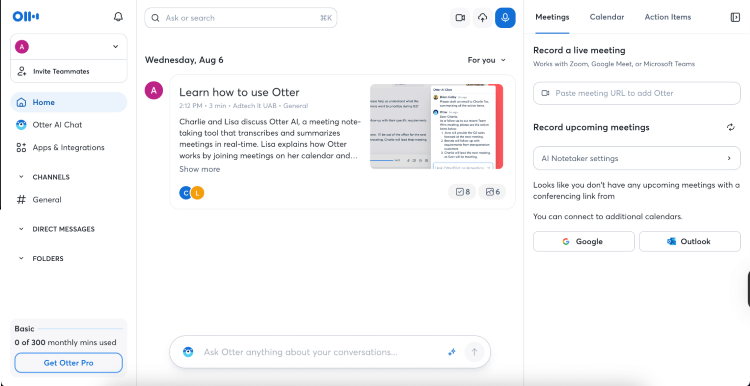
In my opinion, Otter.ai can be a great support if you want to completely focus on the material and not to worry about catching and writing down everything your teacher says. What stood out to me when testing Otter.ai was its features. I could ask for specific information or highlight the key points discussed, which saved me a lot of time.
However, I noted that sometimes Otter doesn’t perfectly catch heavy accents or technical terms. Also, the speaker identification isn’t always spot on. Nonetheless, the ease of use makes it stand out as a reliable transcription tool for everyday meetings and notes.
Otter.ai has a free plan, which gives you just enough resources to try out the service before getting a paid subscription. However, if you want more advanced functionalities and more transcription minutes, I recommend choosing paid plans. Starting $8.33/month you can transcribe up to 90 minutes, use advanced search, and tag speakers.
3. Motion AI – AI tool for organization and scheduling

| Best for: | Scheduling, organizing your tasks |
| Starting price: | From $29.00/month |
| Free version: | Yes, 7-day free trial |
| Top features: | AI Agenda, calendar, and project manager |
Motion AI is an all-in-one time management suite that can be useful for students looking for tools to increase their productivity. It can be integrated with popular apps like Zoom and Microsoft Teams to set up automatic scheduling for your tasks and events.
Motion AI is like a virtual assistant that takes care of scheduling and task planning, so that you can dedicate your time to more important things. It has a clean and modern interface, which is aesthetically pleasing and easy to use. During testing, I found the task management intuitive and efficient.
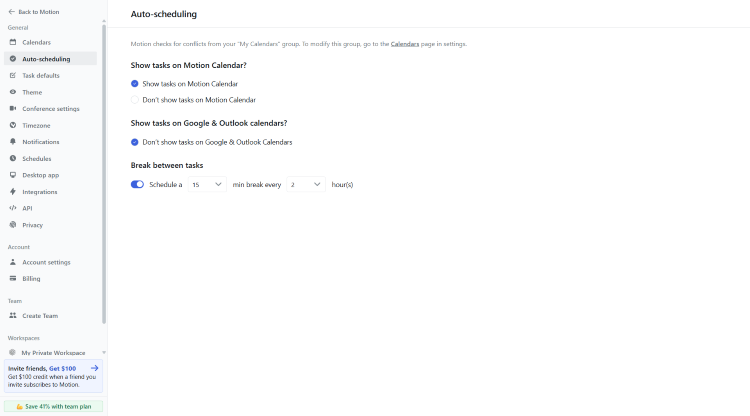
I liked how simple it was to add notes directly to tasks, create new assignments, and reorganise priorities. With my changing schedule, I could quickly update the agenda to keep my days organized.
In terms of pricing, Motion AI is a pricier provider. The entry price is $29.00/month for its most basic plan. Luckily, Motion AI has a 7-day free trial, so you can test it out before committing to a paid plan.
4. QuillBot – AI tool to better your grammar

| Best for: | Improving grammar and writing |
| Starting price: | From $8.33/month |
| Free version: | Yes |
| Top features: | Grammar checker, paraphraser, plagiarism checker, and AI detector |
QuillBot is a handy AI tool for students who need assistance with refining grammar, paraphrasing, and adjusting the tone of the text. It uses natural language processing (NLP) to help you create original content, improve fluency, and avoid unintentional plagiarism. It also has a citation generator that supports popular styles like APA, MLA, and Chicago.
QuillBot has a straightforward interface. Right from the dashboard I could select my target language and choose the most suitable mode for my text. To test QuillBot, I picked English language and standard mode.
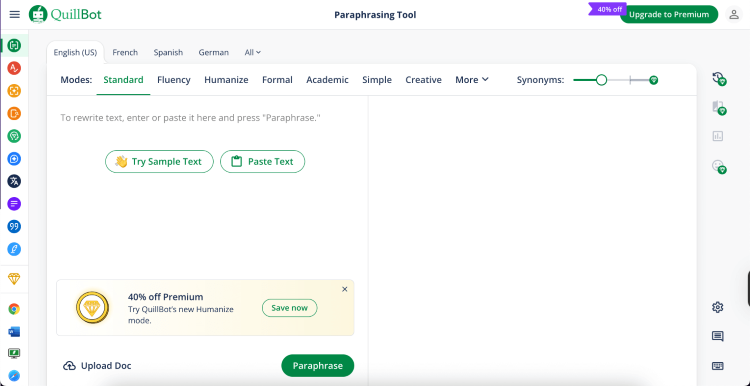
QuillBot’s grammar checker worked great. I found the options for different modes particularly useful. They allowed me to easily match my text’s context and intent. Another feature that is worth mentioning is its paraphraser. It’s helpful for finding synonyms and reworking sentences that feel flat.
QuillBot has two plans – Free and Premium. While the Free plan is limited to fixing basic grammar errors, paraphrasing up to 125 words, and 2 modes, it’s a great option for testing. If you need more resources, QuillBot offers a student discount for its Premium plan, which will cost you only $8.33/month. And if you’re not happy with the services, you can use a 3-day money-back guarantee.
5. Notta.ai – AI tool for note-taking during lectures
| Best for: | Note-taking and transcribing |
| Starting price: | From $8.17/month |
| Free version: | Yes |
| Top features: | Real-time transcription, AI-powered summaries, and speaker identification |
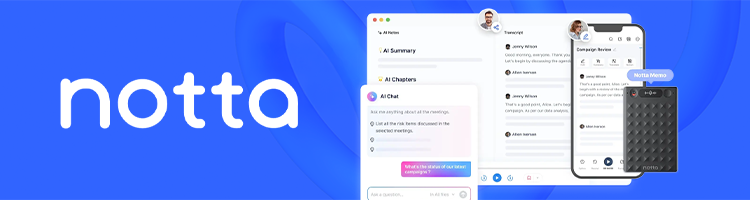
Notta.ai is an AI tool that is most suitable for streamlining your note-taking. This tool can easily transcribe live audio, which will help you capture lecture content.
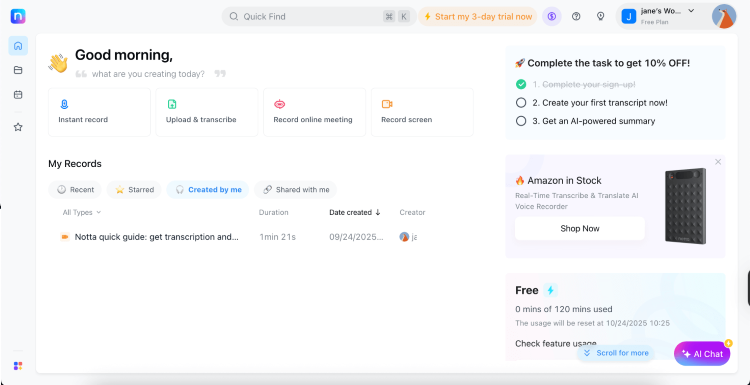
What’s more, Notta.ai is very easy to use. From setting up to navigating the dashboard, the whole process was a breeze. I particularly liked that the platform includes a guided walkthrough after registering. This helped me to better understand available features and functionalities. However, Notta’s user interface can become messy when performing different tasks at the same time.
Much like other AI tools for transcription and note-taking, Notta is compatible with video conferencing platforms, such as Google Meet and Zoom. It also has a mobile app available on both Android and iOS, so you can make your transcriptions on the go.
While Notta has a free plan, it’s limited to 120 transcription minutes a month, 10 AI summaries, and 50 file uploads. Yet, if you need more resources, paid plans start from $8.17/month.
6. Elicit – side-by-side research paper comparison tool

| Best for: | Comparing research papers |
| Starting price: | From $10.00/month |
| Free version: | Yes |
| Top features: | Systematic reviews and Elicit reports |
Elicit AI is one of the best AI research tools. Therefore, it can be particularly useful for college students as it can save a lot of time working on literature reviews.
Elicit has a simple search-box-type interface, which is common among AI tools. While Elicit is not a complicated tool, it might take some time to get familiar with. After I took some time learning its features, I went ahead and typed in my research question. Then, I could choose from 3 options of what I wanted Elicit to do for me: find papers, extract data from PDFs, or offer a list of concepts.

I liked how organized the information was. Elicit provided me with a summary of 4 top papers on the topic with citations. So, if I wanted to see the source, I had to click on the citation to be redirected to the paper. Below the summary, it organized papers in one column and their respective abstract summaries in the other. I found Elicit exceptionally efficient in finding relevant papers and helping with research.
Speaking of price, Elicit costs from $10.00/month, placing it in the mid-range price category of AI tools that I’ve reviewed. If you don’t plan to carry out extensive research, Elicit offers a free plan. It can summarize 4 papers at once and extract data from 20 papers a month.
6. ChatGPT – versatile AI tool that can be used as a tutor

| Best for: | Tutoring, writing, and brainstorming |
| Starting price: | From $20.00/month |
| Free version: | Yes |
| Top features: | Study mode, personalized tutoring, and writing assistance |
ChatGPT is the most versatile AI tool for students on my list. It can help fix grammar and brainstorm ideas, and even support you as your personal tutor.
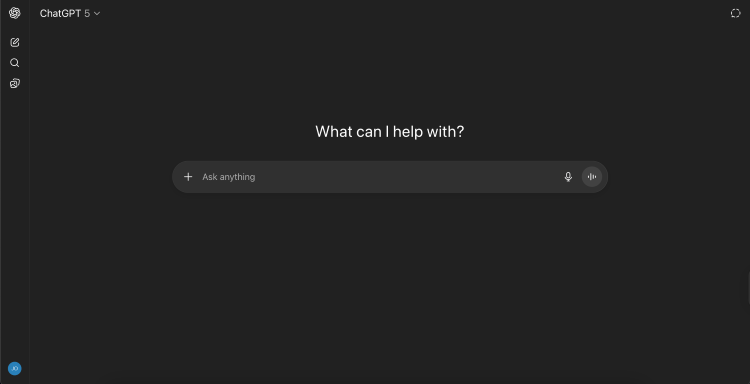
ChatGPT is simple to use, as it works based on natural language prompts. It can be used for various tasks, including tutoring. Its most unique feature is study mode, focused on helping students with their homework, explaining complicated topics, and creating quizzes to help them learn.
In addition to study mode, ChatGPT also has more functionalities, such as AI Tutor and Tutor Me. With it, you can ask for assistance solving math problems or explaining complex theories. While Tutor Me, powered by Khan Academy, is aimed at helping with math, science, and humanities questions and focuses solely on support, without doing all the work for the student.
ChatGPT has an accessible free version. However, it has limited file uploads, data analysis, and can’t be personalized as much as the premium version. The paid plans start from $20.00/month and allow more resources and custom GPTs.
How to choose the right AI tools for studying
With so many options among AI tools, it can be difficult to choose the one that is going to be the most useful for studying. For this reason, I prepared a short guide to help you pick the best AI tool according to your needs and study goals.
For note-taking and summarization
If you need assistance with note-taking and summarization, you might want to consider such key factors as ease of use, speed, and accuracy. If you need a simple tool that doesn’t have too many advanced options and you don’t need a mobile app, consider Otter.ai.
If you have more elaborate study goals and needs, for example, if you’re learning languages, Notta.ai is a better option. It supports more languages and also has a mobile app, making it more accessible on the go.
For personal tutoring
If you’re interested in personal tutoring, you should pay attention to aspects like the interaction style of the model, personalization options, and subject expertise.
A good example of an AI tool aimed at personal tutoring is ChatGPT. It can match a student's learning pace, rephrase answers as many times as needed, and it covers a wide range of subjects, including math, science, and humanities. Also, ChatGPT can be customized to best fit the tutoring needs of a student.
For organization and scheduling
Students who are looking for a good organisation and scheduling AI tool might want to focus on aspects such as deadline tracking, prioritization, time-blocking, and intelligent planning. These features can help students get timely reminders about the deadlines, assign priorities to the study tasks, suggest optimal study periods, and balance study work and personal life commitments.
For writing
There are plenty of AI tools designed to help with writing. When picking the right tool, it’s important to consider the primary goal of using the AI tool in writing. Some AI tools offer only grammar and style suggestions, while others have features tailored for more specific use cases.
If you only need assistance with grammar, style, brainstorming, and drafting, EssayDone or ChatGPT are great tools for the job. However, if you need tools that help with citation generation and formatting, QuillBot might be a better choice.
For research
An AI tool for research should have access to a vast literature database. If the tool can’t access the newest papers, you won’t be able to find up-to-date and relevant information needed for your research. What’s more, AI tools for research should be efficient in finding key information, comparing papers, and offer data analysis and statistical support.
What to know before using AI tools for studying
AI tools are so easily accessible it might seem that there is danger related to their usage. However, that’s not true. To start with, AI can give you false answers or present incorrect information. That’s why it’s important not to fully rely on AI outputs and do your own research.
Also, every educational institution has its own set of rules that define the transparent use of AI tools in the study process. To avoid any unwanted consequences, ensure that you follow existing academic guidelines and don’t breach them.
Another issue related to AI tools is your privacy. Be aware that these tools store your conversations and can use it as training data. Since any input and uploaded materials can become part of the model’s training set, it’s important to ensure that no student information covered under the Family Education Rights and Privacy Act (FERPA) is shared with these tools.
Conclusion
There are various AI tools that can be of great help for students. Whether you need assistance with essay writing, note-taking, or research, there’s an AI tool to support you.
However, choosing the right AI tool to match your study goals is no easy task. The market is saturated with various options. That’s why it’s important to think through your learning goals and style before picking AI tools for students.
For general support in essay writing I recommend EssayDone. It’s a well rounded AI tool that can generate topic ideas, fix grammar, and tone. For more particular needs, such as scheduling, a great tool is Motion AI.
FAQ
What is the best AI tool for studying?
The best AI tool for studying depends on your personal goals and needs as a student. If you’re looking for a tool that is best at assisting in writing essays, EssayDone is the best option. Yet, if you need a tool that can help you organize your daily tasks and priorities, you might want to consider Motion AI instead.
Could AI be used by college students?
Yes, AI can be used by college students. AI tools can be used for brainstorming, research, and personalized learning. However, the use of AI should comply with academic integrity and your institution’s policy.