Best AI animation generator for 2026
Being behind major reports like The Mother of All Breaches and RockYou2024, our in-house cybersecurity experts and journalists provide unbiased, real-world testing and in-depth analysis.
We maintain complete transparency by openly sharing our testing methodologies with our audience.
Learn more

AI animation has blown up in recent years. With just a few prompts, you can spin up AI animations that look good enough for classrooms, marketing campaigns, and any personal projects.
Creators who have never touched animation software before are suddenly able to bring their ideas to life without years of practice. Analysts expect it to climb from just over $2 billion in 2024 to nearly $16 billion by 2030. Whether you like it or not, AI content is here to stay.
But with so many platforms launching, how do you know which ones are actually worth it? That’s why I put the top contenders to the test. In this guide, I’ll break down the best AI animation generator for 2026, along with the pros, cons, and tips to help you decide which tool is the best fit.
Top 7 AI animation generators – shortlist
- Runway ML – all-in-one creative AI video production
- DomoAI – multi-style AI animation for creators
- Pippit – social-ready short-form marketing animations
- Pika Labs – experimental animation with fun effects
- Adobe Firefly – high-quality, brand-safe generative videos
- Animaker – structured educational videos
- Synthesia – professional corporate videos with AI avatars
How to choose the best AI animation generator
Choosing the right AI tool depends on your priorities. From what I've seen, these are the most important aspects to consider:
- Look at the results first. If the animation looks cheap or robotic, nothing else matters. Always check sample videos before committing.
- Pricing stacks up fast. Free trials are a good way to test a tool, but you must check what the paid plans include. Look for hidden deal-breakers like watermarks on your videos, limits on how many videos you can export, or extra fees for important features. The whole credit system that a lot of the AI generators use can be confusing, so be sure to analyze it fully to get the most out of your money.
- Customization is important. Can you bring in your own characters, voices, or branding? If it locks you into fixed templates, you’ll get generic videos.
- Resolution actually matters. If you’re publishing on YouTube or for clients, aim for tools that support at least 1080p or better, 4K.
- Look for the little extras. Multi-language support, unique effects, or actually smooth lip-sync might not seem essential, but they can make your project stand out.
Best AI animation generators in 2026 – detailed list
Together with the Cybernews research team, I tested the best AI animation generators to see how they actually perform. We played around with prompts, avatars, and styles, as well as timed renders, and explored how easy it really is to get a finished animation. Here are my top 7 picks.
1. Runway ML – all-in-one creative workflows

| Rating: | |
| Best for: | Creative workflows |
| Starting price: | $12.00/month |
| Free version: | ✅ Available |
Runway is probably the closest to an all-in-one creative AI studio for animations right now. It handles images, audio, motion tracking, and other tweaks, so you can keep everything in one place instead of bouncing between tools.
I logged in with email, landed in a clean, chat-style interface, and could immediately start typing prompts or dropping in images. You can pick between Runway’s own models or third-party ones like Gen-4 and Turbo, which is better than something Pika Labs offers, where you’re stuck inside its own system.

The workspace itself is minimal and easy to navigate. Content shows up on the side when generating, while chat history keeps everything organized. It feels a lot cleaner than other generators, such as Adobe Firefly’s busier interface, though you do lose some advanced customization.
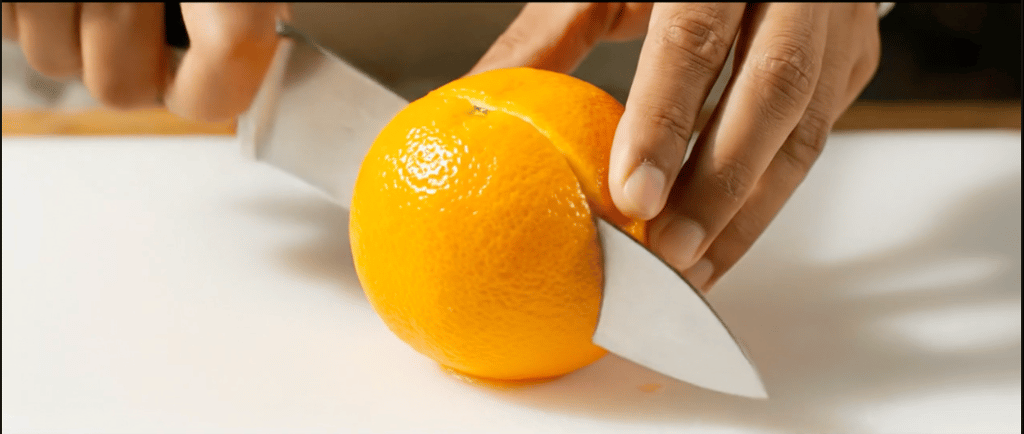
For testing, I used the prompt “animate the life of an orange.” Using the All models option, it took about 8 minutes to render an 8-second clip. The result looked fairly realistic (an orange ripening on a branch, then getting sliced), but there were minor glitches, like slightly off sound syncing. Switching to Runway’s own model sped things up to under 2 minutes, but the output was clearly rougher.
As for the pricing, Runway operates on a subscriber-priority system, so free users sometimes get locked out if demand is high. The free plan gives 125 video credits, while the starting price is $12.00/month, which unlocks more AI generations, removes watermarks, and provides more credits for creating videos and images.
2. DomoAI – AI-powered animations with flexible art styles
| Rating: | |
| Best for: | Stylized animations |
| Starting price: | $6.99/month |
| Free version: | ❌ Not available |
DomoAI is an AI animation suite for creators who want stylized, short-form content without learning motion design. With it, you can turn a single photo into a realistic talking video with good lip-sync, or create anime-style scenes, realistic portraits, and original characters, all in one place. It works especially well for turning existing images or videos into eye-catching, shareable animations in a variety of styles.
When I first tried it, the dashboard was simple enough. All the main sections are in a menu on the left side, like Home, Assets, Library, AI Video, AI Image, and AI Editing, so it’s easy to find what you need. I usually go straight to the “Quick Apps” area, where you’ll find tools like Frames to Video, Talking Avatar, and Video to Anime. This setup made it easy for me to try out different workflows and styles without switching between tabs or opening separate tools.
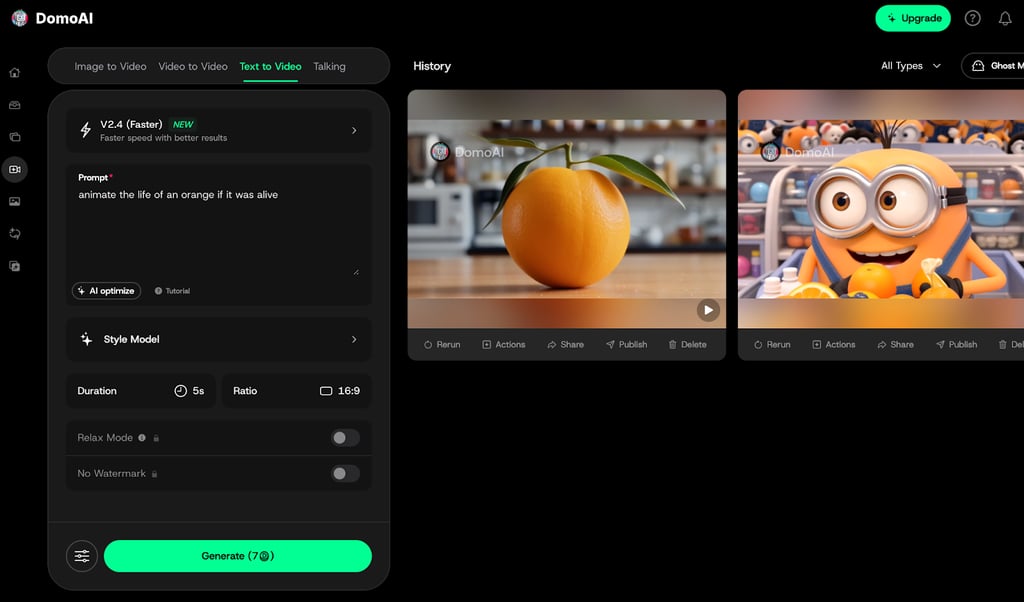
To test it out, I asked DomoAI to animate the life of an orange and let it plan the scenes. The result was a clear, step-by-step story that followed the orange through different stages. The motion and transitions felt smooth and realistic, especially for something made by AI.
What impressed me most was how easy it was to keep experimenting after finishing the first version. I could change the style to look more like anime or try different aesthetics, adjust the overall mood, and make new versions without starting over. It gave me a good mix of creative control and a fast workflow.
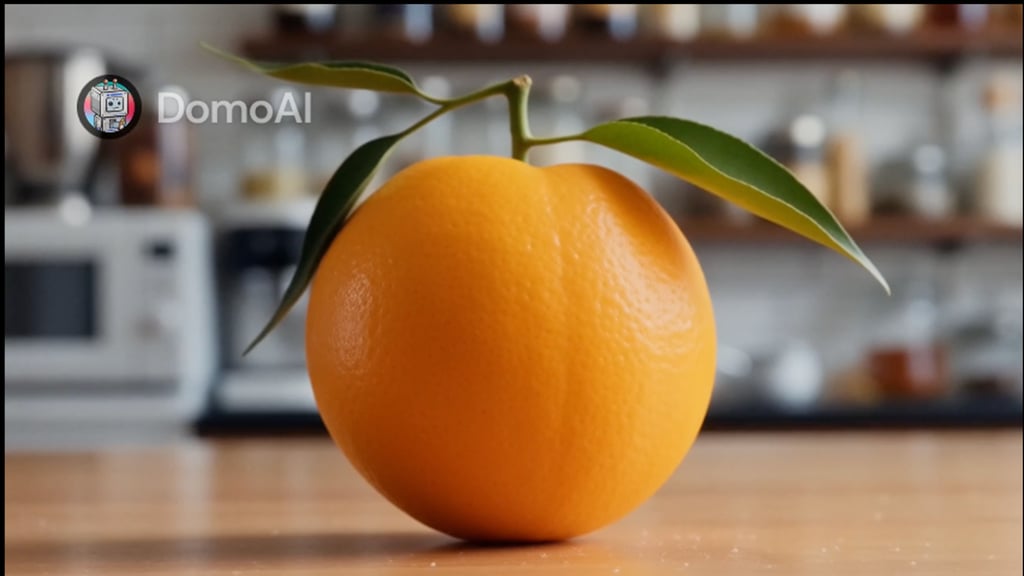
DomoAI uses a credit-based pricing system. You get a one-time free trial with 15 credits, which is enough for about two short animations, so you can try it out before paying. After the trial, you can choose from Basic, Standard, or Pro plans, each offering more credits and features. The Basic plan costs about $6.99/month if you pay annually and includes 500 credits, 3 fast lanes, and access to all styles. Keep in mind that DomoAI does not offer refunds on paid fees, so it’s a good idea to use the trial before subscribing.
3. Pippit – quick AI animations for social media marketing

| Rating: | |
| Best for: | Short-form animations |
| Starting price: | Free |
| Free version: | ✅ Available |
Pippit feels more like a social-focused animation engine built for marketers, not traditional animators. I used it to turn product pages, scripts, or quick prompts into short animated promos and talking-avatar videos that are already sized for TikTok, Reels, Shorts, and social ads.
The interface looks more like an AI chat than a traditional video editor. You can just pick between the Video or Image tab, type what you want, and then choose the video model and a few settings like style and format. From there, you can paste a link or script, let Pippit generate a few options, and lightly tweak the results if needed.

For testing, I gave Pippit the same prompt I used for other tools – to animate the life of an orange. I liked that it didn’t just ask for a prompt and run with it – it immediately suggested tailored options like “from seed to tree to fruit” or “journey to market,” and let me pick a visual style, plus mood and purpose.
The final result was an 18‑second video that told a surprisingly funny, story-driven version of the orange’s life. The pacing and scene transitions felt tuned for social feeds, and while it’s not Pixar-level animation, it was easily good enough for a quick TikTok or Reel.
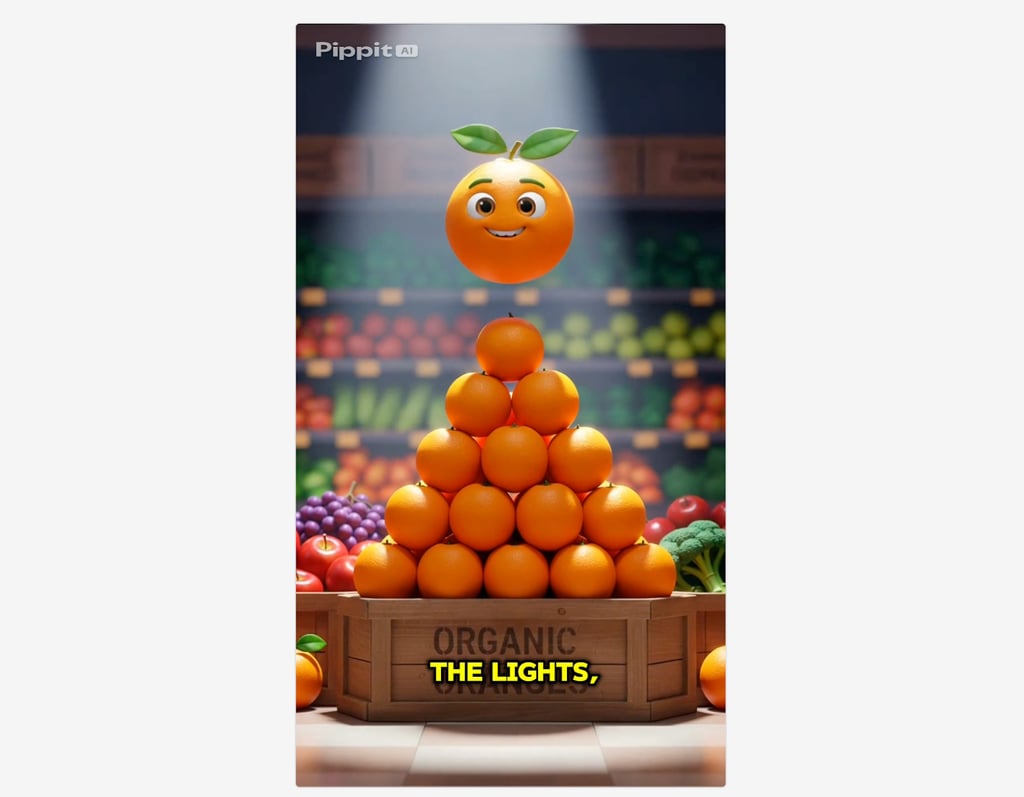
Pricing-wise, Pippit uses a credit-based system with a generous free tier. The free plan gives you 150 credits per week, which is enough for light testing and a few short videos. Paid plans start at about $24.17/month (billed annually) and unlock higher credit limits, more advanced creative options, and better scalability for teams that need to produce social animations and images on a regular basis.
4. Pika Labs – best for experimental, stylized AI animation

| Rating: | |
| Best for: | Stylized, experimental animations |
| Starting price: | $8.00/month |
| Free version: | ✅ Available |
Pika leans hard into playful, unpredictable visuals, which makes the output feel experimental by design. It pushes quirky visuals over realism, so expect stylized glitches with cartoony textures.
Signing up was pretty standard, via email or SSO, and the free plan gives 80 credits a month. The prompt bar sits front and center, with quick buttons for Scenes, Frames, Additions, and Twists so you can snapshot different looks fast.
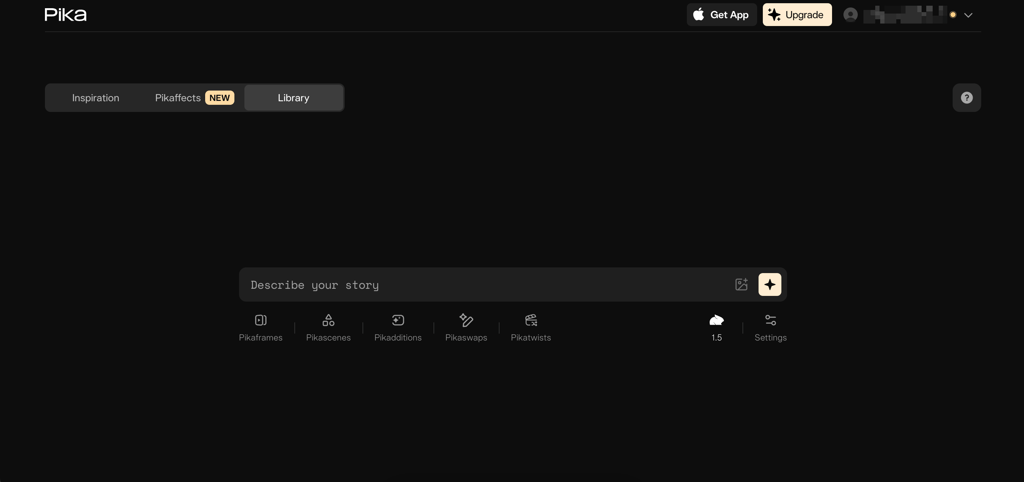
Model choices include Pika 1.0/1.5, Turbo, and 2.2. When testing, Pika 1.5 created a 3-second clip in about 90 seconds with a charmingly low-fi, game-like vibe. Turbo took roughly 2 minutes for 5 seconds and delivered sharper images with a noticeable AI glaze.
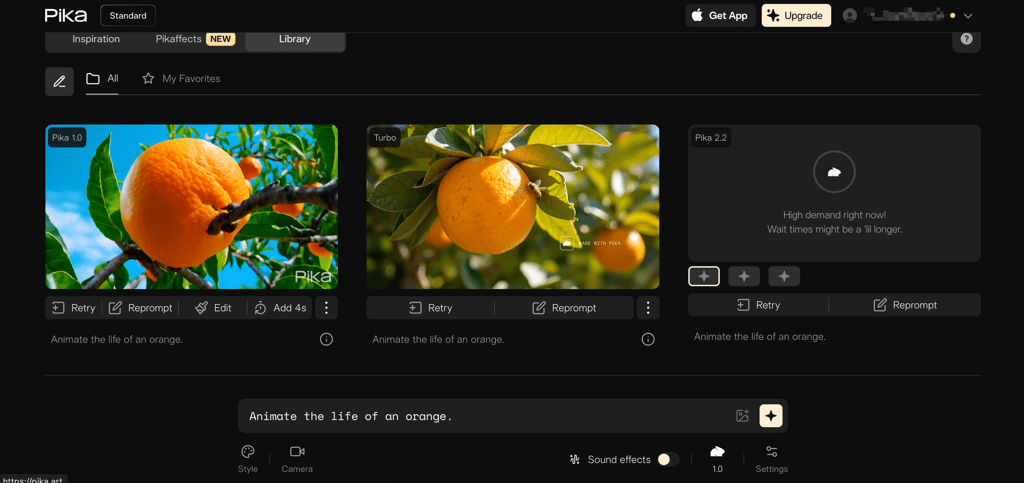
I was a little disappointed that I hit high demand warnings even as a paying user, and some projects even timed out. In general, you can expect queues and flaky runs more often than on Runway or Firefly.

The real fun in Pika comes from the Effects like Melt, Explode, Squash, and Inflate, which let you twist and play with your clips in ways most other tools don’t. The Inspirations library is handy too, giving you pre-made ideas you can tweak and make your own.
The free plan is great for just playing around. The starting paid plan is $8.00/month, but unfortunately, it doesn't remove watermarks from your downloads. To actually create watermark-free content, you'll need the $28.00/month plan.
5. Adobe Firefly – commercially safe AI animation

| Rating: | |
| Best for: | High-quality, brand-safe generative videos |
| Starting price: | $9.99/month |
| Free version: | ✅ Available |
Adobe Firefly is hard on commercial safety, which makes it great for projects where licensing and content rights matter. Adobe’s partner-friendly models mean teams can rely on outputs that won’t suddenly cause legal headaches.
I signed in with my Adobe account and jumped into Text to Video. The interface is busy, with fields for reference uploads, resolution, duration, shot size, and camera motion, but those controls are handy once you learn them.
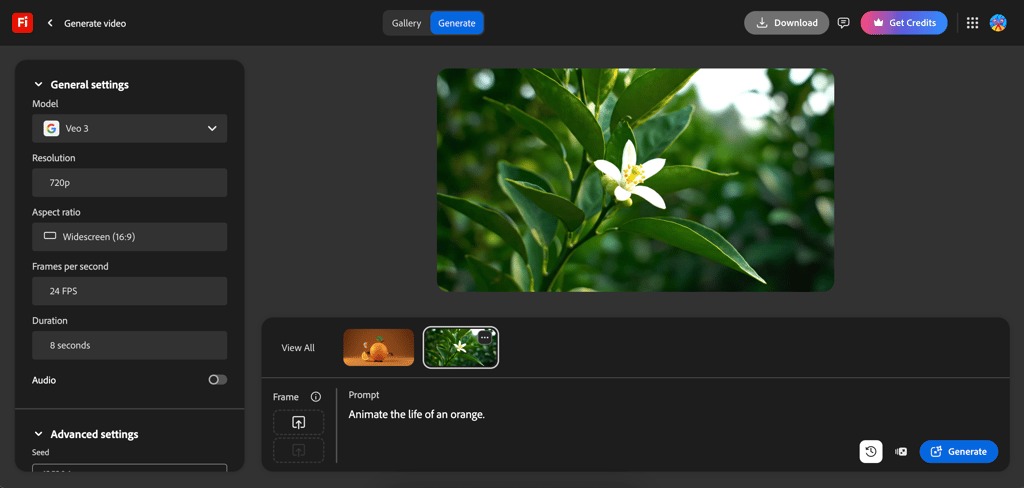
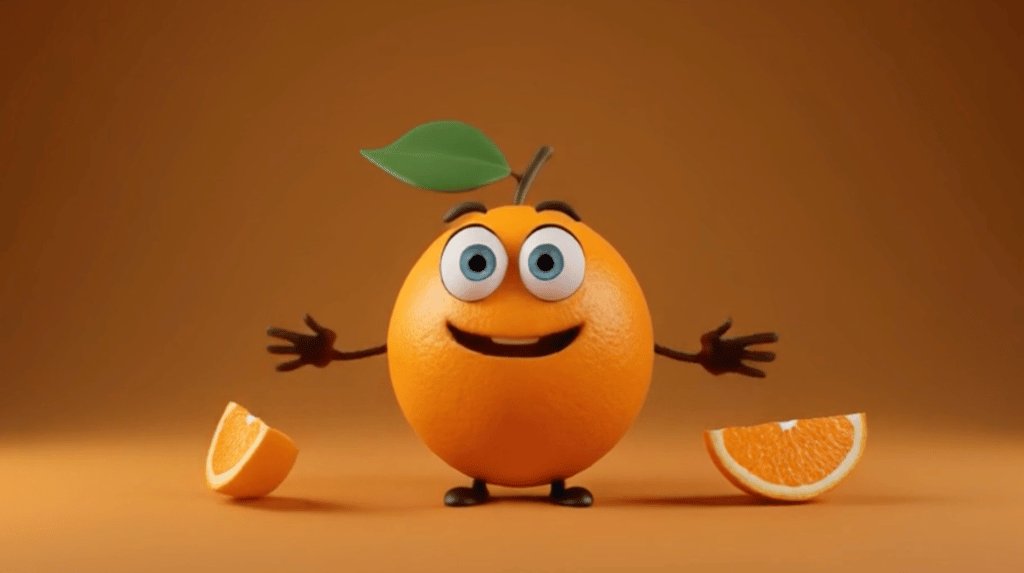
I ran the default Firefly model and got a quick, 90-second turnaround for a 5-second clip, which looked like a low-detail 3D cartoon orange. Switching to Veo 3 took about 2 minutes and produced a noticeably more realistic scene, closer to the Runway output I saw earlier.
Firefly’s sound tools are still in beta and are pretty quirky. The Generate Sound feature is great, but my attempt to make the orange talk produced weird, whispery results that aren’t fully ready.
Where Firefly really shines is workflow. It hooks into Adobe apps, keeps project history, lets you re-prompt and refine, and supports a timeline for stitching clips. That makes it a solid pick if you need clean, editable, commercially safe animation.
While it does have a free version, like all of the other providers, it is very limited. For $9.99/month, you get a decent amount of AI images, but 5-second videos are still capped at only $20.00/month. The real sweet spot is the Pro plan for $29.99/month, which gives you way more credits for videos and sound effects.
6. Animaker – best AI tool for educational animations
| Rating: | |
| Best for: | Explainer and educational videos |
| Starting price: | $15.00/month |
| Free version: | ✅ Available |
Animaker is best for educational animations because it actually started as a DIY explainer platform years before adding AI. Its AI handles the draft quickly with storyboards, voiceovers, and captions, which makes it perfect for training content.
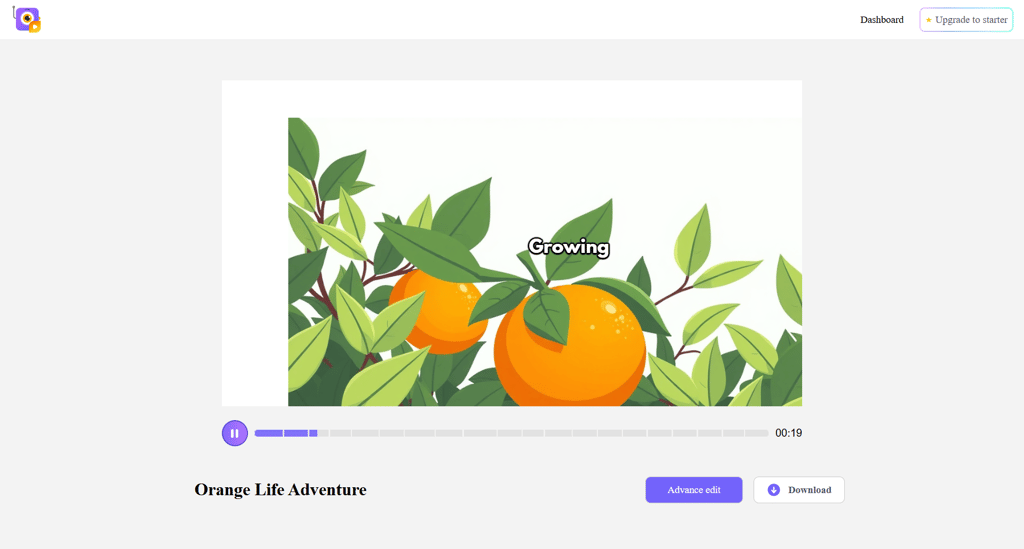
Getting started was simple. After signing up and choosing Generate I answered a few quick questions about style and purpose, then dropped in the orange prompt. Within minutes, Animaker generated a two-and-a-half-minute explainer with scenes, narration, and captions.

The draft looked like a classic Animaker video, with flat 2D characters, smooth transitions, and a cheerful voiceover. The captions needed small fixes, but the lip-sync was close enough.
The real strength of Animaker AI is the editing environment. Its timeline and drag-and-drop tools made it easy to tweak pacing, swap assets, and adjust narration. The asset library is huge, with many characters, props, backgrounds, and even music, so you can build a whole lesson without leaving the platform.
Performance was fine on my end. Compared to tools like Synthesia that lock you into presenter-style videos, Animaker felt more flexible and better suited for animated storytelling. The main drawback was rendering time, though that’s pretty standard for browser-based tools.
Animaker does have a free-forever plan, but it comes with watermarks and tight limits on downloads and features. To remove watermarks and unlock longer videos, higher resolution, and more AI credits, the paid plans start at $15.00/month.
7. Synthesia – best AI content maker for automated corporate animations

| Rating: | |
| Best for: | Corporate training and marketing videos |
| Starting price: | $18.00/month |
| Free version: | ✅ Available |
For automated corporate animations, consistency and speed matter most, and that’s exactly where Synthesia is the best at. If your company needs training clips, onboarding explainers, or a clean presenter video, Synthesia is the tool that delivers that look in minutes.
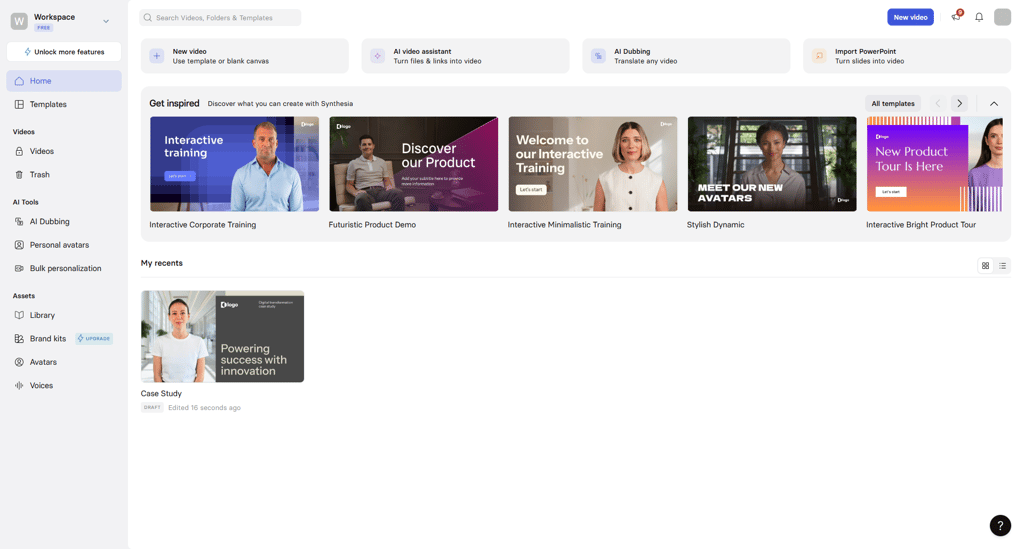
Signing up was similar to other providers, via email, Google, or SSO. The AI video assistant guides you through script, avatar, language, and tone. The interface feels like a stripped-down video editor mixed with a presentation tool, easy to navigate without overwhelming menus.
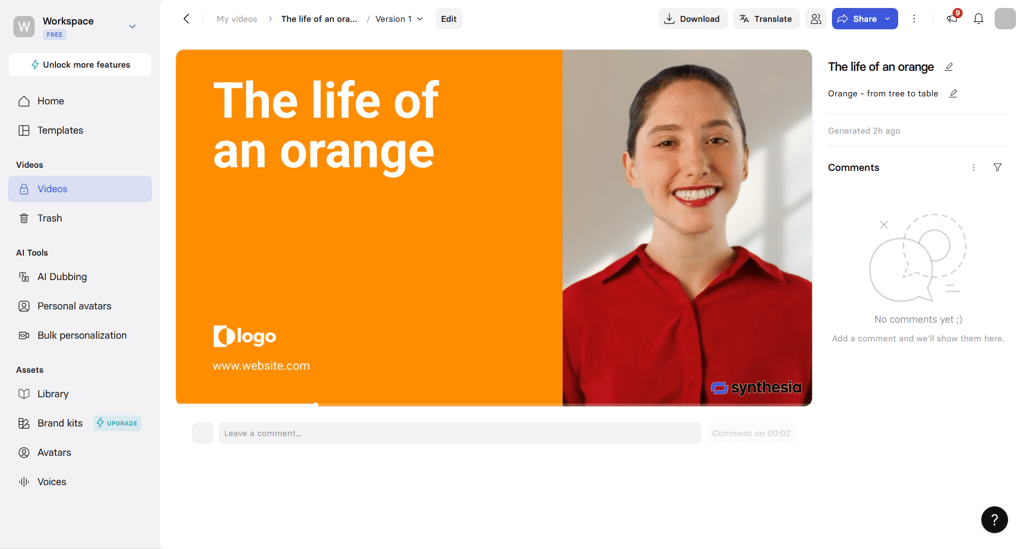
I tested the “animate the life of an orange” prompt as a presenter piece and got an 80-second info video with a lifelike avatar and clean lip-sync. However, I noticed a slight stiffness and clear AI if looking closer. Compared to tools like Runway or Pika, which lean toward creativity and experimentation, Synthesia stays rigidly professional.
Some highlights worth calling out are the realistic avatars with surprisingly good lip-sync, the wide choice of over 230 avatars, support for 140 languages, and a bunch of ready-made business templates. The editor itself is lightweight but still capable, and the templates make it easy to churn out consistent videos quickly.
If you want hand-drawn cartoons or wildly creative styles, look elsewhere, since Synthesia is about professional polish. Pricing is also on the higher side ($18.00/month), but there’s a free tier with a handful of avatars and a few minutes to try it out.
Best AI animation generator tools compared
If you’re trying to figure out which tool fits your workflow, this breakdown should help. Here’s a quick side-by-side of the best AI generators for animation in 2026:
| Tool | Starting price | Best for | Free plan | Key features |
| Runway ML | $12.00/month | Versatile creative projects | ✅ Available | Multiple AI models (Runway, Gen-4, Turbo), works with video, images, audio, and motion edits, clean, minimal UI |
| DomoAI | $6.99/month | Stylized animations | ❌ Not available | Realistic talking avatars with lip-sync, anime and stylized animation modes, quick apps |
| Pippit | Free | Short-form animations | ✅ Available | Link-to-video and script-to video with AI avatars, batch image creation and AI backdrops |
| Pika Labs | $8.00/month | Artistic and experimental videos | ✅ Available | Experimental effects, playful stylized outputs |
| Adobe Firefly | $9.99/month | Professional, brand-safe videos | ✅ Available | Text-to-video and image-to-video, customizable styles, Veo model for realism, integrates with Adobe apps |
| Animaker | $15.00/month | Learning and educational videos | ✅ Available | Auto storyboards and scripts, 2D character animations, drag-and-drop editor, large asset library |
| Synthesia | $18.00/month | Business training and presentations | ✅ Available | Realistic avatars (230+), 140+ languages, polished templates |

What is an AI animation generator?
AI animation generators are tools that let computers turn words, images, or simple ideas into moving video. You give the AI a prompt or upload an image, and it figures out motion, timing, and sometimes even sound or lip-sync for characters. No drawing every frame, no countless hours staring at keyframes, just let the AI create your video.
Behind the scenes, they use clever tech like diffusion models and GANs to create smooth, believable animation. Basically, the AI fulfills how things should move and brings your idea to life. People use them in all sorts of ways:
- Marketing. Quick promo videos or ads that fit any campaign.
- Education. Engaging explainers, lessons, or training clips.
- Content creation. Short films, cartoons, or social media clips without needing animation skills.
These tools make animation faster and easier, letting anyone produce moving visuals without needing traditional animation skills.
Best AI animation generator: my final verdict
There’s no single best AI animation generator. The right tool depends on what you want to do. Runway ML stands out for its flexibility and handling of different styles and formats. Other tools on my list excel at more specialized intent, like corporate avatars, stylized visuals, or educational clips.
Each platform speeds up animation in its own way, cutting down on manual work and letting you focus on ideas instead of technical details. They all make it possible to create content faster than traditional methods.
I recommend testing the free tiers, since it’s the easiest way to see what fits your workflow. AI animation opens doors for faster production and creative experiments you might not have tackled before. Give one of these tools a spin and see how it changes the way you make videos.
FAQ
What is the best animation generator for AI?
It depends on your needs. In my testing, Runway ML proved to be the all-around pick for a wide variety of media, Synthesia nailed educational and corporate-like videos, Pika shone with its stylized looks, and Animaker won for quick 2D explainers depending on your goals.
Can I use AI to make animations?
Yes. I used text prompts and image-to-video modes to produce short clips with auto lip-sync. For simple projects, you can get usable results fast, though complex scenes still need manual fixes and model-specific tweaking and polishing.
Can ChatGPT create animations?
Not by itself, since ChatGPT only generates text. However, some platforms integrate ChatGPT-style models to help make videos. For example, Synthesia offers a ChatGPT-powered AI video assistant which can take text prompts or scripts and turn them into a video. In practice, you can use ChatGPT to write a script or storyboard, then paste that script into an AI video tool like Synthesia or Firefly to generate the animation.
What is the best AI animation tool for beginners?
Animaker and Adobe Firefly are the friendliest. Animaker’s script-to-storyboard and drag-and-drop timeline produce a full education animation really accurately, though the render time was slow. Adobe Firefly is great for fast social clips and quick experiments.
Do I need to be an artist to use AI animation tools?
No, you don’t need to be an artist to use AI animation tools. Platforms like Runway, Animaker, and Pika Labs let you generate full animations from text prompts or images, even handling motion, lip-sync, and scene creation automatically. These AI animation tools make it easy for beginners and non-artists to produce professional-looking videos without drawing skills.
Can I use AI-generated animations for commercial projects?
Yes, you can generally use AI-generated animations for commercial projects. Most major tools like Runway, Synthesia, and Adobe Firefly provide commercial licenses on paid plans, allowing use in marketing, ads, and client projects. Just keep in mind that the free tiers may restrict use or add watermarks, so read the terms of service carefully before publishing AI video or other AI animation content.